Выберите / @ символ и опишите сцену, которую хотите создать.
0/2000
9:16
1K
1
Unlimited Banana Pro
Creations
Ideas Hub
How It Works
All
Popular features
View All
Творческий челлендж на Хэллоуин
View All
История фруктов с ИИ
View All
Видео с историей ИИ
View All
Вирусные видео сегодня
View All
Видео о продуктах ИИ
View All
Персонаж ИИ
View All
Танцевальные тренды
View All
GPT Image 2
View All
Seedance 2.0
View All
Соответствие знаменитостей ИИ
View All
Подсказки для поз пар
View All
Эстетические подсказки поз для девушки ИИ
View All
Стильные подсказки для поз ИИ-мальчика
View All
Generate List
Creations are stored for only 7 days. Assets created after upgrading to a Membership plan will be stored permanently.
Unlock your creative potential and experience the magic of Media AI right away!
Идентификатор сорняков по фото для быстрой проверки газонов и садов
Загрузите чёткое фото растения и используйте Media.io как идентификатор сорняков для создания визуальных результатов в стиле ID быстро. Он поддерживает идентификацию сорняков по фото для газонов, клумб и тропинок, упрощая поиск по запросам «определить сорняк по фото», идентификация сорняков по фото, и быстрое использование онлайн-сканера сорняков на любом устройстве.
Введите идею -> ИИ создаёт дизайн. Попробуйте бесплатно.
Изучите эти примеры указаний, затем настройте детали для получения более точных результатов с помощью идентификатора сорняков Media.io.
Мобильный сканер загрузки
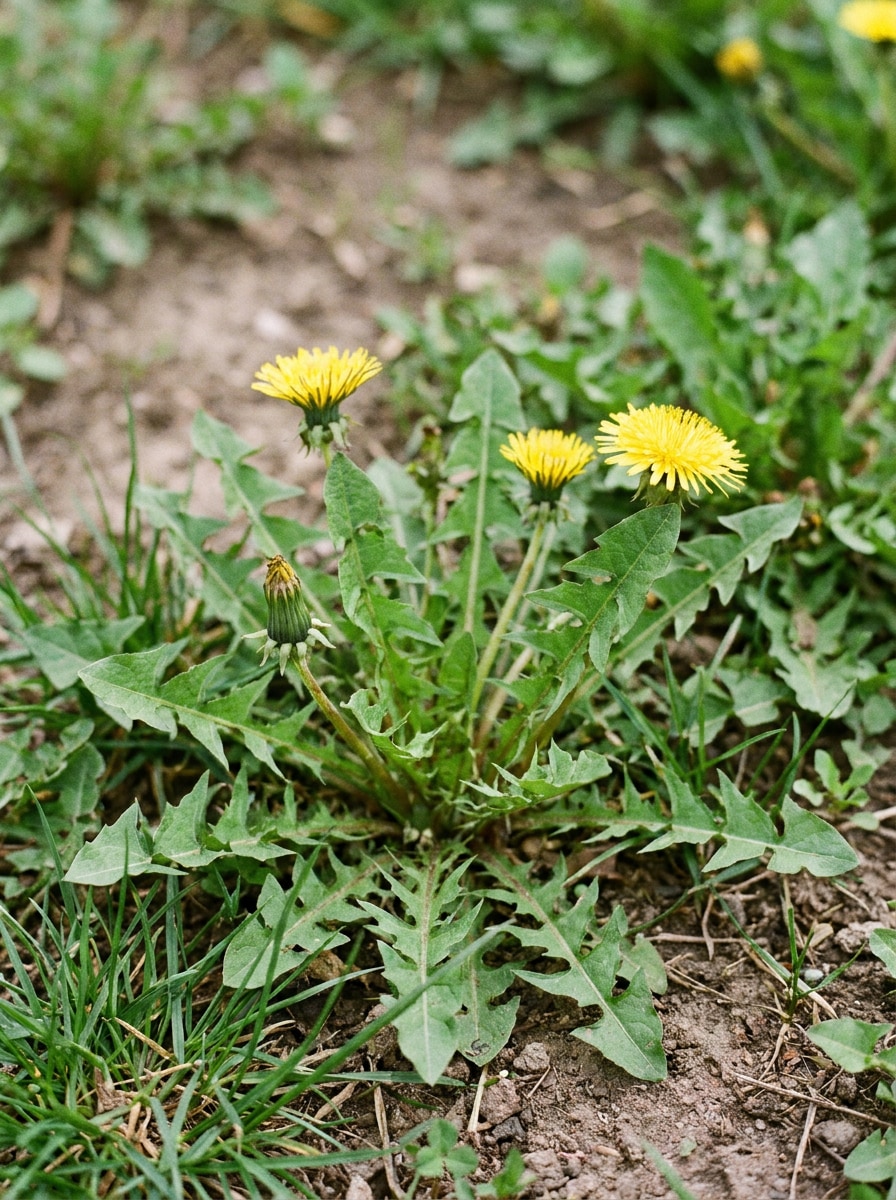
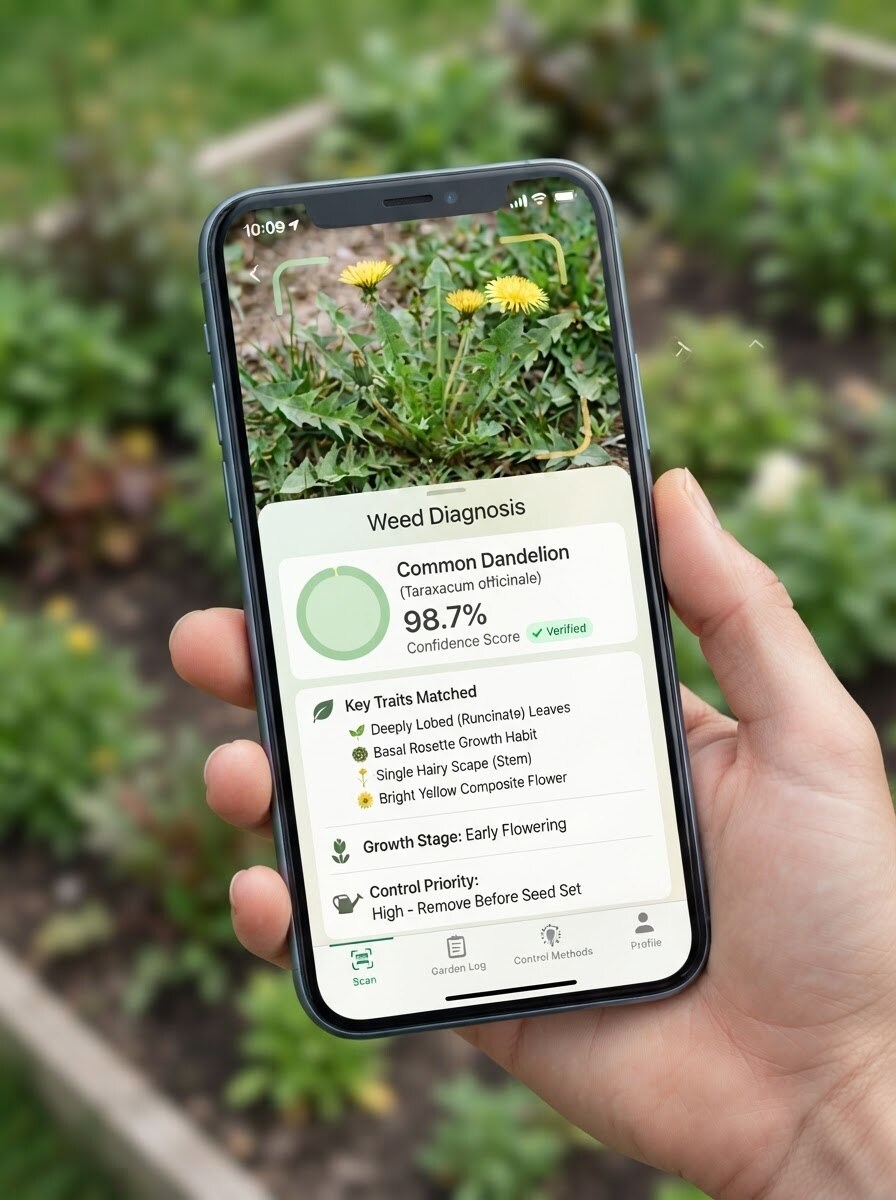
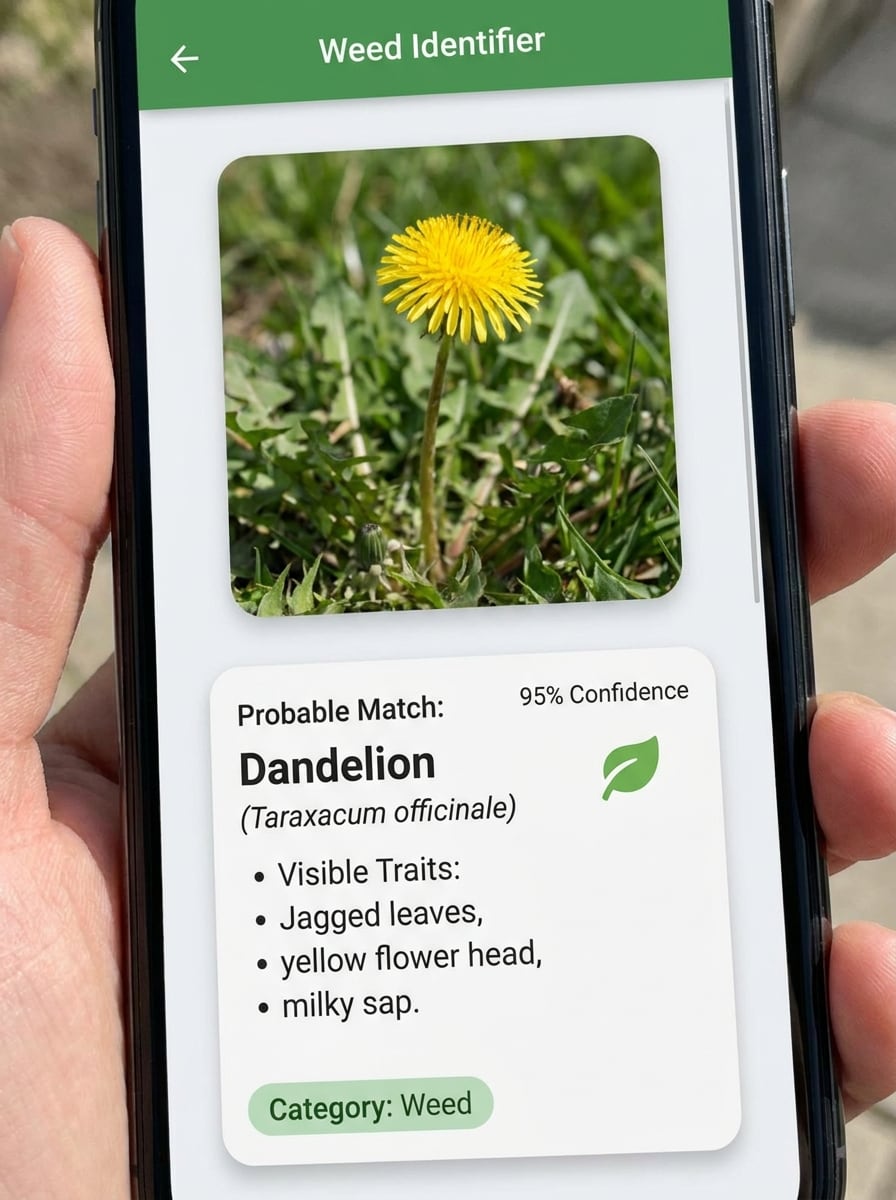
Используйте загруженное изображение в качестве объекта и преобразуйте его в реалистичный экран сканирования мобильного приложения для садоводства. Отобразите фото сорняка чётко внутри интерфейса телефона с вероятным совпадением, показателем уверенности, видимыми признаками, чёткими иконками, мягкими натуральными зелёными акцентами, ярким освещением интерфейса и надёжным современным диагностическим макетом.
Мгновенный результат идентификации
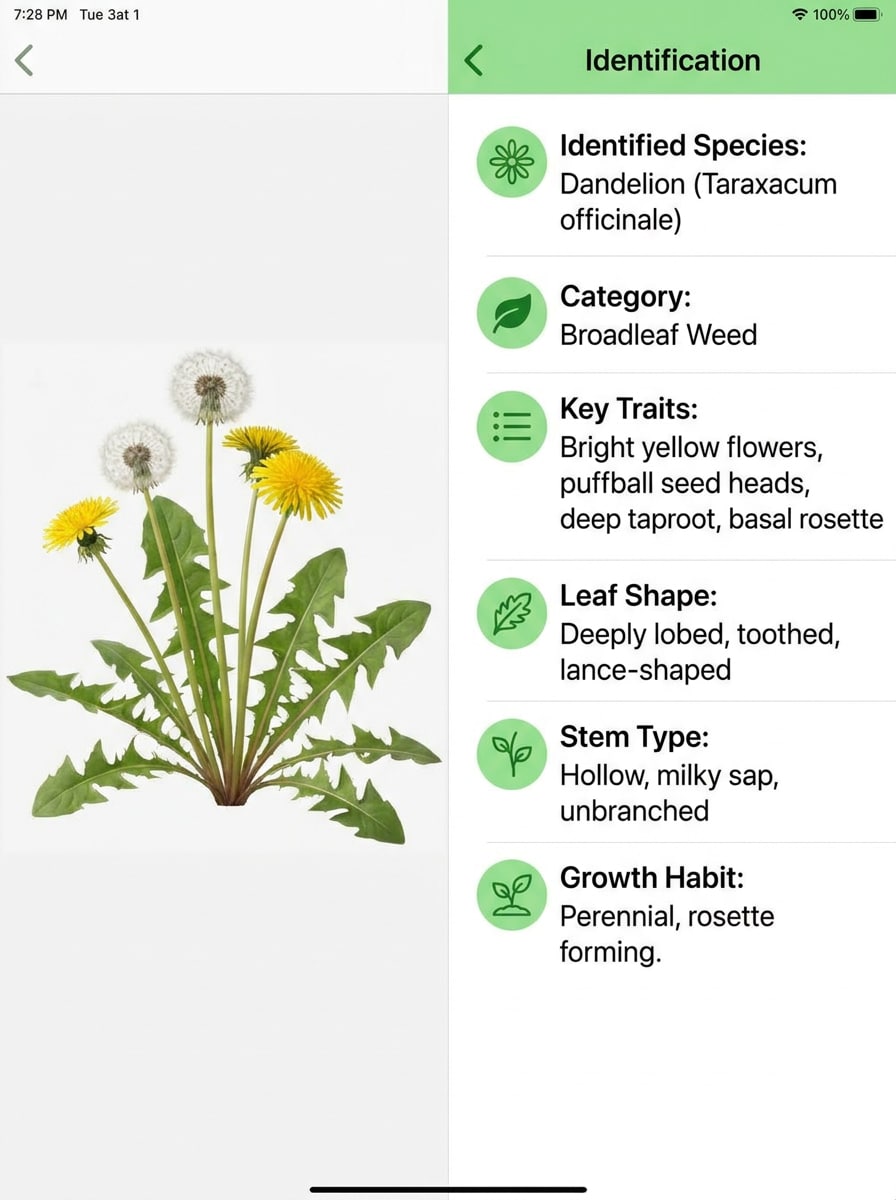
Используйте загруженное изображение в качестве образца сорняка и преобразуйте его в аккуратный результат идентификации «бок о бок». Разместите оригинальное фото растения слева и чистую панель результатов справа с названием сорняка, категорией, ключевыми признаками, описанием формы листа и аккуратным оформлением в стиле садовых технологий в профессиональном образовательном тоне.
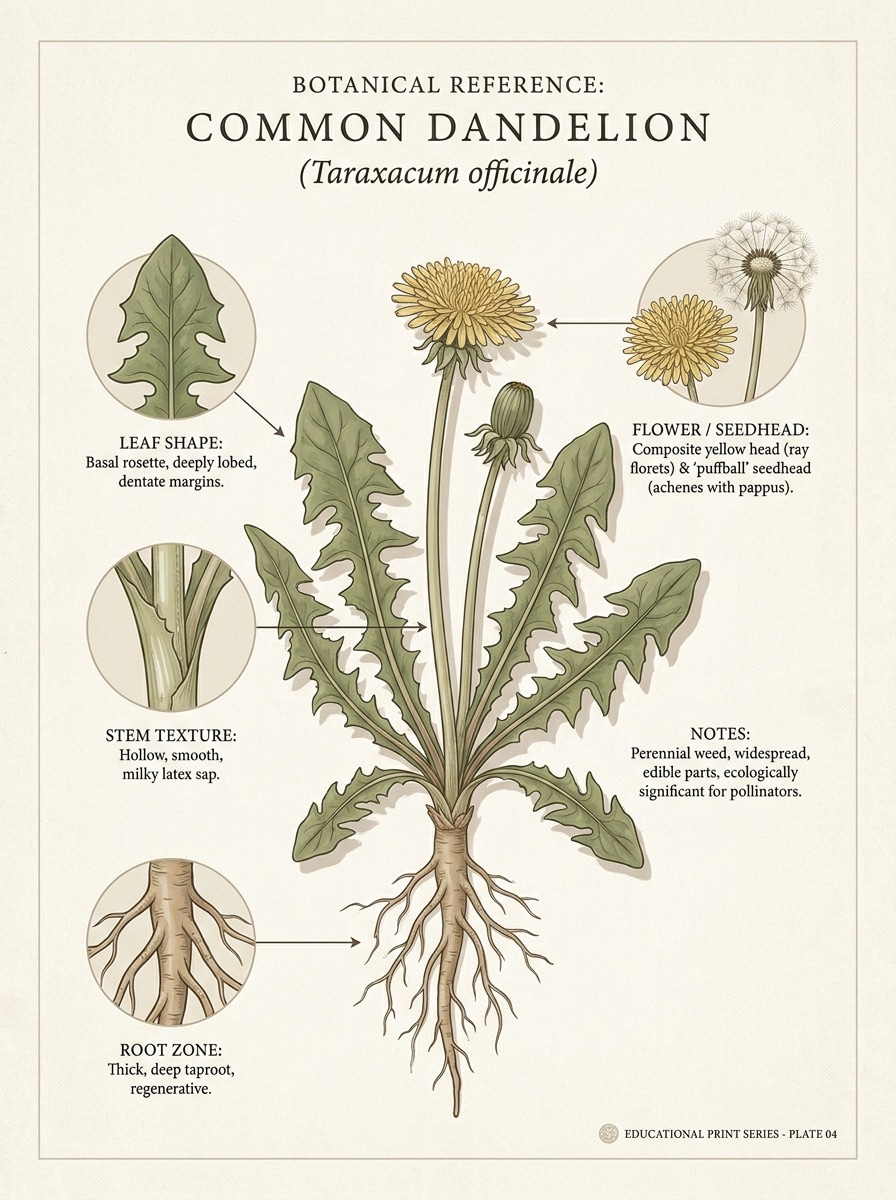
Ботаническая полевая карточка
Используйте загруженное изображение в качестве исходного растения и преобразуйте его в справочную карточку полевого определителя. Представьте сорняк на нейтральном фоне с подписанными выносками для листа, стебля, корневой зоны, цветка или соцветия, с чистыми редакционными отступами, приглушёнными земляными тонами и точным образовательным оформлением, которое выглядит надёжно и легко читается.
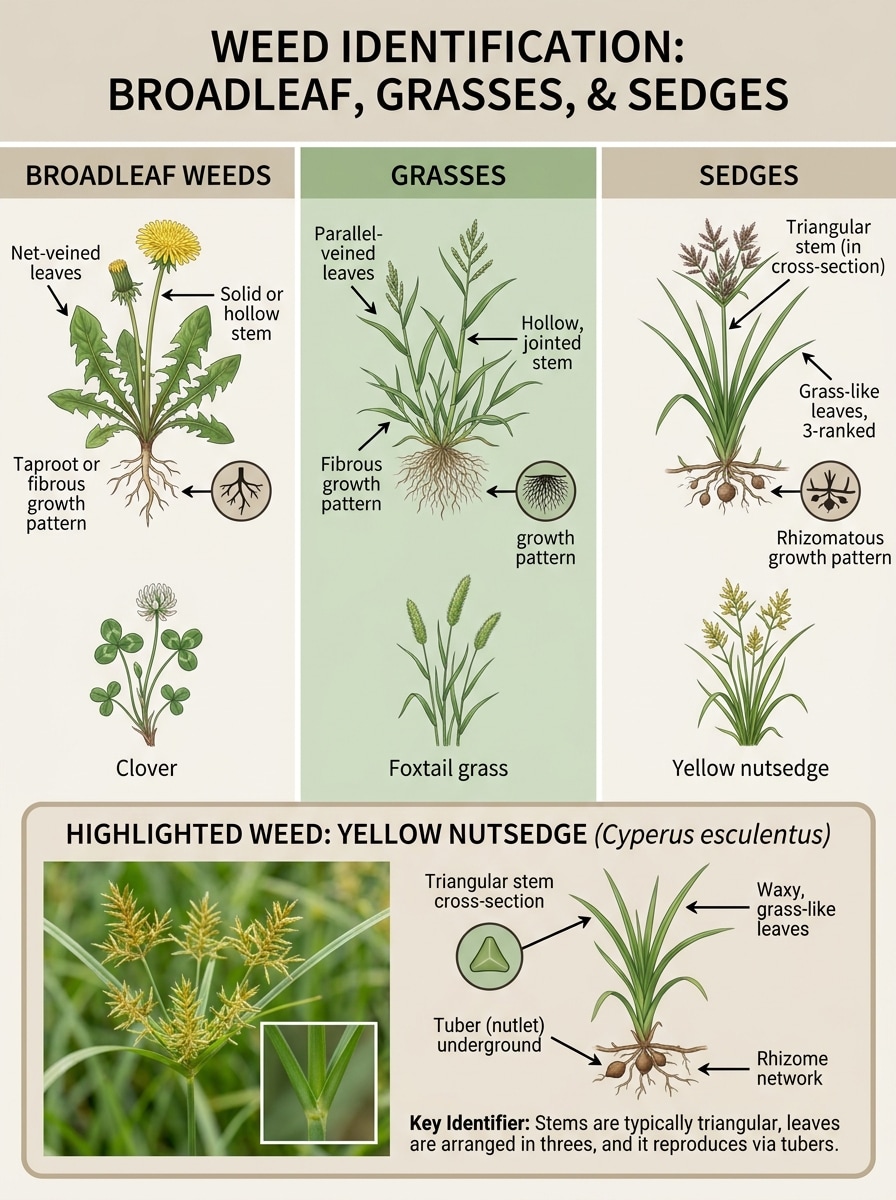
Сравнительная таблица признаков
Используйте загруженное изображение растения в качестве одного примера в сравнительной инфографике, которая помогает различать широколистные сорняки, злаки и осоки. Добавьте подписанные визуальные панели для формы стебля, расположения листьев и характера роста с чётким образовательным оформлением, сбалансированными отступами, мягким реализмом дневного света и чёткими цветами категорий.
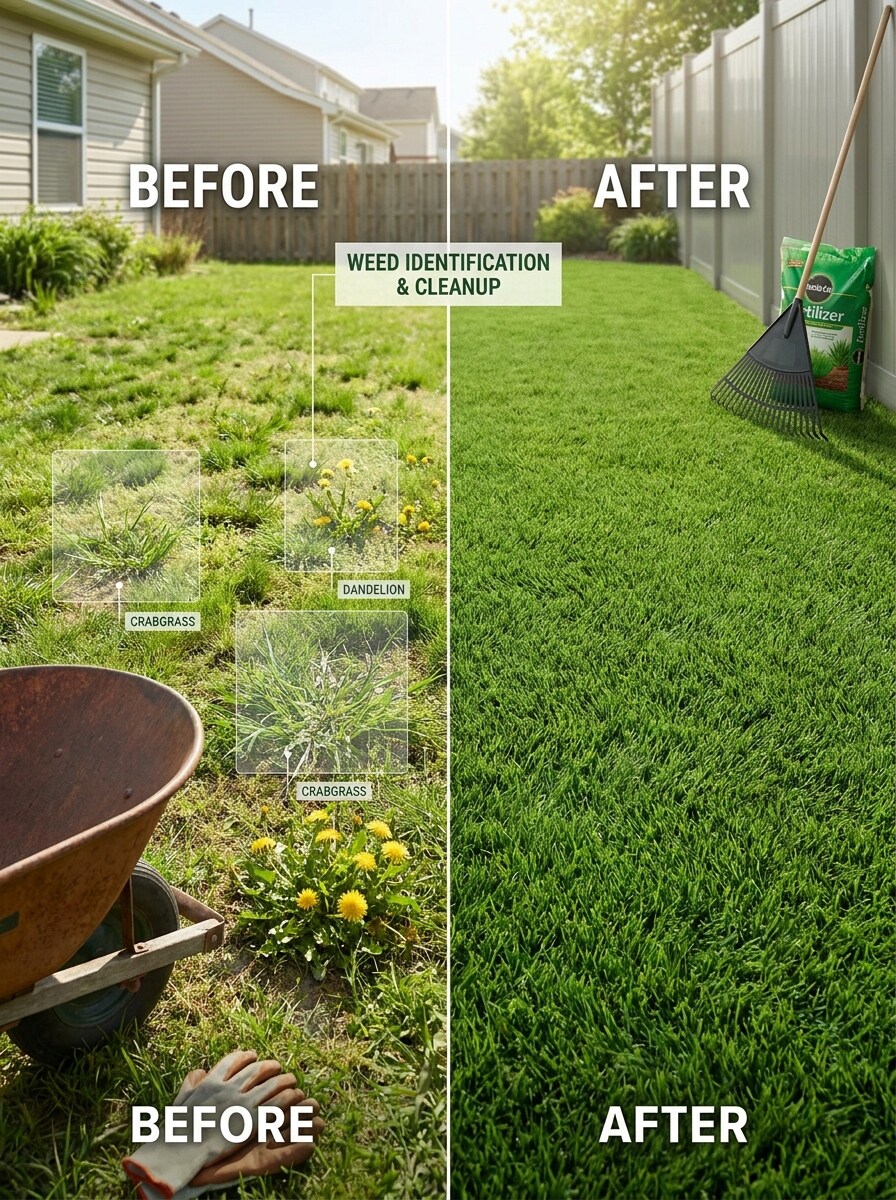
Проверка газона на сорняки «до и после»
Используйте загруженное изображение в качестве эталона сорняка на газоне и преобразуйте его в диагностический визуал с разделённой сценой. Покажите заросший газон с одной стороны и чистый газон с другой, с выделенным сорняком, тонким наложением сканирования, реалистичной текстурой дёрна, ярким уличным освещением и практичным оформлением для домовладельцев.
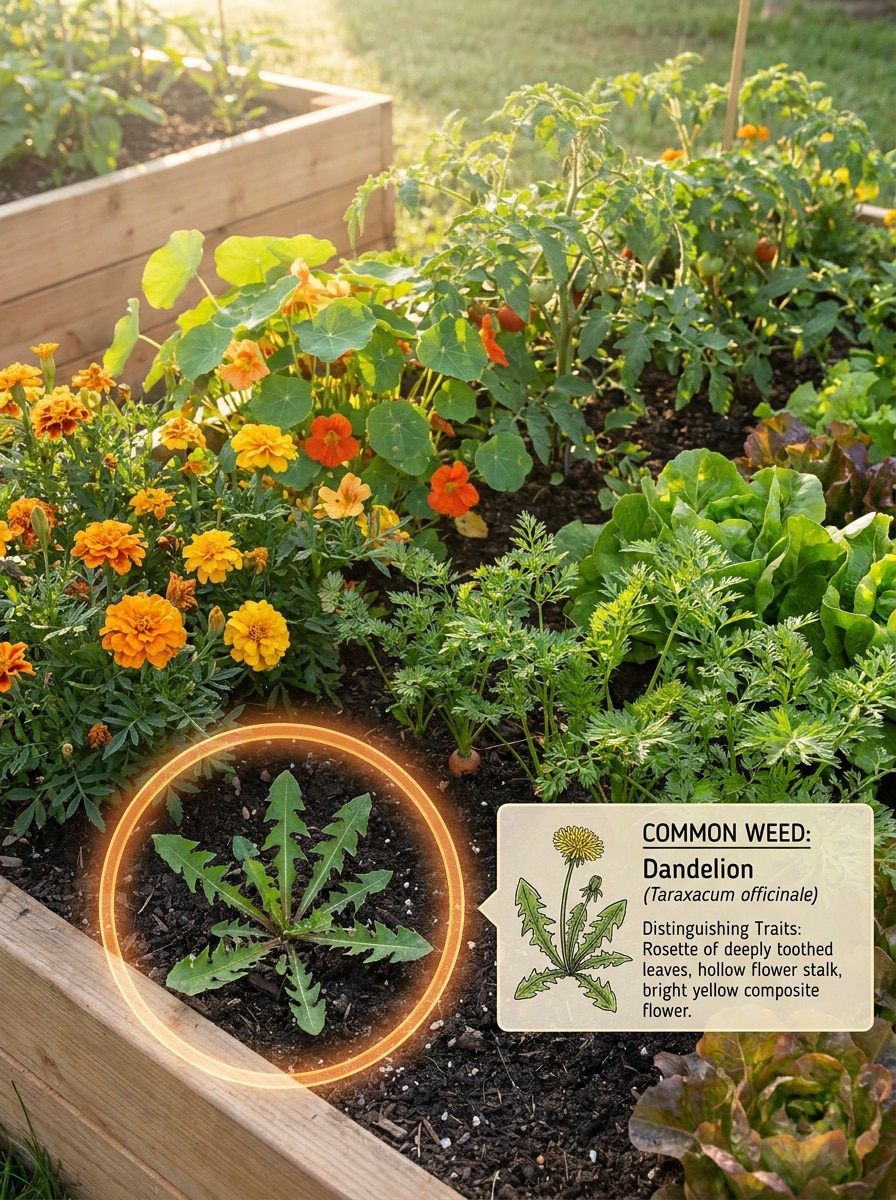
Обнаружение сорняков на грядке
Используйте загруженное изображение в качестве определяемого сорняка и поместите его в реалистичную сцену обнаружения на грядке. Окружите его цветами или овощами, добавьте чёткую выноску для целевого растения, сохраните натуральные текстуры, мягкое уличное освещение и сделайте разницу между нужными растениями и сорняками легко читаемой.
Макросъёмка листа и стебля
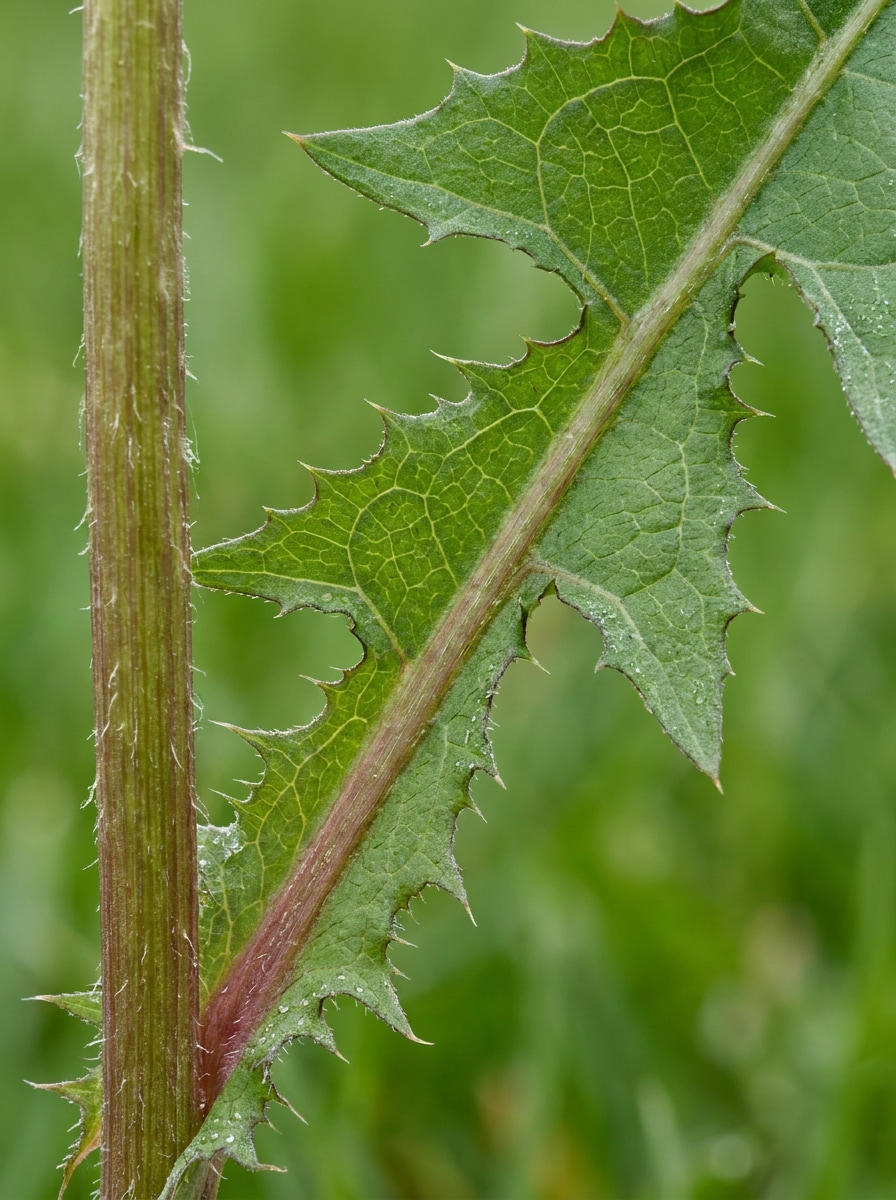
Используйте загруженное изображение в качестве объекта и улучшите его до макро-диагностического исследования, сосредоточенного на краях листьев, прожилках и текстуре стебля. Сохраняйте плотную композицию, естественное направленное освещение, мягко размытый фон, реалистичные цвета и достаточно чёткий конечный результат для тщательного визуального сравнения.
Идентификатор цветков и соцветий
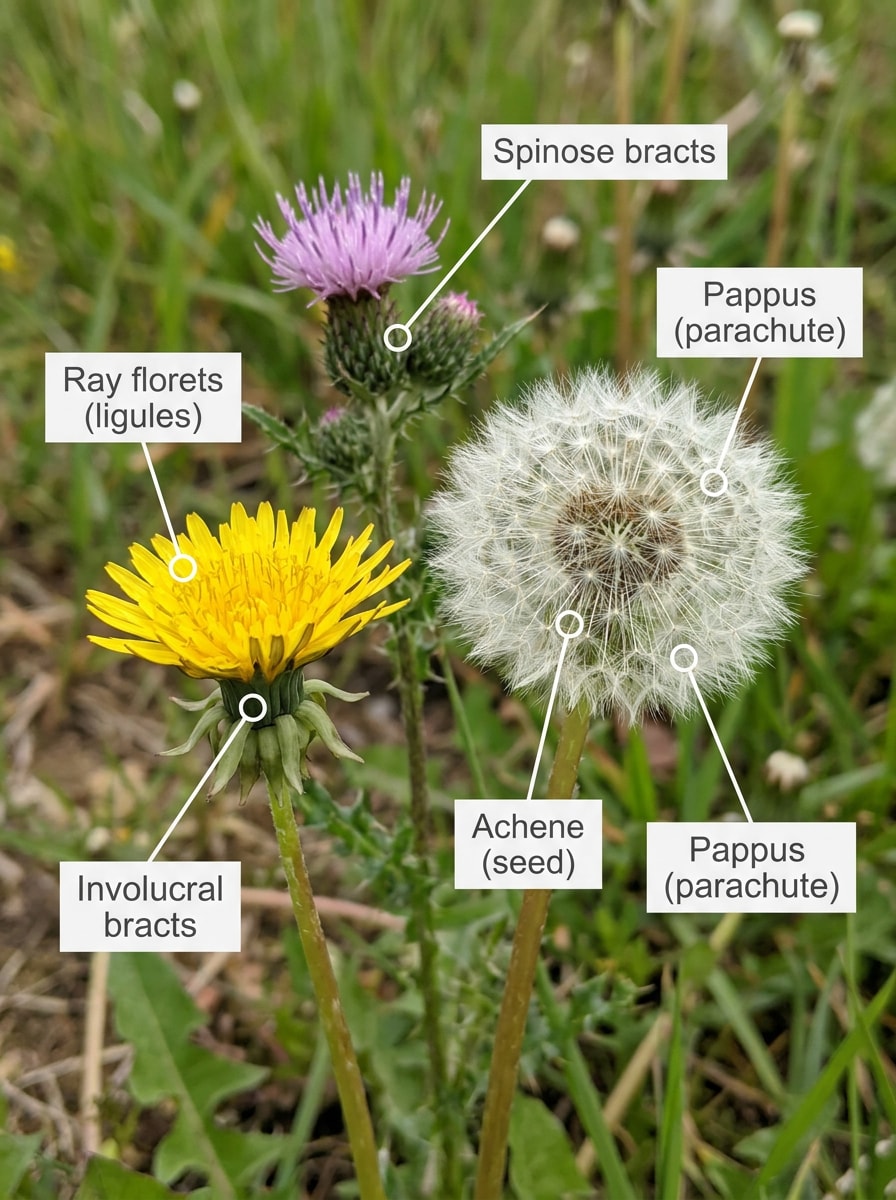
Используйте загруженное изображение в качестве эталона растения и преобразуйте его в визуал крупного плана для идентификации, сосредоточенный на цветках или соцветиях. Добавьте тонкие маркеры аннотаций, сохраните чистый размытый фон, реалистичную текстуру и цвет, и выделите части, которые садоводы используют для различения похожих видов.
Региональный поиск сорняков
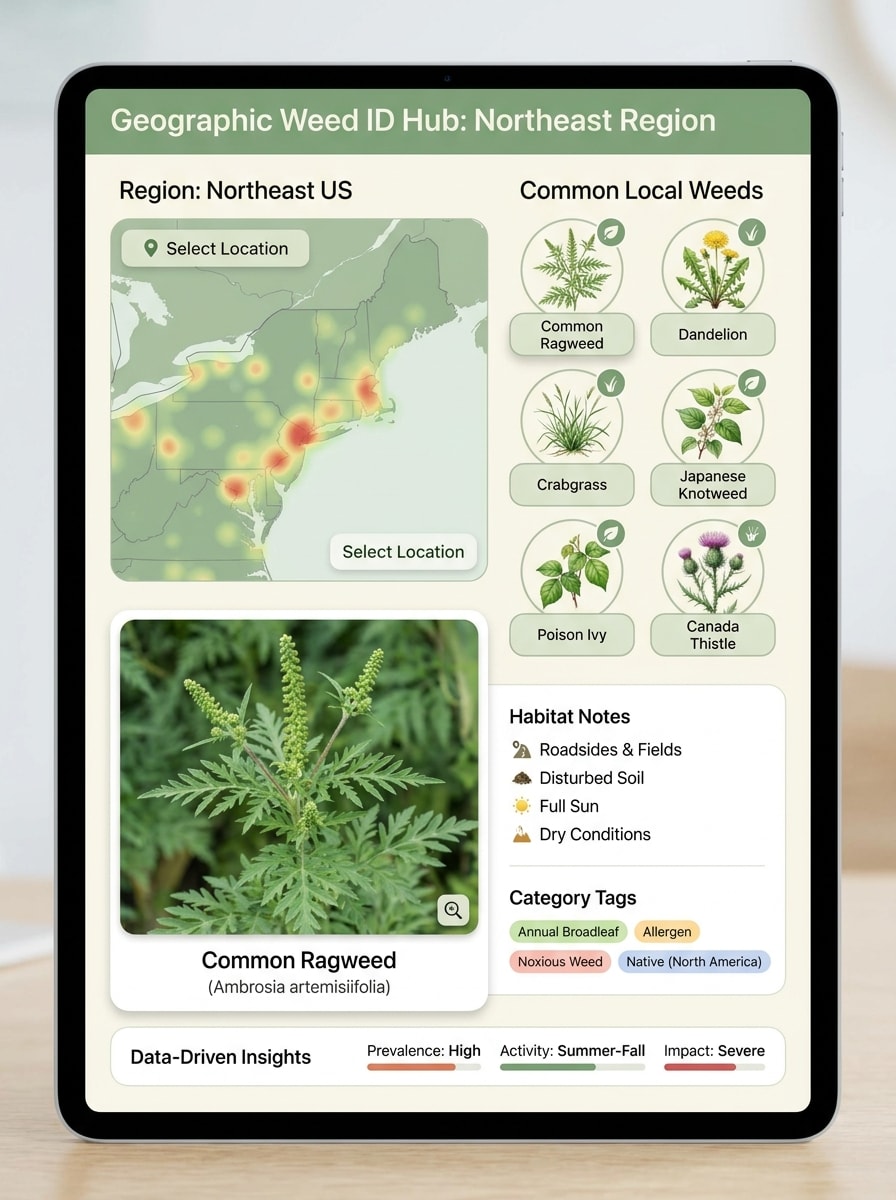
Используйте загруженное изображение в качестве образца растения и преобразуйте его в макет регионального поиска сорняков. Объедините фото растения с панелью в стиле карты, предложениями по распространённым местным совпадениям, заметками о среде обитания и чётким интерфейсом на основе данных, используя свежие зелёные тона, приглушённые нейтральные оттенки и организованную надёжную образовательную эстетику.
Визуал сезонных стадий сорняка
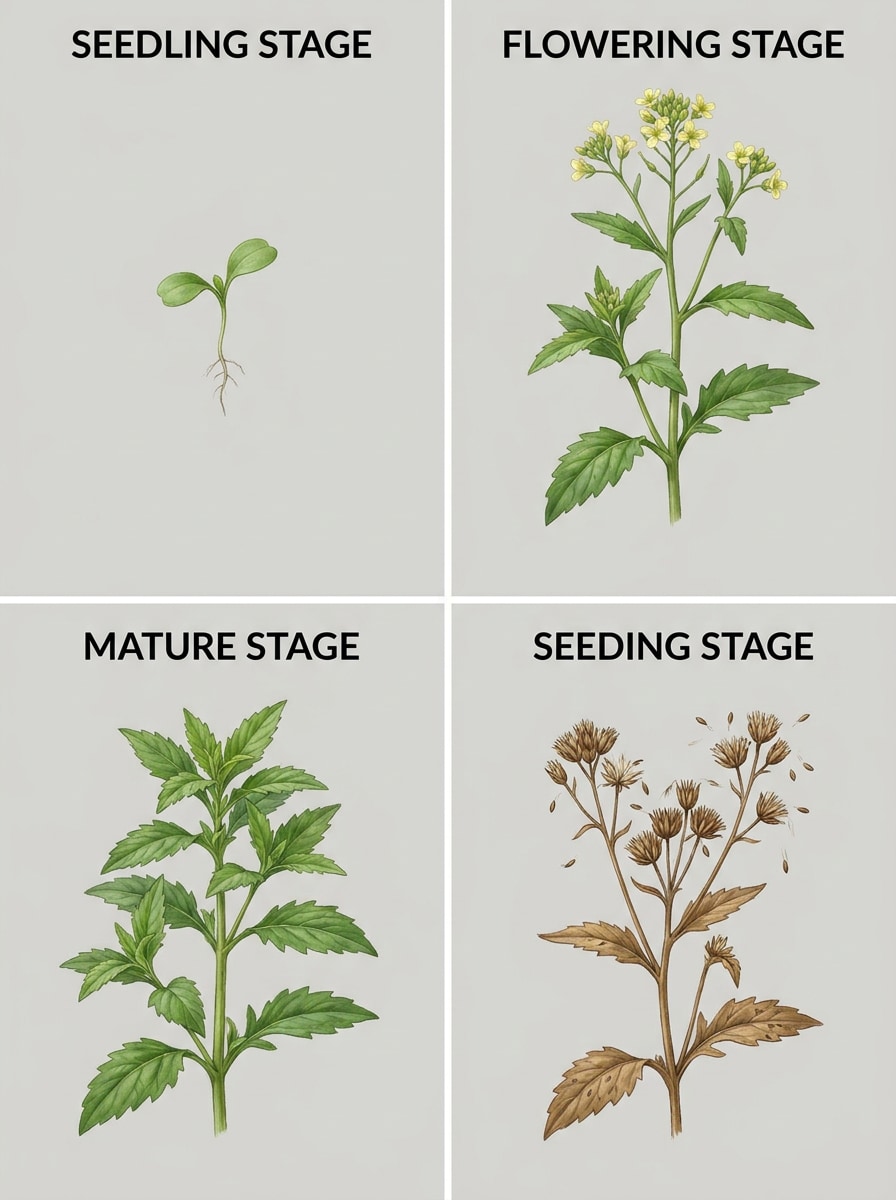
Используйте загруженное изображение в качестве эталонного сорняка и преобразуйте его в панель сезонного жизненного цикла. Покажите растение на стадиях проростка, зрелого растения, цветения и плодоношения, сохраняя согласованные формы, реалистичные текстуры, чёткие подписи и практичную общую композицию для садоводов, сравнивающих признаки стадий роста.
Почему стоит использовать Media.io для визуалов идентификации сорняков по фото
Превратите одну загрузку в чёткие визуалы в стиле ID
Для визуалов растений, которые всё ещё должны напоминать исходный объект, Media.io помогает сохранить основные идентификационные признаки при совершенствовании конечного стиля идентификатора сорняков, так что результат выглядит чище, не теряя нужных для сравнения деталей.
Подберите правильный стиль для каждой версии
Одна идея часто требует более одного внешнего вида. Media.io помогает переосмыслить один и тот же визуал идентификатора сорняков в разных стилях, чтобы каждая версия лучше соответствовала требованиям проекта.
Генерируйте более чёткий вывод до 4K
Некоторым результатам нужно делать больше, чем просто хорошо выглядеть в предварительном просмотре. Media.io помогает генерировать более чёткие визуалы идентификатора сорняков с выводом до 4K, чтобы конечное изображение сохранялось в обоях, презентациях и макетах.
Работайте с телефона или компьютера в одном режиме
Для создателей, переключающихся между мобильным и настольным устройством, Media.io сохраняет создание визуалов идентификатора сорняков в браузере, чтобы рабочий процесс оставался удобным, где бы вы ни работали.
Как использовать этот идентификатор сорняков
Превратите ваши слова в потрясающие визуалы в три простых шага, а затем продолжайте улучшать результат, если хотите пойти дальше.
Шаг 1
Загрузите своё исходное изображение
Начните с чёткого фото растения, показывающего сорняк, который вы хотите осмотреть. Снимок крупным планом листьев, стеблей, цветков или соцветий лучше всего подходит для фотографий для идентификации сорняков, будь то проверка газона, грядки, придорожного растения или предполагаемого болиголова.
Шаг 2
Опишите изменение и установите параметры
Введите запрос, запрашивающий результат в стиле ID, полевую карточку, экран сканирования или сравнительную таблицу. Затем выберите модель и настройте соотношение сторон, качество и разрешение для создания чётких изображений для идентификации сорняков для мобильного просмотра, обмена или изучения.
Шаг 3
Генерируйте, скачивайте и продолжайте улучшать
Создайте несколько визуальных вариантов, сравните, какой макет делает признаки наиболее читаемыми, и скачайте лучший результат. Вы можете продолжать уточнять запрос для идентификации злаковых сорняков, регионального сравнения или более чётких крупных планов стеблей, краёв листьев и стадий роста.
Раскройте потенциал идентификации сорняков по фото
Посмотрите, как создатели используют идентификатор сорняков Media.io для контента, маркетинга и личных проектов, а затем адаптируйте каждую идею под свои задачи.
Проверяйте неизвестные растения на газонах и во дворах
Домовладельцы могут загрузить фото с телефона для создания более чётких визуалов сравнения распространённых нарушителей газона, упрощая идентификацию злаковых сорняков, проверку газона, идентификацию сорняков на дёрне и общие проверки двора перед тем, как решить, что исследовать или удалять, используя рабочий процесс идентификатора сорняков на газоне или во дворе.
Создавайте более безопасные запросы по болиголову
Если вы изучаете идентификацию болиголова, идентификацию ядовитого болиголова, поиски по определению ядовитого болиголова, идентификацию дикого болиголова или пытаетесь определить признаки дерева болиголова, Media.io может превратить одну загрузку в визуальные карточки, разделяющие стебли, листья и структуру цветка для более тщательного сравнения.
Создавайте учебные материалы для сада и полевого использования
Садоводы, преподаватели и ландшафтные команды могут превращать загруженные фото в экраны сканирования, таблицы признаков или справочные карточки, используя фотографий для идентификации сорняков, изображений для идентификации сорняков, галерею идентификации сорняков, фотографии для идентификации сорняков на газоне и обзор идентификации дерева болиголова для создания практичных материалов в стиле полевого определителя.
Что говорят пользователи
Меган Р.
Домашний садовод
«Полезно для быстрого сравнения растений» Я использовала его, заметив странный сорняк в своей клумбе. Загрузка фото и его преобразование в подписанный визуал сравнения сделали детали листьев и стеблей намного более удобными для осмотра, чем моё исходное фото с телефона.
Крис Д.
Любитель ухода за газоном
«Отлично для проверки газона на сорняки» Инструмент был полезен для создания более чётких визуалов из фото газона. Я мог тестировать разные макеты для широколистных и злаковых сорняков и быстро скачивать результаты, которые было удобнее сравнивать во время уборки двора.
Алисия П.
Волонтёр общественного сада
«Удобно на мобильном» Мне было нужно что-то простое, работающее с моего телефона на улице. Браузерный рабочий процесс был плавным, а сгенерированные изображения в стиле полевых карточек помогли нашей команде обсудить то, что мы видели в саду.
Ноа Т.
Помощник ландшафтного дизайнера
«Полезно для обучающих визуалов» Мы использовали загруженные фото сорняков для создания сравнительных таблиц для новых сотрудников. Результат выглядел организованно и профессионально, особенно когда нам были нужны визуалы «бок о бок» для злаков, осок и распространённых сорняков газона.
Часто задаваемые вопросы об идентификаторе сорняков
1. Существует ли бесплатный идентификатор сорняков?
Media.io предлагает бесплатные кредиты, чтобы вы могли попробовать рабочий процесс с изображением сорняка перед оплатой. Если вам нужно больше использования, вы можете перейти на тарифный план на странице цен для получения дополнительных кредитов, экспорта без водяных знаков и загрузок в высоком разрешении.
2. Могу ли я сфотографировать сорняк для его определения?
Обычно вы можете быстро получить первый черновик, а затем улучшить его с помощью коротких правок запроса вместо того, чтобы перестраивать весь дизайн с нуля.
3. Насколько точен ИИ-идентификатор сорняков по фото?
Точность во многом зависит от качества фото и того, насколько хорошо видны диагностические признаки. Чёткое изображение, показывающее форму листа, тип стебля, цветки или соцветия и общую форму роста, даёт лучшие результаты, чем далёкий или размытый снимок. Media.io помогает, превращая вашу загрузку в более читаемые визуалы сравнения, но результат настолько хорош, насколько хороши исходное изображение и видимые признаки.
4. Какое фото сорняка лучше всего подходит для идентификации?
Лучшее фото — чёткое, хорошо освещённое и сфокусированное на одном растении с видимыми листьями и стеблями. По возможности включайте мелкие детали, такие как края листьев, рисунок прожилок, текстуру стебля и любые цветки или соцветия. Это даёт Media.io больше данных для работы с фотографиями для идентификации сорняков, фото для идентификации сорняков на газоне и детального визуального сравнения.
5. Может ли идентификатор сорняков различать злаки, осоки и широколистные сорняки?
Он может помочь, когда фото чётко показывает признаки, разделяющие эти группы. Широколистные сорняки обычно имеют более широкие листья, злаки, как правило, показывают узкие пластины, а осоки часто имеют характерную структуру стебля. Media.io полезен для превращения одной загрузки в визуалы сравнения, сфокусированные на признаках, для идентификации злаковых сорняков и более широкого обзора идентификации сорняков во дворе.
6. Работает ли идентификатор сорняков на iPhone и Android?
Media.io является веб-приложением, поэтому он работает на iPhone, Android, Mac и Windows через браузер. Это делает его удобным в полевых условиях, когда вы хотите загрузить фото сорняка с телефона и просмотреть результат позже на большом экране.