
Motorcycle Background Remover for Bike Listings and Photos
Wheel spokes, mirrors, exhaust pipes, and the open spaces inside a bike frame make manual cutouts surprisingly fiddly. Media.io's motorcycle background remover helps separate your motorcycle or bicycle from a garage, driveway, or roadside setting so the machine takes center stage. Upload a clear side-view photo, preview the edit, and inspect the wheel openings and thin cables before you use it for a sales listing, riding-club poster, or custom-build showcase.

Why Use an AI Background Remover for Motorcycle Photos?
A bike has more open space than most products. Getting a useful result means checking what remains inside the frame as well as around it.
Remove the Garage or Roadside Background from a Bike Photo
An otherwise good motorcycle photo can be crowded by tools, helmets, parked cars, and other riders. Use Media.io to remove background from motorcycle image shots and preview a more focused view of the actual bike. It is a helpful starting point for a listing, not a guarantee of a flawless cutout around every tiny part.
- Focus on the actual bike - keep attention on its shape and visible condition.
- Work from an existing photo - no need to find a showroom just to try a cleaner view.
- Check the tires and ground - look at shadows and where the bike touches the road.

Inspect Spokes, Brake Lines, and Frame Gaps Carefully
This is where a bike background remover gets tested. The wall behind a bicycle wheel may still show between spokes; cables may blend into the floor; mirrors may pick up reflections. Check the preview at full size, especially through wheel openings and between frame tubes. If a thin part disappears, try a more contrasting original.
- Spoke gaps - check the empty spaces inside both wheels.
- Brake and gear cables - review thin lines against the old background.
- Mirrors and handlebars - watch for holes and clipped controls.

Prepare a Cleaner Side Profile for Sale or a Custom Build
A side profile helps buyers see the full silhouette, while a three-quarter angle highlights the tank or fairing. After removal, use the clean image for a classified listing or club graphic. For a different setting, explore a separate photo background changer. The original background remover does not guarantee a solid-color or transparent final file.
- Marketplace listings - keep the real paint and accessories visible.
- Bike shop catalogs - aim for consistent camera angles across products.
- Custom build posters - feature visible modifications without inventing details.
- Bicycle use too - inspect thin spokes and gears just as carefully.

How to Remove a Motorcycle Background Online
A clean side profile gives you the best chance of checking every wheel opening and small part.
Upload a Clear Motorcycle or Bicycle Photo
Keep both wheels, mirrors, and handlebars in the frame.
Remove the Bike Photo Background
Let AI separate the bike from the garage, street, or landscape.
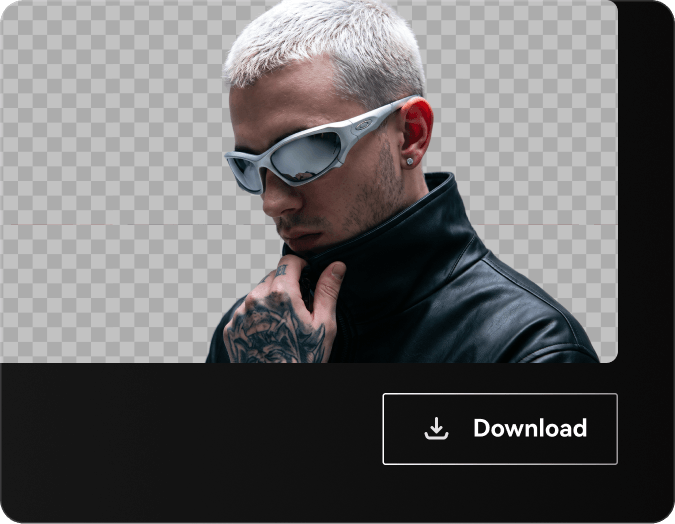
Inspect Spokes and Download
Check tires, cables, frame gaps, and the final file before using it in a listing.
Motorcycle and Bicycle Cutout Ideas for Real Projects
The same vehicle photo serves different purposes depending on whether you are selling it, documenting it, or making a club graphic.
Used Motorcycle Listings
Show an honest side view for online classifieds. Keep scratches, original paint, tires and included accessories visible to buyers.
Bicycle Shop Product Pages
A bicycle background remover can help prepare a consistent catalog, but each photo still needs its spokes, frame openings and pedals checked.
Riding Club Event Posters
Feature a real motorcycle in a promotional graphic. Add dates and design elements in a separate layout tool after preparing the bike image.
Custom-Build Portfolios
Make exhaust, tank, handlebar or paint modifications easier to see. Keep unedited pictures so custom work remains accurately documented.
Motorcycle Background Removal: Wheel and Frame Checks
A smooth outside outline is not enough if the old garage is still visible through the spokes.
| What you notice | Possible reason | What to try next |
|---|---|---|
| Old background remains inside spokes | Wheel openings are thin and closely spaced. | Zoom in and check both wheel interiors; manual refinement may be required. |
| The brake cable disappears | Dark, thin wires can blend into asphalt or shadows. | Try a photo with stronger contrast behind the handlebars. |
| A mirror looks incomplete | The mirror reflects surroundings and may be mistaken for background. | Compare its shape with the untouched photo. |
| A tire or kickstand is clipped | The wheel touches a dark road or strong shadow. | Use a well-lit source with space around all contact points. |
| The bike looks like it floats | Removing a ground shadow changes how the vehicle feels in a scene. | Add a natural shadow separately in the final design if appropriate. |
Photo Tips Before Removing Background from a Motorcycle or Bike
A small change in how you photograph the vehicle can save a lot of edge cleanup.
- Try a side-on view: Keep both wheels and the full frame visible for an easier listing photo.
- Move away from a busy wall: Give spokes and cables contrast against the background.
- Keep mirrors in frame: Do not crop the handlebar ends or turn signals.
- Avoid harsh wheel shadows: Even light helps separate rubber from pavement.
- Take detail photos too: Show condition and modifications separately from the cutout view.
Motorcycle Background Remover FAQs
How can I remove background from motorcycle image photos?
Upload a clear bike photo into the editor above, run background removal, and inspect wheels, cables, mirrors and the stand before downloading the file.
Does a motorcycle background remover work on bicycles too?
You can try bicycle photos as well. Bicycle spokes and frame openings may be harder to isolate than solid bodywork, so check the preview closely.
Can AI remove the background between wheel spokes?
Sometimes, but do not assume a perfect result. Thin spokes and closely spaced gaps can retain old background or lose a piece of the wheel; manual cleanup may be needed.
How do I remove background from bike photo images for a sale listing?
Start with a clear side view, keep the entire machine visible, and check that the edited picture represents its real condition. Upload an untouched detail view alongside it where appropriate.
Can I remove background from bike online without editing software?
You can try the Media.io online remover on one photo. For precise spoke masking or a specific final backdrop, another editor may be necessary.
Will mirrors, brake cables, and kickstands remain intact?
They may, but these are difficult shapes for automatic masking. Compare the result with your original and avoid publishing a cutout that hides important vehicle details.
Can I use the result for a motorcycle shop catalog?
Yes, as a preparation step for individual bike photos. Keep framing consistent and make sure any visible accessories match the actual unit for sale.
Does it make a transparent PNG bike cutout?
Not necessarily. The current workflow does not guarantee an alpha-transparent PNG, so inspect the downloaded file before placing the bike over a custom design.
Is this motorcycle background remover free to try?
You can try Media.io with available free credits. Free-user downloads include a watermark; check your plan before using the image in a public listing.
Can I change the garage background to a studio or racetrack?
Replacing the background is a separate photo background changer or Image to Image workflow. Review the result carefully to ensure the motorcycle itself remains authentic.
