Click or drag to upload, or choose from My HistoryClick To UploadMy History
No ideas? Generate an image first >
Upload jpg, jpeg, png images up to 50 MB, with a minimum width/height of 300 px.
See How a High Fade Changes Your Side Profile
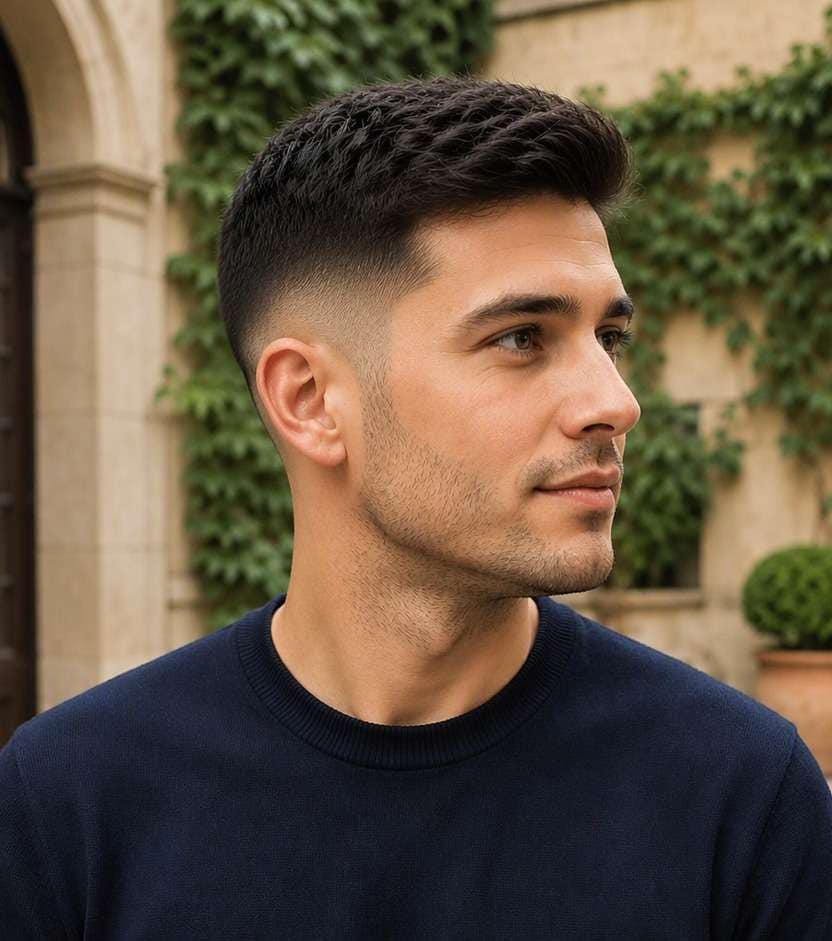
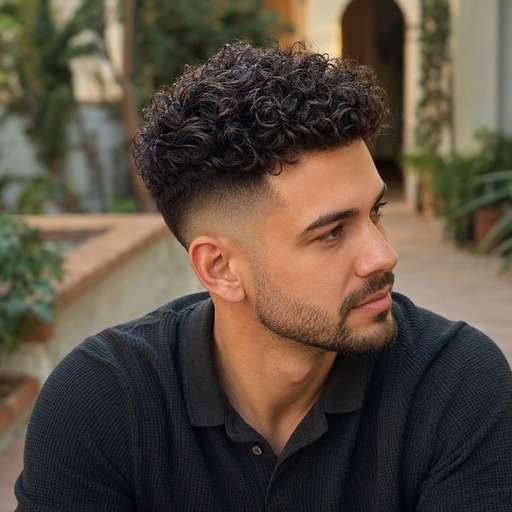
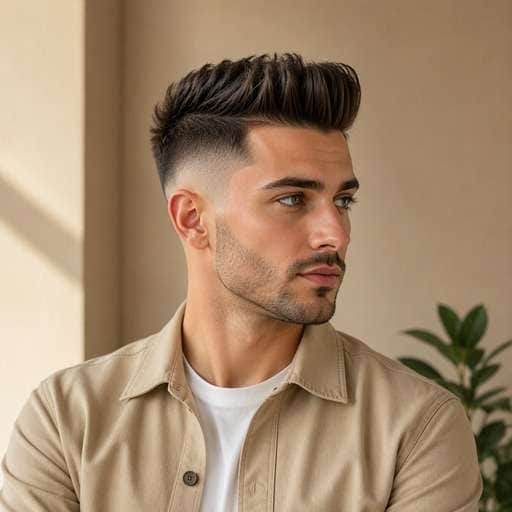
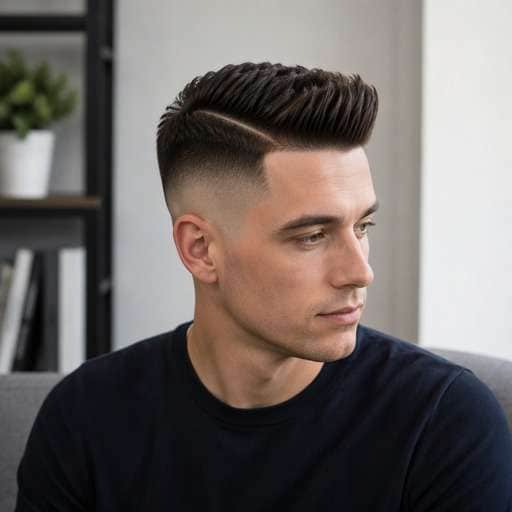
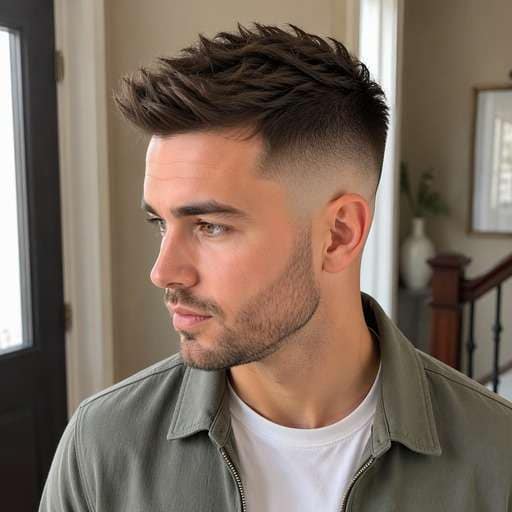
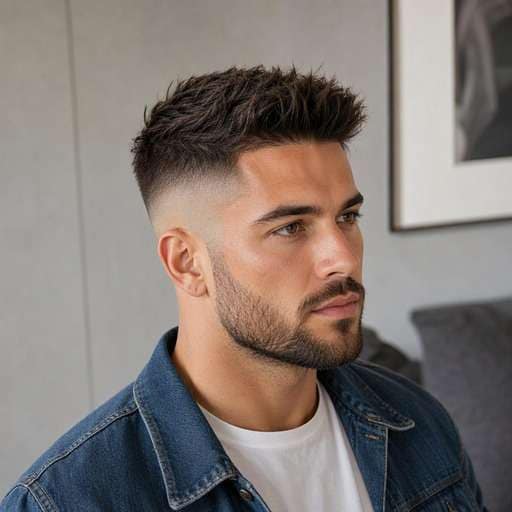
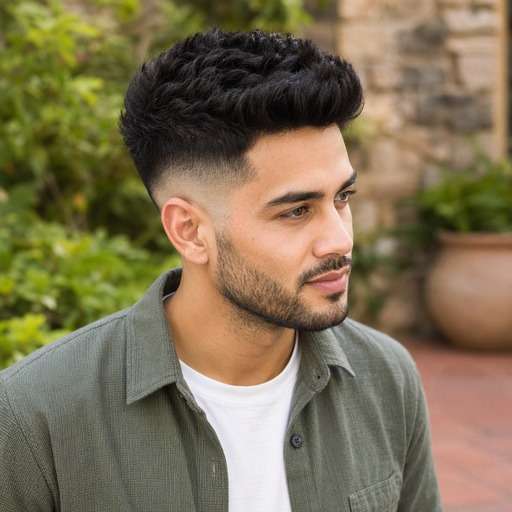
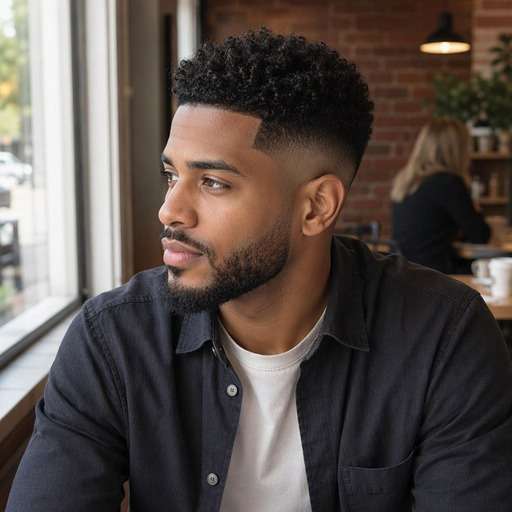
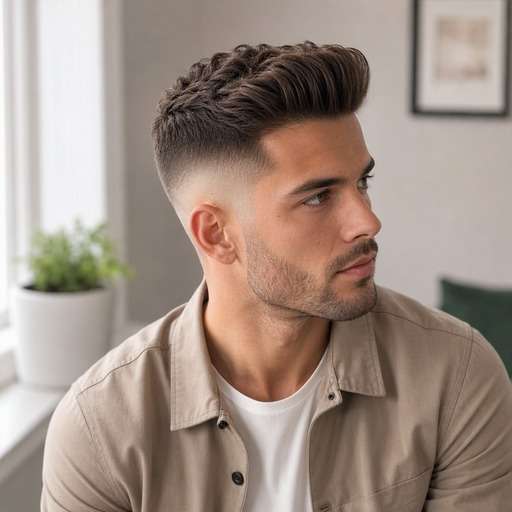
Thinking of taking your sides much shorter? A high fade filter shows how a raised fade can open up the temples and sharpen your profile while keeping the top you like. Compare the same hair length above different high blends before committing to a bold barber cut.
For a clearer preview, upload a well-lit photo with side three-quarter portrait capturing crown, temple and full ear.
High Fade Hair Photo Editing Prompts
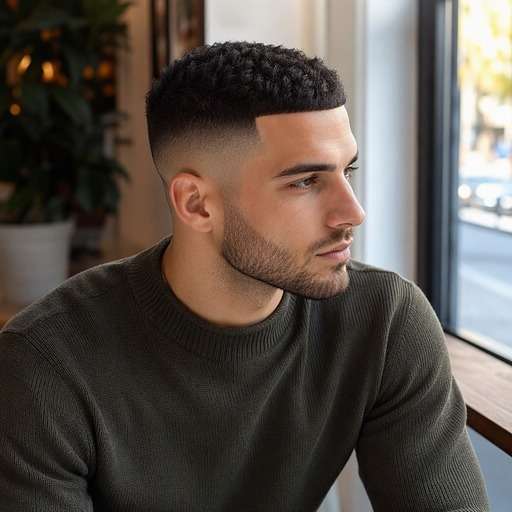
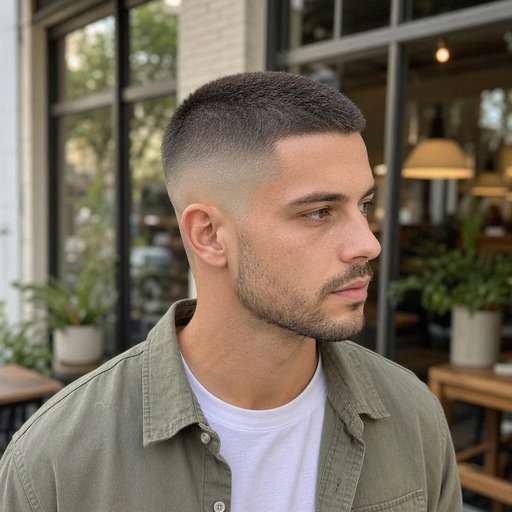
Not every high fade looks the same. Start by comparing high fade starting well above the ears near the upper temple, exposing more side scalp. Choose the variation whose silhouette you want to test, copy the prompt into Face Editor and upload one clear photo. Keep the same face and viewpoint between versions so the hairstyle difference is easy to judge.
High Fade Short Crop
Use my uploaded photo of the same person as the starting image. Try high fade short crop: high blend with a compact short top and a clear forehead edge. Keep a believable high fade starting well above the ears near the upper temple, exposing more side scalp. Preserve my face, skin tone, facial hair, expression and outfit, along with the original background and viewpoint. Use a hairstyle-revealing camera angle with realistic hair growth, clean but natural barber transitions and individually visible strands. Make the new haircut clear enough to compare with my original, without adding accessories, mirrors, phones, text or logos.
High Fade Buzz Top
Use my uploaded photo of the same person as the starting image. Try high fade buzz top: closely cropped even top with an elevated fade along the sides. Keep a believable high fade starting well above the ears near the upper temple, exposing more side scalp. Preserve my face, skin tone, facial hair, expression and outfit, along with the original background and viewpoint. Use a hairstyle-revealing camera angle with realistic hair growth, clean but natural barber transitions and individually visible strands. Make the new haircut clear enough to compare with my original, without adding accessories, mirrors, phones, text or logos.
High Fade Curly Crown
Use my uploaded photo of the same person as the starting image. Try high fade curly crown: leave curls prominent at the crown over short high sides. Keep a believable high fade starting well above the ears near the upper temple, exposing more side scalp. Preserve my face, skin tone, facial hair, expression and outfit, along with the original background and viewpoint. Use a hairstyle-revealing camera angle with realistic hair growth, clean but natural barber transitions and individually visible strands. Make the new haircut clear enough to compare with my original, without adding accessories, mirrors, phones, text or logos.
High Fade Quiff
Use my uploaded photo of the same person as the starting image. Try high fade quiff: raise the front slightly with high faded temple panels. Keep a believable high fade starting well above the ears near the upper temple, exposing more side scalp. Preserve my face, skin tone, facial hair, expression and outfit, along with the original background and viewpoint. Use a hairstyle-revealing camera angle with realistic hair growth, clean but natural barber transitions and individually visible strands. Make the new haircut clear enough to compare with my original, without adding accessories, mirrors, phones, text or logos.
High Fade With Hard Part
Use my uploaded photo of the same person as the starting image. Try high fade with hard part: show a precise side part above the high gradient without exaggerated shaved graphics. Keep a believable high fade starting well above the ears near the upper temple, exposing more side scalp. Preserve my face, skin tone, facial hair, expression and outfit, along with the original background and viewpoint. Use a hairstyle-revealing camera angle with realistic hair growth, clean but natural barber transitions and individually visible strands. Make the new haircut clear enough to compare with my original, without adding accessories, mirrors, phones, text or logos.
High Fade Textured Top
Use my uploaded photo of the same person as the starting image. Try high fade textured top: create separated texture and high-contrast side panels. Keep a believable high fade starting well above the ears near the upper temple, exposing more side scalp. Preserve my face, skin tone, facial hair, expression and outfit, along with the original background and viewpoint. Use a hairstyle-revealing camera angle with realistic hair growth, clean but natural barber transitions and individually visible strands. Make the new haircut clear enough to compare with my original, without adding accessories, mirrors, phones, text or logos.
High Fade With Beard
Use my uploaded photo of the same person as the starting image. Try high fade with beard: transition smoothly into a neatly maintained short beard. Keep a believable high fade starting well above the ears near the upper temple, exposing more side scalp. Preserve my face, skin tone, facial hair, expression and outfit, along with the original background and viewpoint. Use a hairstyle-revealing camera angle with realistic hair growth, clean but natural barber transitions and individually visible strands. Make the new haircut clear enough to compare with my original, without adding accessories, mirrors, phones, text or logos.
High Fade For Thick Hair
Use my uploaded photo of the same person as the starting image. Try high fade for thick hair: keep dense dark top hair over distinctly faded upper sides. Keep a believable high fade starting well above the ears near the upper temple, exposing more side scalp. Preserve my face, skin tone, facial hair, expression and outfit, along with the original background and viewpoint. Use a hairstyle-revealing camera angle with realistic hair growth, clean but natural barber transitions and individually visible strands. Make the new haircut clear enough to compare with my original, without adding accessories, mirrors, phones, text or logos.
High Fade With Natural Hairline
Use my uploaded photo of the same person as the starting image. Try high fade with natural hairline: preserve a believable temple edge without painted-on linework. Keep a believable high fade starting well above the ears near the upper temple, exposing more side scalp. Preserve my face, skin tone, facial hair, expression and outfit, along with the original background and viewpoint. Use a hairstyle-revealing camera angle with realistic hair growth, clean but natural barber transitions and individually visible strands. Make the new haircut clear enough to compare with my original, without adding accessories, mirrors, phones, text or logos.
High Fade With Short Pompadour
Use my uploaded photo of the same person as the starting image. Try high fade with short pompadour: lift the front into a compact sweep above closely blended sides. Keep a believable high fade starting well above the ears near the upper temple, exposing more side scalp. Preserve my face, skin tone, facial hair, expression and outfit, along with the original background and viewpoint. Use a hairstyle-revealing camera angle with realistic hair growth, clean but natural barber transitions and individually visible strands. Make the new haircut clear enough to compare with my original, without adding accessories, mirrors, phones, text or logos.
Find the Details That Matter in a High Fade Preview
Check How High the Blend Climbs
A high fade removes more visible side weight above the ear than a mid fade. Look at the space between the ear and the top hair to decide whether the contrast feels right.
Compare Top-Heavy Silhouettes
Higher fades visually concentrate mass at the crown. Test a low-volume crop alongside a taller quiff before deciding whether you want the sharper contrast or a gentler overall outline.
Keep the Temple Edges Believable
Close fading can expose irregular hairlines and uneven growth patterns. Use a side-view photo and inspect the temple transition rather than accepting an unrealistically straight AI edge as a barber plan.
Choose How Often to Maintain It
A high fade usually makes growth more obvious as the sides fill back in. Use the preview as a style reference, then ask your barber what upkeep fits your schedule and hair growth.
How to Try High Fade on Your Photo
Keep the same source portrait while comparing high fade starting well above the ears near the upper temple, exposing more side scalp. Start with a clear head-and-shoulders image, then change one hairstyle detail at a time.
Step 1
Upload Your Photo
Upload a clear portrait showing side three-quarter portrait capturing crown, temple and full ear. Leave enough room around the head to view the haircut from top to lower edges.
Step 2
Choose a Haircut Filter or Enter a Prompt
Choose a suitable haircut preset if available, or enter a custom prompt describing high side fade with a visibly raised starting line and a gradual, clean gradient. Ask for a natural hairline and realistic transition.
Step 3
Click Generate
Click Generate to preview the new hairstyle on your photo. Compare the original against the target shape and refine the fade height, texture or length that matters to this cut.
Use the image to decide on visible shape and proportion before changing your real hair. The key is high fade starting well above the ears near the upper temple, exposing more side scalp, not an invented change to your face.
Planning a Big Style Reset
Moving from longer sides to a high fade can feel like a drastic change. Test the strong side contrast before asking a barber to take clippers higher than you are used to.
For a Gym-Friendly Short Cut
Pair a high fade with a compact crop or buzzed top to compare the clean silhouette. Judge the side outline and how much scalp shows rather than assuming every short cut is maintenance-free.
A More Structured Profile Photo
For a portrait refresh, test whether sharper sides frame your face the way you want. Keep the camera angle, beard and top length consistent across previews so the comparison stays useful.
Check Your High Fade Preview Before Saving
Defining Shape
Image review checklist
"Is the key haircut feature visible?" Look for high fade starting well above the ears near the upper temple, exposing more side scalp. If that detail is missing, make the instruction more specific before keeping the preview.
Before & After
Image review checklist
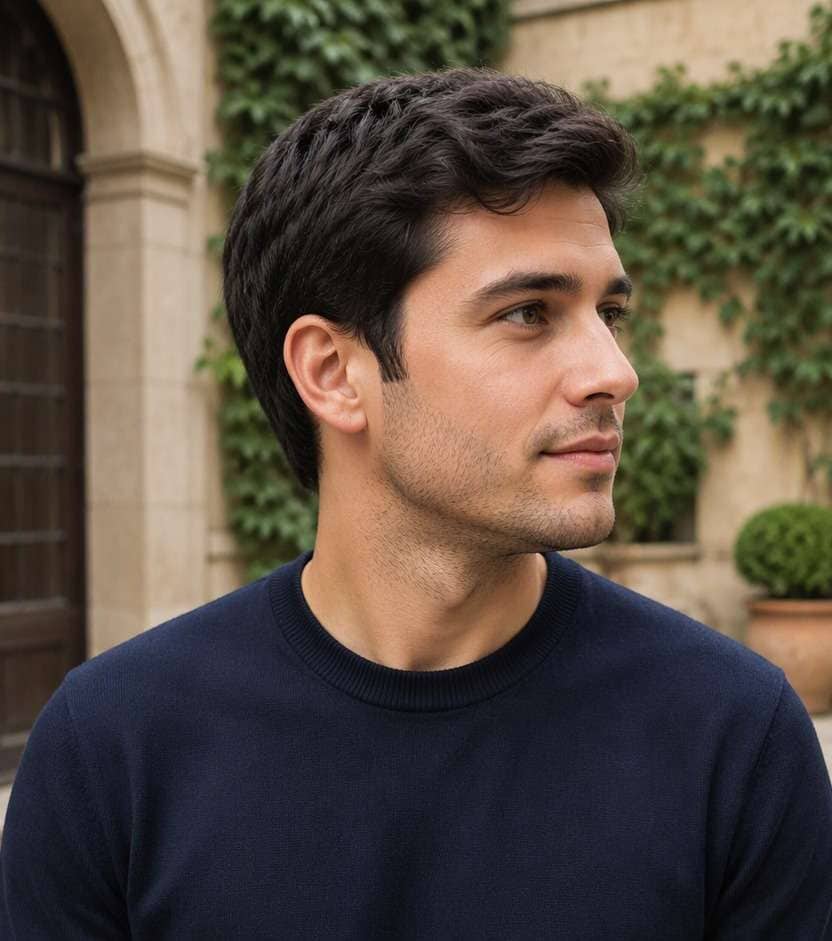
"Can you see a real hair change?" The baseline should show full grown sides with no strong contrast under the crown. The new version should clearly show high side fade with a visibly raised starting line and a gradual, clean gradient with the same person and photo.
Natural Hair Edges
Image review checklist
"Check the scalp and temples" Look around the ear, forehead and nape for unrealistic lines or missing strands. Ask for a more natural transition when an edit looks artificial.
Barber Reference
Image review checklist
"Save a photo you can explain" Use the preview to discuss shape and length with your barber. The image cannot measure real hair density, growth direction or styling hold.
A high fade begins higher toward the upper temples and leaves less length on the upper sides. A mid fade starts nearer the middle of the head; compare both with the same top.
2. Can a high fade work with longer hair on top?
Yes. The fade concerns side length and height, while the top can be a quiff, textured crop or longer sweep. The higher contrast will generally look stronger with tall top styles.
3. Will the AI show my actual scalp shape?
Not reliably. A generated portrait is a style preview, not a map of real growth patterns, scalp tone or how a barber's clippers will blend your specific hair.
4. Is a high fade the same as a skin fade?
No. High describes where the fade begins, whereas skin describes how close the shortest section is cut. You can ask for a high fade that does not go all the way to skin.
5. What photo gives the clearest high fade preview?
Use a sharp, evenly lit photo with side three-quarter portrait capturing crown, temple and full ear. Keep hair boundaries visible rather than hidden by hats or dramatic shadows. A consistent camera angle makes comparisons more useful.
6. Will the high fade preview match a real haircut exactly?
No. This is a visual reference that helps compare high fade starting well above the ears near the upper temple, exposing more side scalp. Real length, growth patterns, density, scalp exposure and day-to-day styling depend on your hair and your barber.