
















Kling 3.0 Turbo AI 비디오 생성기
더 빠른 AI 비디오를 온라인으로 생성하세요 Kling 3.0 Turbo Media.io에서. 프롬프트나 이미지를 소셜 미디어, 광고, 제품 비디오, 스토리보드 및 창의적인 테스트를 위한 부드러운 모션, 강력한 시각적 안정성 및 향상된 오디오-비주얼 동기화로 짧고 역동적인 비디오로 변환하세요.
Kling 3.0 Turbo로 더 빠르게 AI 비디오 생성
속도, 테스트 및 짧은 형식 제작이 중요할 때 Kling 3.0 Turbo AI 비디오 생성기를 사용하세요. 이 Kling AI 워크플로우는 제품 광고, 소셜 콘텐츠, 영화 초안, 말하는 캐릭터 미리보기 및 캠페인 변형에 특히 유용합니다.
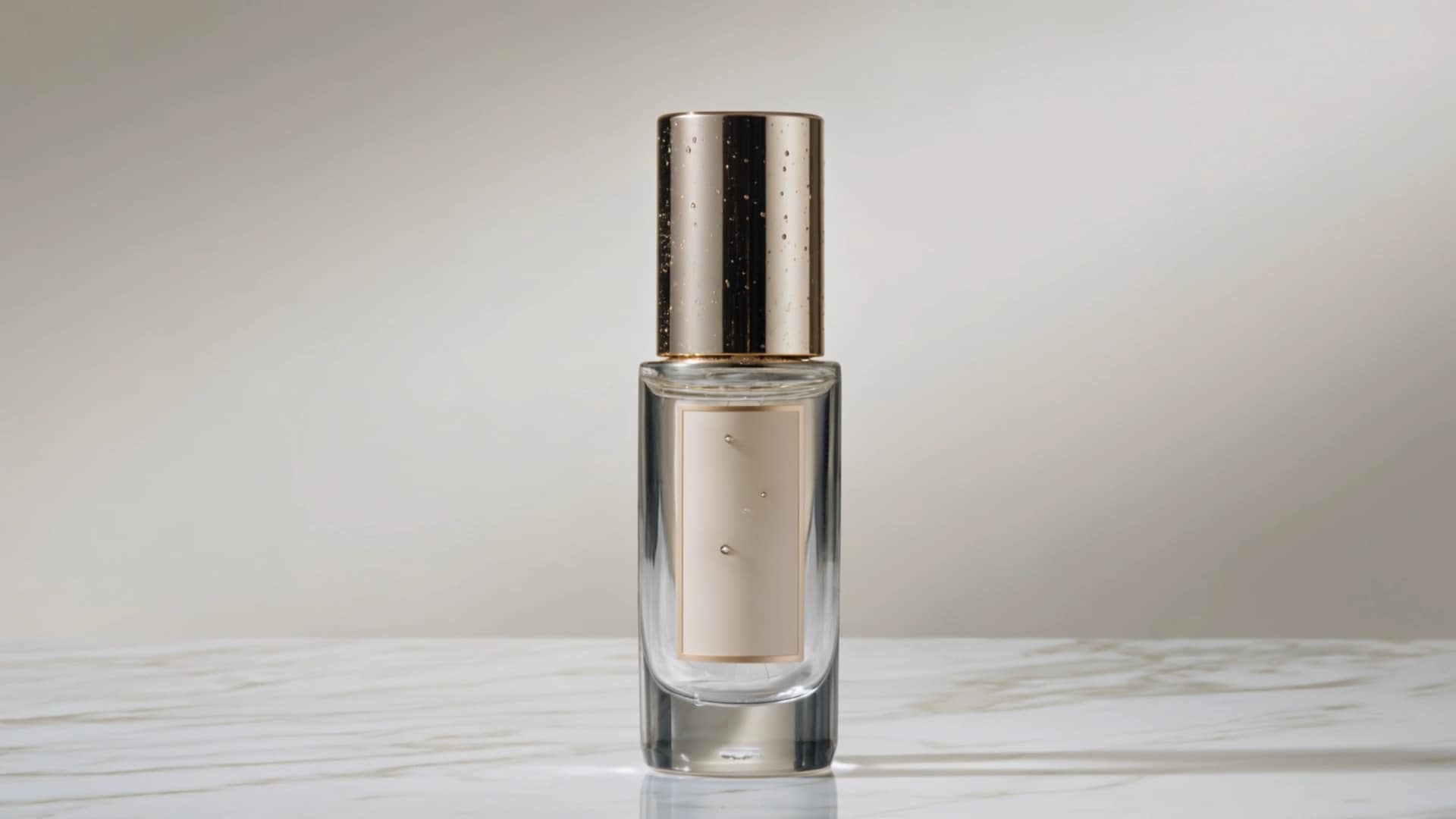
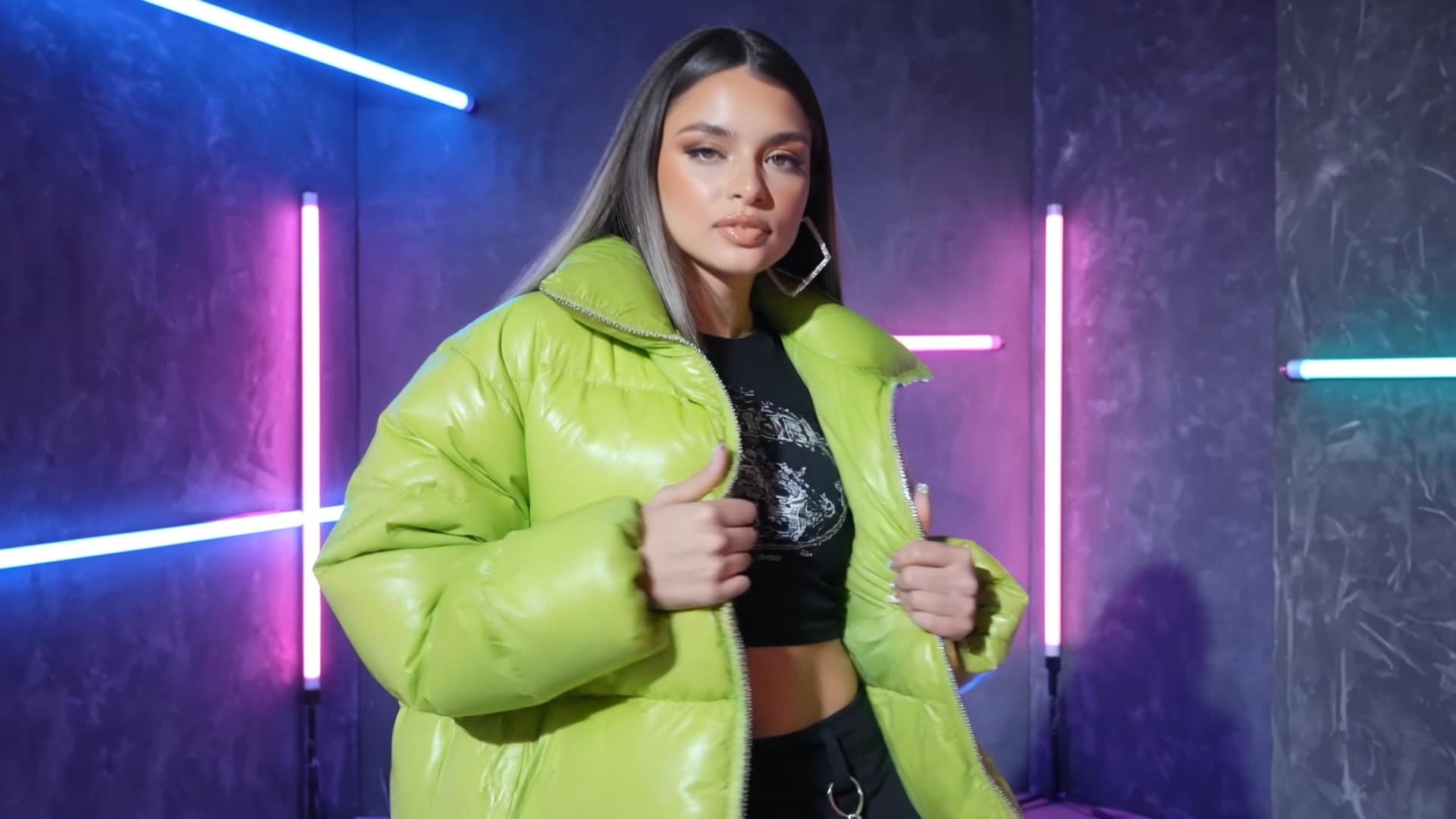


Kling 3.0 Turbo 개요
이것은 Kling 3.0 Turbo 개요 모델이 가장 적합한 곳을 설명합니다: 빠르고 고빈도 AI 비디오 생성, 짧은 형식 초안, 제품 모션 컨셉, 소셜 클립, 광고 변형 및 스토리보드 미리보기. Media.io는 Kling V3.0 Turbo를 더 쉬운 브라우저 워크플로우로 패키징하여 팀이 추가 소프트웨어를 설치하지 않고도 더 많은 아이디어를 테스트할 수 있습니다.
1입력
프롬프트, 제품 이미지, 인물 사진, AI 아트워크 또는 시각적 참조로 시작하세요.
2지시
카메라 움직임, 피사체 동작, 스타일, 조명, 속도 및 출력 목적을 추가하세요.
3생성
짧은 AI 비디오 초안을 빠르게 생성한 다음 여러 창의적인 버전을 비교하세요.
4게시
소셜 게시물, 광고, 제품 페이지, 피치 덱 또는 스토리보드에 결과를 사용하세요.
페이지 신뢰도를 위한 SEO 참고사항: 이 페이지는 실용적인 Kling 3.0 Turbo 사용 사례(속도, 반복, 텍스트-비디오, 이미지-비디오 및 온라인 액세스)에 중점을 두며 정확한 비공개 모델 사양에 대한 지원되지 않는 주장을 피합니다.
Kling 3.0 Turbo의 주요 기능
빠른 초안, 짧은 형식 제작, 오디오-비주얼 동기화 및 반복 가능한 창의적 테스트를 위한 고효율 AI 비디오 모델입니다.
고처리량 비디오 초안 작성
Kling 3.0 Turbo는 대량 창의적 파이프라인을 위해 설계되었습니다. 속도가 일회성 완벽함보다 중요할 때 광고, 제품 페이지, 랜딩 페이지 및 소셜 캠페인을 위한 여러 짧은 비디오 초안을 생성하는 데 사용하세요.
낮은 지연 시간의 창의적 반복
더 적은 시간에 더 많은 아이디어를 테스트하세요. 다양한 훅과 카메라 앵글부터 제품 공개 및 배경 스타일까지, Kling 3.0 Turbo는 마케터와 크리에이터가 컨셉에서 검토 준비 비디오로 더 빠르게 이동할 수 있도록 돕습니다.
짧은 클립을 위한 오디오-비주얼 동기화
모션, 리듬 및 오디오 타이밍이 더 잘 정렬된 짧은 비디오를 만드세요. 이것은 Kling 3.0 Turbo를 말하는 캐릭터 미리보기, 사운드 디자인이 있는 제품 클립, 짧은 대화 장면 및 소셜 비디오 초안에 유용하게 만듭니다.
텍스트 또는 이미지 기반 워크플로우
서면 프롬프트 또는 참조 이미지에서 시작하세요. 장면, 피사체, 카메라 움직임, 분위기 및 속도를 설명하거나 제품 사진, 인물 사진, 컨셉 비주얼 또는 AI 생성 이미지를 업로드하여 모션으로 전환하세요.
실용적인 사용을 위한 신뢰할 수 있는 출력
Kling 3.0 Turbo는 일상적인 제작을 위한 안정적이고 사용 가능한 결과에 중점을 둡니다. 빠르게 검토해야 하는 소셜 클립, 컨셉 미리보기, 전자상거래 비디오, 스토리보드 테스트 및 캠페인 변형에 적합합니다.
온라인 액세스, APK 불필요
브라우저에서 직접 Media.io에서 Kling 3.0 Turbo를 사용하세요. 복잡한 설정, 로컬 설치 또는 비공식 APK 파일을 검색할 필요가 없습니다. 프롬프트를 입력하고 이미지를 업로드하여 온라인으로 생성하세요.
Media.io에서 Kling 3.0 Turbo 사용 방법
세 가지 간단한 단계로 텍스트 또는 이미지에서 비디오를 만드세요.
워크플로우 선택
텍스트를 비디오로 또는 이미지를 비디오로 선택하세요. 프롬프트, 제품 이미지, 인물 사진, 참조 비주얼 또는 컨셉 아트에서 시작하세요.
모션 설명
더 제어된 결과를 위해 장면 세부사항, 카메라 움직임, 피사체 동작, 시각적 스타일, 속도 및 사운드 방향을 추가하세요.
생성 및 개선
AI 비디오를 미리보고 프롬프트를 조정하여 더 많은 버전을 만들고 광고, 소셜 또는 제품 페이지를 위한 최상의 결과를 내보내세요.
Kling 3.0 Turbo의 최적 사용 사례
Kling 3.0 Turbo는 짧은 비디오 초안, 광고 변형 테스트, 제품 모션 미리보기 및 오디오-비주얼 장면 검증을 위한 빠른 제작 경로로 가장 잘 사용됩니다.
승자를 선택하기 전에 더 많은 광고 변형 생성
Kling 3.0 Turbo는 팀이 여러 짧은 비디오 방향을 빠르게 테스트해야 할 때 특히 유용합니다. 최종 편집으로 넘어가기 전에 다양한 훅, 오프닝 샷, 제품 공개, 속도 스타일, 배경 분위기 및 CTA 변형을 만드세요.
이것은 모델을 TikTok 광고, Instagram Reels, YouTube Shorts, 유료 소셜 캠페인, 크리에이터 스타일 콘텐츠 및 속도와 반복이 하나의 완벽한 렌더링보다 중요한 랜딩 페이지 비디오 초안을 위한 실용적인 선택으로 만듭니다.
광고 비디오 아이디어 테스트정적 제품 이미지를 짧은 모션 광고로 전환
전자상거래 팀의 경우 Kling 3.0 Turbo는 제품 이미지, 캠페인 비주얼 또는 AI 생성 제품 컨셉을 카메라 움직임, 조명 변화, 세부 샷 및 더 역동적인 상업적 느낌이 있는 짧은 비디오 초안으로 전환할 수 있습니다.
온라인 스토어, 소셜 광고, 출시 페이지, 이메일 캠페인, 마켓플레이스 목록 및 프로모션 테스트를 위한 빠른 제품 모션 미리보기를 만드는 데 사용하세요. 고품질 제작에 투자하기 전에 시각적 방향을 검증하는 데 이상적입니다.
제품 이미지 애니메이션말하는 장면, 스토리보드 및 짧은 내러티브 미리보기
Kling 3.0 Turbo는 초기 단계 장면 검증에 유용합니다. 에이전시, 영화 제작자, 교육자 및 브랜드 팀은 더 고급 최종 워크플로우로 업그레이드하기 전에 카메라 리듬, 캐릭터 감정, 짧은 대화 순간, 내레이션 타이밍 및 오디오-비주얼 정렬을 미리보는 데 사용할 수 있습니다.
피치 비디오, 말하는 캐릭터 초안, 스토리보드 테스트, 설명 장면, 다국어 짧은 콘텐츠 미리보기 및 첫 번째 목표가 아이디어가 시각적 및 리드미컬하게 작동하는지 확인하는 것인 컨셉 영화에 적합합니다.
장면 프로토타입Kling 3.0 Turbo vs 다른 AI 비디오 모델
이 비교를 사용하여 Kling 3.0 Turbo가 AI 비디오 워크플로우에서 어디에 적합한지 이해하세요.
| 모델 | 최적 | 강점 | 권장 사용 |
|---|---|---|---|
| Kling 3.0 Turbo | 빠른 AI 비디오 생성 | 속도, 짧은 형식 반복, 실용적인 오디오-비주얼 동기화 | 소셜 클립, 광고, 제품 초안, 캠페인 테스트 |
| Kling AI 3.0 / Omni | 고급 비디오 워크플로우 | 고품질 생태계 기능, 멀티샷 워크플로우, 캐릭터 일관성 경로 | 프리미엄 출력, 스토리 장면, 지원되는 경우 4K 지향 워크플로우 |
| Runway Gen-4 Turbo | 크리에이터 중심 이미지-비디오 변환 | 강력한 크리에이티브 생태계 및 이미지-비디오 제작 | 시각적 실험, 크리에이티브 처리, 빠른 이미지 기반 클립 |
| Google Veo | 고급 생성형 비디오 실험 | 고급 비디오 사실성 및 Google 생태계 지원 | 영화 같은 실험, 프리미엄 AI 비디오 테스트 |
| Pika / Luma | 소셜 효과 및 영화 같은 모션 | 쉬운 효과, 카메라 움직임, 크리에이티브 템플릿 | 바이럴 스타일 클립, 영화 같은 초안, 크리에이터 워크플로우 |
선택하세요 Kling 3.0 Turbo 더 빠른 콘텐츠 제작과 크리에이티브 테스트가 우선순위일 때. 더 엄격한 일관성, 더 긴 내러티브 제어 또는 고급 마무리 워크플로우가 필요할 때는 고품질 모델이나 Kling 3.0 Omni를 선택하세요.
Media.io에서 Kling 3.0 Turbo를 사용하는 이유는?
Media.io는 Kling 3.0 Turbo AI 비디오 생성기 액세스를 실제 사용자를 위한 완전한 크리에이티브 워크플로우로 전환합니다. 프롬프트 작성과 이미지-비디오 생성부터 편집, 압축, 변환 및 게시까지.
간편한 온라인 액세스
Kling 3.0 Turbo APK를 설치하지 않고 브라우저에서 비디오를 만드세요.
AI 크리에이티브 스위트
Media.io에서 비디오 편집, 변환, 압축, 향상 또는 용도 변경을 계속하세요.
팀을 위한 구축
마케터, 전자상거래 판매자, 에이전시, 크리에이터 및 제품 팀에 유용합니다.
초보자 친화적
프롬프트를 작성하고, 이미지를 업로드하고, 비디오를 생성하고, 결과를 개선하세요.



Kling 3.0 Turbo에 대한 자주 묻는 질문
1. Kling 3.0 Turbo란 무엇인가요?
Kling 3.0 Turbo 효율적인 단편 비디오 제작을 위해 설계된 빠른 AI 비디오 생성 모델 경로입니다. 빠른 초안, 소셜 클립, 광고 변형, 제품 비디오 및 크리에이티브 컨셉 테스트에 가장 적합합니다.
2. Kling 3.0 Turbo AI 비디오 생성기란 무엇인가요?
A Kling 3.0 Turbo AI 비디오 생성기 Kling AI를 사용하여 텍스트 프롬프트나 이미지에서 비디오를 만들 수 있습니다. Media.io에서 온라인으로 워크플로우에 액세스하고 브라우저에서 직접 비디오를 생성할 수 있습니다.
3. Kling 3.0 Turbo는 Kling AI와 다른가요?
예. Kling AI 더 광범위한 AI 비디오 생태계이며, Kling 3.0 Turbo 고효율 단편 비디오 생성 및 크리에이티브 반복에 초점을 맞춘 더 빠른 모델 옵션을 의미합니다.
4. Kling 3.0 Turbo를 온라인으로 사용할 수 있나요?
예. Media.io를 사용하면 복잡한 설정 없이 온라인으로 AI 비디오를 만들 수 있습니다. 프롬프트를 입력하고, 이미지를 업로드하고, 비디오 워크플로우를 선택하고, 브라우저에서 결과를 생성할 수 있습니다.
5. Kling 3.0 Turbo APK가 필요한가요?
아니요. Kling 3.0 Turbo APK Media.io에서 비디오를 생성하는 데 필요하지 않습니다. 온라인 워크플로우가 비공식 APK 파일을 다운로드하는 것보다 더 안전하고 쉽습니다.
6. Kling 3.0 Turbo는 이미지에서 비디오를 만들 수 있나요?
예. Kling 3.0 Turbo는 제품 애니메이션, 인물 애니메이션, AI 패션 클립, 영화 같은 장면 미리보기 및 소셜 미디어 효과와 같은 이미지-비디오 워크플로우에 유용합니다.
7. Kling 3.0 Turbo는 소셜 미디어 비디오에 적합한가요?
예. 단편 비디오 아이디어, 훅, 제품 공개, 크리에이터 스타일 클립, TikTok, Instagram Reels, YouTube Shorts 및 유료 소셜 광고를 위한 캠페인 변형에 특히 유용합니다.
8. Kling 3.0 Turbo를 상업용 비디오에 사용할 수 있나요?
Kling 3.0 Turbo는 상업용 스타일 초안, 광고, 제품 비디오 및 브랜드 콘텐츠를 지원할 수 있습니다. 상업적으로 게시하기 전에 출력물을 주의 깊게 검토하고 Media.io 약관과 해당 라이선스 규칙을 따르세요.
Media.io의 더 많은 AI 비디오 도구
 4.7 (162,357 투표)