이미지에서 이미지까지
Nano Banana Pro
0/2000
1K
자동
1
바나나 프로 무제한 모드
제작물
아이디어 허브
전체
목록 생성
작업물은 7일 동안 저장됩니다. 업그레이드 후 생성된 에셋은 영구 저장됩니다.
ai_video_generator창의적 잠재력을 풀고 미디어 AI의 마법을 즉시 경험하십시오!

Create a Stained Glass Portrait from Your Photo in Minutes

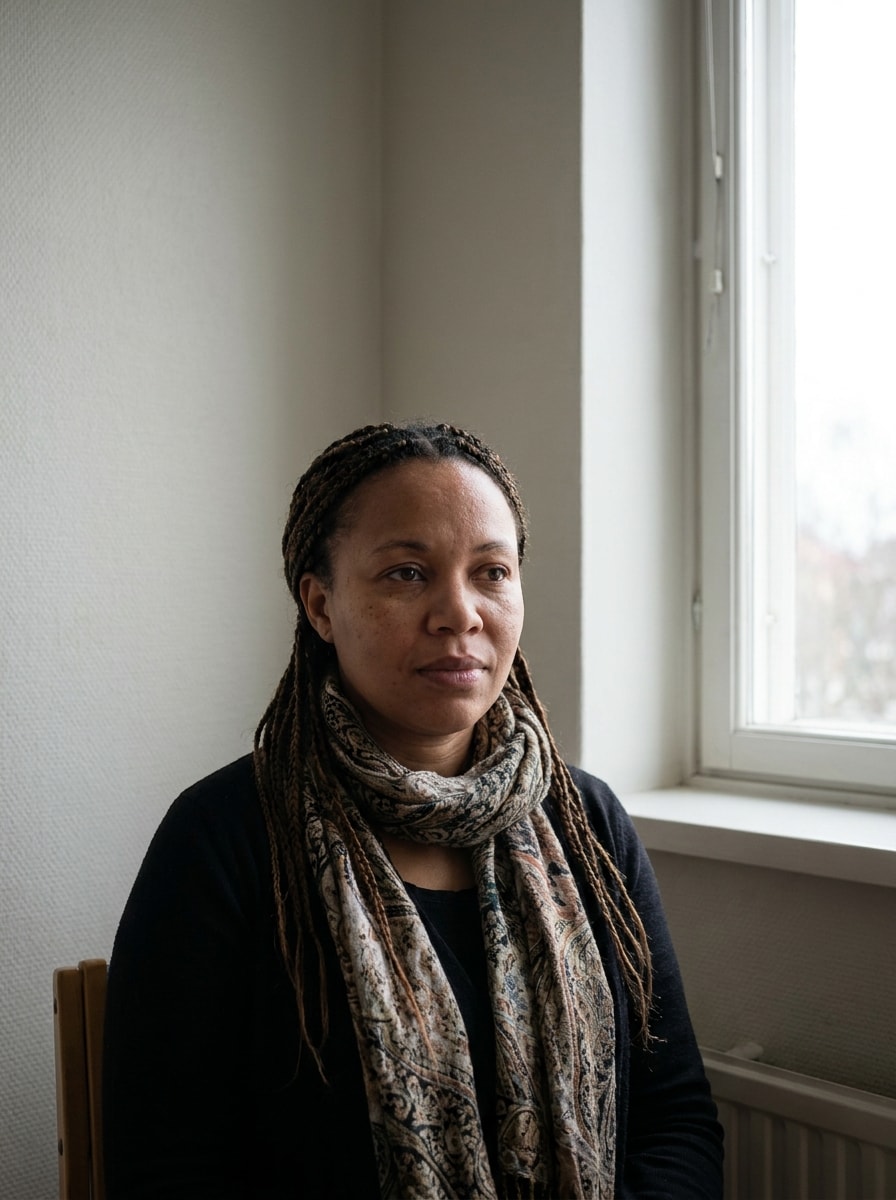
Stained Glass Portrait Before
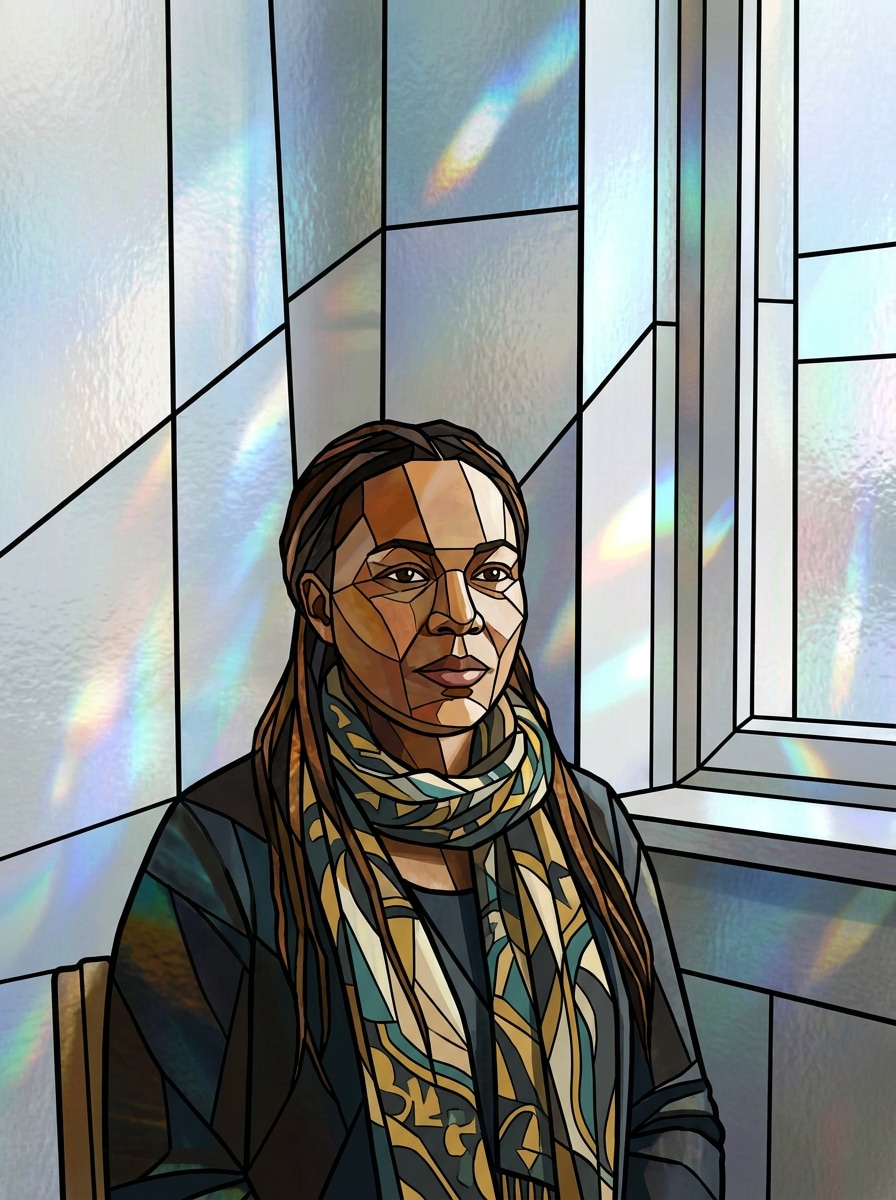
Stained Glass Portrait After

Turn a photo into a luminous stained glass portrait with rich color, leaded outlines, and handcrafted window texture. Upload a selfie, pet photo, or couple picture and apply a stained glass photo filter, AI stained glass filter, or elegant glass mosaic photo effect online.

Create My Stained Glass Portrait

Type your idea -> AI designs it. Free to try.

Review these example directions, then tailor the prompt details to get stronger results with this stained glass portrait style in Media.io.

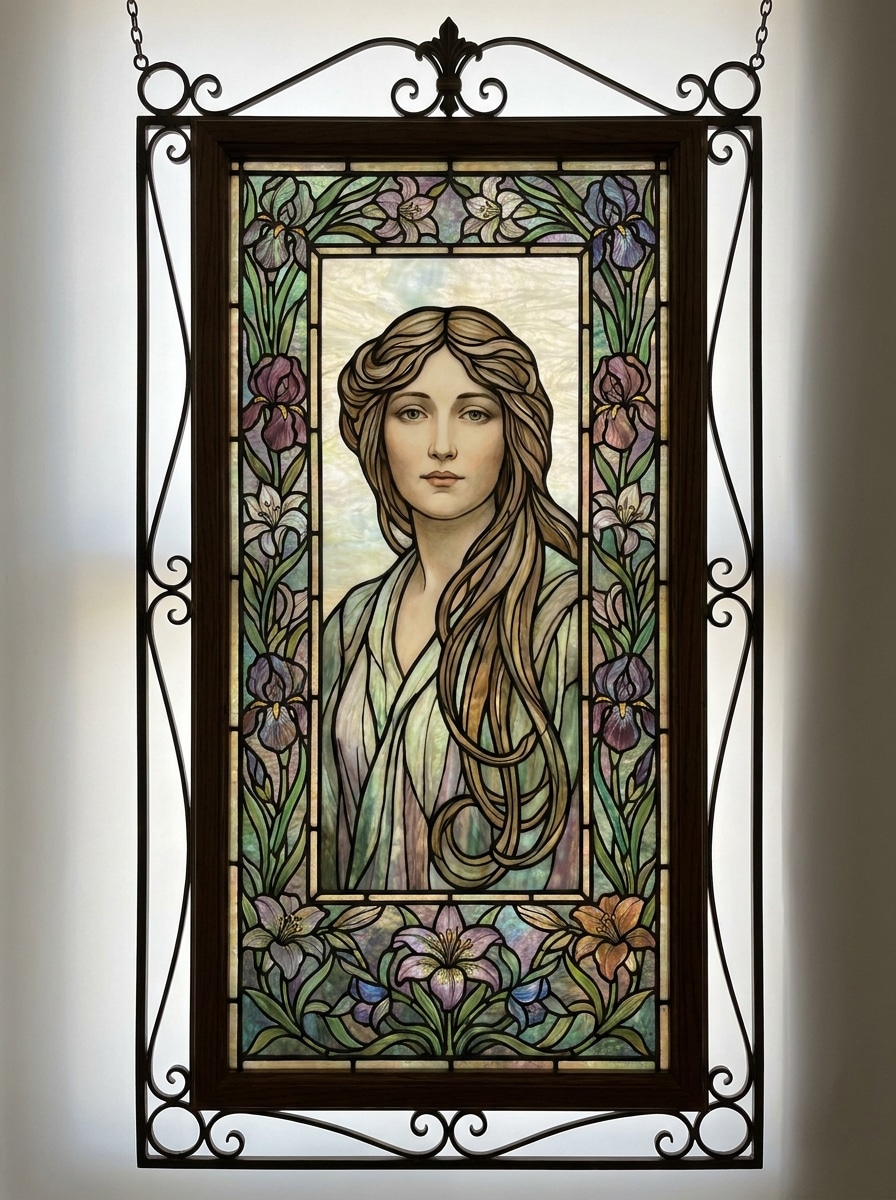
Cathedral Portrait

Cathedral Portrait

Use the uploaded portrait as the main subject and transform it into a classic cathedral stained glass window. Preserve recognizable facial features while adding bold black lead lines, jewel-tone blue, ruby, and gold glass pieces, symmetrical framing, soft sunlight through glass, and intricate handcrafted texture.

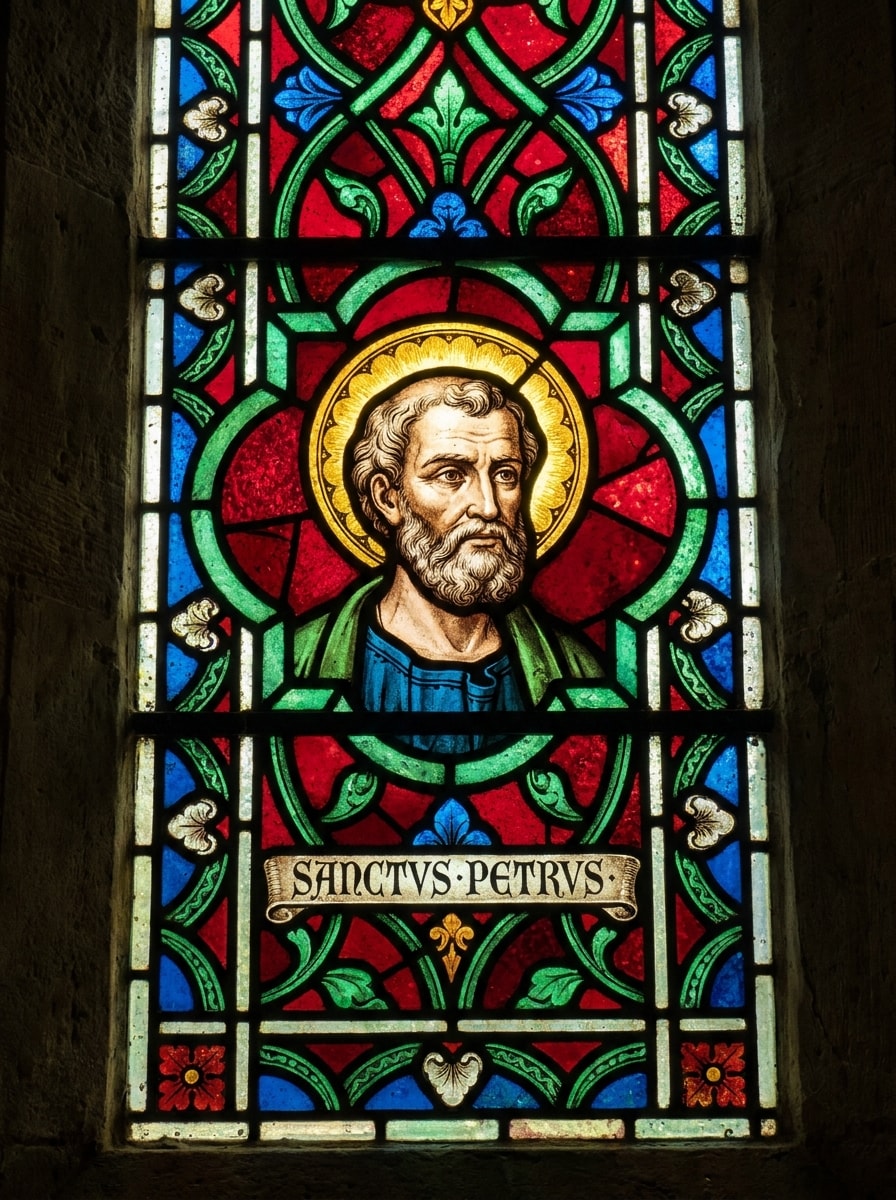
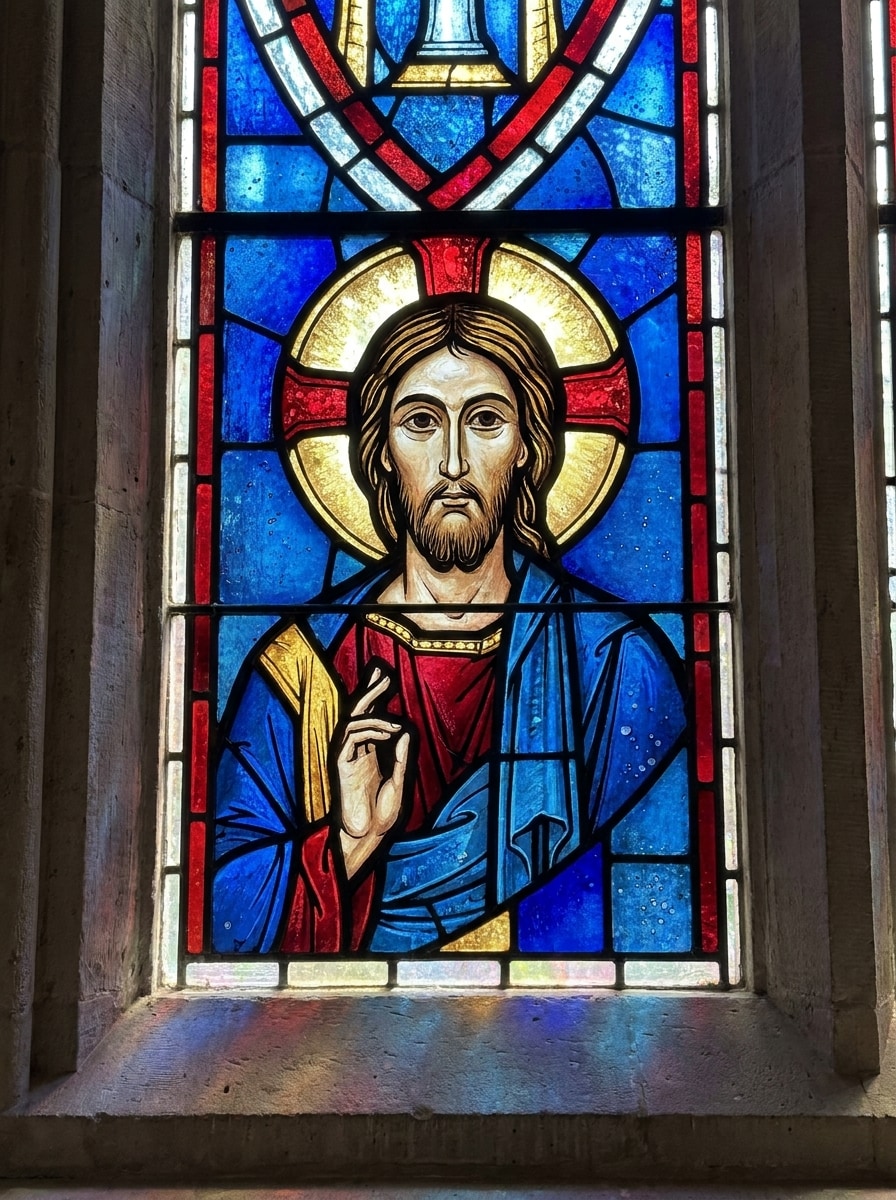
Saint Icon Window

Saint Icon Window

Use the uploaded image as the subject and restyle it into a sacred icon-inspired stained glass portrait. Keep the face recognizable while adding a luminous halo, medieval window framing, rich ruby, emerald, and sapphire glass, ornate border details, glowing backlight, and elegant black lead outlines.

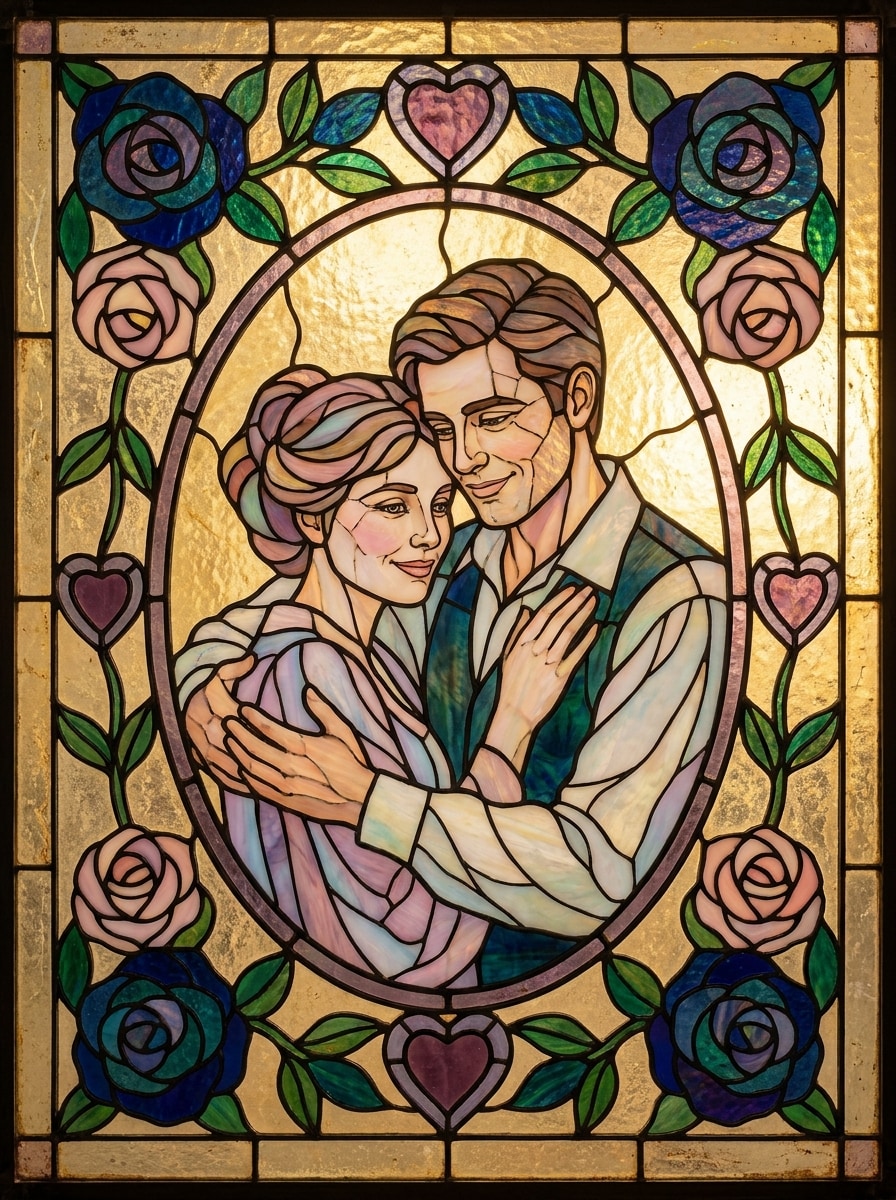
Couple Window Art

Couple Window Art

Use the uploaded couple photo and transform both people into romantic stained glass artwork. Preserve their expressions and pose, then add an art nouveau floral border, soft pastel and jewel-tone glass, heart and rose motifs, elegant lead outlines, and luminous handcrafted window texture.

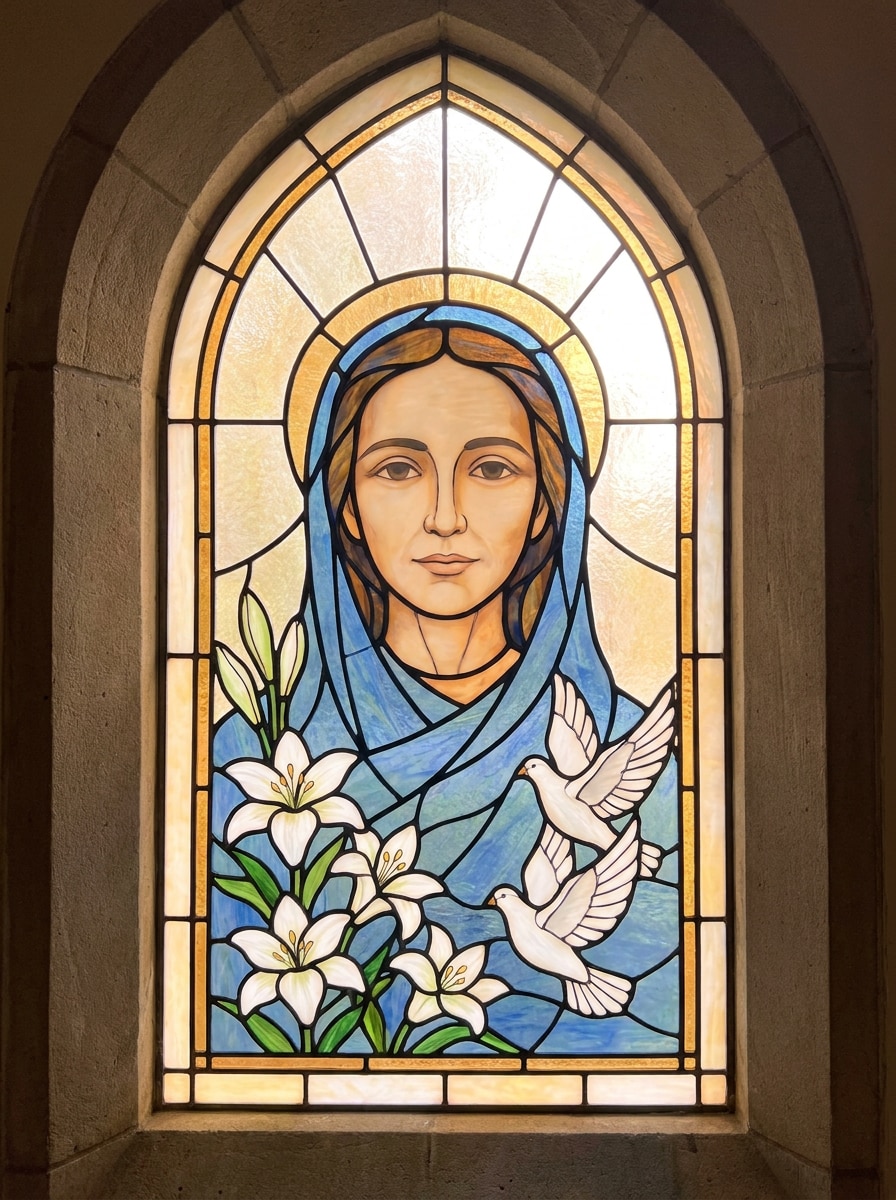
Memorial Window

Memorial Window

Use the uploaded portrait and turn it into a peaceful memorial stained glass image. Keep the subject gentle and recognizable while adding white lilies, doves, soft blue and amber glass tones, refined lead lines, glowing light-through-glass effects, and a respectful church-window composition.

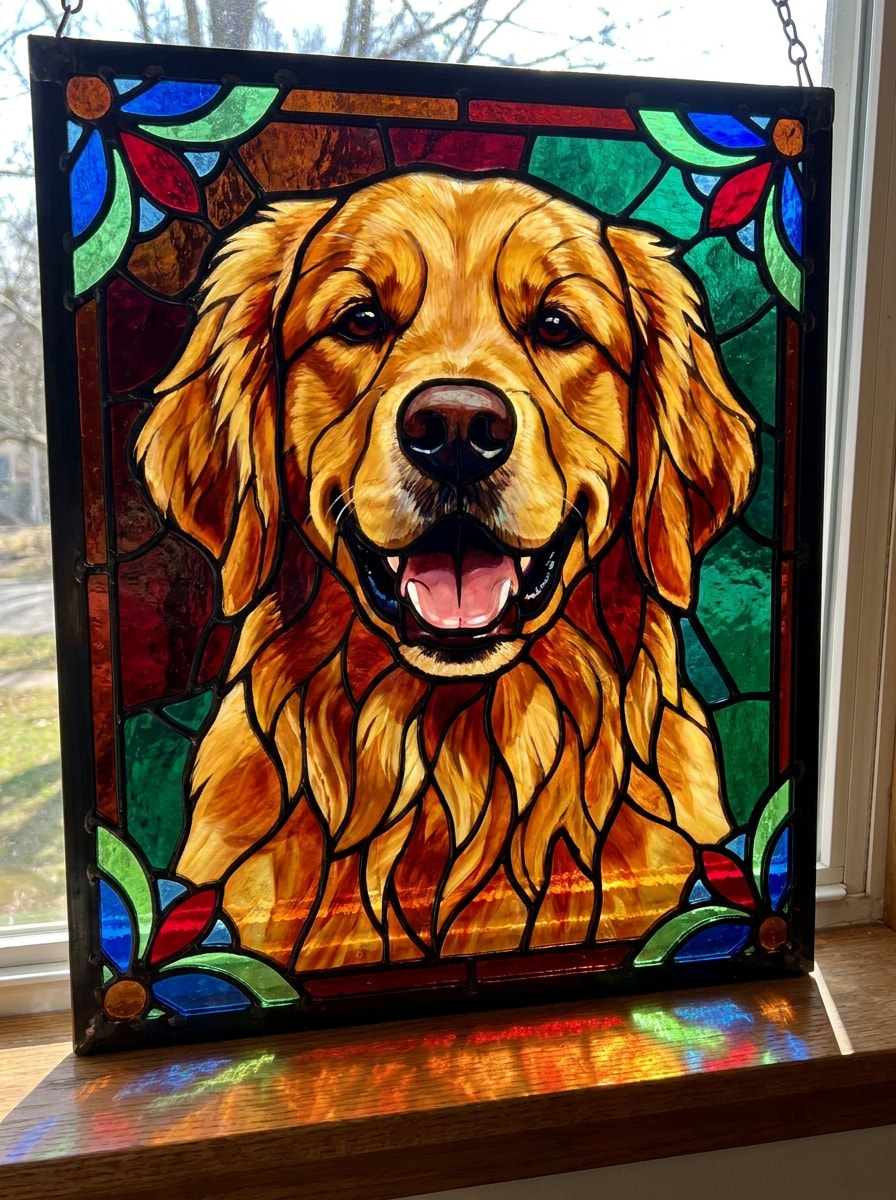
Pet Window Portrait

Pet Window Portrait

Use the uploaded dog or pet photo as the subject and convert it into a decorative stained glass window portrait. Keep the pet's face recognizable while adding bold lead lines, jewel-tone glass pieces, floral corner ornaments, glowing sunlight, and handcrafted mosaic texture.

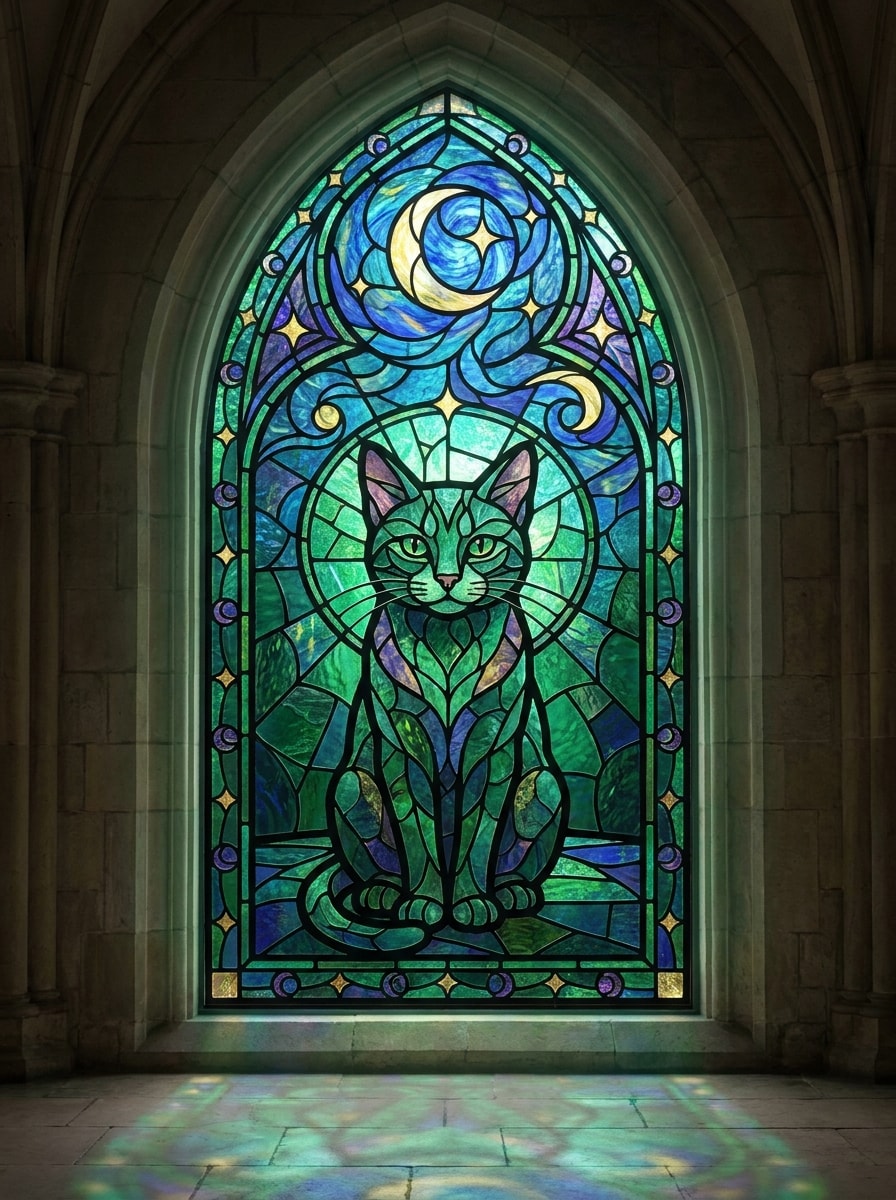
Cathedral Cat Art

Cathedral Cat Art

Use the uploaded cat photo and transform it into cathedral-style stained glass art. Preserve the cat's face and posture while adding gothic arch framing, moon and stars motifs, emerald and sapphire glass, elegant lead outlines, bright backlight, and detailed glass mosaic texture.

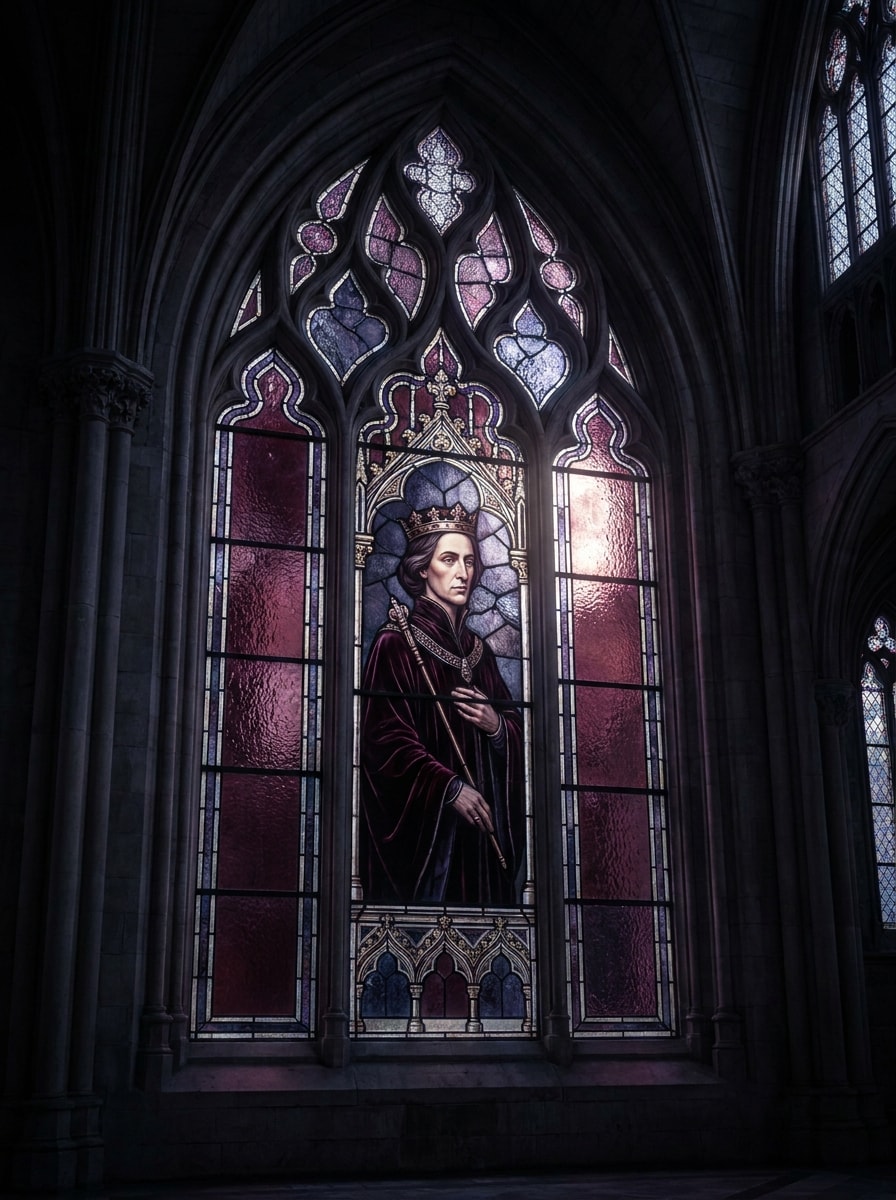
Gothic Window Portrait

Gothic Window Portrait

Use the uploaded portrait as the subject and create a dark, dramatic stained glass version. Keep the face recognizable while adding a pointed arch cathedral frame, deep burgundy, indigo, and charcoal glass tones, ornate tracery, moonlit glow, and high-contrast fantasy atmosphere.

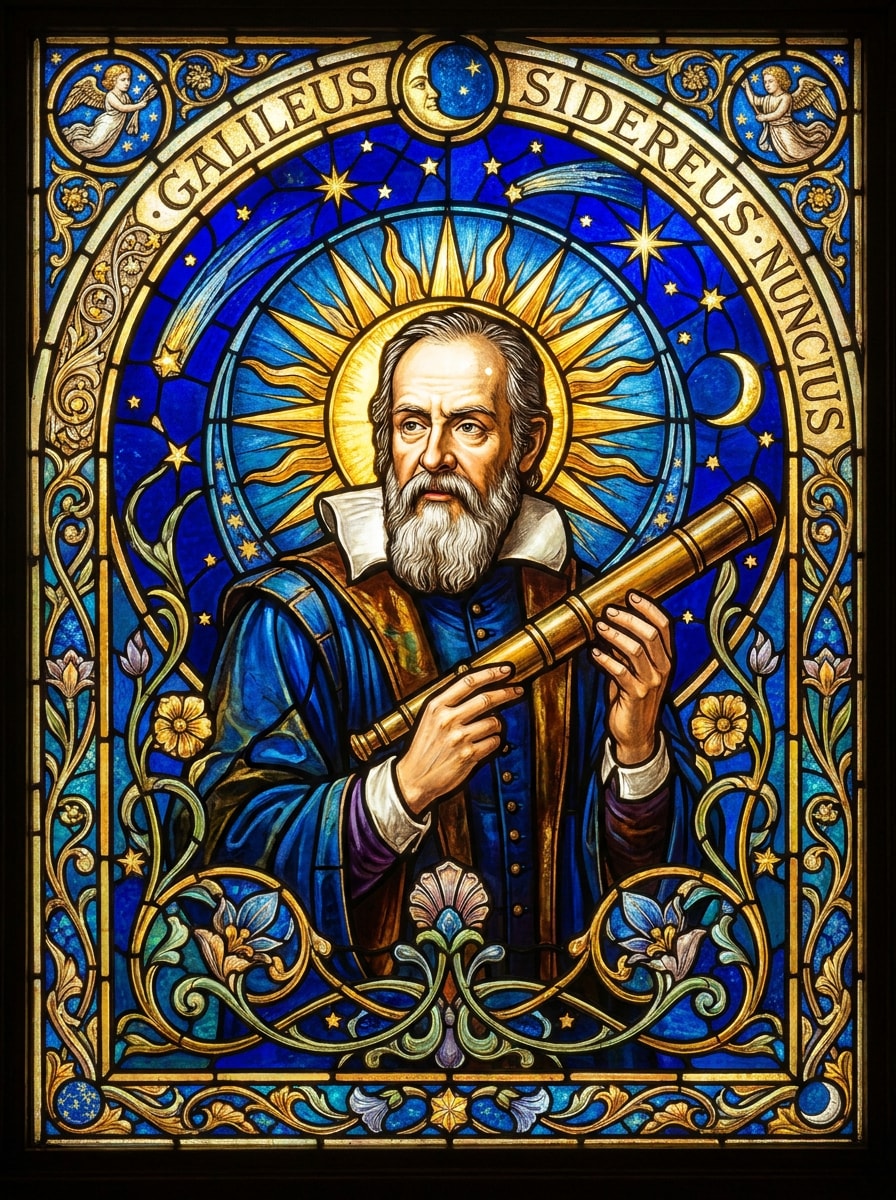
Celestial Glass Portrait

Celestial Glass Portrait

Use the uploaded portrait and transform it into celestial stained glass art. Preserve the subject clearly while adding radiant sun and crescent moon motifs, gold and cobalt tones, intricate lead lines, an art nouveau border, glowing translucent glass, and a mystical window composition.

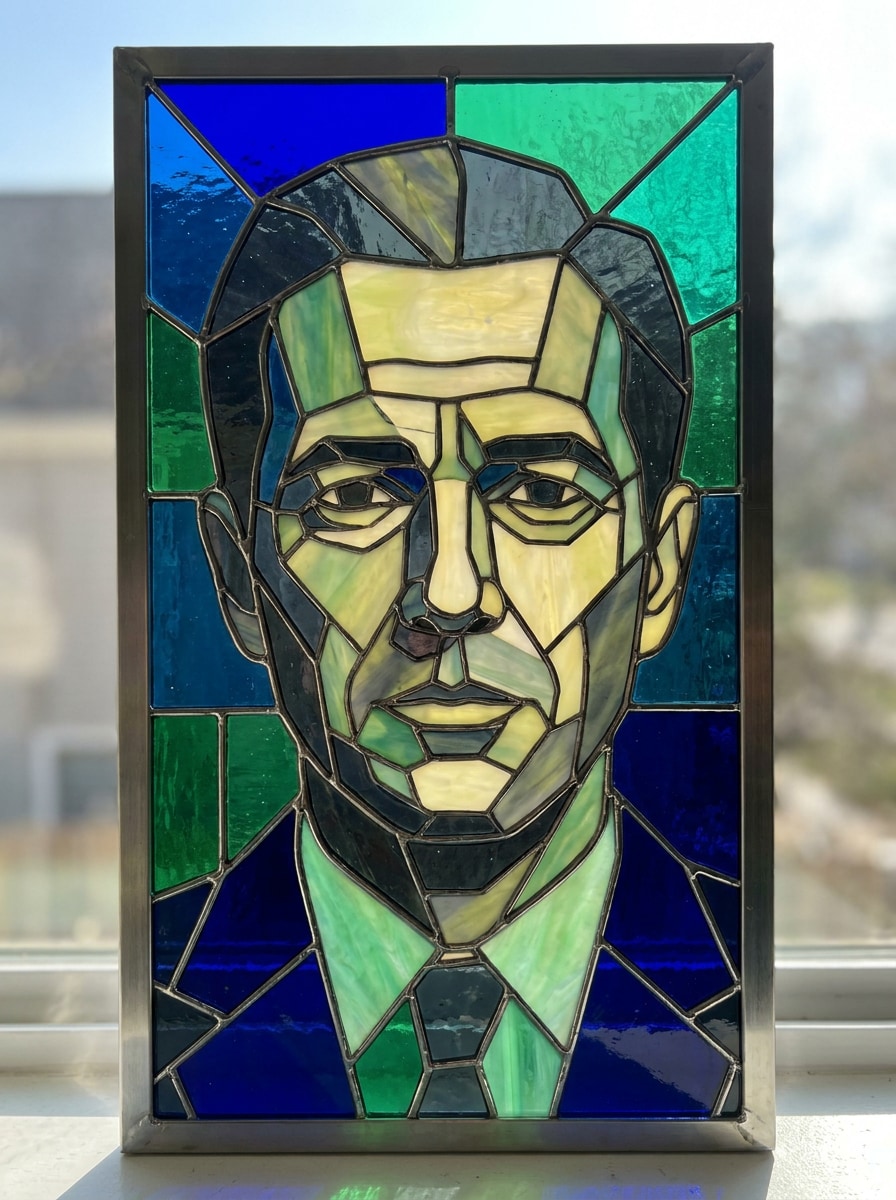
Minimal Geometric Glass

Minimal Geometric Glass

Use the uploaded photo and restyle it into a modern geometric stained glass portrait. Keep the subject identifiable while simplifying facial planes into clean mosaic segments, using sharp lead lines, a limited contemporary color palette, balanced abstraction, and sleek translucent glass effects.

Art Nouveau Window

Art Nouveau Window

Use the uploaded portrait and convert it into an art nouveau stained glass design. Preserve the face naturally while adding flowing organic lines, floral ornamental framing, muted jewel tones, elegant decorative curves, soft luminous backlight, and detailed handcrafted glass texture.

Why Use Media.io for Stained Glass Portrait Transformations

Personalize Results Around a Reference Subject

For upload-driven edits, Media.io keeps the reference subject visually consistent while changing the final stained glass portrait direction, which makes personalized outputs easier to use with confidence.

Refine Cathedral, Gothic, or Mosaic Looks with More Control

A single idea often needs more than one look. Media.io helps reinterpret the same stained glass portrait across different styles so each version can better match the project brief.

Generate Cleaner Output Up to 4K

If the final stained glass portrait will be reused beyond a small preview, Media.io helps deliver sharper results up to 4K so the image stays more reliable in practical design and presentation work.

Edit Online from Any Device Without Extra Design Software

For creators who bounce between mobile and desktop, Media.io keeps stained glass portrait creation in the browser so the workflow stays practical wherever you happen to be working.

How to Make a stained glass art filter Look from Your Photo

Turn your words into stunning visuals in three simple steps, then continue refining the result if you want to take it further.

how to use image to image AI for stained glass portrait step 1
Step 1

Upload Your Reference Image

Start with a clear selfie, portrait, couple photo, or pet picture in JPG, PNG, or JPEG format. A well-lit image with visible facial features or subject details gives the stained glass transformation a cleaner, more recognizable result.

how to use image to image AI for stained glass portrait step 2
Step 2

Describe the Change and Set Options

Enter the look you want, such as cathedral window, gothic glass, art nouveau, or a bright AI stained glass filter. Then choose your model and adjust aspect ratio, image quality, resolution, or the number of variations to generate.

how to use image to image AI for stained glass portrait step 3
Step 3

Generate, Download, and Keep Improving

Create your result, compare different versions, and download the one that fits your style best. If you want stronger lead lines, richer jewel tones, or a different border design, edit the prompt and regenerate until the portrait feels complete.

Unlock the Potential of Stained Glass Photo Filter

See how creators use this stained glass portrait style for content, marketing, and personal projects, then adapt each idea to fit the brief.

Design Personalized Gift Artwork

Transform a loved one's photo into a luminous window-inspired piece for birthdays, anniversaries, memorial keepsakes, or framed home decor. Media.io helps turn an ordinary image into a sentimental stained glass portrait that feels handcrafted, decorative, and memorable.

Create Scroll-Stopping Social Reveals

Use a before-and-after transformation to turn a standard selfie into a dramatic stained-glass scene with glowing color and mosaic texture. This approach works especially well for short videos, profile updates, and visual posts that need a distinct artistic identity with a natural glass mosaic photo effect.

Make Themed Pet and Couple Portraits

Apply a romantic panel, floral border, or cathedral-inspired frame to pet and couple photos for custom prints, cards, and digital wallpapers. A stylized stained glass photo filter in Media.io adds charm and decorative atmosphere while keeping the personality of the original subject.

What Users Say About This Stained Glass Portrait Tool

user
Rachel M.

Gift Maker

star star star star star

"Beautiful result from a simple portrait" I uploaded a photo of my mom and turned it into a stained glass style image for a family gift. The colors looked rich, the face stayed recognizable, and the window texture made it feel far more artistic than a normal filter.

user
Devon L.

Pet Content Creator

star star star star star

"Great for pet portraits" I tried it with my dog's photo and got a glowing cathedral-style result that looked amazing. The lead lines and jewel tones were exactly the effect I wanted, and generating a few variations helped me choose the best one fast.

user
Sofia T.

Social Media Designer

star star star star star

"Easy to use on mobile" I wanted an eye-catching stained glass look for a profile image and tested it from my tablet. The workflow was straightforward, and I liked being able to tweak the prompt until the composition and lighting felt right.

user
Marcus J.

DIY Print Seller

star star star star star

"Useful for decorative art concepts" This helped me quickly prototype portrait concepts with gothic and art nouveau stained glass styling. The outputs were detailed enough for mockups and print previews, especially when I increased the resolution for cleaner decorative detail.

Stained Glass Portrait FAQs

1. How do I turn a photo into a stained glass portrait online?

Upload a JPG, PNG, or JPEG image to Media.io, then describe the stained glass style you want, such as cathedral, gothic, floral, or mosaic-inspired. Media.io uses your photo as a reference, so you can generate a stained glass portrait with recognizable features and refine the result with prompt edits or additional variations.

Media.io offers free credits so you can try the workflow before subscribing. Free exports may include a watermark, while paid plans support watermark-free high-resolution downloads and more credits. You can compare options on the pricing page.

Clear, well-lit images work best, especially photos with visible facial features, clean subject separation, and a simple background. For a stronger stained glass art filter result, use a centered portrait or pet image with sharp detail so Media.io can preserve the subject while adding lead lines, glowing glass texture, and decorative framing.

Media.io supports reference-based image transformation, so you can upload a selfie, couple portrait, or pet picture and restyle it into stained glass art. This makes it easier to get a personalized result instead of a generic face, whether you want gift art, memorial imagery, or decorative social content.

Media.io supports 1K, 2K, and 4K resolution options, which helps preserve decorative details like lead outlines, segmented glass shapes, and luminous texture. You can also choose different aspect ratios to fit print pieces, covers, cards, mockups, or social visuals more cleanly. Free users may see watermarks.

Media.io works in a browser on phones, tablets, laptops, and desktop computers. You can upload a photo, apply an AI stained glass filter style, and download the result without installing separate software.

Media.io Online AI Tools Quality Rating:
vote 4.7 (162,357 Votes)