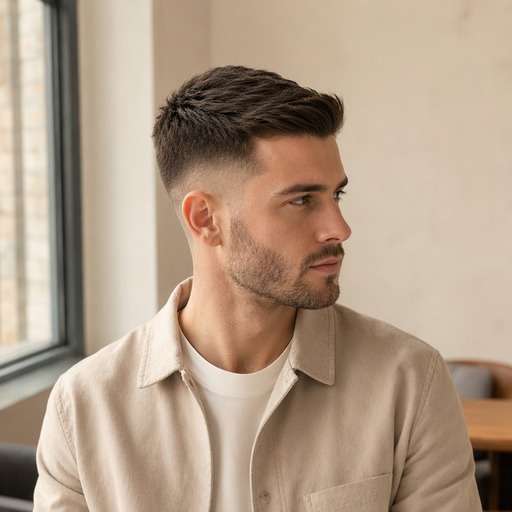
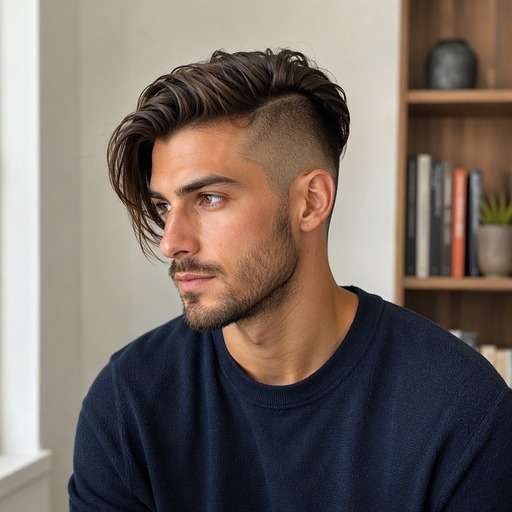
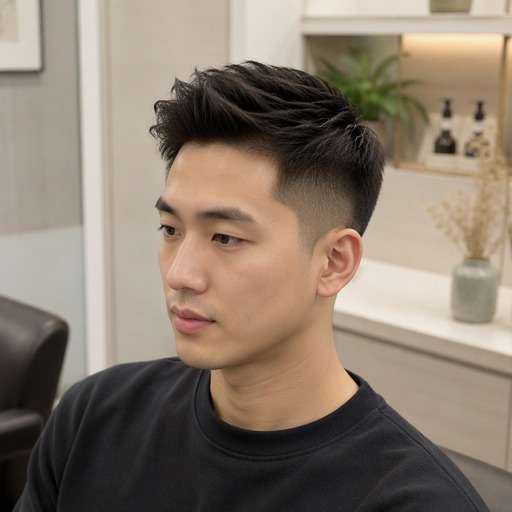
jpg, jpeg, png 이미지를 최대 50MB까지 업로드할 수 있으며, 가로/세로 최소 300px이어야 합니다.
Try an Undercut Without Shaving Your Sides
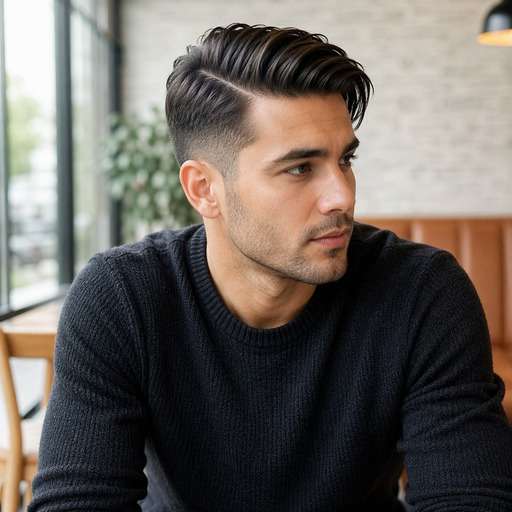
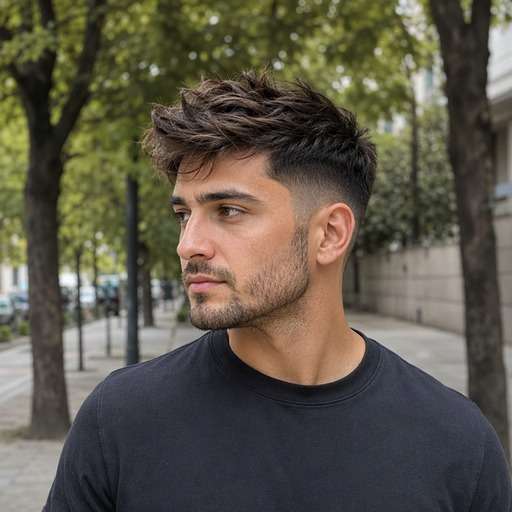
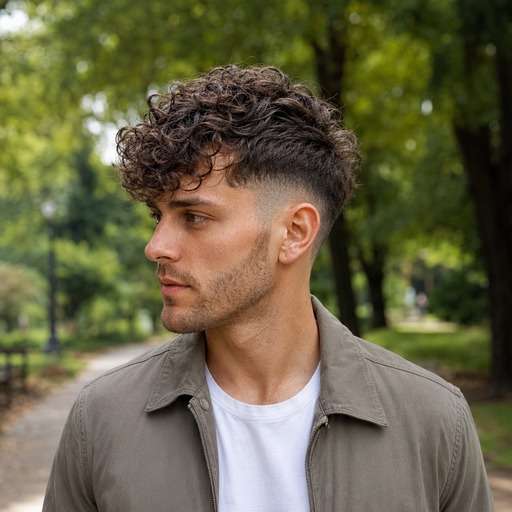
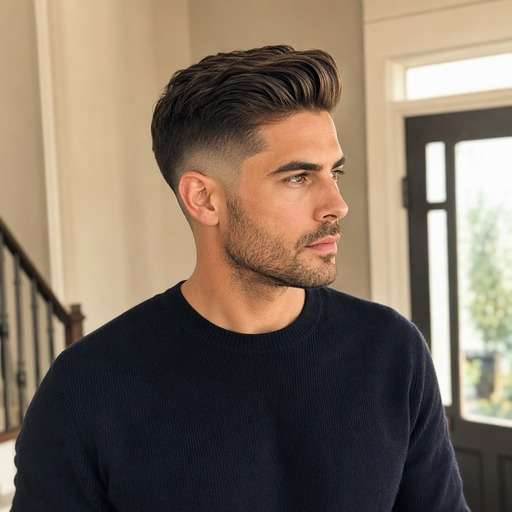
Not ready to commit to a dramatic difference between the top and sides? An undercut hairstyle filter lets you preview closely clipped side panels beneath longer hair on top. Compare disconnected, tapered and slicked-back looks on your photo before making an irreversible barber decision.
For a clearer preview, upload a well-lit photo with side three-quarter portrait showing temple separation, ear and top overhang.
Undercut Hairstyle Editing Prompts
Not every undercut looks the same. Start by comparing disconnected long top over much shorter even side panels with a clear transition. Choose the variation whose silhouette you want to test, copy the prompt into Face Editor and upload one clear photo. Keep the same face and viewpoint between versions so the hairstyle difference is easy to judge.
Classic Disconnected Undercut
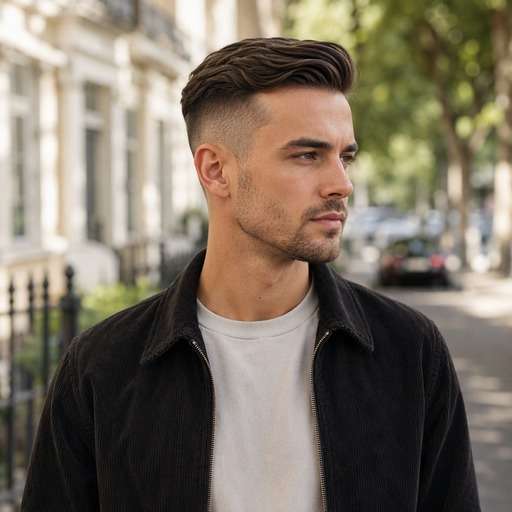
Use my uploaded photo of the same person as the starting image. Try classic disconnected undercut: strong top-to-side step with medium-length combable top. Keep a believable disconnected long top over much shorter even side panels with a clear transition. Preserve my face, skin tone, facial hair, expression and outfit, along with the original background and viewpoint. Use a hairstyle-revealing camera angle with realistic hair growth, clean but natural barber transitions and individually visible strands. Make the new haircut clear enough to compare with my original, without adding accessories, mirrors, phones, text or logos.
Slick Back Undercut
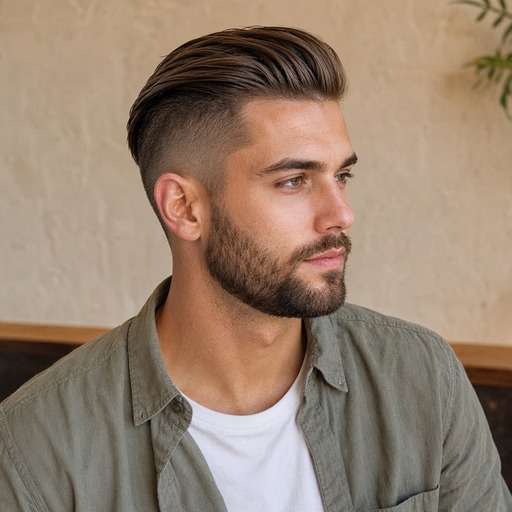
Use my uploaded photo of the same person as the starting image. Try slick back undercut: sweep long top backward above close clipped side panels. Keep a believable disconnected long top over much shorter even side panels with a clear transition. Preserve my face, skin tone, facial hair, expression and outfit, along with the original background and viewpoint. Use a hairstyle-revealing camera angle with realistic hair growth, clean but natural barber transitions and individually visible strands. Make the new haircut clear enough to compare with my original, without adding accessories, mirrors, phones, text or logos.
Undercut With Side Part
Use my uploaded photo of the same person as the starting image. Try undercut with side part: comb the longer top to one side and keep short underpanels. Keep a believable disconnected long top over much shorter even side panels with a clear transition. Preserve my face, skin tone, facial hair, expression and outfit, along with the original background and viewpoint. Use a hairstyle-revealing camera angle with realistic hair growth, clean but natural barber transitions and individually visible strands. Make the new haircut clear enough to compare with my original, without adding accessories, mirrors, phones, text or logos.
Textured Undercut
Use my uploaded photo of the same person as the starting image. Try textured undercut: preserve choppy top volume above a bold shorter side. Keep a believable disconnected long top over much shorter even side panels with a clear transition. Preserve my face, skin tone, facial hair, expression and outfit, along with the original background and viewpoint. Use a hairstyle-revealing camera angle with realistic hair growth, clean but natural barber transitions and individually visible strands. Make the new haircut clear enough to compare with my original, without adding accessories, mirrors, phones, text or logos.
Curly Top Undercut
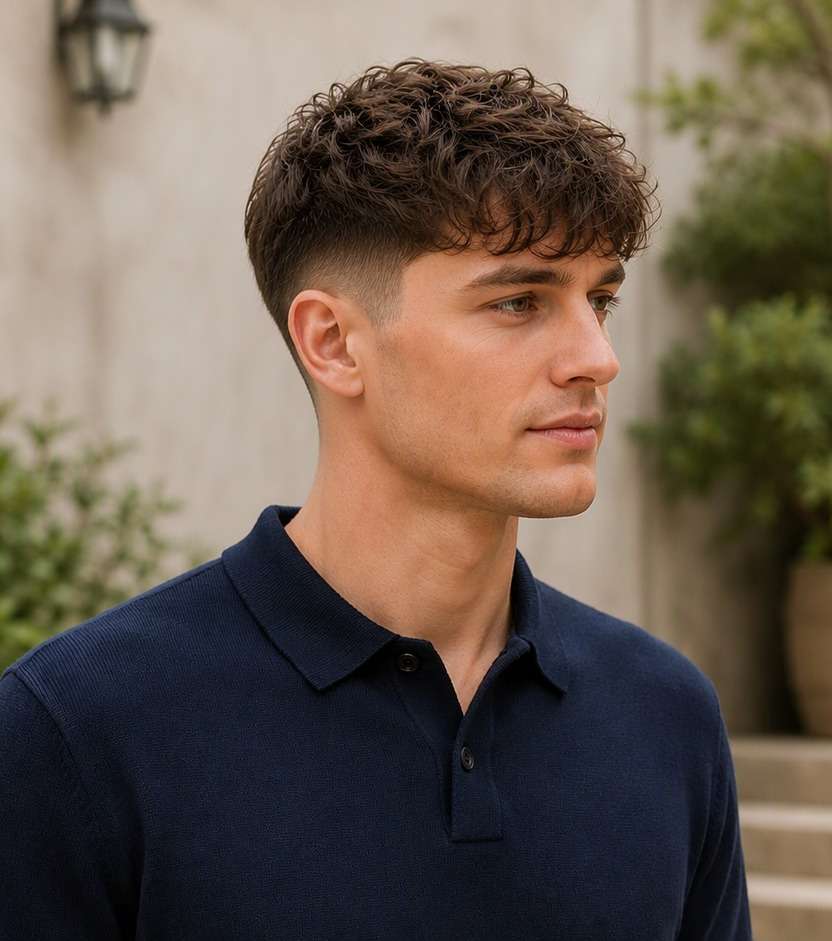
Use my uploaded photo of the same person as the starting image. Try curly top undercut: leave natural curls prominent over the closely clipped side. Keep a believable disconnected long top over much shorter even side panels with a clear transition. Preserve my face, skin tone, facial hair, expression and outfit, along with the original background and viewpoint. Use a hairstyle-revealing camera angle with realistic hair growth, clean but natural barber transitions and individually visible strands. Make the new haircut clear enough to compare with my original, without adding accessories, mirrors, phones, text or logos.
Undercut With Low Fade
Use my uploaded photo of the same person as the starting image. Try undercut with low fade: soften the lowest edge while keeping an obvious top disconnect. Keep a believable disconnected long top over much shorter even side panels with a clear transition. Preserve my face, skin tone, facial hair, expression and outfit, along with the original background and viewpoint. Use a hairstyle-revealing camera angle with realistic hair growth, clean but natural barber transitions and individually visible strands. Make the new haircut clear enough to compare with my original, without adding accessories, mirrors, phones, text or logos.
Undercut With Pompadour
Use my uploaded photo of the same person as the starting image. Try undercut with pompadour: raise front volume over a sharp closely cut side panel. Keep a believable disconnected long top over much shorter even side panels with a clear transition. Preserve my face, skin tone, facial hair, expression and outfit, along with the original background and viewpoint. Use a hairstyle-revealing camera angle with realistic hair growth, clean but natural barber transitions and individually visible strands. Make the new haircut clear enough to compare with my original, without adding accessories, mirrors, phones, text or logos.
Short Undercut
Use my uploaded photo of the same person as the starting image. Try short undercut: modest top length with neat visibly shorter sides. Keep a believable disconnected long top over much shorter even side panels with a clear transition. Preserve my face, skin tone, facial hair, expression and outfit, along with the original background and viewpoint. Use a hairstyle-revealing camera angle with realistic hair growth, clean but natural barber transitions and individually visible strands. Make the new haircut clear enough to compare with my original, without adding accessories, mirrors, phones, text or logos.
Long Undercut
Use my uploaded photo of the same person as the starting image. Try long undercut: keep top strands long enough to fall partly over the shaved side. Keep a believable disconnected long top over much shorter even side panels with a clear transition. Preserve my face, skin tone, facial hair, expression and outfit, along with the original background and viewpoint. Use a hairstyle-revealing camera angle with realistic hair growth, clean but natural barber transitions and individually visible strands. Make the new haircut clear enough to compare with my original, without adding accessories, mirrors, phones, text or logos.
Subtle Undercut
Use my uploaded photo of the same person as the starting image. Try subtle undercut: use a smaller length gap without losing the recognizable side contrast. Keep a believable disconnected long top over much shorter even side panels with a clear transition. Preserve my face, skin tone, facial hair, expression and outfit, along with the original background and viewpoint. Use a hairstyle-revealing camera angle with realistic hair growth, clean but natural barber transitions and individually visible strands. Make the new haircut clear enough to compare with my original, without adding accessories, mirrors, phones, text or logos.
Find the Details That Matter in a Undercut Preview
See the Length Break Clearly
An undercut has a stronger separation between the longer top and shorter sides than a fully blended fade. Use a side-view preview where the edge near the temple is visible.
Compare Disconnect Versus Gradual Fade
A hard top-to-side break looks graphic; a blended taper looks softer. Generate both while keeping the top length constant so you can see the actual difference before requesting clippers.
Check How the Top Falls
Long hair may hang over shaved sides, making the undercut disappear from the front. Try a slick-back and a side-swept version to see when the separation will be visible.
Consider Growing It Out
If you later want the sides longer again, a pronounced undercut needs a grow-out period. A photo preview helps you decide how big a length contrast you truly want, not how fast regrowth happens.
How to Try Undercut on Your Photo
Keep the same source portrait while comparing disconnected long top over much shorter even side panels with a clear transition. Start with a clear head-and-shoulders image, then change one hairstyle detail at a time.
Step 1
Upload Your Photo
Upload a clear portrait showing side three-quarter portrait showing temple separation, ear and top overhang. Leave enough room around the head to view the haircut from top to lower edges.
Step 2
Choose a Haircut Filter or Enter a Prompt
Choose a suitable haircut preset if available, or enter a custom prompt describing clearly shorter or shaved side panels with a stronger top-to-side length break. Ask for a natural hairline and realistic transition.
Step 3
Click Generate
Click Generate to preview the new hairstyle on your photo. Compare the original against the target shape and refine the fade height, texture or length that matters to this cut.
Use the image to decide on visible shape and proportion before changing your real hair. The key is disconnected long top over much shorter even side panels with a clear transition, not an invented change to your face.
Before a Big Barber Change
Removing substantial side length can dramatically change your profile. Test a subtle undercut first, then a full disconnected version, so you know which photo to show at the appointment.
Choosing a Slick Back Variation
If you already wear long hair brushed back, adding an undercut changes the side silhouette more than the top. Keep the backward sweep consistent to isolate the effect.
Checking Everyday Styling Options
Compare a loose long-top undercut with a tidier short version. Think about how much of the shaved side will show when you part or move your hair. In the preview, inspect whether the longer top still hides the short side panel when worn forward.
Check Your Undercut Preview Before Saving
Defining Shape
Image review checklist
"Is the key haircut feature visible?" Look for disconnected long top over much shorter even side panels with a clear transition. If that detail is missing, make the instruction more specific before keeping the preview.
Before & After
Image review checklist
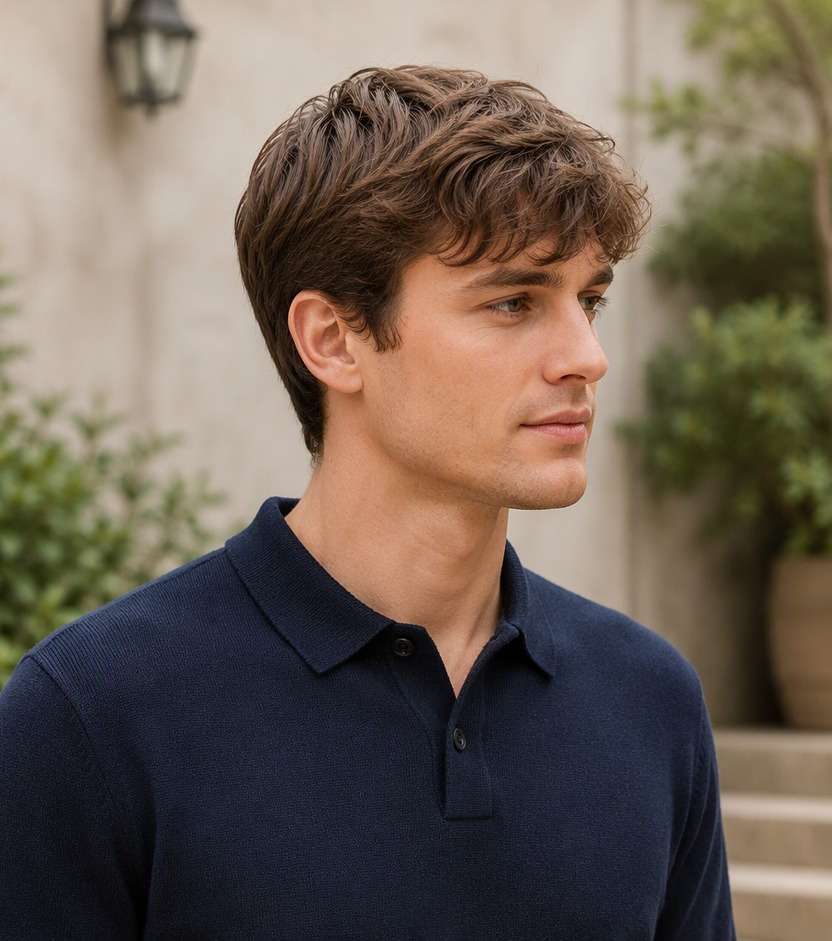
"Can you see a real hair change?" The baseline should show medium-length blended sides that gradually connect into a combable top. The new version should clearly show clearly shorter or shaved side panels with a stronger top-to-side length break with the same person and photo.
Natural Hair Edges
Image review checklist
"Check the scalp and temples" Look around the ear, forehead and nape for unrealistic lines or missing strands. Ask for a more natural transition when an edit looks artificial.
Barber Reference
Image review checklist
"Save a photo you can explain" Use the preview to discuss shape and length with your barber. The image cannot measure real hair density, growth direction or styling hold.
It leaves the top noticeably longer than the sides, often with an abrupt disconnected step rather than a continuous blended fade. The amount of contrast can vary.
2. Is an undercut the same as a fade?
Not always. A classic undercut emphasizes a clear top-to-side length difference; a fade gradually transitions hair lengths. You can combine aspects of both in a modern style.
3. Can I try an undercut without cutting my hair?
Yes, as a simulated hairstyle photo edit. It helps visualize an option but cannot show your actual exposed scalp or how your hair will grow out.
4. What is the best angle for an undercut preview?
A side or three-quarter photo reveals the temple break and short underpanels. A head-on photo can hide the difference beneath longer top strands.
5. What photo gives the clearest undercut preview?
Use a sharp, evenly lit photo with side three-quarter portrait showing temple separation, ear and top overhang. Keep hair boundaries visible rather than hidden by hats or dramatic shadows. A consistent camera angle makes comparisons more useful.
6. Will the undercut preview match a real haircut exactly?
No. This is a visual reference that helps compare disconnected long top over much shorter even side panels with a clear transition. Real length, growth patterns, density, scalp exposure and day-to-day styling depend on your hair and your barber.