
スクリプトから動画へ AI 無料
あらゆるスクリプトをAI動画にオンラインで変換
YouTubeスクリプト、ブログ記事、ストーリー、レッスン、商品コピー、マーケティングコンテンツを完全なAI生成動画に変換します。Media.ioは、シーンの整理、ビジュアルの作成、AIボイスの追加、字幕、音楽、トランジションを1つのスクリプトから動画へ AI 無料オンライン ワークフローで自動的に処理します。
AIでスクリプトから完全な動画を作成
Media.ioは、スクリプト解析、シーン設計、AI生成ビジュアル、ナレーション、字幕、BGM、動画編集をブラウザベースの1つのワークフローに統合します。
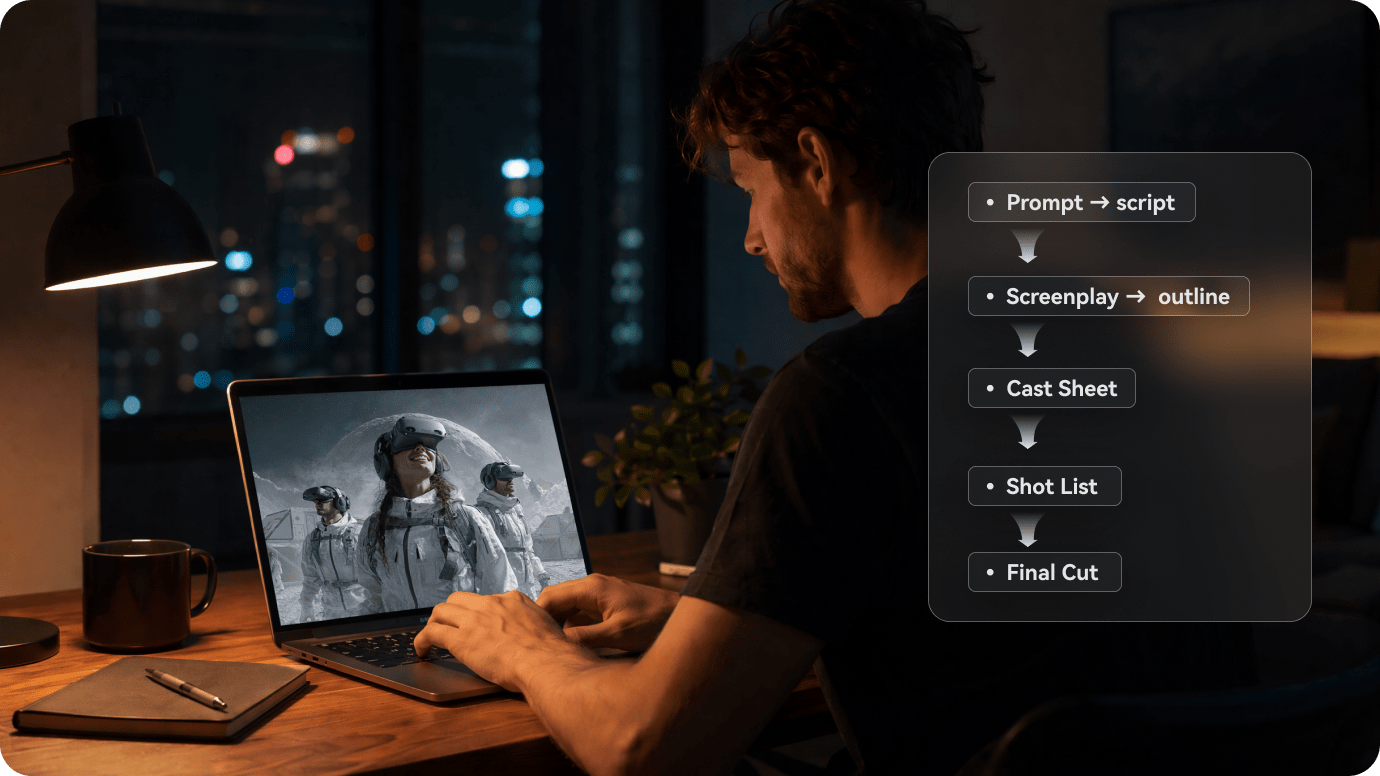
長いスクリプトを構造化された動画プランに変換
YouTubeスクリプト、記事、レッスン、脚本、商品説明、またはストーリーを貼り付けてください。Media.ioはコンテンツを分析し、重要なアイデアを特定して、明確なシーンごとの動画プランに整理します。
- スクリプト入力 → 長文スクリプト、記事、ストーリー、ナレーション草稿を貼り付ける
- シーン構成 → スクリプトを論理的なビジュアルセクションに分割する
- ビジュアル演出 → キャラクター、背景、シーンスタイルを定義する
- 絵コンテプレビュー → レンダリング前に動画の流れを確認する
- AI動画出力 → ビジュアル、ボイス、字幕、音楽、トランジションを生成する
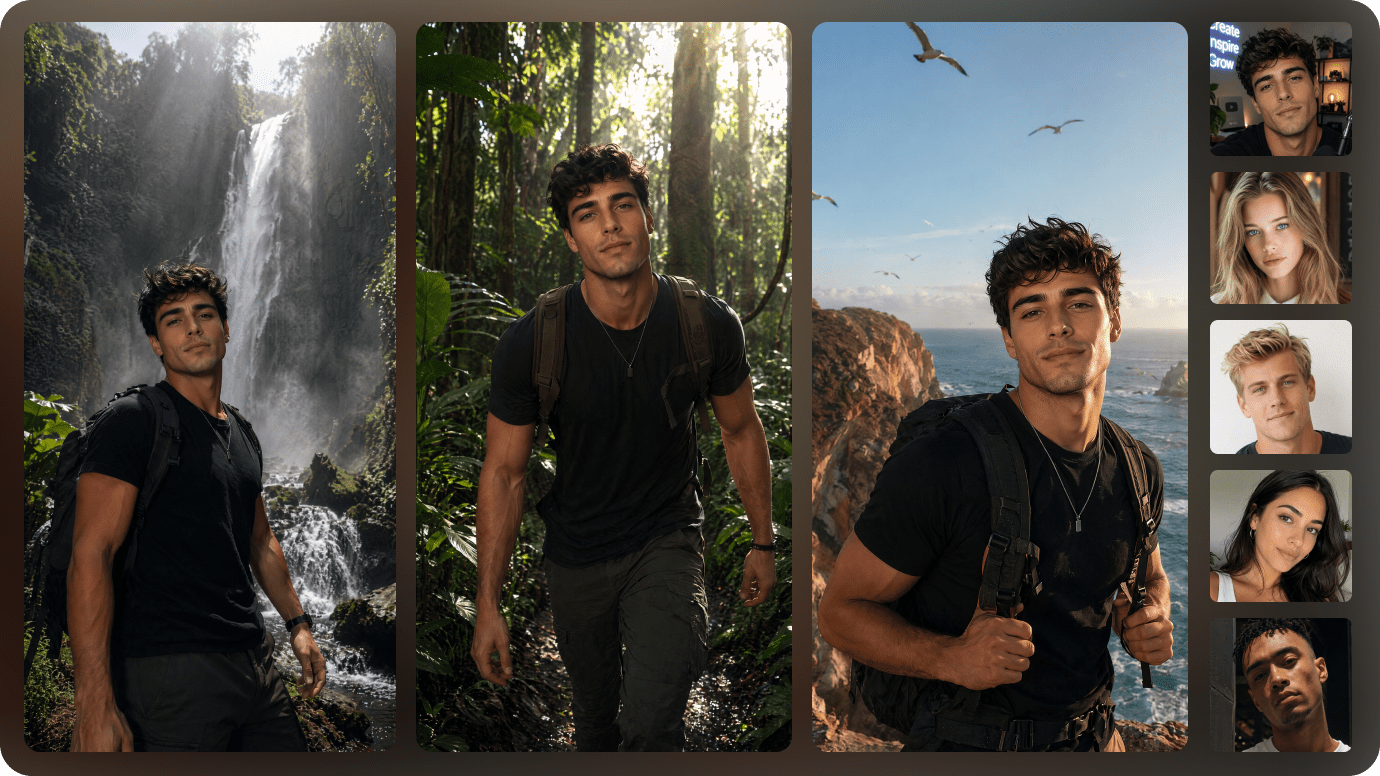
すべてのスクリプトシーンにビジュアルを生成
Media.ioは各スクリプトセクションにAI生成のビジュアル、キャラクター、背景、シーンコンセプトをマッチングし、最終的な動画をより一貫性があり、わかりやすいものにします。
- AIシーンビジュアル ― 各スクリプトセグメントに合ったイメージを生成します。
- 参照画像 ― キャラクター、商品、またはブランドスタイルを誘導するビジュアルをアップロードします。
- ビジュアルの一貫性 ― シーン全体でキャラクター、色、背景を統一します。
- 再利用可能なアセット ― 今後の動画でキャラクター、ロゴ、ブランドビジュアルを再利用します。
AIボイス、字幕、音楽、モーションを追加
AIナレーション、自動字幕、BGM、アニメーショントランジション、同期されたシーンタイミングでスクリプトを洗練された動画に仕上げます。
- AIボイスオーバー ― ナレーションやセリフを自然な音声に変換します。
- 自動字幕 ― ナレーションと同期したキャプションを生成します。
- BGM ― スクリプトのトーン、ペース、感情に合わせます。
- シーントランジション ― よりスムーズでプロフェッショナルな動画の流れを構築します。

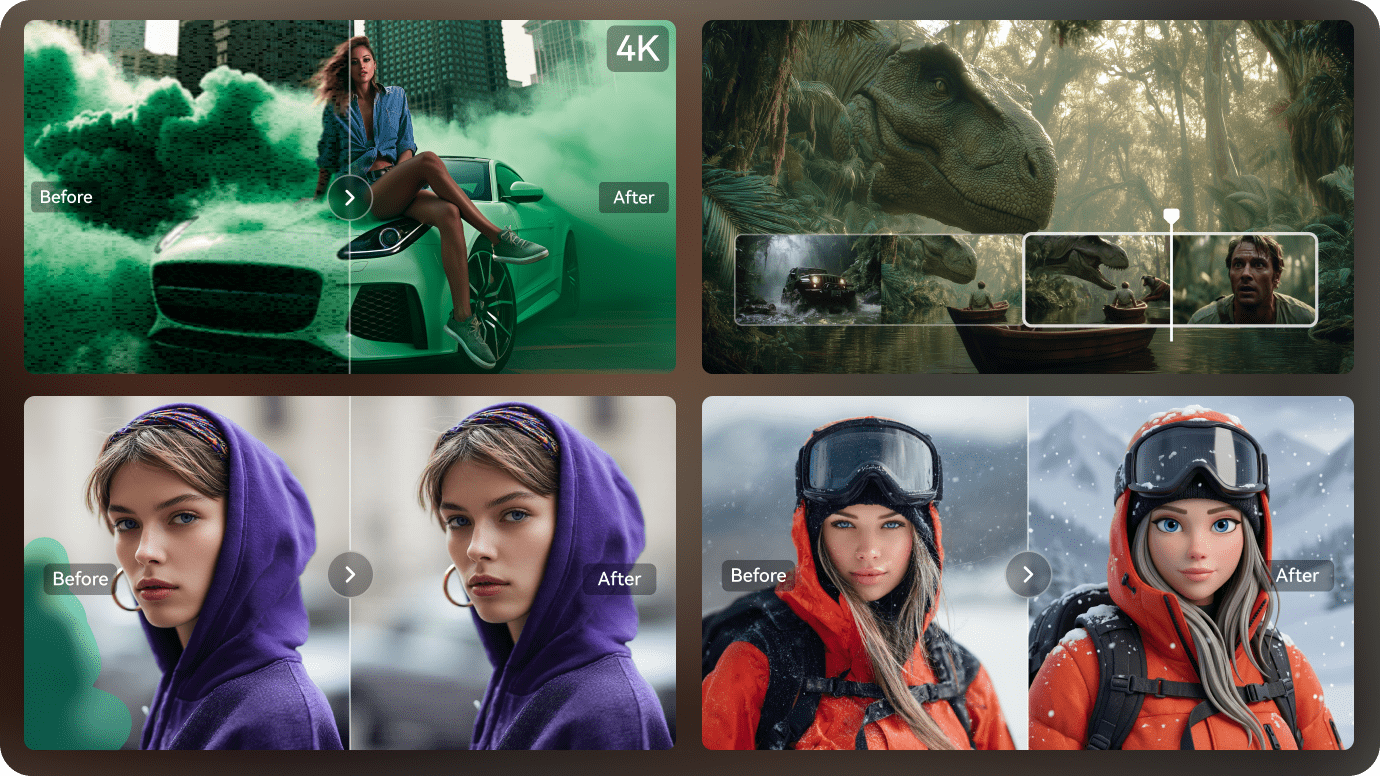
Media.io AIツールで編集を続ける
生成後は、別のエディターにエクスポートせず、Media.ioのツールで動画の品質、タイミング、ビジュアル、音声、キャプション、スタイルを引き続き調整できます。
- AI動画エンハンサー ― 生成されたクリップの鮮明度を改善し、よりクリーンに見せます。
- AI動画エクステンダー ― より長いビジュアル結果が必要なときに短いクリップを延長します。
- AIオブジェクト除去 ― 既存の動画から不要なテキスト、透かし、またはオブジェクトを削除します。
- AIビデオスタイル転送 ― 動画をアニメ、シネマティック、その他のクリエイティブなスタイルに変換します。
スクリプトから動画へ AI 無料の使い方
3つの簡単なステップで、書かれたスクリプトから完全なAI生成動画を作成できます。
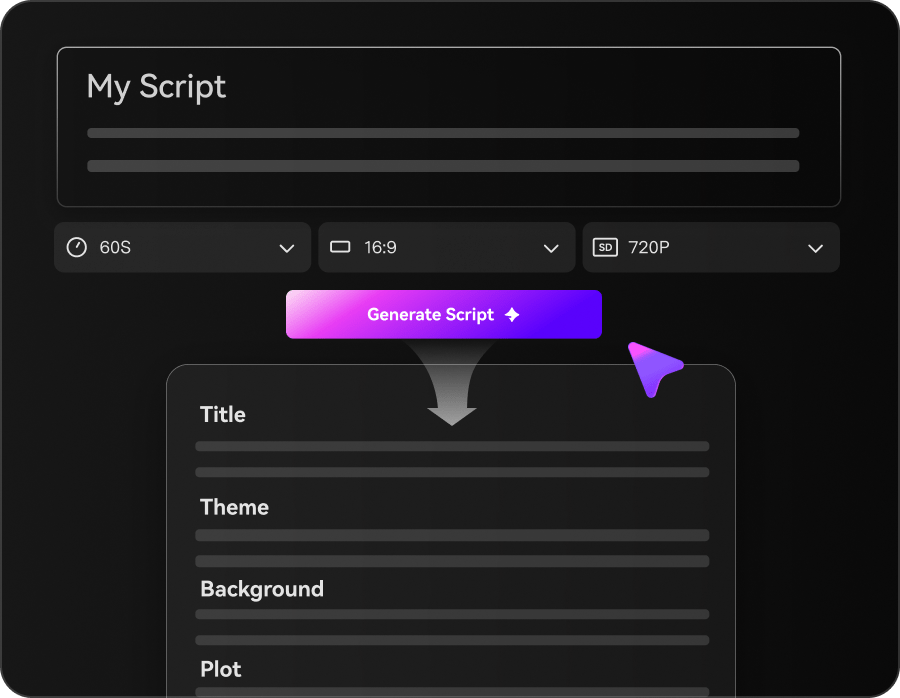
スクリプトを貼り付けまたはアップロード
YouTubeスクリプト、記事、商品説明、ストーリー、レッスン、またはマーケティング草稿を貼り付けてください。Media.ioがテキストを分析し、シーン構成を準備します。
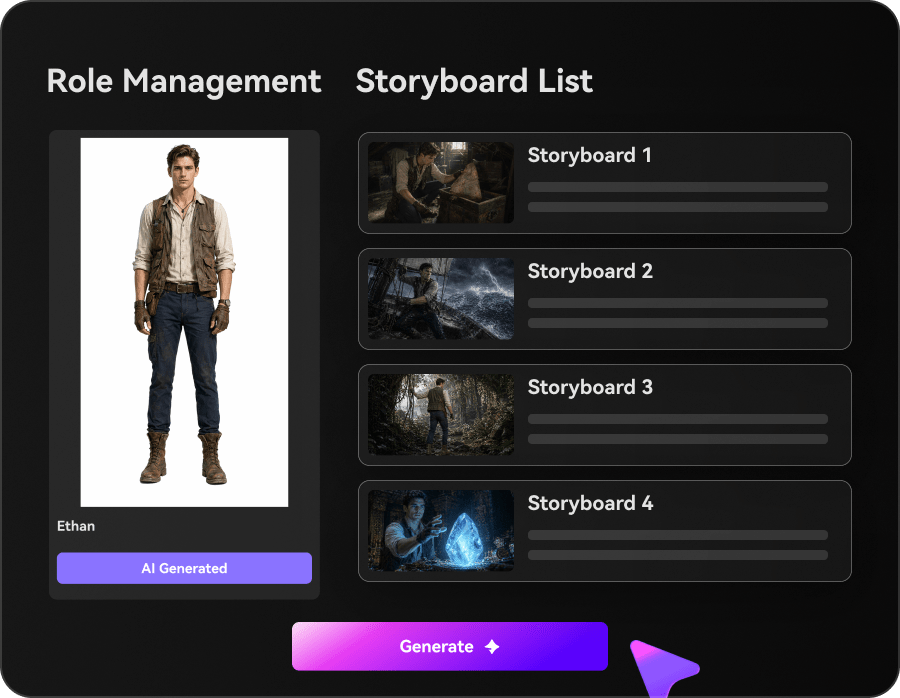
シーン、ボイス、字幕を生成
AIがスクリプトの各セクションに合ったビジュアル、ナレーション、字幕、音楽、トランジションを作成します。
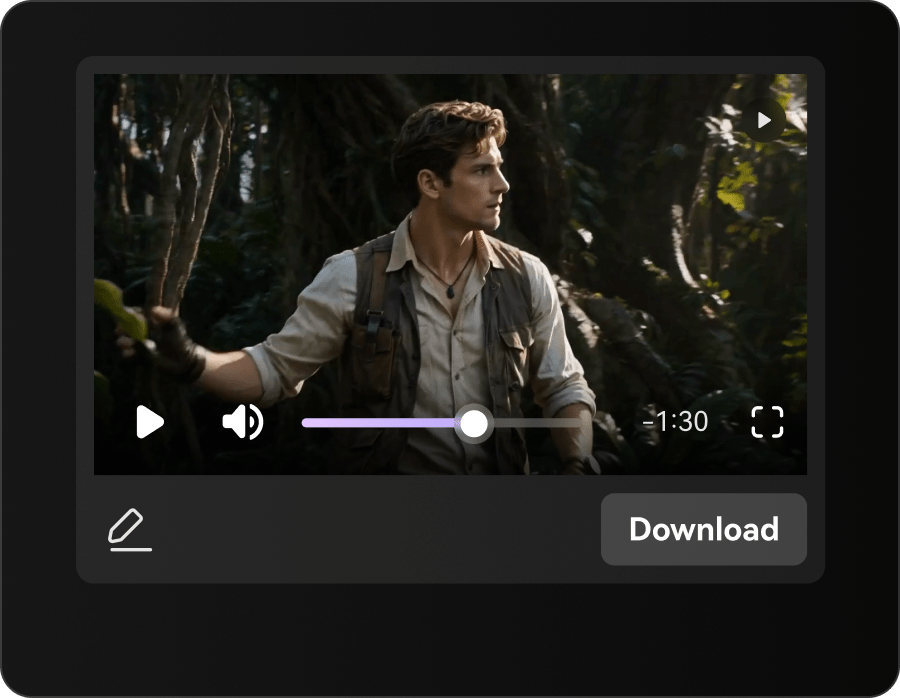
動画をカスタマイズしてエクスポート
ボイス、キャプション、タイミング、シーンビジュアル、音楽を調整し、YouTube、TikTok、コース、マーケティング、またはプレゼンテーション用に完成した動画をエクスポートします。
スクリプトから動画へ AI 無料 vs 従来の動画編集
従来のエディターは手動でシーン構築、ナレーション、字幕、音楽、タイムライン作業が必要です。Media.ioはスクリプトからこれらの手順を自動化します。
| 機能 | Media.io スクリプトから動画へ AI | 従来の動画編集 |
|---|---|---|
| スクリプト入力 | √ スクリプト、記事、ストーリー、長文コンテンツを貼り付ける | ✗ 手動コピー、シーン計画、タイムライン設定 |
| 自動シーン生成 | √ シーン、ビジュアル、ボイス、字幕、音楽、トランジション | ✗ 手動アセット調達とシーン組み立て |
| AIボイスオーバー | √ スクリプトから直接ナレーションを生成 | ✗ 録音またはオーディオのインポートが必要 |
| 自動字幕 | √ 同期されたキャプションを生成 | ✗ 手動キャプション作成 |
| BGM | √ スクリプトのトーンに合わせた音楽を追加 | ✗ 手動トラック選択とタイミング調整 |
| ブラウザベースのワークフロー | √ オンラインで生成・編集 | ✗ デスクトップソフトウェアが必要な場合が多い |
| 無料アクセス | √ 無料クレジットまたは限定的な無料利用が利用可能な場合があります | ソフトウェアトライアルまたは有料編集スイート |
| 最適な用途 | √ クリエイター、マーケター、教師、ビジネス | 高度な手動制作スキルを持つ編集者 |

スクリプトから動画へ AI 無料で何が作れますか?
コンテンツ制作、マーケティング、教育、ストーリーテリング向けにスクリプトを動画に変換します。

YouTube動画をAI動画に変換
YouTubeナレーション、顔出しなしチャンネルスクリプト、解説、レビュー、ストーリーエピソードをビジュアル、ボイス、字幕、音楽を含む完全な動画に変換します。

マーケティング動画を視聴しやすい動画に変換
ランディングページ、商品説明、広告、ブログ、キャンペーンスクリプトをソーシャルメディアや営業向けのプロモーションAI動画に変換します。


スクリプトがAI動画になる仕組みをご覧ください
さまざまなコンテンツスタイルに対応
ストーリーテリング、ホラー、ロマンス、アニメーション、ブランドコンテンツ、教育用スクリプトが完全なAI生成動画になる方法をご覧ください。
クリエイターはMedia.ioでスクリプトを動画に素早く変換
YouTuber、マーケター、教師、映像制作者、コンテンツチームがMedia.ioを使い、手動編集を減らしながら書かれたスクリプトを動画に変換しています。


「完成したスクリプトを貼り付けるだけで、動画タイムラインを手動で組み立てることなく、シーン、ナレーション、字幕が生成されます。」

「Media.ioのおかげで、以前のマルチツールワークフローよりもはるかに速く長いナレーションスクリプトを公開可能な動画に変換できます。」

「本格的な制作に時間をかける前に、ストーリーボードとシーン生成を使って動画構成をテストしています。」

「レッスンプランをキャプション付きのナレーション動画に変換でき、録音と編集の時間を大幅に節約できます。」

「キャンペーンスクリプトを手動で作り直すことなく、短いソーシャル動画に再利用できます。」

「商品やキャンペーンのスクリプトを素早く動画ドラフトに変換し、最も優れたコンセプトだけを磨き上げています。」
Script to Video AI Freeに関するよくある質問
Script to Video AI Freeとは何ですか?
Script to Video AI Freeは、書かれたスクリプトをシーン、ビジュアル、AIボイス、字幕、音楽、トランジションを含む完全な動画に変換します。Media.ioはブラウザ内で制作プロセスの大部分を自動化します。
Media.ioは無料のscript to video AIですか?
Media.ioは、選択したモデルとアカウントの状態によって、無料クレジットまたは限定的な無料アクセスを提供する場合があります。有料プランでは追加クレジット、より高品質なエクスポート、より高度な機能が利用できます。
script to video AIを無料でオンライン利用できますか?
はい。Media.ioは最新のウェブブラウザで動作するため、デスクトップ編集ソフトをインストールせずにスクリプトから動画を生成できます。
script to video AIを無料で無制限に使えますか?
ほとんどのAI動画ツールにはクレジット制限、時間制限、エクスポート制限、またはモデル制限が適用されます。Media.ioの無料利用可否は、現在のクレジット、アカウントプラン、選択した生成設定によって異なります。
script to video AIを透かしなしで無料で使えますか?
透かしの有無は現在のプラン、エクスポート設定、および選択した機能によって異なります。エクスポート前にMedia.ioの最新のアカウントおよび料金情報をご確認ください。
ログインなしでscript to video AIを無料で使えますか?
ログイン前にページの一部の機能が表示される場合がありますが、生成、保存、クレジットの受け取り、またはエクスポートにはMedia.ioアカウントが必要な場合があります。
透かしなし・著作権なしでscript to video AIを無料で使えますか?
透かしなしのエクスポートは、著作権のクリアランスを自動的に保証するものではありません。動画で使用するスクリプト、画像、音楽、ボイス、ロゴ、その他の素材に対する権利を持っていることを確認してください。
どのようなスクリプトを動画に変換できますか?
YouTubeスクリプト、記事、ブログ投稿、レッスン、商品説明、マーケティングコピー、ストーリー、脚本、トレーニング資料、プレゼンテーションコンテンツが使用できます。
Media.ioはAIボイスオーバーと字幕を生成しますか?
はい。Media.ioは選択した機能とモデルに応じて、script-to-videoワークフローの一部としてAIナレーションと同期字幕を生成できます。
Media.ioはCanva Script to Videoより優れていますか?
Media.ioはAIによるスクリプト分析、自動シーン生成、ナレーション、字幕、音楽、ストーリーベースの動画ワークフローに特化しています。Canvaはテンプレートを多用する手動デザインに適している場合がありますが、Media.ioは自動化されたAI動画制作に向いています。
最高のscript to video AIの無料ツールは何ですか?
最適な選択肢は、出力品質、無料制限、スクリプトの長さ、ボイス品質、字幕の精度、編集コントロール、透かしポリシー、エクスポート解像度によって異なります。Media.ioはこれらの機能を1つのオンラインワークフローに統合しています。
生成後にAI動画を編集できますか?
はい。Media.ioのオンライン動画ツールを使って、ビジュアル、タイミング、キャプション、ボイス、音楽、品質、スタイルを引き続き調整できます。
Script to Videoおよびその他のAI動画ツールをさらに探す

AIでスクリプトから完全な動画を作成
ビジュアル、ボイス、字幕、音楽、モーションを追加
スクリプト、記事、レッスン、または商品コピーを貼り付けてください。Media.ioはシーンの整理、ビジュアルの生成、ボイスと字幕の追加、完全なAI動画のオンライン作成をサポートします。
 4.7(162,357票)