自分の写真にリアルな帽子
自撮り写真をアップロードして、AI にキャップ、ベレー帽、フェドーラなどを頭に直接置かせましょう。などの高度なモデルを搭載ナノバナナプロ, Media.io は自然な影、テクスチャ、角度を作成するため、仮想帽子の試着は安価なステッカー フィルターのようではなく、信じられるように見えます。
 Nano Banana Pro
 創造力を解き放ち、Media AIの魔法をすぐに体験しよう!














自撮り写真をアップロードして、Media.io の AI にバーチャルハットトライ-on リアルなキャップ、ベレー帽、フェドーラなどを即座に追加します。帽子をテキストで説明し、顔の形をテストし、高解像度のプレビューを数秒でダウンロードできます。アプリやアカウントの手間はなく、ブラウザとお気に入りの写真だけです。
アイデアを入力します -> AI がデザインします。無料で試すことができます。
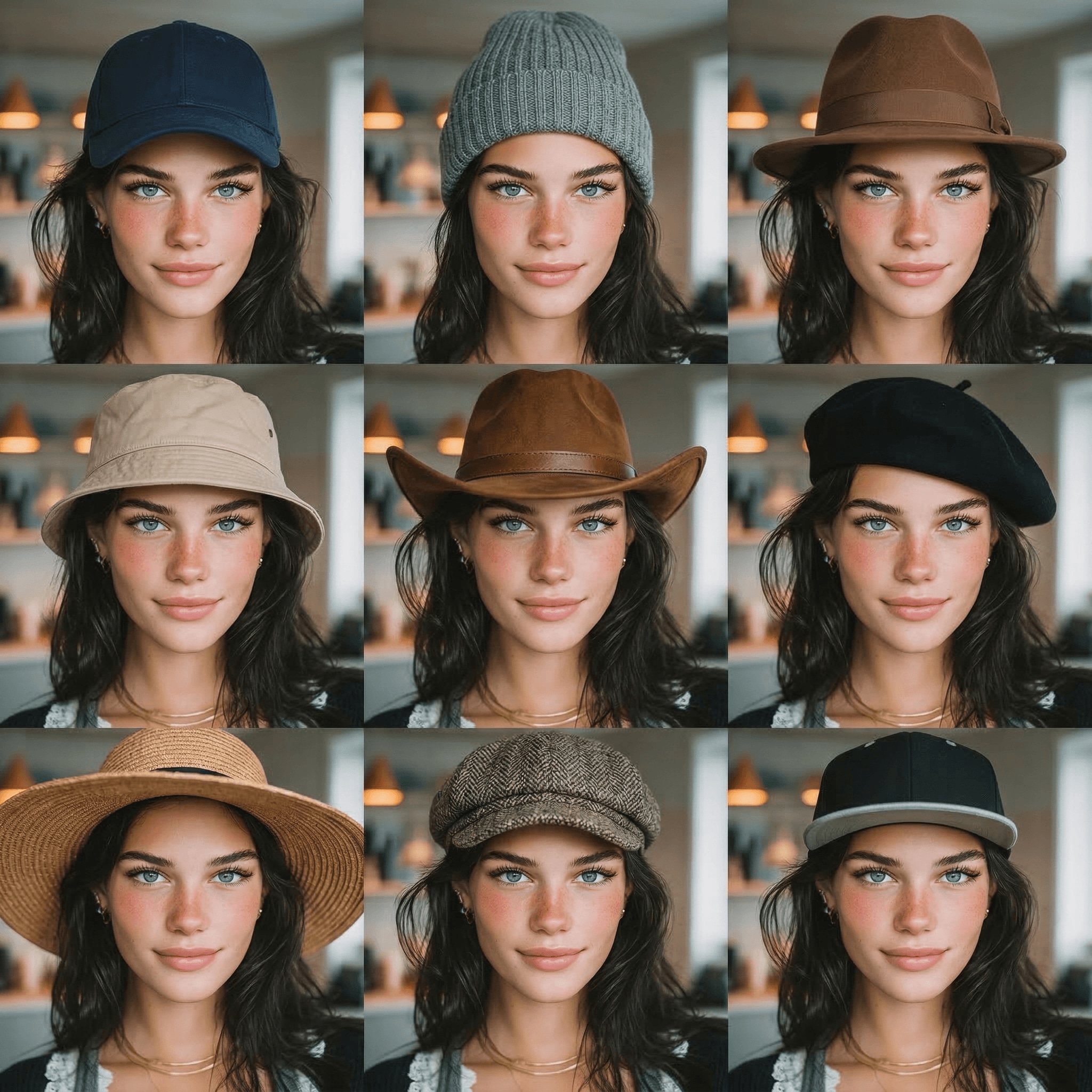
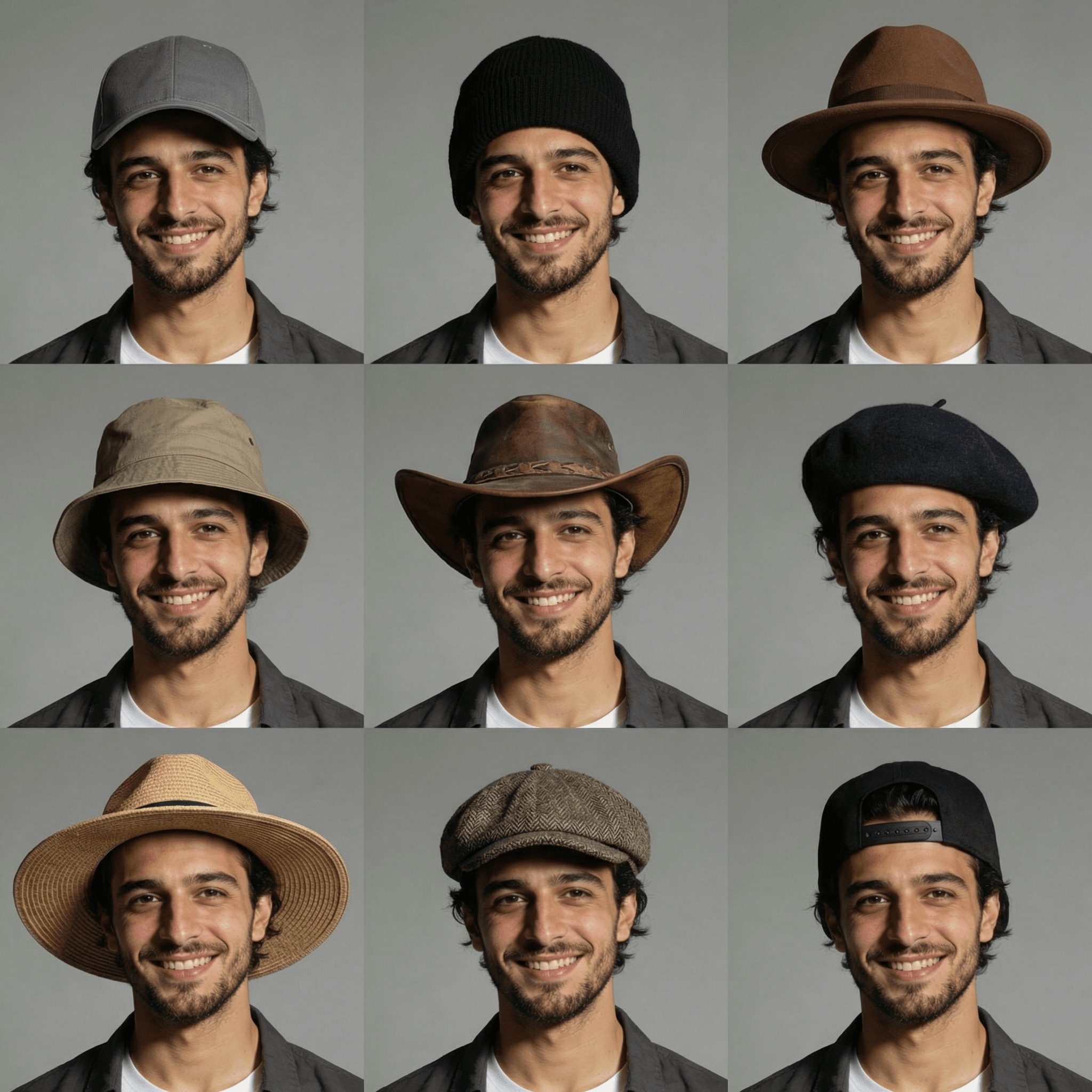
即時のバーチャルスタイリングプレビューで、男性と女性の両方のAI帽子の試着スタイルを探索してください。
自撮り写真をアップロードして、AI にキャップ、ベレー帽、フェドーラなどを頭に直接置かせましょう。などの高度なモデルを搭載ナノバナナプロ, Media.io は自然な影、テクスチャ、角度を作成するため、仮想帽子の試着は安価なステッカー フィルターのようではなく、信じられるように見えます。
1:1、9:16、4:3などのアスペクト比で、鮮明な1K、2K、または4K解像度で帽子のプレビューを生成します。ショッピング用の帽子をテストする場合でも、TikTok や Instagram のビフォーアフター コンテンツを作成する場合でも、鮮明な画像を投稿またはスタイリストに送信する準備ができています。
Media.io は、Windows、Mac、iOS、Android のブラウザで実行されます。アプリやプラグインは必要ありません。サイトにアクセスし、写真をアップロードし、希望の帽子のスタイルを説明し、AI帽子試着残りは数回クリックで行います。
アップロードされた写真は 7 日後に当社のサーバーから自動的に削除され、共有または再利用されることはありません。1 日あたり 3 つの無料クレジットでバーチャル ハット トライオンをご覧ください。有料プランは透かしを削除し、必要なときにより多くの高解像度世代のロックを解除します。
ブラウザを開き、media.io/ai に移動します。AI -> 画像エディタの下にある AI Virtual Hat 試着ツールを起動します。このオンライン ツールは、デスクトップまたはモバイルのブラウザで直接実行されるため、アプリや拡張機能をインストールする必要はありません。
鮮明な自撮り写真またはポートレートをアップロードし、「明るいビーチの自撮りスタイルで、つばの広い麦わらのサンハットを頭にかぶせてください」などの詳細なプロンプトを入力します。テキストのスタイル、色、雰囲気を調整できるため、AI はあなたがどのような帽子にしたいかを正確に知ることができます。
[生成] をクリックして、仮想帽子の試着を表示します。角度やスタイルが完璧でない場合は、プロンプトを微調整し、ビジョンと一致するまで再生します。満足したら、高解像度の画像をダウンロードしてスタイルを比較したり、ソーシャル ネットワークで共有したり、ショッピング中に使用したりできます。




オンラインショッパー&ファッション愛好家

「帽子のオンラインショッピングがずっと簡単になりました。」帽子が自分の顔に合うかどうかを推測するのは嫌いです。Media.io で自撮り写真を 1 枚アップロードし、数分でベレー帽、フェドーラ、キャップを試着しました。シャドウとフィット感は意外とリアルに見えるので、実際に機能するスタイルだけを注文しました。

ストリートウェアクリエイター
「TikTokのビフォーアフターハットルックに最適」私は AI ハット トライオンを使用して、リールのノーハットとハットのトランジションをすばやく作成します。正確なバケットハットやお父さんの帽子をテキストで説明できることは非常に大きく、高解像度の出力は余分な編集なしで投稿する準備ができています。

ウェディングゲスト&イベントプランナー
「実際に私のスタイルに合った魅力的なものを選ぶのに役立ちました。」何かを購入する前に、同じ写真でさまざまな魅力的なものをテストしました。Media.io のバーチャル トライオンでは、リアルなプレビューができたので、友人やスタイリストにオプションを送ることができました。それは非常に高価な間違った選択から私を救いました。

Eコマース販売者
「簡単なライフスタイルのモックアップに最適です。」私はオンラインで帽子を販売し、Media.io を使用してさまざまなモデルの帽子でライフスタイル ショットを作成しています。ポートレートをアップロードし、帽子を説明し、残りは AI が行います。すべてのスタイルのために完全な写真撮影を整理するよりもはるかに速いです。
AI で帽子を試着するのに専用アプリは必要ありません。Media.io は、Windows、Mac、iOS、Android で動作するブラウザベースの仮想帽子トライオンです。サイトを開き、自撮り写真をアップロードするだけで、AI がさまざまな帽子のスタイルを写真に直接追加できます。
Media.io の AI バーチャルハット トライオンを使用してください。正面を向いた鮮明な写真をアップロードし、「中つばの黄褐色のフェドーラ」や「黒のワイドつばのフェルト帽子」など、検討している帽子について説明してください。AI は最大 4K の解像度でリアルなプレビューを生成するため、購入前にスタイルを比較できます。
はい。このツールは「写真をアップロードし、帽子を試す」ワークフロー用に設計されています。自撮り写真を 1 枚アップロードし、テキスト プロンプトを変更してビーニー、バケット ハット、カウボーイ ハット、ベレー帽などをテストするために再利用します。あなたの画像は安全に保存され、プライバシーのために7日後に当社のサーバーから自動的に削除されます。
サイズクイズに頼るのではなく、オプションを視覚的に比較できます。Media.io にお世辞の自撮り写真をアップロードし、いくつかの画像を生成します。1 つはフェドーラ、もう 1 つはベレー帽、もう 1 つはつばの広いサンハットなどです。複数のバーチャルトライオンを並べて見ると、顔の形に似合うものがわかりやすくなります。
精度は、編集がどれだけ現実的であるかによって異なります。Media.io は、Nano Banana Pro のような高度な画像生成モデルを使用して、適切な照明、影、遠近法を備えた帽子を追加します。正確なセンチメートルにフィットすることは保証できませんが、購入前にスタイル、形状、全体的な雰囲気に関する信頼できる視覚的なガイドを提供します。
はい。Media.ioは無料ユーザーに1日3クレジットを与え、AIバーチャルハットの試着などのエフェクトに使うことができます。無料の結果には、小さな透かしと限られた毎日の世代が含まれる場合があります。さらにクレジットや透かしのない高解像度画像が必要な場合は、https://www.media.io/jp/pricing.html でいつでもアップグレードできます。
 4.7 (162,357 票)


