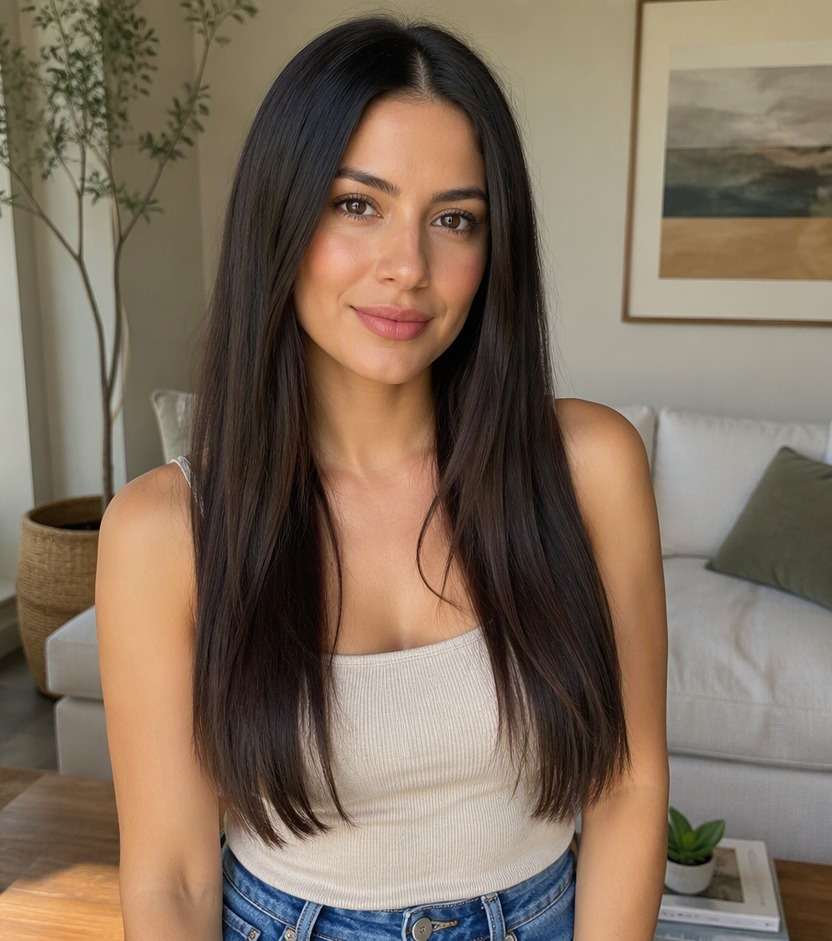
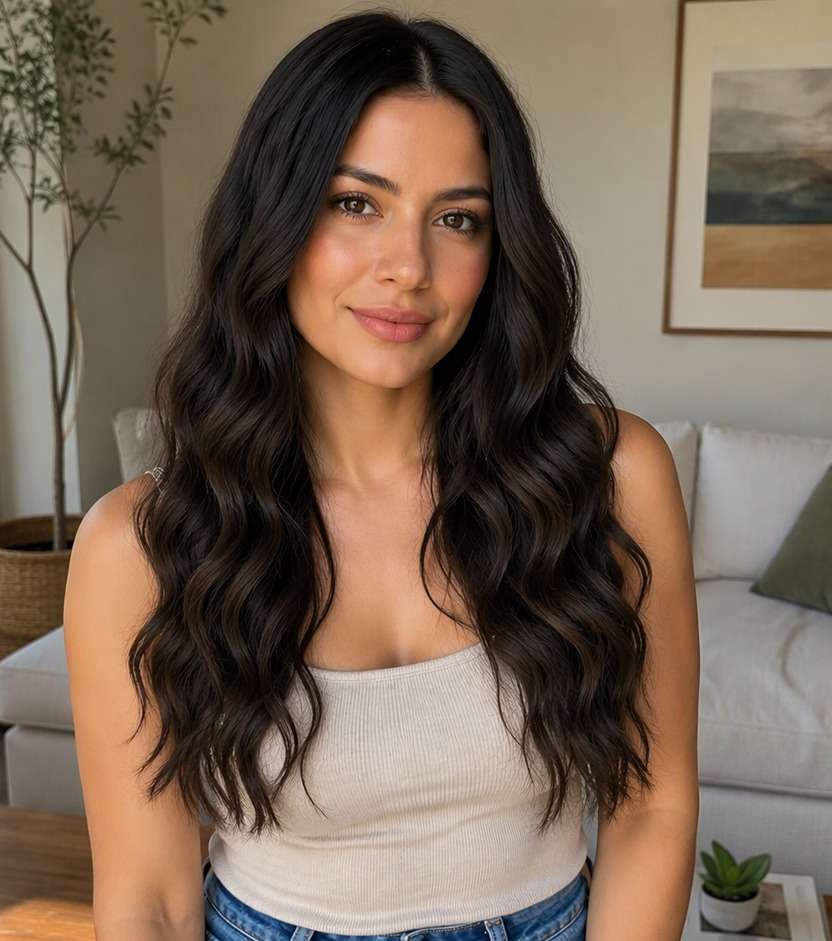
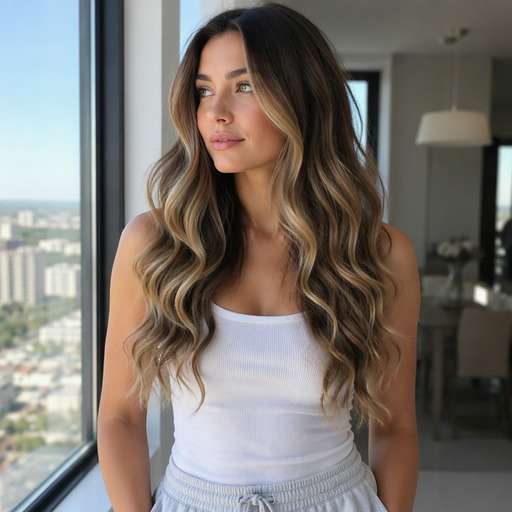
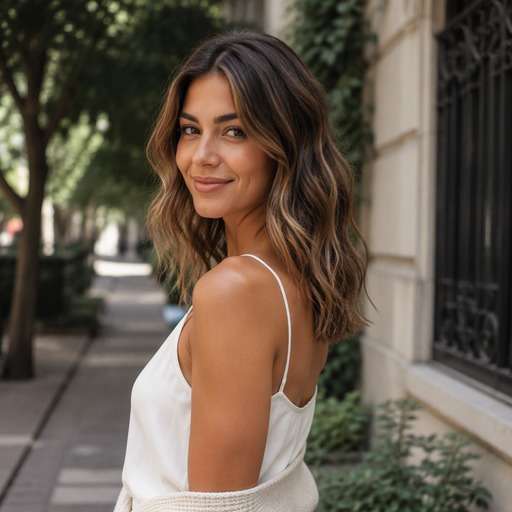
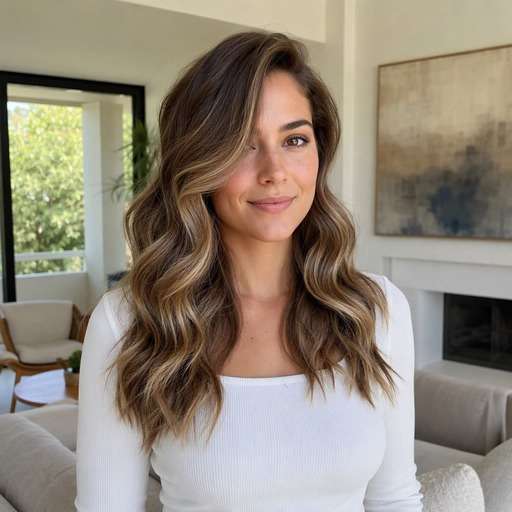
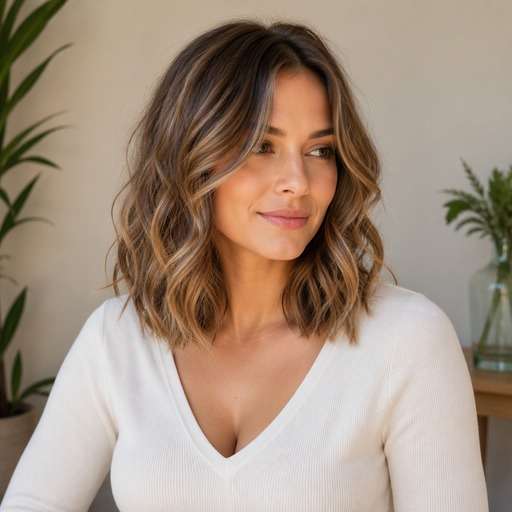
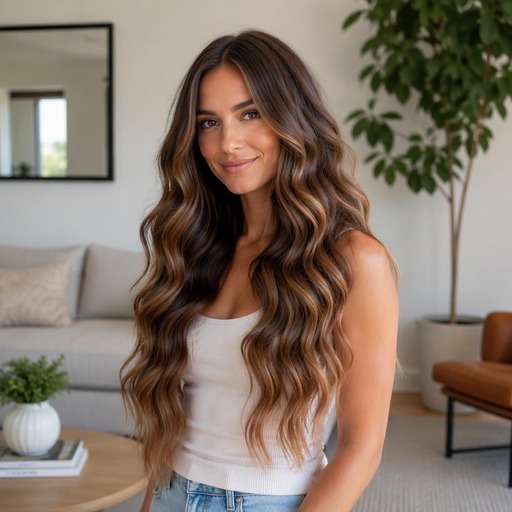
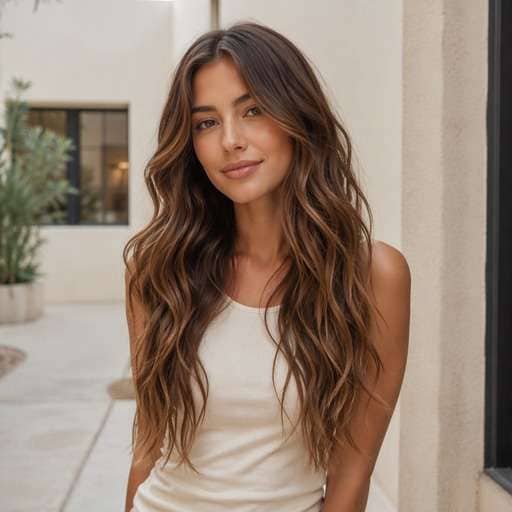
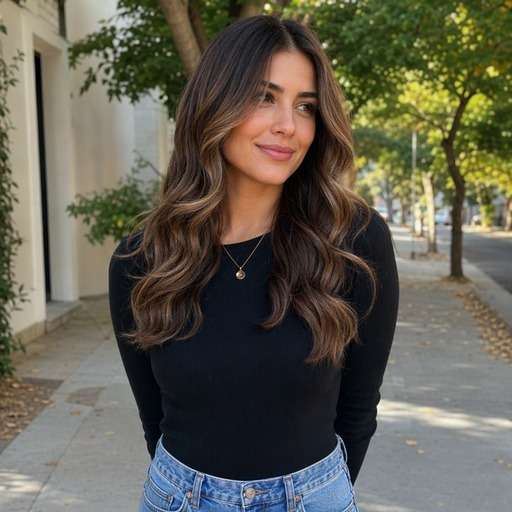
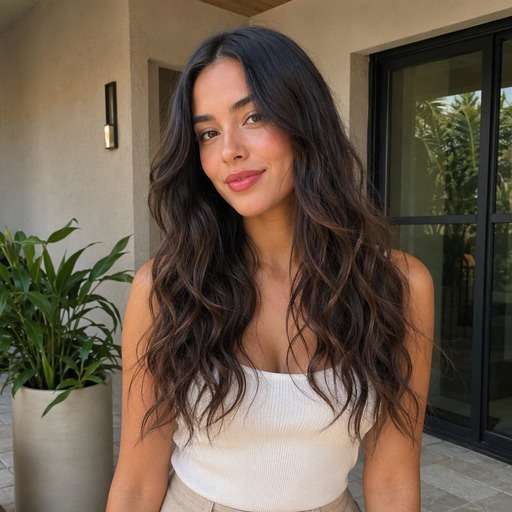
Love loose, undone waves but not sure how they will look with your length? Try a beach waves hair filter on your own photo. Compare relaxed S-bends, face-framing pieces and softly separated ends before you heat-style, book a blowout or choose a look for pictures.
Use a clear photo. Keep your hair visible down to the ends; mid-length waves need enough room to show how the bend changes the outline.
Try 10 Beach Waves Hair Photo Editing Prompts
Start with the detail you want to compare: Beach waves have broad uneven S-bends and relaxed ends, not the identical tight loops of spiral curls. Choose a look below, copy its prompt, and adjust only one visible feature at a time so you can judge the change on your own face.
Wide S-Waves
Use my uploaded portrait as the reference. Create a beach waves look: broad relaxed S-bends through long lengths. Beach waves have broad uneven S-bends and relaxed ends, not the identical tight loops of spiral curls. Keep the visual result clear enough to compare to my original hair. Keep the original person, facial features, skin tone, expression, outfit and background recognizable. Keep hairline transitions and individual strands physically plausible. Show the named hair detail and full relevant outline clearly; this is a premium but natural hairstyle preview, not an illustration. No mirror selfie, handheld phone, branding, text or altered facial identity.
Chin-Level Start
Use my uploaded portrait as the reference. Create a beach waves look: loose waves beginning near the jawline. Beach waves have broad uneven S-bends and relaxed ends, not the identical tight loops of spiral curls. Keep the visual result clear enough to compare to my original hair. Keep the original person, facial features, skin tone, expression, outfit and background recognizable. Keep hairline transitions and individual strands physically plausible. Show the named hair detail and full relevant outline clearly; this is a premium but natural hairstyle preview, not an illustration. No mirror selfie, handheld phone, branding, text or altered facial identity.
Mid-Length Beach Texture
Use my uploaded portrait as the reference. Create a beach waves look: irregular movement from mid-shaft down. Beach waves have broad uneven S-bends and relaxed ends, not the identical tight loops of spiral curls. Keep the visual result clear enough to compare to my original hair. Keep the original person, facial features, skin tone, expression, outfit and background recognizable. Keep hairline transitions and individual strands physically plausible. Show the named hair detail and full relevant outline clearly; this is a premium but natural hairstyle preview, not an illustration. No mirror selfie, handheld phone, branding, text or altered facial identity.
Center-Part Waves
Use my uploaded portrait as the reference. Create a beach waves look: balanced soft bends on both sides. Beach waves have broad uneven S-bends and relaxed ends, not the identical tight loops of spiral curls. Keep the visual result clear enough to compare to my original hair. Keep the original person, facial features, skin tone, expression, outfit and background recognizable. Keep hairline transitions and individual strands physically plausible. Show the named hair detail and full relevant outline clearly; this is a premium but natural hairstyle preview, not an illustration. No mirror selfie, handheld phone, branding, text or altered facial identity.
Side-Part Beach Waves
Use my uploaded portrait as the reference. Create a beach waves look: fuller sweep with waves around one cheek. Beach waves have broad uneven S-bends and relaxed ends, not the identical tight loops of spiral curls. Keep the visual result clear enough to compare to my original hair. Keep the original person, facial features, skin tone, expression, outfit and background recognizable. Keep hairline transitions and individual strands physically plausible. Show the named hair detail and full relevant outline clearly; this is a premium but natural hairstyle preview, not an illustration. No mirror selfie, handheld phone, branding, text or altered facial identity.
Shoulder-Length Waves
Use my uploaded portrait as the reference. Create a beach waves look: soft beach bends on a shoulder-length cut. Beach waves have broad uneven S-bends and relaxed ends, not the identical tight loops of spiral curls. Keep the visual result clear enough to compare to my original hair. Keep the original person, facial features, skin tone, expression, outfit and background recognizable. Keep hairline transitions and individual strands physically plausible. Show the named hair detail and full relevant outline clearly; this is a premium but natural hairstyle preview, not an illustration. No mirror selfie, handheld phone, branding, text or altered facial identity.
Long Mermaid Waves
Use my uploaded portrait as the reference. Create a beach waves look: gentle elongated waves across long lengths. Beach waves have broad uneven S-bends and relaxed ends, not the identical tight loops of spiral curls. Keep the visual result clear enough to compare to my original hair. Keep the original person, facial features, skin tone, expression, outfit and background recognizable. Keep hairline transitions and individual strands physically plausible. Show the named hair detail and full relevant outline clearly; this is a premium but natural hairstyle preview, not an illustration. No mirror selfie, handheld phone, branding, text or altered facial identity.
Textured Ends
Use my uploaded portrait as the reference. Create a beach waves look: defined lower-section waves and relaxed tips. Beach waves have broad uneven S-bends and relaxed ends, not the identical tight loops of spiral curls. Keep the visual result clear enough to compare to my original hair. Keep the original person, facial features, skin tone, expression, outfit and background recognizable. Keep hairline transitions and individual strands physically plausible. Show the named hair detail and full relevant outline clearly; this is a premium but natural hairstyle preview, not an illustration. No mirror selfie, handheld phone, branding, text or altered facial identity.
Soft Face-Framing Waves
Use my uploaded portrait as the reference. Create a beach waves look: first bend turned away from cheeks. Beach waves have broad uneven S-bends and relaxed ends, not the identical tight loops of spiral curls. Keep the visual result clear enough to compare to my original hair. Keep the original person, facial features, skin tone, expression, outfit and background recognizable. Keep hairline transitions and individual strands physically plausible. Show the named hair detail and full relevant outline clearly; this is a premium but natural hairstyle preview, not an illustration. No mirror selfie, handheld phone, branding, text or altered facial identity.
Airy Low-Frizz Waves
Use my uploaded portrait as the reference. Create a beach waves look: wide smooth S-bends with subtle separation. Beach waves have broad uneven S-bends and relaxed ends, not the identical tight loops of spiral curls. Keep the visual result clear enough to compare to my original hair. Keep the original person, facial features, skin tone, expression, outfit and background recognizable. Keep hairline transitions and individual strands physically plausible. Show the named hair detail and full relevant outline clearly; this is a premium but natural hairstyle preview, not an illustration. No mirror selfie, handheld phone, branding, text or altered facial identity.
See What Changes With Beach Waves
Bend Placement
Waves starting around the cheekbone feel different from waves beginning lower down. Compare where the first S-bend crosses your jawline. Place the two versions beside each other and focus on this specific contour rather than comparing different source portraits.
Keep the Ends Relaxed
Classic beach texture often leaves the tips less curled. Define the ends in the prompt so the result does not become a formal ringlet set.
Choose Wave Size
Large wide bends create a softer finish; smaller irregular bends look more textured. Keep color and hair length constant during the comparison. If the edited hair hides an ear or creates an odd scalp edge, simplify the prompt and keep the same reference image.
Plan for Real Hair
A photo preview helps choose a look, but weather, products and tools change how long real waves last. Treat it as visual direction, not a styling guarantee.
How to Try Beach Waves on Your Photo
Use a portrait as the starting point, describe the exact hair change and compare the output with the original before choosing a favorite.
Step 1
Upload Your Photo
Upload a clear photo showing your face and the hairstyle area you want to change. Keep your hair visible down to the ends; mid-length waves need enough room to show how the bend changes the outline.
Step 2
Choose a Haircut Filter or Enter a Prompt
Choose a suitable preset if available, or enter a custom hairstyle prompt. Beach waves have broad uneven S-bends and relaxed ends, not the identical tight loops of spiral curls.
Step 3
Click Generate
Click Generate to create a hairstyle preview on your portrait. Compare the relevant edges and shapes against your starting image; refine one hair detail at a time.
A useful hairstyle preview is one that helps you choose a concrete shape, placement or finish. Beach waves have broad uneven S-bends and relaxed ends, not the identical tight loops of spiral curls.
Vacation and Outdoor Photos
Compare lived-in wide waves with polished low-frizz waves using the outfit you plan to wear. Check the hair around your collar so it stays visible against the background. Keep the same reference photo for each version, then compare the hair outline and visible proportions before deciding which idea to use as your reference.
Pre-Event Blowout
Try side-parted waves versus a center part before a dinner or birthday. Decide if the fuller side should sit behind one shoulder or across the face. Keep the same reference photo for each version, then compare the hair outline and visible proportions before deciding which idea to use as your reference.
Everyday Texture Refresh
Start from a straight-hair reference and test loose middle-section bends. Save the least dramatic option if you want movement without looking like a full curl transformation. Keep the same reference photo for each version, then compare the hair outline and visible proportions before deciding which idea to use as your reference.
Check Your Hairstyle Preview Before Saving
Hair Structure
Review check
"Is the requested detail visible?" Beach waves have broad uneven S-bends and relaxed ends, not the identical tight loops of spiral curls. Check this defining feature before deciding the result represents the style.
Before vs After
Review check
"Does the hair actually change?" Side-by-side previews should show the new hair feature clearly while preserving the person, outfit and camera framing.
Natural Edges
Review check
"Look closely at the hairline" Inspect scalp transitions, ears and strands against the background. If anything is distorted, simplify the prompt and try again.
Real-World Use
Review check
"Treat this as a visual reference" A rendered wave pattern cannot predict heat-tool technique, humidity resistance or whether your real hair holds the bend. A stylist or barber can help adapt the idea to actual hair.
Beach waves are generally wider and less uniform, with stretched S-shaped bends instead of complete ringlets. Specify broad irregular bends to keep the preview from becoming spiral curls.
2. Can I try beach waves on straight hair?
Yes. Upload a straight-haired portrait and describe where the waves should begin. Comparing against the original makes the visible texture change easier to judge.
3. Will beach waves make my hair look shorter?
Waves can make lengths appear slightly shorter because the strands bend rather than hang straight. Keep the longest ends visible in both previews to compare proportions.
4. What is the best photo angle for waves?
A direct or gentle three-quarter portrait with shoulders and hair ends visible is useful. Avoid a tight facial crop that hides the S-shaped pattern.
5. Can I try a side part with waves?
Use the same image and request a side part in one version and a center part in the other. The front sweep may change how full the style appears.
6. Can AI tell me which curling iron to buy?
No. A preview shows an intended appearance, not the specific tool, heat setting or product routine needed to achieve it. An experienced stylist can advise whether the real version is practical for your hair.