
Summarize Key Sales KPIs
Lead with revenue, orders, conversion, targets, and other metrics that define performance.
 Seedance 2.5
Make sales results easier to explain and share. Turn Excel revenue reports, order trends, pipeline metrics, and regional performance into a focused sales report video that helps teams see what changed and what matters next.
Start with a clear reporting period and verified sales figures.
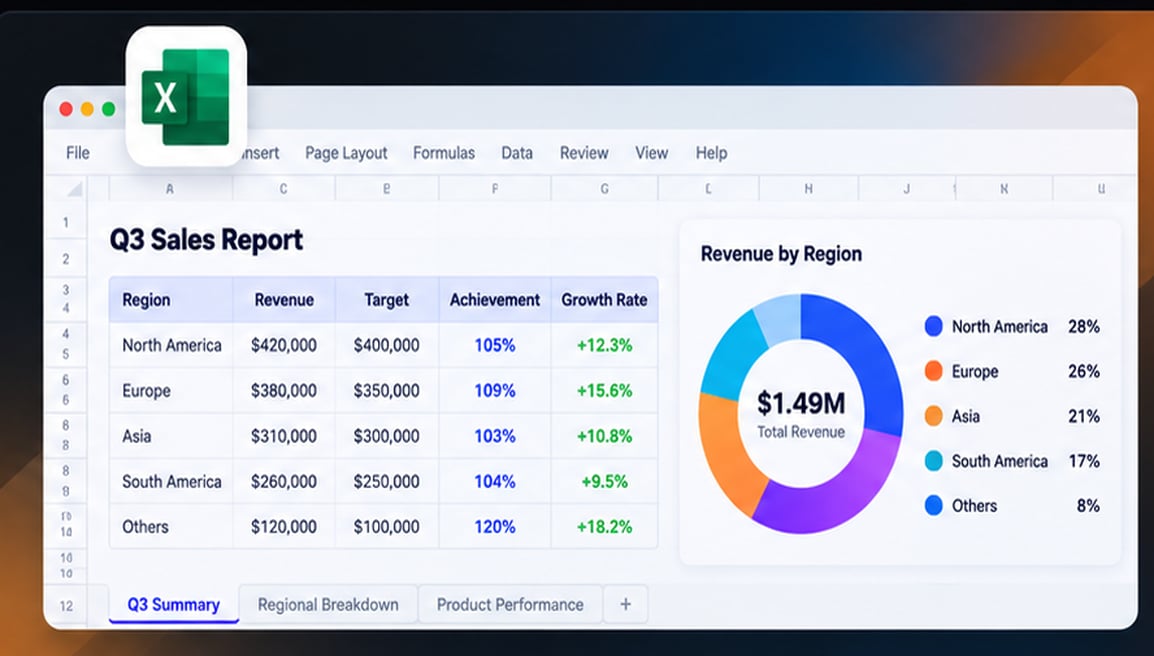
A sales report video turns sales figures and reporting data into a guided performance recap. It can use revenue trends, order volume, target attainment, pipeline changes, and regional results to explain what happened during a reporting period. Unlike a spreadsheet, the video emphasizes the metrics and decisions that viewers need first.
Jump to the workflow that best matches what you want to create.
Help sales teams and stakeholders absorb results quickly, without reading every table in the workbook.
Lead with revenue, orders, conversion, targets, and other metrics that define performance.
Show gains, declines, and regional or product-level differences between reporting periods.
Use a concise recap as context for sales meetings and management updates.
Reuse approved sales data for internal video briefings and performance summaries.
Explore practical ways to transform Excel data into videos designed around what your audience needs to see.
Turn a month of sales results into a short update on revenue, orders, goals, and changes from the prior period. A monthly sales report video helps a team understand progress and the key questions to discuss next.


Summarize quarterly performance by region, product, or channel, with comparisons against prior periods or targets. A quarterly sales report video can support stakeholder presentations without requiring viewers to scan the entire workbook.
Highlight pipeline movement, closed deals, activity trends, or attainment across groups using appropriately aggregated data. Keep a sales performance video focused on meaningful changes rather than ranking individuals without context.
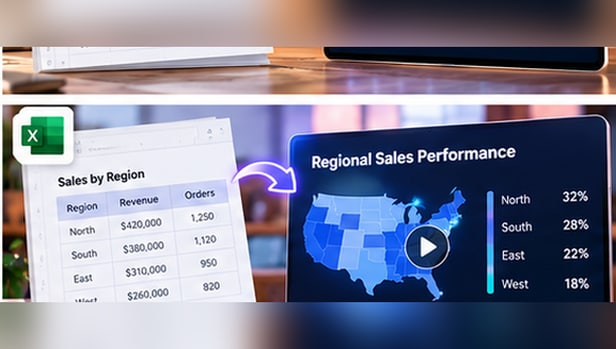

Explain where sales grew, which areas slowed, and how results varied across regions or product categories. Use a sales data to video workflow to compare performance while retaining the currency, period, and target baseline.
Prepare a sales spreadsheet with reporting periods, clean metric labels, and approved revenue or order figures.
Identify the audience and key KPIs, such as revenue growth, quota attainment, order volume, or regional performance.
Review all figures and comparisons against the report, confirm confidential data is handled correctly, and export the video.
The most useful sales-report video tells a focused performance story from approved numbers.
Focus the video on the most useful insight, and verify the final visual against the source spreadsheet.
A concise video is valuable only when its figures match the approved sales report.
Review revenue, orders, conversion, attainment, and growth calculations.
Show currency, region, reporting period, and the baseline for changes.
Remove sensitive account details and confirm the audience is authorized to view the report.
Both use the same underlying information, but they support different kinds of decisions.
Selects the key metrics, movements, and takeaways for a brief narrative update.
Retains detailed transactions, formulas, filters, and line-level data for deeper investigation.
A sales report video presents sales results using selected metrics, charts, and narrative. It helps viewers understand performance over a reporting period without reading the full spreadsheet.
Start with verified Excel sales data, select the reporting period and important KPIs, describe the video summary you need, then generate and review the video before sharing.
Yes. A short monthly recap can emphasize total revenue, order volume, changes from the previous month, and notable product or regional results. Check all figures against the source.
A quarterly sales report video can bring together revenue trends, target attainment, territory comparisons, and key takeaways for a business review.
Choose metrics that fit the audience, such as revenue, orders, average order value, sales growth, quota attainment, or pipeline changes. Avoid including every available metric.
A report video highlights selected findings in a guided narrative. A dashboard recording shows the interface and may focus on how to navigate or interpret the dashboard.
Reconcile values, label reporting periods and currencies, use consistent comparison baselines, and verify any growth or percentage calculations.
MP4 is a common format for sharing videos. Check the current product workflow for the export formats it supports.