
Clothing Background Remover for Apparel Photos
A great jacket can get lost against patterned bedding, a cluttered wardrobe, or the wrong floor. Media.io's clothing background remover helps separate the actual garment from those surroundings, so shoppers can see its shape, color, and details more easily. Upload a flat lay or hanger photo above, preview the cutout, and check hems, straps, and lace before using it in a listing. It's a useful editing step for resale shops, small boutiques, and personal clothing collections.

Why Remove Backgrounds from Clothing Photos?
For apparel, a cleaner image is valuable only when the item still looks like the item buyers will receive. Start with the real garment, not an invented outfit.
Remove Backgrounds from Flat Lay Clothing Photos
A phone photo of a shirt on a carpet or a coat hanging against a busy door is often enough to start a listing. Media.io can remove background from clothes in that photo without manually tracing the sleeves and hem. Keep the garment in its original shape; if the hanger or mannequin itself must disappear, that is a different, more selective editing task.
- Flat lays - reduce distractions from floorboards, bedding, or patterned fabric.
- Hanger shots - shift attention from the wall or wardrobe to the item.
- Real product shape - keep buyers focused on the garment that was photographed.

Check Lace, Straps, and Garment Edges
A plain sweater and a lace top present different cutout challenges. Before publishing, compare the result with the original for missing ties, cut-off fringe, and holes inside lace. Use garment background removal to simplify the scene, not to conceal flaws or change the material. If the collar looks altered or the print has lost detail, start again with a clearer source photo.
- Thin straps and drawstrings - check that small parts remain attached.
- Openwork fabric - inspect lace and mesh openings against the surrounding scene.
- Real color and pattern - compare logos, seams, prints, and wear with the original image.

Prepare Clothing Cutouts for Online Listings
When a shop has a mix of denim, dresses, and accessories, different rooms in the background can make the grid feel busy. A clothes background remover gives you a starting point for more consistent product images. For a colored catalog backdrop, use a separate photo background changer. For a model try-on concept, that is a separate clothing try-on workflow.
- Consistent collection - choose a similar crop and presentation across items.
- More honest close-ups - include original photos of tags, fabric and condition alongside edited images.
- Flexible layouts - prepare one garment image for a shop banner or product card.

How to Remove Background from Clothing Photos Online
Have a clear photo of the actual item? Try one garment first, then check that every visible detail is still accurate.
Upload a Flat Lay or Hanger Photo
Choose a well-lit flat lay, hanger, or model-worn image where the garment is visible from edge to edge.
Remove the Clothing Photo Background
Use Media.io AI to separate the clothing or foreground subject from the room, floor, or wall behind it.
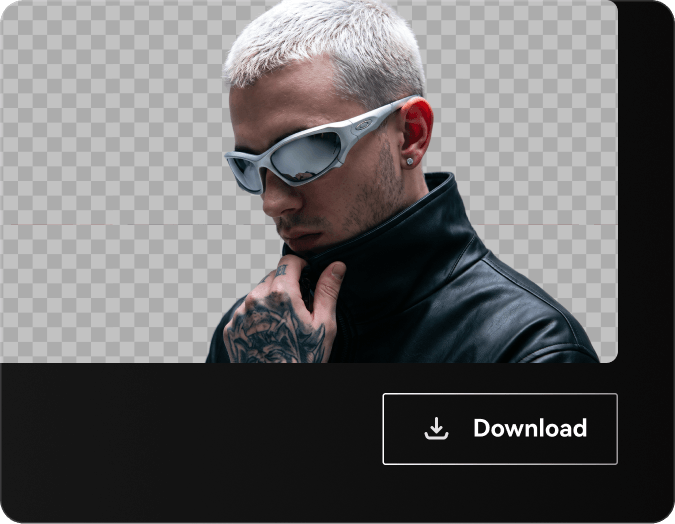
Check Fabric Details Before Downloading
Compare color, seams, labels, straps, and hems with the original. Download the processed result offered by your plan.
Where Clothing Background Removal Helps Most
The best presentation depends on whether you are listing one secondhand piece or preparing a whole collection of new items.
Create Cover Photos for Resale Clothing Listings
A background remover for selling clothes can tidy a resale cover photo. Include original close-ups so shoppers can judge wear, color, and fabric honestly.
Prepare Apparel Photos for Boutique Catalogs
An apparel background remover helps prepare garment shots with more consistent framing across a store grid, even when photographs were taken in different rooms.
Build Outfit Collages from Flat Lay Cutouts
Separate a sweater or pair of jeans from a patterned carpet so it can be placed next to shoes, belts, or other outfit inspiration in a design.
Design Clothing Sale Graphics for Social Posts
Use a cutout as the starting asset for a weekend sale graphic or new-arrivals post. Add promotional text and any designed background separately.
Clothing Photo Background Removal: What Can Go Wrong?
A clean outline should never come at the cost of making the item look different from what someone will buy.
| What you notice | Possible reason | What to try next |
|---|---|---|
| The sleeve disappears | The sleeve matched the color or pattern of the surface beneath it. | Photograph the garment against a contrasting plain surface and compare cuffs. |
| Lace holes look filled in | The openwork fabric is difficult to separate from the room behind it. | Zoom into lace and mesh; use a simpler source image if details are missing. |
| A hanger stays attached | The hanger overlaps the neckline and may be part of the foreground. | Do not confuse background removal with selective hanger removal; use an object editor separately. |
| Fabric color looks different | Harsh light or later edits make the garment look lighter or cooler. | Keep an unedited photo for reference and show accurate color and condition. |
| The item seems to float | An isolated garment can lack visual grounding in a designed listing. | Consider adding a separate subtle scene or shadow in a design workflow; do not misrepresent the product. |
Photo Tips for Better Apparel Background Removal
A little care when shooting makes the garment easier to separate and more trustworthy to a prospective buyer.
- Steam and straighten the item: Smooth major folds and show the natural shape before photographing.
- Use a contrasting surface: A dark jacket against dark bedding is harder to separate than an item with visible edges.
- Include the whole garment: Keep sleeves, hems, straps, and cuffs inside the camera frame.
- Photograph labels and flaws: Add honest close-ups of size tags, stitching, wear, and material.
- Keep an original listing image: Buyers often appreciate at least one photo showing the real garment in its actual setting.
Clothing Background Remover FAQs
Is a flat lay or hanger photo better for clothing cutouts?
A flat lay is often convenient for T-shirts, knitwear, and jeans because the whole shape can be shown at once. Hanger photos can display the drape of coats or dresses more naturally. Either way, straighten the garment, keep sleeves and hems in frame, and photograph it against a surface that contrasts with the fabric.
How do I remove the background from a white shirt?
A white shirt against a white bed or wall gives AI very little edge contrast. Photograph it on a neutral mid-tone surface with soft, even light, then use the clothing background remover to separate it. Keep the collar, cuffs, and side seams visible so the outline is easier to judge.
Why did a thin strap, drawstring, or fringe disappear?
These details may be only a few pixels wide, especially in phone photos taken from far away. Choose a sharper source and a background that makes the strap or thread visible. After garment background removal, check the neckline, ties, fringe, and loose threads before using the image in a listing.
Does a clothes background remover work on lace and sheer fabric?
You can try lace, mesh, chiffon, and other delicate garments, but openwork fabric is more complex than an opaque sweater. Look closely at the spaces between lace patterns and the edge of sheer sleeves. The original background may show through transparent material, so check the result at the size shoppers will see.
Why is the hanger still visible in my clothing cutout?
Not as a guaranteed part of background removal. A hanger, hook, or mannequin touching the clothing can be treated as foreground too. Creating a ghost-mannequin effect or reconstructing the fabric hidden by a mannequin is a different editing job, not simply removing the wall behind it.
Can I remove a background from clothes worn by a model?
Yes, you can try a model-worn garment photo, but the person and outfit may remain together as the foreground subject. If your goal is to show only the clothing without a body, that requires a different isolation or apparel-editing workflow. For model-worn listings, keep the fit and proportions true to the original.
Will an apparel background remover correct garment color?
Removing a distracting room does not automatically fix yellow indoor lighting or inaccurate white balance. Compare the clothing cutout with the physical item or a daylight reference, especially for cream, navy, and black fabrics. Buyers need an honest view of the garment, not just a tidy product thumbnail.
Can I use the result as the cover image for a resale listing?
A cleaner cover image can make the item easier to see, but keep supporting photos of tags, fabric texture, fit, and any visible wear. Different marketplaces have different image rules and customer expectations. Use the cutout for presentation, not to hide flaws or imply a garment is in better condition than it is.
How can I keep my boutique clothing photos consistent?
Photograph each item from a similar distance and angle, use steady lighting, and leave similar margins around hems and sleeves. Process each source photo in the background remover, then apply a consistent crop and backdrop in your design workflow. This is an editing routine, not a promise of one-click multi-file processing.
Does background removal automatically make a pure white product photo?
Removing the original room or surface is not the same as setting a specific replacement color. If you need a white catalog background, apply that color in a separate background-editing step and confirm the finished image follows the rules of the marketplace where you plan to list it.
