Vos créations sont conservées pendant seulement 7 jours. Les éléments créés après la mise à niveau de l'Abonnement seront stockés de façon permanente.
Libérez votre potentiel créatif et découvrez la magie de l'IA médiatique dès mIAntenant!
Perm Filter for Realistic Virtual Curls on Your Photo
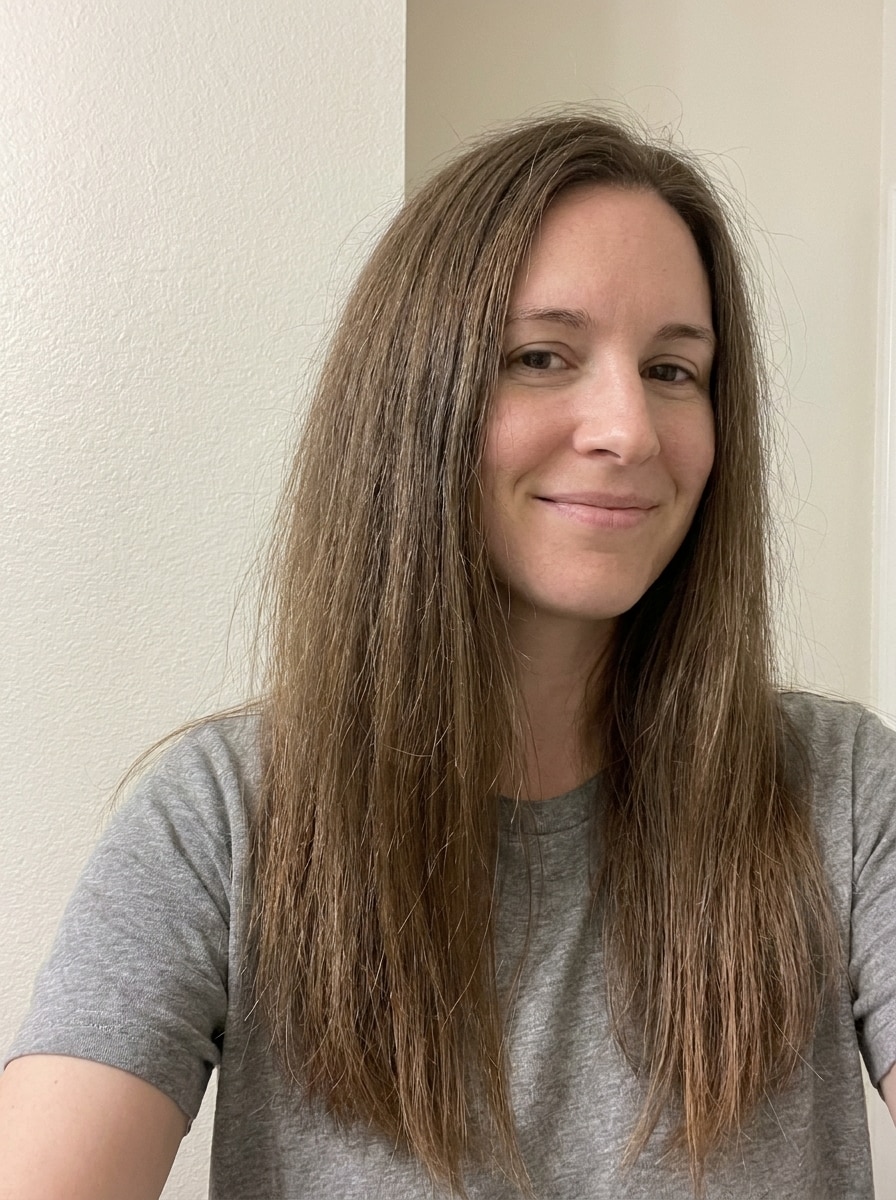
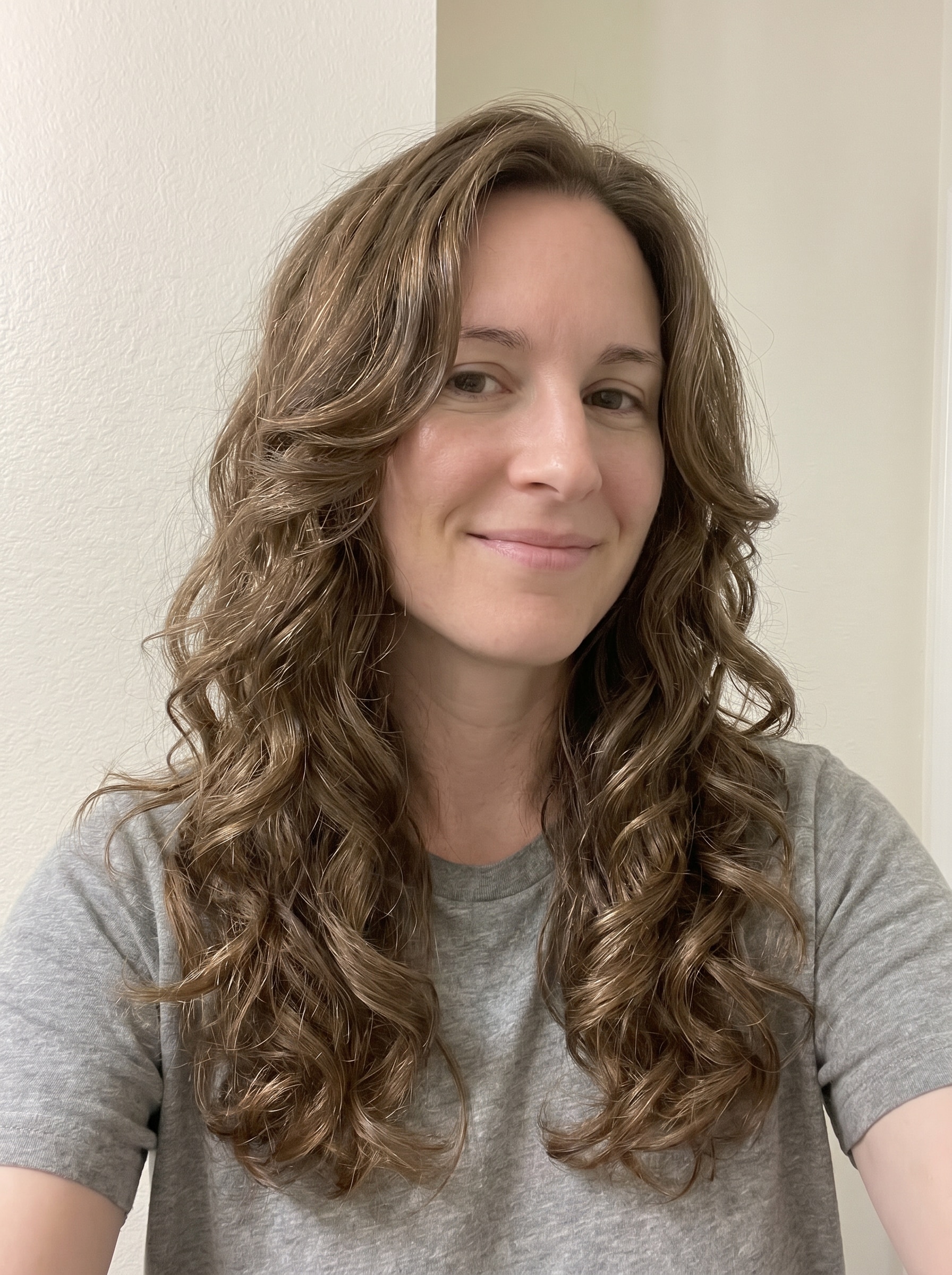
Use this perm filter to preview realistic curls and waves on your own selfie before a salon visit. Media.io helps you try perm hairstyle looks fast, from soft body waves to spiral curls, with natural face-preserving results on mobile or desktop. This workflow is especially useful for curly perm simulator.
Review these example directions, then tailor the prompt details to get stronger results with this Perm Filter, whether you want an AI perm hair filter result or a more specific curl preview.
Soft Body Wave Perm
Use the uploaded image as the subject and transform the hairstyle into a realistic soft body wave perm with loose flowing waves, gentle root volume, healthy shine, natural face-framing pieces, salon-finished texture, balanced lighting, and a polished everyday look that keeps facial identity and hairline believable.
Loose Beach Wave Perm
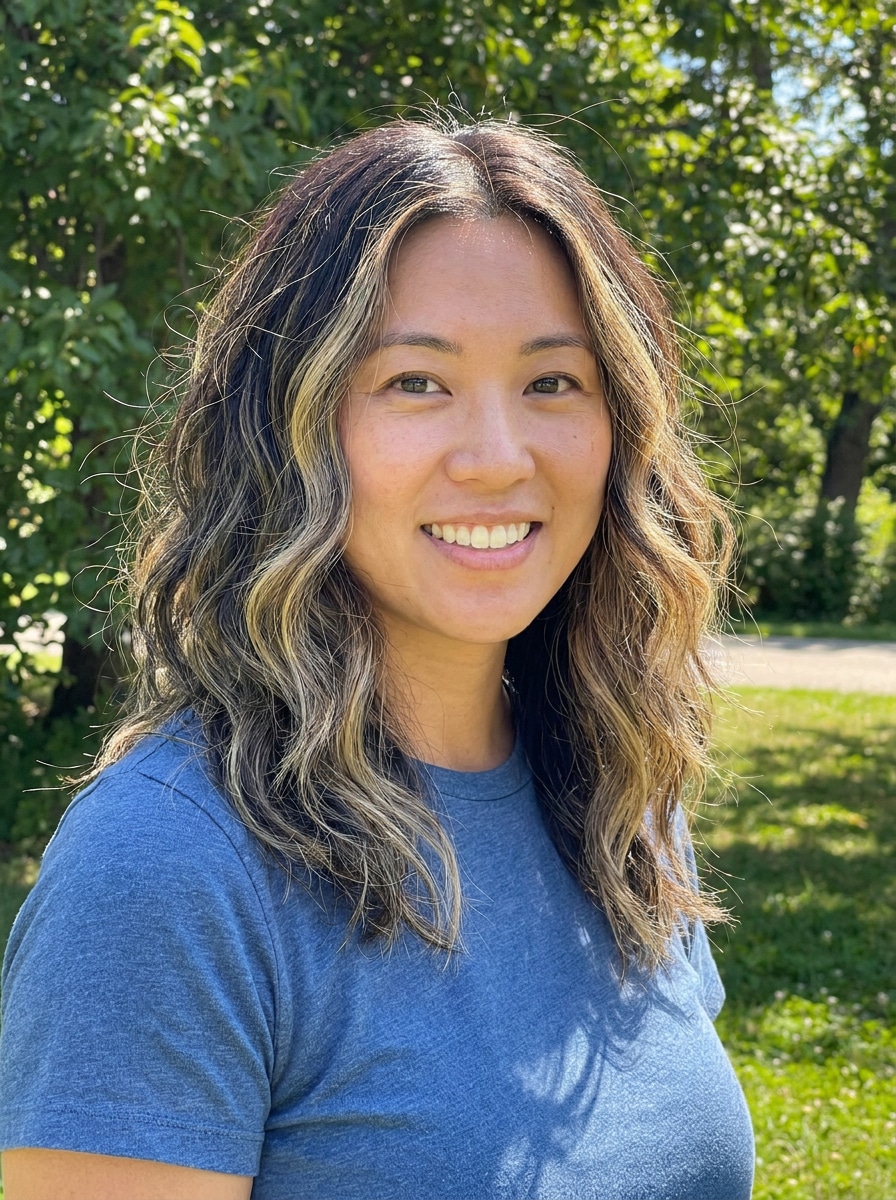
Use the uploaded selfie as the subject and add a loose beach wave perm with airy bends, relaxed texture, soft movement through the mid-lengths, light volume, natural flyaways, sun-kissed shine, and an effortless casual mood while keeping the face shape, background, and skin tones realistic.
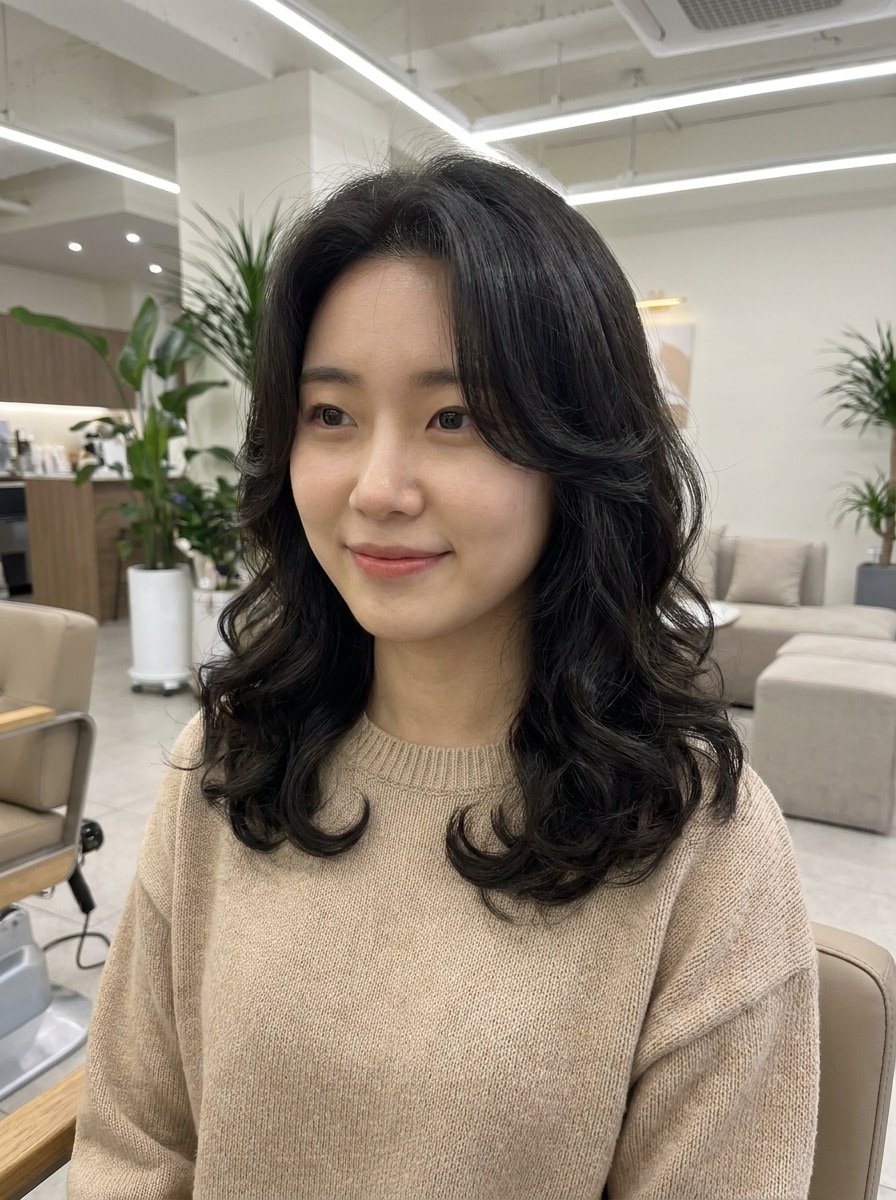
Korean Airy Perm
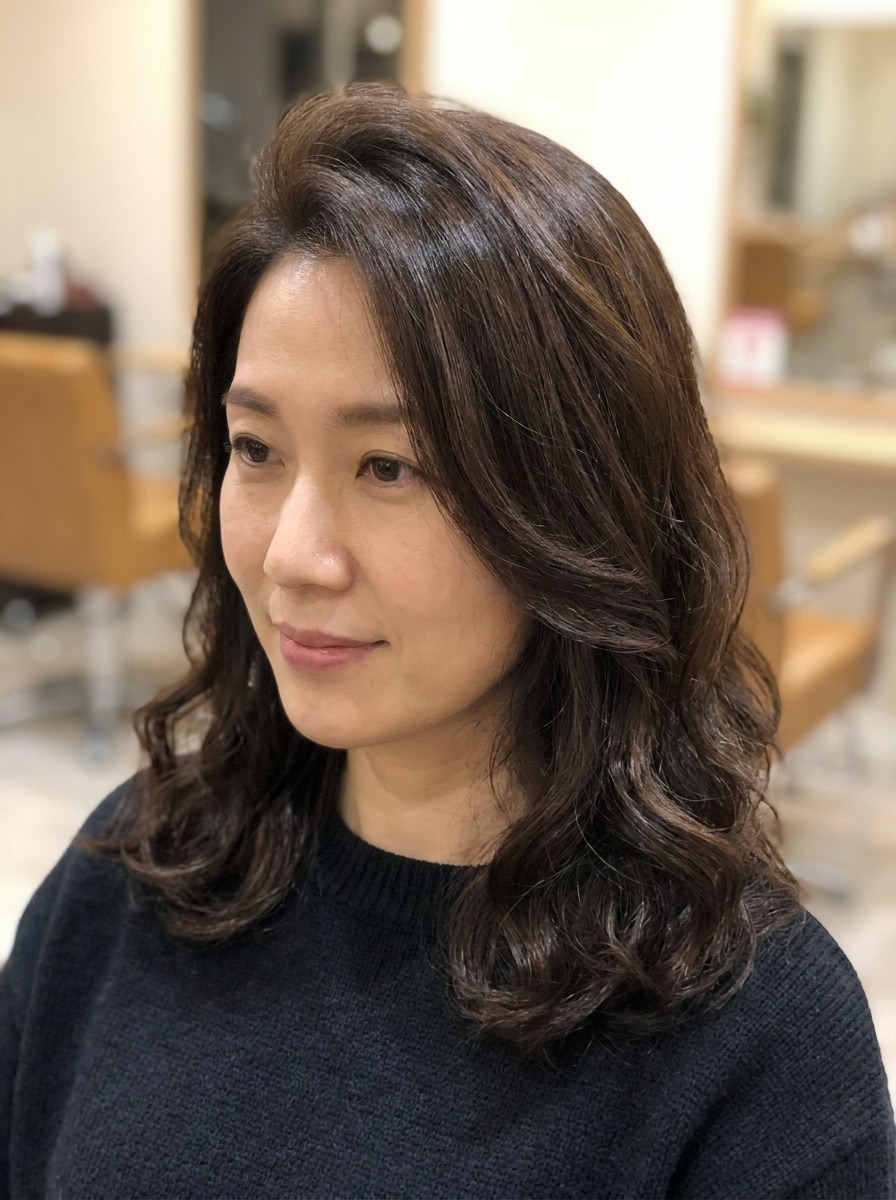
Use the uploaded image as the subject and create a trendy Korean airy perm with soft structured curls, lifted roots, lightweight volume, silky texture, neat salon styling, elegant face-framing layers, a refined glossy finish, and natural lighting that keeps the portrait recognizable and believable.
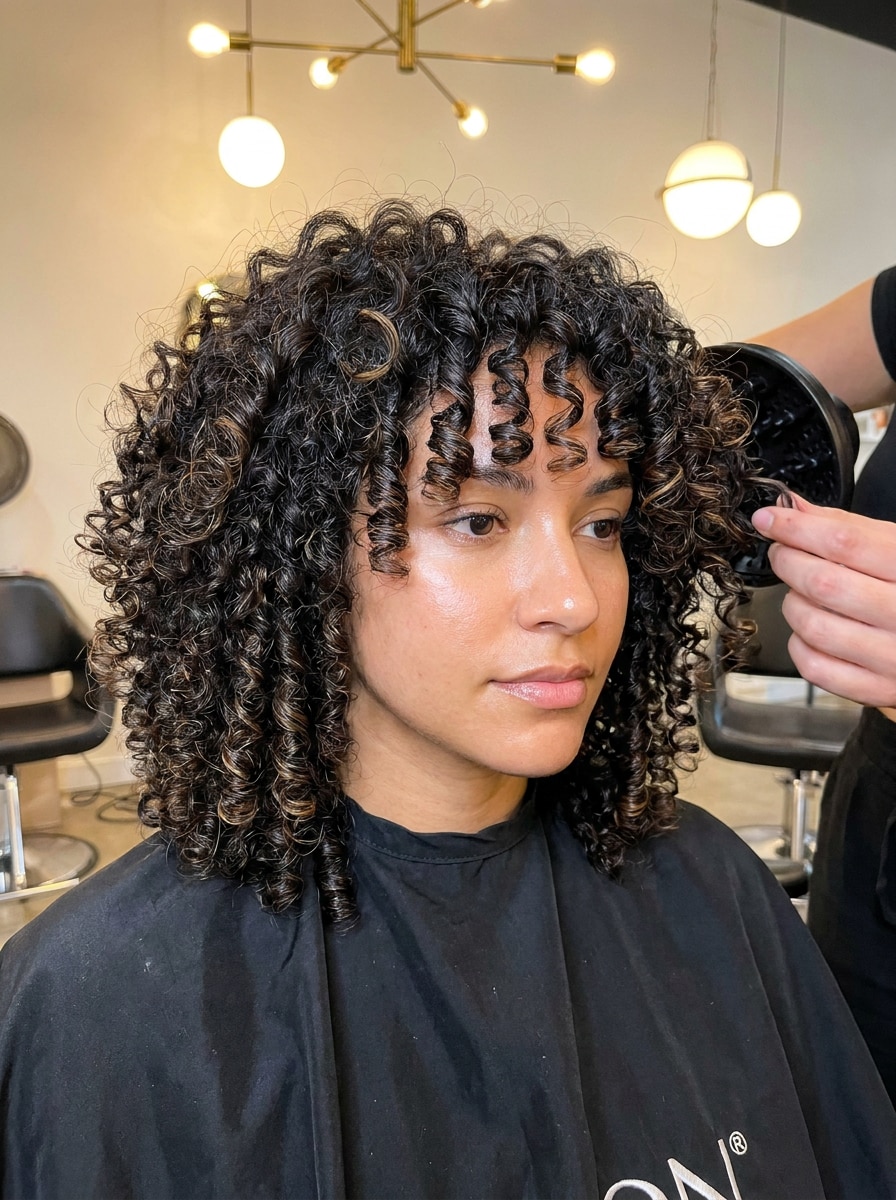
Classic Spiral Perm
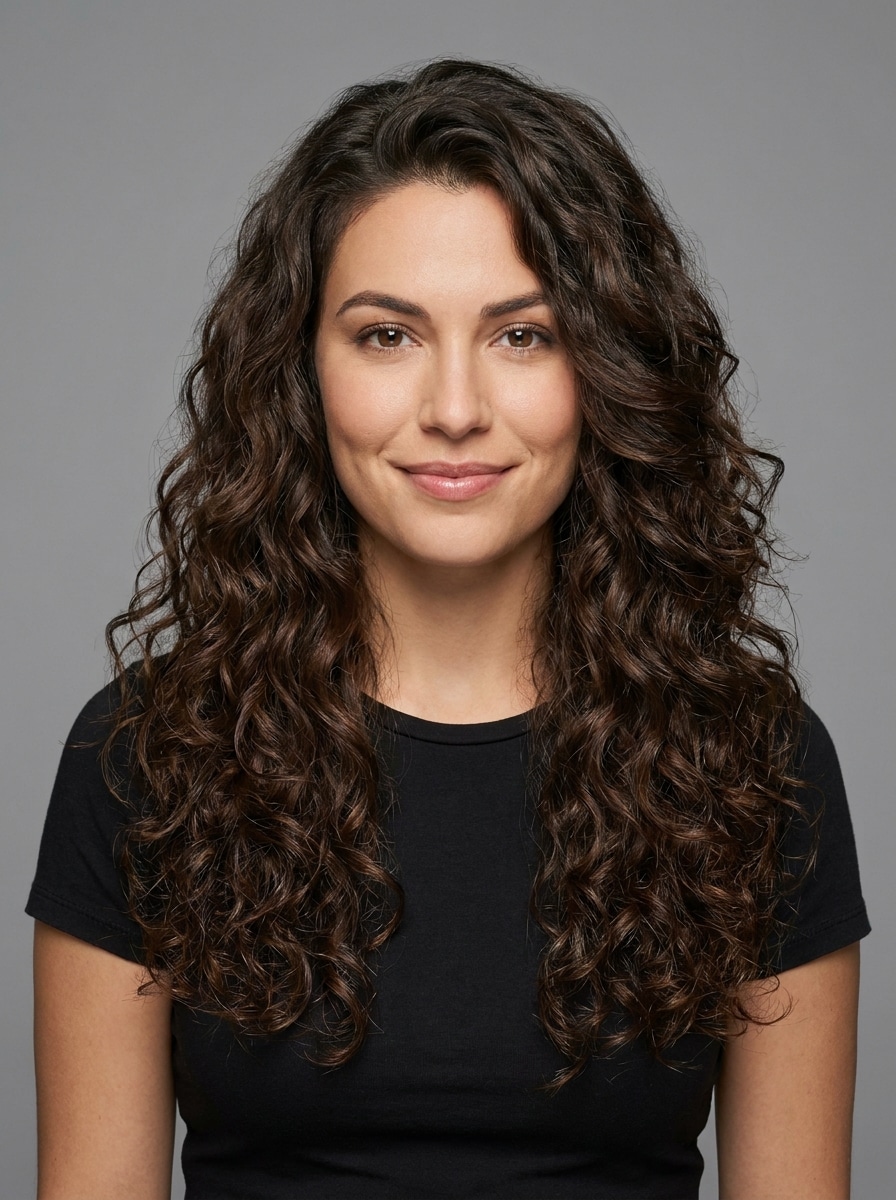
Use the uploaded portrait as the subject and transform the hair into a classic spiral perm with medium-tight defined curls from roots to ends, balanced volume, salon-quality texture, controlled shape, natural shadows, healthy shine, and a realistic finish that keeps facial identity and hairline intact.
Tight Curly Perm
Use the uploaded photo as the subject and apply a bold tight curly perm with dense springy curls, controlled rounded volume, crisp definition, soft sheen, realistic strand texture, flattering proportions, and clean natural lighting so the hairstyle change looks dramatic yet still believable on the same face.
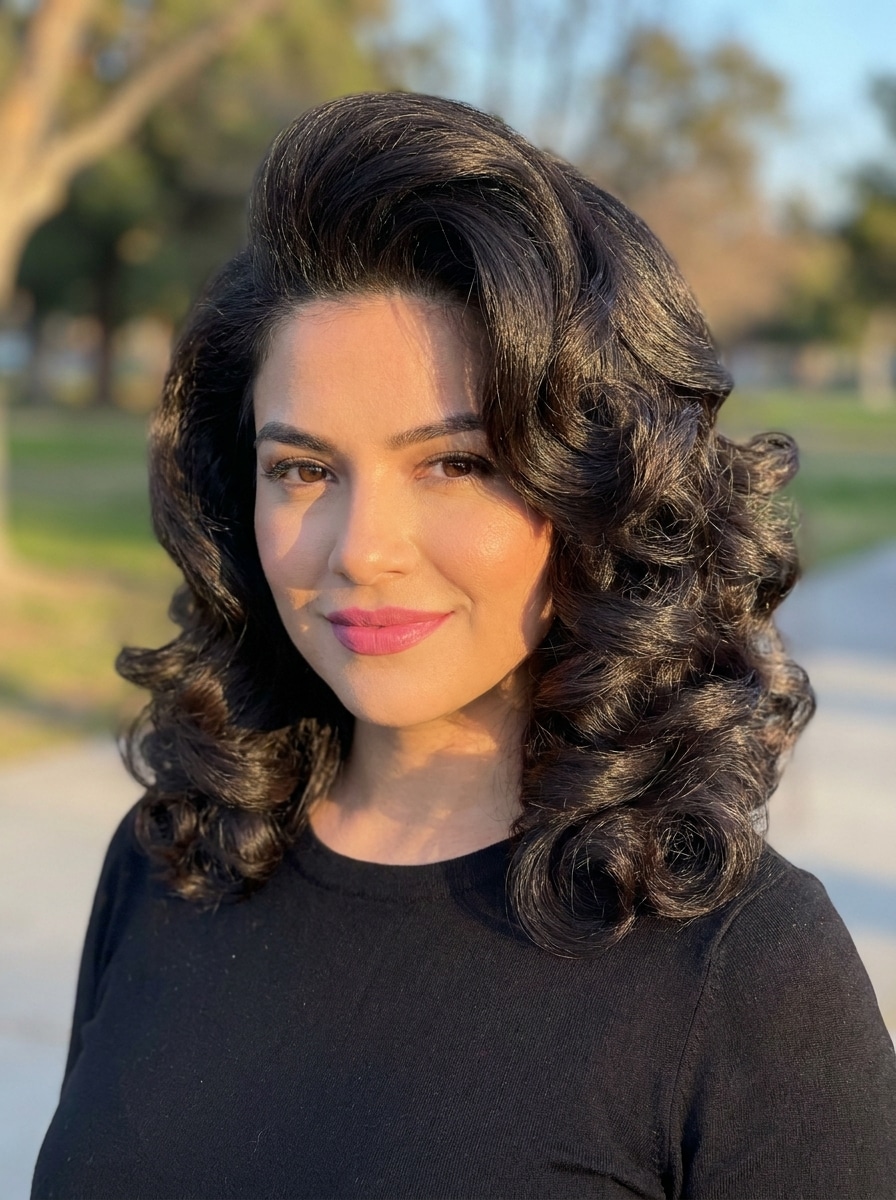
Voluminous Retro Perm
Use the uploaded image as the subject and give the hair a retro-inspired voluminous perm with a fuller crown, sculpted curls, bouncy salon body, rich texture, polished shine, flattering silhouette, and warm editorial lighting for a glamorous makeover that still preserves facial realism.
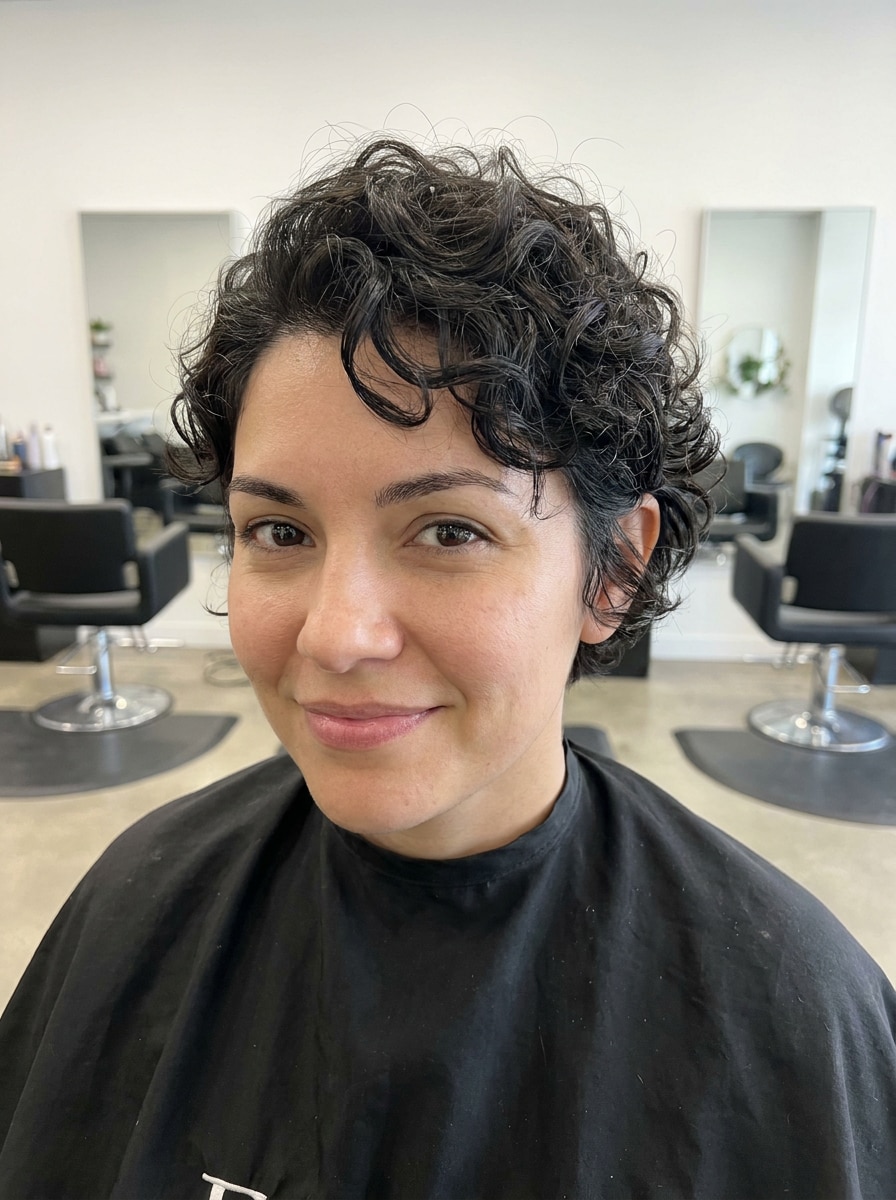
Short Hair Perm Preview
Use the uploaded photo as the subject and show how a perm would look on short hair by adding compact soft curls or defined waves, realistic lift, natural texture, tidy shape around the face, subtle salon shine, and balanced lighting for an accurate short-style preview.
Long Layered Perm
Use the uploaded image as the subject and transform the hairstyle into a long layered perm with cascading waves and curls, dimensional movement, soft definition, glossy salon finish, natural volume through the lengths, and flattering face-framing layers while keeping the original identity realistic.
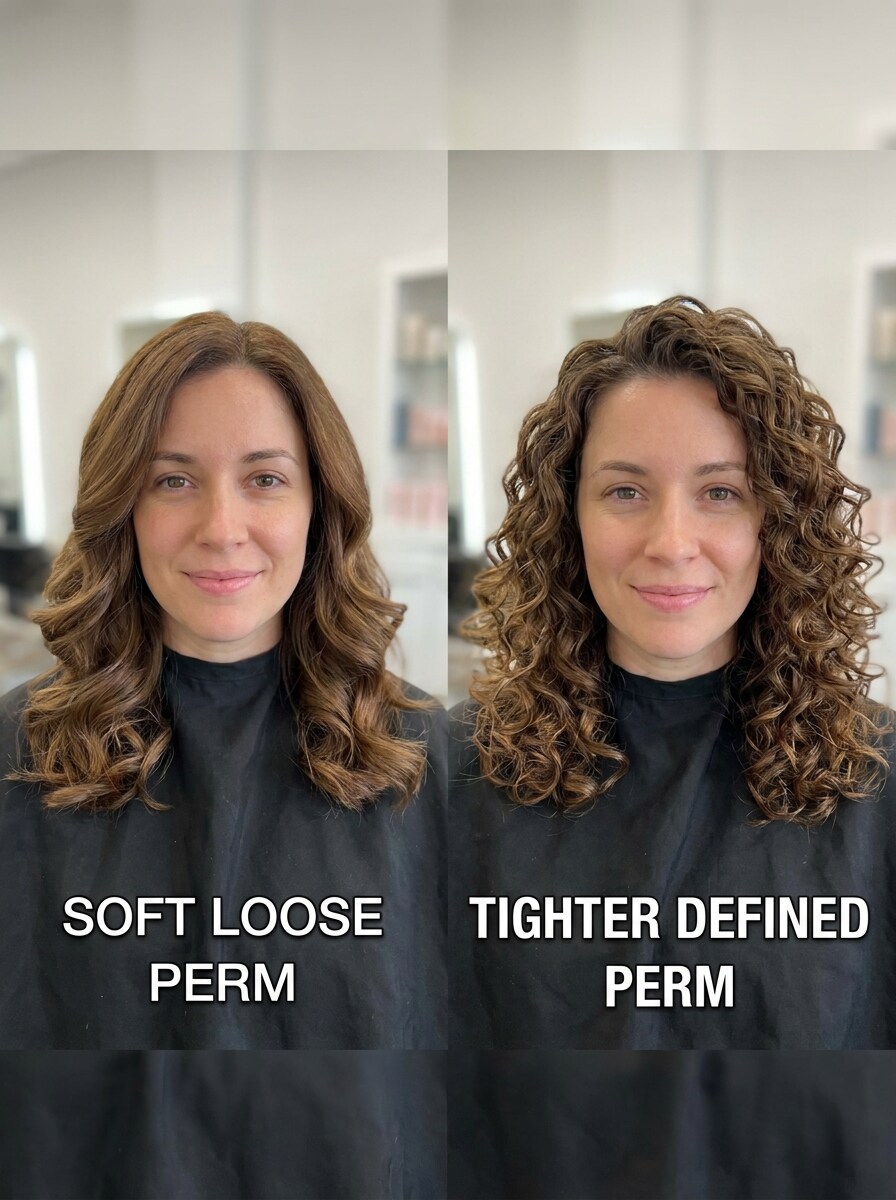
Loose vs Tight Perm Comparison
Use the uploaded selfie as the subject and create a side-by-side hairstyle comparison: one side with a loose natural perm and the other with tighter defined curls, matched lighting, consistent facial identity, balanced composition, realistic texture, and clear visual contrast for decision making.
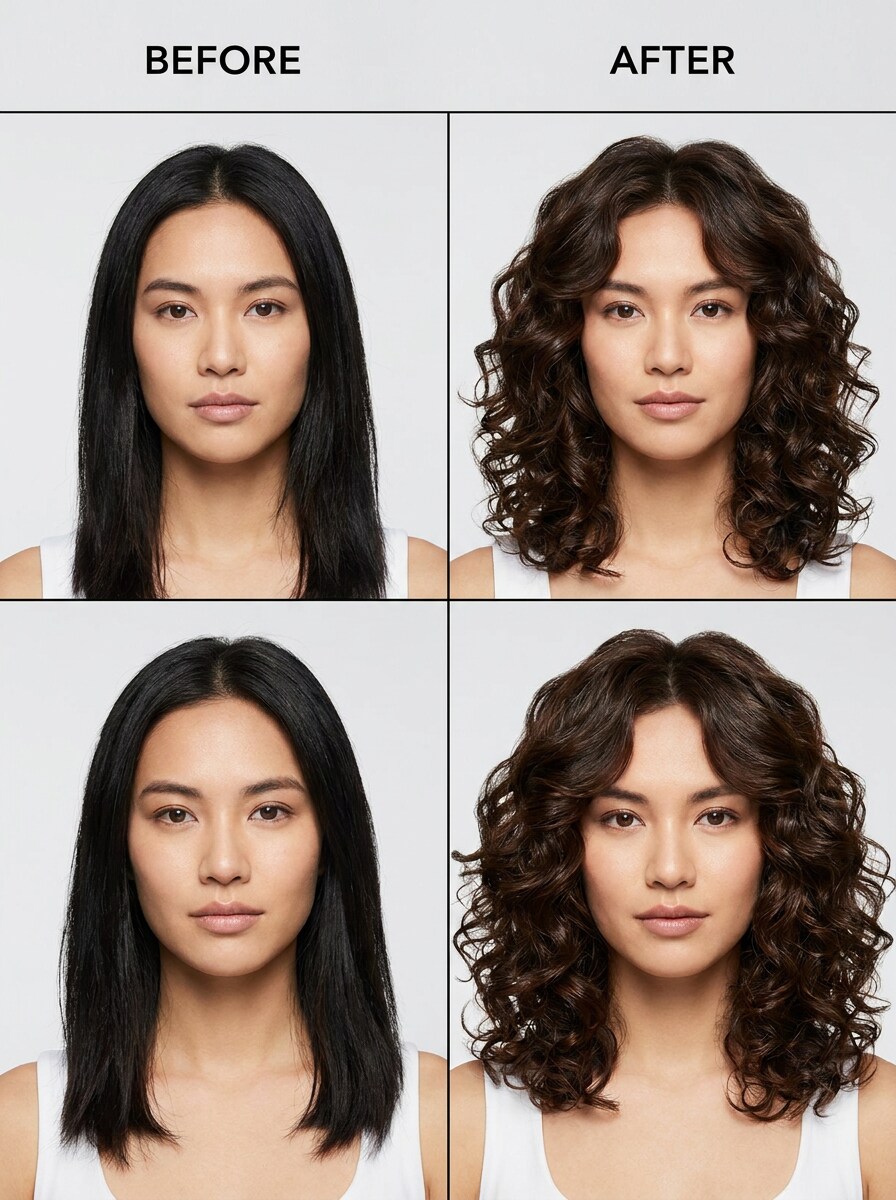
Before-and-After Perm Makeover
Use the uploaded portrait as the subject and create a before-and-after perm makeover image, keeping the original hairstyle on one side and adding a natural salon-realistic perm on the other, with clean comparison framing, matching lighting, healthy texture, and easy visual contrast.
Why Use Media.io for a Virtual Perm Preview
Keep Identity and Hairline More Believable
For upload-driven edits, Media.io keeps the reference subject visually consistent while changing the final perm filter visual direction, which makes personalized outputs easier to use with confidence.
Explore Different Looks Without Losing Direction
Different looks call for different styling direction. Media.io lets you explore multiple takes on the same perm idea, from softer waves to a more defined finish, so your perm filter concept reaches the right tone faster.
Keep Final Visuals Sharp for Real Projects
Some results need to do more than look good in a preview. Media.io helps generate cleaner perm filter visuals with output up to 4K so the final image holds up in wallpapers, decks, and mockups.
Create in Browser Across Devices
Creative flow should stay easy across screens. Media.io lets you build, adjust, and download perm filter images right in the browser, making it simple to keep working smoothly whether you start on a phone or finish on a desktop.
How to Use the Perm Filter Online
Turn your words into stunning visuals in three simple steps, then continue refining the result if you want to take it further.
Step 1
Upload Your Reference Image
Start with a clear selfie or portrait in JPG, PNG, or JPEG format. A front-facing photo with visible hairline, balanced lighting, and minimal blur helps Media.io create a more realistic virtual perm preview.
Step 2
Describe the Change and Set Options
Enter the perm style you want, such as body wave, beach wave, spiral curls, or a natural salon look. Then choose your model and adjust aspect ratio, resolution, or the number of image variations if needed.
Step 3
Generate, Download, and Keep Improving
Generate your hairstyle previews, compare the results, and download the versions you like best. You can keep refining the prompt to test tighter curls, softer volume, or a cleaner before-and-after comparison.
See how creators use this Perm Filter for content, marketing, and personal projects, then adapt each idea to fit the brief.
Preview a Salon Change Before You Commit
Test soft waves, airy curls, or a more defined shape on your own portrait before getting a chemical treatment. Media.io gives you a realistic perm preview that makes it easier to discuss options with a stylist and avoid guessing how added volume will frame your face.
Compare Curl Densities for Better Decision-Making
Use side-by-side edits to compare loose body waves with tighter spirals on the same selfie. As an AI perm hair filter, Media.io offers a practical way to decide whether you want subtle movement or a stronger texture shift without relying on inspiration photos alone.
Create Before-and-After Looks for Sharing
Generate realistic transformation images to send to friends, post on social media, or bring to a consultation. Media.io helps you build a polished virtual hairstyle try-on that looks personal, clear, and easy to evaluate before you commit.
What Users Say
Maya Chen
Beauty Content Creator
"Best for realistic curl previews" I wanted to see if a body wave would suit my face before booking a salon visit. The results looked surprisingly natural, especially around the hairline and fringe, and the before-and-after comparison made the decision much easier.
Jordan Patel
Student
"Easy to test multiple perm styles" I tried loose waves, spiral curls, and a tighter curly look from the same selfie. It felt much more useful than a novelty filter because the edits still looked like me instead of changing my whole face.
Ariana Brooks
Lifestyle Blogger
"Helpful on phone and desktop" I used it first on my phone and later refined the image on my laptop. The workflow was simple, and I liked being able to generate cleaner consultation-style images instead of just casual social media effects.
Sofia Ramirez
Salon Client
"Useful before making a real hair change" I was nervous about getting a perm, so seeing a realistic preview from my own photo gave me more confidence. It helped me narrow down the exact curl pattern I wanted to show my stylist.
An AI perm hair filter is an image-to-image hairstyle tool that uses your uploaded photo to simulate curly or wavy perm looks. With Media.io, you can preview styles such as body waves, beach waves, or spiral curls on your own portrait instead of relying on generic sample images.
2. Can I preview a perm on my own photo before getting one?
Media.io lets you upload a selfie and generate realistic perm previews based on your face, hairline, and overall portrait. That makes Media.io useful for anyone who wants to compare curl patterns or volume before committing to a real salon treatment.
3. Is this perm hairstyle filter free to use?
Yes, free users can try the tool with free credits. If you need more generations or want watermark-free high-resolution downloads, you can check Media.io's pricing page for plan options.
4. How do I add a perm filter to a selfie online?
Upload a clear selfie to Media.io, then describe the perm look you want to see, such as a natural wave, spiral curl, or salon-style makeover. After that, choose your preferred model and image settings, generate the result, and refine the prompt if you want to test more variations.
5. Can the tool show different perm styles like body wave or spiral curls?
Yes, Media.io can work like a virtual perm preview tool for testing several curl directions and densities, including softer body waves, airy waves, or more defined spiral-style curls. This makes it easier to compare different textures on the same face before choosing a final look.
6. Will the AI perm filter keep my face and hairline realistic?
Media.io is designed for reference-based editing, so the uploaded image guides the transformation. In practice, Media.io helps preserve facial identity, proportions, and hairline placement more naturally while the hairstyle changes, which is important when you want a believable preview rather than a dramatic face swap.