Consejos: Utilice consejos en inglés para obtener mejores resultados.
1K
9:16
1
Modo Ilimitado Banana Pro
Creaciones
Centro de Ideas
Cómo funciona
Todo
Funciones populares
Ver todo
Historia de Frutas con IA
Ver todo
Video de Historia de IA
Ver todo
Videos Virales Hoy
Ver todo
Videos de Productos de IA
Ver todo
Personaje de IA
Ver todo
Tendencias de Baile
Ver todo
GPT Image 2
Ver todo
Seedance 2.0
Ver todo
Emparejamiento de Celebridades con IA
Ver todo
Indicaciones de Poses para Parejas
Ver todo
Prompts de Poses de Chica AI Estética
Ver todo
Sugerencias de Pose Elegante para Chicos AI
Ver todo
Lista de generación
Tus creaciones solo se guardan durante 7 días. Los recursos creados después de actualizar a Membresía se almacenarán de forma permanente.
¡Desbloquea tu potencial creativo y experimenta la magia de Media AI ahora mismo!
Generador de Ambigramas con IA para Tatuajes, Logotipos y Nombres Personalizados
Convierte texto simple en impactantes conceptos de ambigramas en segundos con Media.io. Crea arte de palabras rotacionales, letras listas para tatuajes, ambigramas de nombres de parejas y diseños tipo logotipo en múltiples estilos, y perfecciona el resultado eligiendo resolución, proporción y modelos directamente en tu navegador. Los creadores lo usan a menudo para generador de ambigramas para tatuajes.
Escribe tu idea -> La IA lo diseña. Prueba gratis.
Explora nuestra colección seleccionada de generador de ambigramas estilos. Este método es especialmente útil para generador de ambigramas gratis.
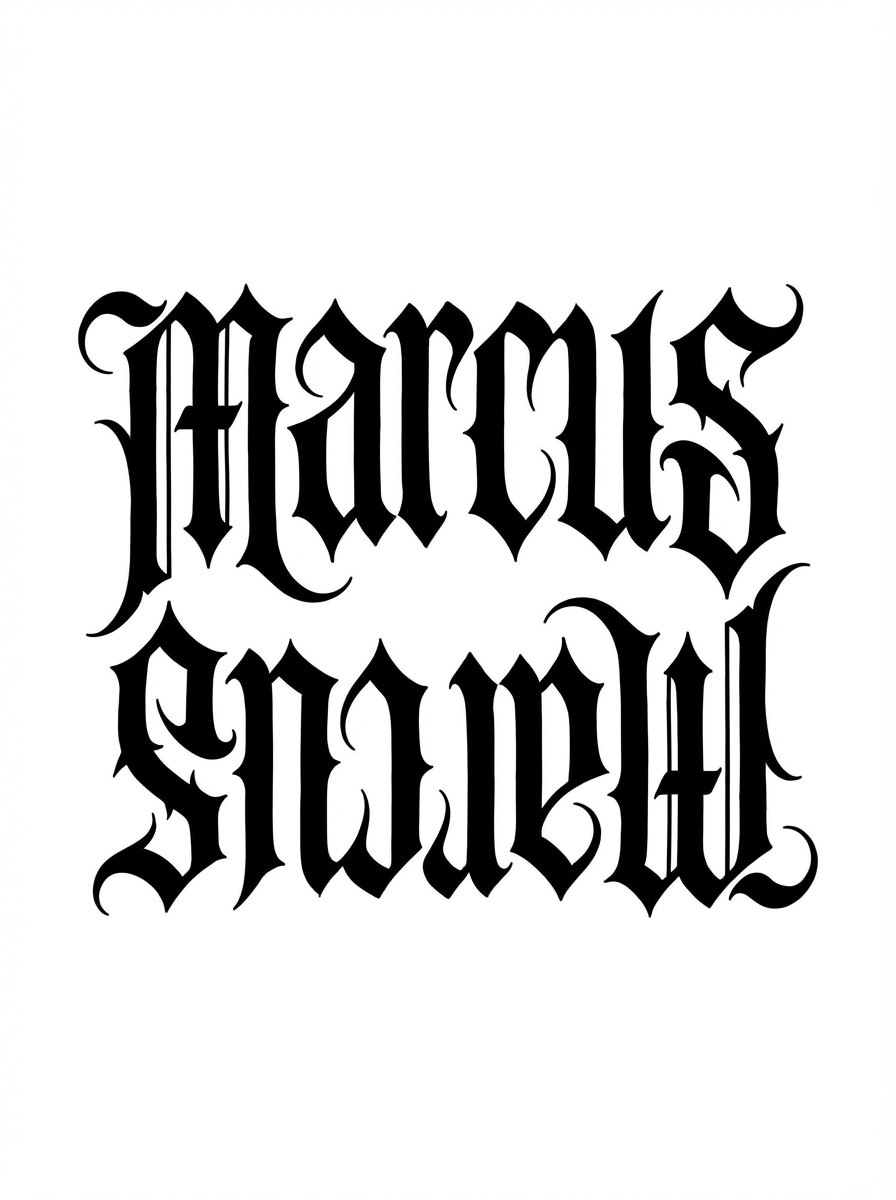
Ambigrama Gótico para Tatuajes
Crea un ambigrama gótico en tinta negra para la palabra “Marcus”, legible boca arriba y boca abajo, con adornos medievales afilados, construcción simétrica de letras, precisión de plantilla para tatuaje, alto contraste sobre fondo blanco limpio, espacios negativos dramáticos, bordes nítidos y una composición elegante pero legible.
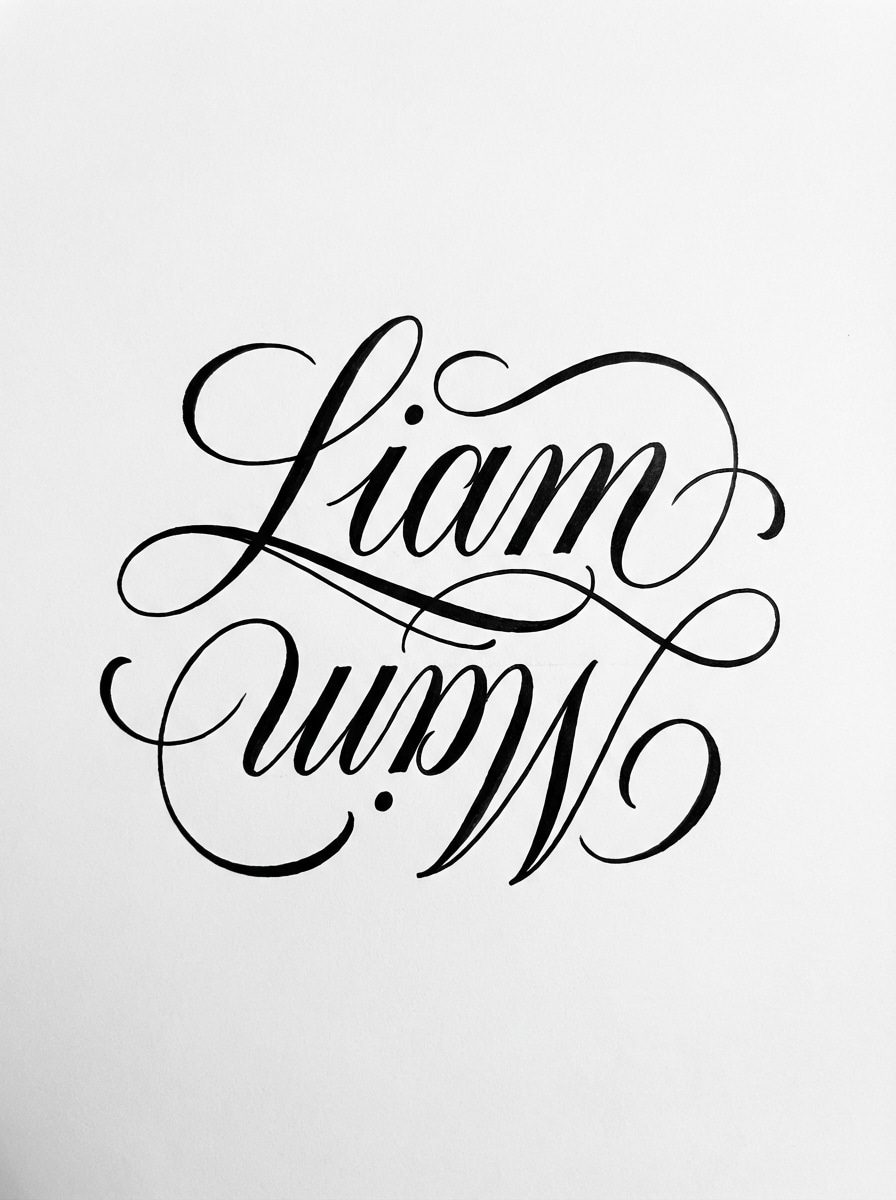
Ambigrama Caligráfico para Parejas
Diseña un ambigrama caligráfico refinado utilizando los nombres “Liam” y “Mia”, transformando con rotación de 180 grados, con líneas fluidas de escritura, bucles equilibrados, trazos de tinta que varían de finos a gruesos, composición centrada, paleta monocromática, trazos listos para tatuaje, elegancia suave y legibilidad pulida sobre fondo blanco.
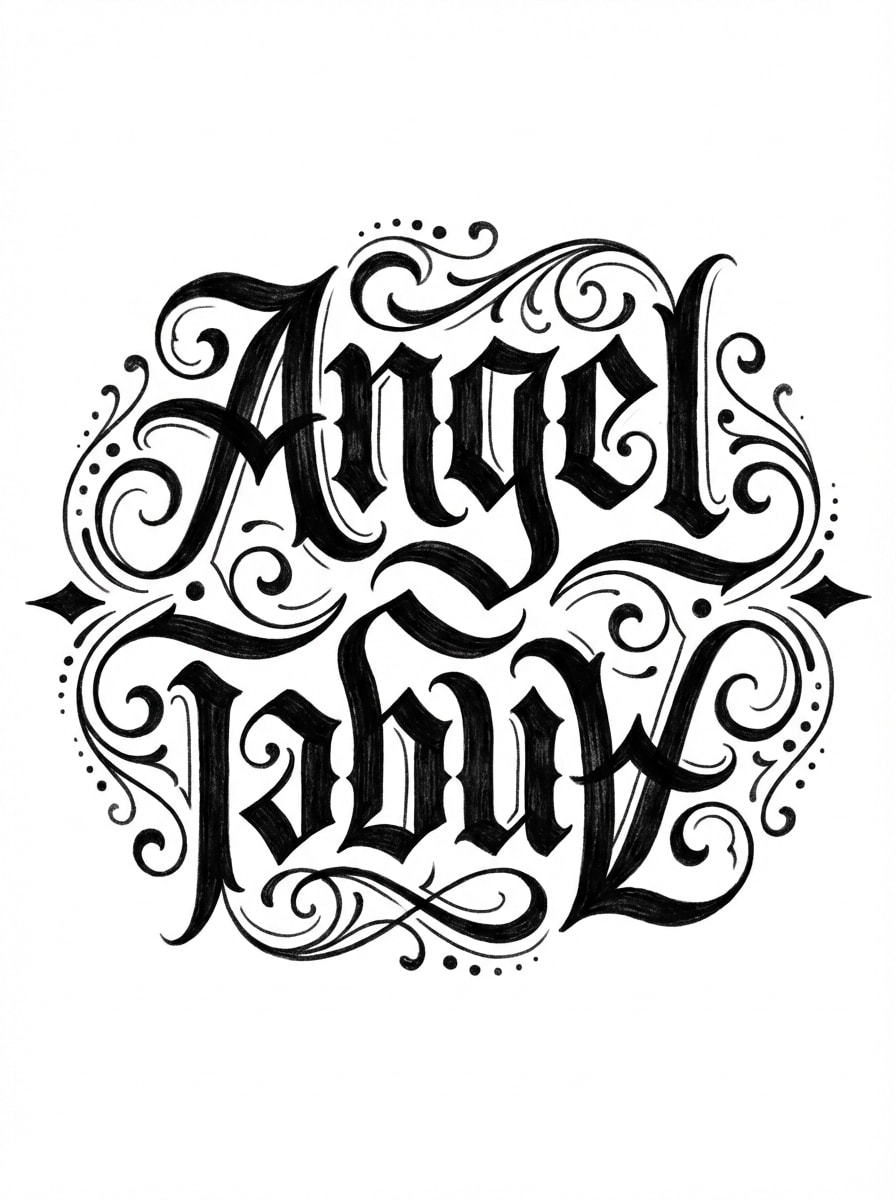
Ambigrama de Letras Chicano
Genera un ambigrama estilo Chicano para “Angel”, legible en ambas orientaciones, con curvas negritas tipo blackletter, trazos dramáticos, extensiones ornamentales, marcado ritmo vertical, textura profunda de tinta negra, presentación tipo flash-sheet, diseño centrado, fondo blanco limpio y un acabado afilado inspirado en tatuajes.
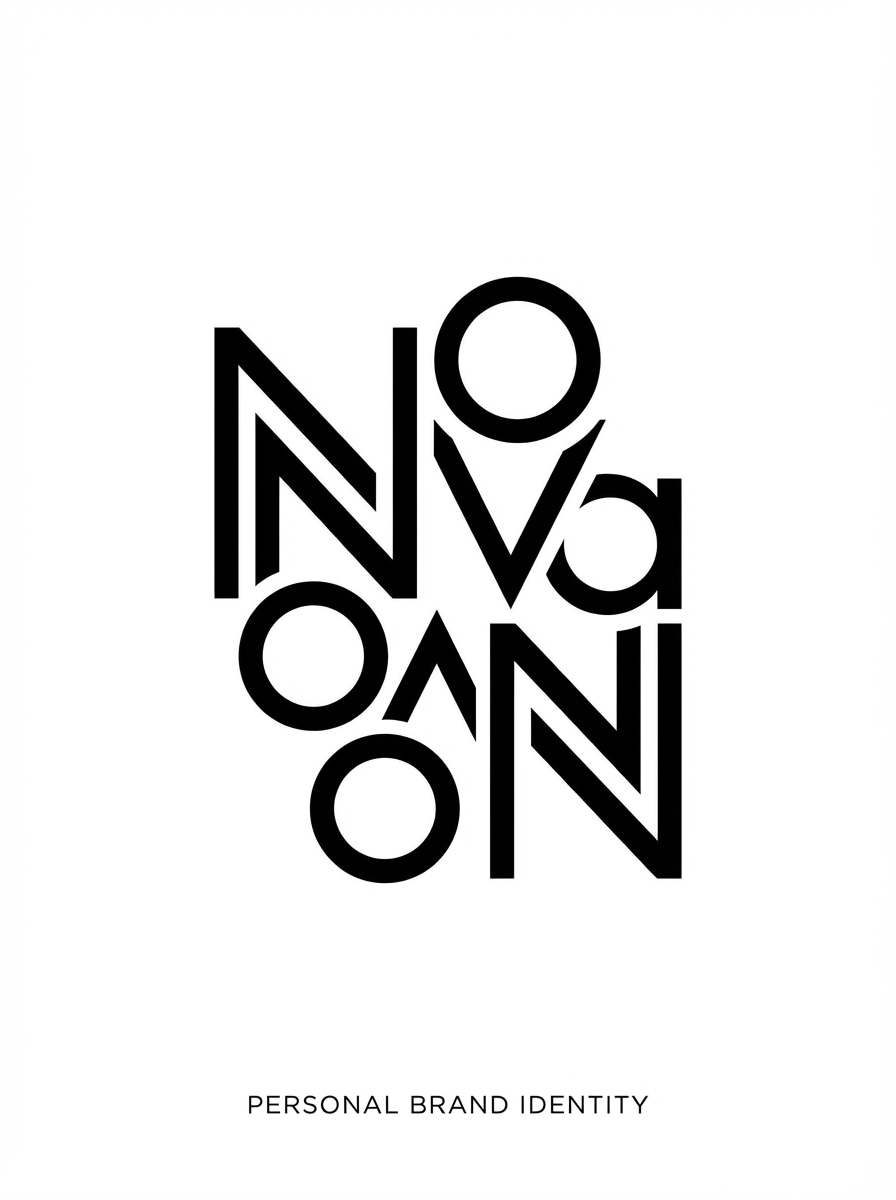
Ambigrama Monograma Minimalista
Crea un logotipo ambigrama moderno y minimalista para “Nova”, usando formas geométricas de letras, simetría rotacional, estilo vectorial limpio, espaciado preciso, proporciones equilibradas, negro sobre blanco en contraste, aire de marca premium sutil, composición centrada y líneas altamente legibles para startups o identidad de marca personal.
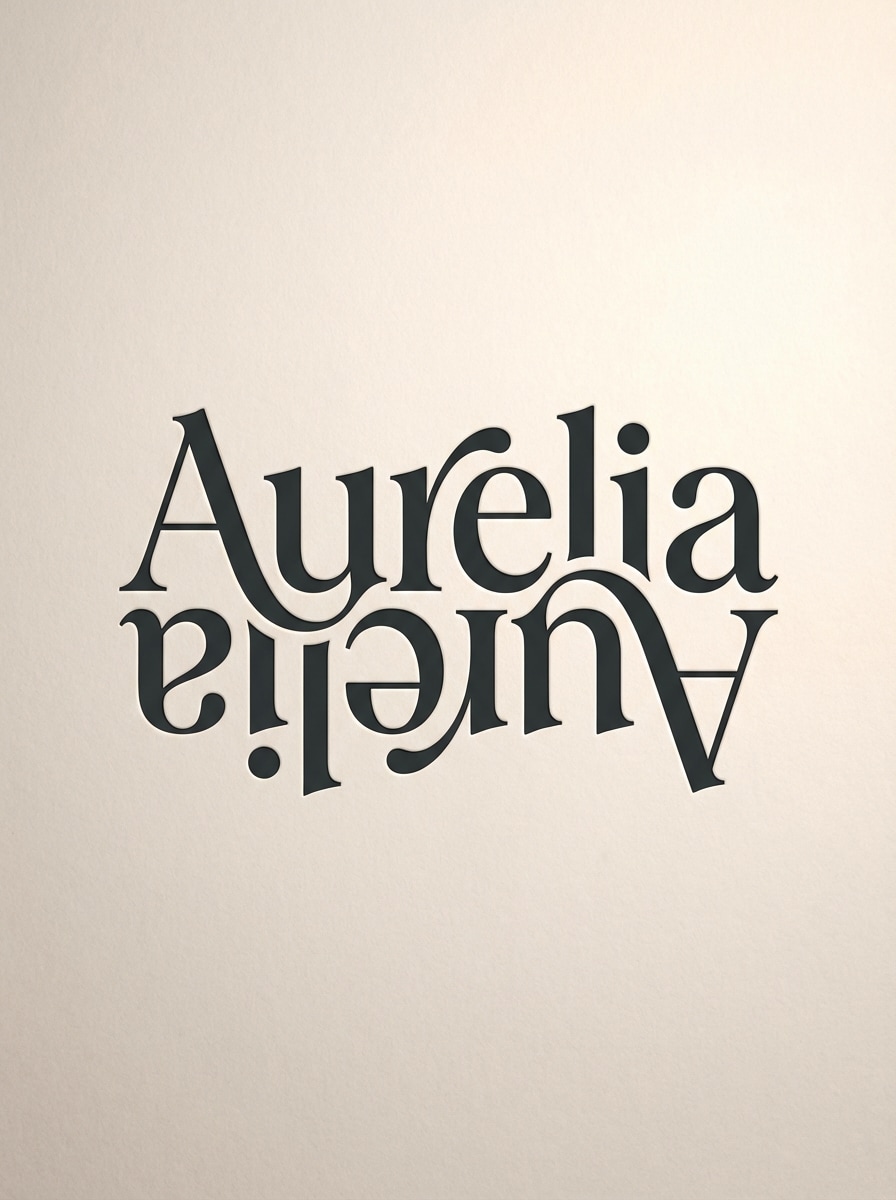
Ambigrama Serif de Lujo
Diseña un ambigrama con serif de lujo para “Aurelia”, con trazos editoriales de alto contraste, legibilidad rotacional refinada, curvas elegantes, presentación premium de logotipo, composición centrada, fondo neutro claro y suave, detalle nítido tipo vector, ambiente sofisticado y estética de marca de moda pulida con adornos controlados.
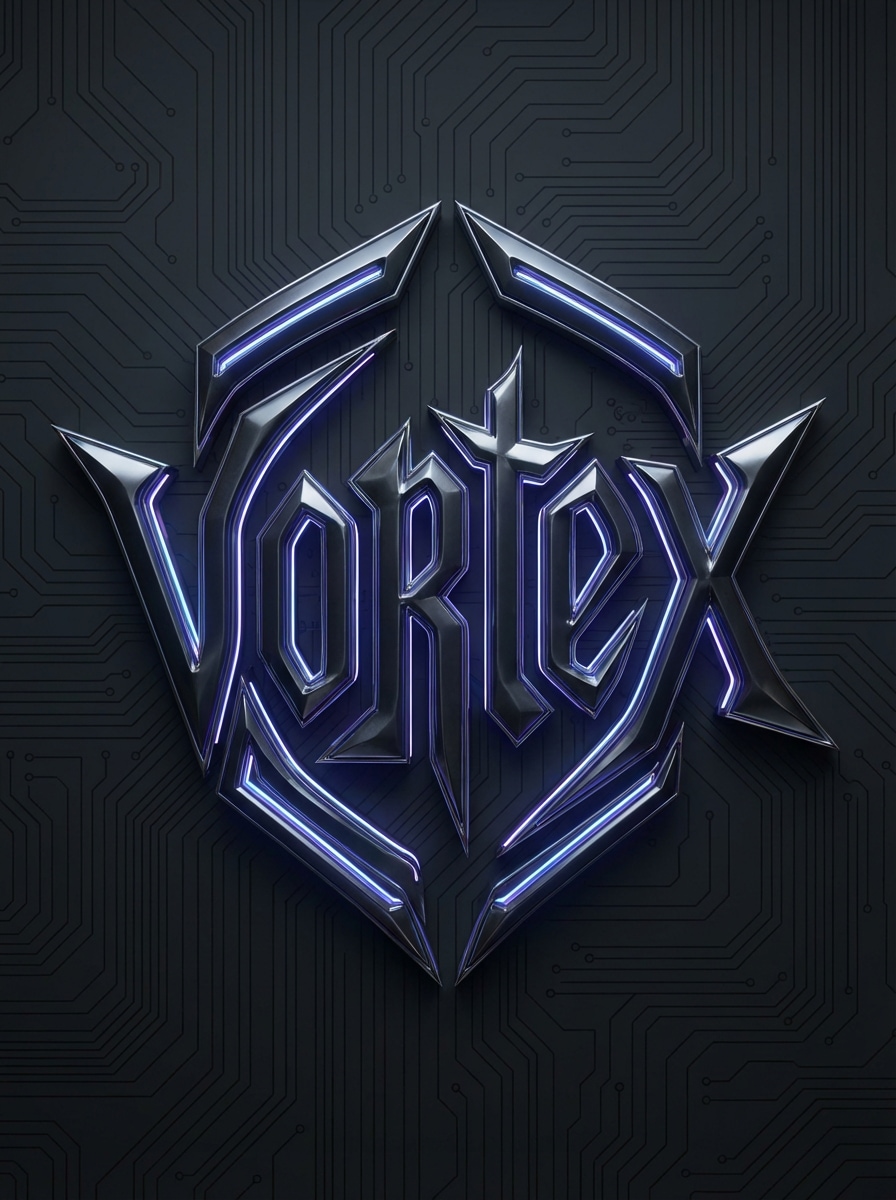
Ambigrama Cibernético de Símbolo
Diseña un ambigrama futurista tipo sigilo cibernético para “Vortex”, con formas angulares de letras, simetría rotacional, atmósfera tecnológica oscura, contornos metálicos afilados, acentos neón sutiles, construcción de calidad logotipo, composición centrada, acabado vectorial nítido, alto contraste y un aire de ciencia ficción elegante que sigue siendo legible e intencional.
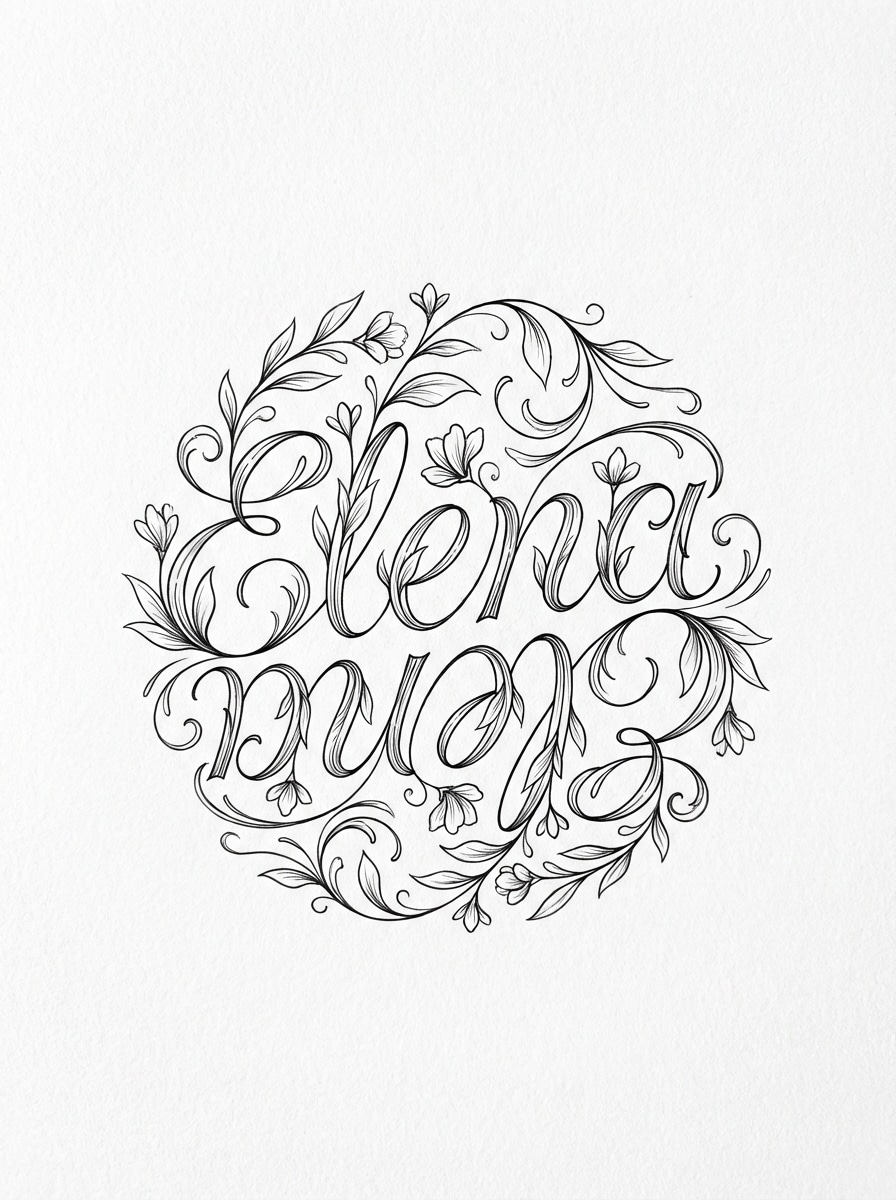
Ambigrama Floral Ornamental
Crea un ambigrama floral ornamental para “Elena”, legible boca arriba y boca abajo, con delicados adornos botánicos entrelazados en las letras, estilo de línea fina de tinta, simetría elegante, paleta monocromática, curvas gráciles, espacio negativo aireado, composición centrada y un fondo blanco limpio para un concepto de tatuaje refinado.
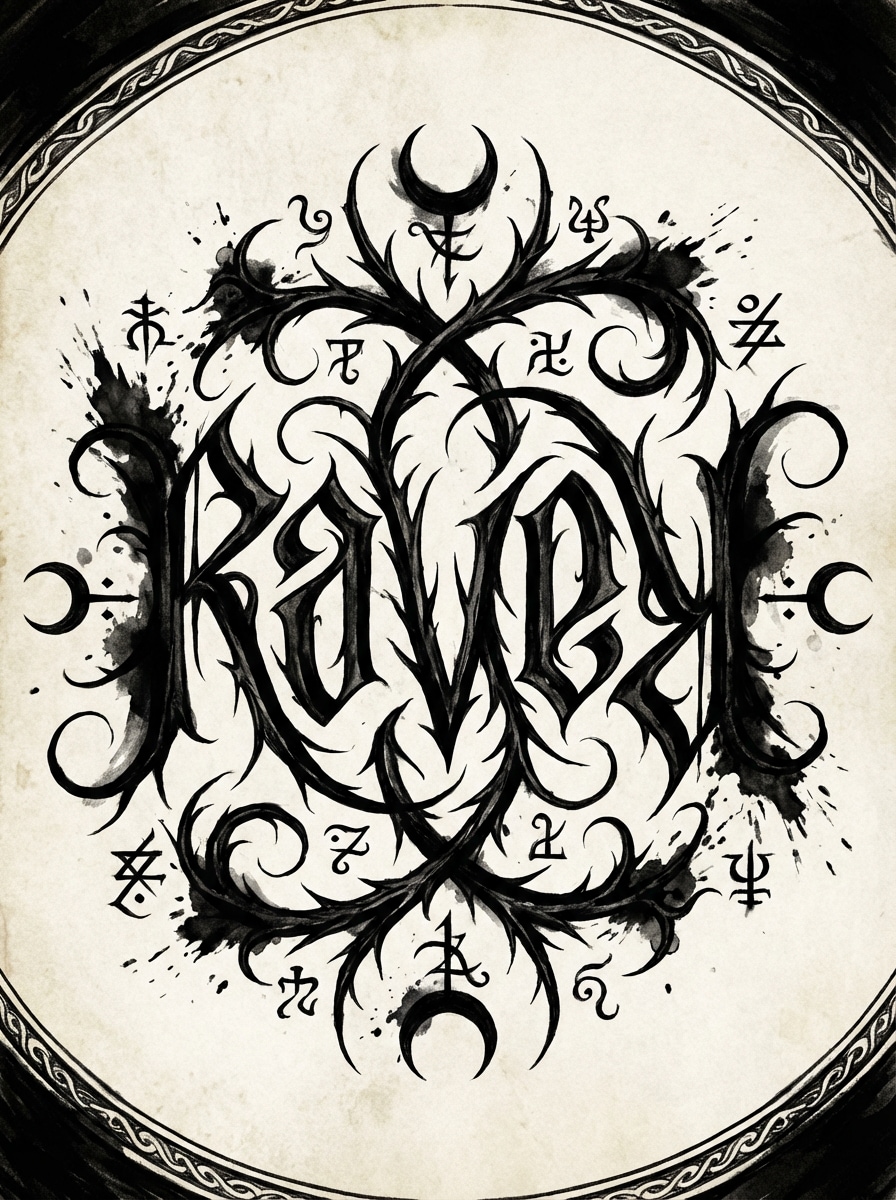
Ambigrama de Fantasía Oscura
Genera un ambigrama de fantasía oscura para “Raven”, con formas de letras simétricas tipo espina, influencia de manuscritos ocultos, dramática textura de tinta negra, legibilidad rotativa, contraste alto y atmosférico, adornos afilados, composición centrada y lista para tatuaje, fondo blanco y un ambiente misterioso que preserva la estructura legible.
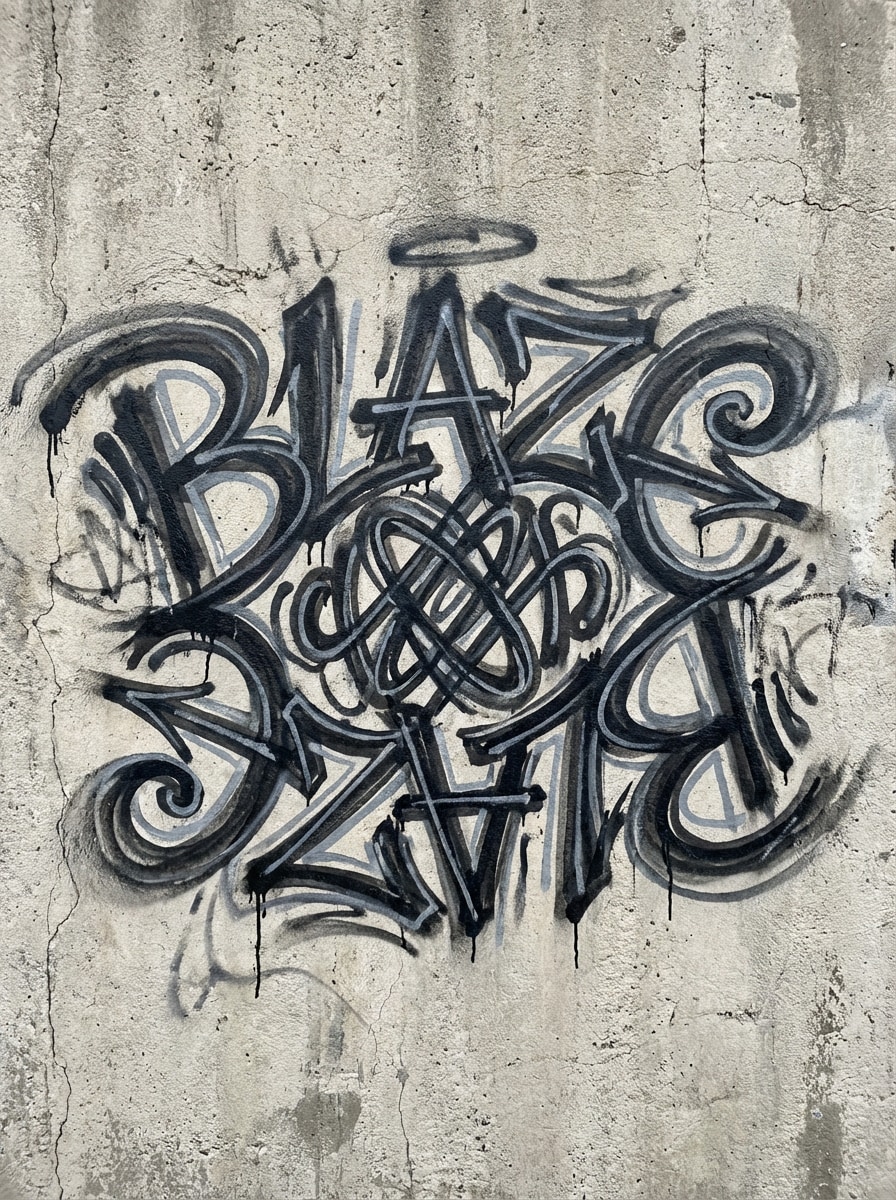
Ambigrama de Graffiti Callejero
Crea un ambigrama de graffiti urbano para “Blaze”, usando letras tipo marcador en negrita, simetría rotacional, trazos en capas negros y grises, energía de handstyle urbana, movimiento dinámico, inspiración en firmas de pared, composición centrada, alto contraste y suficiente estructura para permanecer legible como ambigrama.
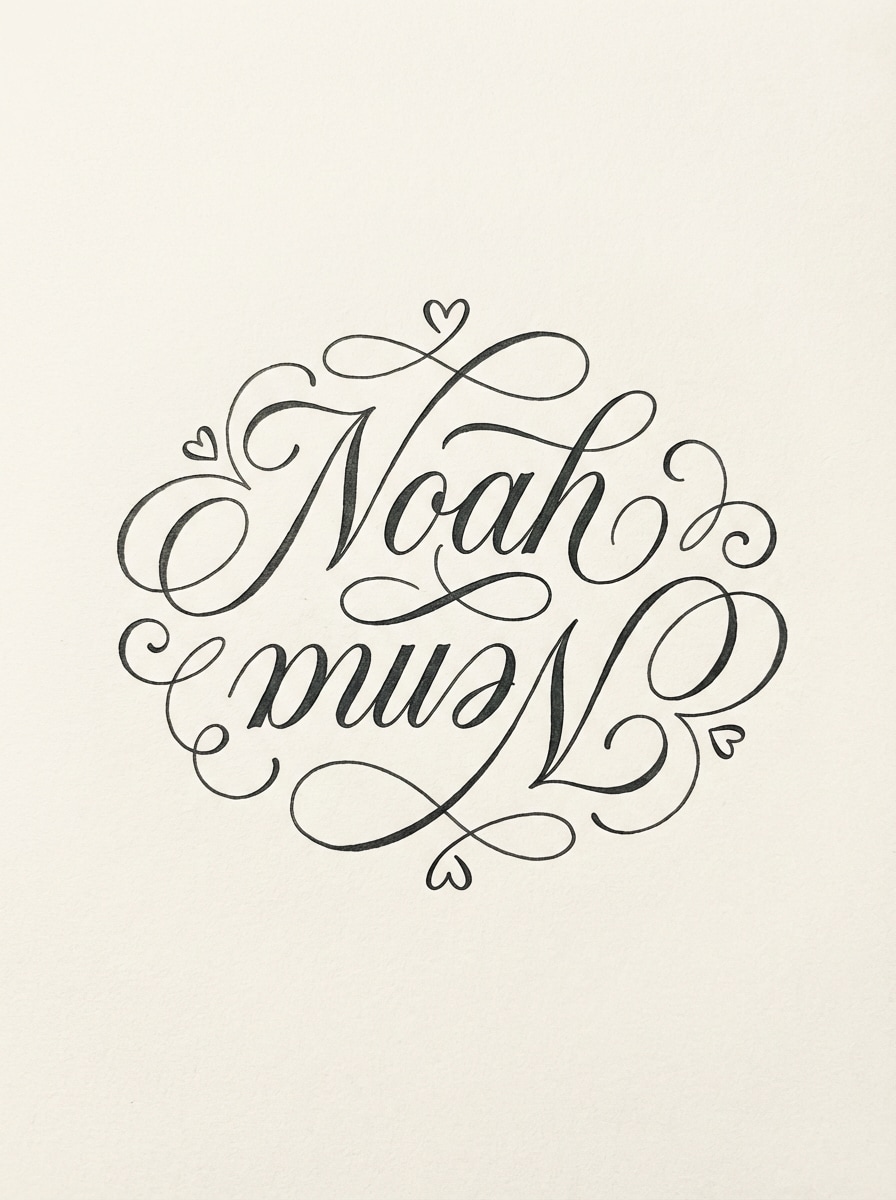
Ambigrama de Fecha de Boda o Pareja
Haz un ambigrama romántico para “Noah” y “Emma”, con letras elegantemente entrelazadas, legibilidad por rotación de 180 grados, delicados adornos, estilo de tinta monocromática, estética de invitación de boda, espaciado equilibrado, composición centrada, ambiente suave y premium, y líneas pulidas ideales para impresión, arte conmemorativo o inspiración para tatuaje.
Por qué usar Media.io para la generación de Ambigramas IA
Modelos de IA Avanzados para Mejores Conceptos de Ambigramas
Genera ideas personalizadas con potentes modelos de texto a imagen como Nano Banana Pro, Nano Banana 2, Seedream 5.0 Lite, Soul Character, Seedream 4.0, Nano Banana e Imagen 4. Así tienes un rango creativo mayor para letras de tatuajes, logotipos y arte de nombre estilizado. También sirve para generador de ambigramas de dos palabras.
Salida de Alta Resolución para Tatuaje e Impresión
Crea arte de ambigrama en resolución 1K, 2K o 4K para que tus conceptos luzcan nítidos para compartir, maquetas, referencias de impresión y revisión de diseño. Es una manera práctica de explorar letras limpias antes del trabajo final de tatuaje o branding. Este método es ideal para generador de ambigramas gratis dos nombres.
Proporciones Flexibles para Cada Uso de Ambigrama
Elige entre Auto, 1:1, 9:16, 16:9, 4:3, 3:4, 3:2 y 2:3. Ya sea que quieras un logo cuadrado, diseño vertical para tatuaje o imagen horizontal para presentación, Media.io admite el formato que necesites. También es opción práctica para flipscript ambigram generator.
Basado en Navegador y Fácil de Usar en Cualquier Lugar
Media.io funciona directamente en tu navegador en Windows, Mac, iOS y Android. Puedes generar un ambigrama desde texto sin instalar nada, lo que facilita probar ambigramas de nombres, diseños de pareja y conceptos de logos donde la inspiración surja. Los creadores lo usan mucho para generador de ambigramas online gratis.
Cómo Usar Media.io Generador de Ambigramas
1
2
3
1
Paso 1: Abre el Generador de Ambigramas de Media.io
Ve a Generador de Texto a Imagen con IA y abre Generador de Ambigramas en IA -> Texto a Imagen. Esta herramienta online se ejecuta en el navegador, así puedes crear ideas de tatuajes ambigramas, marcas tipo logo y nombres personalizados en PC o móvil sin instalar nada.
2
Paso 2: Introduce un Prompt
Escribe un prompt detallado como “Crea un ambigrama gótico en tinta negra para la palabra Marcus, legible boca arriba y boca abajo, con letras simétricas tipo tatuaje sobre fondo blanco.” Luego elige tu modelo, estilo, proporción y resolución preferidos para el resultado que deseas.
3
Paso 3: Genera, Refina y Descarga
Haz clic en Generar para crear tu concepto de ambigrama. Si es necesario, ajusta el texto, estilo o diseño y vuelve a generar para mejor legibilidad rotacional. Cuando estés satisfecho con el resultado, descarga la imagen en alta resolución para referencia de tatuaje, branding u obra personal.
Descubre el Potencial del Generador de Ambigramas con IA
Descubre cómo creadores y profesionales usan nuestras herramientas de IA para transformar su flujo creativo y dar vida a ideas únicas. Este método es muy útil para generador de ambigramas.
Conceptos de Tatuaje con Sentido
Diseña ambigramas personalizados de nombres para tatuajes que fusionan dos identidades en una sola. Perfecto para crear arte rotacional simbólico que represente seres queridos o lemas personales con simetría perfecta. También es útil como generador gratis de ambigramas de dos nombres.
Identidades de Marca Interesantes
Destaca con un logotipo ambigrama generado por IA. Crea marcas modernas y equilibradas para startups o agencias creativas, perfectamente legibles y profesionales desde cualquier ángulo.
Recuerdos Personales Únicos
Genera arte ambigrama sorprendente para invitaciones de boda, tarjetas personalizadas o arte digital mural. Es una forma sencilla de sorprender con letras estilo ilusión óptica que cuentan una historia.
Opiniones de Usuarios sobre este Generador de Ambigramas
Jordan M.
Cliente de Tatuajes
"Muy bueno para probar ideas de tatuaje rápidamente" Quería un generador de ambigramas de nombres para inspiración de tatuajes, y esto me permitió explorar varias ideas muy rápido. Los resultados en gótico y caligrafía me dieron conceptos sólidos para mostrar a mi tatuador.
Alyssa R.
Diseñadora Freelance
"Útil para explorar logos y letras" Usé Media.io para idear conceptos de logotipo ambigrama para un cliente. Los prompts claros, las opciones de proporción y las exportaciones en alta resolución lo hicieron mucho más flexible que las herramientas básicas solo de texto.
Marcus T.
Creador de Contenido
"Fácil de usar desde el móvil" La mayoría de generadores de ambigramas que encontré eran limitados, pero este me permitió crear resultados más estilizados directamente en el navegador. Probé nombres de pareja, letras de tatuaje y logos minimalistas desde mi teléfono.
Priya S.
Compradora de Papelería para Bodas
"Conceptos bellos para nombres de pareja" Lo probé para un ambigrama romántico de dos nombres y me encantaron las opciones elegantes. Me ayudó a visualizar ideas para arte conmemorativo e invitaciones antes de decidir qué estilo quería refinar más.
Explora los efectos de video e imagen con IA más populares
Preguntas Frecuentes sobre Generador de Ambigramas
1. ¿Cómo se genera un ambigrama con IA?
Con Media.io, creas un ambigrama escribiendo un prompt de texto detallado en la herramienta de texto a imagen. Para mejores resultados, describe la palabra o nombres, el estilo y la dirección visual que buscas, como letras góticas, logo minimalista o arte rotacional. Media.io genera una imagen a partir de tu prompt.
2. ¿La IA puede hacer un ambigrama de dos palabras o nombres?
Sí. Puedes pedirle a Media.io que cree un concepto para dos nombres o palabras, como un ambigrama de pareja o diseño estilo boda. Los resultados dependen de la claridad del prompt, y se recomienda escribir en inglés ya que la herramienta está optimizada para ello.
3. ¿Qué palabras funcionan mejor en un generador de ambigramas?
Palabras y nombres cortos y claros suelen ser más fáciles de explorar visualmente porque puedes describir el estilo y la simetría con mayor precisión. Media.io permite experimentar creativamente, así que puedes probar ambigramas de una palabra, conceptos de dos nombres, monogramas tipo logo y letras para tatuaje rápidamente.
4. ¿Cualquier palabra se puede transformar en un ambigrama?
No todas las palabras generarán un ambigrama igual de legible, ya que el resultado depende de la estructura de las letras y el prompt que des. Media.io te ayuda a explorar diferentes enfoques visuales, así puedes regenerar cambiando estilos, modelos, resoluciones y proporciones para encontrar un concepto más adecuado.
5. ¿Media.io es gratis para generar ambigramas?
Media.io ofrece uso gratuito con 3 créditos al día. Los usuarios gratuitos pueden ver marcas de agua en las descargas. Si necesitas más generaciones o imágenes en alta resolución sin marca de agua, puedes pasar a un plan de pago aquí: https://www.media.io/es/pricing.html
6. ¿Puedo usar Media.io en mi móvil o tablet para crear ambigramas?
Sí. Media.io es web y funciona en cualquier dispositivo con navegador, incluyendo Windows, Mac, iOS y Android. Así puedes crear conceptos de tatuaje ambigrama, nombres personalizados y letras tipo logo directamente online sin instalar software.