Imagen a Imagen
Nano Banana Pro
Subir imagen
0 / 9
Haz clic o arrastra para subir, o elige de Mi Historial
¿Sin ideas? Genera primero una imagen. >
Formatos de carga admitidos: jpg, png, jpeg.
sugerencia
0/2000
Relación de aspecto
Auto
9:16
16:9
1:1
4:3
3:4
3:2
2:3
21:9
Resolución
1K
2K
4K
Modo Ilimitado Banana Pro
Número de imágenes
1
2
3
4
Visibilidad pública
Todo
Imagen
Video
Audio
Lista de generación
Los resultados generados se mantendrán durante 7 días. Por favor, guárdalos a tiempo.
ai_video_generator¡Desbloquea tu potencial creativo y experimenta la magia de Media AI ahora mismo!

AI Bangs Generator for Realistic Virtual Bangs Try-On Online

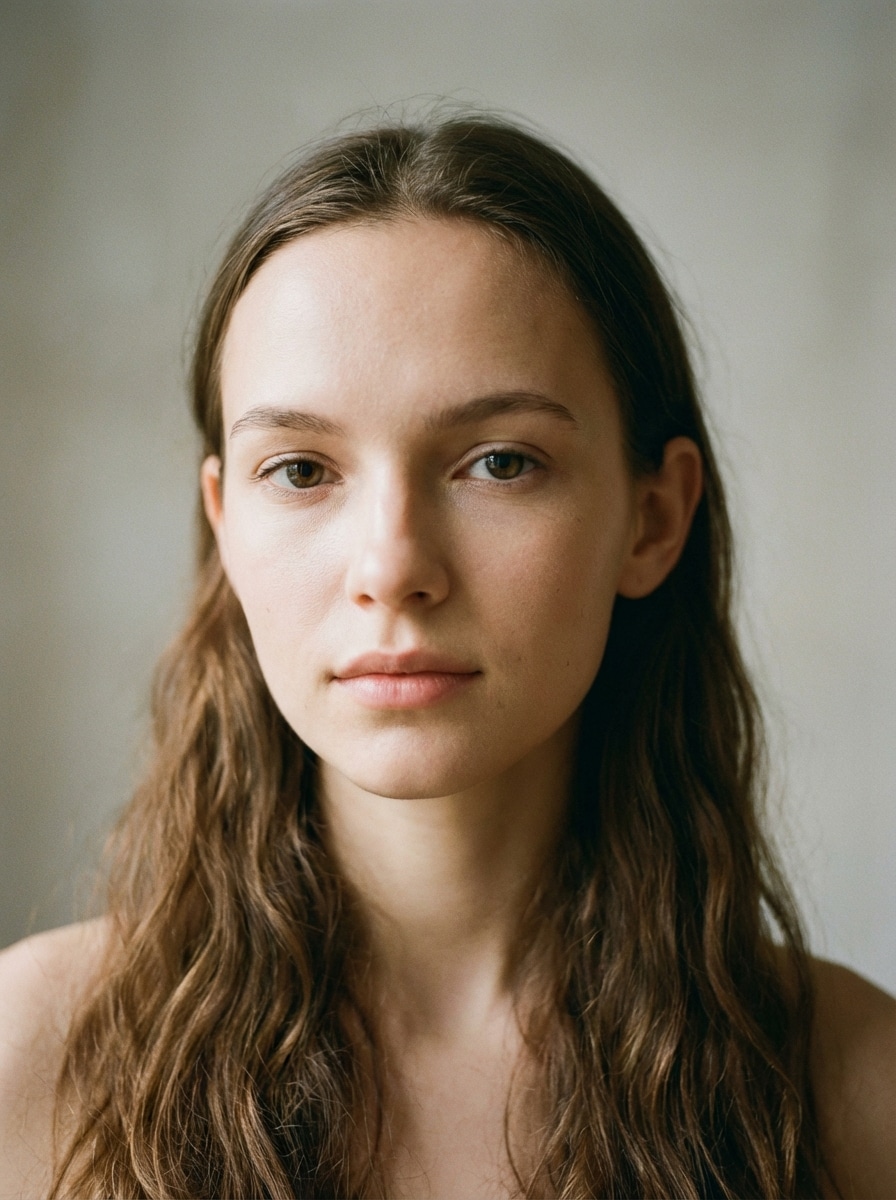
Bangs Generator Before
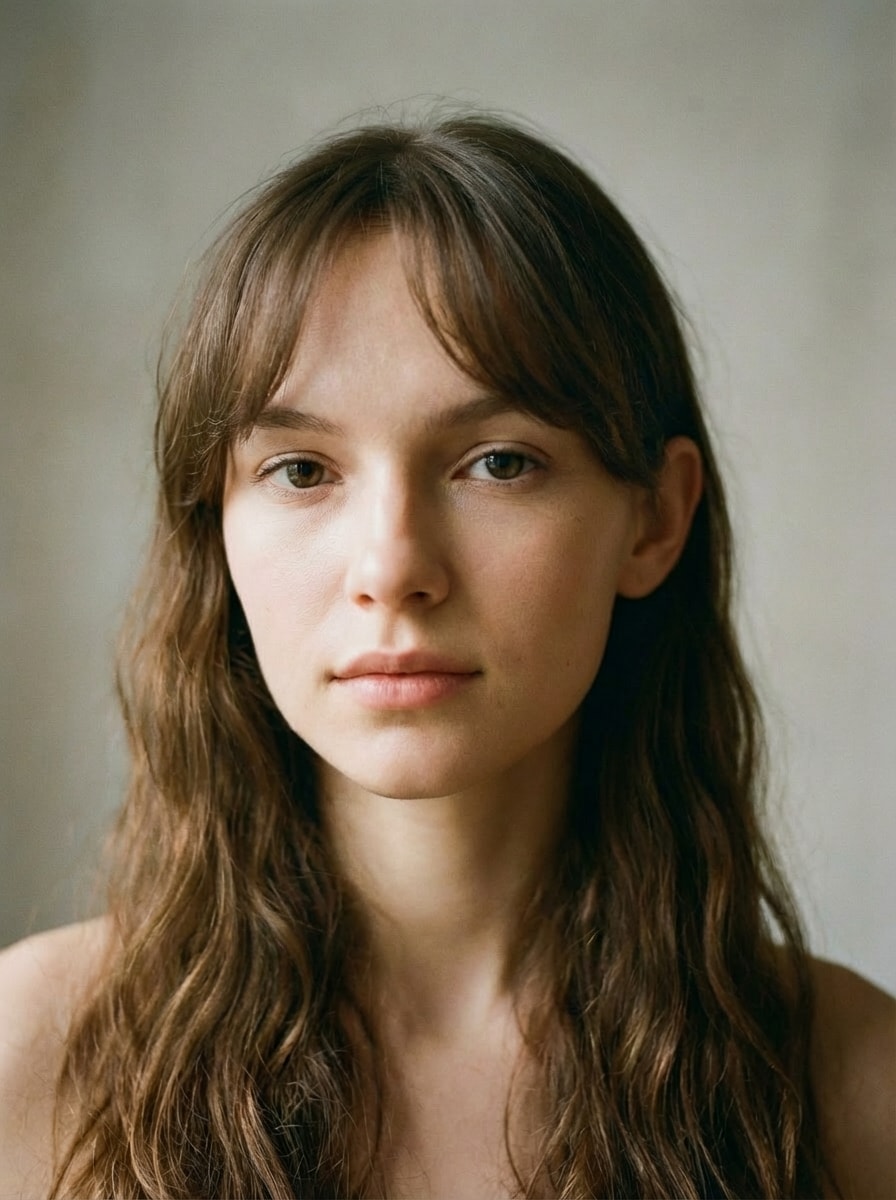
Bangs Generator After

Upload one selfie and preview curtain bangs, wispy bangs, blunt fringe, and more in seconds. Media.io helps you test realistic bang styles online with prompt-based customization, natural hair blending, and a no-haircut-needed makeover workflow right in your browser.

Try My Bangs Online

Type your idea -> AI designs it. Free to try.

Explore our curated collection of bangs generator styles.

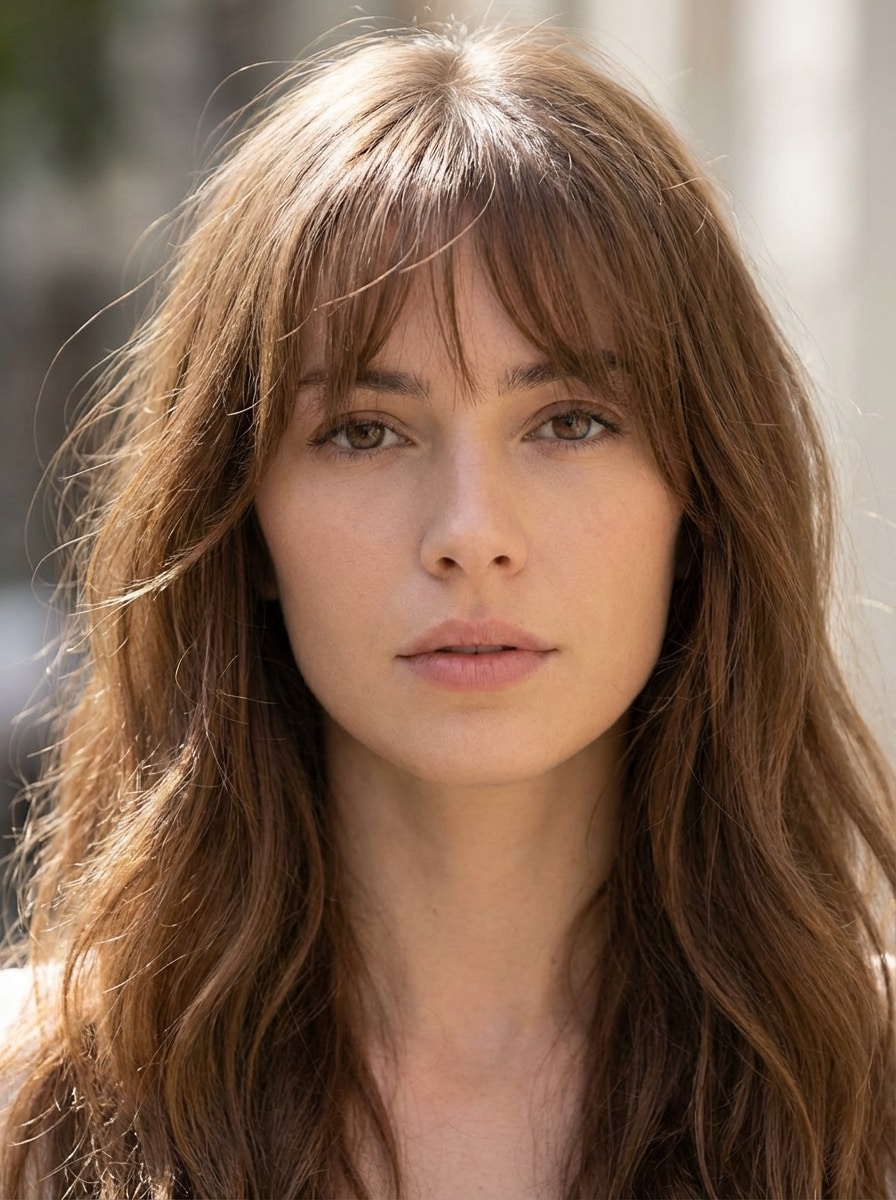
Curtain Bangs Selfie

Curtain Bangs Selfie

Use the uploaded image as the source. Edit a close-up portrait to add realistic curtain bangs parted at the center, softly framing the cheeks and forehead. Match the original hair tone, natural texture, and ambient lighting, preserve facial features and background, and create a flattering, modern hairstyle with smooth strand definition and photorealistic blending.

Wispy Bangs Portrait

Wispy Bangs Portrait

Use the uploaded image as the source. Transform a portrait by adding soft wispy bangs with feathered strands and light texture across the forehead. Preserve the original face, hair color, hairstyle, and lighting while creating an airy, flattering fringe with natural separation, gentle movement, and seamless photorealistic integration.

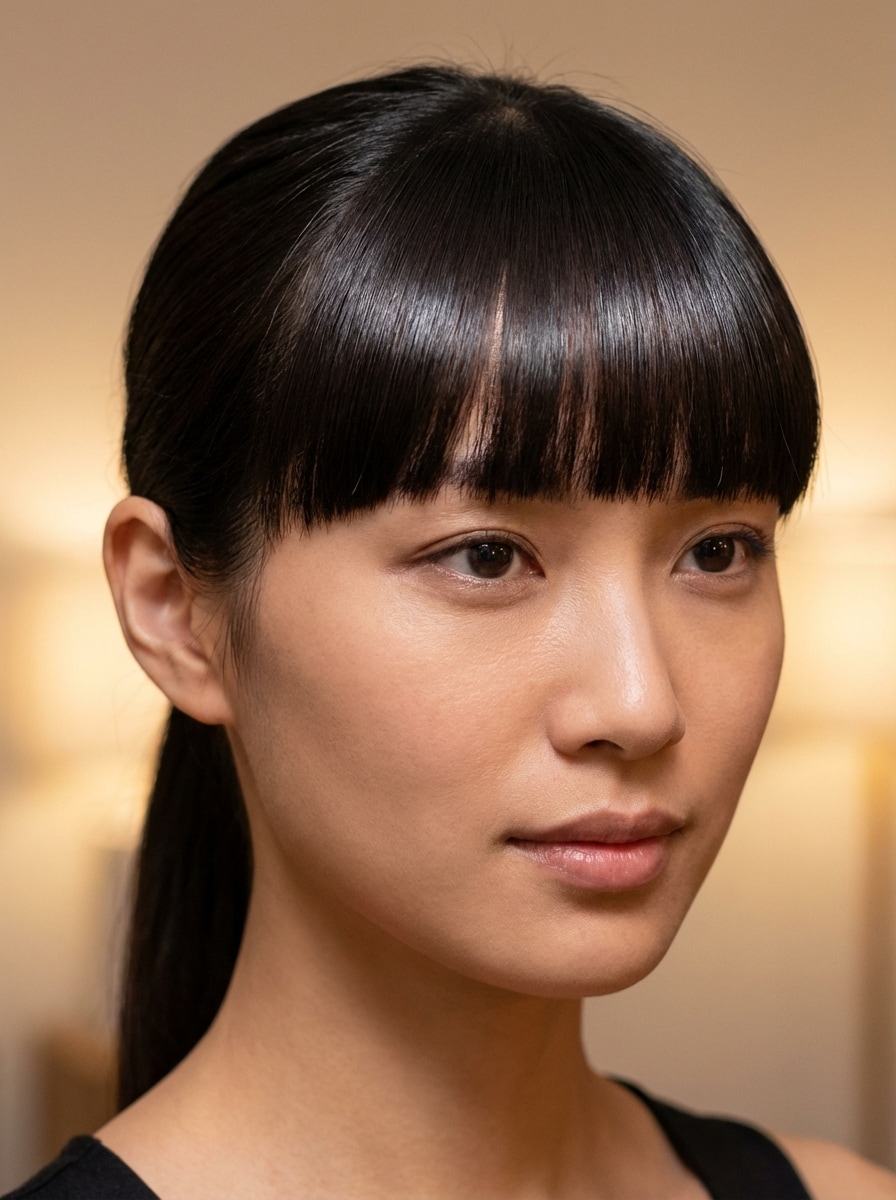
Blunt Bangs Selfie

Blunt Bangs Selfie

Use the uploaded image as the source. Edit a portrait to add straight blunt bangs across the forehead with a sleek polished finish. Keep the person’s face, hair color, texture, and lighting consistent, and blend the fringe naturally into the hairstyle with smooth lines, subtle shine, balanced volume, and high-resolution photorealistic detail.

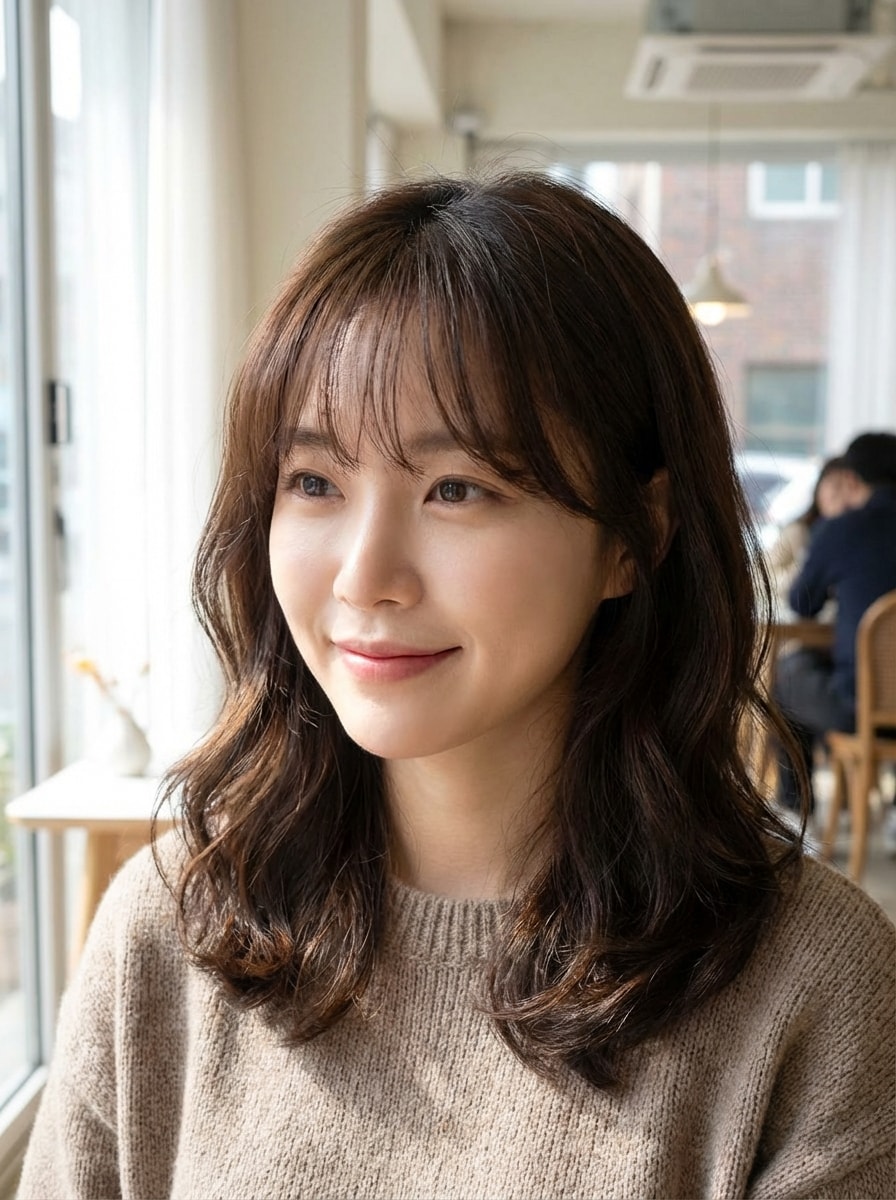
Korean Air Bangs Selfie

Korean Air Bangs Selfie

Use the uploaded image as the source. Add Korean-style air bangs to a portrait with a light semi-sheer fringe, delicate strand separation, and soft natural volume. Preserve facial identity, match the existing hair tone and texture, maintain realistic lighting, and create an elegant, airy hairstyle that feels subtle, flattering, and photorealistic.

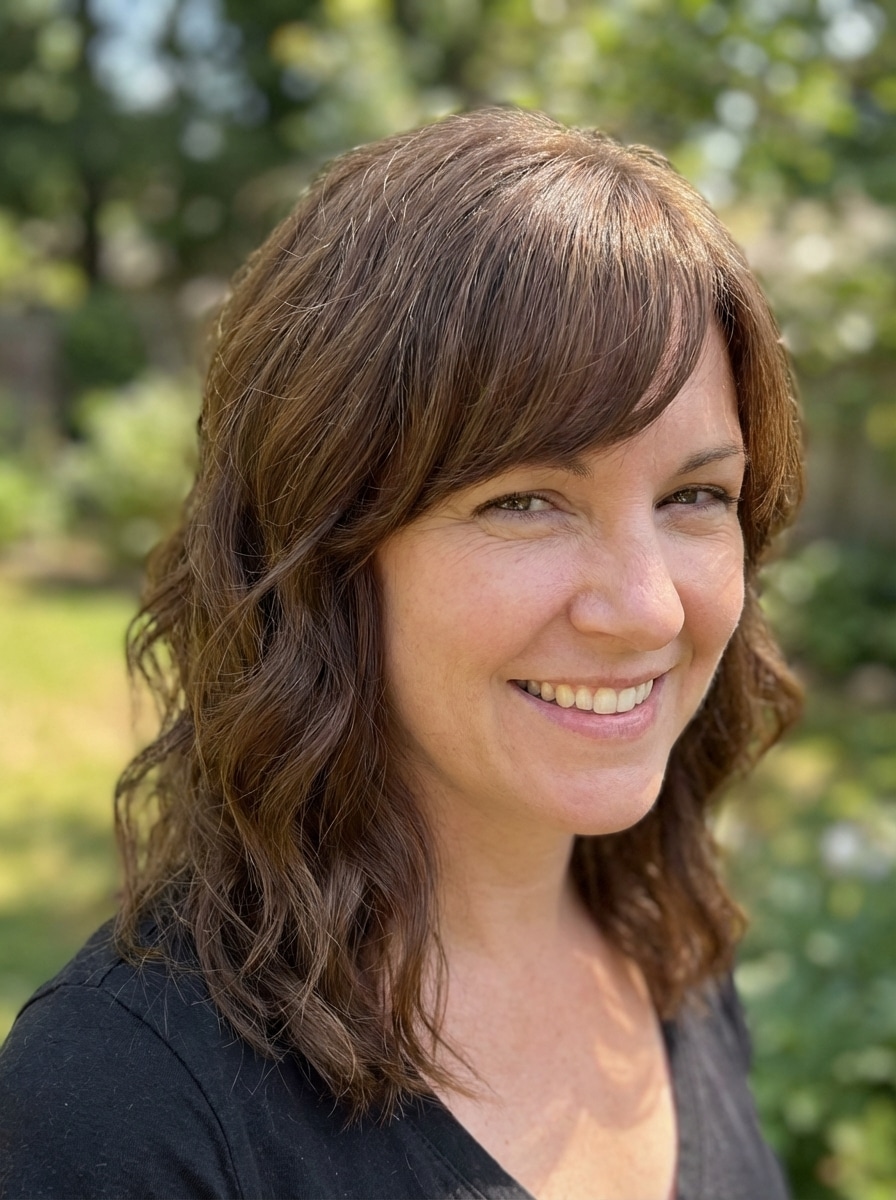
Side Swept Bangs Photo

Side Swept Bangs Photo

Use the uploaded image as the source. Transform a portrait by adding side-swept bangs with soft volume and natural directional flow across the forehead. Maintain the original face, hair color, texture, and background while blending the fringe smoothly into the hairstyle with flattering asymmetry, realistic strand detail, and polished photorealism.

Why Use Media.io for AI Bangs Try-On

Realistic Bangs Edits From Your Photo

Upload a JPG, PNG, or JPEG selfie and generate realistic bangs previews that stay aligned with your facial identity, lighting, and current hairstyle for a more trustworthy virtual try-on result.

Prompt-Based Style Control

Go beyond a basic bangs filter by describing curtain bangs, wispy fringe, blunt cuts, or side-swept looks in your own words. This gives you more personalized hairstyle try-on results beyond preset options.

High-Resolution Beauty Previews

Choose from 1K, 2K, and 4K output settings and multiple aspect ratios, so your virtual bangs try-on can look sharp for personal decision-making, social sharing, or professional beauty content.

Browser-Based and Privacy Minded

Media.io works directly in your browser on desktop and mobile, with no app required. Uploaded photos are automatically deleted from our servers after 7 days to help protect your privacy.

How to Use the AI Bangs Generator

1
2
3
1
Open Media.io AI Hairstyle Tool

Go to AI Image to Image Generator and open the AI Bangs Generator under AI -> Image to Image. This online tool runs in your browser, so you can try on bangs online without installing extra software.

2
Upload Your Selfie and Enter a Prompt

Upload a clear portrait in JPG, PNG, or JPEG format. Then type a detailed prompt, such as "Add soft curtain bangs that blend naturally into my long hair with realistic texture and salon lighting," and adjust resolution or aspect ratio if needed.

3
Generate, Refine & Download

Click Generate to create your bangs preview. If you want a different look, refine the prompt for wispy, blunt, or bottleneck bangs, then download your favorite high-resolution result when it looks right.

Step 1
Step 2
Step 3

Unlock the Potential of Bangs Generator

Discover how creators and professionals are using our AI-powered Bangs Generator to transform their creative workflows and bring unique ideas to life.

Preview a Haircut Before You Commit

Thinking about fringe but not ready for the salon yet? Use the bangs generator to test curtain bangs, blunt bangs, or airy fringe on your own selfie first, so you can make a more confident haircut decision.

Compare Multiple Bang Styles Fast

Creators and beauty lovers can generate several looks from one photo to compare what suits their face best. It is an easy way to build a before-and-after carousel or shortlist your favorite styles in minutes.

Create Personalized Beauty Content

Influencers, stylists, and social media editors can produce realistic virtual bangs try-on visuals for reels, consultations, and client inspiration boards. Prompt-based editing helps tailor each result to a specific aesthetic or audience.

What Users Say About This Bangs Generator

user
Maya R.

Beauty Content Creator

star star star star star

"Much more useful than a basic bangs filter" I wanted more than a one-tap bangs filter, and this gave me that. I could try curtain bangs and wispy bangs on the same selfie with prompts, and the hair blended in surprisingly naturally.

user
Jordan P.

Lifestyle Blogger

star star star star star

"Great for testing haircut ideas" I used the AI bangs generator before booking a salon appointment. The previews were realistic enough to help me decide between blunt bangs and bottleneck bangs without guessing.

user
Elena T.

Social Media Manager

star star star star star

"Easy on mobile and quick to use" I tested it on my phone and it worked smoothly in the browser. Uploading a selfie, changing prompts, and comparing different fringe styles was fast and simple.

user
Sophie L.

Fashion Student

star star star star star

"Helpful for realistic virtual try-on" What I liked most was keeping my face and overall look consistent while only changing the bangs. It felt more like a real hairstyle preview than a novelty effect.

Bangs Generator FAQ

1. Is this bangs generator free to use?

Yes, free users can try the bangs generator with free credits. If you need more generations or additional usage, you can check Media.io's pricing page. Free downloads may include a watermark, while paid plans support watermark-free high-resolution exports. Free users can use free credits. For more usage, users can subscribe to a plan on the pricing page.

Yes. Media.io is a web-based tool, so you can try on bangs online directly in your browser without downloading an app. It works on desktop and mobile devices, making virtual bangs try-on convenient wherever you are. Media.io is a web-based tool that works on any device with a browser (Windows, Mac, iOS, Android). This helps you create bangs generator results more consistently.

The results are designed for realistic image-to-image editing using advanced models such as Nano Banana Pro and Nano Banana 2. When you upload a clear selfie and use a detailed prompt, the tool can preserve your identity, lighting, and overall hairstyle while adding natural-looking fringe. This helps you create bangs generator results more consistently.

Yes. You can reuse the same uploaded selfie and generate multiple variations, such as curtain bangs, wispy bangs, blunt bangs, or side-swept bangs. Media.io also supports batch generation of 1 to 4 images, which can help you compare several looks more efficiently. This helps you create bangs generator results more consistently.

Yes. Because Media.io runs in the browser, the bangs filter works on iPhone, Android, Windows, and Mac devices. As long as you have a supported browser and internet connection, you can upload a photo and generate a bangs preview. Media.io is a web-based tool that works on any device with a browser (Windows, Mac, iOS, Android). This helps you create bangs generator results more consistently.

Media.io is designed with user privacy in mind. Uploaded images are automatically deleted from the servers after 7 days. Based on the provided product information, this helps protect your photos during your virtual bangs try-on workflow. This helps you create bangs generator results more consistently.

Media.io Online AI Tools Quality Rating:
vote 4.7 (162,357 Votes)