Haz clic o arrastra para subir, o elige de Mi HistorialHaga clic para cargarMi Historial
¿Sin ideas? Genera primero una imagen. >
Sube imágenes jpg, jpeg o png de hasta 50 MB, con un ancho/alto mínimo de 300 px.
Try Mocha Balayage Highlights on Your Hair Photo
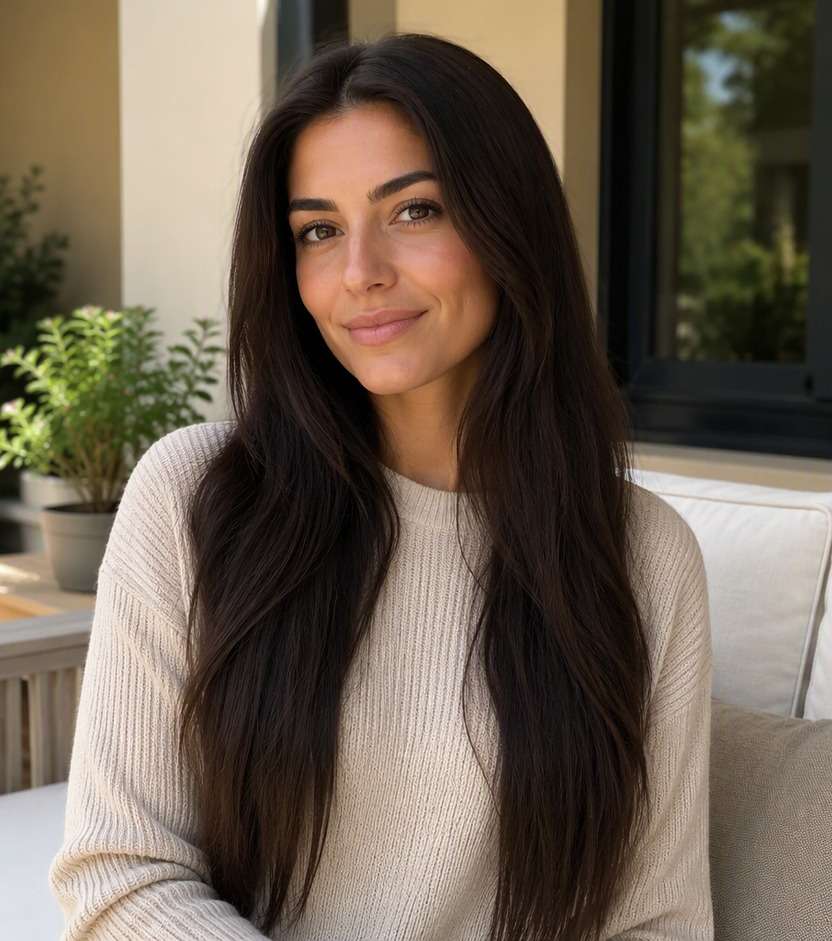
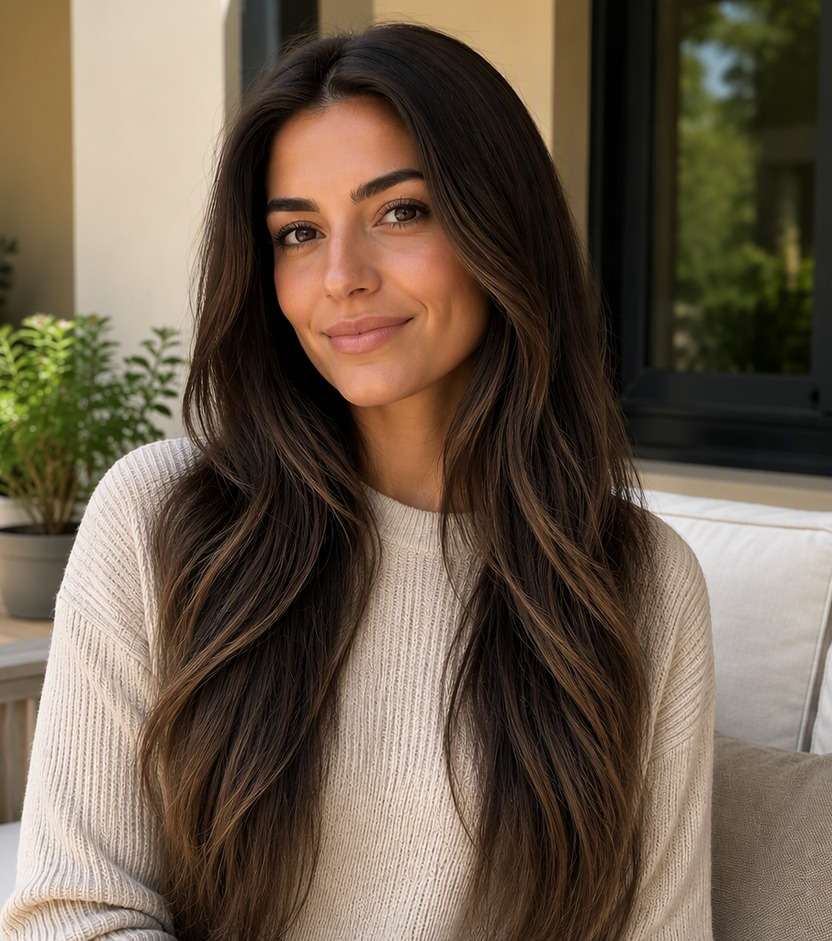
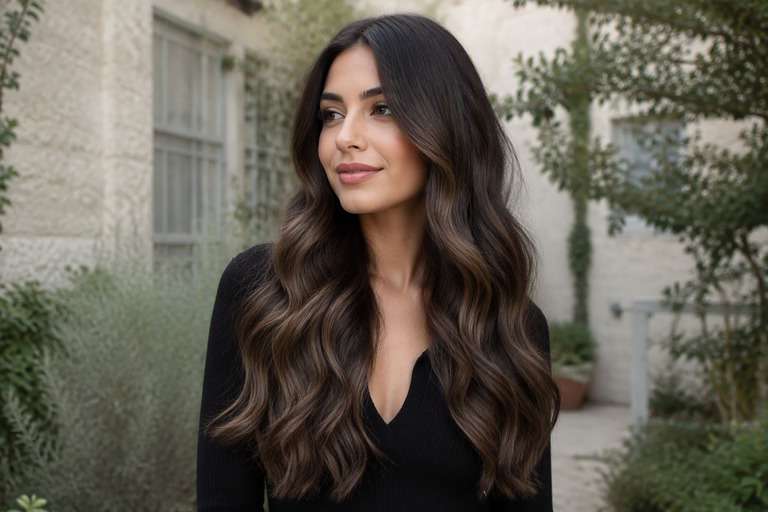
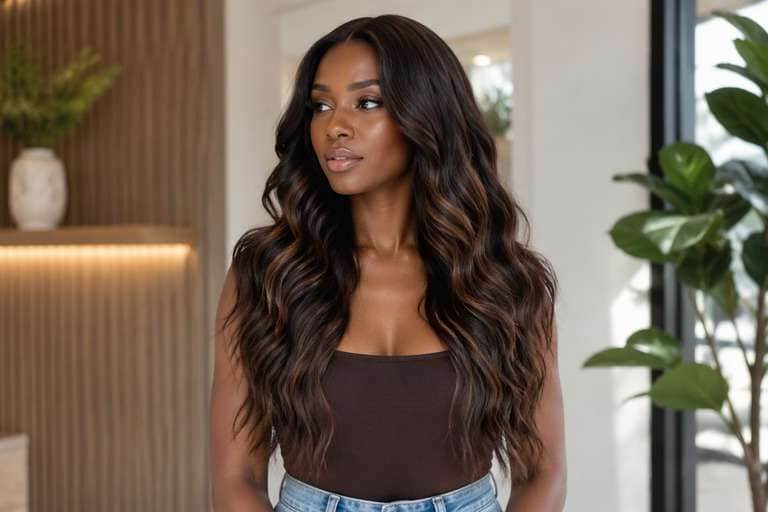
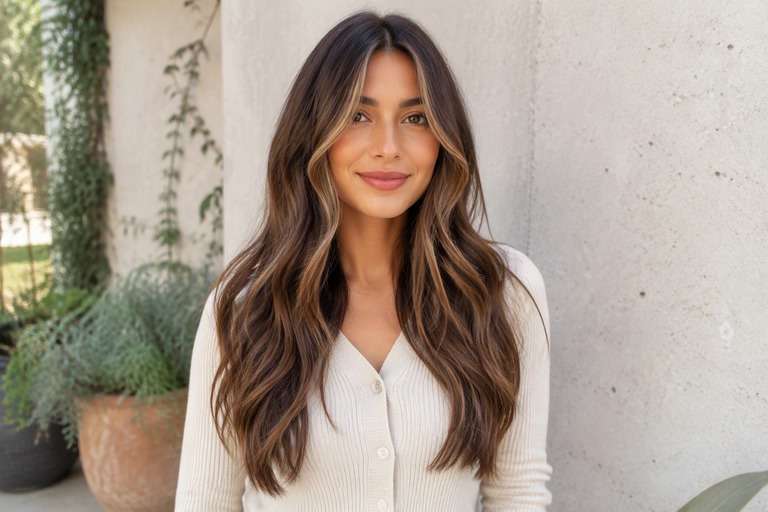
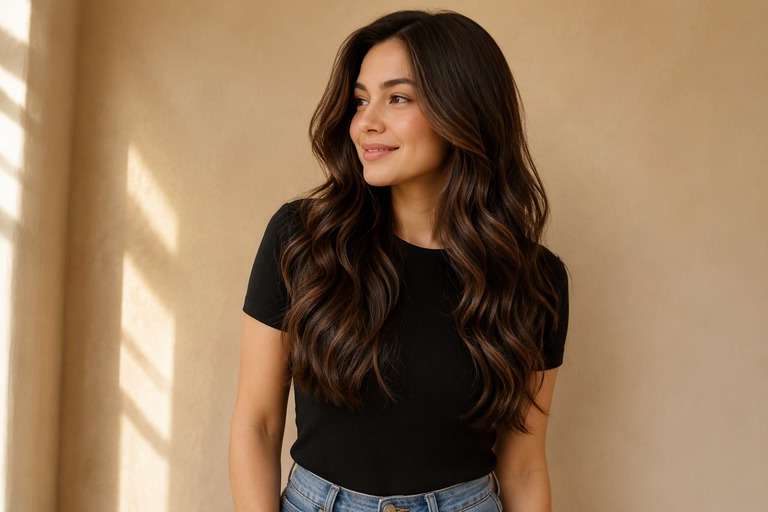
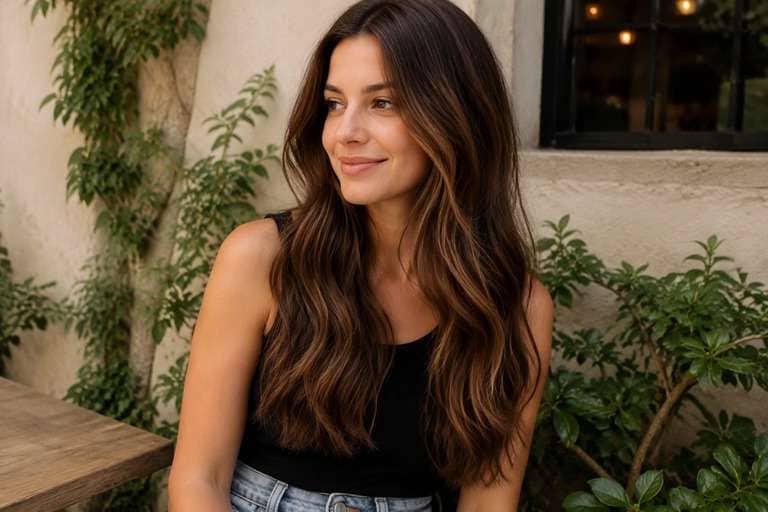
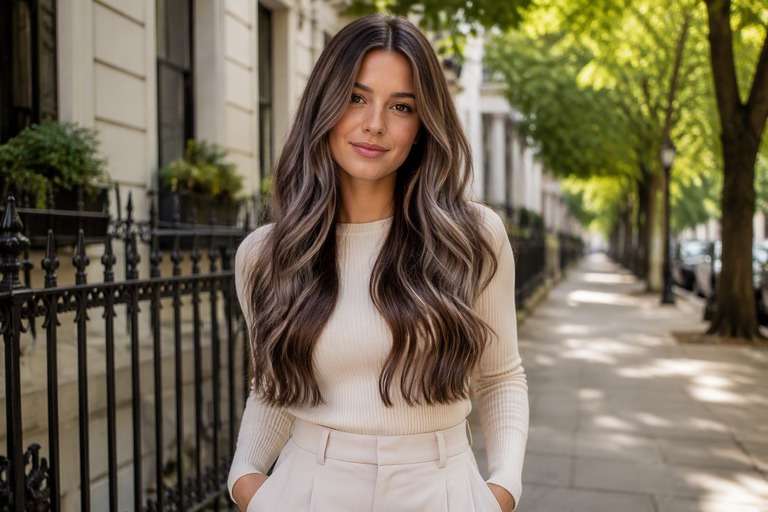
Want dimension in brunette hair without obvious blonde stripes? An AI mocha balayage hair filter helps you picture coffee-brown ribbons against a darker base before you book color. Start with rich espresso roots, then compare soft cocoa sections, lighter mocha pieces near the face and barely-brightened ends. The goal is not to turn every strand the same brown. It is to see where light and depth would sit in your current hairstyle, so you can explain the placement you actually prefer.
Show both your hair part and mid-lengths; balayage should be visible as placed ribbons, not an overall brown color wash.
Mocha Balayage Hair Color Prompts for Different Placements
A mocha balayage photo should reveal where the color starts, how wide the ribbons appear and how softly the tips brighten. The ideas below keep the roots more natural than the ends, but vary placement and contrast for different hair textures.
Espresso Root Mocha Ribbons
Edit my uploaded hair portrait to preview nearly black espresso roots with wide muted mocha ribbons starting below the cheekbones. Change only hair pigment and intended highlight placement. Keep the identical real person, facial features, eyebrows, skin tone, hairstyle, part, length, texture, pose, outfit, background, camera angle and lighting. Retain believable individual strands, roots, shadows and reflections; do not add makeup, new hair length, logos, text, mirrors or phones. Produce one photorealistic edited still photo rather than a video.
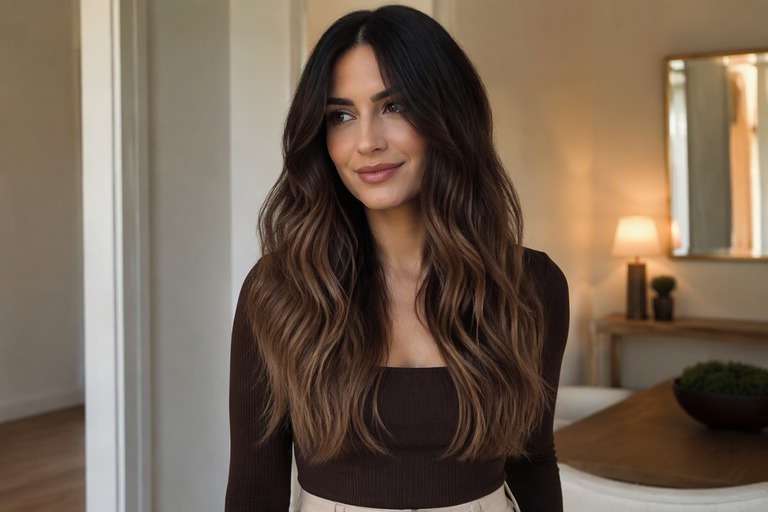
Chocolate Mocha Balayage
Edit my uploaded hair portrait to preview deep chocolate base with cocoa-brown balayage strokes and softly lit ends. Change only hair pigment and intended highlight placement. Keep the identical real person, facial features, eyebrows, skin tone, hairstyle, part, length, texture, pose, outfit, background, camera angle and lighting. Retain believable individual strands, roots, shadows and reflections; do not add makeup, new hair length, logos, text, mirrors or phones. Produce one photorealistic edited still photo rather than a video.
Face-Framing Cafe Mocha
Edit my uploaded hair portrait to preview two fine lighter mocha front pieces with darker root shadow and understated interior highlights. Change only hair pigment and intended highlight placement. Keep the identical real person, facial features, eyebrows, skin tone, hairstyle, part, length, texture, pose, outfit, background, camera angle and lighting. Retain believable individual strands, roots, shadows and reflections; do not add makeup, new hair length, logos, text, mirrors or phones. Produce one photorealistic edited still photo rather than a video.
Subtle Brunette Lift
Edit my uploaded hair portrait to preview dark brown hair with barely one-to-two-tone lighter coffee swirls through the lengths. Change only hair pigment and intended highlight placement. Keep the identical real person, facial features, eyebrows, skin tone, hairstyle, part, length, texture, pose, outfit, background, camera angle and lighting. Retain believable individual strands, roots, shadows and reflections; do not add makeup, new hair length, logos, text, mirrors or phones. Produce one photorealistic edited still photo rather than a video.
Warm Mocha Ribbon
Edit my uploaded hair portrait to preview neutral brunette base with soft warm mocha painted ribbons, no gold-blonde streaks. Change only hair pigment and intended highlight placement. Keep the identical real person, facial features, eyebrows, skin tone, hairstyle, part, length, texture, pose, outfit, background, camera angle and lighting. Retain believable individual strands, roots, shadows and reflections; do not add makeup, new hair length, logos, text, mirrors or phones. Produce one photorealistic edited still photo rather than a video.
Cool Mocha Dimension
Edit my uploaded hair portrait to preview cool taupe mocha ribbons with deep neutral roots and smoky brunette ends. Change only hair pigment and intended highlight placement. Keep the identical real person, facial features, eyebrows, skin tone, hairstyle, part, length, texture, pose, outfit, background, camera angle and lighting. Retain believable individual strands, roots, shadows and reflections; do not add makeup, new hair length, logos, text, mirrors or phones. Produce one photorealistic edited still photo rather than a video.
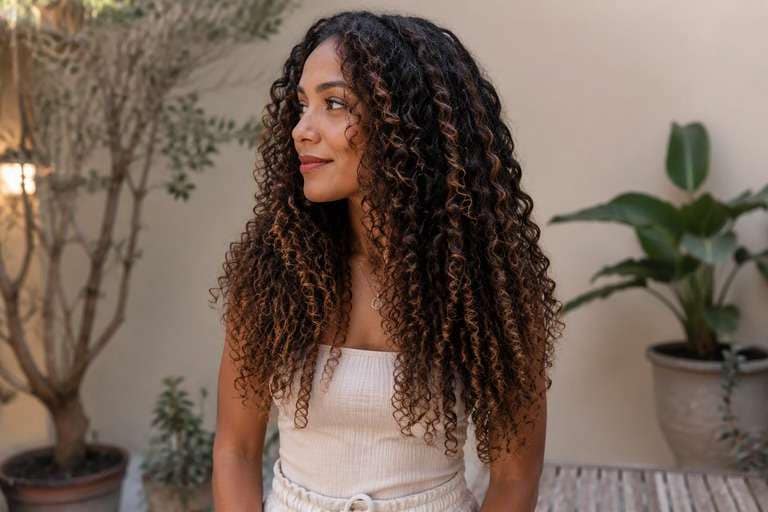
Curly Mocha Balayage
Edit my uploaded hair portrait to preview defined dark curls with mocha coloring painted along outer curls, maintaining the original curl pattern. Change only hair pigment and intended highlight placement. Keep the identical real person, facial features, eyebrows, skin tone, hairstyle, part, length, texture, pose, outfit, background, camera angle and lighting. Retain believable individual strands, roots, shadows and reflections; do not add makeup, new hair length, logos, text, mirrors or phones. Produce one photorealistic edited still photo rather than a video.
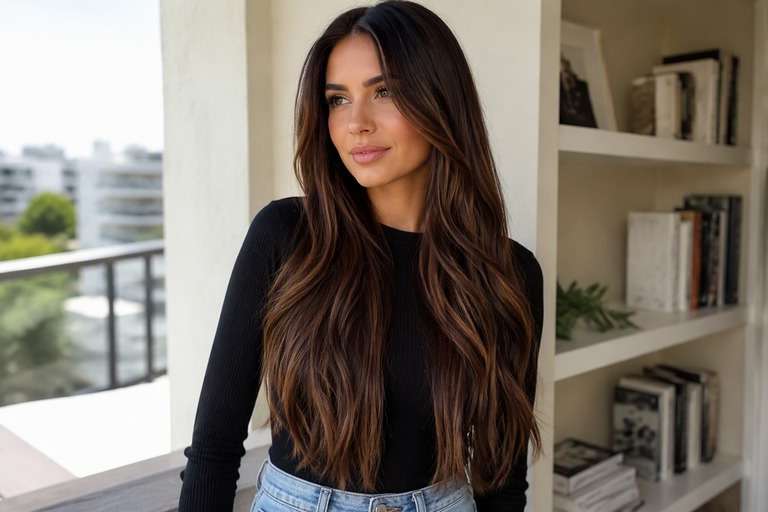
Straight Hair Mocha Sweep
Edit my uploaded hair portrait to preview sleek long brunette hair with carefully separated cocoa balayage strips, starting below the ears. Change only hair pigment and intended highlight placement. Keep the identical real person, facial features, eyebrows, skin tone, hairstyle, part, length, texture, pose, outfit, background, camera angle and lighting. Retain believable individual strands, roots, shadows and reflections; do not add makeup, new hair length, logos, text, mirrors or phones. Produce one photorealistic edited still photo rather than a video.
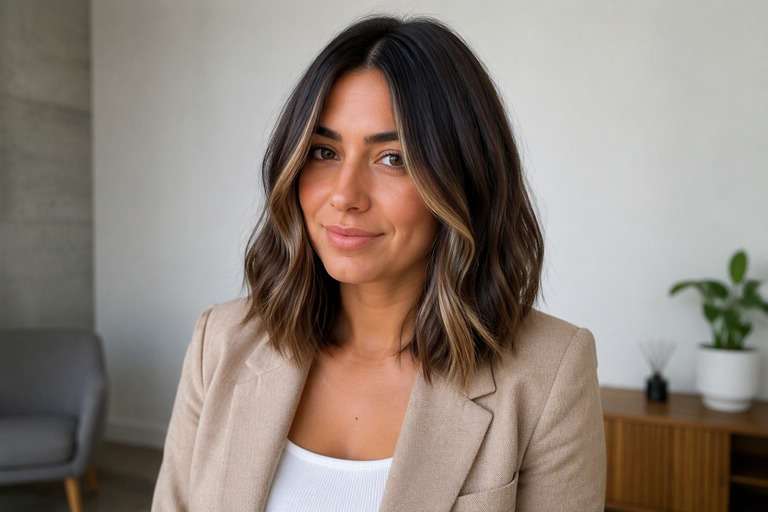
Short Lob Mocha Balayage
Edit my uploaded hair portrait to preview collarbone-length brunette lob with mocha ribbons centered at the front and lower half. Change only hair pigment and intended highlight placement. Keep the identical real person, facial features, eyebrows, skin tone, hairstyle, part, length, texture, pose, outfit, background, camera angle and lighting. Retain believable individual strands, roots, shadows and reflections; do not add makeup, new hair length, logos, text, mirrors or phones. Produce one photorealistic edited still photo rather than a video.
Mocha Ends, Dark Crown
Edit my uploaded hair portrait to preview espresso crown and dark upper mid-lengths fading into cocoa-beige brunette tips. Change only hair pigment and intended highlight placement. Keep the identical real person, facial features, eyebrows, skin tone, hairstyle, part, length, texture, pose, outfit, background, camera angle and lighting. Retain believable individual strands, roots, shadows and reflections; do not add makeup, new hair length, logos, text, mirrors or phones. Produce one photorealistic edited still photo rather than a video.
Mocha Balayage: Choose Color Depth and Placement
Mocha vs Chocolate Brown
Mocha balayage is about selected lighter ribbons on a deeper base, not a full-head chocolate dye. Preview the same haircut with both approaches to see whether you want visible contrast or a nearly uniform brunette finish.
Where Should the Light Pieces Begin?
Ribbons placed near the face brighten the front view; pieces starting at the lower cheek or collarbone sit more quietly. Use your own hair length to see whether high or low placement better supports the shape of your cut.
How Dark Should the Roots Stay?
A deeper root zone gives the preview a more lived-in transition, while highlights close to the scalp make the color more immediately noticeable. These photo choices are useful salon references, not promises about upkeep.
Choose Warm or Cool Coffee Tones
A warm mocha leans slightly caramel; a cool mocha leans more taupe. Preview both under similar lighting so you do not confuse a yellow-tinted source photo with the actual color direction you want.
How to Try Mocha Balayage Hair on a Photo
For balayage, a photograph that shows the hair lengths is more useful than a tightly cropped face selfie.
Step 1
Upload Your Photo
Upload your natural brunette portrait, preferably showing your part, sides and full mid-lengths. Avoid a hat or high-contrast light that hides the ends.
Step 2
Choose a Haircut Filter or Enter a Prompt
Choose an available hair preset or describe mocha balayage in a custom prompt. Specify dark roots, the ribbon placement, and that hair length and texture must remain the same.
Step 3
Click Generate
Click Generate to preview the mocha ribbons. Compare the front pieces, root transition and brightness of the ends using the same uploaded photo.
Mocha Balayage Ideas for Different Brunette Hair Goals
The useful question is not simply whether mocha looks nice, but where the lighter coffee shades belong on your current hair.
A Softer Change for Dark Brunettes
If you like your deep natural roots, begin with a narrow band of mocha color around the middle and ends. This tests whether you can see enough dimension without changing the overall dark-haired impression.
A Specific Reference for a Balayage Appointment
Save two previews: one with higher-placed front highlights and one with lower, warmer ribbons. Ask your stylist which placement fits your length, previous color and natural texture, rather than requesting a vague coffee shade.
Highlight Placement on Curls or Waves
On textured hair, a ribbon can disappear into overlapping curls or appear very bright on the outer layer. Preview color on your own curl pattern and inspect whether the light portions follow the visible strands.
Mocha Balayage Preview Quality Checks
Root Shadow
Root placement check
Do the roots stay darker?: The result should keep a natural deep base with lighter painted areas gradually appearing through the lengths.
Ribbon Placement
Balayage visibility
Can you follow the mocha sections?: A realistic preview shows separated coffee-brown strands rather than a flat filter over the entire head.
Texture Consistency
Hair-shape check
Are the same curls or layers visible?: Do not judge color from an after image that changes the cut or straightens a naturally curly base photo.
Salon Comparison
Reference photo check
Is the contrast described clearly?: Share high versus low ribbons and warm versus cool mocha references; salon feasibility depends on starting hair.
Mocha balayage combines deeper brown roots with hand-painted coffee or cocoa-brown pieces through the lengths. The lightness is placed selectively rather than covering the entire head.
2. How is mocha balayage different from chocolate brown dye?
Chocolate brown can describe one overall shade. Mocha balayage is a placement technique using more than one brunette tone, usually with visible dimension and a gradual transition.
3. Can I try mocha balayage on dark hair?
Yes. A good preview keeps dark roots and places mocha highlights where they can be seen. How much lightening is needed in reality depends on your current color and condition.
4. Does mocha balayage need blonde highlights?
No. A mocha version can stay within brown tones. Specify cocoa or coffee ribbons, and ask the AI to avoid bright golden or platinum streaks if you prefer a softer result.
5. How do I use a mocha balayage hair filter?
Upload a hair photo, enter a prompt describing mocha ribbon placement and root depth, and click Generate. Save comparisons with different highlight heights rather than changing the source photo.
6. Will the AI preview match my salon color exactly?
No. Screen color, lighting, prior coloring and hair texture affect the final dye outcome. Use the image to communicate the tone and placement you like.