Haz clic o arrastra para subir, o elige de Mi HistorialHaga clic para cargarMi Historial
¿Sin ideas? Genera primero una imagen. >
Sube imágenes jpg, jpeg o png de hasta 50 MB, con un ancho/alto mínimo de 300 px.
See How Honey Blonde Hair Looks on You
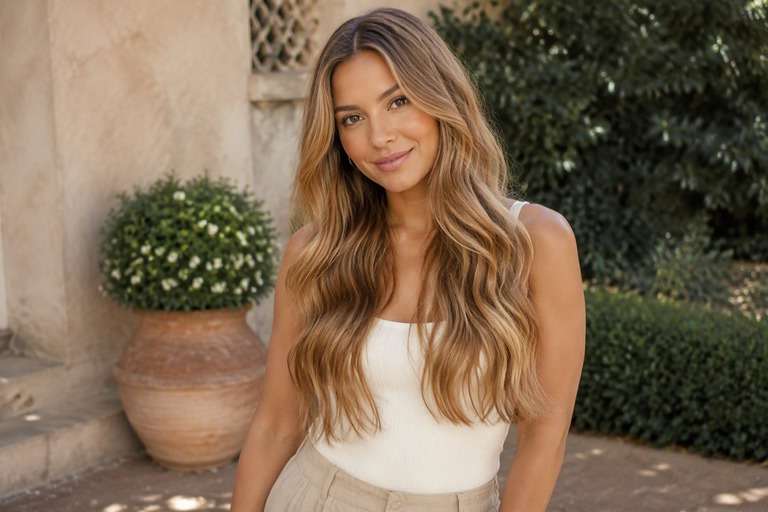
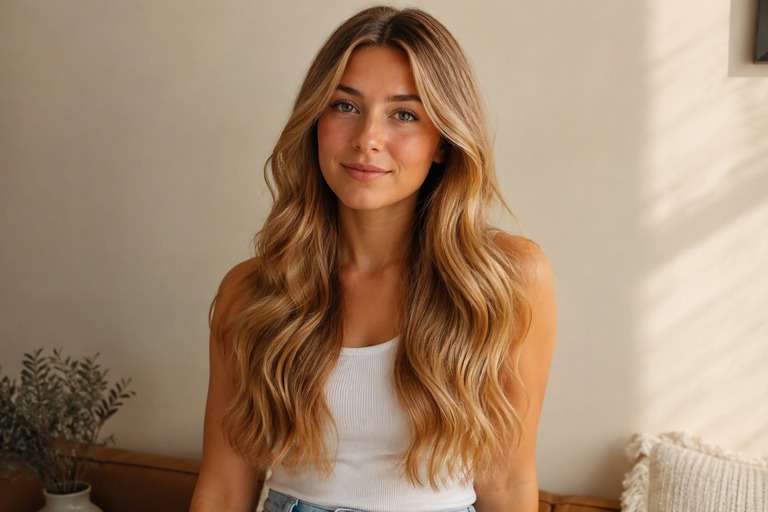
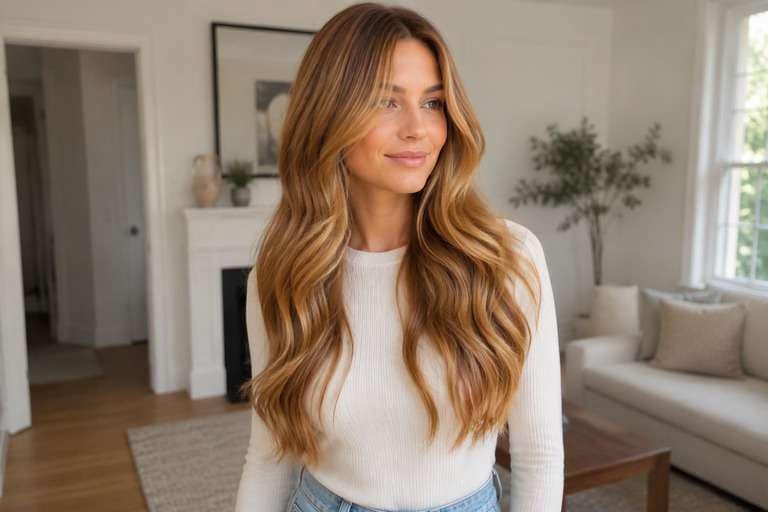
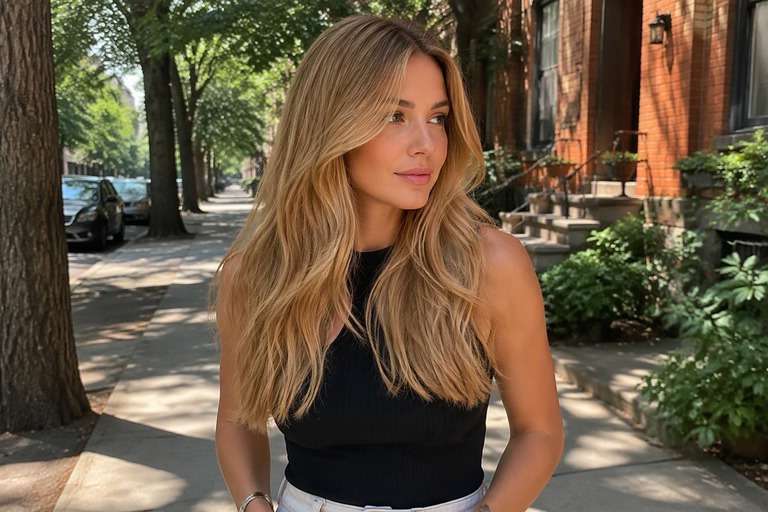
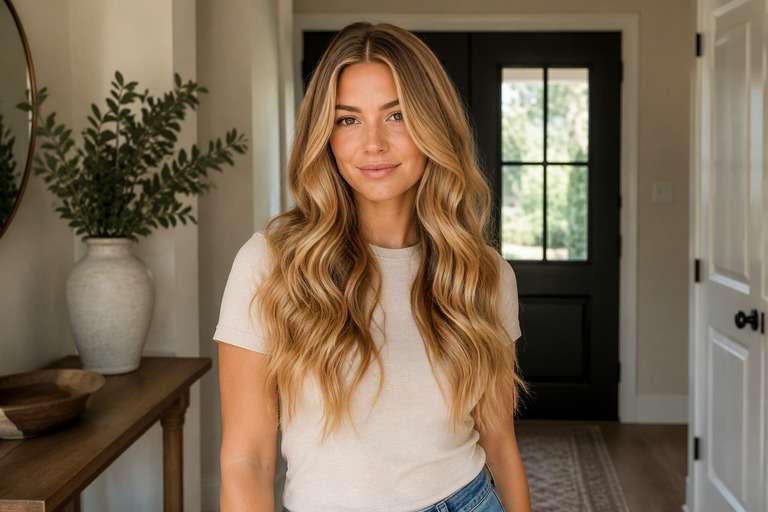
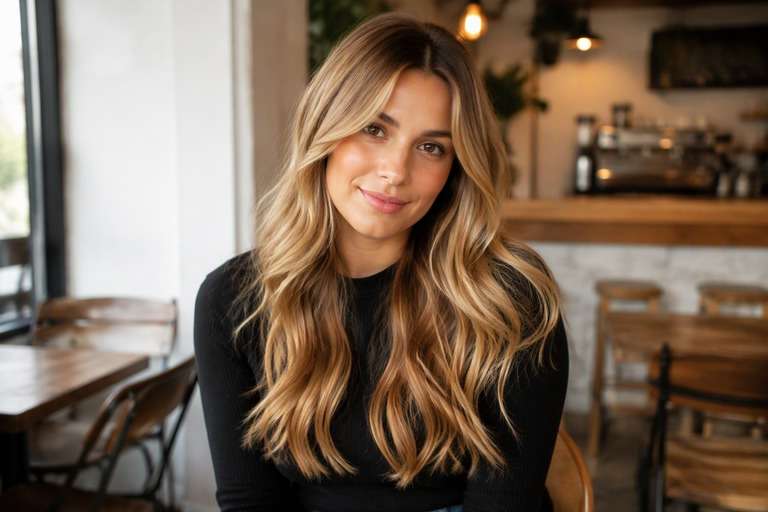
For a warmer blonde that still looks natural in daylight, start by testing honey tones against your own skin. The AI honey blonde hair filter lets you compare amber-gold, soft honey highlights and a richer golden blonde without changing your hairstyle. Keep an eye on your roots and the color near your face: a little warmth can look sunlit, while too much may read yellow in a photo. Pick a version that feels right for your complexion before making a salon color decision.
Natural daylight helps you separate honey-gold from a yellow cast created by indoor bulbs.
Honey Blonde Hair Color Photo Editing Prompts
Choose how much color you want to see, not just a shade name. Soft golden warmth without becoming orange or platinum. The prompts below separate delicate daytime finishes from stronger statement looks. Keep your face, hair length, existing cut and background fixed to compare color alone.
Warm Honey
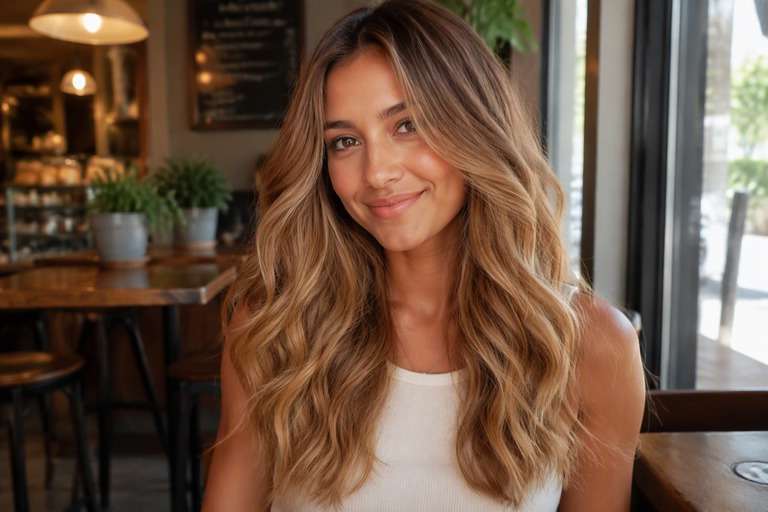
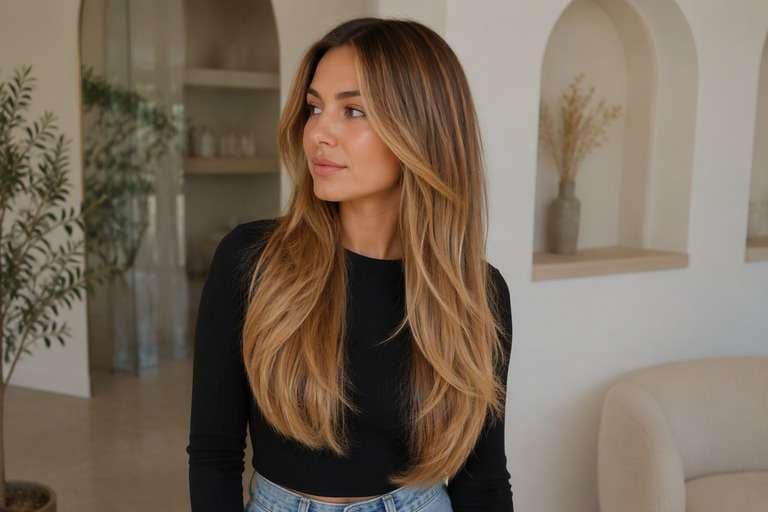
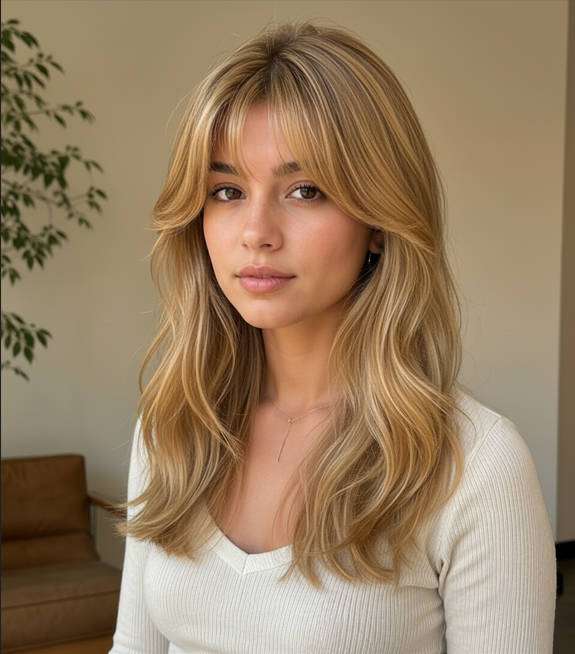
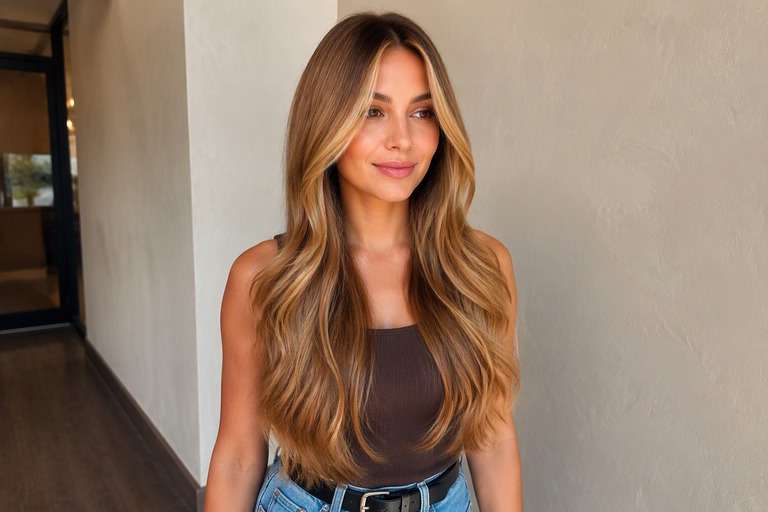
Edit my uploaded portrait to preview warm honey: warm honey blonde with luminous amber-gold pieces. Soft golden warmth without becoming orange or platinum. Keep my exact identity, skin, eyebrow shape, expression, haircut, hair length, pose, clothing, camera angle and background unchanged. Adjust only hair color and realistic color placement; maintain natural individual strands, root shadows and convincing highlights. No new hairstyle, makeup, accessories, text, logos, phones or mirrors. Keep intensity subtle and wearable.
Amber Blonde
Edit my uploaded portrait to preview amber blonde: warm honey blonde with luminous amber-gold pieces. Soft golden warmth without becoming orange or platinum. Keep my exact identity, skin, eyebrow shape, expression, haircut, hair length, pose, clothing, camera angle and background unchanged. Adjust only hair color and realistic color placement; maintain natural individual strands, root shadows and convincing highlights. No new hairstyle, makeup, accessories, text, logos, phones or mirrors. Add medium contrast with blended transitions.
Honey Beige
Edit my uploaded portrait to preview honey beige: warm honey blonde with luminous amber-gold pieces. Soft golden warmth without becoming orange or platinum. Keep my exact identity, skin, eyebrow shape, expression, haircut, hair length, pose, clothing, camera angle and background unchanged. Adjust only hair color and realistic color placement; maintain natural individual strands, root shadows and convincing highlights. No new hairstyle, makeup, accessories, text, logos, phones or mirrors. Make the shade vivid but believable.
Subtle Honey Blonde
Edit my uploaded portrait to preview subtle honey blonde: warm honey blonde with luminous amber-gold pieces. Soft golden warmth without becoming orange or platinum. Keep my exact identity, skin, eyebrow shape, expression, haircut, hair length, pose, clothing, camera angle and background unchanged. Adjust only hair color and realistic color placement; maintain natural individual strands, root shadows and convincing highlights. No new hairstyle, makeup, accessories, text, logos, phones or mirrors. Use softly diffused color rather than hard stripes.
Dimensional Honey Blonde
Edit my uploaded portrait to preview dimensional honey blonde: warm honey blonde with luminous amber-gold pieces. Soft golden warmth without becoming orange or platinum. Keep my exact identity, skin, eyebrow shape, expression, haircut, hair length, pose, clothing, camera angle and background unchanged. Adjust only hair color and realistic color placement; maintain natural individual strands, root shadows and convincing highlights. No new hairstyle, makeup, accessories, text, logos, phones or mirrors. Preserve multi-tonal depth and believable natural shadow.
Face-Framing Honey Blonde
Edit my uploaded portrait to preview face-framing honey blonde: warm honey blonde with luminous amber-gold pieces. Soft golden warmth without becoming orange or platinum. Keep my exact identity, skin, eyebrow shape, expression, haircut, hair length, pose, clothing, camera angle and background unchanged. Adjust only hair color and realistic color placement; maintain natural individual strands, root shadows and convincing highlights. No new hairstyle, makeup, accessories, text, logos, phones or mirrors. Give the front strands a slightly brighter tonal emphasis.
Glossy Honey Blonde
Edit my uploaded portrait to preview glossy honey blonde: warm honey blonde with luminous amber-gold pieces. Soft golden warmth without becoming orange or platinum. Keep my exact identity, skin, eyebrow shape, expression, haircut, hair length, pose, clothing, camera angle and background unchanged. Adjust only hair color and realistic color placement; maintain natural individual strands, root shadows and convincing highlights. No new hairstyle, makeup, accessories, text, logos, phones or mirrors. Favor reflective shine without changing overall exposure.
Natural-Light Honey Blonde
Edit my uploaded portrait to preview natural-light honey blonde: warm honey blonde with luminous amber-gold pieces. Soft golden warmth without becoming orange or platinum. Keep my exact identity, skin, eyebrow shape, expression, haircut, hair length, pose, clothing, camera angle and background unchanged. Adjust only hair color and realistic color placement; maintain natural individual strands, root shadows and convincing highlights. No new hairstyle, makeup, accessories, text, logos, phones or mirrors. Show credible window-light color reflections.
Soft-Root Honey Blonde
Edit my uploaded portrait to preview soft-root honey blonde: warm honey blonde with luminous amber-gold pieces. Soft golden warmth without becoming orange or platinum. Keep my exact identity, skin, eyebrow shape, expression, haircut, hair length, pose, clothing, camera angle and background unchanged. Adjust only hair color and realistic color placement; maintain natural individual strands, root shadows and convincing highlights. No new hairstyle, makeup, accessories, text, logos, phones or mirrors. Keep natural root depth and smooth transition.
Bold Honey Blonde
Edit my uploaded portrait to preview bold honey blonde: warm honey blonde with luminous amber-gold pieces. Soft golden warmth without becoming orange or platinum. Keep my exact identity, skin, eyebrow shape, expression, haircut, hair length, pose, clothing, camera angle and background unchanged. Adjust only hair color and realistic color placement; maintain natural individual strands, root shadows and convincing highlights. No new hairstyle, makeup, accessories, text, logos, phones or mirrors. Make the target shade immediately legible at a glance.
Choose Golden Honey Blonde Hair Without Brassy Tones
Golden, Not Brassy
Honey is warm, but it should not look like a uniform yellow overlay. Test a shade with amber-gold highlights and soft lowlights so the hair keeps visible depth.
Decide How Light to Go
Try light honey blonde and deeper honey-bronde versions. This helps distinguish the softness of the warmth from a bigger change in overall hair brightness. Look at the front sections first; even a small lift there can make the whole color seem much brighter.
Keep a Root Shadow
A slightly darker root can give honey-blonde lengths more dimension. Preserve your natural part and growth line in the image rather than turning every strand the same pale gold.
See the Color Near Your Face
Honey shades can change the apparent warmth around cheeks and forehead. Compare a face-framing version against a full-head finish while keeping the actual skin color untouched.
How to Try Honey Blonde Hair Color Online
Test how golden you want the final look, from a few sunny pieces to warmer blonde lengths.
Step 1
Upload Your Photo
Upload a clear front or three-quarter hair photo with the roots and color area visible. Use even light and keep your face, cut and background unfiltered.
Step 2
Choose a Haircut Filter or Enter a Prompt
Choose a suitable hair color preset if available or describe the target color and placement in a prompt. Keep the original haircut and facial features unchanged.
Step 3
Click Generate
Click Generate. Check the color only against your original image, then refine its tone or placement if the first preview is too strong or too subtle.
Honey Blonde Hair Ideas for a Warmer Everyday Look
Whether you want a little glow or a full change, use the preview to narrow down a specific request.
Softening a Dark Blonde Base
Start with scattered amber highlights if you already have dark blonde hair. A gentle preview may show that you prefer added dimension over a completely different base color.
Choosing a Sunlit Portrait Look
For graduation, travel or profile photos, test a warm blonde under the same lighting you plan to use. Keep makeup and camera settings unchanged so the color reads naturally.
Explaining the Shade to Your Stylist
Share two references that differ in gold intensity, not merely one bright example. Ask which warmth and lightness level would work with your current color and maintenance preferences.
Check the Warmth in Your Honey Blonde Hair Preview
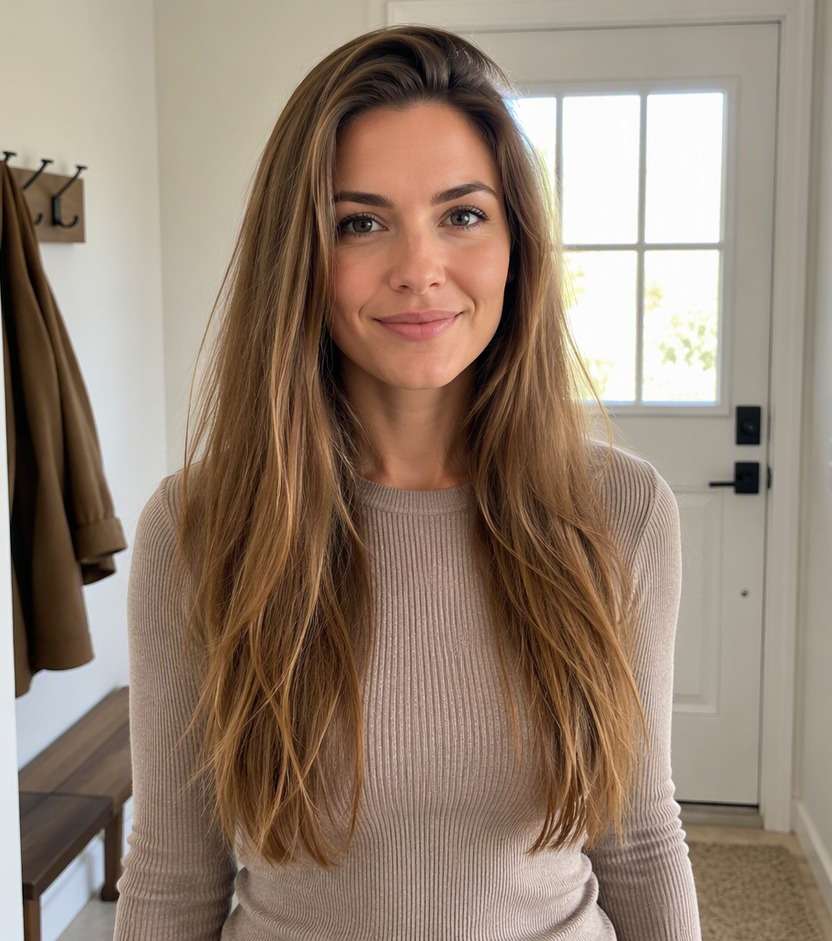
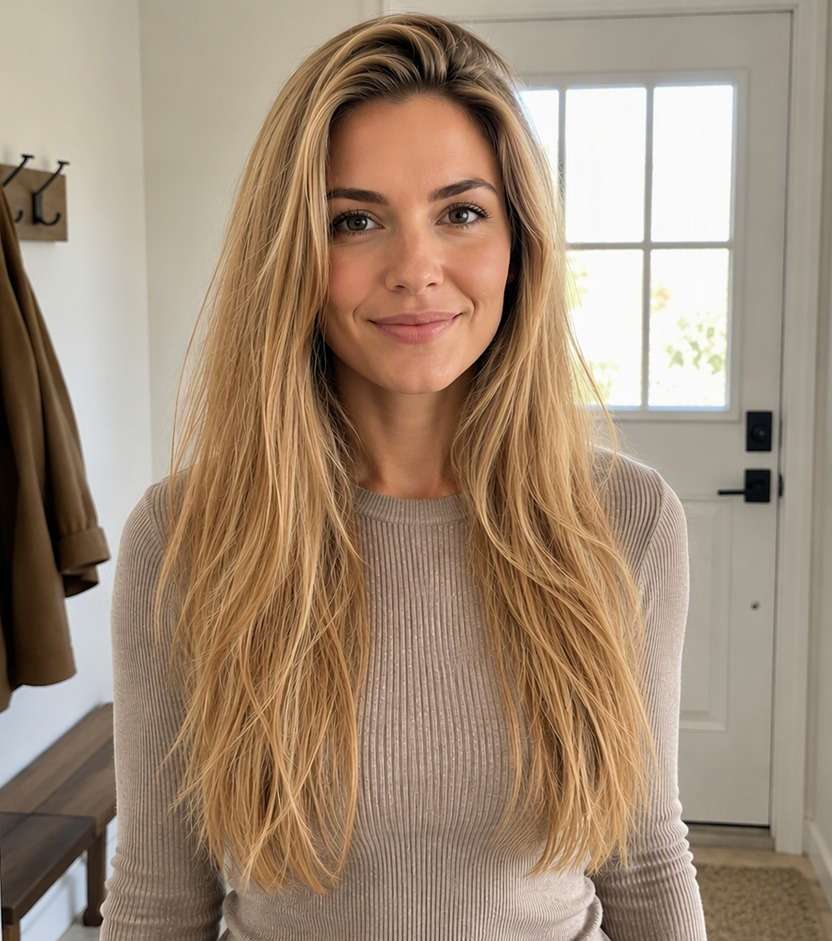
Visible Color Change
Image review checklist
"Does the color match the idea?" The before must show cool dark blonde or light brown with little golden reflection. The after should show warm honey blonde with luminous amber-gold pieces. Reject an edit that only increases overall photo warmth.
Same Face and Hairstyle
Image review checklist
"Did the edit preserve your features?" Compare face shape, hair length, haircut, background and clothing. A useful virtual color test leaves these unchanged.
Placement and Strands
Image review checklist
"Does color follow real strands?" Look for soft golden warmth without becoming orange or platinum. Check that color follows actual strands and is not painted onto skin or the background.
Real-World Expectations
Image review checklist
"Is this a reference, not a promise?" Use this image to discuss your preferred appearance. Real coloring depends on your starting color, treatment history and the technique chosen by your stylist.
Honey blonde is generally a warm blonde with gold or amber reflections. If the result appears ashy or gray, describe a softer golden undertone and keep the root shadow natural.
2. Can I preview honey blonde on brown hair?
Yes. The image can show how the style would look with golden lightness, but it does not calculate the actual lift or coloring steps needed for your starting brunette shade.
3. What is the difference between honey blonde and caramel?
Honey blonde typically reads lighter and more blonde overall; caramel often describes warm golden-brown tones or highlights over a darker base. Try both when deciding how much brunette to keep.
4. How do I stop the preview from looking yellow?
Ask for dimensional amber-gold with natural shadows, not flat yellow saturation. Start from a neutrally lit photo because warm lamps can also distort the comparison.
5. How do I use Media.io for honey blonde hair?
Upload your portrait, choose a related color setting if available or enter a honey-blonde description, and click Generate. Compare a subtle version and a brighter version on the same original.
6. Does the edited shade predict real salon results?
No. AI produces a visual reference. Hair history, porosity, previous treatments and the color process may change the shade you can achieve and maintain.