Bild zu Bild
Nano Banana Pro
Bild hochladen
0 / 9
Klicken oder ziehen, um hochzuladen, oder wählen Sie aus Meine Historie
Keine Ideen? Erstellen Sie zuerst ein Bild. >
Unterstützte Upload-Formate: jpg, png, jpeg.
Tipps
0/2000
Seitenverhältnis
Auto
9:16
16:9
1:1
4:3
3:4
3:2
2:3
21:9
Auflösung
1K
2K
4K
Banana Pro Unbegrenzter Modus
Anzahl der Bilder
1
2
3
4
Öffentliche Sichtbarkeit
Alle
Bild
Video
Audio
Liste generieren
Die generierten Ergebnisse werden 7 Tage lang aufbewahrt. Bitte speichern Sie sie rechtzeitig.
ai_video_generatorEntfalten Sie Ihr kreatives Potenzial und erleben Sie jetzt die Magie der Media-KI!

Measure Face Width from Any Photo in Seconds

Upload a selfie and instantly measure face width from a photo with clear visual guides. See your proportions, understand your face shape, and get styling insights in a few clicks. No apps or special gear needed—just your browser on mobile or desktop.

Measure My Face Width Now

Type your idea -> AI designs it. Free to try.

Explore our curated collection of measure face width from photo styles.

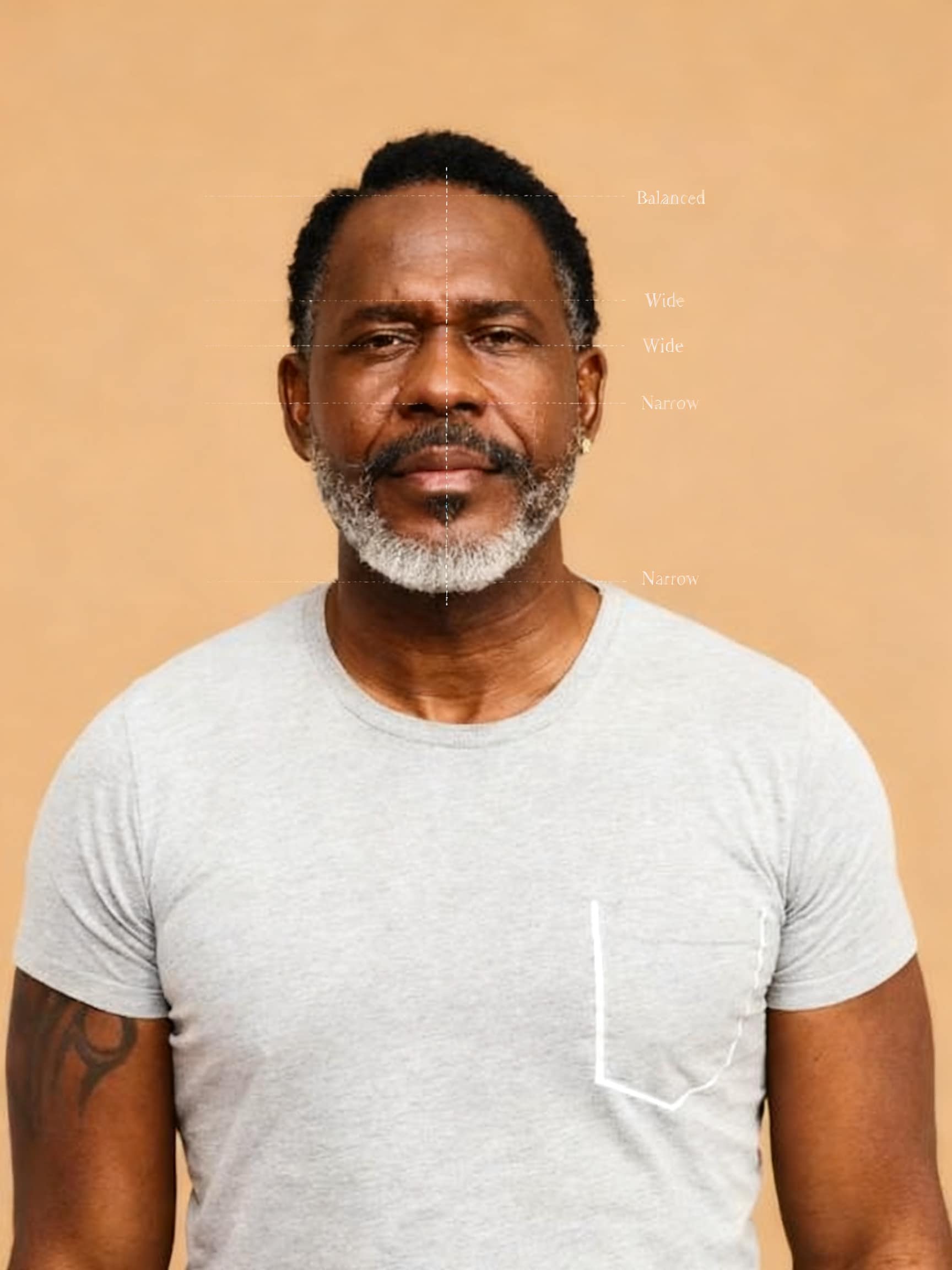
Clean Measurement Overlay

Clean Measurement Overlay

Analyze the face width of the person in the uploaded photo. Measure the cheekbone width and overall face height, and calculate the width-to-height ratio. Add clean and minimal measurement lines across the cheekbones and vertically from forehead to chin. Keep the overlay subtle, with thin lines and small labels only. Preserve the original image quality and avoid clutter. Display a clear ratio and a simple result such as "Balanced", "Wide", or "Narrow".

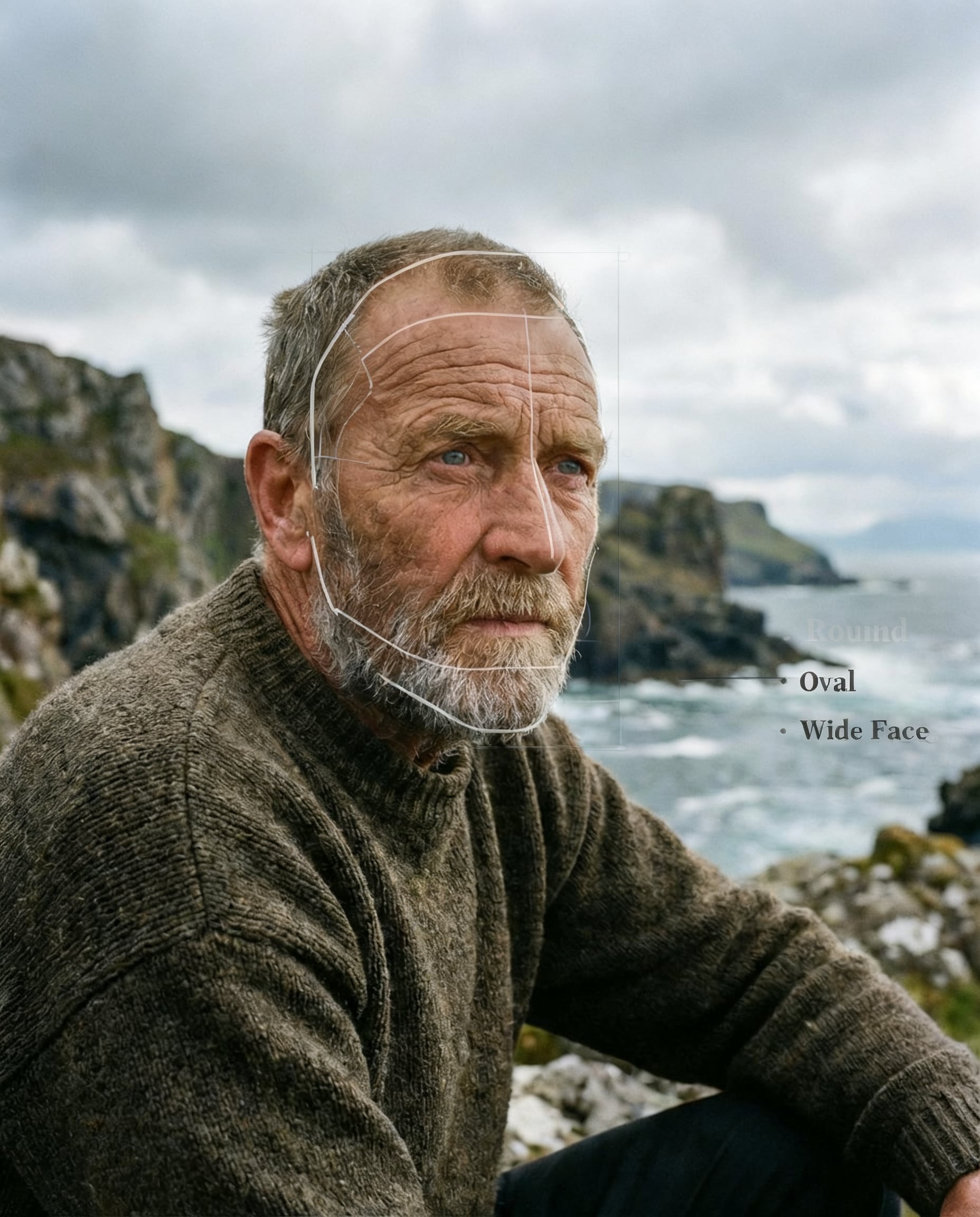
Face Shape Diagram

Face Shape Diagram

Create a face width analysis with a simple face shape diagram overlay. Identify key landmarks such as cheekbones, jawline, and forehead, and outline the general face structure. Use soft lines to illustrate the face shape and indicate width proportions. Keep the diagram minimal and clean, without overwhelming the original image. Include a width ratio and a short classification like "Oval", "Round", or "Wide Face".

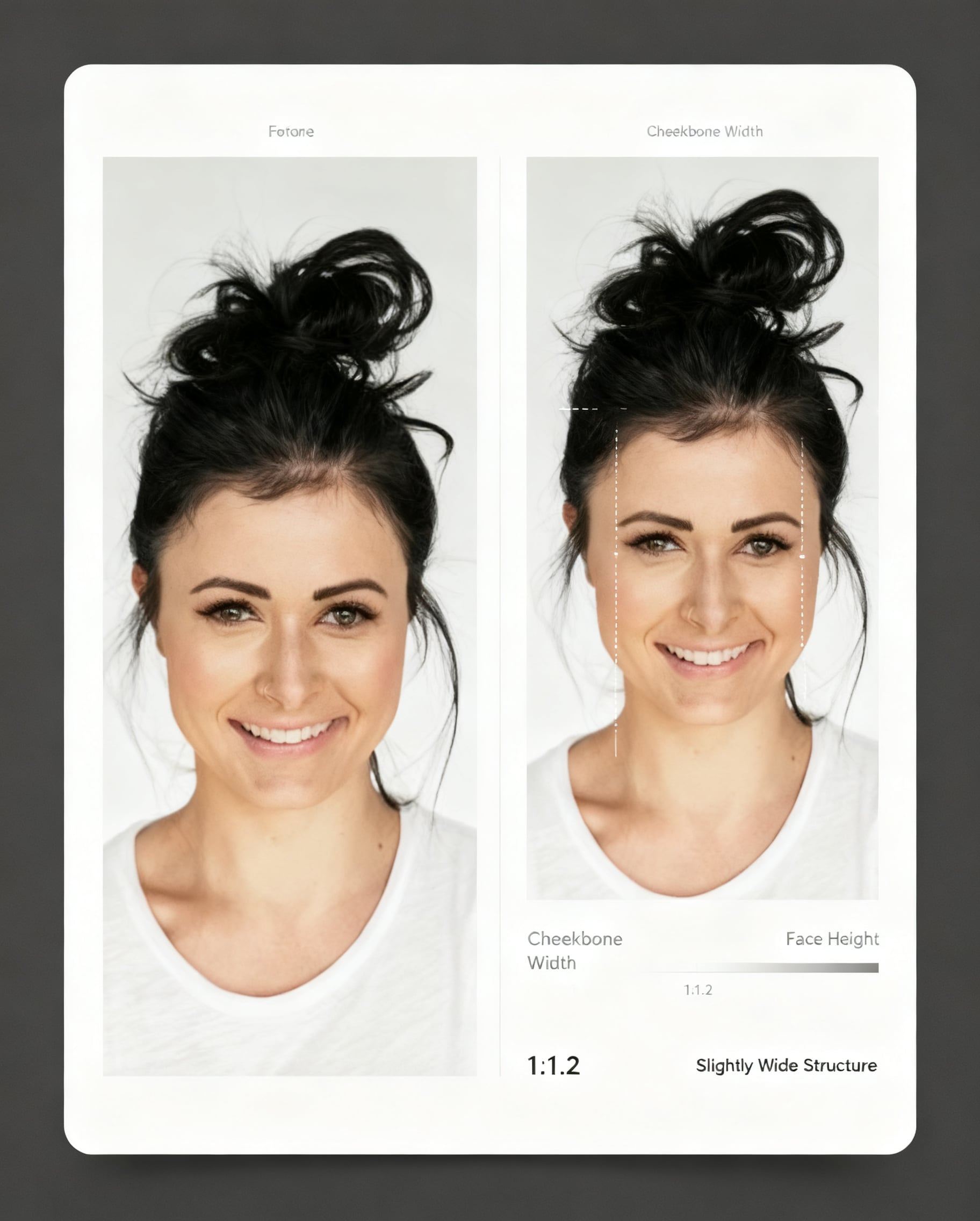
Before/After Analysis Card

Before/After Analysis Card

Generate a before-and-after style comparison card based on face width analysis of the person in the photo. Show the original image alongside a subtly annotated version highlighting cheekbone width and face height. Use minimal lines and clean labels to indicate measurements. Present the width ratio and a short insight explaining the facial proportion, such as "More Balanced Appearance" or "Slightly Wide Structure". Keep the layout clean and visually organized.

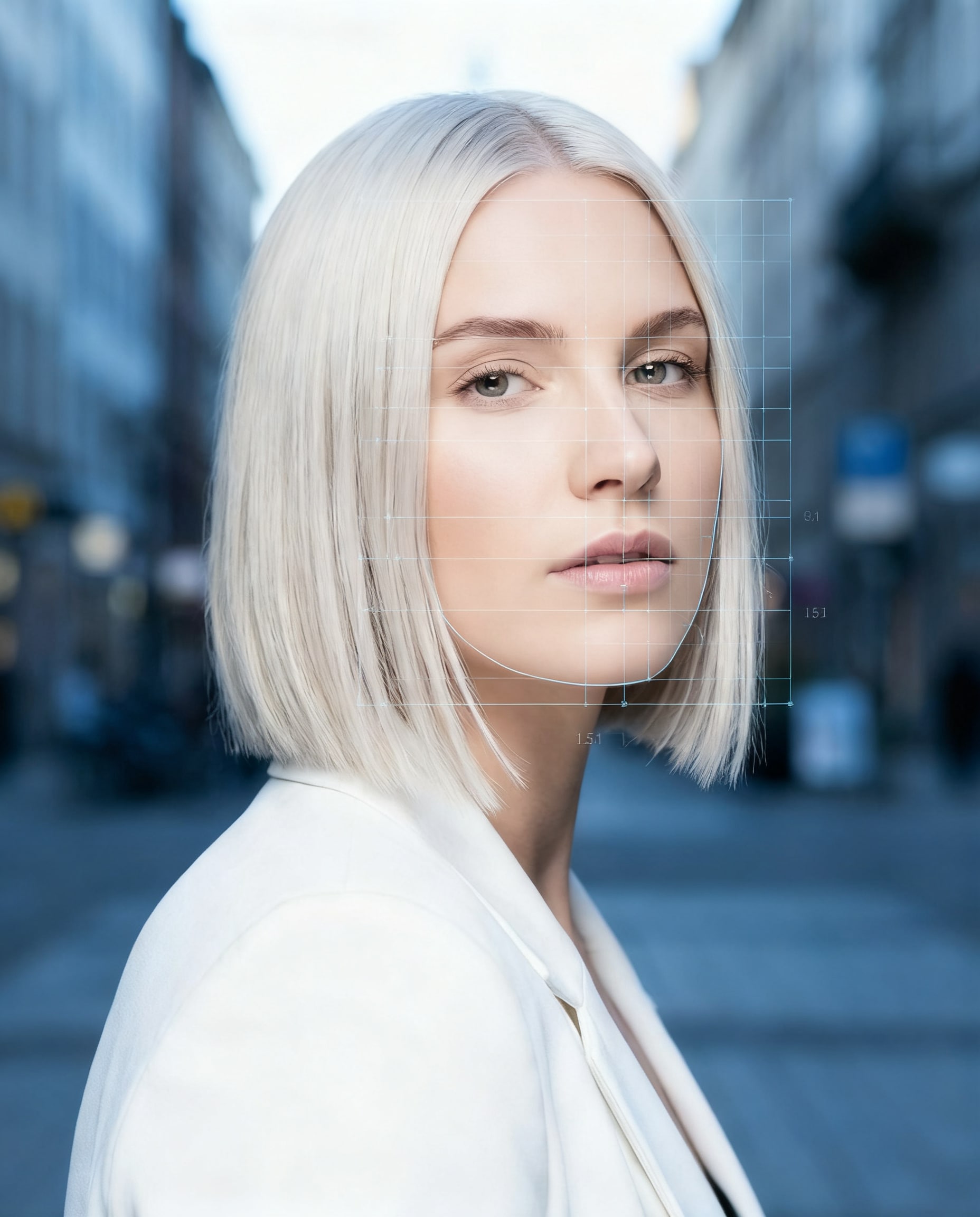
Technical Grid Overlay

Technical Grid Overlay

Perform a face width test using a technical grid overlay. Apply a light, semi-transparent grid across the face to analyze proportions and alignment. Mark the cheekbone width and face height using precise but minimal indicators. Keep the grid subtle and not distracting, ensuring the original image remains clearly visible. Output a width ratio along with a concise technical-style summary.

Face Stats Card

Face Stats Card

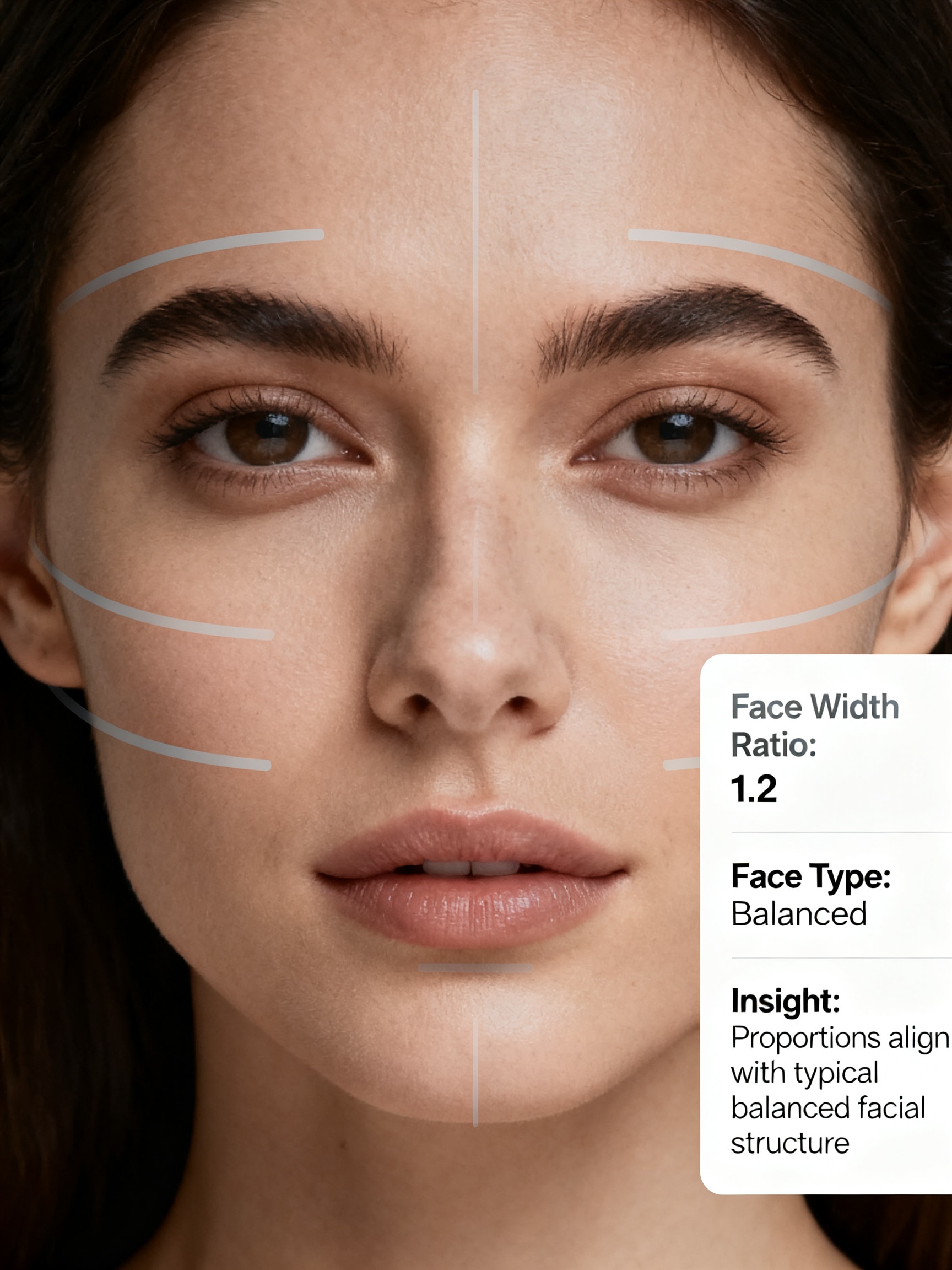
Analyze the face width and present the result as a clean face stats card. Measure cheekbone width and face height, and calculate the ratio. Keep the image mostly unaltered with only minimal markers if needed. Display structured information such as: Face Width Ratio, Face Type (Balanced / Wide / Narrow), and a short insight about facial proportions. Ensure the layout feels modern, clean, and easy to read.

Why Use Media.io to Measure Face Width from a Photo?

Instant Visual Face Width Guides

Upload a single selfie and see your face width visualized with clear overlay lines and values. Media.io turns a simple photo into an easy-to-read measurement layout, so you instantly understand your proportions and face shape without manual calculations.

Works in Any Browser, on Any Device

Media.io runs entirely in your browser, so you can measure face width from photos on Windows, Mac, iOS, or Android. No app installs or special hardware—just open the tool, upload a picture, and get your analysis in seconds.

Face Shape & Proportion Insights

Beyond raw width numbers, Media.io can help you understand overall face shape and proportions, so you can make smarter choices for haircuts, glasses, and makeup placement based on how wide or narrow your face appears in photos.

Privacy‑Conscious Photo Handling

Your uploaded selfies and headshots are processed securely and automatically deleted from our servers after 7 days. Use Media.io’s face width measurement confidently, knowing your images won’t sit around indefinitely.

How to Take a Face Width Test from a Photo

01

Step 1: Upload a Clear Front-Facing Photo

Upload a clear portrait to begin your face width test. Front-facing photos with good lighting help the AI measure face width from photo results more accurately.

02

Step 2: Let the AI Analyze Your Face Width

Our face width analyzer examines facial proportions, horizontal balance, and visible width across key landmarks. It helps determine whether you have a wide face or narrow face using fast, photo-based analysis.

03

Step 3: View, Compare & Share Your Result

Instantly see your result with a clear visual report. Use the face width detector insights to understand your face shape better, then download or share your analysis in seconds.

Unlock the Potential of Face Width Detector

Discover how creators and professionals are using our AI-powered Wide Face Detector to transform their creative workflows and bring unique ideas to life.

Polish Profile Photos With Subtle Face Slimming

Use the AI wide face detector to gently reduce face width and refine your jawline for resumes, LinkedIn, and portfolio sites. Maintain a true-to-life appearance while correcting unflattering camera angles and lens distortion in just a few clicks.

Create Flattering Social Media Selfies & Glow-Ups

Turn everyday selfies into polished glow-up shots. Detect a wide face, apply light slimming, enhance lighting, and export high-res images that look natural in TikTok videos, Instagram reels, and profile pictures without obvious filter artifacts.

Test Styling Ideas for Wide Faces Before Posting

Combine wide-face detection with hairstyle, eyeglass, and makeup-style prompts to preview what flatters your face shape. Generate multiple variations at once, then choose the best look to share across your social channels or dating profiles.

What Creators Say About Media.io’s Face Tools

user
Lauren M.

Content creator & beauty blogger

star star star star star

"Great for natural-looking wide-face edits." I use the face width detector to tidy up selfies for my tutorials. It detects when my face looks extra wide from camera angles and fixes it just enough without changing how I actually look. The before–after exports are super clean.

user
Amir K.

Recruiter using online headshots

star star star star star

"Easy way to refine candidate and personal headshots." Media.io’s image-to-image editor lets me quickly refine my own headshot and advise candidates too. The AI keeps proportions realistic while correcting lens exaggeration on wide faces. Browser-based and fast, which is exactly what I need.

user
Sofia R.

Freelance photographer

star star star star star

"Reliable AI assistant for portrait retouching." I run test portraits through the wide face or narrow face detection and slimming tool when clients are self-conscious about cheek width. It gives subtle options I can show them, and the 4K exports fit right into my editing workflow.

user
Daniel P.

Social media manager

star star star star star

"Perfect for fast glow-up content." The AI face width test plus slimming prompts help my team produce quick glow-up thumbnails and reels previews. Being able to batch a few variations per image saves a lot of time across campaigns.

Face Width Detector FAQs

1. How does the wide face detector work with my uploaded photos?

When you upload a selfie or headshot, Media.io’s AI models (such as Nano Banana Pro and Media 2.0) analyze facial landmarks like cheekbone width and jawline to understand your face shape. The tool then applies image-to-image adjustments to refine a wide face while preserving your natural features and overall identity. Media.io is a web-based tool that works on any device with a browser (Windows, Mac, iOS, Android).

Yes. After detecting your face shape, the AI can gently slim the lower face, adjust jawline contours, and balance proportions. Because it uses image-to-image generation, the edits look smooth and natural when you use a clear, well-lit source photo—ideal for making your face look subtly slimmer in profile pictures and portraits. This helps you create wide face detector results more consistently.

Media.io offers a free tier that includes daily credits you can use for wide face detection and subtle slimming edits. Free users may have limited runs and watermarks on downloads. For more credits, higher limits, and watermark-free results, you can upgrade on the pricing page. Free users get 3 credits per day. For more, users can subscribe to a plan on the pricing page.

Uploaded images are processed on Media.io’s servers and are automatically deleted after 7 days to help protect your privacy. Your photos are used only to provide the AI detection and editing service and are not shared publicly. You remain in control and can remove outputs from your account at any time. Uploaded images are automatically deleted from our servers after 7 days to ensure user privacy.

For precise wide-face detection and clean slimming results, use a sharp, front-facing photo where your whole face is visible, well-lit, and not heavily filtered. Higher-resolution JPG, PNG, or JPEG files work best. Media.io can output 1K, 2K, or 4K images, so starting from a clear original gives the most natural-looking edits. Free users may have watermarks. Paid subscribers can download watermark-free high-resolution images. This helps you create wide face detector results more consistently. Upgrade to a paid plan on the pricing page for more credits and watermark-free high-resolution downloads.

Yes. Media.io is a web-based tool that runs in any modern browser, so you can use the wide face detector on Windows, Mac, iOS, and Android. Just open the site on your phone, upload a selfie from your gallery, and run the same AI face-shape analysis and slimming workflow as on desktop. Media.io is a web-based tool that works on any device with a browser (Windows, Mac, iOS, Android).

Media.io Online AI Tools Quality Rating:
vote 4.7 (162,357 Votes)