Deine Werke werden nur 7 Tage lang gespeichert. Assets, die nach dem Upgrade auf einen Mitgliedschaftstarif erstellt werden, werden dauerhaft gespeichert.
Entfalten Sie Ihr kreatives Potenzial und erleben Sie jetzt die Magie der Media-KI!
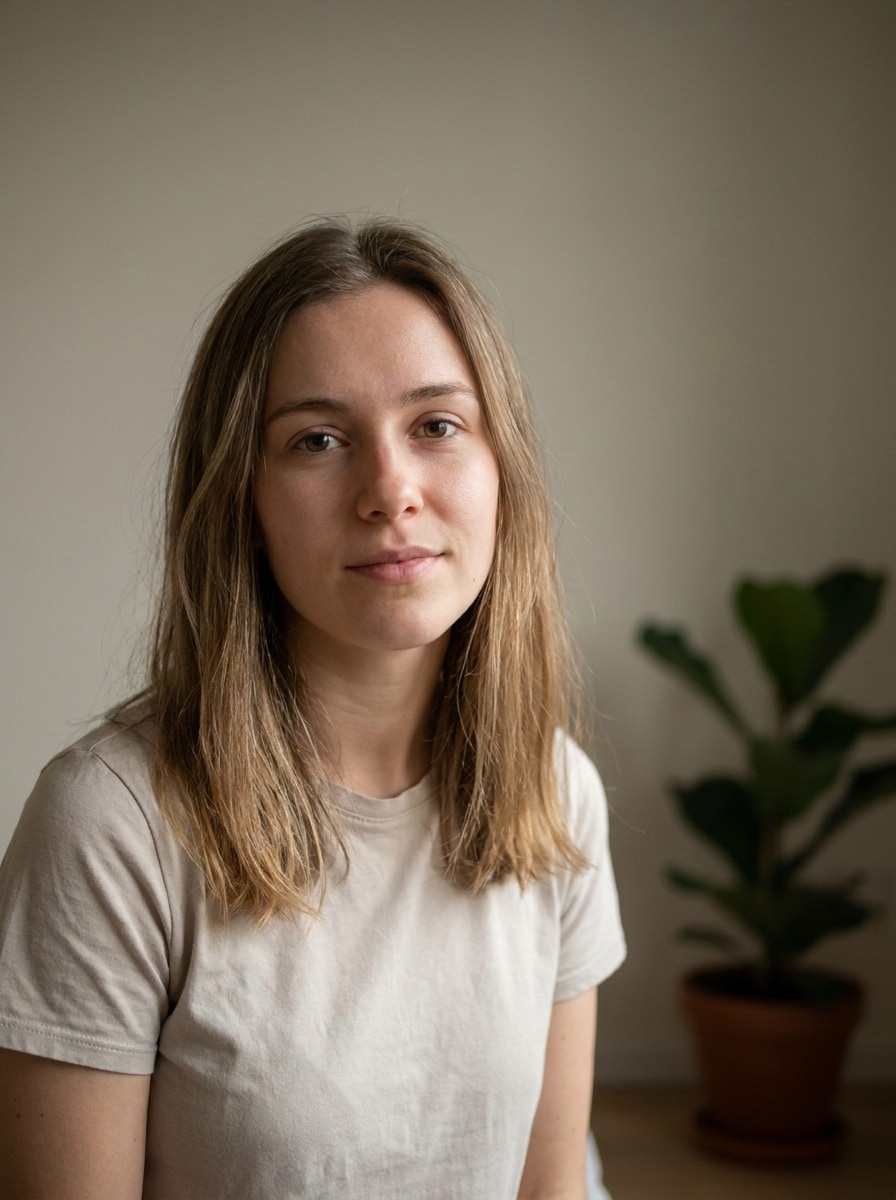
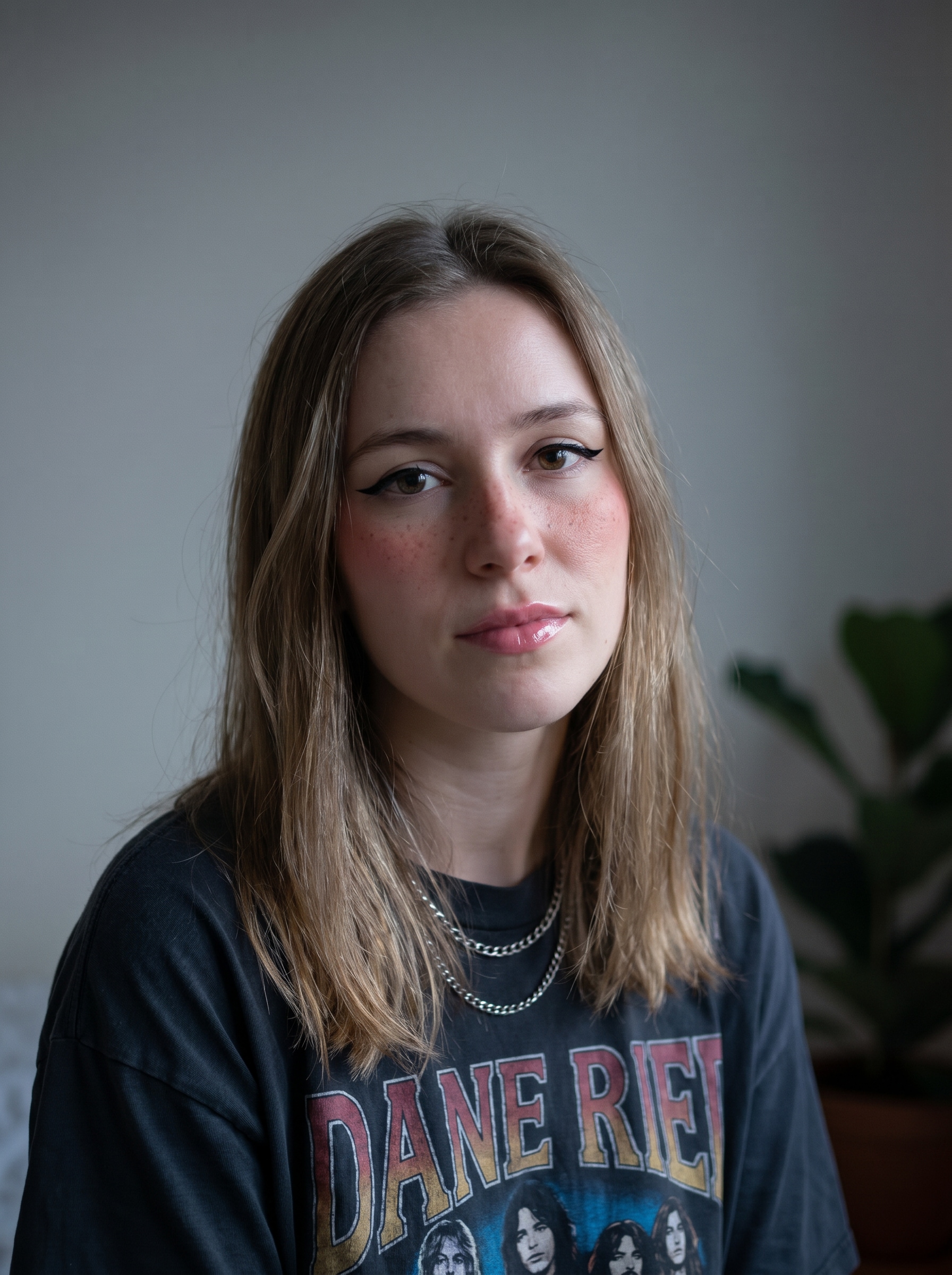
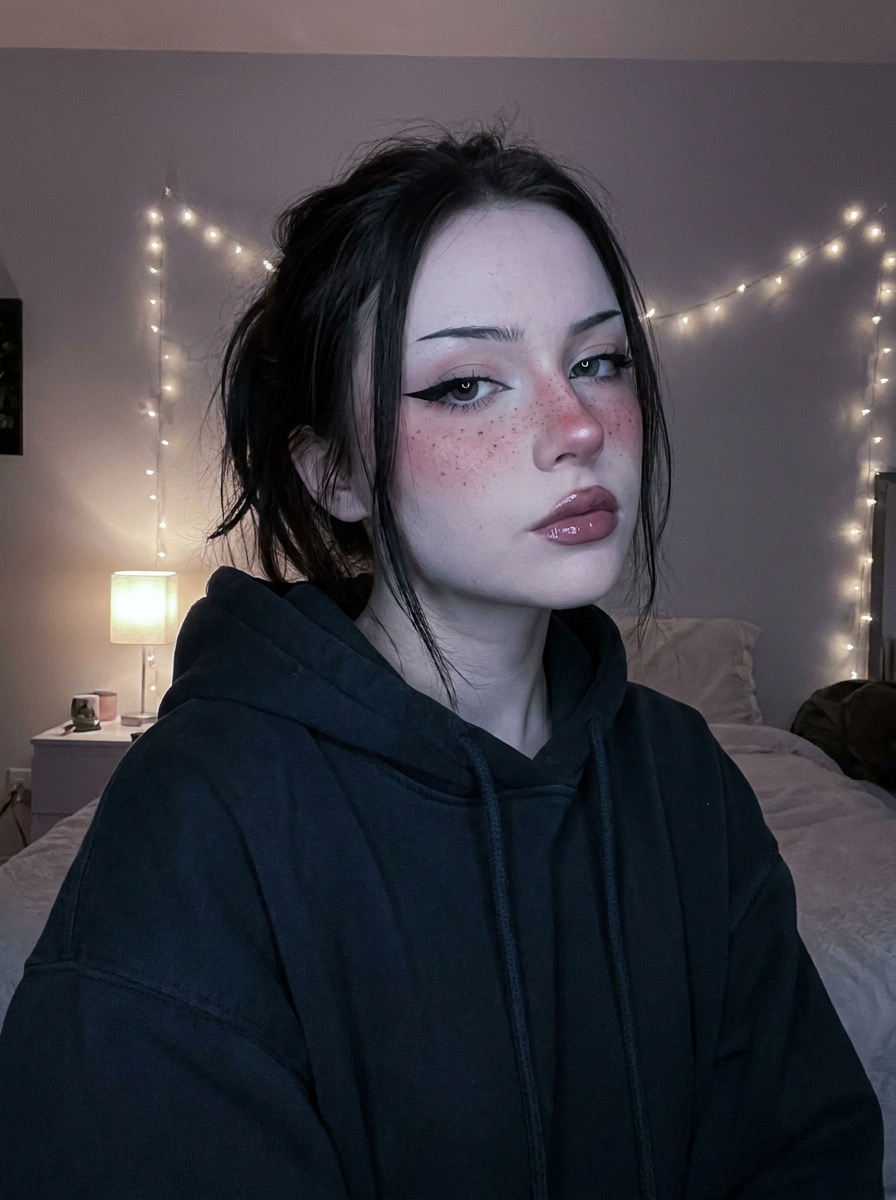
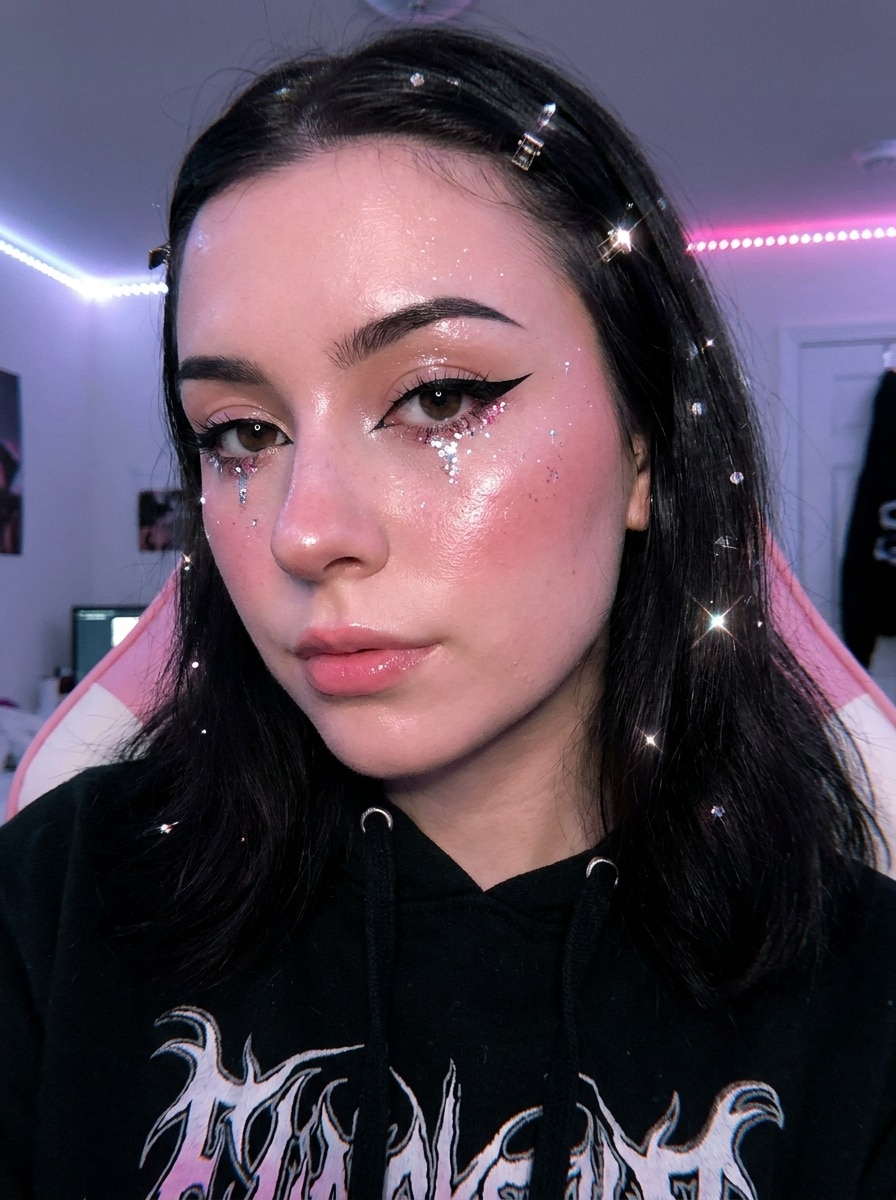
Erstelle in Sekunden einen Egirl-Filter-Look aus deinem Foto
Verwandle jedes Selfie in ein stilisiertes Egirl-Filter-Porträt mit KI-Bild-zu-Bild-Bearbeitung. Lade ein klares Foto hoch, wende Glitzer-, Soft-Grunge-, Pastell- oder Alt-Girl-Filter-Ästhetik an und erhalte schnell hochauflösende Ergebnisse für Avatare, Profilbilder und Social-Media-Beiträge.
Gib deine Idee ein -> KI gestaltet sie. Kostenlos ausprobieren.
Sieh dir diese Beispiel-Anweisungen an und passe dann die Prompt-Details an, um bessere Ergebnisse mit diesem Egirl-Filter zu erzielen.
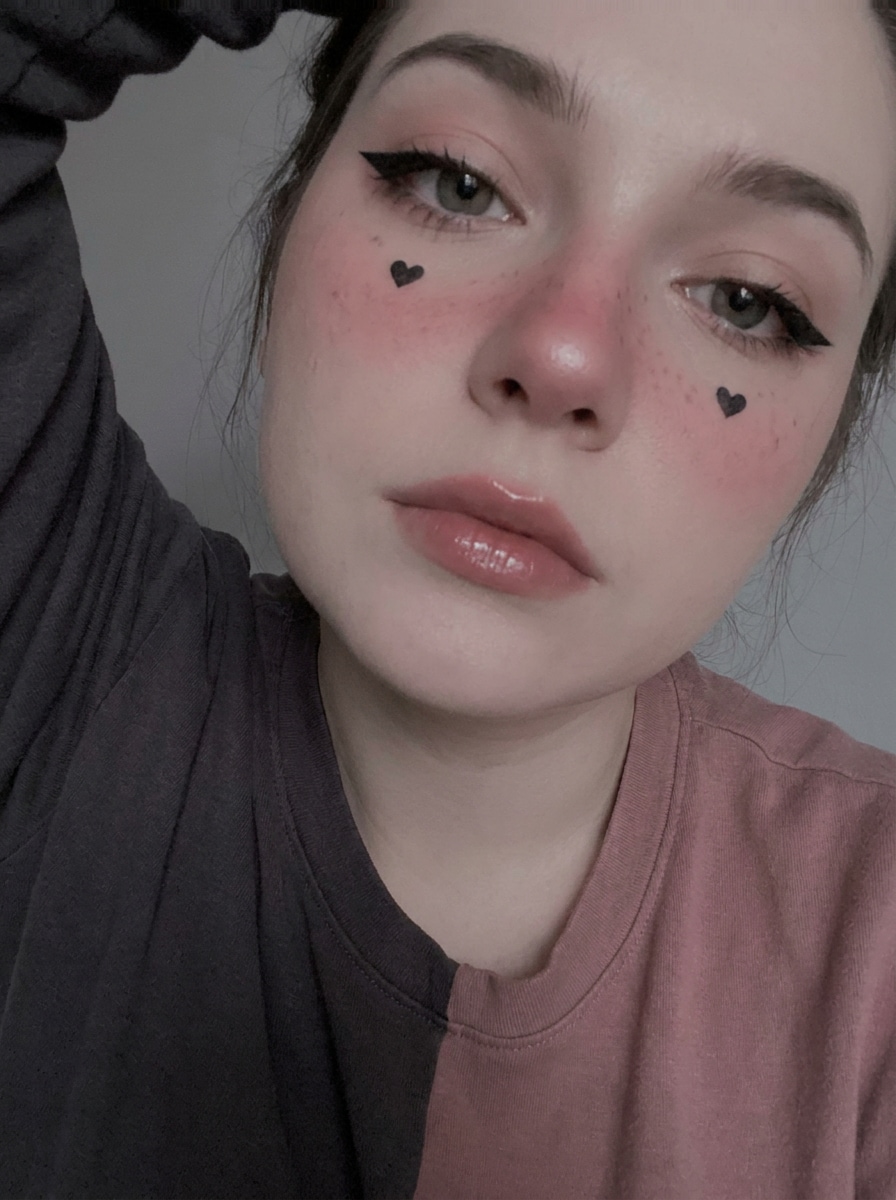
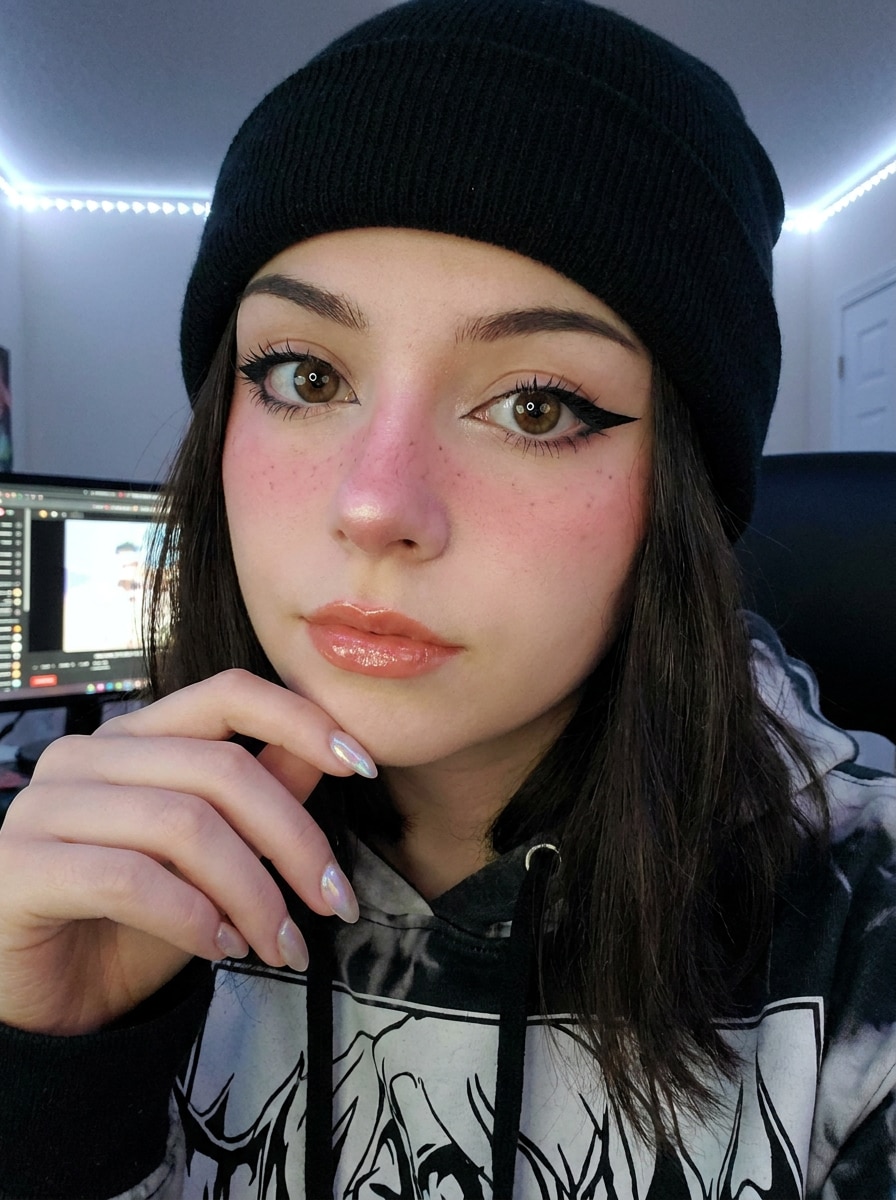
Soft Grunge Egirl
Verwende das hochgeladene Bild als Motiv und verwandle es in ein Soft-Grunge-Egirl-Porträt mit scharfem geschwungenem Eyeliner, Rouge auf Wangen und Nase, dezenten künstlichen Sommersprossen, glänzenden Lippen, kühler blasser Farbgebung, weichen Schlafzimmer-Schatten, dunkler Mode-Stimmung, glatter Hauttextur und realistischer Identitätsbewahrung.
Glitzer-Egirl
Verwende das hochgeladene Selfie als Motiv und füge ein Glitzer-Egirl-Make-over mit schimmernden Unter-Augen-Highlights, glänzender Haut, rosigem Rouge, präzisem schwarzem Eyeliner, zartem rosa Lippenton, reflektierenden Glitzerpartikeln, sauberer Beauty-Retusche, kühlem Pink-Schwarz-Kontrast und einem polierten, social-media-tauglichen Finish hinzu, während das Gesicht erkennbar bleibt.
Herz-Wangen-Egirl
Verwende das hochgeladene Porträt als Motiv und erstelle eine Egirl-Make-up-Transformation mit kleinen Herzchen auf den Wangen, rosigem Nasenrouge, dunklem Eyeliner, glänzenden Lippen, glatter Hautretusche, weichem Kontrast, gedämpfter Pink-und-Anthrazit-Palette, verträumter Stimmung und realistischer Gesichtsbewahrung für einen trendigen Profilbild-Look.
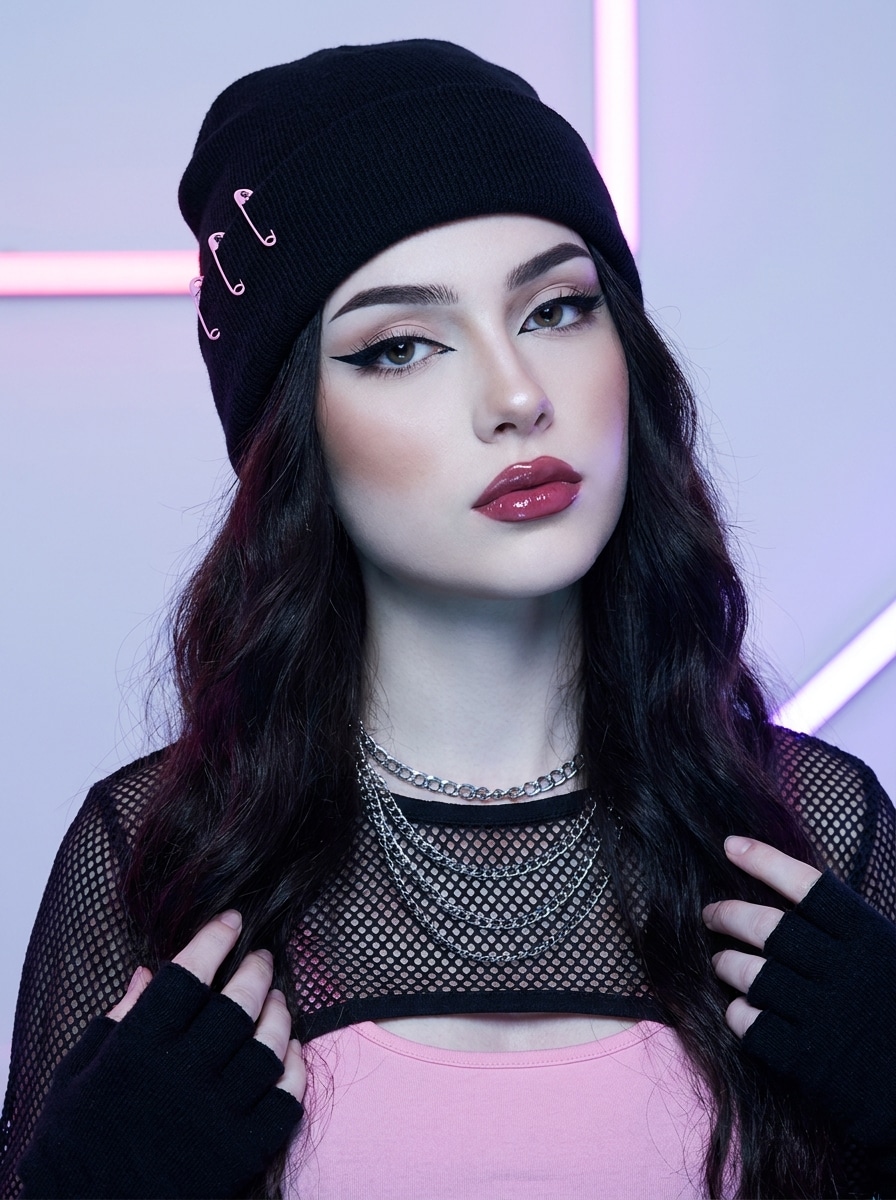
Alt-Egirl Schwarz-Pink
Verwende das hochgeladene Bild als Motiv und gestalte es zu einem E-Girl-Filter-Porträt mit Schwarz-Pink-Akzenten, kräftigem Eyeliner, definierten Augenbrauen, weichem Kontur, glänzenden Lippen, kühl getönter Haut, leicht hochkontrastiger Farbgebung, edgigen Styling-Elementen und einem sauberen, polierten Finish um, das das ursprüngliche Gesicht dennoch erkennbar lässt.
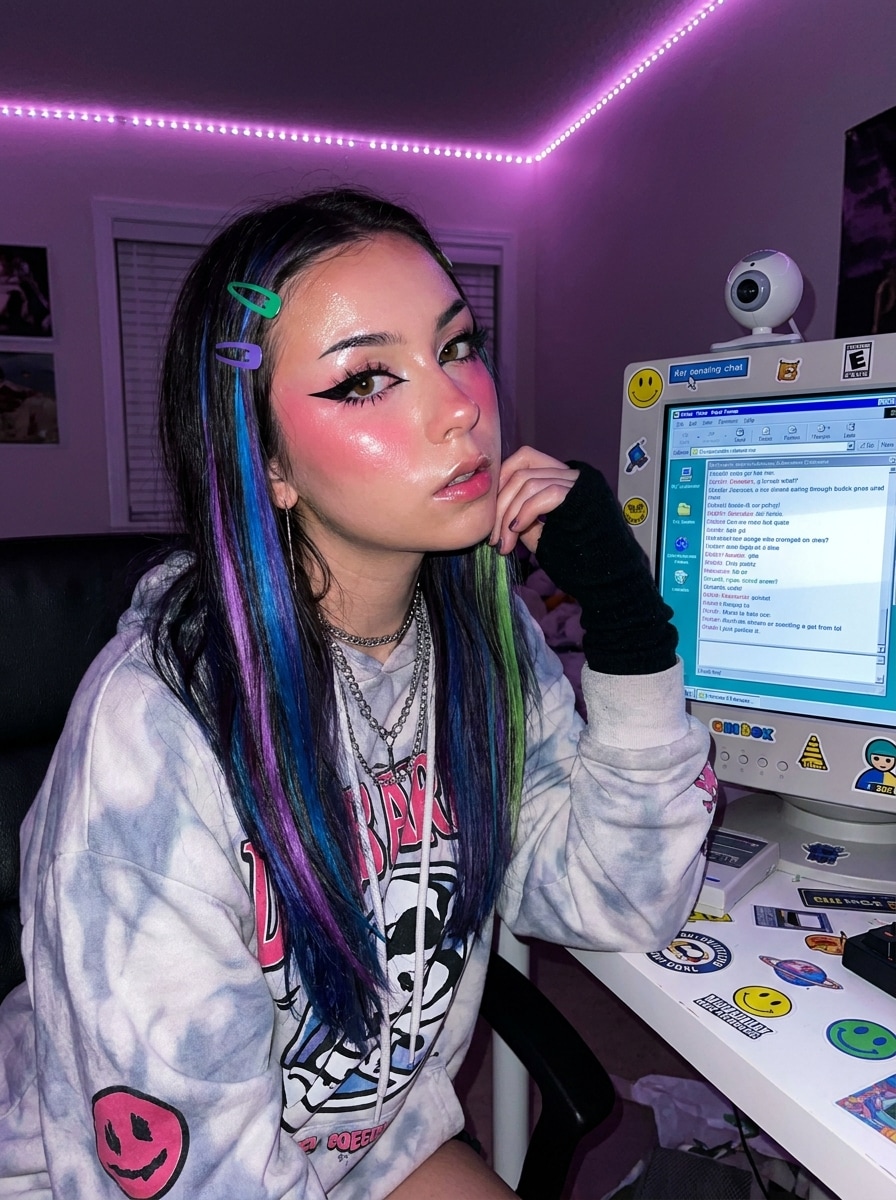
Szenen-inspiriertes Egirl
Verwende das hochgeladene Selfie als Motiv und verwandle es in ein szenen-inspiriertes Egirl-Edit mit dramatischem Liner, leuchtendem Rouge, bunten Haarakzenten, glänzender Haut, nostalgischer Internet-Ära-Stimmung, verspielter Kante, kühlem Magenta-Licht und detaillierter Gesichtsbewahrung, sodass die Transformation mutig, aber dennoch glaubwürdig wirkt.
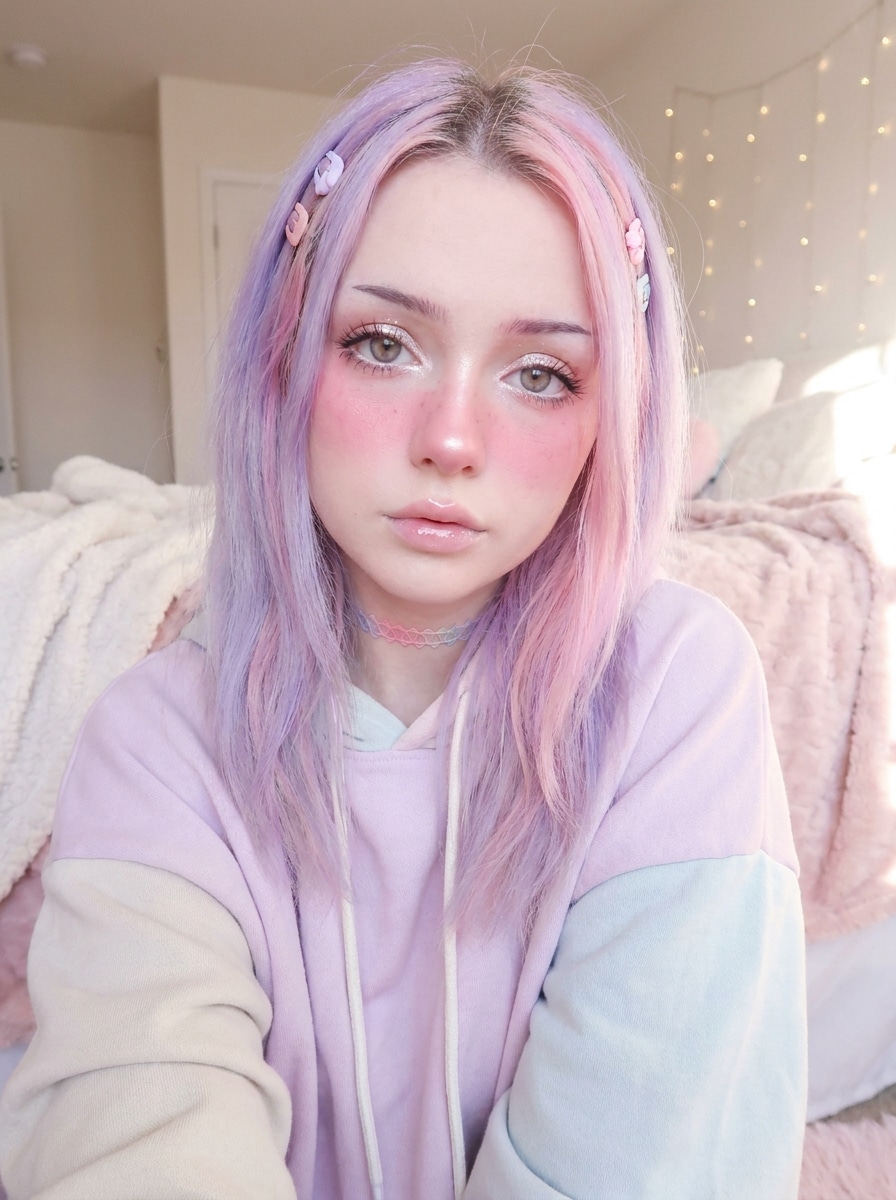
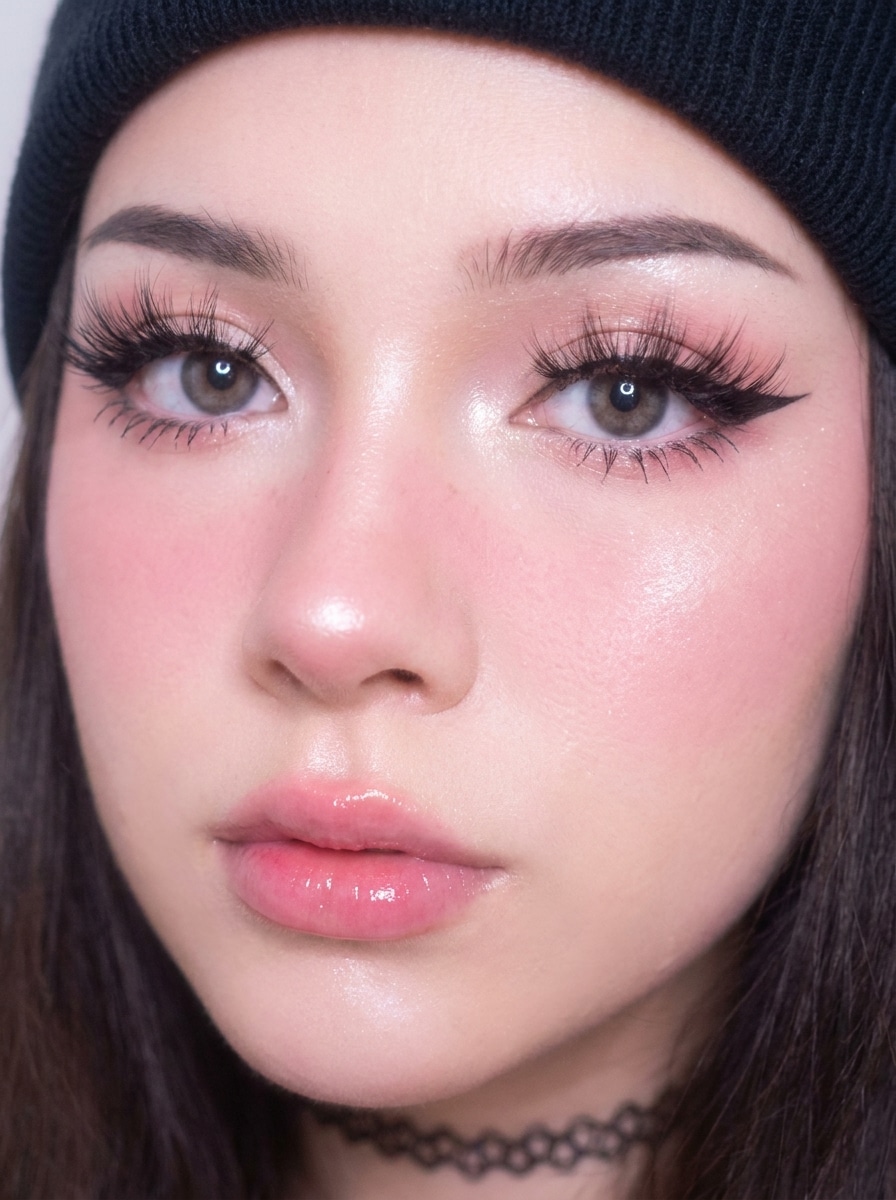
Pastell-Egirl
Verwende das hochgeladene Foto als Motiv und wende ein Pastell-Egirl-Make-over mit zarten Rosa- und Lavendeltönen, rouge-betonten Wangen, puppenähnlichen Augen, subtilем Schimmer, glänzenden Lippen, luftiger Beleuchtung, glatter, aber realistischer Haut, süß-verträumter Stimmung und einem gestochen scharfen, hochwertigen Finish an, das für Avatare und Profilbilder konzipiert ist.
Anime-Realismus-Egirl
Verwende das hochgeladene Bild als Motiv und verwandle es in ein anime-inspiriertes, aber realistisches Egirl-Porträt mit leicht vergrößerten ausdrucksstarken Augen, scharfem Eyeliner, Rouge auf Wangen und Nase, glänzenden Lippen, subtiler Fantasy-Politur, glatter Textur, cinematografischer Beleuchtung und starker Identitätsbewahrung anstelle eines vollständig comicartigen Looks.
Puppenaugen-Egirl
Verwende das hochgeladene Porträt als Motiv und verleihe ihm einen Puppenaugen-Egirl-Filter-Effekt mit betonten Wimpern, runden hellen Augen, rosa Rouge, sauberem Eyeliner, Schimmer-Akzenten, glänzenden Lippen, weich-fokussierter Beleuchtung, strahlender Haut und einem glamourösen, aber glaubwürdigen Beauty-Edit, der für soziale Profilfotos geeignet ist.
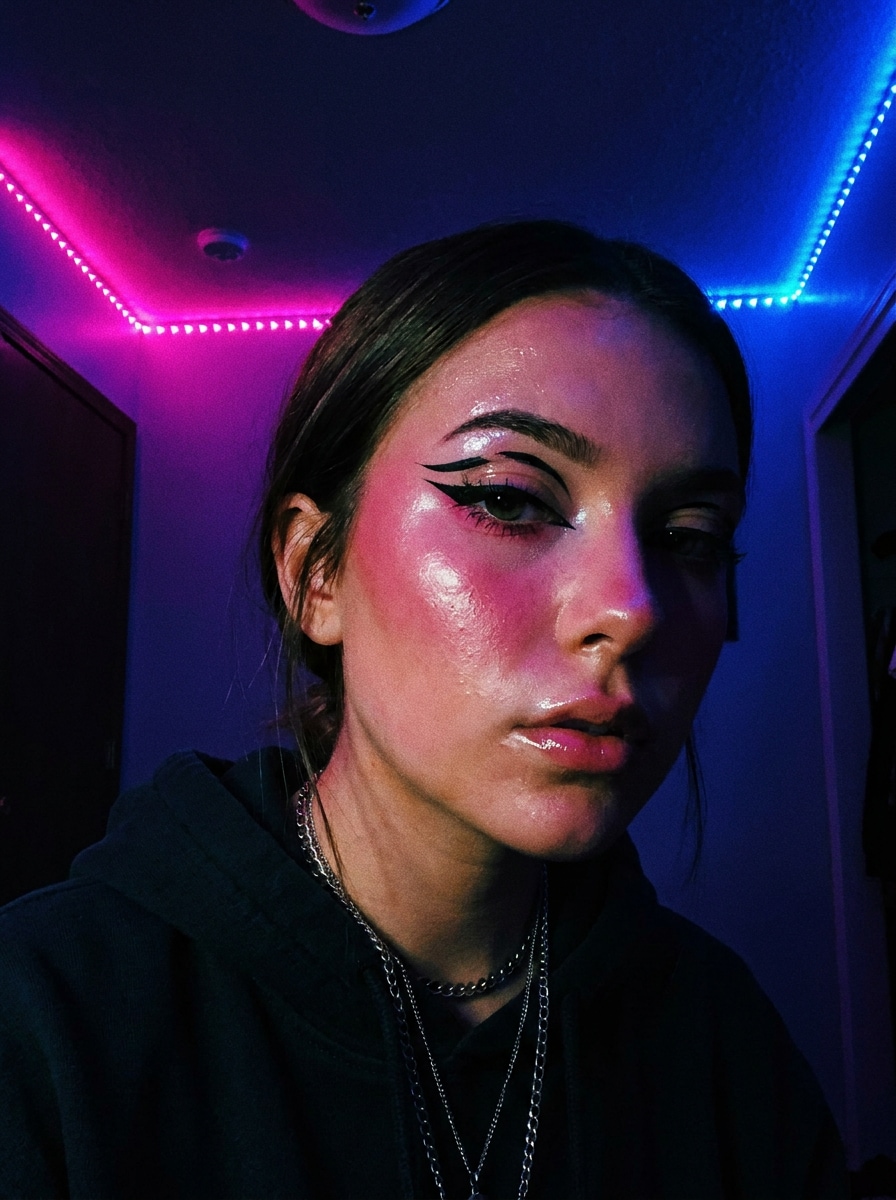
Schlafzimmer-Neon-Egirl
Verwende das hochgeladene Bild als Motiv und erstelle eine Neon-Schlafzimmer-Egirl-Ästhetik mit rosa und blauem Umgebungslicht, stimmungsvollen Schatten, glänzender Haut, kräftigem Eyeliner, rouge-betontem Make-up, hochkontrastigem Social-Edit-Styling, reflektierenden Highlights und bewahrter realistischer Gesichtsstruktur für einen dramatischen Vorher-Nachher-Effekt.
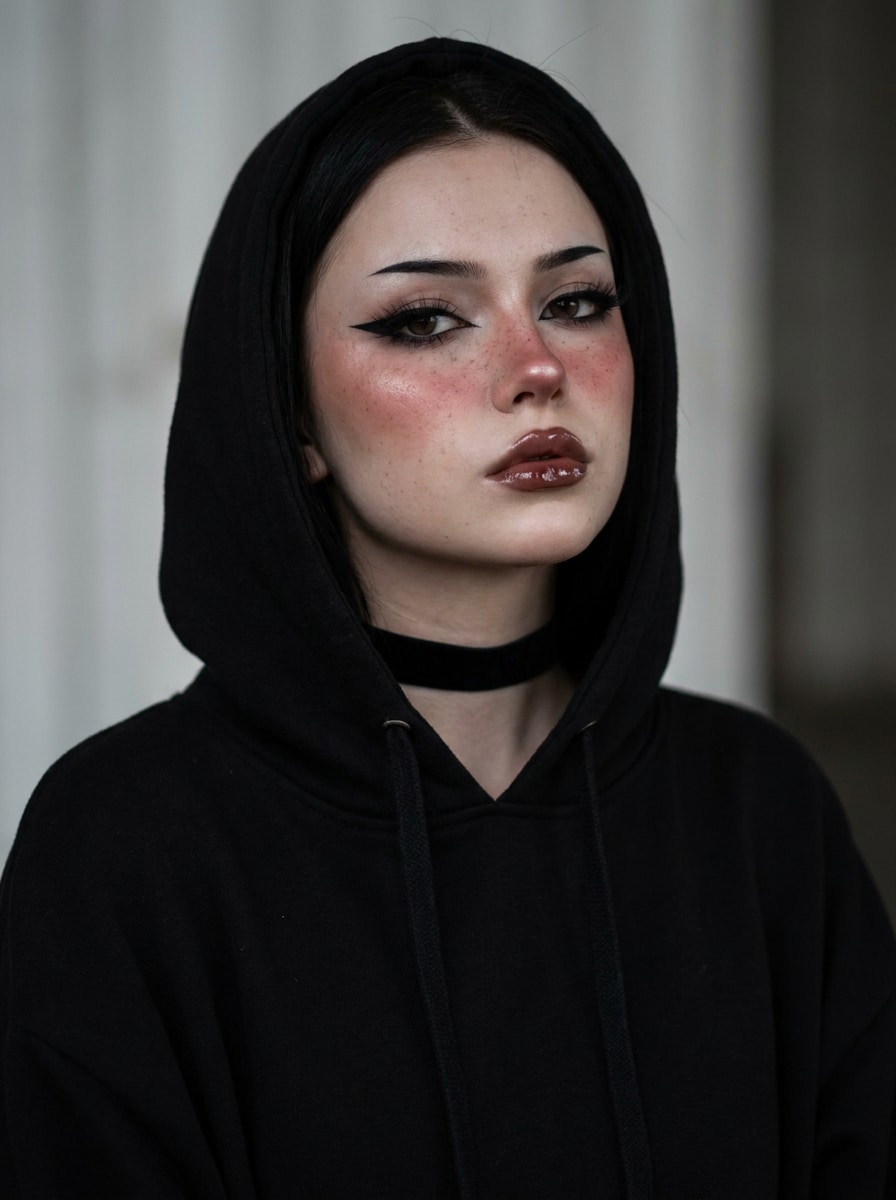
Choker-Porträt-Egirl
Verwende das hochgeladene Foto als Motiv und wandle es in einen Choker-Porträt-Egirl-Stil mit charakteristischem Eyeliner, Rouge auf Wangen und Nase, glänzenden Lippen, dezenten Sommersprossen, dunkler Mode-Stimmung, sichtbarem schwarzem Choker-Accessoire, weichem Kontrast, polierter Hautretusche und einem sauberen photorealistischen Finish für die Avatar-Nutzung um.
Warum Media.io für eine Egirl-Foto-Transformation nutzen
Identität bewahren und gleichzeitig den Look verändern
Für Selfies, Avatare und Profil-Updates ermöglicht Media.io das Hochladen eines Referenzfotos und das Anwenden von Egirl- oder Egirl-Make-up-Filter-Styling, während wichtige Gesichtsmerkmale erkennbar bleiben, sodass das endgültige Ergebnis persönlich statt generisch wirkt.
Zwischen Soft-Grunge-, Glitzer-, Pastell- und Alt-Looks wechseln
Eine einzelne Idee benötigt oft mehr als einen Look. Media.io hilft dabei, denselben Egirl-Filter-Look in verschiedenen Stilen neu zu interpretieren, sodass jede Version besser zum Projektkonzept passt.
Endgültige Visuals für echte Projekte scharf halten
Wenn das endgültige Egirl-Filter-Visual über eine kleine Vorschau hinaus wiederverwendet wird, hilft Media.io dabei, schärfere Ergebnisse bis zu 4K zu liefern, damit das Bild in der praktischen Design- und Präsentationsarbeit zuverlässiger bleibt.
Schnelle Online-Edits ohne Design-Kenntnisse erstellen
Wenn eine Egirl-Filter-Visual-Idee abseits deines Haupt-Setups entsteht, ermöglicht Media.io das Erstellen und Verfeinern im Browser, sodass der Wechsel zwischen Mobilgerät und Desktop nahtlos statt störend wirkt.
So wendest du einen Egirl-Filter online an
Verwandle deine Worte in drei einfachen Schritten in beeindruckende Visuals und verfeinere das Ergebnis anschließend nach Belieben weiter.
Schritt 1
Lade dein Referenzbild hoch
Beginne mit einem klaren Selfie oder Porträt im JPG-, PNG- oder JPEG-Format. Ein frontal aufgenommenes Bild mit guter Beleuchtung, sichtbaren Gesichtszügen und einem einfachen Hintergrund liefert in der Regel das beste Ergebnis für eine Egirl- oder Alt-Style-Transformation.
Schritt 2
Beschreibe die Änderung und lege Optionen fest
Teile der KI mit, welchen Look du möchtest, beispielsweise Soft-Grunge-Eyeliner, Glitzer-Wangen, Pastell-Töne, Herzchen-Details oder ein Choker-Porträt. Wähle dann dein Modell und passe Seitenverhältnis, Auflösung und Bildanzahl an dein Profil oder deinen Beitrag an.
Schritt 3
Generieren, herunterladen und weiter verbessern
Erstelle mehrere Variationen, vergleiche die Edits und lade deine Lieblingsversion herunter. Wenn du einen stärkeren oder weicheren Look möchtest, aktualisiere den Prompt, generiere erneut und verfeinere so lange, bis der Stil genau der gewünschten Stimmung entspricht.
Sieh, wie Creator diesen Egirl-Filter für Inhalte, Marketing und persönliche Projekte nutzen, und passe jede Idee an dein Konzept an.
Profilbilder mit einem trendorientierten Look auffrischen
Verwandle ein normales Selfie in ein poliertes Porträt für TikTok, Instagram, Discord oder X. Das funktioniert besonders gut, wenn du glänzendes Make-up, rouge-betontes Styling und ein erkennbares Gesicht möchtest, das dennoch für aktuelle Ästhetik-Trends bearbeitet wirkt.
Mehrere Make-up-Ästhetiken vor dem Posten testen
Verwende ein Foto, um Glitzer-Details, Soft-Grunge-Eyeliner, Pastell-Töne oder ein dunkleres Social-Edit zu vergleichen. Es ist eine praktische Möglichkeit, eine Alt-Girl-Filter-Stimmung oder ein weicheres Beauty-Remix zu previews, bevor du die Version auswählst, die am besten zu deinem Feed passt.
Soziale Avatare und Moodboard-Visuals schnell erstellen
Erstelle stilisierte Porträts für Reaktionsaccounts, Playlist-Cover, Fan-Seiten und visuelle Moodboards, ohne komplexe Bearbeitungssoftware zu öffnen. Eine schnelle KI-Transformation kann deinen Bildern einen dramatischen, einheitlichen Stil verleihen, der zum Herunterladen und Wiederverwenden bereit ist.
Was Nutzer über dieses Egirl-Filter-Tool sagen
Maya T.
TikTok-Creatorin
„Schnelle Edits, die immer noch wie ich aussehen" Ich habe ein normales Selfie hochgeladen und in wenigen Minuten ein Egirl-Porträt erhalten. Das Rouge, der Eyeliner und die Beleuchtung sahen dramatisch aus, aber mein Gesicht fühlte sich immer noch erkennbar an – genau das, was ich für ein Profil-Update wollte.
Jordan K.
Social-Media-Designer
„Bessere Kontrolle als Ein-Tipp-Beauty-Filter" Was mir am besten gefiel, war die Möglichkeit, die genaue Stimmung zu beschreiben, anstatt ein festes Objektiv zu verwenden. Ich habe Glitzer-, Pastell- und Schwarz-Pink-Looks aus demselben Bild getestet und denjenigen heruntergeladen, der am besten zur Kampagne passte.
Lena R.
Studentin und Creatorin
„Großartig für Avatare und Ästhetik-Posts" Ich habe es verwendet, um einen neuen Avatar und ein Neon-Schlafzimmer-Edit für meine Social-Media-Accounts zu erstellen. Der Prozess war auf meinem Handy einfach, und die finalen Bilder sahen poliert genug aus, um sie sofort zu posten.
Avery S.
Lifestyle-Bloggerin
„Einfache Möglichkeit, ein Egirl-Make-over online auszuprobieren" Ich wollte etwas zwischen realistischer Make-up-Retusche und einer stilisierten Internet-Ästhetik. Dieses Tool gab mir genau diesen Mittelweg, besonders mit Prompts für Soft-Grunge und Herz-Wangen-Make-up-Details.
Entdecken Sie die beliebtesten KI-Video- und Bildeffekte
Ein Egirl-Filter für Fotos ist eine KI-Bildstil-Transformation von Bild zu Bild, die ein hochgeladenes Selfie in ein egirl-inspiriertes Porträt verwandelt. Mit Media.io kannst du visuelle Elemente wie geschwungenen Eyeliner, Rouge auf Wangen und Nase, glänzende Lippen, Schimmer, Herzchen-Details oder dunkle Pink-Schwarz-Farbgebung anwenden und dabei das Foto durch Prompts bearbeitbar halten.
2. Wie verwandle ich ein Selfie online in einen Egirl-Look?
Lade ein klares Selfie auf Media.io hoch und gib dann einen Prompt ein, der den gewünschten Look beschreibt, beispielsweise Soft-Grunge, Glitzer-Make-up, Pastell-Styling, anime-inspirierte Beauty oder ein Choker-Porträt. Wähle anschließend dein bevorzugtes Modell und deine Bildeinstellungen, generiere Variationen und lade die Version herunter, die am besten zu deiner Ziel-Ästhetik passt.
3. Gibt es einen kostenlosen Egirl-Filter ohne Anmeldung?
Media.io bietet kostenlose Credits an, damit du diesen E-Girl-Filter Workflow online ausprobieren kannst, bevor du ein Upgrade durchführst. Wenn du mehr Nutzung benötigst, kannst du die Preisseite für Abonnementoptionen und Funktionszugang prüfen. Kostenlose Nutzer können kostenlose Credits verwenden. Für mehr Nutzung können Nutzer einen Plan auf der Preisseite abonnieren. Führe auf der Preisseite ein Upgrade auf einen kostenpflichtigen Plan durch, um mehr Credits und wasserzeichenfreie hochauflösende Downloads zu erhalten.
4. Kann ein KI-Egirl-Filter mein Gesicht erkennbar halten?
Media.io ist für referenzbasierte Bildbearbeitung konzipiert, sodass du dein eigenes Porträt hochladen und die Transformation mit Prompts steuern kannst, während wichtige Gesichtsmerkmale erhalten bleiben. Das macht es nützlich, wenn du ein stilisiertes Egirl-Edit möchtest, das immer noch wie die ursprüngliche Person aussieht, anstatt wie ein völlig neuer Charakter.
5. Welches Foto eignet sich am besten für ein Egirl-Bild-zu-Bild-Edit?
Ein klares, frontal aufgenommenes Selfie oder Porträt funktioniert in der Regel am besten. Wähle ein Foto mit ausgewogener Beleuchtung, sichtbaren Augen und Gesichtsdetails sowie minimaler Unschärfe, da eine hohe Quellqualität der KI bessere Informationen für Make-up-Styling, Farbgebung und Identitätsbewahrung liefert.
6. Kann ich einen Egirl-Filter auf iPhone, Android oder Desktop verwenden?
Media.io ist webbasiert, sodass du es auf iPhone, Android, Windows oder Mac verwenden kannst, solange du eine Browser-Verbindung hast. Das macht es einfach, ein Selfie hochzuladen, ein Edit zu generieren und dein Ergebnis von dem Gerät herunterzuladen, das am besten zu deinem Workflow passt. Media.io ist ein webbasiertes Tool, das auf jedem Gerät mit einem Browser funktioniert (Windows, Mac, iOS, Android).