As criações são armazenadas por apenas 7 dias. Os recursos criados após o upgrade para um plano de assinatura serão armazenados permanentemente.
Desbloqueie seu potencial criativo e experimente a magia da IA de mídia hoje!
Crie conceitos de layout, plantas baixas e visuais para lojas de departamento em minutos
Gere um layout de loja de departamento a partir de texto em poucos minutos. Use o Media.io para criar plantas de cima para baixo, conceitos isométricos de varejo, diagramas de zoneamento e painéis de apresentação para moda, beleza, itens para casa ou um plano de layout de loja de departamento com visuais limpos e fáceis de compartilhar.
Digite sua ideia -> A IA cria o design. Experimente grátis.
Revise estes exemplos de diretrizes e depois adapte os detalhes do prompt para obter resultados melhores com este Gerador de Layout de Loja de Departamento.
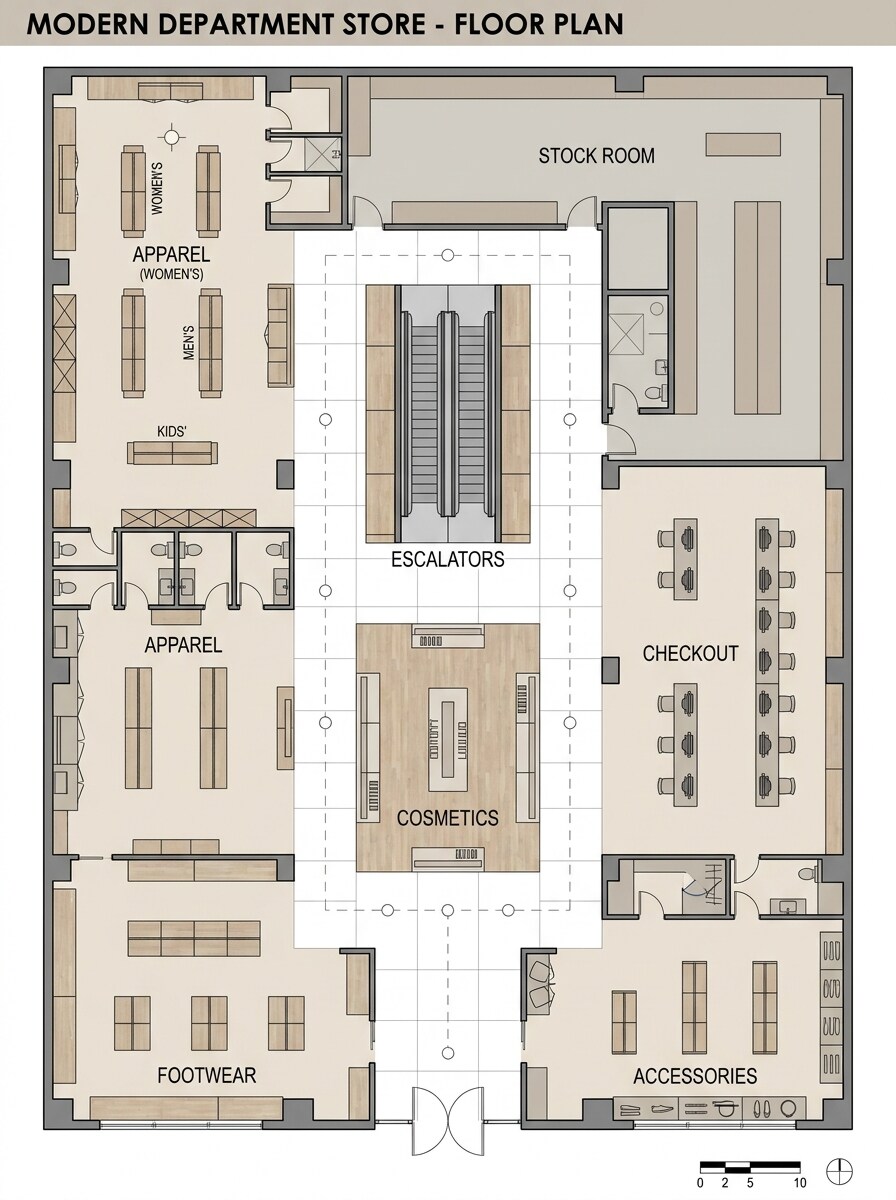
Planta Arquitetônica Limpa
Planta baixa arquitetônica de cima para baixo de uma loja de departamento moderna com zonas nitidamente separadas para vestuário, cosméticos, calçados, acessórios, caixas, escadas rolantes, provadores e estoque. Use traços nítidos, espaçamento equilibrado, corredores largos, paleta neutra suave, rótulos claros, composição polida do painel de apresentação e estética detalhada de planejamento comercial.
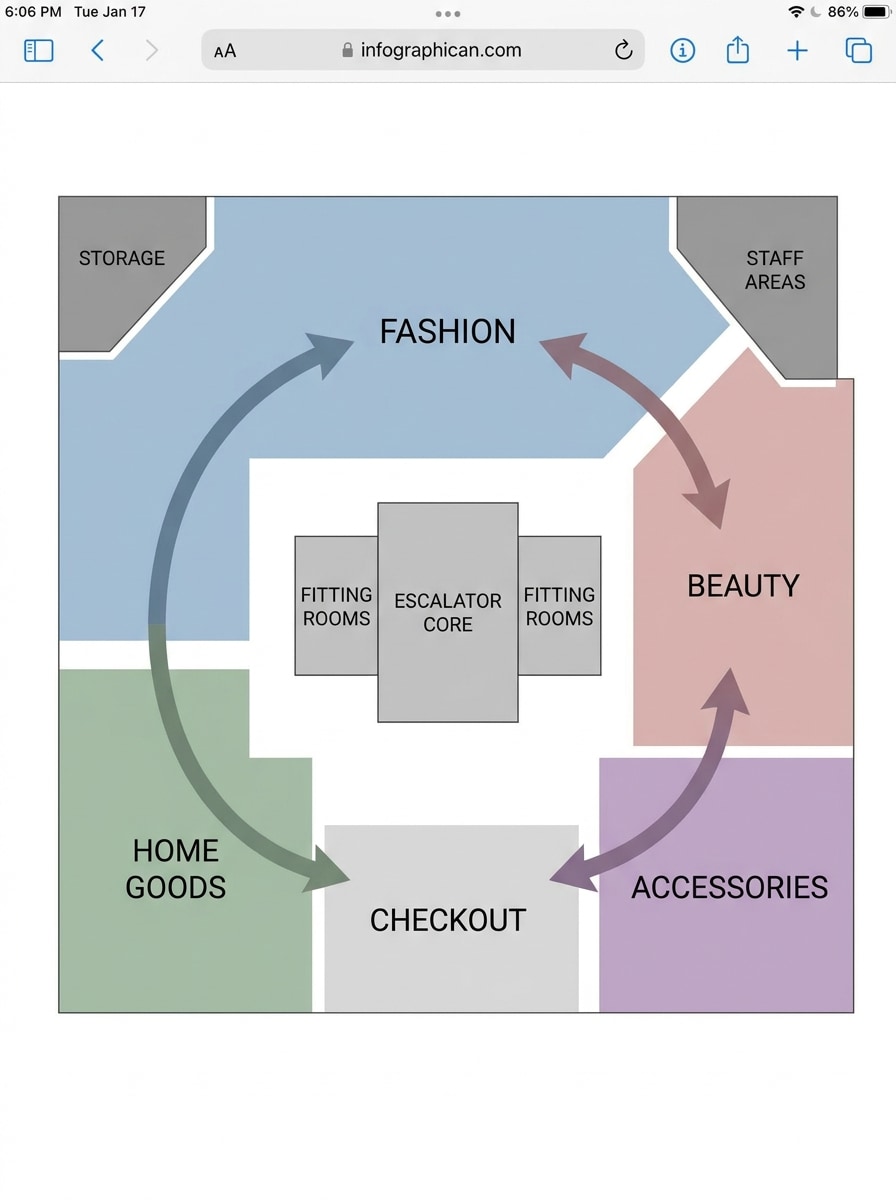
Plano de Loja com Zonas Coloridas
Diagrama profissional de layout de loja de departamento visto de cima, com zonas coloridas para moda, beleza, itens para casa, acessórios e caixa. Inclua setas de circulação de clientes, proximidade de categorias, núcleo de escada rolante, provadores, área de armazenagem e espaços para funcionários. Estilo limpo de infográfico, rótulos legíveis, cores modernas e suaves, fundo branco e clareza visual pronta para apresentação.
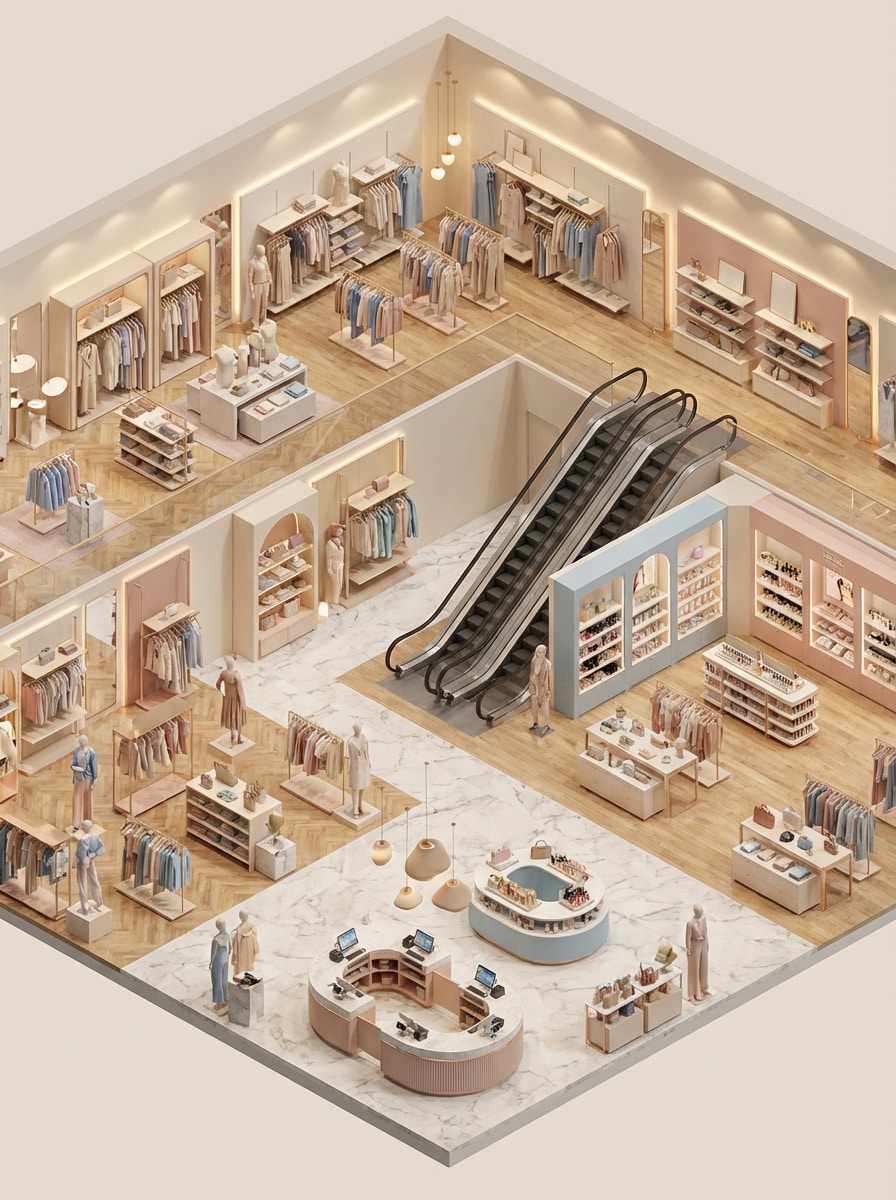
Interior de Loja Isométrica
Layout interior isométrico 3D de loja de departamento mostrando sessões de moda e beleza, prateleiras, manequins, ilhas de caixa, escadas rolantes, iluminação de teto e caminhos de clientes. Design comercial moderno, materiais polidos, proporções realistas, iluminação ambiente quente, paleta neutra suave e pastel, e uma visualização de varejo premium.
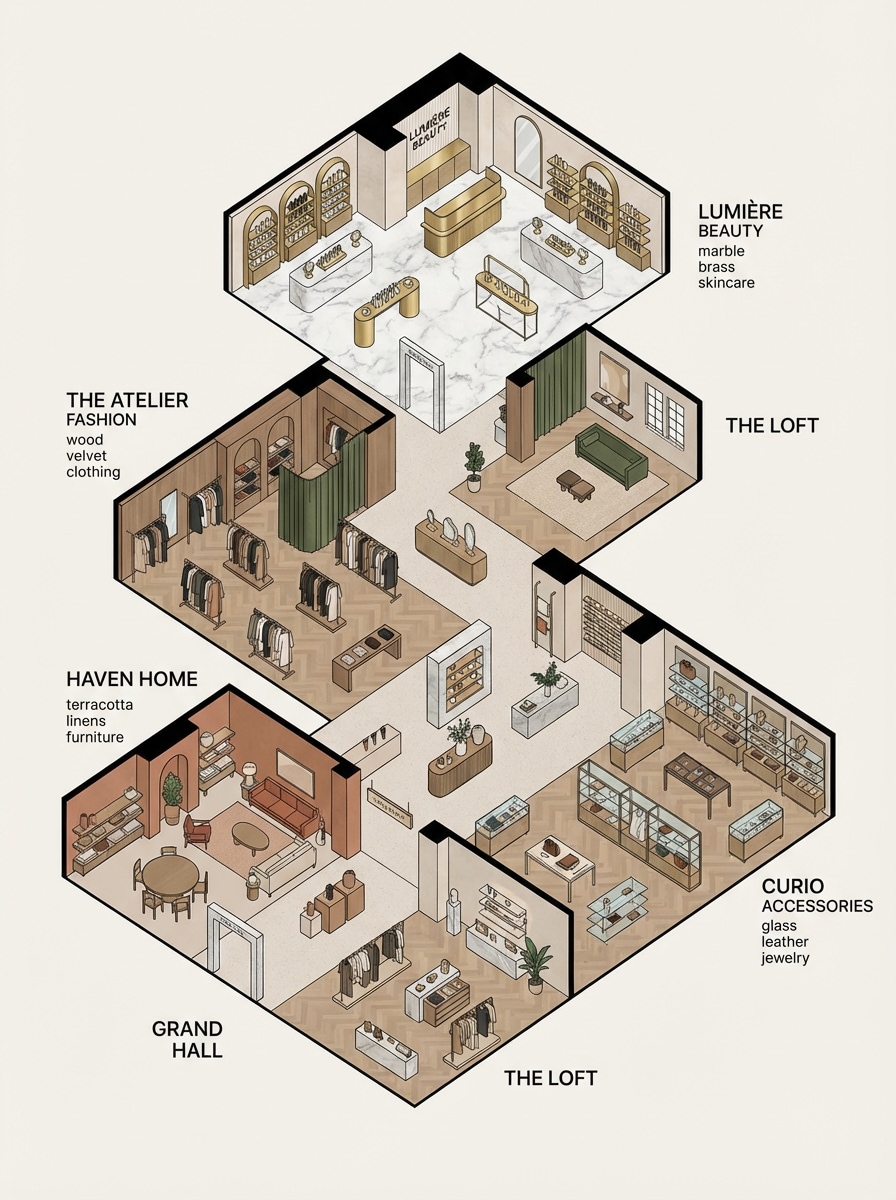
Mini-Destino Dentro da Loja
Conceito isométrico de loja de departamento com zoneamento de loja dentro de loja para beleza, moda, itens para casa e acessórios. Crie áreas de mini-destino distintas, zonas âncora, circulação central, expositores em destaque, sinalização elegante e linhas de visão abertas. Use uma paleta moderna e quente, texturas refinadas, composição equilibrada e apresentação de varejo sofisticada.
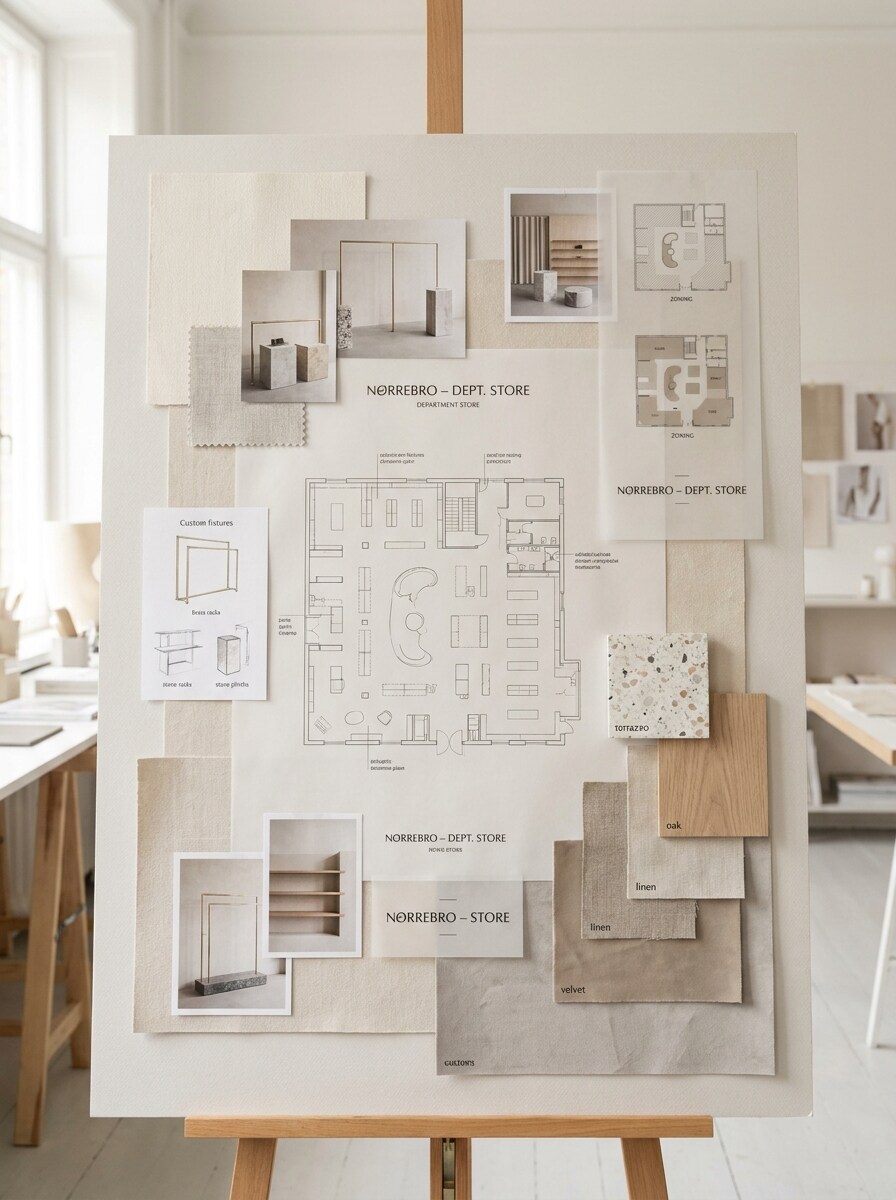
Mood Board de Design de Varejo
Painel de apresentação de design de interior para layout de loja de departamento, com planta baixa, diagramas de zoneamento, referências de mobiliário, amostras de materiais, tipografia, anotações e identidade visual minimalista. Mantenha o painel limpo e editorial, com tons neutros suaves, bastante espaço em branco, texturas sobrepostas e estética refinada de estúdio de design.
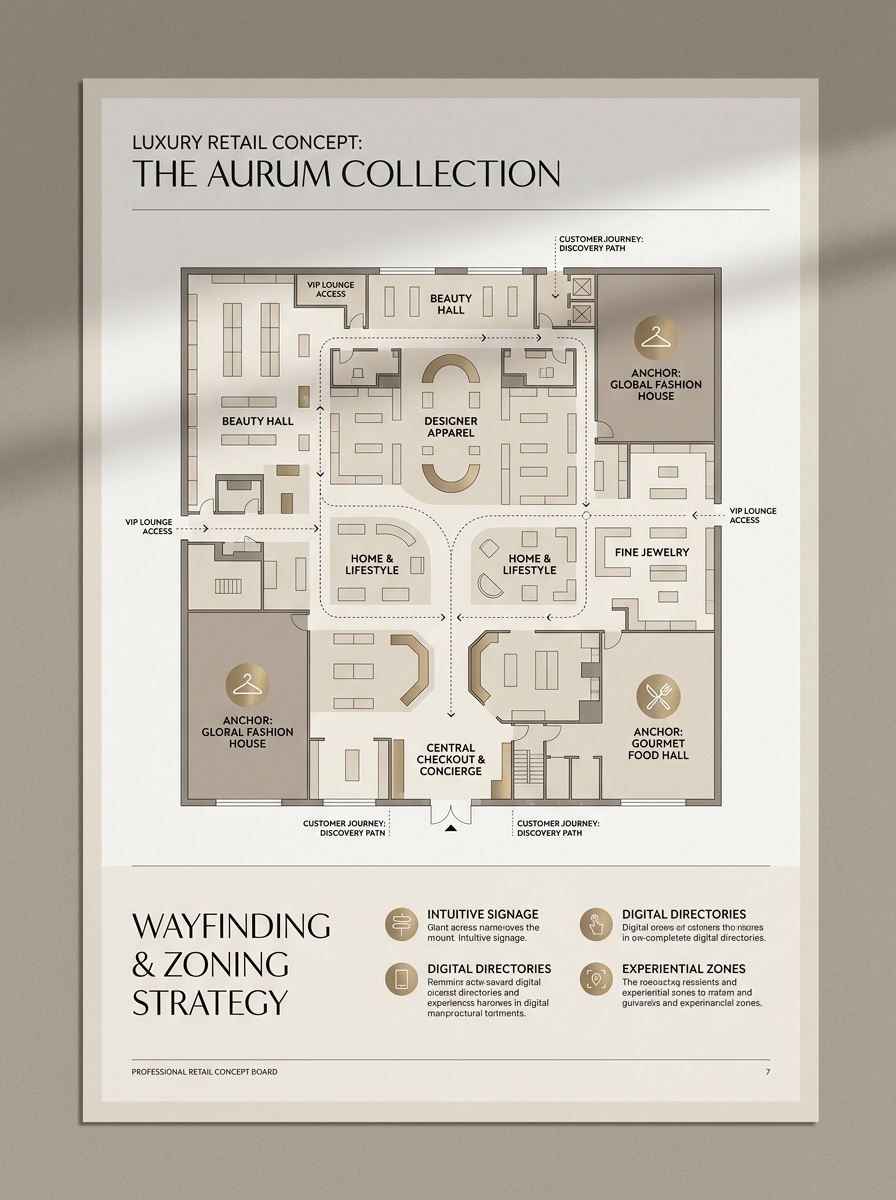
Painel de Conceito para Investidores
Painel profissional de apresentação de conceito de varejo para proposta de loja de departamento, com layout visto de cima, anotações da jornada do cliente, departamentos âncora, localização do caixa, notas de sinalização e tipografia premium. Use uma paleta de luxo neutra, hierarquia de layout nítida, sombras sutis, lógica clara de zoneamento e composição com qualidade de pitch para apresentações a stakeholders.
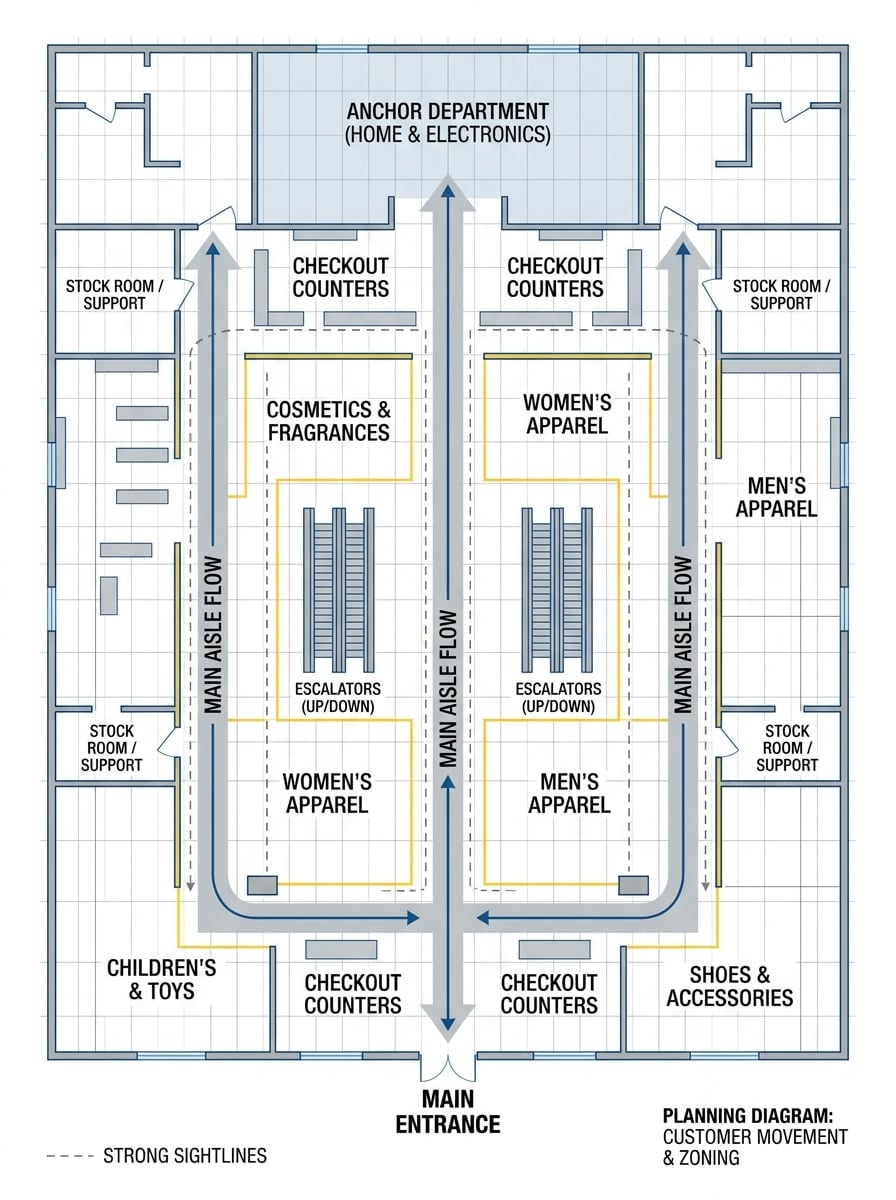
Diagrama do Fluxo de Clientes
Diagrama de planejamento de loja de departamento focado na movimentação de clientes, acessos, escadas rolantes, caixa e proximidade de categorias. Mostre caminhos de circulação amplos, linhas de visão fortes, suporte de estoque na retaguarda e zoneamento lógico desde a entrada até os departamentos âncora. Use setas limpas, rótulos, composição estruturada vista de cima e estilo visual prático de planejamento de varejo.
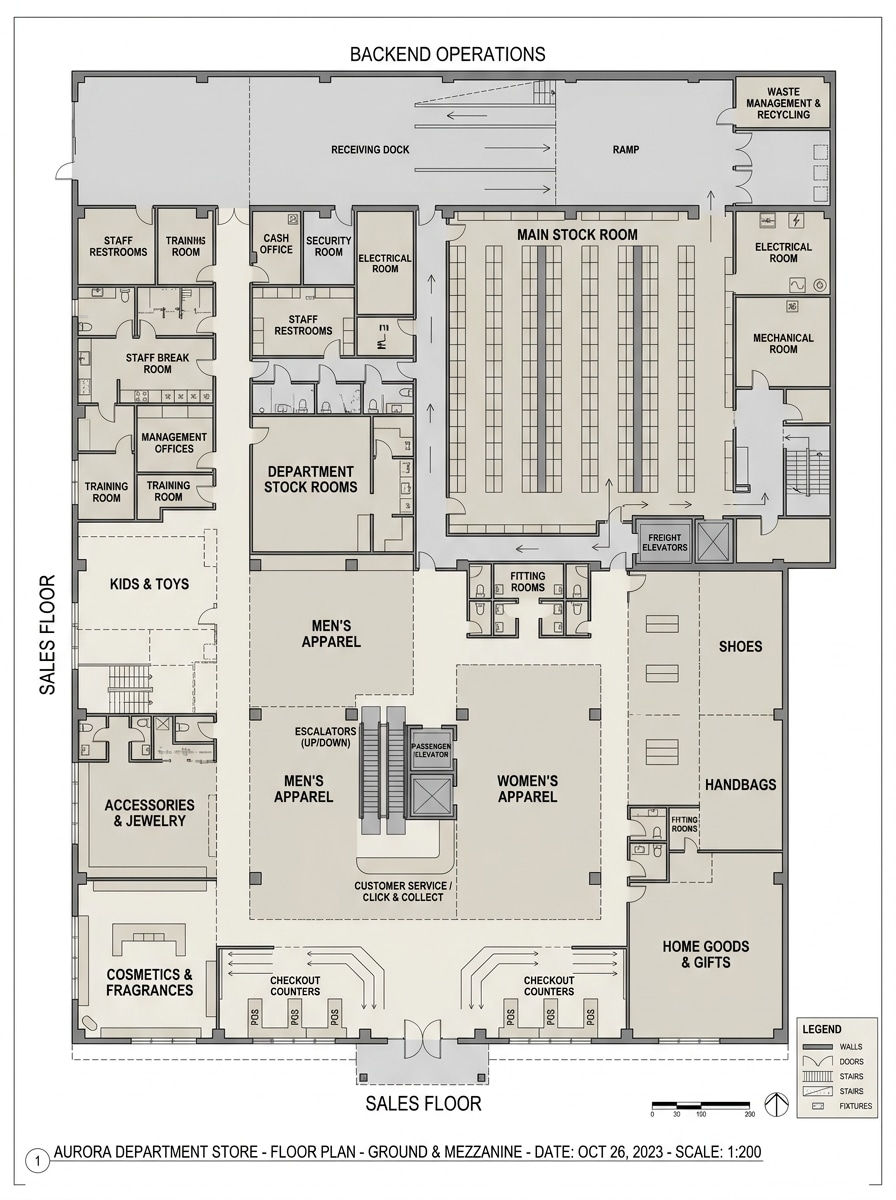
Layout de Retaguarda e Vendas
Planta detalhada da loja de departamento mostrando tanto os departamentos da área de vendas quanto as zonas operacionais de retaguarda, incluindo depósitos, refeitório dos funcionários, área de recebimento, sala elétrica, escadas rolantes, provadores e caixas. Dê ênfase ao planejamento comercial prático, proximidades eficientes, rótulos legíveis, tons neutros, traços precisos e clareza top-down organizada.
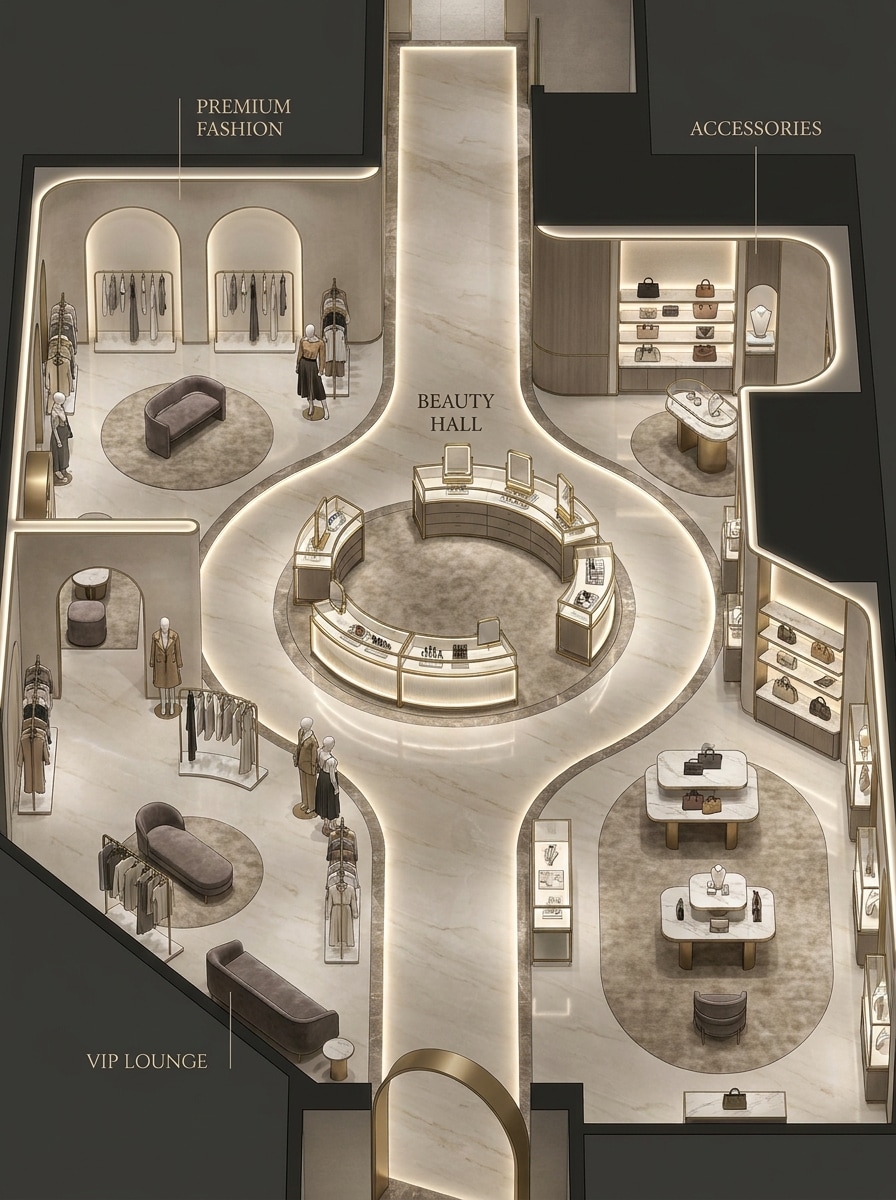
Layout de Loja de Departamento de Luxo
Layout de loja de departamento de luxo com departamentos premium de moda, beleza e acessórios, caminhos elegantes de circulação, expositores espaçosos, destaques e visual merchandising sofisticado. Mescle planejamento de cima para baixo com estilo sutil 3D, usando detalhes em dourado e neutros, iluminação suave, texturas ricas e um clima editorial-comercial sofisticado.
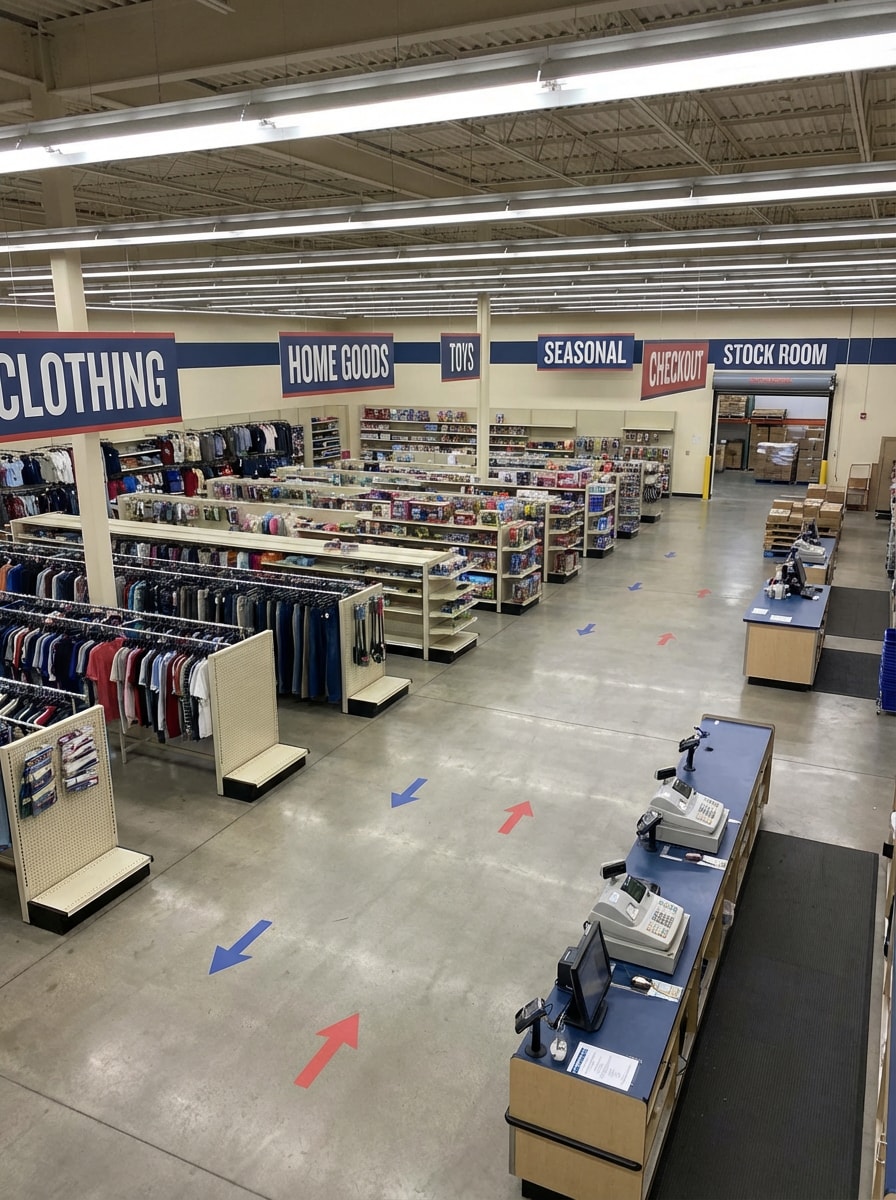
Layout Econômico de Mega Loja
Layout de loja de departamento de grande formato com corredores em grade, zoneamento prático para roupas, itens para casa, brinquedos, produtos sazonais e caixas na frente. Inclua suporte de estoque, navegação eficiente do cliente, corredores amplos, mobiliário simples, alta legibilidade vista de cima e estilo de planejamento comercial inspirado em layout de loja tipo Kmart.
Por Que Usar o Media.io para Imagens de Layout de Loja de Departamento
Feito para Varejo Rápido de Texto para Imagem
Transforme uma ideia escrita em uma planta visual, painel de zoneamento ou imagem de conceito de varejo em minutos. O Media.io é ideal para exploração inicial de layout antes do detalhamento em projeto.
Vários Estilos Visuais para Uma Ideia de Layout
Crie plantas de cima, interiores isométricos, visuais como blueprint ou painéis de apresentação a partir do mesmo prompt. Isso facilita testar diferentes direções de layout de loja de departamento.
Alta Resolução e Proporções Flexíveis
Gere imagens em resolução 1K, 2K ou 4K e escolha formatos como 1:1, 16:9, 4:3 ou 3:4. Isso é útil quando você precisa de visuais para apresentação, mood boards ou compartilhamento de conceito.
Modelos de IA Avançados para Resultados Claros
O Media.io inclui modelos como Nano Banana Pro e Nano Banana 2, além de opções extras de geração, para que você possa refinar visuais de layouts para esquemáticos, realistas ou prontos para apresentação usando prompts em inglês.
Como Gerar Layout de Loja de Departamento com IA
1
2
3
1
Abra o Gerador de Imagens IA do Media.io
Vá para Gerador de Imagem Texto para IA e abra o Gerador de Imagens IA em IA -> Texto para Imagem. Essa ferramenta online funciona no seu navegador, assim você pode começar a criar visuais de layout para loja de departamento sem instalar softwares de design.
2
Digite um Prompt
Escreva um prompt detalhado, como: “De cima para baixo plano de layout de loja de departamento com moda, beleza, itens para casa, escadas rolantes, provadores, caixas, estoque, corredores largos e zonas de varejo identificadas.” Então escolha estilo, modelo, proporção e resolução que prefere.
3
Gere, Refine e Baixe
Clique em Gerar para criar conceitos de layout. Se necessário, refine o texto para melhorar o zoneamento, fluxo de clientes, rótulos ou estilo de apresentação. Quando atingir o resultado desejado, baixe a imagem em alta resolução para planejamento, mood boards ou apresentações.
Veja como criadores usam este Layout de Loja de Departamento em conteúdo, marketing e projetos pessoais, e adapte cada ideia para o seu briefing.
Visualize Zoneamento de Varejo antes do Planejamento Detalhado
Teste rapidamente como moda, beleza, calçados, itens de casa e áreas de caixa podem se encaixar antes de fazer uma planta completa. Isso é útil para brainstorming de proximidade de categorias, fluxo de clientes e densidade de mobiliário no conceito inicial do layout de loja de departamento.
Crie Painéis de Apresentação para Equipes ou Clientes
Transforme ideias de planejamento em visuais acabados para revisões internas, apresentações a investidores ou clientes. Gere plantas vistas de cima, conceitos isométricos e imagens em estilo mood board que explicam claramente sua direção de design.
Explore Conceitos de Loja Mega e Economia
Precisa de inspiração para uma loja prática de grande porte? Gere layouts em grade para moda, produtos sazonais, brinquedos e itens para casa com aparência semelhante a um layout de loja tipo kmart ou outros formatos econômicos de loja de departamento.
O Que Dizem os Usuários
Alyssa M.
Estudante de Design de Varejo
"Ótimo para painéis de conceito rápidos" Usei o Media.io para gerar ideias de layout de loja de departamento para um projeto de classe. Os layouts de cima e estilo painel de apresentação me ajudaram a explicar zoneamento e fluxo de clientes muito mais rápido do que começando do zero.
Jordan T.
Consultor de Visual Merchandising
"Útil na fase inicial do planejamento" É uma maneira rápida de explorar diversas opções de varejo. Testei conceitos de luxo e megaloja, e depois compartilhei os melhores visuais com clientes como inspiração antes do projeto detalhado.
Priya R.
Fundadora de Marca de Varejo Pequeno
"Fácil de usar em qualquer dispositivo" Não precisei de software de design para ter ideias de zoneamento e localização de caixas. Abri no navegador, escrevi um prompt claro e obtive imagens polidas que pude usar nas discussões de planejamento.
Marcus L.
Freelancer de Interiores Comerciais
"Útil para inspiração de layout" Os resultados em estilo isométrico e blueprint são ótimos para mood boards. Gosto de poder gerar alternativas rápidas para moda, itens de casa e conceitos de loja de departamento de categorias mistas.
Explore os efeitos de vídeo e imagem de IA mais quentes
1. Posso criar um layout de loja de departamento com um prompt de texto?
O Media.io permite gerar imagens de layout de loja de departamento a partir de um prompt de texto usando IA. Você pode descrever os departamentos, fluxo de clientes, localização de caixas, escadas rolantes, provadores, espaços de retaguarda e estilo visual desejado, e transformar o prompt em uma imagem de layout.
2. Existe uma ferramenta gratuita para gerar ideias de planta de loja de departamento?
Usuários gratuitos podem experimentar o Media.io com créditos grátis para gerar ideias de planta de loja de departamento e visuais de conceito de varejo. Para uso adicional ou maior volume de criação, veja a página de planos disponíveis. Usuários gratuitos podem utilizar créditos grátis. Para uso adicional, é possível assinar um plano na página de preços. Faça upgrade para um plano pago na página de preços para mais créditos e downloads em alta resolução sem marca d'água.
3. O que devo incluir em um bom prompt de layout de loja de departamento?
Um bom prompt deve especificar o tipo de visualização, principais departamentos, circulação e estilo do resultado. Por exemplo, diga se deseja uma planta de cima, interior isométrico ou aparência blueprint, e adicione zonas como vestuário, cosméticos, itens para casa, caixas, escadas rolantes, provadores, depósitos, rótulos, setas e paleta profissional limpa.
4. A IA pode gerar layout de loja de varejo vista de cima com departamentos rotulados?
O Media.io pode gerar visuais de layout de loja de varejo de cima para baixo com departamentos rotulados quando seu prompt pedir claramente por anotações, zonas e composição vista de cima.
5. Quão precisos são os layouts de loja de departamento gerados por IA?
Os layouts gerados por IA são mais indicados para exploração de conceito, visualização e comunicação do que como documentos técnicos de obra. Eles ajudam muito a mostrar zoneamento, proximidade de categorias e direções de estilo, mas dimensões exatas e compatibilidade técnica devem ser revisadas em software profissional.
6. Posso criar designs de layout de loja de departamento em celular ou desktop?
O Media.io é baseado na web e funciona em qualquer dispositivo com navegador, incluindo Windows, Mac, iPhone, iPad e Android. Isso significa que você pode criar e revisar layouts de loja de departamento tanto no celular quanto no desktop. Media.io é uma ferramenta web que funciona em qualquer dispositivo com navegador (Windows, Mac, iOS, Android).
Além do Layout de Loja de Departamento Online com IA