Design Perfect Three-View Character Illustrations in Minutes

Media.io's AI Character Generator helps you easily create accurate three-view character illustrations for concept art, animation, and games. Capture front, side, and back perspectives with consistent proportions across all views. Built for artists, creators, and designers who need visual continuity without manual redrawing.

Generate Three-View Character Now

Create consistent front, side, and back views instantly.

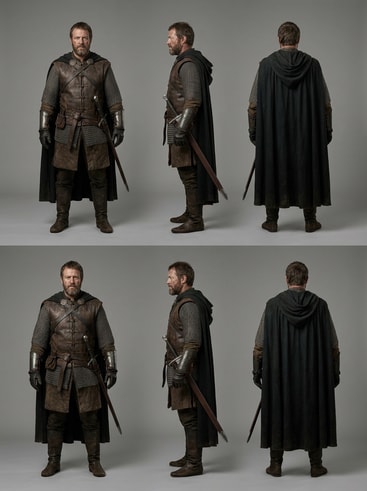
AI fantasy warrior three-view illustration

Fantasy Warrior Three-View Reference

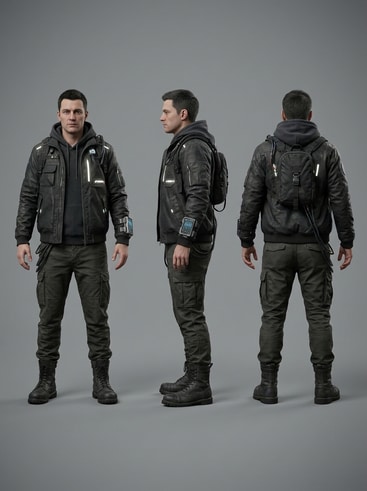
AI cyberpunk hacker three-view illustration

Cyberpunk Hacker Character Sheet

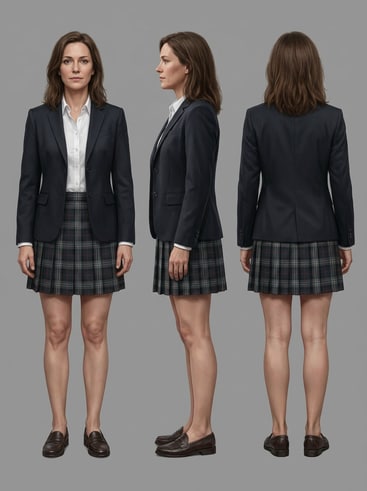
AI anime schoolgirl three-view illustration

Anime Schoolgirl OC Three-View Design

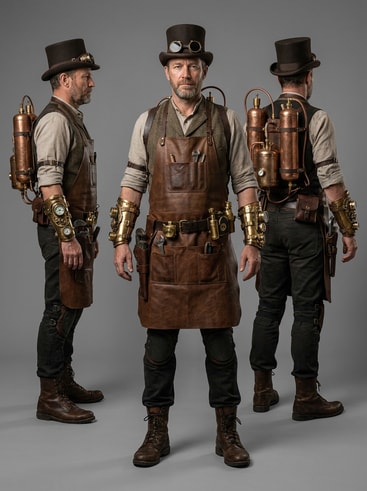
AI steampunk inventor three-view illustration

Steampunk Inventor Character Turnaround

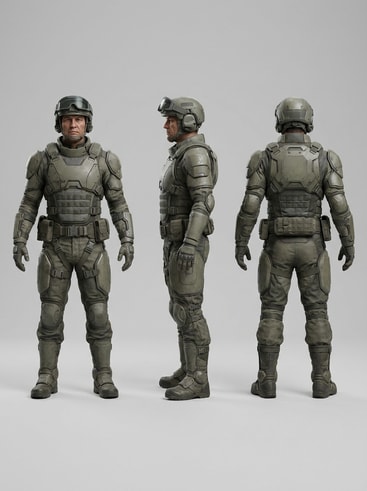
AI futuristic soldier three-view illustration

Futuristic Soldier Concept Sheet

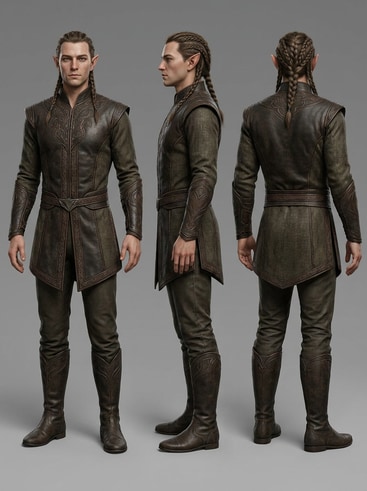
AI mythical elf three-view illustration

Mythical Elf Three-View Pose Sheet

Why Choose Media.io for Three-View Character Illustrations

Media.io delivers precise and consistent three-view character illustrations that speed up your creative pipeline. With powerful AI modeling, every angle of your character maintains design accuracy and stylistic detail. Whether you are developing original characters or refining concept art, Media.io simplifies your workflow by handling the tedious perspective work.

Consistent Character Angles

Media.io ensures your character's front, side, and back match perfectly, maintaining realism and accuracy in every detail. Artists can rely on this consistency to streamline their modeling and rigging processes. The AI generator automatically balances form, proportion, and visual harmony across all angles. Your reference sheets will look coherent, polished, and ready for professional use.

High-Quality Visual Output

Get crisp, detailed AI-generated visuals without losing artistic style or clarity. Media.io's AI engine translates your prompts into clean lines, correct lighting, and vivid textures aligned with your chosen art style. Each generated view is optimized for animation pipelines and digital storytelling. No blurry edges or mismatched design elements - only studio-grade quality.

Fast and Customizable Workflow

Instead of drawing each angle manually, upload or describe your character and let Media.io handle the technical composition. Easily modify poses, color palettes, or accessories before exporting. Edit and refine characters quickly until you achieve your desired look. This flexibility supports artists working under deadlines who still want complete creative control.

Perfect for Games and Animation

From indie animation projects to game character design, Media.io's three-view generator accelerates your production. Prepare characters for 3D modeling, rigging, and animation references seamlessly. The platform accommodates both beginners and professionals with intuitive controls. Your final results are ready for concept showcases, pitch decks, and creative production.

How to Create a Three-View Character Illustration with Media.io

01

Step 1: Describe or Upload Your Character Idea

Enter a detailed character description or upload an existing face or body reference. Media.io's AI will analyze your input to create aligned character features for all three angles. You can define mood, outfit, and theme to match your creative goal. This sets a strong foundation for consistency across each pose.

02

Step 2: Generate and Adjust the Three Views

Media.io instantly produces the front, side, and back perspectives based on your description. Explore different styles, lighting, or proportions until each angle feels authentic. The interface makes it easy to modify and fine-tune without losing visual coherence. Every output is crafted to look professional and animation-ready.

03

Step 3: Export and Reuse for Projects

Once satisfied, export your character sheet for use in games, animation, or reference boards. The generated visuals retain scale and color balance for reliable modeling use. Revisit your saved designs anytime to create variations or add new outfits. Media.io keeps your creative assets organized and reusable for any project.

What Artists Say About Media.io Three-View Generator

user
Leah Tran

Game Concept Artist

starstarstarstarstar

"Perfect Consistency Between Angles" I needed accurate turnarounds for my hero characters, and Media.io delivered beyond expectations. The AI kept facial features and outfits consistent across all three views. The editing tools gave me enough flexibility to tweak small details without redrawing. It has saved me endless hours in my production prep.

user
Marcus Fields

2D Animator

starstarstarstarstar

"Speeds Up My Animation Workflow" Creating side and back views used to take me days, but now Media.io handles it in minutes. Each output is polished enough for direct import into my animation pipeline. Even minor corrections are easy because everything aligns by default. It's a real game changer for short production cycles.

user
Nora Vega

Freelance Illustrator

starstarstarstarstar

"Three Angles Without Redrawing" I used to struggle maintaining proportions when creating my own character sheets. Media.io automatically generates balanced poses that mirror my style perfectly. The convenience lets me produce consistent client references faster than ever. My portfolio feels more polished and cohesive thanks to this AI tool.

user
Aaron Liu

Indie Game Developer

starstarstarstarstar

"A Reliable Tool for Small Teams" Our small team needed quick character turnarounds for multiple NPCs. Media.io gave us everything structured and ready for modeling. We no longer depend on outsourced references, which saves both time and budget. It's ideal for independent developers aiming for professional-quality visuals.

user
Julia Reyes

OC Creator and Blogger

starstarstarstarstar

"Helps Me Visualize Every Character Detail" As someone who designs original characters for storytelling, seeing each view helps cement their appearance. Media.io interprets my prompts creatively while keeping attributes stable across angles. The results are detailed enough for digital painting and cosplay planning. I've recommended it to my whole creative circle.

Creators worldwide are turning to automated three-view generation to streamline production.

FAQs About Three-View Character Illustrations

1. What Is a Three-View Character Illustration Used For?
faqfaq

A three-view character illustration shows front, side, and back perspectives of a character. It's essential for 3D modeling, animation, and concept development workflows. Artists and designers use these turnarounds to maintain visual consistency while building or animating characters. Media.io automates this process with AI precision for faster and more accurate results.

Media.io's AI models analyze shapes, symmetries, and design cues to maintain proportional accuracy across all views. The results are detailed enough for direct use in animation and modeling references. It minimizes distortion between angles, producing realistic and stylized outcomes alike. Users can edit prompts or colors until each angle meets their creative vision.

Yes, Media.io allows you to export your generated images in high-quality formats for various creative tools. You can use these illustrations in animation, game design, or as visual sheets for 3D modeling. Each export maintains sharp details and color consistency. This makes it an all-in-one solution for fast professional asset production.

No prior drawing experience is required when generating three-view character illustrations with Media.io. The tool is designed for both beginners and professionals needing consistent character visuals. You simply describe or upload your character, and the AI takes care of alignment. Even non-artists can create portfolio-ready turnarounds in minutes.

Absolutely, you can select artistic directions such as anime, semi-realistic, or painterly styles before generating. Media.io's AI adapts to your stylistic keywords while preserving the same character design across all views. This flexibility lets you test different aesthetics without redesigning from scratch. It's ideal for exploring creative direction early in the concept stage.

Yes, Media.io offers editing tools that let you refine facial features, outfits, or poses after the initial generation. You can make subtle adjustments for storytelling or design upgrades without rebuilding the visuals. Each refinement keeps the same scaling and proportions across views. This ensures your updates never break consistency or perspective alignment.

Media.io uses AI-based geometry mapping that tracks key points of a character's silhouette and anatomy. These algorithms replicate spatial relationships across all three angles for accurate perspective. This system prevents drifting features like eyes or clothing folds across poses. As a result, every turn remains uniform and believable in design.

Yes, you can easily share or showcase your outputs on social platforms such as Instagram, YouTube, or TikTok. Media.io-generated visuals are optimized for aesthetic presentation in creative communities. Shareable quality helps attract potential clients or engage your audience with process reveals. It's an effective way to display your design flow and finished characters.

Media.io Online AI Tools Quality Rating:
vote 4.7 (162,357 Votes)



