Create Realistic 3D Models with Media.io AI Character Generator

Bring your characters to life with stunningly realistic 3D designs powered by Media.io's AI Character Generator. Whether you're crafting avatars, cinematic characters, or detailed game assets, the tool produces lifelike results in seconds. Adjust style, texture, and lighting to achieve your vision precisely.

Generate Your Realistic Model Now

Perfect for games, animation, and cinematic design projects.

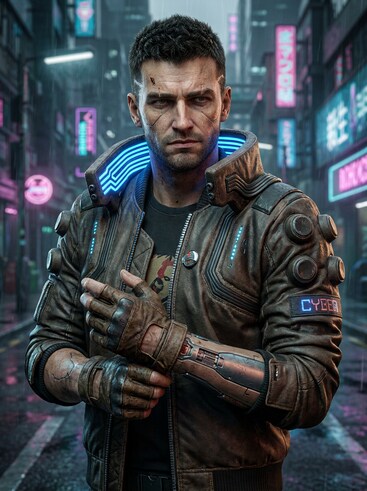
Cyberpunk street android realistic 3D model

Cyberpunk Street Android

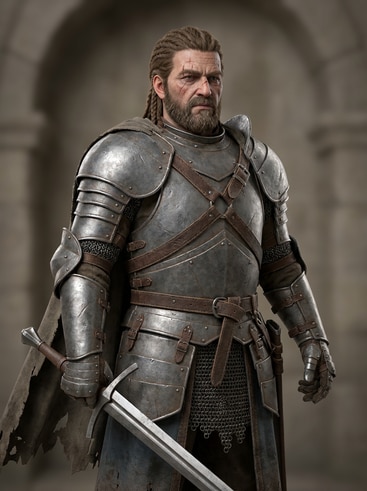
Fantasy warrior realistic 3D model

Fantasy Warrior with Armor

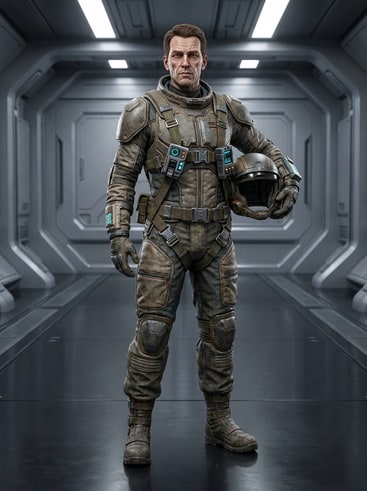
Stylized sci-fi pilot realistic 3D model

Stylized Sci-Fi Pilot

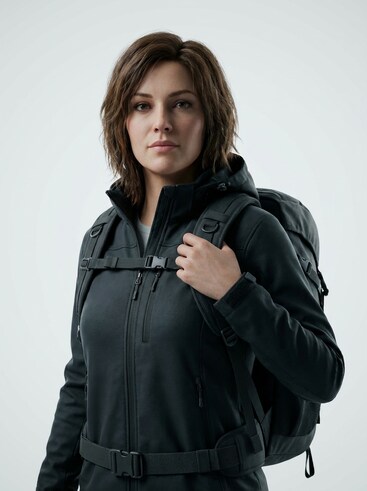
Modern female avatar realistic 3D model

Modern Female Avatar

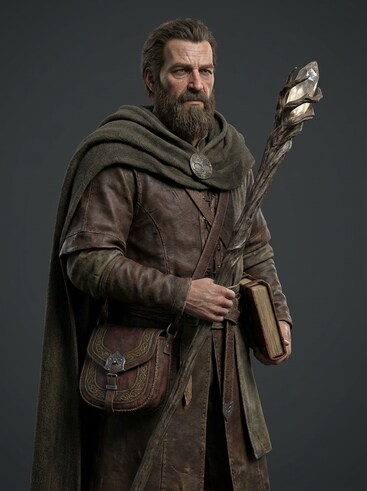
Medieval mage realistic 3D model

Medieval Mage Concept

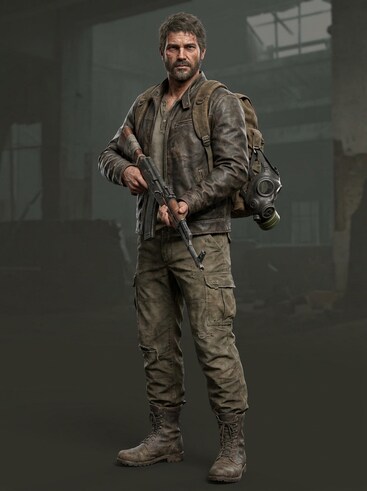
Post-apocalyptic survivor realistic 3D model

Post-Apocalyptic Survivor

Why Choose Media.io for Realistic 3D Character Models

Media.io's AI Character Generator helps you produce visually rich, photorealistic 3D models effortlessly. It transforms your creative inputs into complete, high-fidelity assets ready for animation, games, or concept art. The tool ensures consistency across multiple outputs, allowing designers and creators to maintain coherent aesthetics in large projects. Whether building avatars, cinematic characters, or OC visualizations, you can depend on Media.

Photorealistic Accuracy

Media.io's engine captures intricate details, replicating realistic skin, lighting, and materials. Artists gain full control over the tone and depth of their models for professional-grade realism. Each render reacts naturally to dynamic lighting, perfect for animation and 3D integration. It ensures every design looks authentic and harmonizes with your creative style.

Flexible AI Tools

You can guide the AI to match any visual direction, from cinematic to stylized realism. Fine-tune attributes like materials, stance, and realism depth for total creative flexibility. The workflow adapts to your project phase, whether concept ideation or final render optimization. It's built for creators of all levels, requiring no 3D modeling experience.

Consistent Character Production

Media.io ensures every model stays consistent in appearance and design logic, even across multiple outputs. This feature is key for game studios, content creators, and storytellers building long-term pipelines. You can reproduce characters with the same facial structure or outfit traits anytime. It removes repetitive manual adjustments and maintains your brand's visual identity.

Fast Turnaround and Export

Generate realistic 3D models quickly without slowing your workflow. Media.io provides instant previews and export-friendly formats that integrate smoothly into 3D environments or creative editors. It shortens iteration cycles while maintaining top quality across assets. You can spend less time modeling and more time storytelling and publishing.

How to Create Realistic 3D Models with Media.io

01

Step 1: Describe Your Character

Start by typing a clear prompt about your desired 3D character. Include attributes such as style, mood, outfit, and realism level. The AI reads your description and interprets the key visual features. This ensures you get a lifelike model built from your creative direction.

02

Step 2: Generate and Refine the Model

Click generate to instantly view several AI-rendered 3D models. Adjust lighting, textures, or facial structures until it matches your vision. You can easily refine outputs or remix styles for different artistic goals. The preview updates in real time for precise quality control.

03

Step 3: Download and Use Anywhere

Export your model as a ready-to-use visual asset for games, animations, or MVs. The format is compatible with most design tools and creative workflows. You can reuse the asset for thumbnails, character sheets, or promotional posts. Enhance your brand visuals with minimal setup time.

What Creators Say About Their 3D Model Results

user
Aiden P.

Game Developer

starstarstarstarstar

"Saved Weeks of Modeling Time" I needed realistic 3D game characters fast, and Media.io delivered beyond expectation. The results looked production-ready and saved me days of manual modeling. The texture realism and material effects were surprisingly advanced. It's now part of my regular development toolkit.

user
Sophie L.

3D Concept Artist

starstarstarstarstar

"Incredible Detail and Easy Refinement" The AI's attention to detail in skin and lighting made my concept art pop. I could tweak visuals until the character looked exactly as imagined. It feels intuitive and suits artists who need precision without technical barriers. The platform really bridges art and technology seamlessly.

user
Marcus R.

Animator

starstarstarstarstar

"Perfectly Balanced Visuals for Animation" These realistic 3D models integrate perfectly in my animation software. The AI-generated materials respond to light naturally and maintain consistent proportions. I love how easy it is to match new assets with existing scenes. It boosts my efficiency and keeps visual continuity across episodes.

user
Tara K.

Indie Filmmaker

starstarstarstarstar

"Cinematic Realism That Feels Authentic" I use Media.io for creating references and pre-visualizations before shooting. The realism of the AI characters helps me plan camera perspectives more effectively. It translates creative notes into visuals I can show my team instantly. It's a groundbreaking addition to my film production process.

user
Leo S.

Content Creator

starstarstarstarstar

"Lifelike Avatars for Social Media Projects" Media.io made it possible to produce professional-looking avatars for my stream branding. The AI characters reflect consistent lighting and realism that impress my followers. I switch between styles for different videos while keeping the same base look. It adds polish and individuality to my visual identity online.

Creators worldwide are using Media.io to develop realistic 3D styles that rival traditional modeling.

Common Questions About Realistic 3D Models

1. Can Media.io Generate 3D Models Suitable for Games or Animation?
faqfaq

Yes, Media.io's AI engine can produce realistic 3D models tailored for both animation and gaming. The files you generate include accurate surface lighting that adapts well to production environments. These assets can serve as high-quality references or direct visual materials. For developers, it reduces manual modeling and boosts speed without sacrificing realism.

The generator leverages advanced AI texture mapping and lighting simulation. It learns from professional-grade visual datasets to mimic natural reflections and material responses. Every output captures the nuances of human or object surfaces with photographic depth. Users get results that feel handcrafted despite being AI-generated.

No, the platform is built for users of all skill levels. You simply describe what you want, and Media.io handles complex rendering processes automatically. Even beginners can refine poses and surface details in just a few clicks. It's an accessible path to producing premium visuals without technical know-how.

Yes, consistency is integral to Media.io's technology. You can generate different angles, outfits, or lighting while keeping the same face or core features. This function makes it ideal for character sheets, game assets, and storyboards. It streamlines production pipelines and supports large multi-scene projects.

Absolutely. You can modify parameters like style tone, realism strength, and detail density. These adjustments refine the output's look while keeping the core design intact. The interface is interactive and gives immediate visual feedback for each edit. This helps creators explore multiple aesthetics efficiently.

Yes, finished models can be downloaded and reused across different creative projects. The export formats are optimized for most 3D or 2D workflows. Whether you're animating, illustrating, or compositing, they integrate with standard tools. Reusing assets keeps brand consistency and saves time in repetitive work.

Media.io processes files securely and complies with privacy standards. Your creative prompts and generated images are not shared publicly. All models remain accessible only within your account unless you choose to export them. The system prioritizes confidentiality to protect your visual assets.

Generation times vary by detail level but typically happen within seconds. The AI instantly drafts your model and refines lighting response automatically. Even at high realism settings, results appear noticeably faster than manual modeling. This allows for quick iteration and experimentation during the design process.

Media.io Online AI Tools Quality Rating:
vote 4.7 (162,357 Votes)



