Design a Model for Sephora AI Style with Media.io

Transform your creative vision into a digital masterpiece inspired by Sephora's beauty aesthetic using Media.io's AI Character Generator. Generate realistic, elegant model visuals that capture modern fashion trends in seconds. Each creation can be refined for mood boards, campaigns, or product showcases.

Generate Your Sephora-Style Model Now

Instantly craft AI beauty visuals for brand, fashion, or content projects.

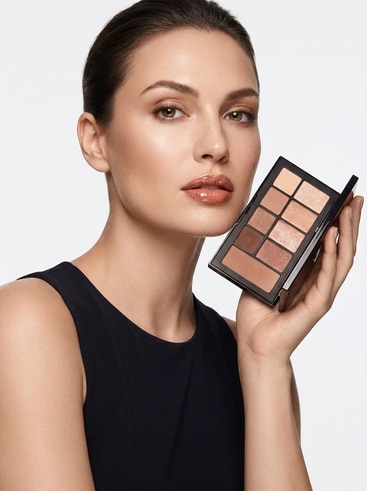
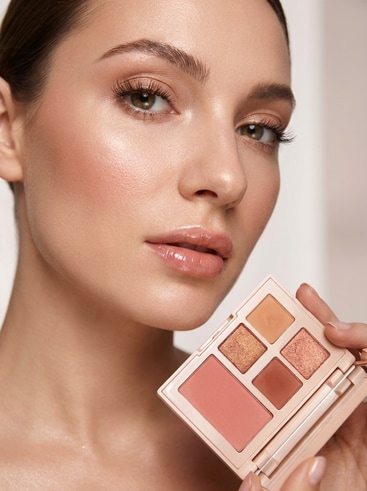
AI model inspired by Sephora runway look

Runway Editorial Model in Sephora Palette

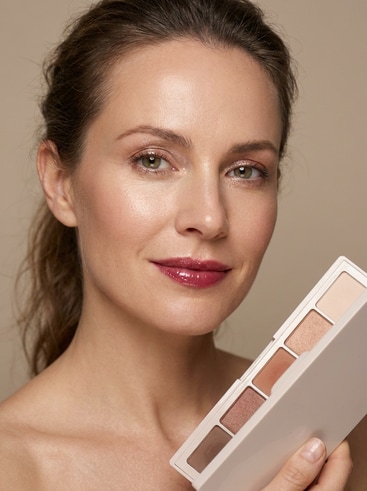
AI studio beauty portrait in Sephora-style lighting

Studio Beauty Portrait with Soft Lighting

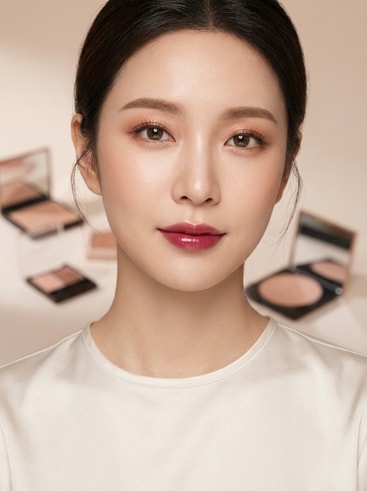
AI virtual influencer with trendy Sephora makeup

Virtual Influencer with Modern Sephora Makeup

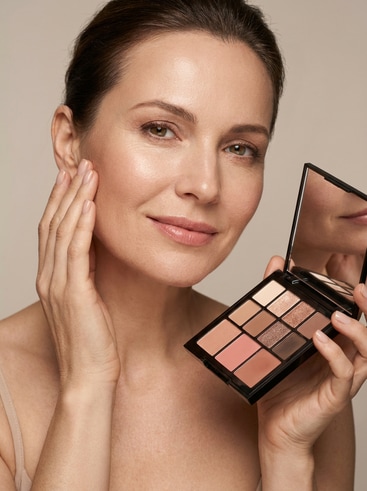
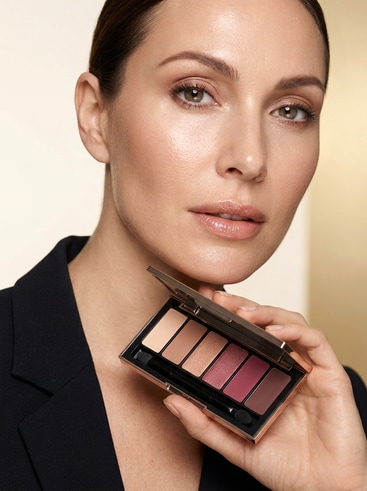
AI fashion model posing with beauty products

Cosmetic Product Showcase Model Pose

AI ad model inspired by luxury Sephora campaign

Commercial Ad Model in Luxury Glow Look

AI character concept inspired by Sephora aesthetics

Creative Concept Model for Fashion Storyboard

Why Use Media.io for Sephora-Style AI Models

Media.io's AI Character Generator empowers creators to design digital fashion models with exceptional control and realism. It saves hours of manual editing while maintaining the glamor and precision of beauty-focused imagery. Each output is consistent, high-resolution, and instantly ready for marketing visuals, product mockups, or influencer-style campaigns. Whether you're refining color tones, facial features, or brand-driven looks, Media.

Instant AI Model Generation

Media.io automatically crafts high-quality beauty models in moments, eliminating the need for manual retouching. Each visual is built from your prompt and refined by AI for stunning, photorealistic results. This technology enables beauty creators, marketers, and design teams to prototype campaign visuals fast. Save time while maintaining the allure and polish associated with Sephora-inspired aesthetics.

High-Resolution Beauty Imagery

With Media.io, every image is produced at a resolution fit for campaign and brand visuals. It highlights natural skin textures, reflective makeup tones, and detailed lighting. Users can regenerate new variations while preserving the overall look and tone. The result is a cohesive collection of luxury-forward images suitable for online or print displays.

Customizable Makeup and Style Control

Users can define eye shadow, lip color, hairstyle, or outfit tone to shape their AI model exactly as envisioned. Media.io's flexible prompts and controls make it easy to match visual themes to specific product lines. From soft neutrals to bold editorial contrasts, each creation reflects brand cohesion. This capability supports creative teams seeking unique imagery that aligns with premium beauty storytelling.

Repeat and Refine for Consistent Results

Media.io lets you save and reproduce your preferred AI model looks with ease. Reuse character templates to ensure consistency across multiple promotional visuals. The system enables seamless iteration based on campaign feedback or trend updates. Each regenerated image retains stylistic integrity, helping maintain visual identity across diverse marketing assets.

How to Create a Sephora-Inspired AI Model

01

Step 1: Describe Your Model Concept

Write a clear prompt describing the desired beauty style, lighting, and mood. Include Sephora-inspired details such as glow makeup or luxury visuals to guide the AI output effectively.

02

Step 2: Generate and Refine with AI

Use Media.io's AI engine to generate several model variations instantly. Adjust prompts or refine based on tone, color palette, or model pose until the result matches your brand vision.

03

Step 3: Download and Reuse Models

Export your image in high resolution and reuse it for brand campaigns, catalog design, or social media promotion. Maintain cohesive visuals by regenerating characters in consistent styling.

User Reviews About AI Sephora Model Creations

user
Ava L.

Brand Designer

starstarstarstarstar

"Perfect For Fast Fashion Concepts" Media.io helped me build mockups for a digital beauty campaign in minutes. The AI replicated tones and lighting suitable for Sephora-style visuals incredibly well. I didn't need to hire models or photographers for early-stage pitching. The results looked cohesive and elevated across all brand materials.

user
Rafael T.

Content Creator

starstarstarstarstar

"Realistic And Easy To Customize" I used Media.io to test creative concepts for influencer-style visuals. The platform let me fine-tune makeup looks, poses, and camera angles. Each generated model appeared stylish and authentic, aligned with a professional commercial standard. I've reused these visuals across ads and social posts effortlessly.

user
Nia M.

Marketing Strategist

starstarstarstarstar

"Saved Hours Of Production Work" Our team used Media.io to simulate model shots for a B2B beauty line proposal. The AI achieved photo-like quality that impressed clients. We rapidly generated consistent model sets using saved styles across multiple product shots. It's now part of our regular creative workflow.

user
Leo K.

Agency Art Director

starstarstarstarstar

"Sharp, Luxurious Visual Output" Media.io gave us versatile AI models perfectly suited to luxury-brand aesthetics. It maintained realistic lighting and fabric textures in every render. The depth of customization made it easy to match campaign stories visually. We've used it to visualize multiple editorial concepts.

user
Tara S.

Freelance Visual Artist

starstarstarstarstar

"High-End Result Without Complexity" This generator allowed me to craft themed fashion portraits without needing advanced software. The AI instantly produced elegant Sephora-style visuals ready for publishing. Each creation was adaptable to my preferred palette and framing. The accuracy of reflective highlights on skin was particularly impressive.

Most creators love the precision and realism of Media.io's fashion AI visuals.

FAQs About Creating a Model for Sephora AI

1. What Is a Sephora-Style AI Model?
faqfaq

A Sephora-style AI model is a digital character designed with beauty-focused aesthetics, makeup balance, and editorial polish. It mirrors luxury fashion photography but created entirely by AI. Users can define skin textures, lighting tones, and accessory themes for precision. Media.io's tool simplifies the process into an instant, repeatable workflow.

Yes, you can define lighting direction, tone, and softness directly in the prompt. The AI considers these settings when generating visuals to ensure professional light balance. You can re-render images for varied studio or outdoor lighting styles. Consistency settings ensure your result stays visually uniform across a campaign.

Media.io can provide AI-generated models suitable for brand visuals, mockups, or marketing concepts. Its customizable prompts let users align looks with color branding or creative layout concepts. Many design teams use it to test themes before full-scale production. The results are crisp enough for social media previews or internal presentations.

Yes, Media.io enables creators to save prompts and parameters for reuse. You can regenerate character sets sharing the same facial tone, styling, or backdrop. It assures consistent quality for campaigns that require a unified visual identity. This repeatability drastically reduces design workload for fashion-themed projects.

Depending on the output policy, Media.io grants usage rights compatible with non-exclusive projects. Users should verify licensing before large-scale releases, especially for paid campaigns. For branding mockups or prototypes, these visuals are generally safe. Always review specific usage guidelines within Media.

Media.io's AI engine is trained to simulate professional-grade beauty photography. Outputs display natural lighting, micro skin details, and defined color shading. The models appear realistic enough for advertising draft quality. You can further refine details with in-app editing if additional precision is required.

Yes, generated images can be easily downloaded and imported into any creative suite. JPEG or PNG exports maintain clarity suitable for Adobe or Figma workflows. You can overlay design elements or typography for campaigns. This integration helps shorten asset preparation and increases design agility.

Media.io allows you to save generated AI models securely in your account. Files can be revisited later for updates or variations. This feature supports teams managing multiple campaigns with recurring design needs. You can organize, tag, and reuse visuals easily across projects.

Media.io Online AI Tools Quality Rating:
vote 4.7 (162,357 Votes)



