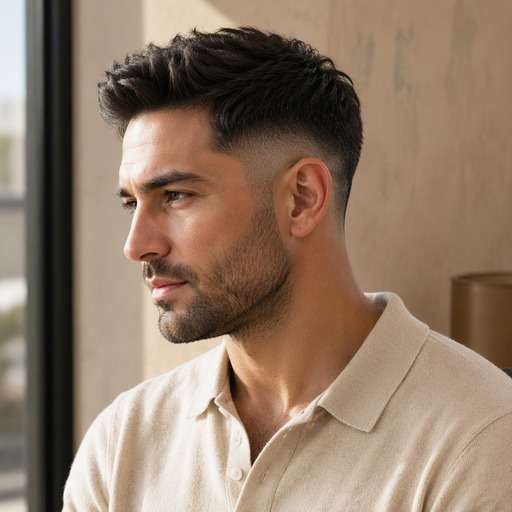
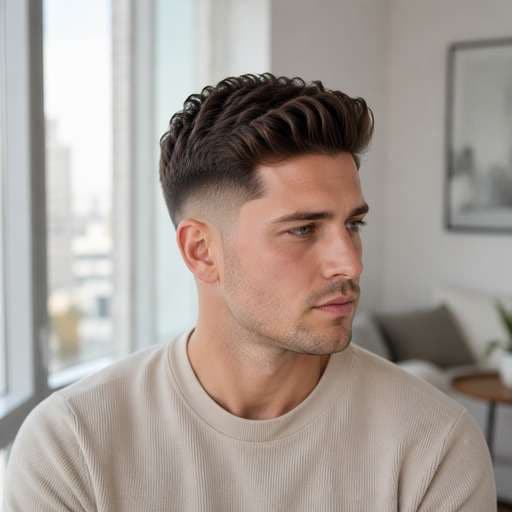
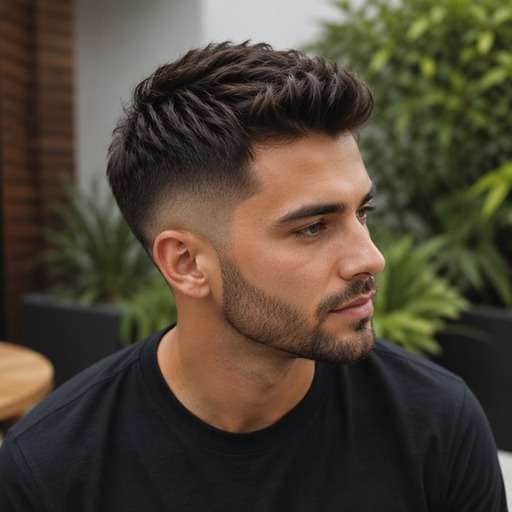
Clique ou arraste para enviar, ou escolha de Meu HistóricoClique para carregarMeu Histórico
Sem ideias? Gere uma imagem primeiro >
Faça upload de imagens jpg, jpeg ou png de até 50 MB, com largura/altura mínima de 300 px.
Try a Mid Fade Before Your Next Barber Visit
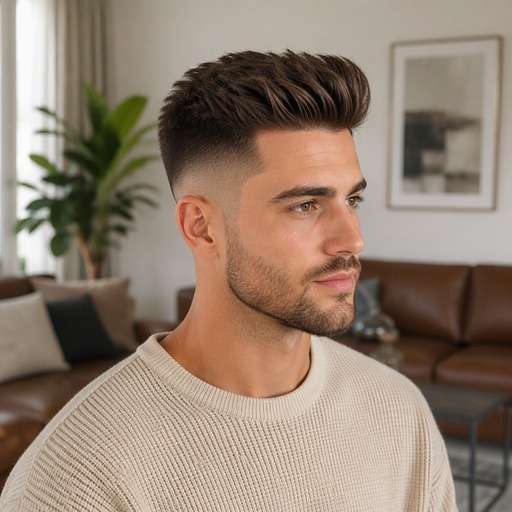
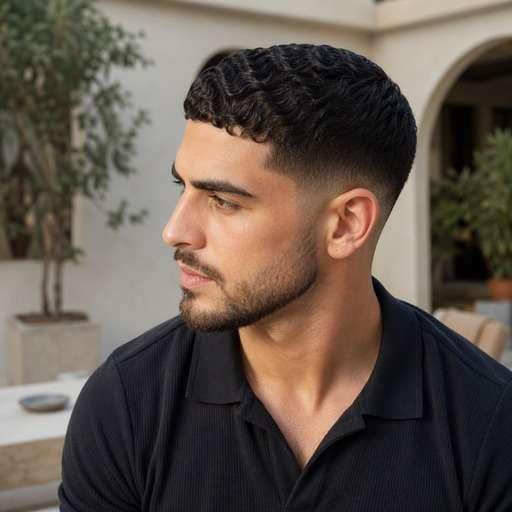
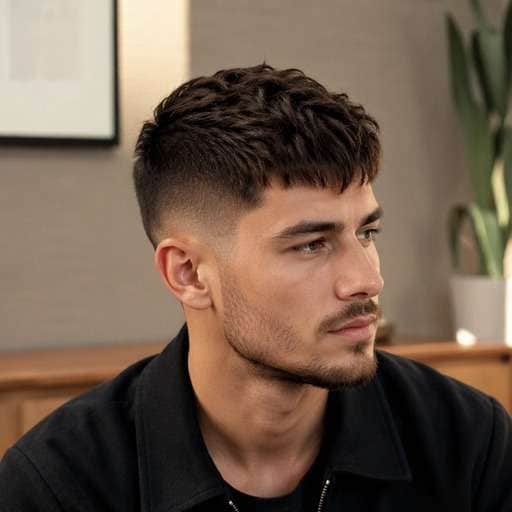
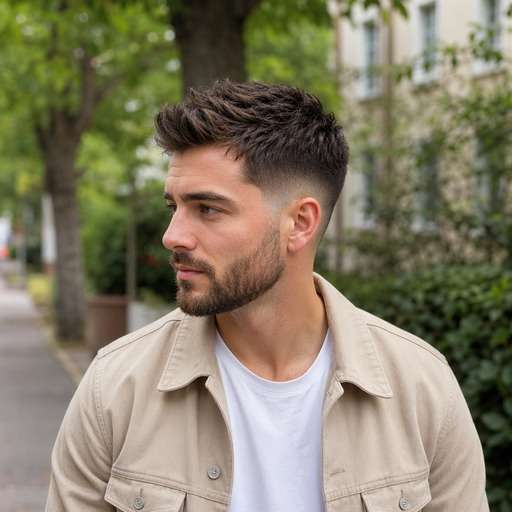
Not sure whether the fade should start above or below your temples? A mid fade filter helps you picture a balanced transition around the middle of your head using your own photo. Compare a clean mid fade with different top lengths and choose a reference your barber can actually read.
For a clearer preview, upload a well-lit photo with side three-quarter head-and-shoulders portrait showing temple, ear and crown.
Mid Fade Haircut Try-On Prompts
Not every mid fade looks the same. Start by comparing gradual fade beginning around the temple midpoint, with visible hair above and a tidy nape. Choose the variation whose silhouette you want to test, copy the prompt into Face Editor and upload one clear photo. Keep the same face and viewpoint between versions so the hairstyle difference is easy to judge.
Classic Mid Fade
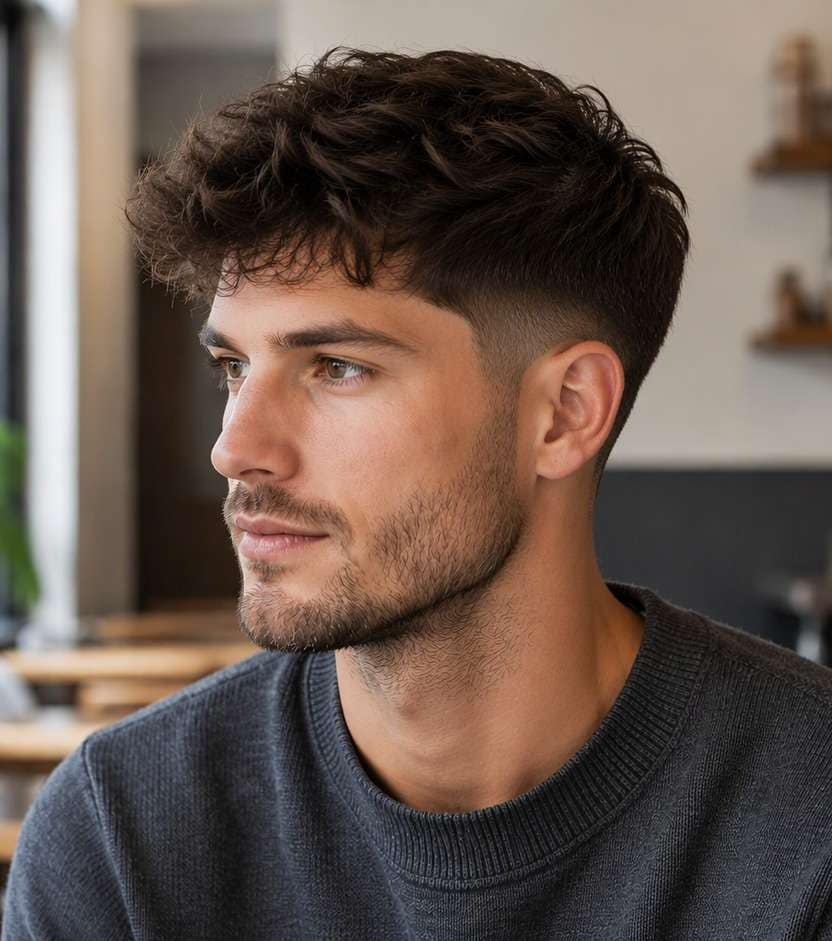
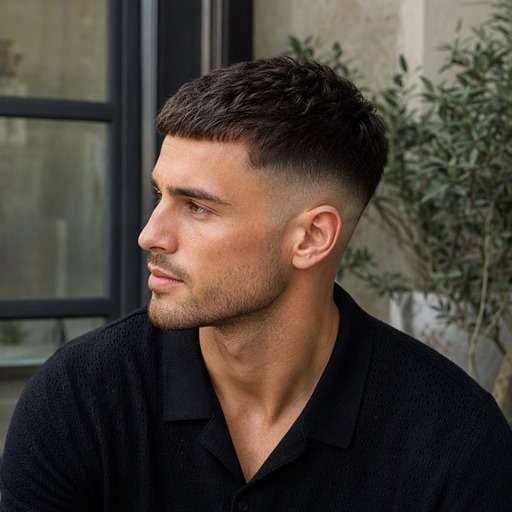
Use my uploaded photo of the same person as the starting image. Try classic mid fade: start the blend halfway up the side and keep a short natural crop on top. Keep a believable gradual fade beginning around the temple midpoint, with visible hair above and a tidy nape. Preserve my face, skin tone, facial hair, expression and outfit, along with the original background and viewpoint. Use a hairstyle-revealing camera angle with realistic hair growth, clean but natural barber transitions and individually visible strands. Make the new haircut clear enough to compare with my original, without adding accessories, mirrors, phones, text or logos.
Mid Fade With Curly Top
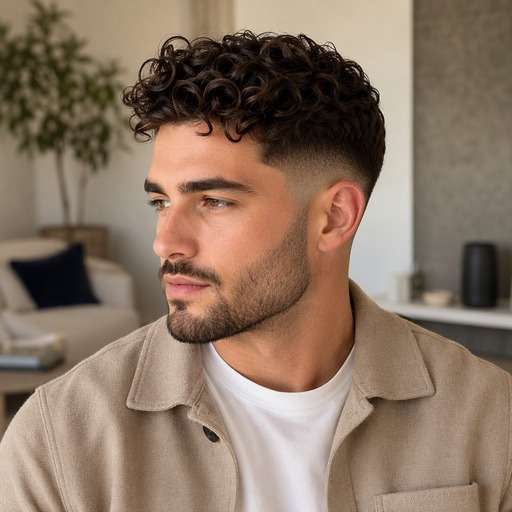
Use my uploaded photo of the same person as the starting image. Try mid fade with curly top: preserve defined natural curls on top and blend smoothly around the temple. Keep a believable gradual fade beginning around the temple midpoint, with visible hair above and a tidy nape. Preserve my face, skin tone, facial hair, expression and outfit, along with the original background and viewpoint. Use a hairstyle-revealing camera angle with realistic hair growth, clean but natural barber transitions and individually visible strands. Make the new haircut clear enough to compare with my original, without adding accessories, mirrors, phones, text or logos.
Mid Fade With Side Part
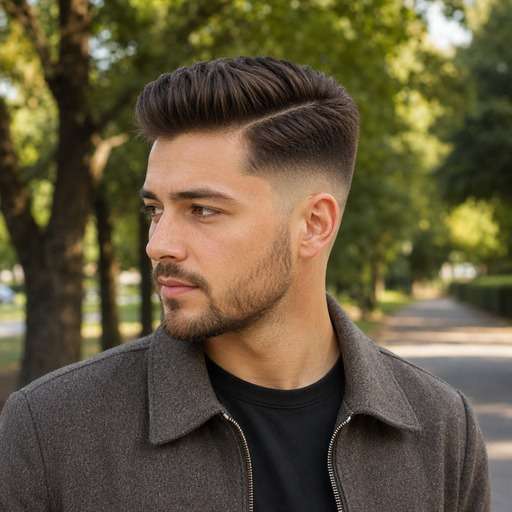
Use my uploaded photo of the same person as the starting image. Try mid fade with side part: leave combable length and a clean off-center part above the gradient. Keep a believable gradual fade beginning around the temple midpoint, with visible hair above and a tidy nape. Preserve my face, skin tone, facial hair, expression and outfit, along with the original background and viewpoint. Use a hairstyle-revealing camera angle with realistic hair growth, clean but natural barber transitions and individually visible strands. Make the new haircut clear enough to compare with my original, without adding accessories, mirrors, phones, text or logos.
Mid Fade With Quiff
Use my uploaded photo of the same person as the starting image. Try mid fade with quiff: lift the front slightly while keeping the mid-height faded sides. Keep a believable gradual fade beginning around the temple midpoint, with visible hair above and a tidy nape. Preserve my face, skin tone, facial hair, expression and outfit, along with the original background and viewpoint. Use a hairstyle-revealing camera angle with realistic hair growth, clean but natural barber transitions and individually visible strands. Make the new haircut clear enough to compare with my original, without adding accessories, mirrors, phones, text or logos.
Mid Fade With Short Waves
Use my uploaded photo of the same person as the starting image. Try mid fade with short waves: show short wave texture on top and a soft transition at the ears. Keep a believable gradual fade beginning around the temple midpoint, with visible hair above and a tidy nape. Preserve my face, skin tone, facial hair, expression and outfit, along with the original background and viewpoint. Use a hairstyle-revealing camera angle with realistic hair growth, clean but natural barber transitions and individually visible strands. Make the new haircut clear enough to compare with my original, without adding accessories, mirrors, phones, text or logos.
Mid Fade With Textured Crop
Use my uploaded photo of the same person as the starting image. Try mid fade with textured crop: point-cut the top for broken-up texture and a forward fringe. Keep a believable gradual fade beginning around the temple midpoint, with visible hair above and a tidy nape. Preserve my face, skin tone, facial hair, expression and outfit, along with the original background and viewpoint. Use a hairstyle-revealing camera angle with realistic hair growth, clean but natural barber transitions and individually visible strands. Make the new haircut clear enough to compare with my original, without adding accessories, mirrors, phones, text or logos.
Mid Fade With Beard Blend
Use my uploaded photo of the same person as the starting image. Try mid fade with beard blend: connect the fade subtly into a short natural beard line. Keep a believable gradual fade beginning around the temple midpoint, with visible hair above and a tidy nape. Preserve my face, skin tone, facial hair, expression and outfit, along with the original background and viewpoint. Use a hairstyle-revealing camera angle with realistic hair growth, clean but natural barber transitions and individually visible strands. Make the new haircut clear enough to compare with my original, without adding accessories, mirrors, phones, text or logos.
Mid Fade With Tapered Nape
Use my uploaded photo of the same person as the starting image. Try mid fade with tapered nape: keep the back transition lower than the temple fade. Keep a believable gradual fade beginning around the temple midpoint, with visible hair above and a tidy nape. Preserve my face, skin tone, facial hair, expression and outfit, along with the original background and viewpoint. Use a hairstyle-revealing camera angle with realistic hair growth, clean but natural barber transitions and individually visible strands. Make the new haircut clear enough to compare with my original, without adding accessories, mirrors, phones, text or logos.
Mid Fade With Thick Top
Use my uploaded photo of the same person as the starting image. Try mid fade with thick top: maintain dense volume on top with a smooth mid-level fade underneath. Keep a believable gradual fade beginning around the temple midpoint, with visible hair above and a tidy nape. Preserve my face, skin tone, facial hair, expression and outfit, along with the original background and viewpoint. Use a hairstyle-revealing camera angle with realistic hair growth, clean but natural barber transitions and individually visible strands. Make the new haircut clear enough to compare with my original, without adding accessories, mirrors, phones, text or logos.
Mid Fade With Defined Edge
Use my uploaded photo of the same person as the starting image. Try mid fade with defined edge: maintain a neat natural temple line without an artificial sharp outline. Keep a believable gradual fade beginning around the temple midpoint, with visible hair above and a tidy nape. Preserve my face, skin tone, facial hair, expression and outfit, along with the original background and viewpoint. Use a hairstyle-revealing camera angle with realistic hair growth, clean but natural barber transitions and individually visible strands. Make the new haircut clear enough to compare with my original, without adding accessories, mirrors, phones, text or logos.
Find the Details That Matter in a Mid Fade Preview
Find the Right Fade Height
A mid fade should sit between a low taper and a high fade. Check where the transition crosses your temple in the preview, then compare that boundary against your ear instead of relying on the haircut name alone.
Balance the Top With the Sides
An even blend can still look too severe if the top is very short. Try the same mid fade beneath a cropped top and a fuller textured top to see which proportion better suits your face.
Keep Your Natural Hairline
Ask for a believable temple edge and natural hairline when writing the prompt. Inspect both sides of the image, especially above the ears, before saving a reference for your barber.
Prepare a Useful Barber Reference
A portrait can show the intended fade height, but a side-view photo is much easier to discuss than a front-only selfie. Save the clearest angle and confirm clipper length and maintenance with your barber.
How to Try Mid Fade on Your Photo
Keep the same source portrait while comparing gradual fade beginning around the temple midpoint, with visible hair above and a tidy nape. Start with a clear head-and-shoulders image, then change one hairstyle detail at a time.
Step 1
Upload Your Photo
Upload a clear portrait showing side three-quarter head-and-shoulders portrait showing temple, ear and crown. Leave enough room around the head to view the haircut from top to lower edges.
Step 2
Choose a Haircut Filter or Enter a Prompt
Choose a suitable haircut preset if available, or enter a custom prompt describing a clean mid-height blend starting around the temples, not an extreme high fade. Ask for a natural hairline and realistic transition.
Step 3
Click Generate
Click Generate to preview the new hairstyle on your photo. Compare the original against the target shape and refine the fade height, texture or length that matters to this cut.
Use the image to decide on visible shape and proportion before changing your real hair. The key is gradual fade beginning around the temple midpoint, with visible hair above and a tidy nape, not an invented change to your face.
Before the Weekend Trim
You're booked for a haircut but want a fresher outline without a dramatic high fade. Compare a modest mid blend against your current grown-out sides and show the better version at the appointment.
A Sharper Work Headshot
A mid fade can make the side silhouette look tidier while leaving your usual top hairstyle recognizable. Keep lighting and facial features unchanged so you're judging the actual haircut, not photo retouching.
Changing From a Low Fade
If your usual fade sits beneath the ears, a mid fade may look more exposed at the temples. Preview the two heights on the same portrait before asking for a higher blend.
Check Your Mid Fade Preview Before Saving
Defining Shape
Image review checklist
"Is the key haircut feature visible?" Look for gradual fade beginning around the temple midpoint, with visible hair above and a tidy nape. If that detail is missing, make the instruction more specific before keeping the preview.
Before & After
Image review checklist
"Can you see a real hair change?" The baseline should show grown-out full sides with no clear gradient, leaving the same top hair. The new version should clearly show a clean mid-height blend starting around the temples, not an extreme high fade with the same person and photo.
Natural Hair Edges
Image review checklist
"Check the scalp and temples" Look around the ear, forehead and nape for unrealistic lines or missing strands. Ask for a more natural transition when an edit looks artificial.
Barber Reference
Image review checklist
"Save a photo you can explain" Use the preview to discuss shape and length with your barber. The image cannot measure real hair density, growth direction or styling hold.
It usually transitions around the middle of the sides near the temple area, although barbers may interpret the exact height differently. Specify the fade start relative to your ear in the prompt.
2. Is a mid fade less dramatic than a high fade?
Often yes, because it leaves more visible hair on the upper side. Compare the same top haircut with both blend heights rather than changing the top at the same time.
3. Can I keep curls on top?
Yes, the fade describes the sides rather than one compulsory top style. Describe your curl pattern and leave the top length unchanged when previewing the mid fade.
4. What should I show my barber?
Bring an image where the temple and ear are visible. Ask about guard length, the blend's start height and how frequently the edge will need touching up.
5. What photo gives the clearest mid fade preview?
Use a sharp, evenly lit photo with side three-quarter head-and-shoulders portrait showing temple, ear and crown. Keep hair boundaries visible rather than hidden by hats or dramatic shadows. A consistent camera angle makes comparisons more useful.
6. Will the mid fade preview match a real haircut exactly?
No. This is a visual reference that helps compare gradual fade beginning around the temple midpoint, with visible hair above and a tidy nape. Real length, growth patterns, density, scalp exposure and day-to-day styling depend on your hair and your barber.