Clique ou arraste para enviar, ou escolha de Meu HistóricoClique para carregarMeu Histórico
Sem ideias? Gere uma imagem primeiro >
Faça upload de imagens jpg, jpeg ou png de até 50 MB, com largura/altura mínima de 300 px.
Cherry Cola Hair Filter: Preview Red-Brown on Your Photo
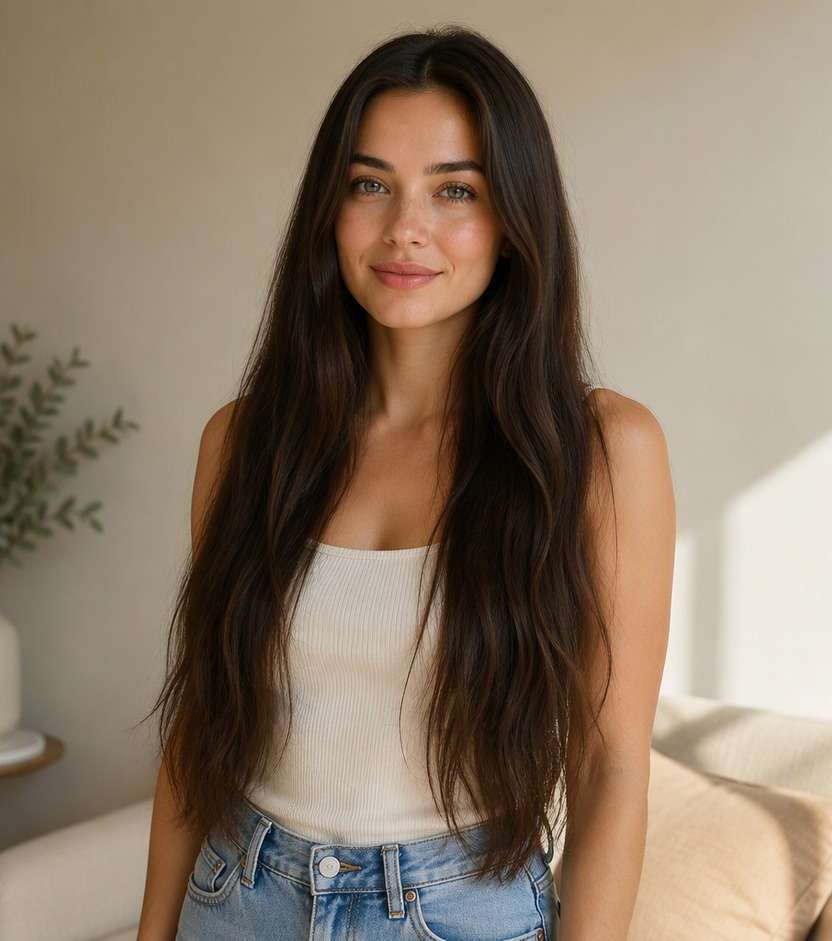
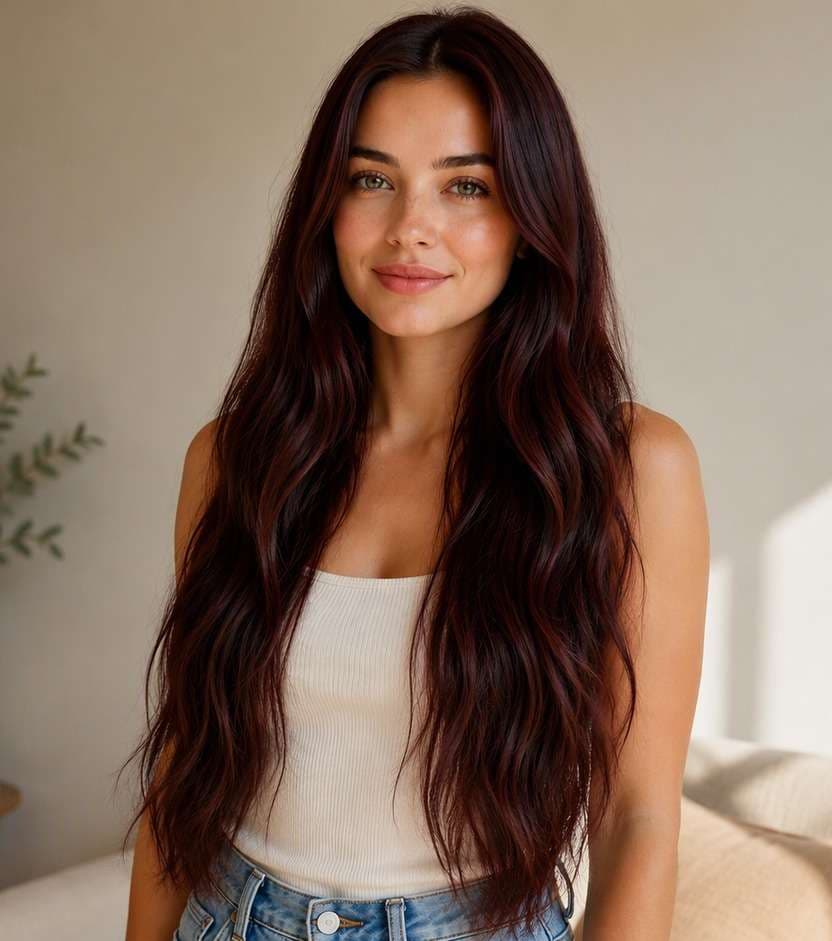
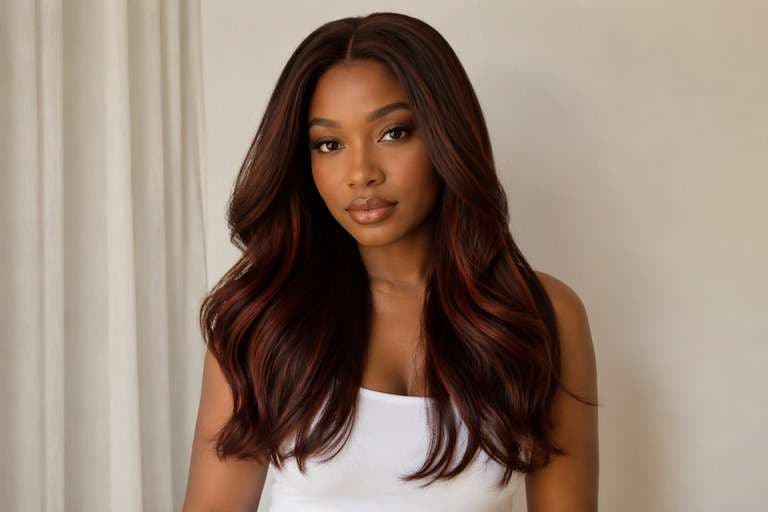
Cherry cola looks like a deep brunette in softer light, then flashes red when the sun hits it. If you are torn between staying brown and trying red, use an AI cherry cola hair filter to preview that in-between color on your own hair photo. Compare a soft cola-red reflection, a richer wine-brown and a brighter cherry tint without changing your face or haircut. You will have a clearer way to describe the depth and red intensity you want, rather than asking for simply "red hair."
Test one indoor-looking shade and one daylight-reflective version; cherry cola should not become an all-over bright scarlet.
Cherry Cola Hair Color Prompts: From Soft Red to Bold Wine
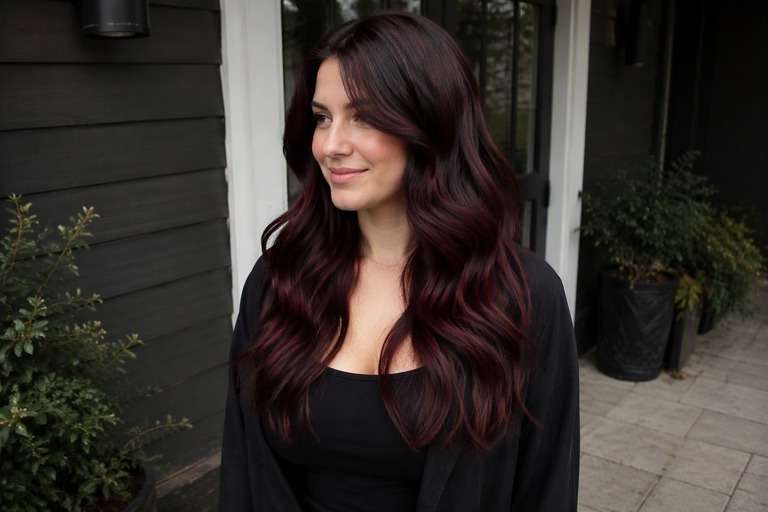
The right cherry cola brunette hair has a dark brown foundation and a controlled red reflection. These photo-editing prompts vary the balance between brown, burgundy and cherry without turning the entire hairstyle neon red.
Classic Cherry Cola
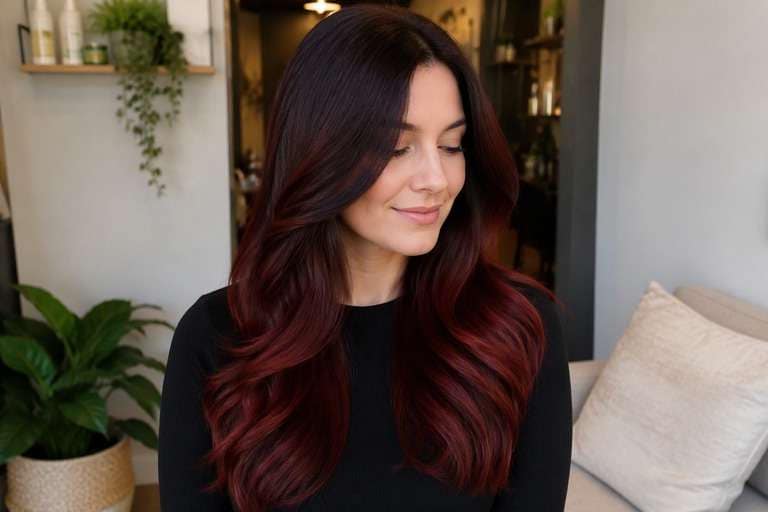
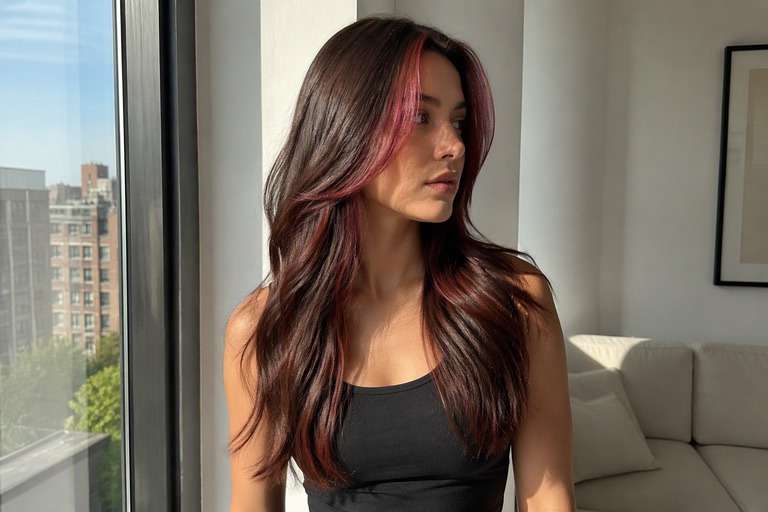
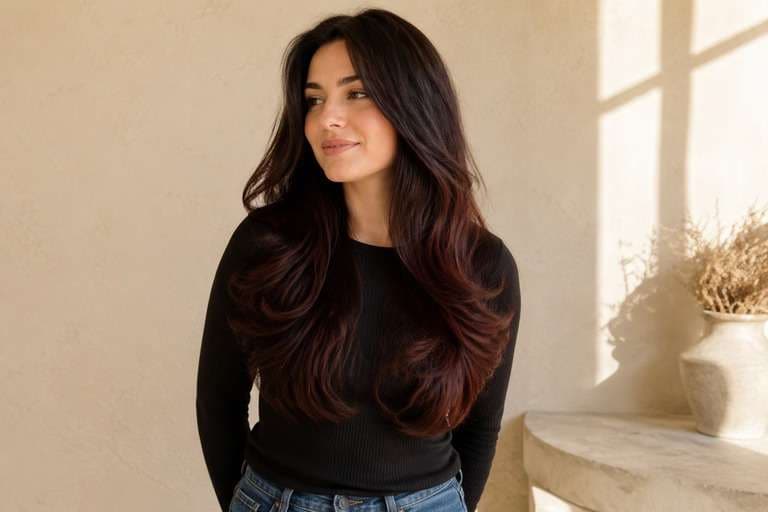
Edit my uploaded hair portrait to preview deep brunette base with rich cherry-red reflections strongest on the outer lengths. Change only hair pigment and intended highlight placement. Keep the identical real person, facial features, eyebrows, skin tone, hairstyle, part, length, texture, pose, outfit, background, camera angle and lighting. Retain believable individual strands, roots, shadows and reflections; do not add makeup, new hair length, logos, text, mirrors or phones. Produce one photorealistic edited still photo rather than a video.
Dark Cherry Cola
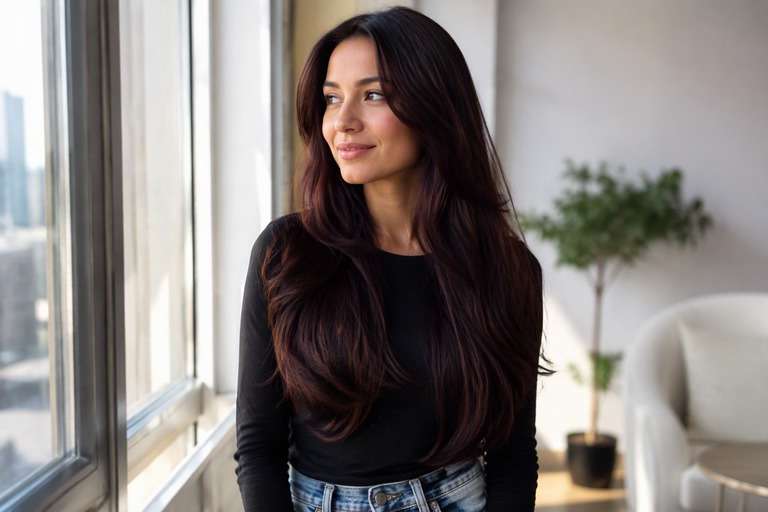
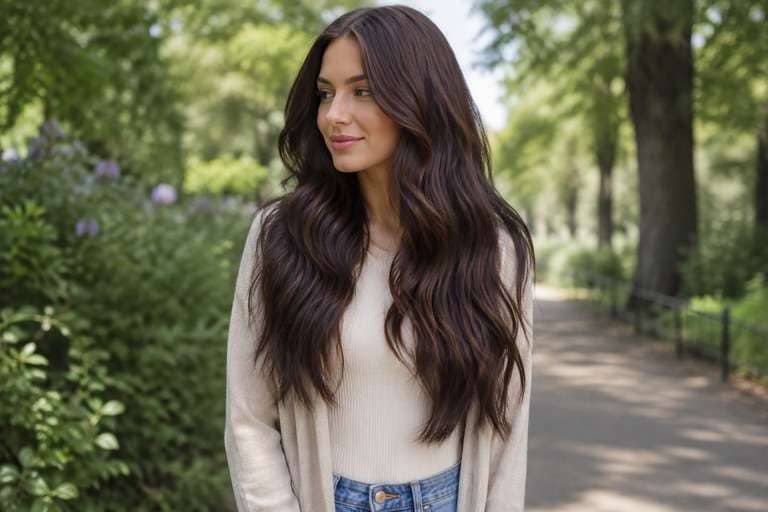
Edit my uploaded hair portrait to preview nearly espresso brown hair with restrained cool red glints visible only in strong light. Change only hair pigment and intended highlight placement. Keep the identical real person, facial features, eyebrows, skin tone, hairstyle, part, length, texture, pose, outfit, background, camera angle and lighting. Retain believable individual strands, roots, shadows and reflections; do not add makeup, new hair length, logos, text, mirrors or phones. Produce one photorealistic edited still photo rather than a video.
Warm Cola Red
Edit my uploaded hair portrait to preview soft cocoa-brown foundation with warm cherry-red shine on the mid-lengths. Change only hair pigment and intended highlight placement. Keep the identical real person, facial features, eyebrows, skin tone, hairstyle, part, length, texture, pose, outfit, background, camera angle and lighting. Retain believable individual strands, roots, shadows and reflections; do not add makeup, new hair length, logos, text, mirrors or phones. Produce one photorealistic edited still photo rather than a video.
Burgundy Cherry Cola
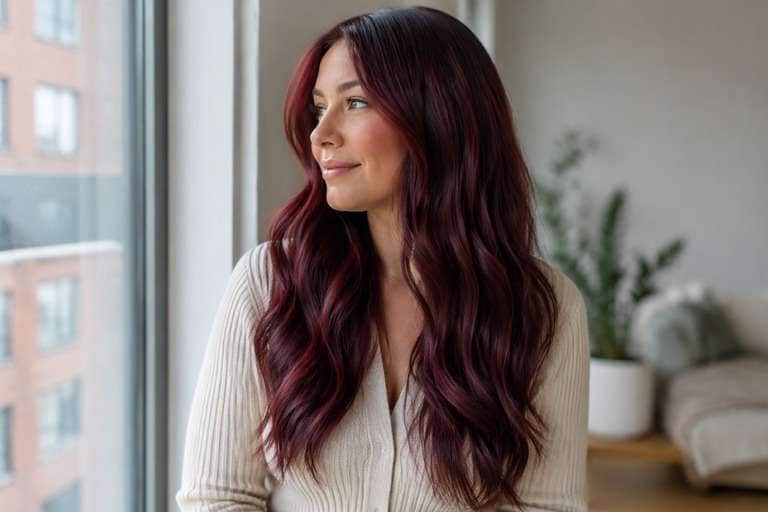
Edit my uploaded hair portrait to preview wine-burgundy reflection over a dark cola-brown base, low brightness overall. Change only hair pigment and intended highlight placement. Keep the identical real person, facial features, eyebrows, skin tone, hairstyle, part, length, texture, pose, outfit, background, camera angle and lighting. Retain believable individual strands, roots, shadows and reflections; do not add makeup, new hair length, logos, text, mirrors or phones. Produce one photorealistic edited still photo rather than a video.
Glossy Red-Brown Bob
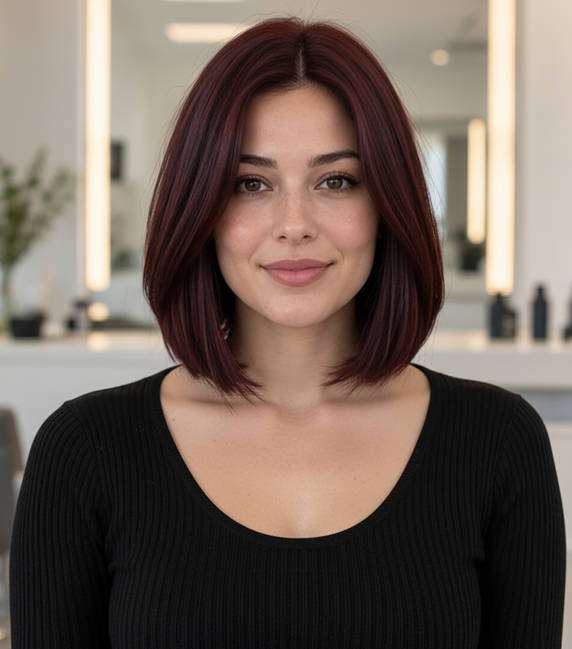
Edit my uploaded hair portrait to preview a short bob with polished dark red-brown hair, red visible along the hair surface. Change only hair pigment and intended highlight placement. Keep the identical real person, facial features, eyebrows, skin tone, hairstyle, part, length, texture, pose, outfit, background, camera angle and lighting. Retain believable individual strands, roots, shadows and reflections; do not add makeup, new hair length, logos, text, mirrors or phones. Produce one photorealistic edited still photo rather than a video.
Curly Cherry Cola
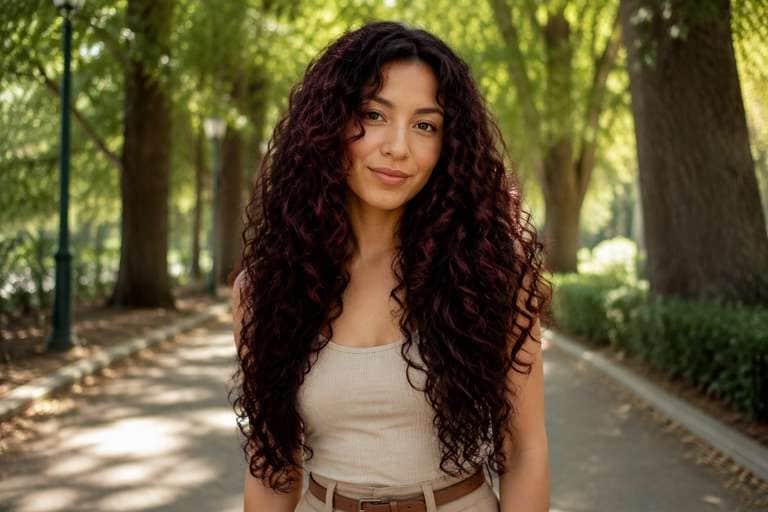
Edit my uploaded hair portrait to preview keep natural defined curls while adding deep brunette color and subtle ruby reflections. Change only hair pigment and intended highlight placement. Keep the identical real person, facial features, eyebrows, skin tone, hairstyle, part, length, texture, pose, outfit, background, camera angle and lighting. Retain believable individual strands, roots, shadows and reflections; do not add makeup, new hair length, logos, text, mirrors or phones. Produce one photorealistic edited still photo rather than a video.
Cherry Cola Money Piece
Edit my uploaded hair portrait to preview dark brown base with two soft cherry-red pieces around the face; no other highlights. Change only hair pigment and intended highlight placement. Keep the identical real person, facial features, eyebrows, skin tone, hairstyle, part, length, texture, pose, outfit, background, camera angle and lighting. Retain believable individual strands, roots, shadows and reflections; do not add makeup, new hair length, logos, text, mirrors or phones. Produce one photorealistic edited still photo rather than a video.
Plum Cola Brown
Edit my uploaded hair portrait to preview cool plum-brown reflectance over deep neutral brunette, no purple neon hue. Change only hair pigment and intended highlight placement. Keep the identical real person, facial features, eyebrows, skin tone, hairstyle, part, length, texture, pose, outfit, background, camera angle and lighting. Retain believable individual strands, roots, shadows and reflections; do not add makeup, new hair length, logos, text, mirrors or phones. Produce one photorealistic edited still photo rather than a video.
Subtle Office Cherry Cola
Edit my uploaded hair portrait to preview conservative deep brown with a small amount of cherry-red sheen around the ends. Change only hair pigment and intended highlight placement. Keep the identical real person, facial features, eyebrows, skin tone, hairstyle, part, length, texture, pose, outfit, background, camera angle and lighting. Retain believable individual strands, roots, shadows and reflections; do not add makeup, new hair length, logos, text, mirrors or phones. Produce one photorealistic edited still photo rather than a video.
Vivid Cherry Cola
Edit my uploaded hair portrait to preview stronger berry-red reflection over brown roots, bold but still recognizably brunette. Change only hair pigment and intended highlight placement. Keep the identical real person, facial features, eyebrows, skin tone, hairstyle, part, length, texture, pose, outfit, background, camera angle and lighting. Retain believable individual strands, roots, shadows and reflections; do not add makeup, new hair length, logos, text, mirrors or phones. Produce one photorealistic edited still photo rather than a video.
Choose the Right Cherry Cola Hair Color Depth
Cherry Cola Is Still Brunette at Heart
If the edit turns the whole head pure red, it loses the cola effect. Compare a dark chocolate base with different amounts of red reflection so the color still reads brown in low light.
Make the Red Visible Where You Want It
Red can appear around the fringe, outer layers or ends, depending on placement and light. Try one subtle all-over reflection and one slightly brighter face-framing version before choosing what you want others to notice.
Cherry Cola vs Black Cherry Hair
Black cherry tends to read closer to black with violet-red shine. Cherry cola has more brown warmth and can look a little softer. Compare them on your own portrait rather than assuming the names are interchangeable.
Compare Different Lighting Conditions
A color may look understated indoors but noticeably red in sunlight. A preview can illustrate the direction, although generated light effects and real hair dye under daylight will never match perfectly.
How to Try Cherry Cola Hair Color on Your Photo
Keep your original brown shade in the before photo so you can judge how much red the edit introduces.
Step 1
Upload Your Photo
Upload a well-lit portrait with your roots, front layers and most of your hair visible. Keep your natural texture and hairstyle in frame.
Step 2
Choose a Haircut Filter or Enter a Prompt
Use a suitable available preset or write a custom prompt for cherry cola brunette with brown depth and controlled red shine. Ask to preserve your existing cut.
Step 3
Click Generate
Click Generate to view the red-brown preview. If it becomes too bright, specify darker brunette roots and more subtle cherry reflection.
A useful cherry cola preview is about testing red intensity, not replacing your hair with an unrelated glossy red hairstyle.
Before Your First Red-Brown Dye
Save a restrained version and a stronger red version of your current hair. The contrast helps you describe to a stylist whether you want a brown-based tint or a bolder red result.
Picking a Fall Portrait or Profile Look
Cherry cola adds a moody red reflection to brunette hair without requiring a full bright-red appearance. Use a photo with good natural light if you want the reflection to show in a portrait.
Comparing Cherry Cola and Black Cherry
If both names are on your inspiration board, keep the same portrait and switch only the color direction. Black cherry should look deeper and cooler; cherry cola should show a more recognizable red-brown base.
Cherry Cola Hair Preview Checklist
Brown Base
Color foundation
Is the base still brunette?: Look for deep chocolate or espresso structure beneath the cherry color, especially close to the roots.
Red Reflection
Visible effect
Does red appear in the right areas?: The red tone should follow real hair strands and change with the light, not tint the skin or background.
Face Consistency
Identity check
Did the portrait stay unchanged?: Keep the same facial features, eyebrows, haircut and pose. A color comparison should not require a new face or length.
Salon Reference
Decision check
Is the requested depth clear?: A stylist needs both your original hair and the reference, with room to discuss existing dye and achievable warmth.
Cherry cola hair is usually a dark brunette base with cherry-red or wine-red reflections. It can appear mostly brown indoors and more reddish in brighter light.
2. Is cherry cola hair the same as black cherry?
Not quite. Black cherry is often darker and cooler, with deeper violet-red reflection. Cherry cola generally keeps a more visible red-brown brunette foundation.
3. Can I preview cherry cola hair color on dark brown hair?
Yes. Use your real brunette photo and describe a controlled cherry-red sheen over the existing dark base. In real life, the result depends on your starting color and previous treatments.
4. How do I make the AI cherry cola hair filter look natural?
Keep the roots dark, ask for realistic individual strands and avoid neon-red saturation. The same haircut and lighting should remain visible after editing.
5. How to try cherry cola hair color with AI?
Upload a clear photo, choose a color preset if available or enter a cherry cola hair prompt, then click Generate. Compare subtle and more vivid red reflections on the same photo.
6. Will a cherry cola photo preview show my exact dye result?
No. Generative photo effects are references, not professional color measurements. A colorist can evaluate the real hair and help decide on achievable tone and upkeep.