/@ karakterini seçin ve oluşturmak istediğiniz sahneyi tanımlayın.
0/2000
9:16
1K
1
Unlimited Banana Pro
Creations
Ideas Hub
How It Works
All
Popular features
View All
Cadılar Bayramı Yaratıcılık Yarışması
View All
AI Meyve Hikayesi
View All
AI Hikaye Videosu
View All
Bugünün Viral Videoları
View All
Yapay Zeka Ürün Videoları
View All
Yapay Zeka Karakteri
View All
Dans Trendleri
View All
GPT Image 2
View All
Seedance 2.0
View All
Yapay Zeka Ünlü Eşleştirme
View All
Çift Pozları İpuçları
View All
Estetik AI Kız Pozu İstekleri
View All
Şık AI Erkek Poz İpuçları
View All
Generate List
Creations are stored for only 7 days. Assets created after upgrading to a Membership plan will be stored permanently.
Unlock your creative potential and experience the magic of Media AI right away!
Hızlı Yaprak Fotoğrafı Analizi ve Görsel Açıklamalar için Bitki Hastalığı Tanımlayıcı
Bu bitki hastalığı tanımlayıcısını yaprak fotoğraflarını analiz etmek, görünür belirtileri tespit etmek ve saniyeler içinde net tanısal görseller oluşturmak için kullanın. Media.io, bitkimde ne yanlış var, yaprak hasarı tespiti, bitki mantarı tespiti ve ev bitkileri, ekinler ile ağaçlar için mobil uyumlu görüntü analizi konularında hızlı kontroller destekler. Bu kurulum ağaç mantarı tespiti.
Fikrinizi yazın -> Yapay zeka tasarlar. Ücretsiz deneyin.
Bu örnek yönergeleri inceleyin, ardından bu bitki hastalığı tanımlayıcısıyla Media.io'da daha güçlü sonuçlar elde etmek için bilgi isteminin ayrıntılarını özelleştirin.
Makro Yaprak Lezyon Tespiti
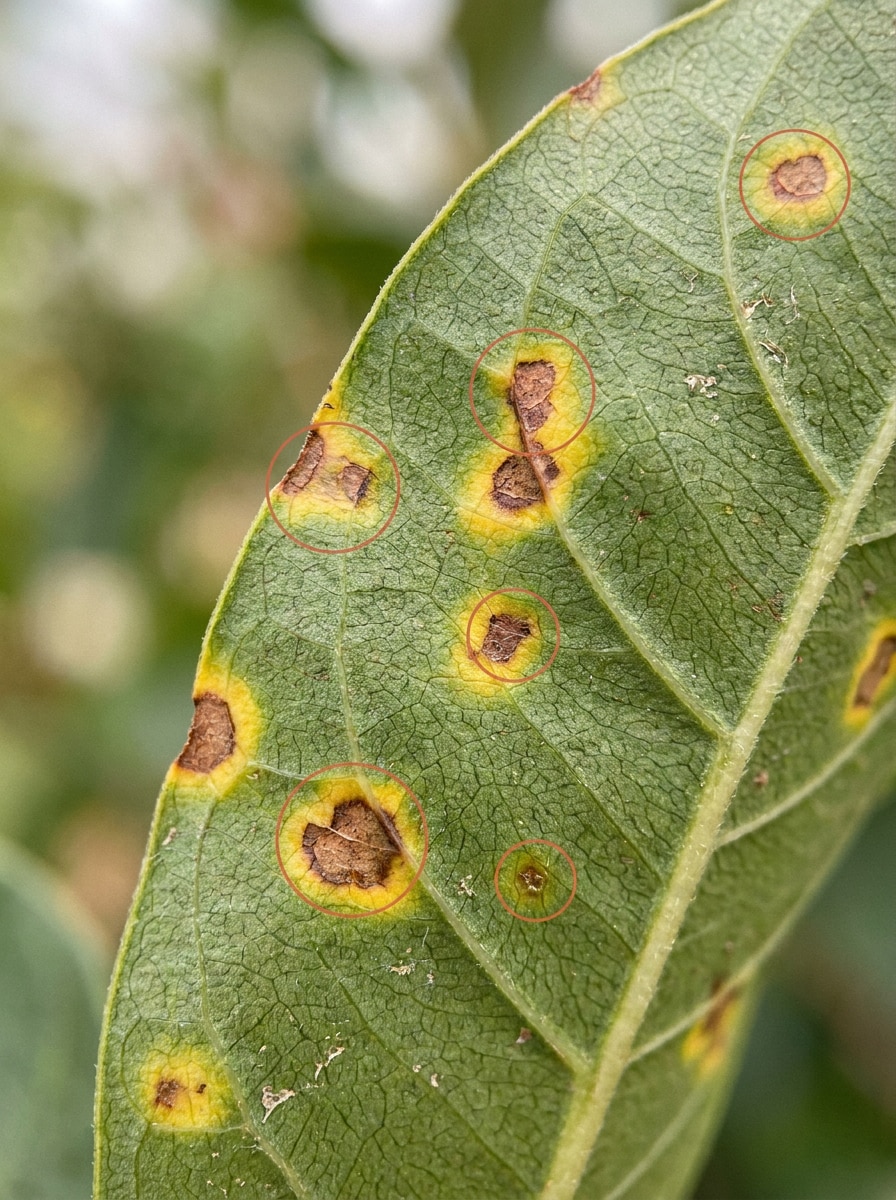
Yüklenen görüntüyü konu olarak kullanın ve onu yüksek detaylı botanik tanısal bir görsele dönüştürün. Kahverengi lezyonları, sarı halkaları, ince nem stresini ve keskin yaprak damarı dokusunu ön plana çıkarın. Enfekte bölgelerin etrafına temiz açıklama çemberleri, doğal gün ışığı, yumuşak nötr bir arka plan ve eğitici, güvenilir bir analiz atmosferi ekleyin.
Külleme Görseli
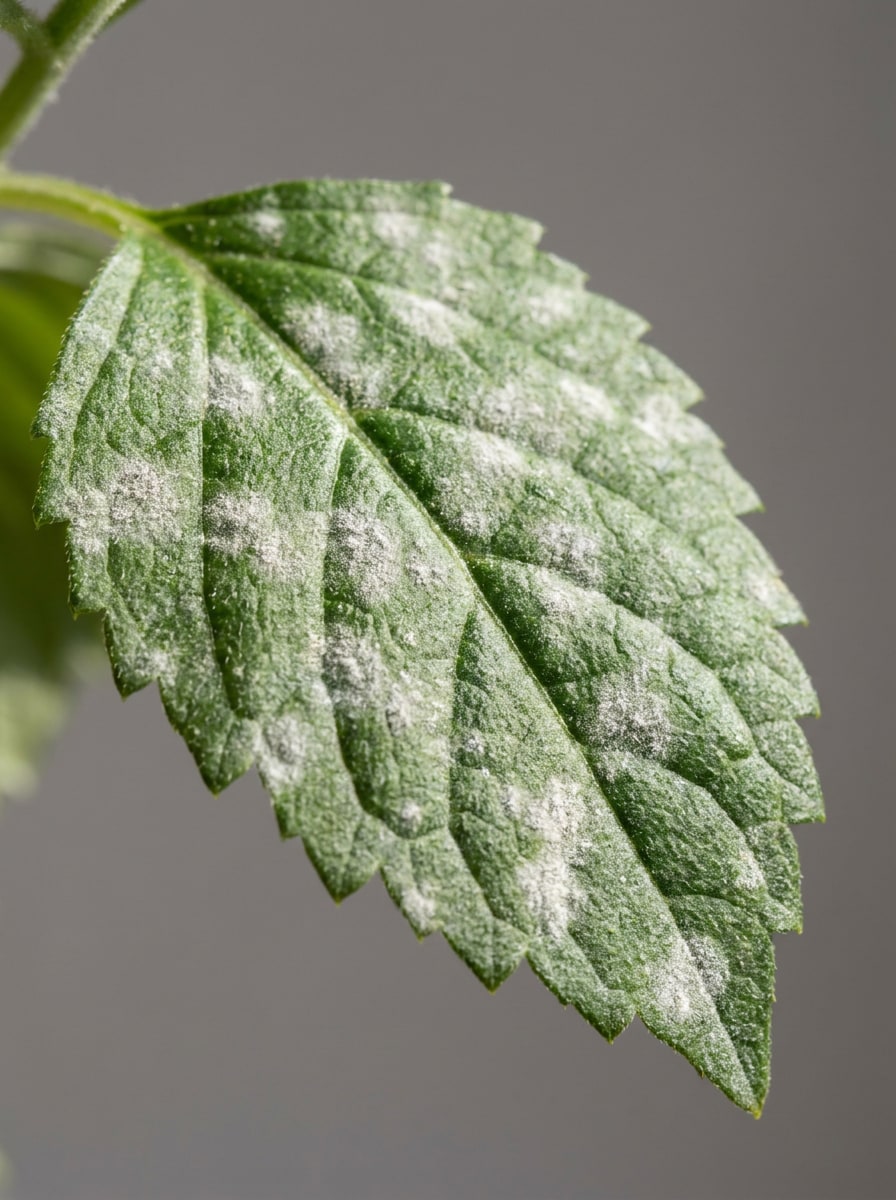
Yüklenen görüntüyü konu olarak kullanın ve küllemeye odaklanan gerçekçi bir bitki hastalığı tarama örneğine dönüştürün. Yaprak yüzeyinde beyaz tozlu yamalar, belirgin doku kontrastı, nazik yan aydınlatma, klinik temiz bir arka plan ve yaprak mantarı tespitine uygun pratik eğitici bir görünüm sergileyin.
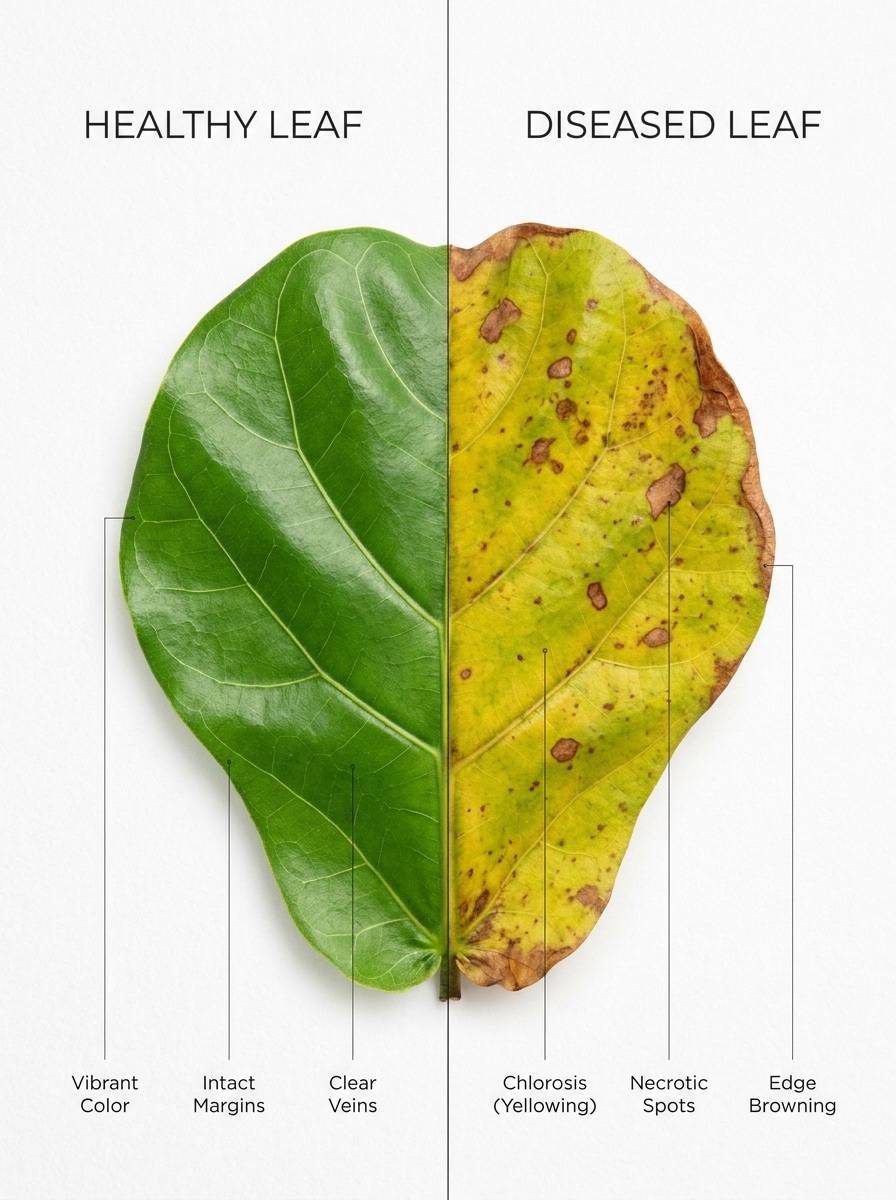
Sağlıklı ve Hasta Yaprak Karşılaştırması
Yüklenen görüntüyü konu olarak kullanın ve yan yana karşılaştırma düzenine dönüştürün. Bir yarısını canlı ve sağlıklı tutarken, diğer yarısında sararma, kahverengi lekeler ve kenar stresi gösterin. Minimal etiketler, parlak stüdyo aydınlatması, temiz kompozisyon ve cilalı eğitici karşılaştırma stili ekleyin.
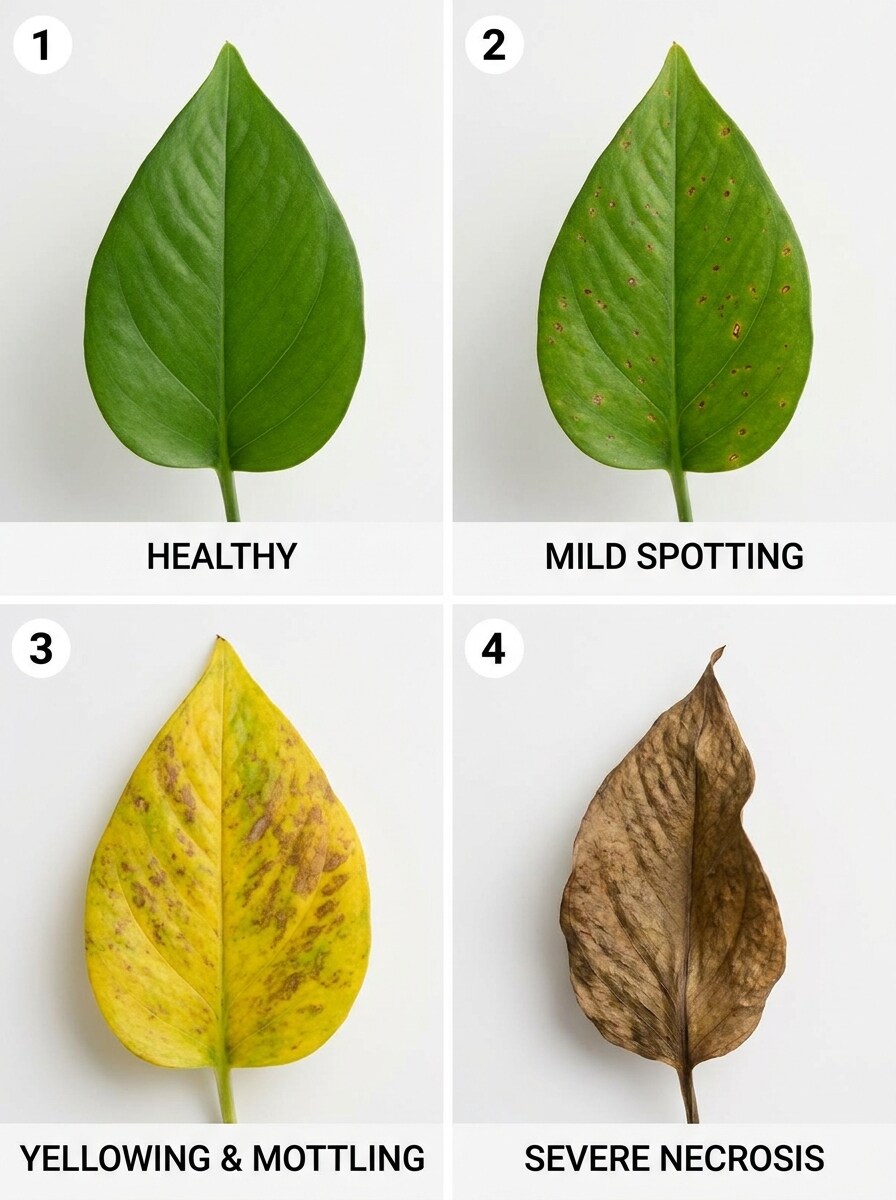
İlerleme Aşamaları
Yüklenen görüntüyü konu olarak kullanın ve dört aşamalı belirti ilerleme grafiğine dönüştürün. Yaprağın sağlıklı yeşilden hafif lekelere, ardından sararmaya, daha sonra ileri düzey kahverengileşmeye ve doku bozulmasına geçişini gösterin. Kolay tanı anlatımı için düzeni temiz, eşit aydınlatılmış ve görsel olarak tutarlı tutun.
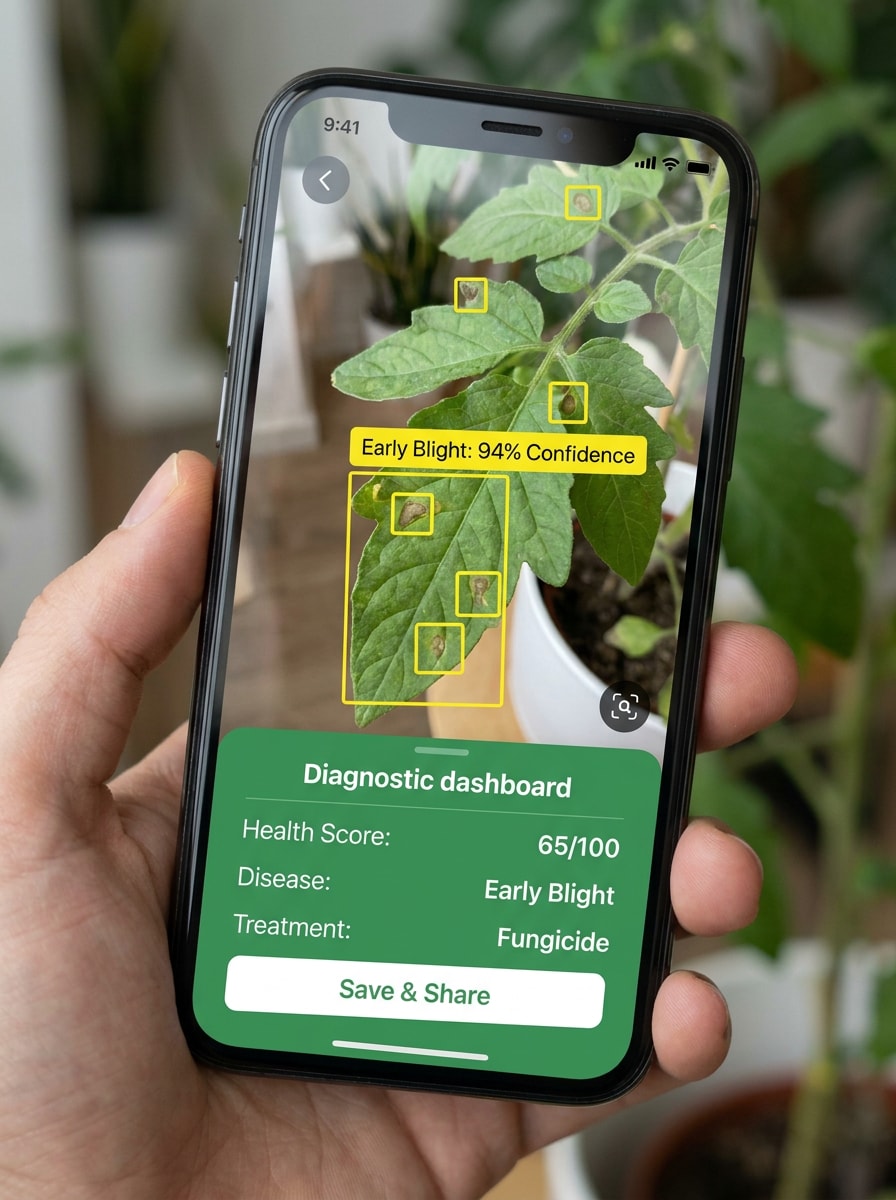
Telefon Kamerası Tanı Arayüzü
Yüklenen görüntüyü gerçekçi bir akıllı telefon kamera arayüzünde ana taranan konu olarak kullanın. Yapay zeka tespit kutuları, olası hastalık etiketi, ince güven göstergeleri ve temiz yeşil vurgulu uygulama tasarımı ekleyin. Kompozisyonu modern, okunması kolay ve sosyal medya demo görselleri için optimize edilmiş tutun.
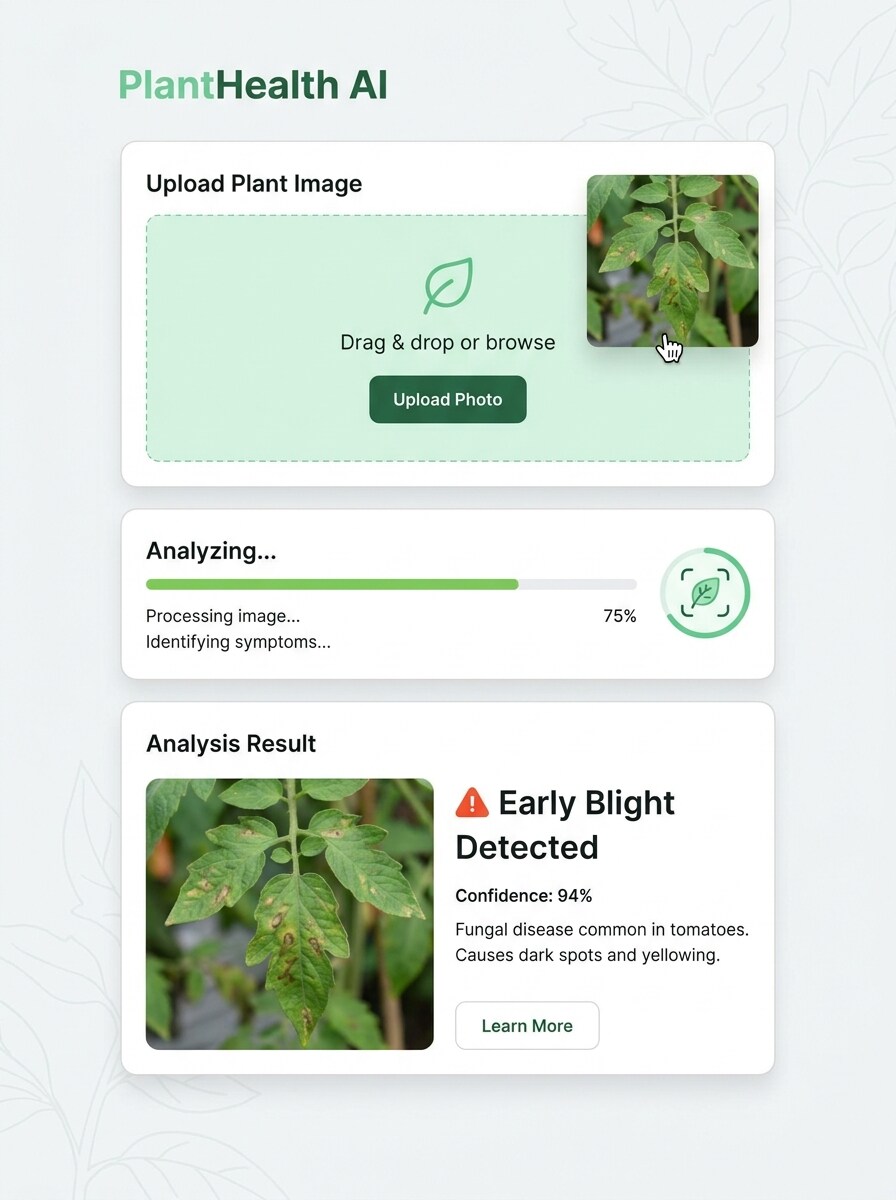
Yükleme ve Analiz Ekranı
Yüklenen görüntüyü bir web uygulaması analiz ekranında öne çıkan dosya olarak kullanın. Sürükle-bırak yükleme alanı, ilerleme göstergesi ve olası hastalık bilgisiyle temiz bir sonuç kartı gösterin. Bitki hastalığı tarayıcı demosu için yumuşak yeşil palet, parlak arayüz aydınlatması ve profesyonel SaaS kontrol paneli görünümü kullanın.
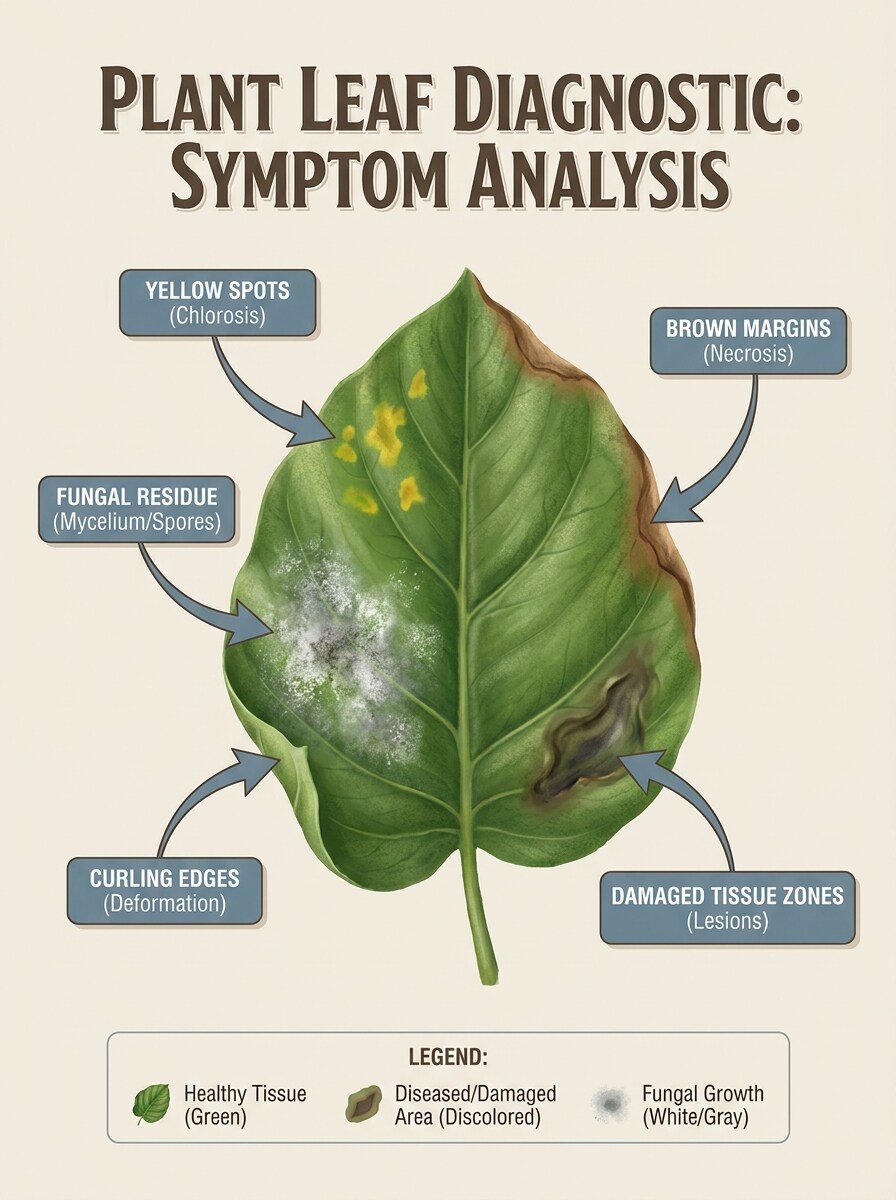
Belirti Etiketi Katmanı
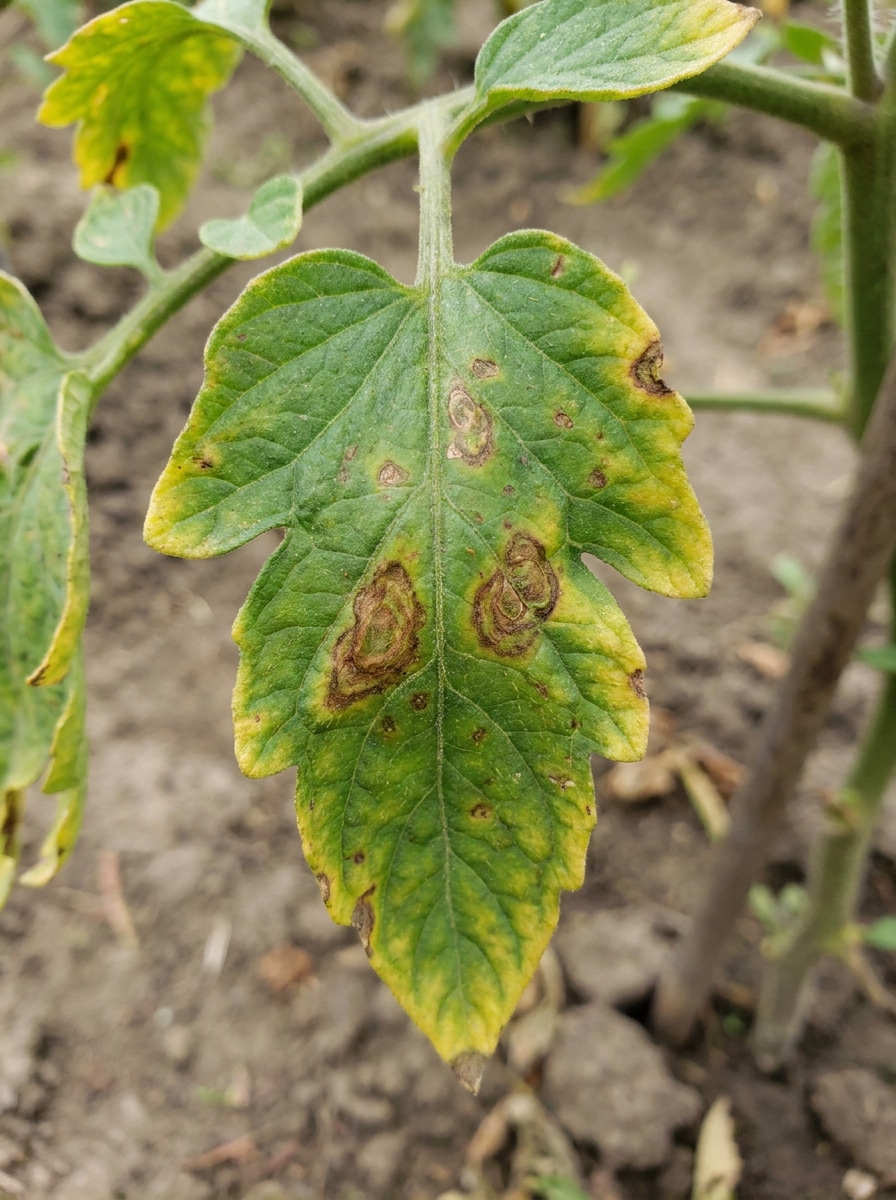
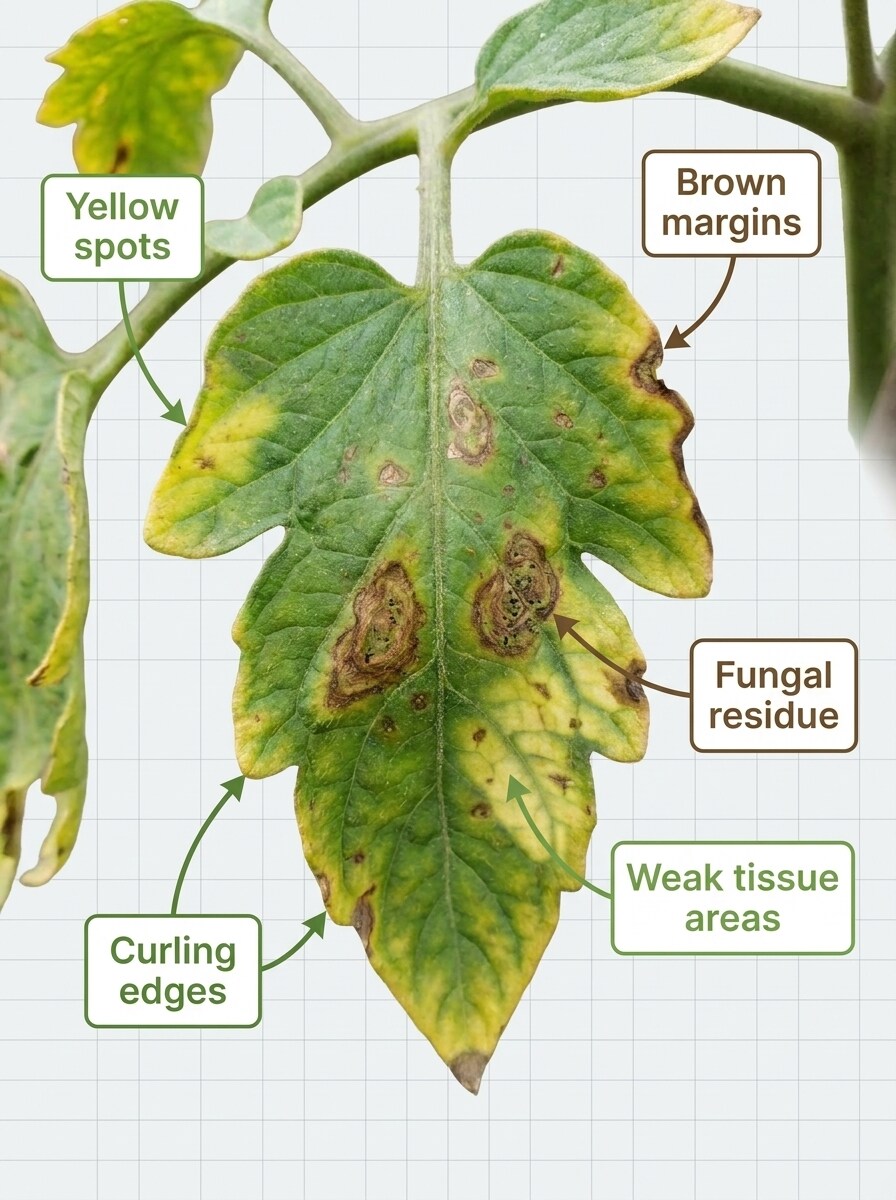
Yüklenen görüntüyü konu olarak kullanın ve açıklamalı tanısal bir bilgi grafiğine dönüştürün. Sarı lekeler, kahverengi kenarlar, mantar artıkları, kıvrılan kenarlar ve zayıf doku alanları için açıklamalar ekleyin. Tasarımı doğal renk, yumuşak ışık ve hassas etiketlerle net, güvenilir ve yüksek okunabilir tutun.
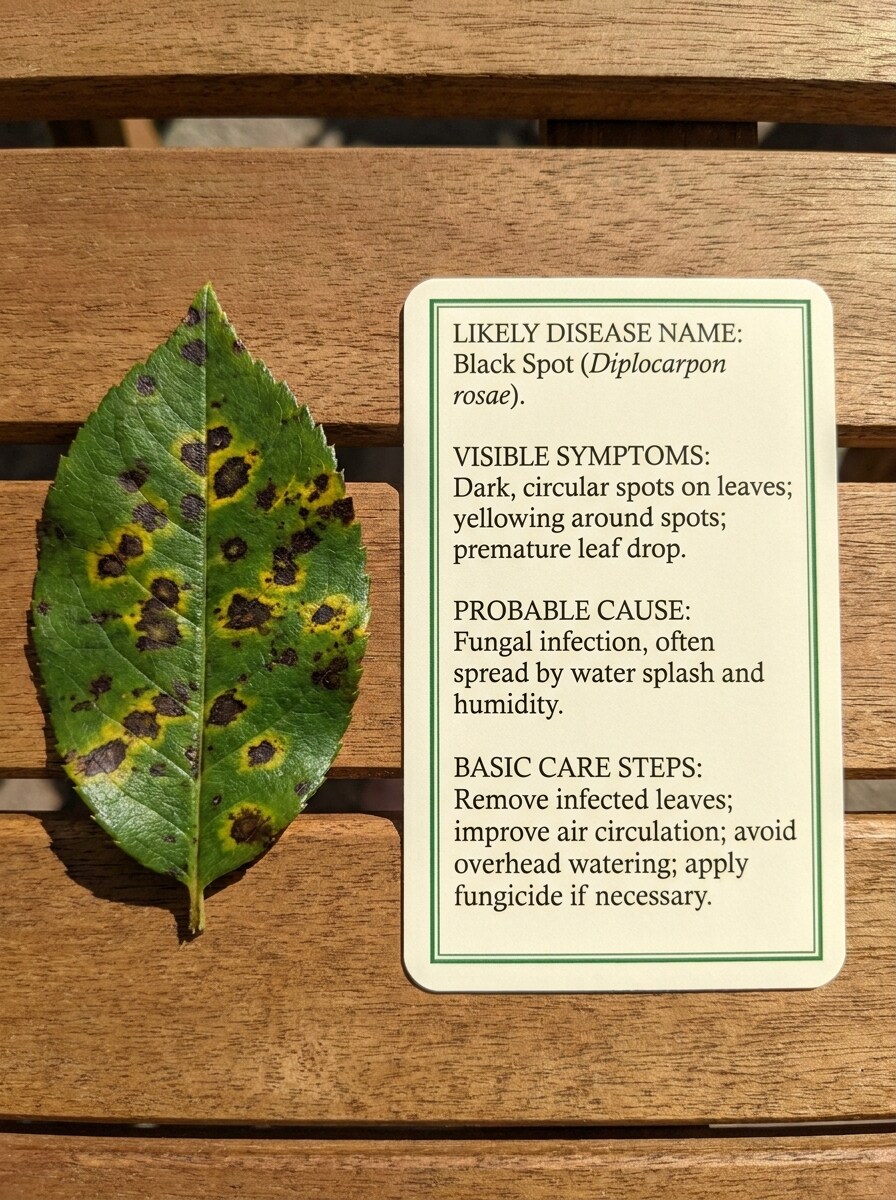
Neden ve Çözüm Kartı
Yüklenen görüntüyü temiz bir tanı kartının yanında ana konu olarak kullanın. Düzenli bir yerleşimde olası hastalık adını, görünür belirtileri, olası nedeni ve basit sonraki adımları gösterin. Parlak yumuşak aydınlatma, doğal bitki rengi, profesyonel tipografi ve uygulanabilir hissettiren dostane eğitici bir stil kullanın.
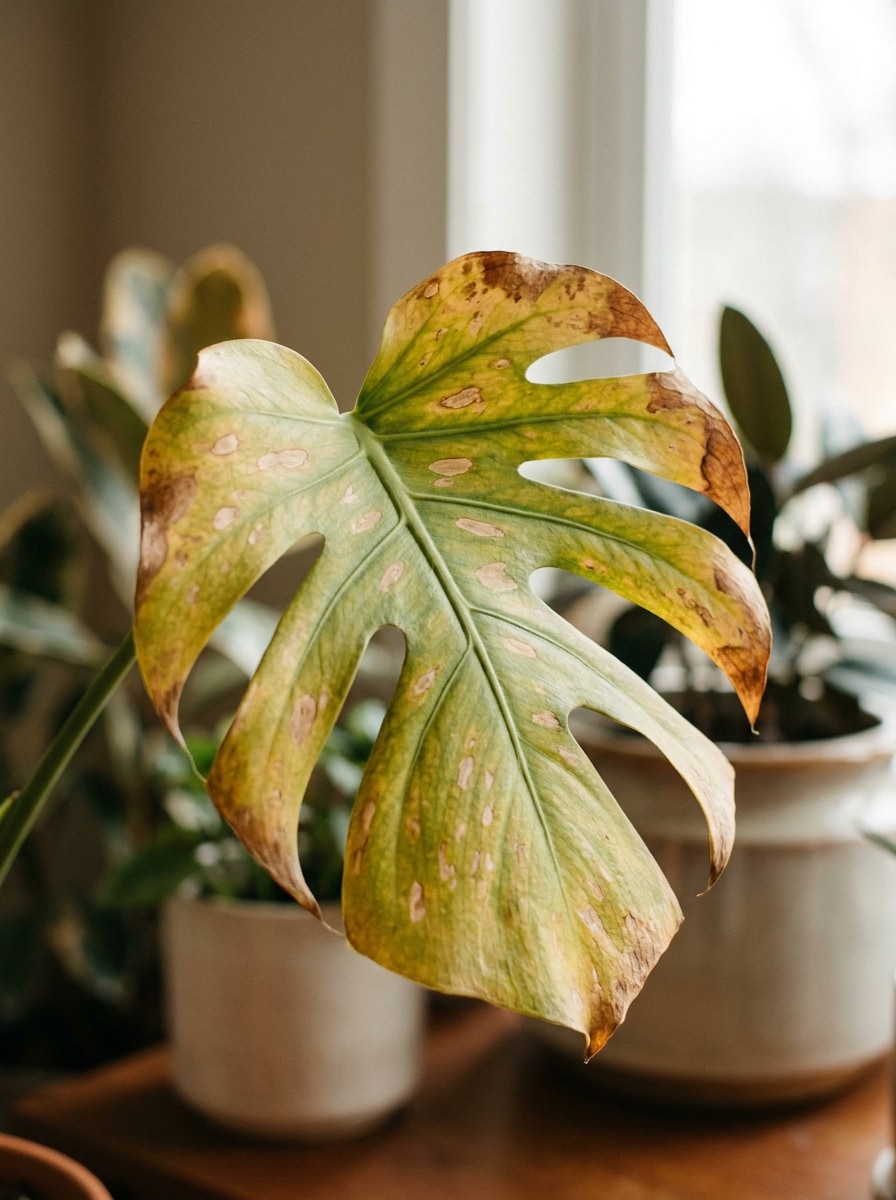
Ev Bitkisi Hastalığı Örneği
Yüklenen görüntüyü konu olarak kullanın ve gerçekçi bir iç mekan ev bitkisi tanı örneğine dönüştürün. Doğal yaprak şeklini koruyarak sararma, dağınık lekeleme ve kuru kenar kahverengileşmesi gibi yaygın belirti ipuçları ekleyin. Sıcak iç mekan ışığı, sönük dekor bulanıklığı ve pratik bitki bakım görsel stili kullanın.
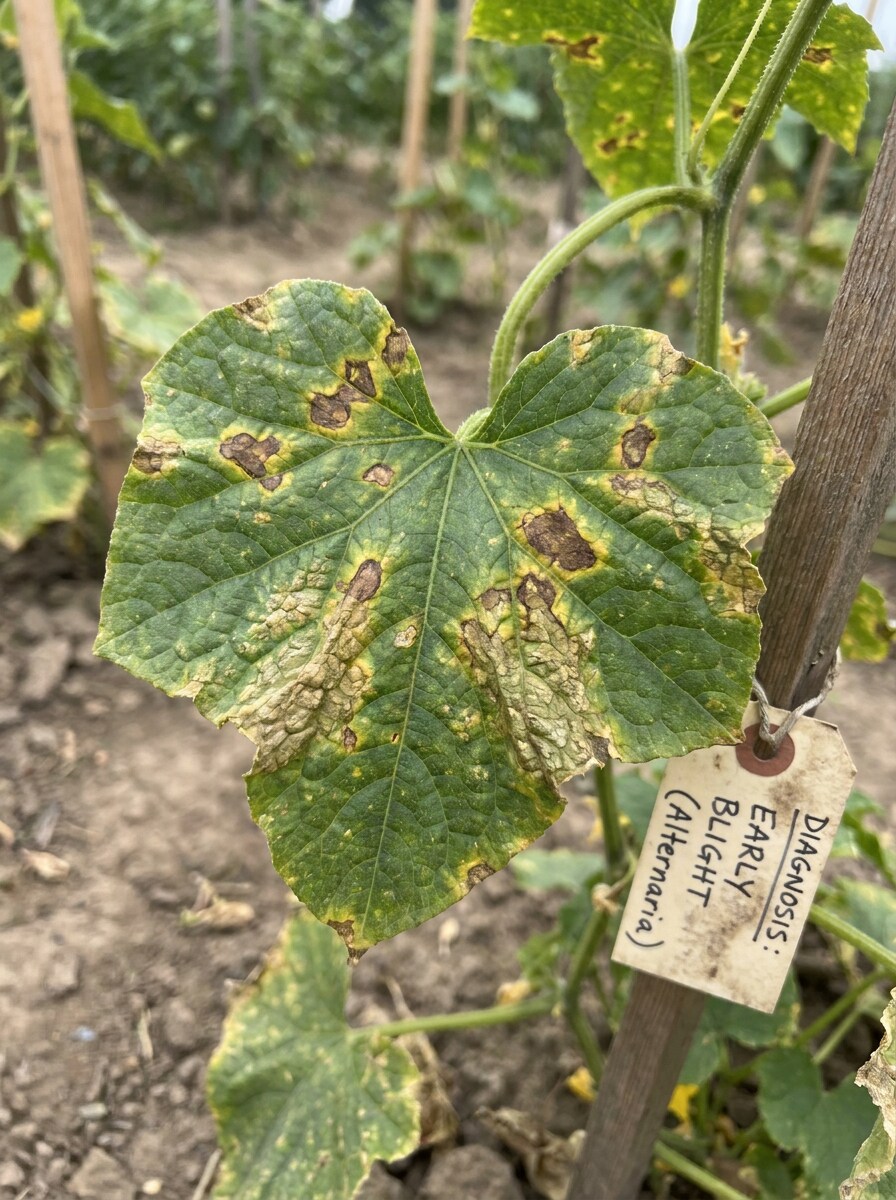
Bahçe Ürünü Hastalığı Örneği
Yüklenen görüntüyü konu olarak kullanın ve açık alan ürün tanı görseline dönüştürün. Bitkiyi tanınabilir tutarken yanıklık benzeri lekeleme, düzensiz renk değişimi ve stresli yaprak dokusu gösterin. Hızlı analiz için doğal bahçe aydınlatması, gerçekçi arka plan bulanıklığı ve pratik çiftçi odaklı stil kullanın.
Bitki Fotoğrafı Tanısı Görselleri için Media.io Neden Kullanılmalı
Yaprak Fotoğrafınıza Sadık Kalan Referans Tabanlı Sonuçlar
Dönüşümden sonra nesnenin kendine benzer görünmesi gerekiyorsa, Media.io daha temiz bir sonuç için bitki hastalığı tanımlayıcı görsel stilini güncellerken temel kimlik ipuçlarını korumaya yardımcı olur.
Tek Konuyu Birden Fazla Stile Dönüştürün
Referans tabanlı çalışma, gevşek bir stil değişiminden fazlasını gerektirir. Media.io, bitki hastalığı tanımlayıcı görsel görünümünü yeniden işlerken temel kimlik ayrıntılarını tanınabilir tutmaya yardımcı olur, böylece sonuç genel yerine kişisel hissettiriri.
4K'ya Kadar Daha Temiz Çıktı Oluşturun
Taslak kalitesinden fazlasına ihtiyaç duyan projeler için Media.io, bitki hastalığı görsellerini 4K'ya kadar çıktıyla üretmeye yardımcı olur; böylece domates hastalığı tespiti veya ağaç mantarı için nihai dosyayı sunarken, kırparken veya yeniden kullanırken lekeler, doku değişiklikleri ve renk bozulmaları daha temiz kalır.
Cihazlar Arasında İş Akışını Sürdürün
Bir bitki hastalığı tanımlayıcı görsel fikri ana kurulumunuzdan uzakta başladığında, Media.io onu tarayıcıda oluşturmanıza ve geliştirmenize olanak tanır; böylece mobil ve masaüstü arasında geçiş, kesintili yerine sorunsuz hissettiririr.
Bu Bitki Hastalığı Tanımlayıcısı Nasıl Kullanılır
Üç basit adımda kelimelerinizi çarpıcı görsellere dönüştürün, ardından daha ileri götürmek istiyorsanız sonucu geliştirmeye devam edin.
Adım 1
Referans Görüntünüzü Yükleyin
JPG, PNG veya JPEG formatında net bir yaprak, gövde veya mantar fotoğrafı yükleyin. İyi aydınlatılmış, yakın çekim görüntüler bitki mantarı tespiti ve ağaç kontrollerine bağlı lekeler, külleme, kahverengileşme, kıvrılma veya kabuk büyümeleri gibi belirtiler için en iyi sonucu verir.
Adım 2
Değişikliği Açıklayın ve Seçenekleri Belirleyin
Açıklamalı etiketler, sağlıklı-hasta karşılaştırması veya mobil tarama arayüzü gibi istediğiniz tanısal stili açıklayan bir bilgi istemi ekleyin. Ardından modelinizi seçin ve inceleme veya yayınlama hedefinize uygun en boy oranını, çözünürlüğü ve görüntü sayısını ayarlayın.
Adım 3
Oluşturun, İndirin ve Geliştirmeye Devam Edin
Sonucu oluşturun, varyasyonları karşılaştırın ve görünür belirtileri en iyi açıklayan sürümü indirin. Bilgi istemini geliştirebilir, daha fazla seçenek oluşturabilir veya ürün raporları, ağaç mantarı tanı fotoğrafları ya da bakım rehberi içeriği için takip görselleri oluşturabilirsiniz.
Bitkimde Ne Yanlış Var Sorusunun Potansiyelini Açığa Çıkarın
İçerik üreticilerinin bu Bitki Hastalığı Tanımlayıcısını içerik, pazarlama ve kişisel projeler için nasıl kullandığını görün, ardından her fikri özetinize uyacak şekilde uyarlayın.
Yaprak fotoğraflarını daha net belirti açıklamalarına dönüştürün
Bahçeciler ve ev bitkisi sahipleri yakın çekim yükleyerek sararma, lekeler, kenar yanması veya küllemenin yorumlanmasını kolaylaştıran görseller oluşturabilir. Media.io, bitki hastalığı tarayıcı demoları, daha hızlı aile paylaşımı ve bir bitki problemi tanımlayıcısının görünür değişiklikleri açıklamaya yardımcı olduğu düzenli önce-sonra takibi için kullanışlıdır.
Tekrarlayan tanı için ürün ve meyve bahçesi referansları oluşturun
Çiftçiler domates hastalığı tespiti, tekrarlayan yaprak kontrolleri ve mevsimlik kayıtlar için etiketli örnekler oluşturabilir. Aynı Media.io iş akışı aynı zamanda meşe ağacı mantarı tespiti, kiraz ağacı mantarı tespiti, çam ağacı mantarı tespiti, beyaz ağaç mantarı tespiti ve sarı ağaç mantarı tespiti senaryoları dahil kabuk veya gövde mantarı görsellerini de destekler.
Özel bitki ve ağaç soruları için eğitici görseller oluşturun
Yaprağa göre orkide tanımlamanız, orkide tanımlamasını yaprak desenlerine göre karşılaştırmanız, domates bitkisi yaprak tanımlama örneklerini incelemeniz veya müşteri desteği için ağaç mantarı tanımlama fotoğrafları hazırlamanız gerekiyorsa, Media.io sıradan yüklemeleri açıklamalar ve sonuç kartlarıyla daha temiz, daha öğretilebilir görüntü varlıklarına dönüştürmeye yardımcı olur.
Kullanıcılar Ne Diyor
Maya R.
Ev Bitkisi Hobicisi
"Görsel belirti kontrolleri için yardımcı" Bir yaprak fotoğrafını etiketli daha temiz tanısal tarzda bir görüntüye dönüştürmek için kullandım. Bitki gruplarında tavsiye istemeden önce sararma ve leke desenlerini karşılaştırmayı çok kolaylaştırdı.
Derek T.
Arka Bahçe Bahçıvanı
"Domates ve bahçe takibi için harika" Yan yana ve ilerleme düzenleri bahçe kayıtları için kullanışlı. Domates yaprağı fotoğraflarından hızlı görseller yaptım ve her şeyi manuel düzenlemeden zaman içindeki belirti değişikliklerini gösterebildim.
Elena P.
Bitki Mağazası İçerik Yöneticisi
"Eğitici gönderiler için iyi" Müşteri fotoğraflarını sosyal medya gönderileri ve destek yanıtları için daha temiz açıklamalara dönüştürmek amacıyla kullanıyoruz. Yükleme iş akışı kolay ve çıktı reels, carousel'lar ve bakım kartları için yeterince cilalı görünüyor.
Noah C.
Kentsel Ağaç Bakımı Gönüllüsü
"Ağaç mantarı görselleri için kullanışlı" Ağaçla ilgili örnekler için kabuk ve yaprak fotoğrafları test ettim ve açıklamalı stiller iyi çalıştı. Ağaç mantarı tespiti tartışmaları ve yerel eğitim materyalleri için basit görseller hazırlamamı sağladı.
1. Bir bitki hastalığı tanımlayıcısı fotoğraftan nasıl çalışır?
Bir yaprak veya bitki görüntüsü yüklersiniz, ardından Media.io'yu bu referans fotoğrafına dayalı daha net analiz tarzı bir görsel oluşturmak için kullanırsınız. Media.io, JPG, PNG ve JPEG dosyalarını destekler ve görüntünüzü görünür belirtilerin incelenmesini kolaylaştıran açıklamalı yakın çekimlere, karşılaştırma düzenlerine veya sonuç kartı tarzı çıktılara dönüştürebilir. Ücretsiz kullanıcılar bunu ücretsiz kredilerle deneyebilir ve ücretli planlar fiyatlandırma sayfasında filigransız yüksek çözünürlüklü indirmeler artı daha fazla kredi sunar.
2. Bitki yaprağı hastalığını çevrimiçi olarak ücretsiz tanımlayabilir miyim?
3. Yapay zeka bitki hastalığı dedektörü ne kadar doğru?
Doğruluk büyük ölçüde fotoğraf kalitesine ve belirtilerin ne kadar görünür olduğuna bağlıdır. Media.io, uzman onayı aramadan önce bitki yaprağı incelemesini, ağaç mantarı tespitini ve yaprak mantarı tespitini destekleyebilecek lekeler, sararma, külleme, kıvrılma veya hasar desenlerinin daha net görsel yorumlarını oluşturmak için en iyi çalışır.
4. Yaprak görüntülerinden ne tür bitki hastalıkları tanımlanabilir?
Yaprak görüntüleri en çok belirtiler yüzeyde açıkça görünür olduğunda kullanışlıdır; lekeleme, renk bozulması, tozlu artıklar, kıvrılma, kahverengileşme veya yamalar halinde hasar gibi. Media.io genellikle bitki mantarı tespiti, domates bitkisi yaprak tespiti, beyaz ağaç mantarı tespiti, sarı ağaç mantarı tespiti ve sorunun fotoğrafta görülebildiği diğer belirti odaklı kontroller için kullanılır.
5. Güvenilir bitki hastalığı tespiti için net yakın çekim fotoğrafa ihtiyacım var mı?
Evet, net yakın çekim genellikle en iyi sonucu verir. Keskin odak, görünür doku ve minimal arka plan karmaşasına sahip iyi aydınlatılmış görüntüler, Media.io'nun belirti ayrıntılarını daha etkili korumasına yardımcı olur; özellikle yaprak hasarı tespiti, ağaçlarda mantar tespiti veya ürün ve ev bitkisi yapraklarındaki küçük lezyon desenleri için.
6. Telefonumda bir bitki hastalığı tanımlayıcısı kullanabilir miyim?
Media.io web tabanlıdır, bu nedenle iPhone, Android, tabletler, Windows PC'ler ve Mac bilgisayarlar dahil tarayıcıya sahip herhangi bir cihazda kullanabilirsiniz. Bu, taze bir fotoğraf yükleyip yerinde bir bitki hastalığı görseli oluşturmak istediğinizde hızlı bahçe veya iç mekan kontrolleri için pratik hale getirir.
Yapay Zeka Destekli Çevrimiçi Bitki Hastalığı Tanımlayıcısının Ötesinde