작업물은 7일 동안만 저장됩니다. 멤버십 플랜으로 업그레이드한 후 생성된 에셋은 영구적으로 저장됩니다.
창의적 잠재력을 풀고 미디어 AI의 마법을 즉시 경험하십시오!
Try a Wolf Cut Filter for a Realistic Hair Preview
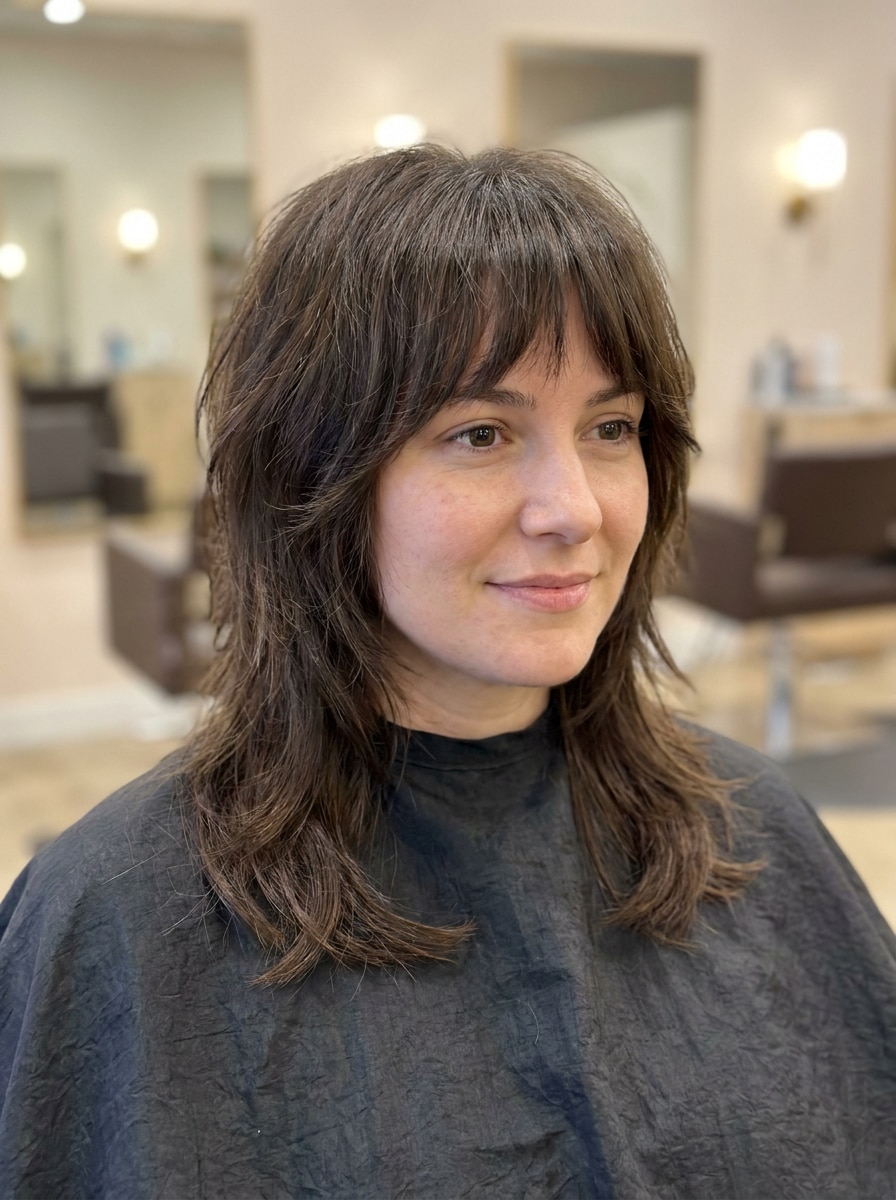
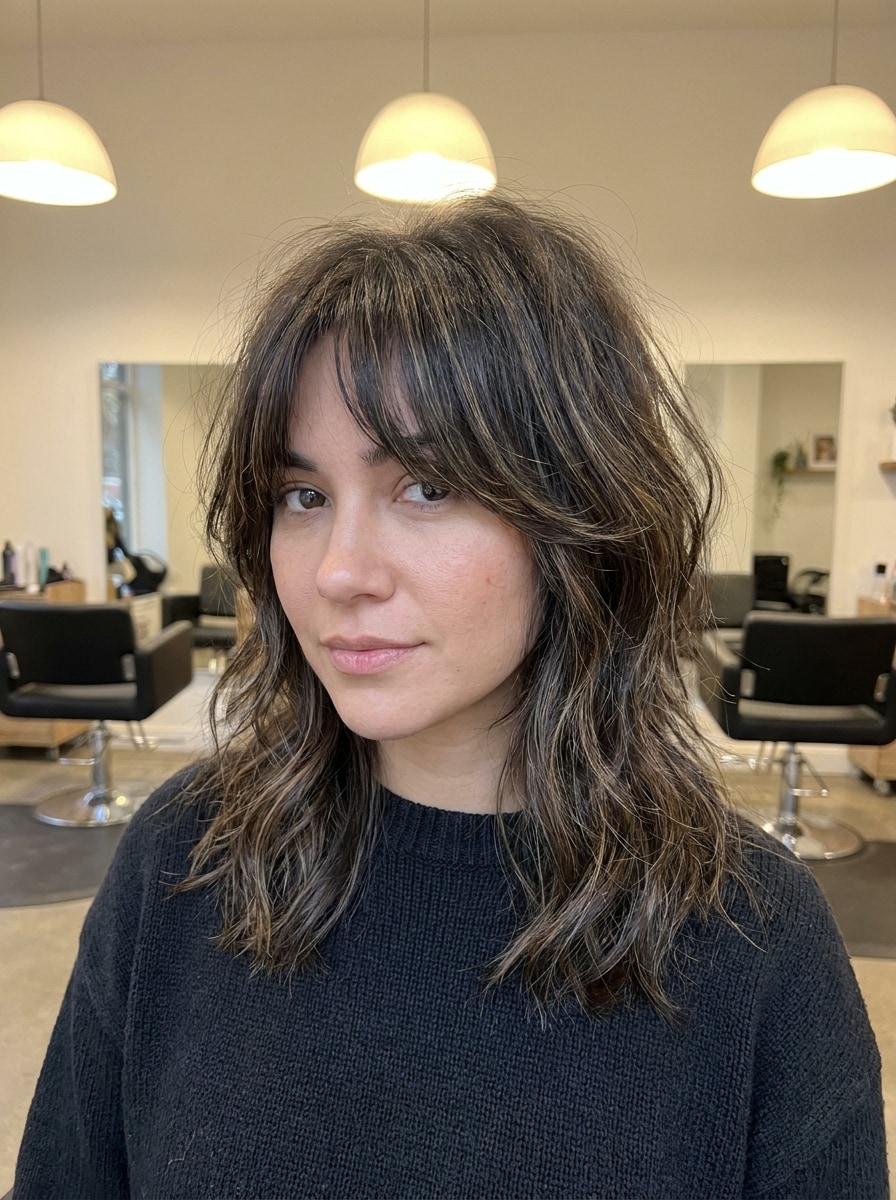
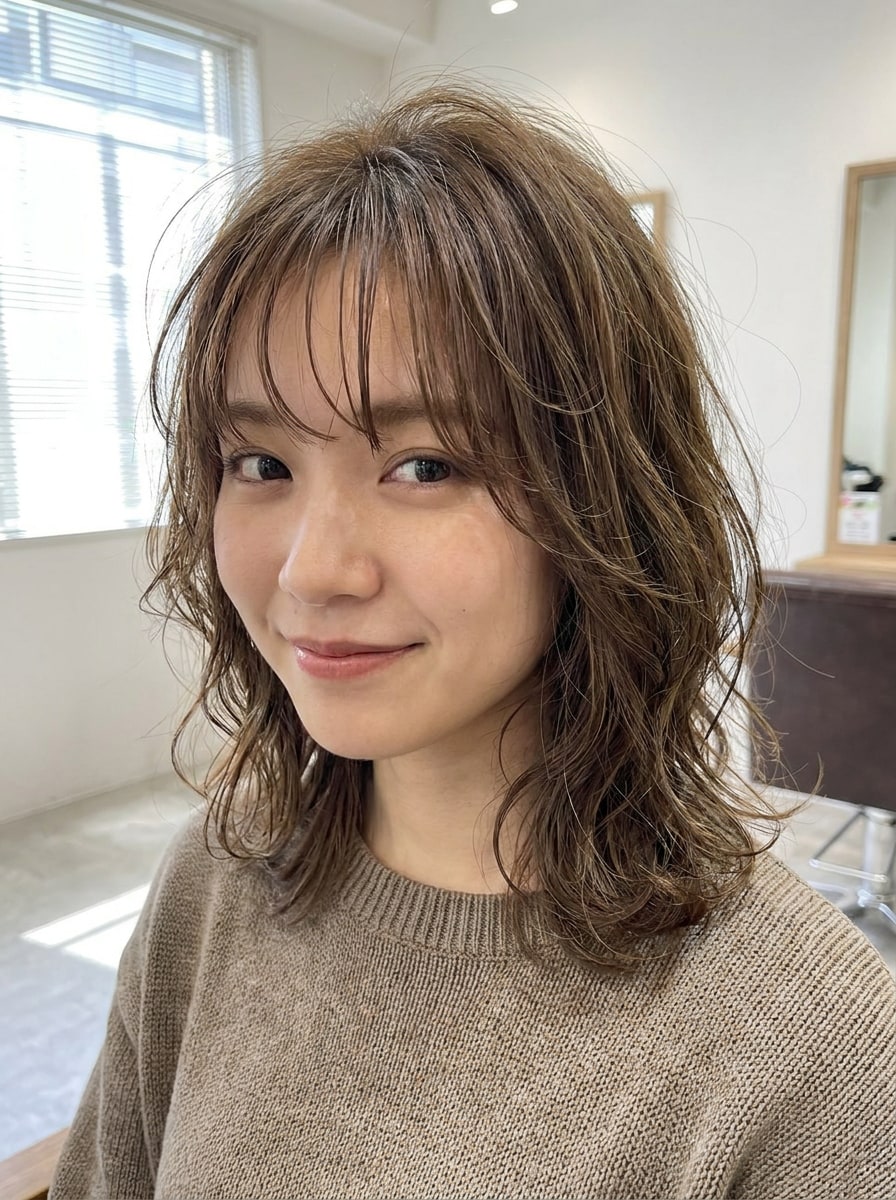
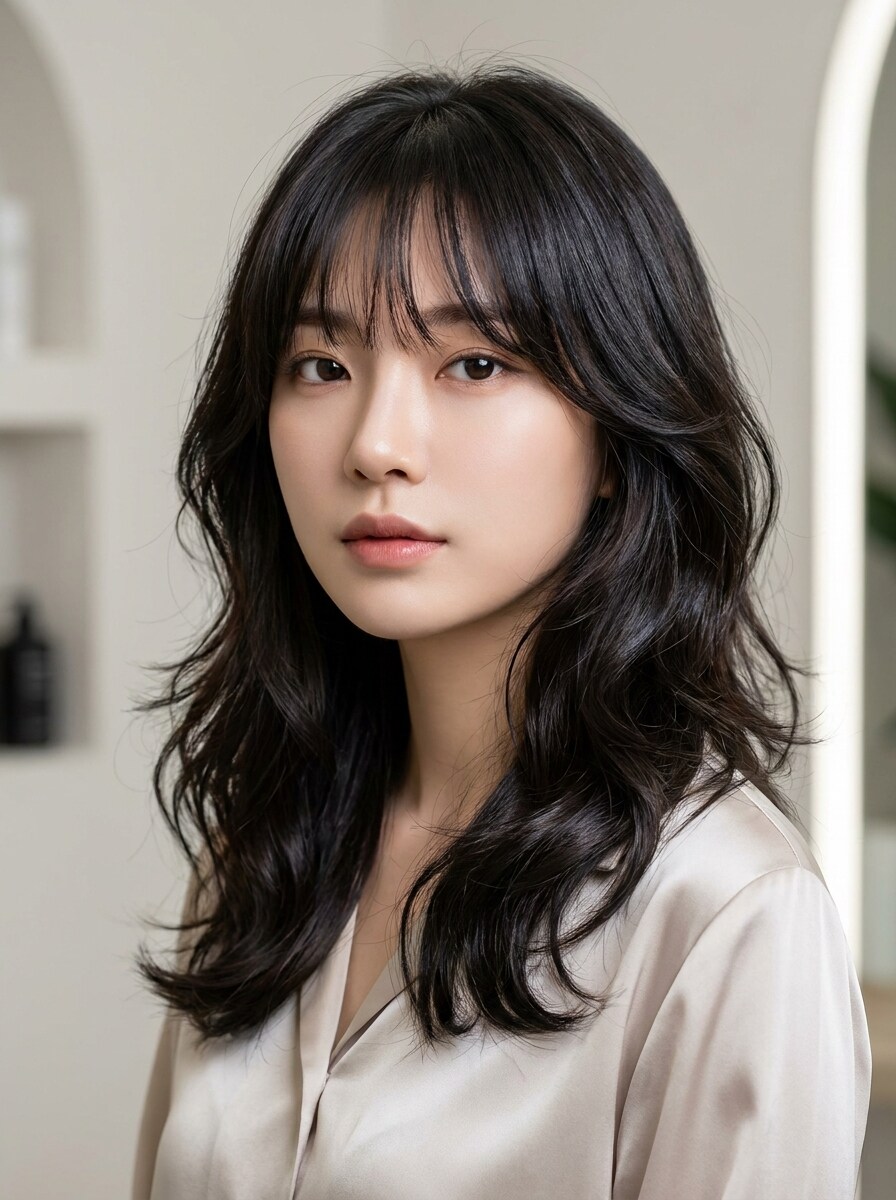
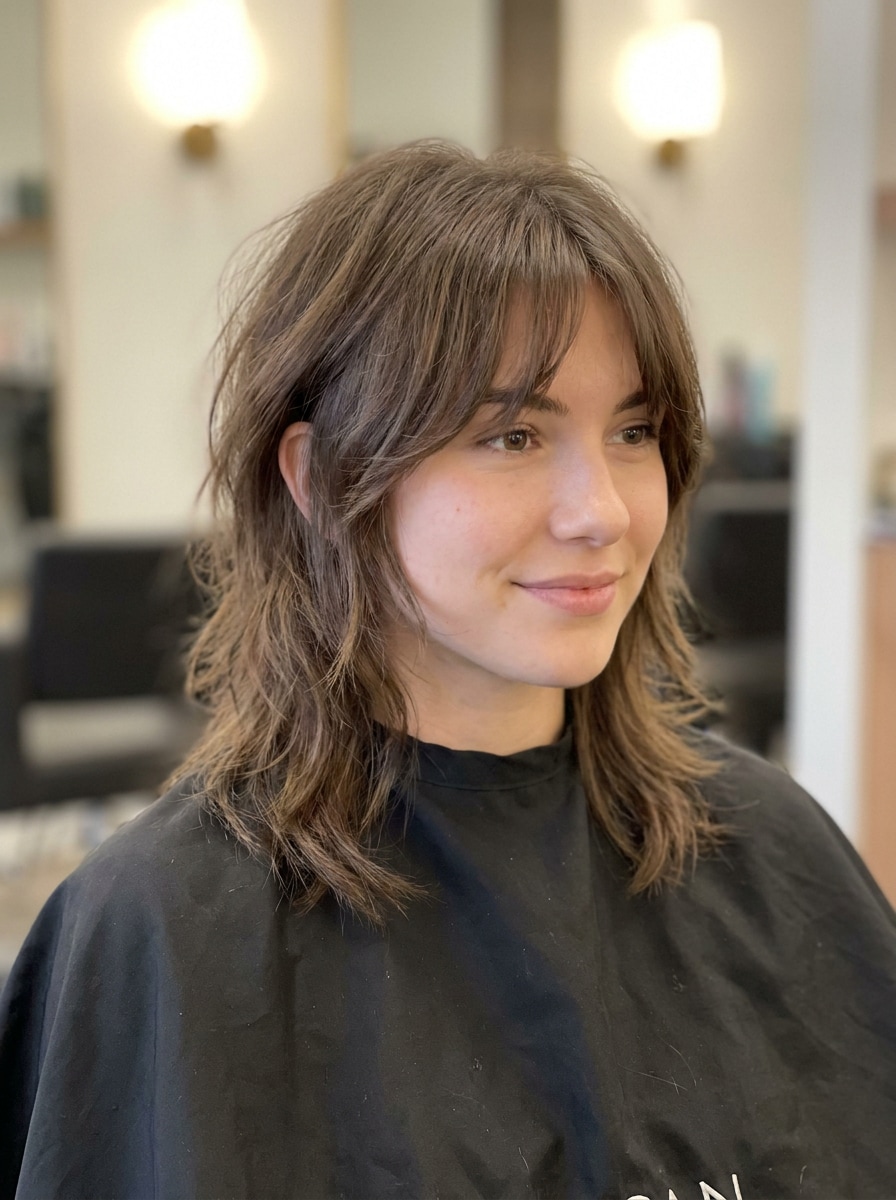
See how a wolf cut could look on your own photo with a realistic virtual hairstyle preview. This wolf cut filter helps you test soft, shaggy, curly, and Korean-inspired layers online before booking a salon visit.
Review these example directions, then tailor the prompt details to get stronger results with this wolf haircut filter on Media.io.
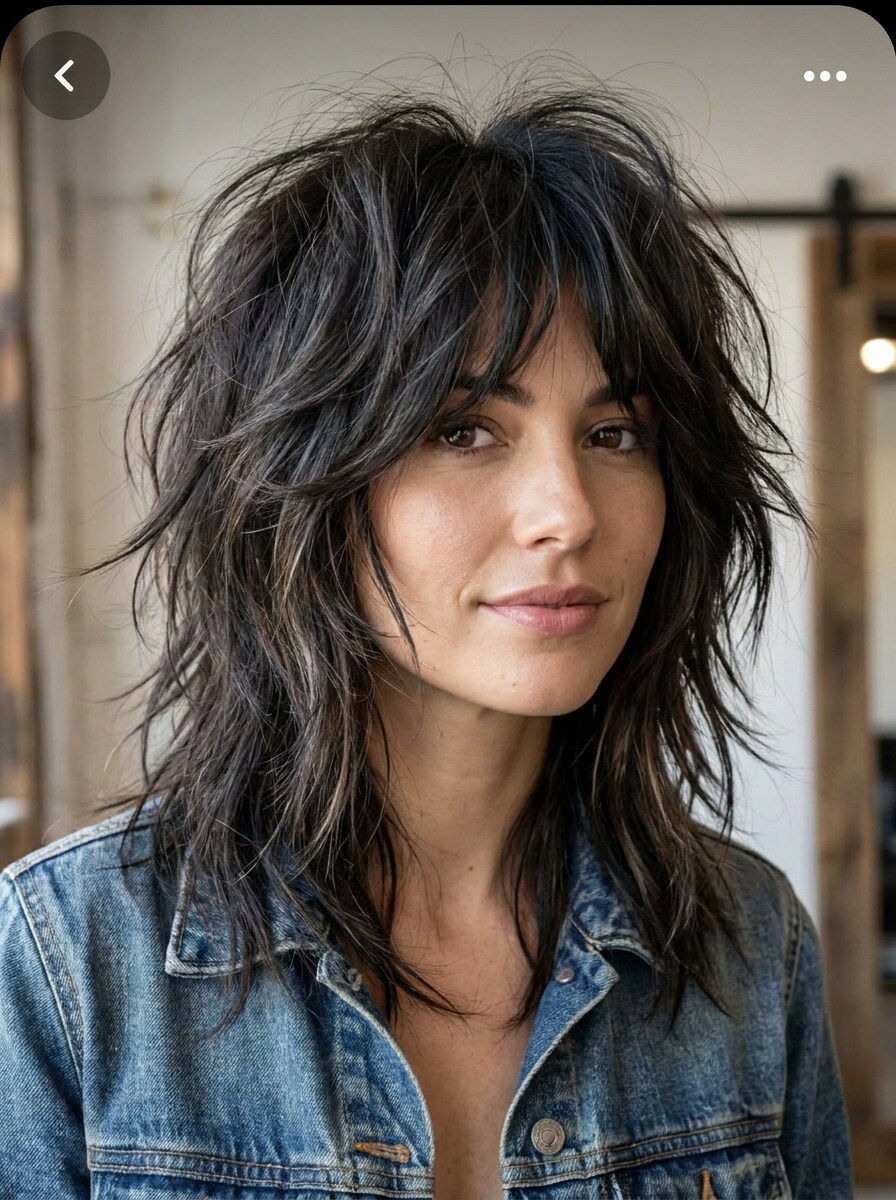
Classic Realistic Wolf Cut
Use the uploaded portrait as the subject and transform the hairstyle into a realistic classic wolf cut with choppy layered volume, soft shag texture, feathered ends, natural hairline blending, and balanced salon lighting. Preserve facial identity, skin tone, and overall realism with a clean, flattering finish.
Soft Wolf Cut
Use the uploaded image as the subject and apply a soft wolf cut with airy layers, light crown volume, subtle feathered ends, and gentle face-framing pieces. Keep the transformation natural, wearable, and salon-realistic with smooth blending, soft daylight tones, and refined texture that suits the original face shape.
Wolf Cut with Curtain Bangs
Use the uploaded portrait as the base and transform the hairstyle into a wolf cut with curtain bangs, layered texture, face-framing front sections, and balanced crown volume. Keep the facial features recognizable while adding natural movement, soft salon lighting, and a polished but trendy finish.
Wolf Cut with Wispy Fringe
Use the uploaded image as the subject and add a realistic wolf cut with wispy fringe, textured layers, slightly tousled volume, and delicate strand separation around the forehead. Preserve identity and skin details while creating a light, youthful, salon-quality hairstyle preview with natural color and soft contrast.
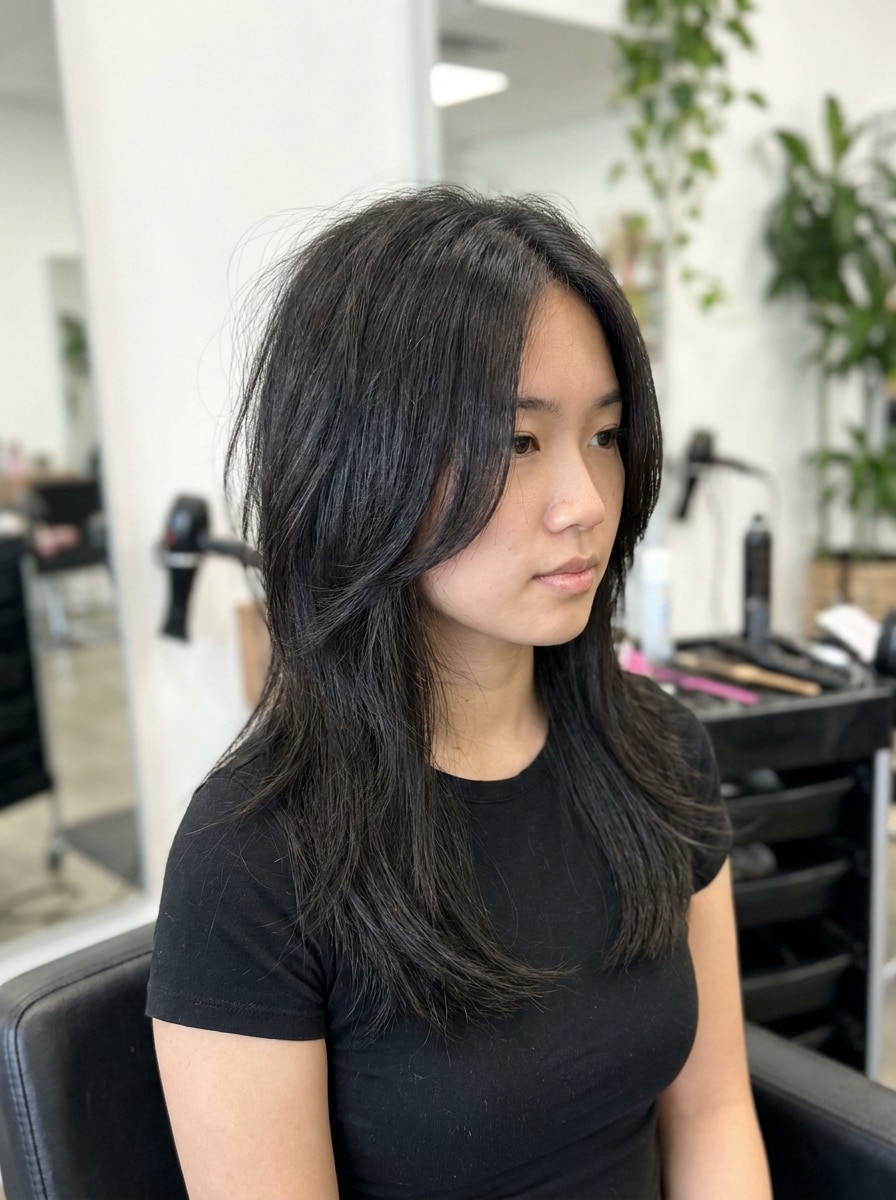
Korean Wolf Cut
Use the uploaded portrait and transform it into a Korean-style wolf cut with soft layered shaping, lightweight texture, smooth face framing, elegant volume, and a polished beauty-editorial finish. Maintain realistic proportions, natural shine, and seamless hairline blending for a refined and wearable result.
Shaggy Wolf Cut
Use the uploaded image as the subject and create an edgy shaggy wolf cut with pronounced choppy layers, messy crown lift, textured ends, and a slightly undone editorial vibe. Keep the face and natural features intact while delivering realistic salon styling, dimensional texture, and confident movement.
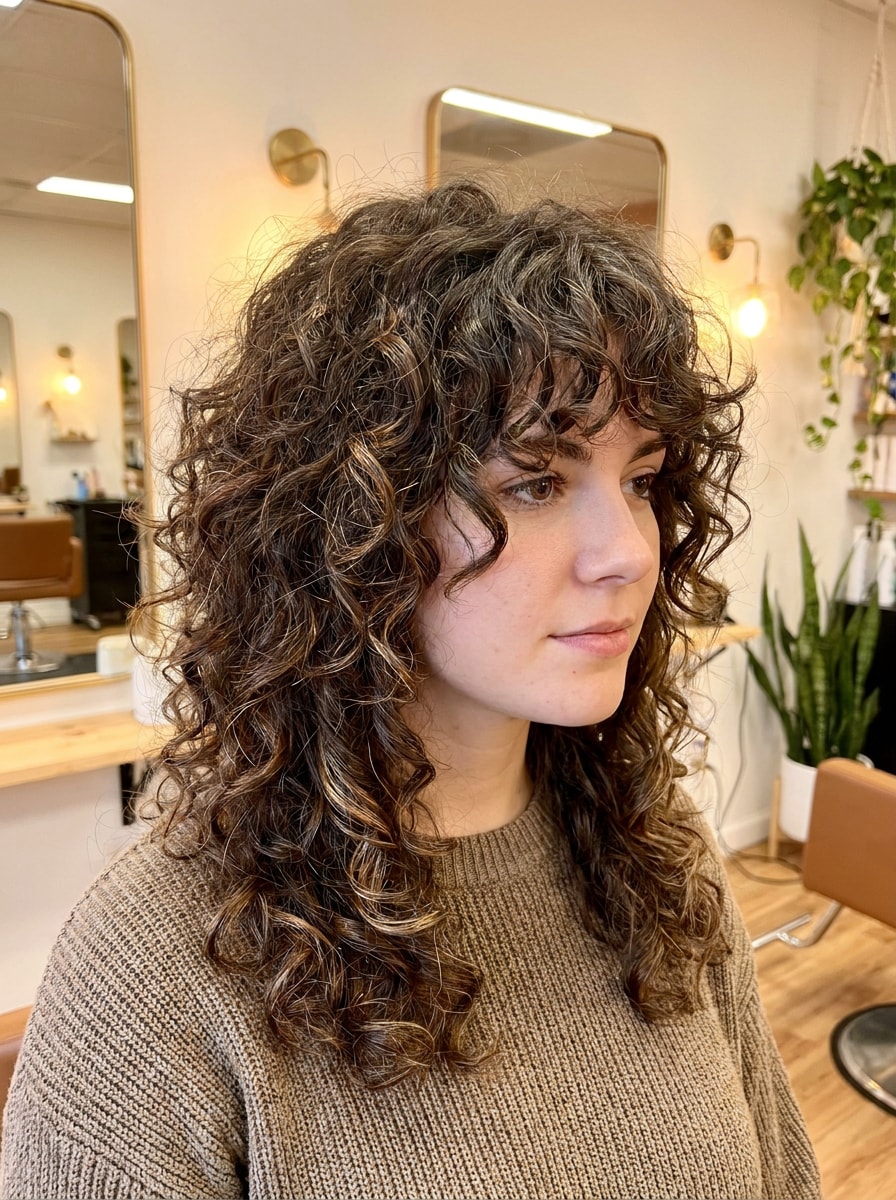
Curly Wolf Cut
Use the uploaded portrait and apply a curly wolf cut while preserving the original curl pattern, adding layered shape, crown volume, face-framing definition, and textured movement. Make the result look salon-realistic with soft highlights, natural bounce, and a flattering silhouette tailored to the subject.
Straight Hair Wolf Cut
Use the uploaded image as the base and transform the hairstyle into a wolf cut for straight hair with clean layered structure, feathered edges, natural crown volume, and subtle movement through the lengths. Preserve the subject's identity and create a sleek yet textured salon-quality preview.
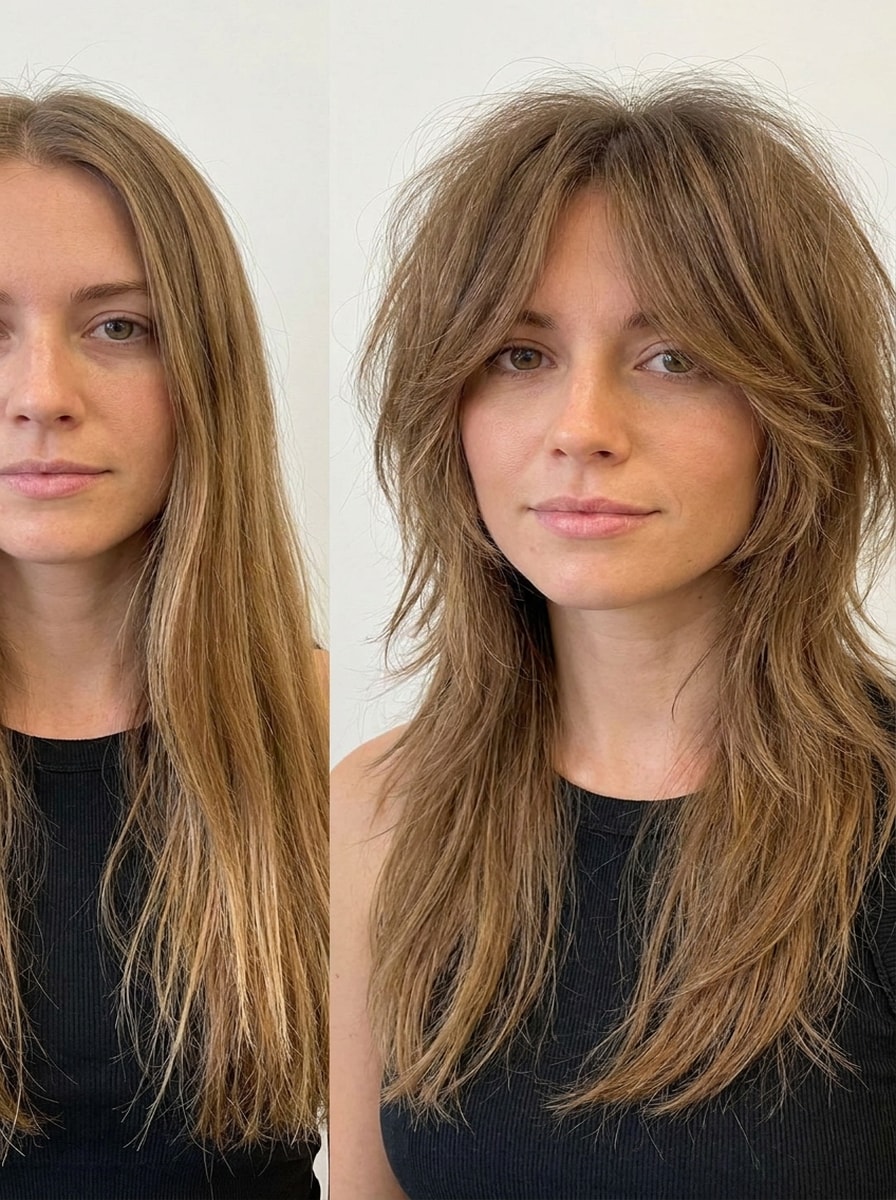
Before and After Wolf Cut Preview
Use the uploaded portrait to create a side-by-side before and after preview, showing the original hairstyle next to a realistic wolf cut transformation. Highlight visible texture, crown volume, feathered layers, and face-framing shape with clean split composition, natural color, and salon-style lighting.
Face-Shape Matched Wolf Cut
Use the uploaded image as the subject and generate a wolf cut tailored to the face shape, adjusting layer placement, fringe, and volume for a flattering salon-ready result. Keep the transformation realistic with seamless blending, natural texture, soft lighting, and preserved facial identity.
Why Use Media.io for a Wolf Cut Try-On
More control over portrait quality and framing
For social posts, brand mockups, or style previews, Media.io keeps the result tied to the original subject so recognizable features stay intact while the overall wolf cut filter online look is adapted naturally.
Realistic hairstyle changes that still look like you
Style decisions get easier with Media.io because you can compare multiple directions from the same base image and try wolf cut online without starting over, making creative selection faster and more confident.
Generate Cleaner Output Up to 4K
Some results need to do more than look good in a preview. Media.io helps generate cleaner wolf cut filter visuals with output up to 4K so the final image holds up in wallpapers, decks, and mockups.
Easy browser-based workflow on phone or desktop
Moving between devices does not have to interrupt the process. Media.io lets you build, adjust, and download AI wolf cut filter results right in the browser, so it is easier to keep momentum across different screens.
How to Use the Wolf Cut Filter
Turn your words into stunning visuals in three simple steps, then continue refining the result if you want to take it further.
Step 1
Upload Your Reference Image
Start with a clear portrait or selfie that shows your current hairline, length, and face shape. Media.io supports JPG, PNG, and JPEG files, so it is easy to upload a photo that gives the hairstyle edit a realistic base.
Step 2
Describe the Change and Set Options
Type the look you want, such as soft layers, curtain bangs, shaggy texture, or a Korean-inspired finish, then choose your model and image settings. You can also adjust aspect ratio, resolution, and the number of variations for a better comparison.
Step 3
Generate, Download, and Keep Improving
Create your hairstyle preview, compare the results, and download the version you like best. If needed, refine the prompt, test another variation, or generate new edits until the cut feels right for your features and style goals.
See how creators use this wolf cut preview tool for content, marketing, and personal projects, then adapt each idea to fit the brief.
Check the cut before booking the salon
A virtual try-on helps you see whether layered volume, feathered ends, and bangs actually suit your features before making a real haircut decision. Media.io is especially useful when you want a fast, low-risk preview instead of relying only on inspiration photos.
Compare soft, edgy, and K-style versions side by side
Not every layered cut gives the same vibe. With Media.io, you can test a wearable soft finish, a messier shag look, or a polished Korean variation from the same portrait to decide which one matches your personal style, content aesthetic, or salon reference best.
Create shareable before-and-after hair previews
If you want feedback from friends, followers, or your stylist, Media.io can generate visual comparisons that clearly show the hairstyle change. That makes it easier to discuss length, fringe, and volume with others before you commit to the transformation.
What Users Say
Mia R.
Beauty Content Creator
"Realistic hair preview" I wanted to see if a wolf cut would suit my face without making a salon mistake. The preview looked surprisingly natural, especially around the bangs and layers.
Jasmine K.
Student
"Easy to test different styles" I tried soft, shaggy, and Korean-inspired versions from one photo. It made it much easier to decide what reference picture to bring to my stylist.
Olivia T.
Social Media Manager
"Works well on mobile" I used it on my phone during lunch and got a hairstyle preview in minutes. The browser workflow was simple, and the results were good enough to share with friends.
Nora D.
Freelance Designer
"Helpful before committing" The side-by-side before-and-after version was the most useful part for me. It helped me compare volume and face framing before deciding whether the cut was worth trying in real life.
1. What is a wolf cut filter and how does it work?
A wolf cut filter is an AI hairstyle try-on that edits an uploaded portrait to simulate layered, voluminous wolf cut variations. On Media.io, you upload a JPG, PNG, or JPEG photo, add your preferred style direction, and the image-to-image model generates a realistic hairstyle preview while using your original photo as the reference.
2. Can I try a wolf cut on my own photo online for free?
Yes, you can use Media.io to try a wolf cut on your own photo online with free credits. Free users may see watermarks on downloads, while paid plans offer more usage and watermark-free high-resolution exports. You can compare plan options on the pricing page.
3. Will the wolf cut filter look realistic on my face shape?
It can look realistic when you upload a clear front-facing photo, because Media.io uses your image as the reference for the hairstyle transformation. That helps the preview keep your facial identity and makes it easier to test layer placement, fringe, and volume in a way that feels more personal than a generic hairstyle sample.
4. Can I preview different wolf cut styles like soft, shaggy, or Korean wolf cut?
Media.io is well suited for testing style variations from the same portrait, so you can preview soft everyday layers, a shaggy editorial look, or a polished Korean-inspired version. This is useful if you want one tool for both inspiration and side-by-side haircut decision-making.
5. Does the filter work on curly hair, straight hair, or short hair?
Yes, you can use the tool with different hair textures and lengths because the workflow starts from your uploaded photo. A clear reference image helps Media.io generate a more useful preview for curly hair, straight hair, or shorter styles by adapting the transformation to the look already visible in the portrait.
6. How long does it take to generate a wolf cut hairstyle preview?
Generation is designed to be fast, so most users can create a hairstyle preview in just a short session after uploading a photo and entering the style prompt. The total time depends on the image, the selected settings, and how many variations you choose to generate.