Turn ordinary portraits into movie-quality visuals using cinematic relight prompts. Add professional studio lighting, neon shadows, Hollywood color grading, and Higgsfield relight aesthetics in seconds with AI-powered image relighting online.
Upload a portrait, paste a cinematic relight prompt, and generate dramatic studio lighting instantly.
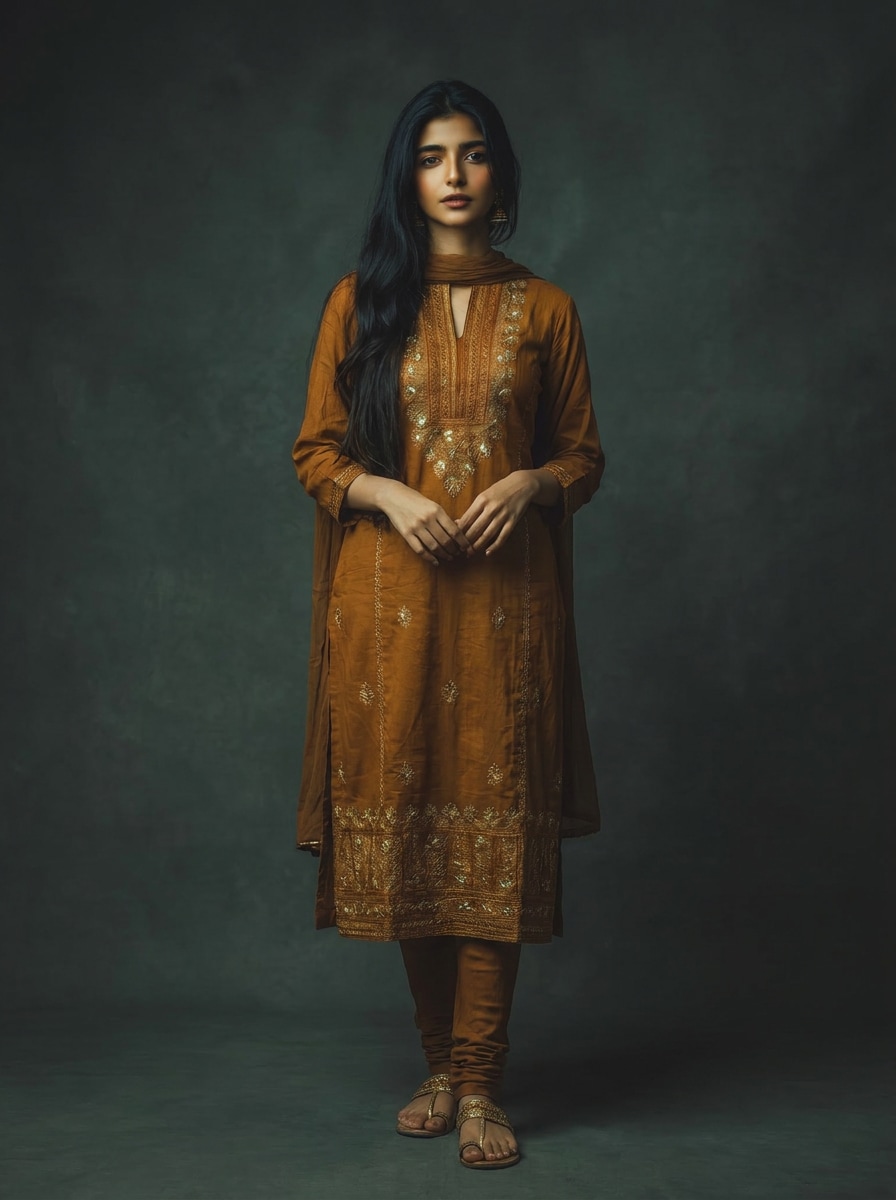
Before
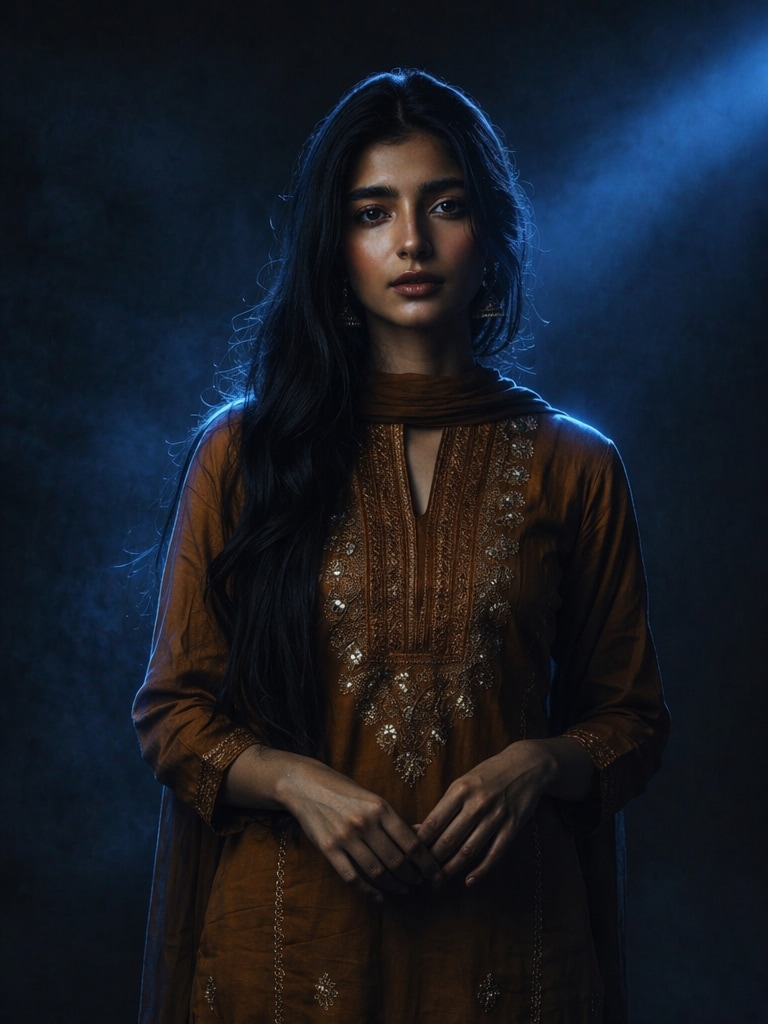
Neon Relight
Before
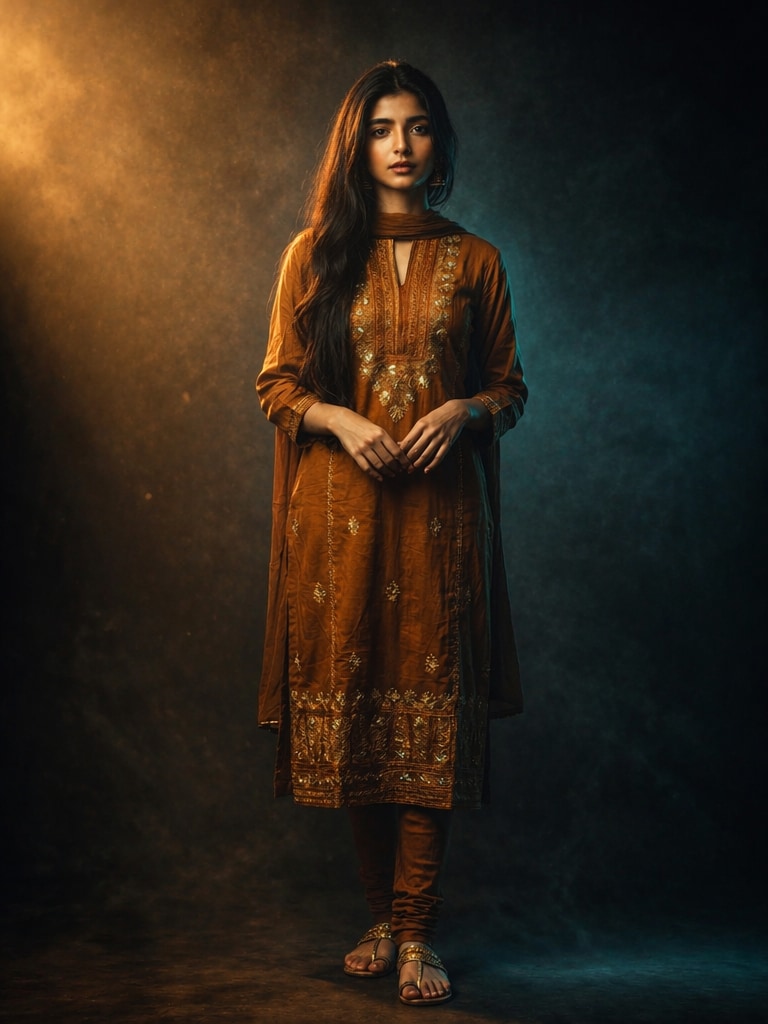
Studio Relight
10 Cinematic Relight Prompts and Styles
Copy any cinematic relight prompt below to create studio lighting effects, neon portraits, Higgsfield relight video aesthetics, and dramatic movie-style AI images.
Moody Blue Neon Relight
Transform the uploaded portrait into a cinematic relight portrait with deep blue neon rim lighting, dark desaturated background, dramatic studio shadows, glossy skin reflections, subtle haze atmosphere, ultra realistic facial texture, cinematic movie still aesthetic, soft volumetric light beams, high contrast relight effect, shallow depth of field, premium editorial photography, 8k detail, Higgsfield relight studio style.
Warm Orange Hollywood Lighting
Create a cinematic relight image with warm orange key light from one side and cool teal fill light from the opposite side. Add Hollywood-style studio lighting, dark cinematic shadows, realistic skin texture, moody atmosphere, luxury fashion editorial vibe, subtle smoke particles, DSLR depth of field, ultra detailed portrait realism, dramatic relight composition.
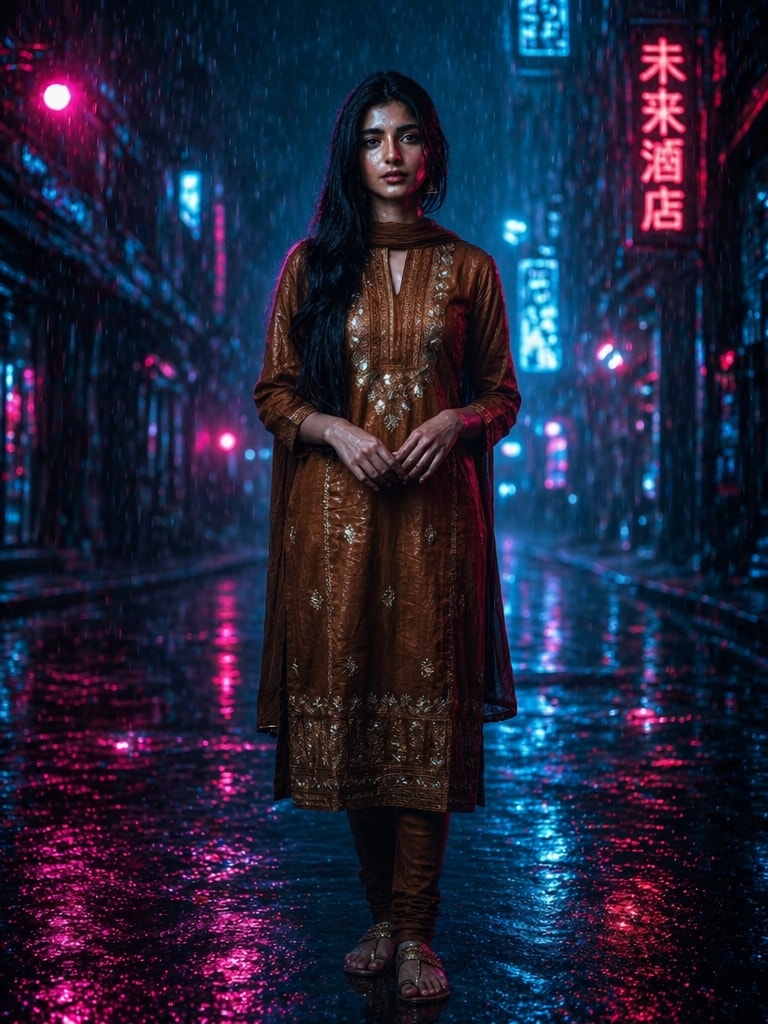
Rainy Night Street Relight
Turn the uploaded image into a rainy cyberpunk cinematic relight portrait standing under neon street lights at night. Add wet skin reflections, glowing blue and magenta lighting, blurred rainy city background, cinematic shadow gradients, moody film lighting, realistic cinematic color grading, high detail facial preservation, movie poster quality.
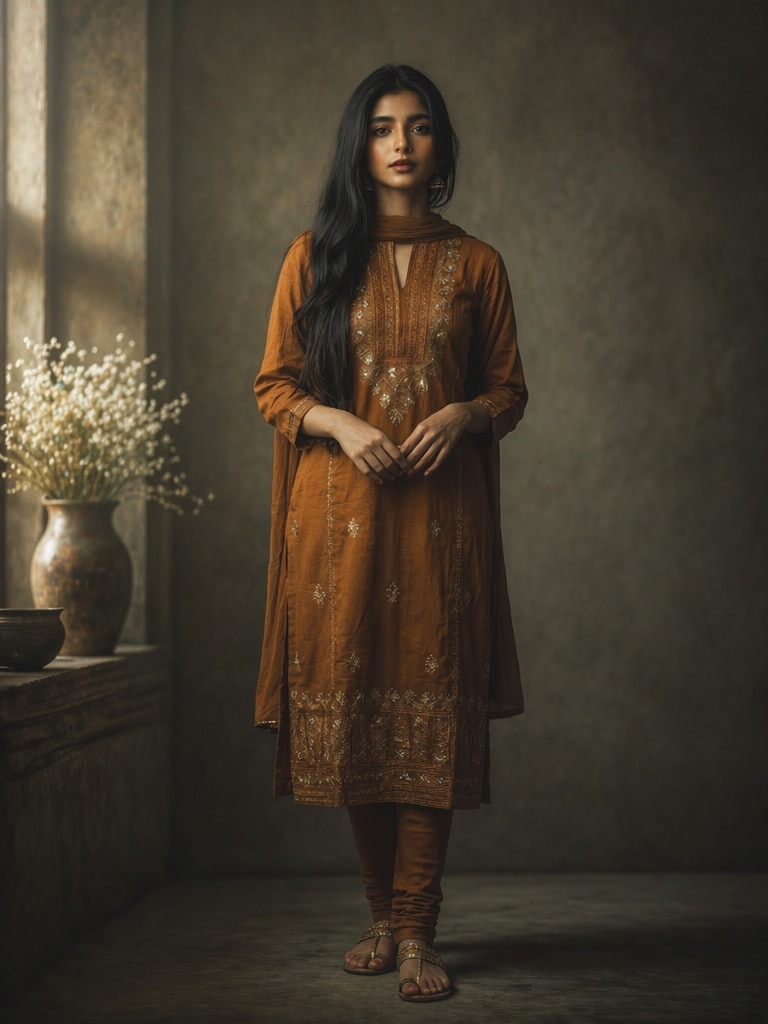
Soft Window Light Editorial
Generate a cinematic relight studio portrait using soft natural window light entering from the left side. Add subtle film grain, creamy shadows, muted neutral color tones, elegant fashion photography composition, realistic relight depth, soft skin glow, shallow depth of field, luxury Vogue-style editorial lighting, ultra realistic textures.
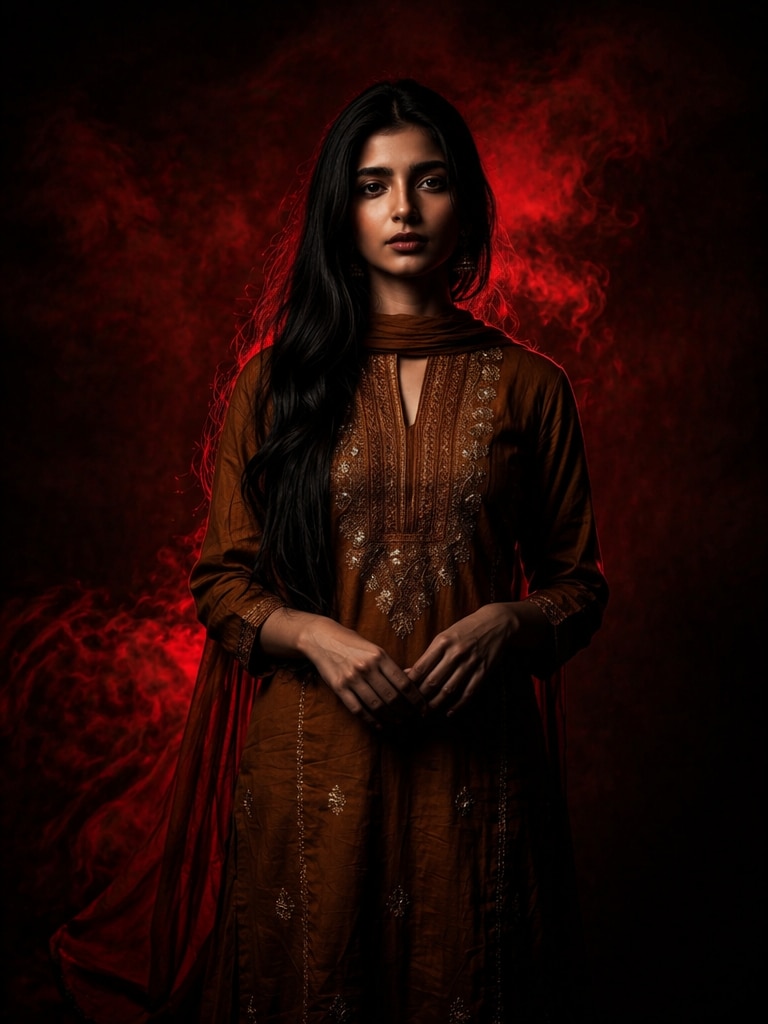
Red and Black Studio Relight
Create a dramatic cinematic relight portrait with intense red backlight and deep black shadows. Add strong contrast lighting, smoky dark background, cinematic thriller movie atmosphere, detailed face relighting, ultra realistic skin texture, glossy highlights, studio spotlight effect, bold fashion magazine aesthetic, dark cinematic grading.
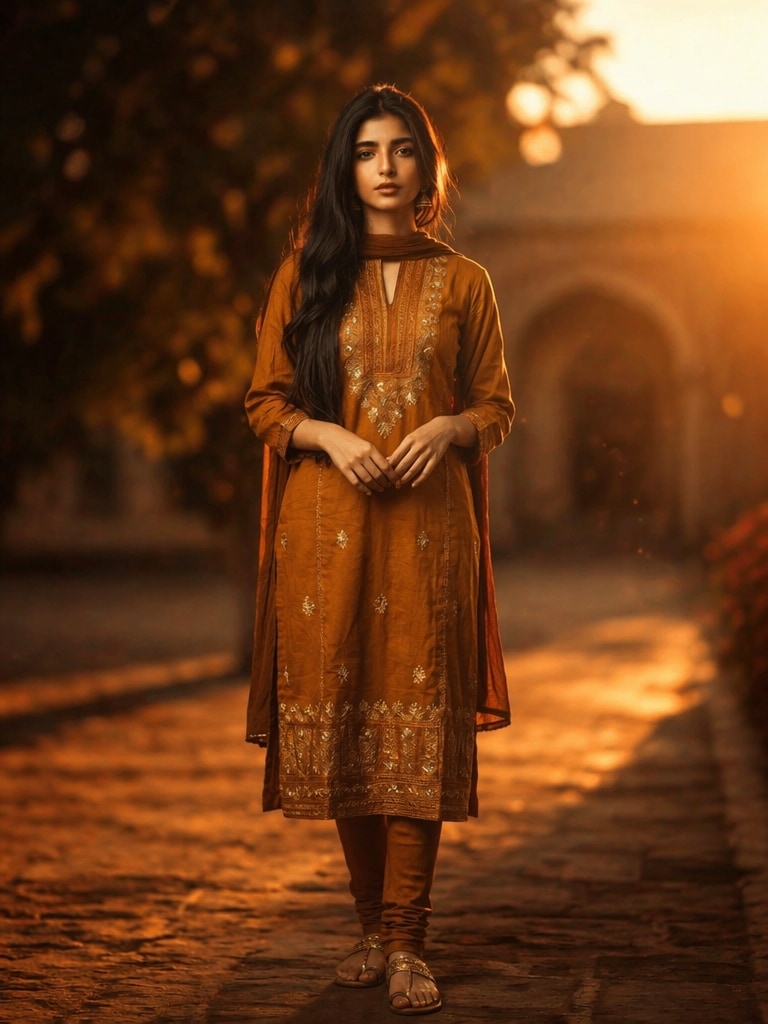
Golden Sunset Relight
Transform the uploaded portrait into a cinematic golden hour relight scene with warm sunset glow, soft orange highlights, dreamy lens flare, realistic sun shadows, rich cinematic contrast, blurred outdoor background, natural skin relighting, emotional movie scene atmosphere, ultra detailed portrait photography, soft haze effect.
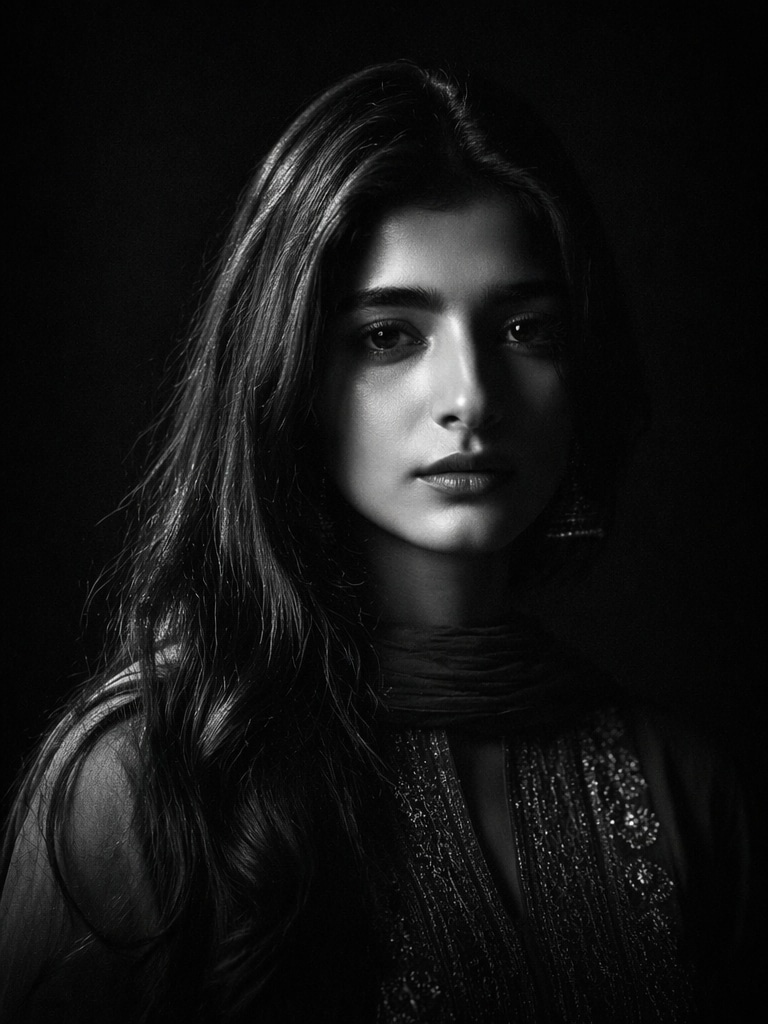
Black and White Film Relight
Generate a monochrome cinematic relight portrait inspired by classic noir films. Add dramatic side lighting, sharp facial shadows, vintage studio atmosphere, subtle film grain, black background, realistic light falloff, ultra detailed skin texture, emotional cinematic composition, timeless black and white photography aesthetic.
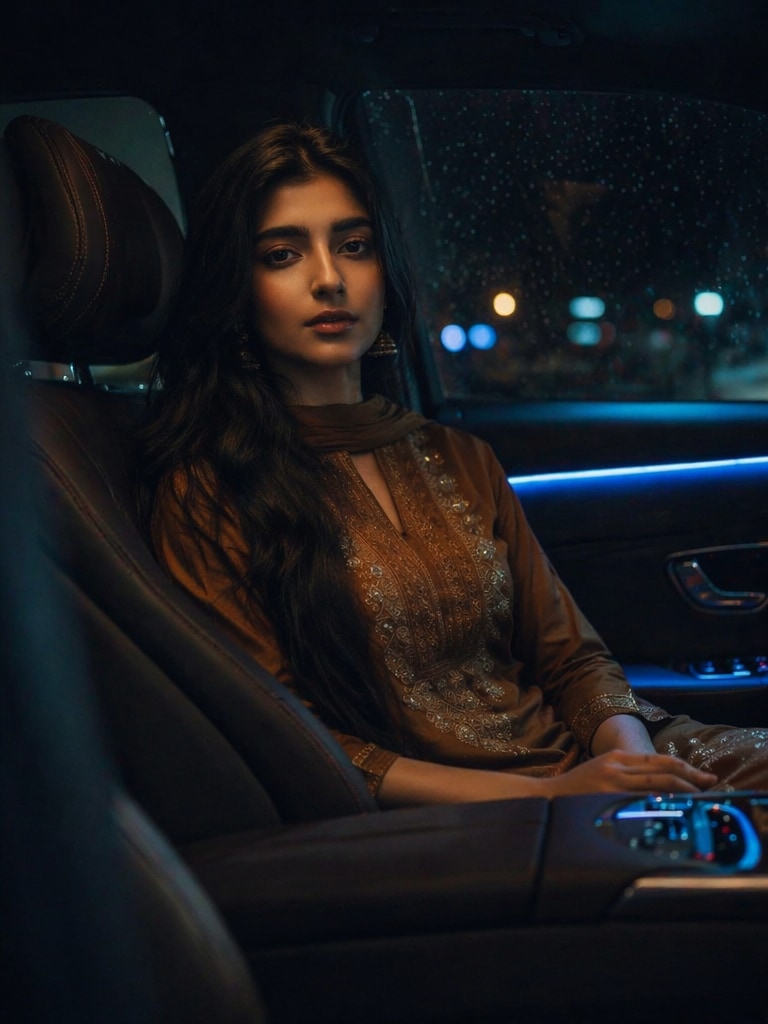
Luxury Car Interior Relight
Create a cinematic relight portrait inside a luxury car at night with soft dashboard lighting, blue ambient LED glow, realistic reflections on skin and glass, dark premium atmosphere, cinematic movie scene composition, shallow depth of field, high contrast relighting, ultra realistic editorial portrait quality.
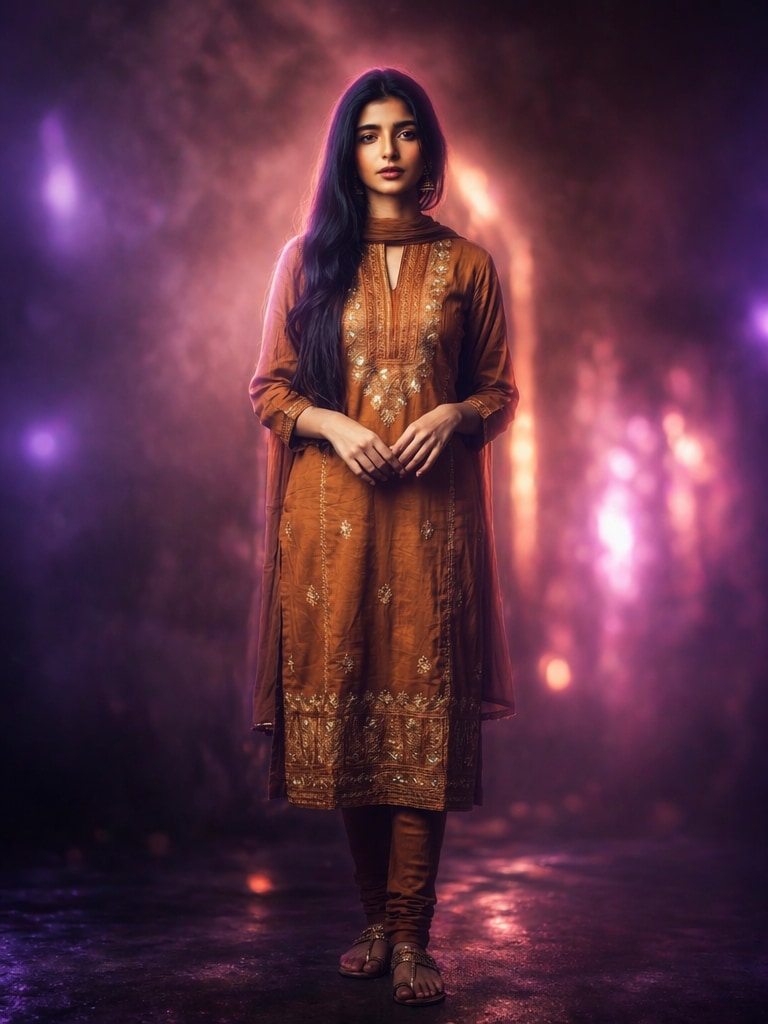
Purple Dream Glow Relight
Transform the uploaded image into a dreamy cinematic relight portrait with glowing purple and pink ambient lights, soft fog atmosphere, dreamy skin highlights, blurred studio background, cinematic fantasy lighting, realistic facial detail preservation, glossy cinematic textures, emotional fashion editorial mood, ultra detailed 8k realism.
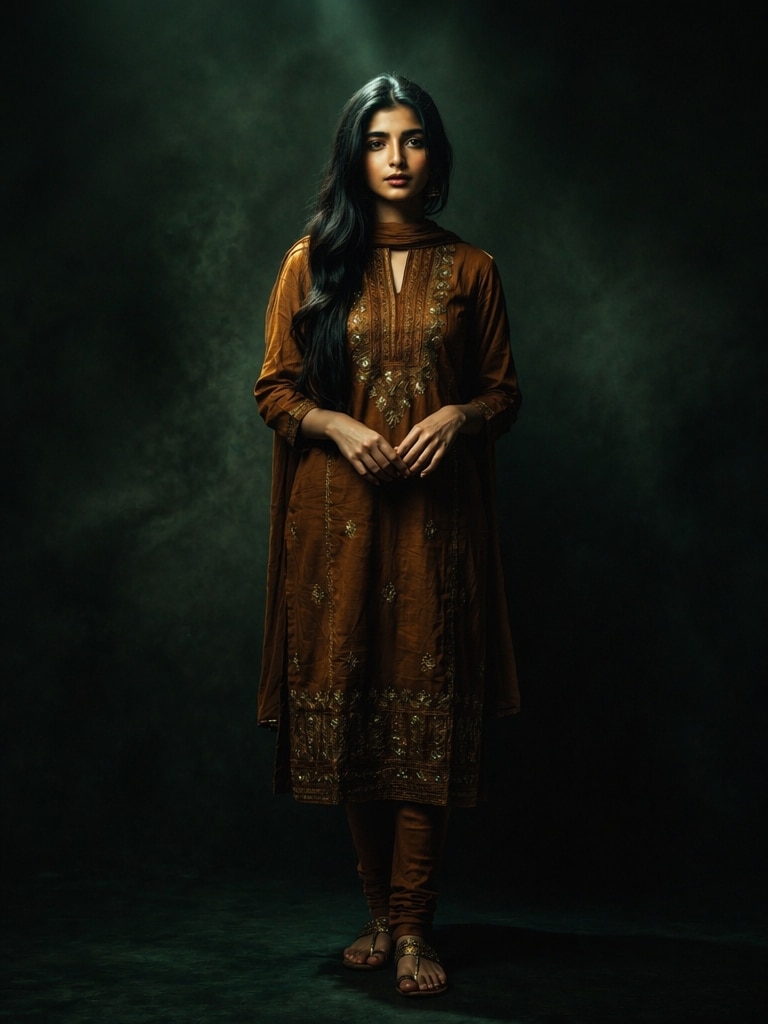
Dark Green Cinematic Relight
Create a dark green cinematic relight portrait with dramatic overhead lighting, deep emerald shadows, subtle smoke atmosphere, realistic studio relighting, cinematic thriller mood, detailed facial highlights, movie-grade color grading, soft focus background, ultra realistic editorial photography, premium Higgsfield relight aesthetic.
Why Use Media.io Cinematic Relight Prompt Generator?
AI Cinematic Studio Lighting Engine
Media.io intelligently relights portraits with realistic shadows, glowing highlights, dramatic light falloff, and movie-quality depth for professional-looking AI studio portraits.
Advanced Color Grading Effects
Apply Hollywood teal-orange tones, cyberpunk neon colors, noir black-and-white lighting, dreamy purple glow, and warm golden-hour grading automatically.
High Facial Detail Preservation
Keep realistic facial identity, natural skin texture, sharp eye detail, and original portrait structure while changing the lighting mood and background atmosphere.
Optimized for Social Media Creators
Create cinematic relight images for TikTok, Instagram, Threads, Reels covers, fashion edits, AI posters, and Higgsfield relight video-style thumbnails.
How to Use Cinematic Relight Prompt Online
01
Step 1 – Upload Your Portrait
Upload a clear selfie, portrait, or fashion image with visible facial detail. Balanced exposure helps AI create more realistic relight results.
02
Step 2 – Copy a Cinematic Relight Prompt
Choose one cinematic relight prompt from this page and paste it into the Media.io AI prompt box. Adjust colors, mood, or studio lighting style as needed.
03
Step 3 – Generate Cinematic Relight Images
Click generate to create dramatic studio lighting, movie-style shadows, neon glow, and realistic cinematic relight effects instantly.
Core Use Cases for Cinematic Relight Prompt AI
AI Fashion Editorial Portraits
Generate Vogue-style cinematic studio portraits with realistic shadows, glossy highlights, and premium fashion photography aesthetics.
Viral TikTok & Instagram Relight Effects
Create social-media-ready cinematic relight images inspired by trending Threads, Instagram, Reddit, and TikTok lighting edits.
Higgsfield Relight Video Covers
Design cinematic thumbnails, poster frames, and dramatic portraits for Higgsfield relight videos, Reels, shorts, and AI film concepts.
What Users Say About Cinematic Relight Prompts
Ryan T.
Portrait Photographer
“Fast cinematic studio effects” This saved me hours of manual Photoshop relighting. The studio lighting prompts look incredibly realistic.
Rohan V.
College Student
“Super viral Instagram effect” I uploaded my selfie and got a cartoon companion that looked exactly like me. It worked perfectly for Instagram.
Mehak S.
TikTok User
“Looks like real anime art” The AI recreated my hairstyle and dress details beautifully. It feels like a professional anime illustration.
Frequently Asked Questions about Cinematic Relight Prompt
5. Can cinematic relight prompts create studio lighting effects?
Yes. AI cinematic relight prompts can simulate softbox lighting, side lighting, rim lighting, neon lighting, Hollywood lighting, and fashion editorial studio setups.
2. How do I create a cartoon version of myself?
Upload your portrait to Media.io, copy a Mini Me AI Avatar Prompt, paste it into the prompt box, and generate your cartoon companion instantly.
3. Which photos work best for Mini Me AI Avatar effects?
Photos with visible outfits, hairstyles, accessories, shoes, and clean lighting produce the best cartoon companion results.
4. Can I use Mini Me AI Avatars for Instagram and TikTok?
Yes. These AI cartoon edits are perfect for Instagram Reels, TikTok trends, profile pictures, WhatsApp DPs, and aesthetic social posts.
5. Why are Mini Me AI Avatar edits trending?
People love seeing cute anime or doll versions of themselves because the effect feels emotional, personalized, adorable, and highly shareable.