Seleziona / @ carattere, descrivi la scena che desideri generare.
0/2000
9:16
1K
1
Unlimited Banana Pro
Creations
Ideas Hub
How It Works
All
Popular features
View All
Sfida creativa di Halloween
View All
Storia di Frutta con IA
View All
Video Storia con AI
View All
Video virali oggi
View All
Video di prodotti IA
View All
Personaggio AI
View All
Tendenze di Danza
View All
GPT Image 2
View All
Seedance 2.0
View All
Match Celebrità con AI
View All
Suggerimenti per Pose di Coppia
View All
Prompt di Pose per Ragazze AI Estetiche
View All
Prompt di Pose per Ragazzo AI Elegante
View All
Generate List
Creations are stored for only 7 days. Assets created after upgrading to a Membership plan will be stored permanently.
Unlock your creative potential and experience the magic of Media AI right away!
Filtro per Fotocamera Usa e Getta per Modifiche Fotografiche Retrò Realistiche e Vivaci
Trasforma le tue foto esistenti in autentici scatti su pellicola usa e getta con grana, flash, contrasto sbiadito e variazioni cromatiche nostalgiche. Media.io ti aiuta a creare un look da filtro fotocamera usa e getta online per feste, matrimoni, concerti e scatti quotidiani—veloce, basato su browser e facile da perfezionare. Questo flusso di lavoro è particolarmente utile per il filtro fotocamera usa e getta anni '90.
Scrivi la tua idea -> L'IA la progetta. Gratuito da provare.
Esamina questi esempi di istruzioni, poi personalizza i dettagli del prompt per ottenere risultati migliori con questo effetto fotocamera usa e getta in Media.io. È anche un'opzione pratica per il filtro foto fotocamera usa e getta.
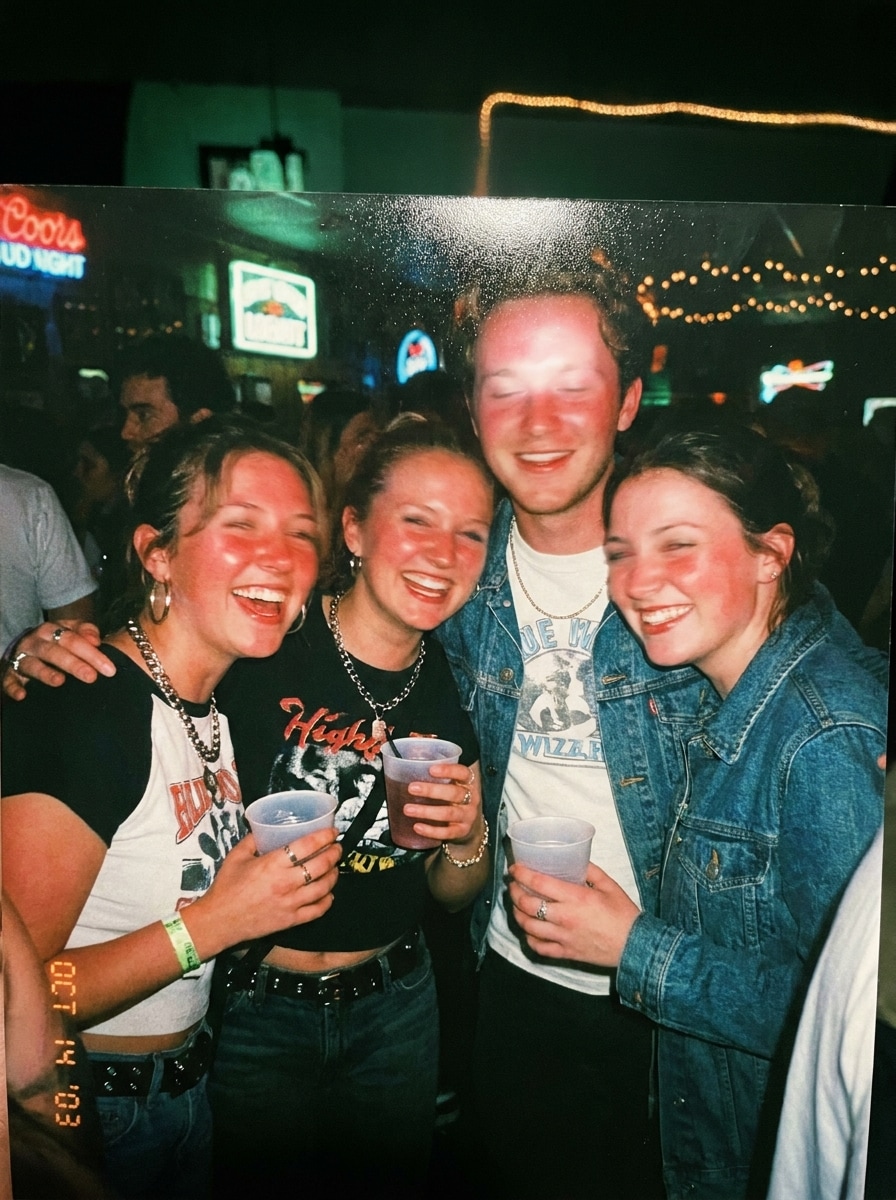
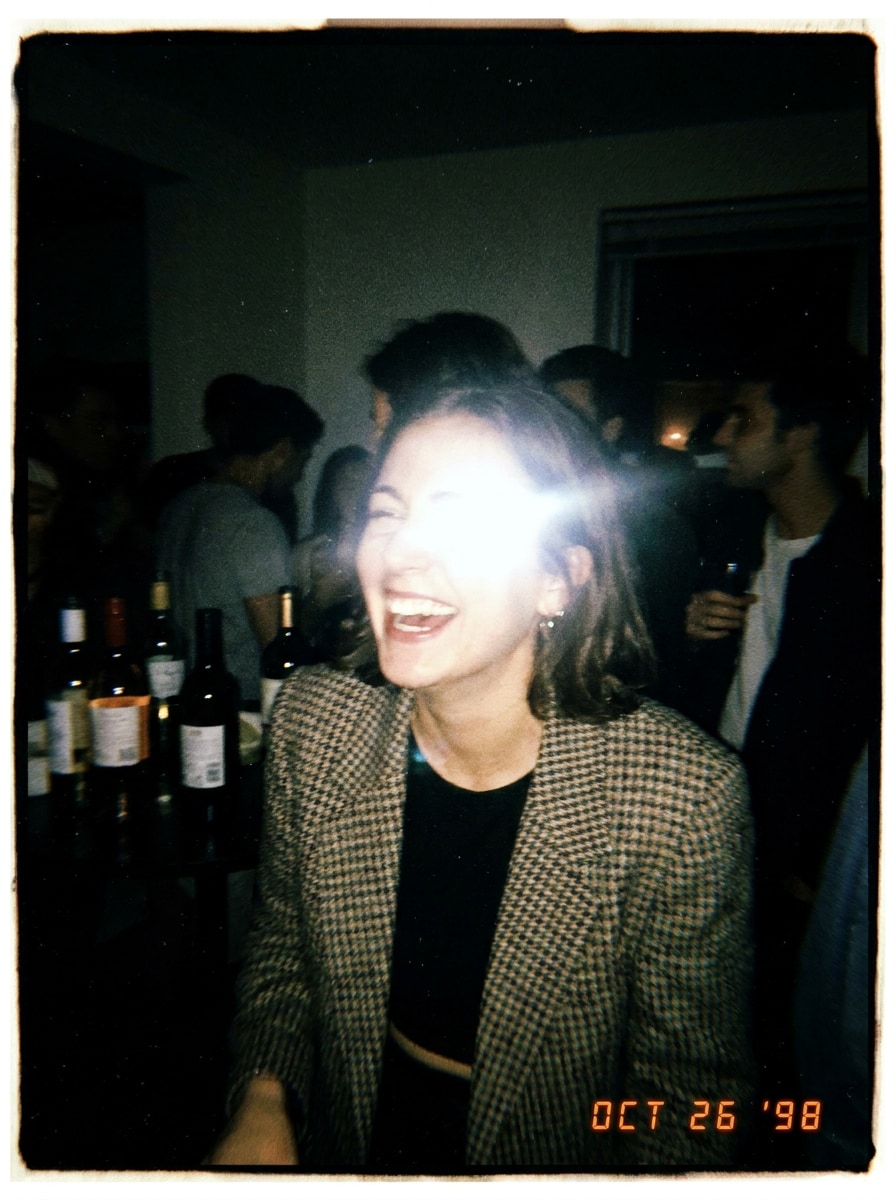
Flash Diretto in Discoteca
Usa l'immagine caricata come soggetto e trasformala in un autentico scatto da festa con una forte atmosfera da fotocamera usa e getta con flash diretto. Aggiungi flash frontale intenso, grana pesante, luci leggermente sovraesposte, messa a fuoco morbida, leggera sfocatura da movimento, tonalità della pelle calde, ombre con dominante verde, neri sbiaditi, inquadratura spontanea ed energia credibile da vita notturna dei primi anni 2000.
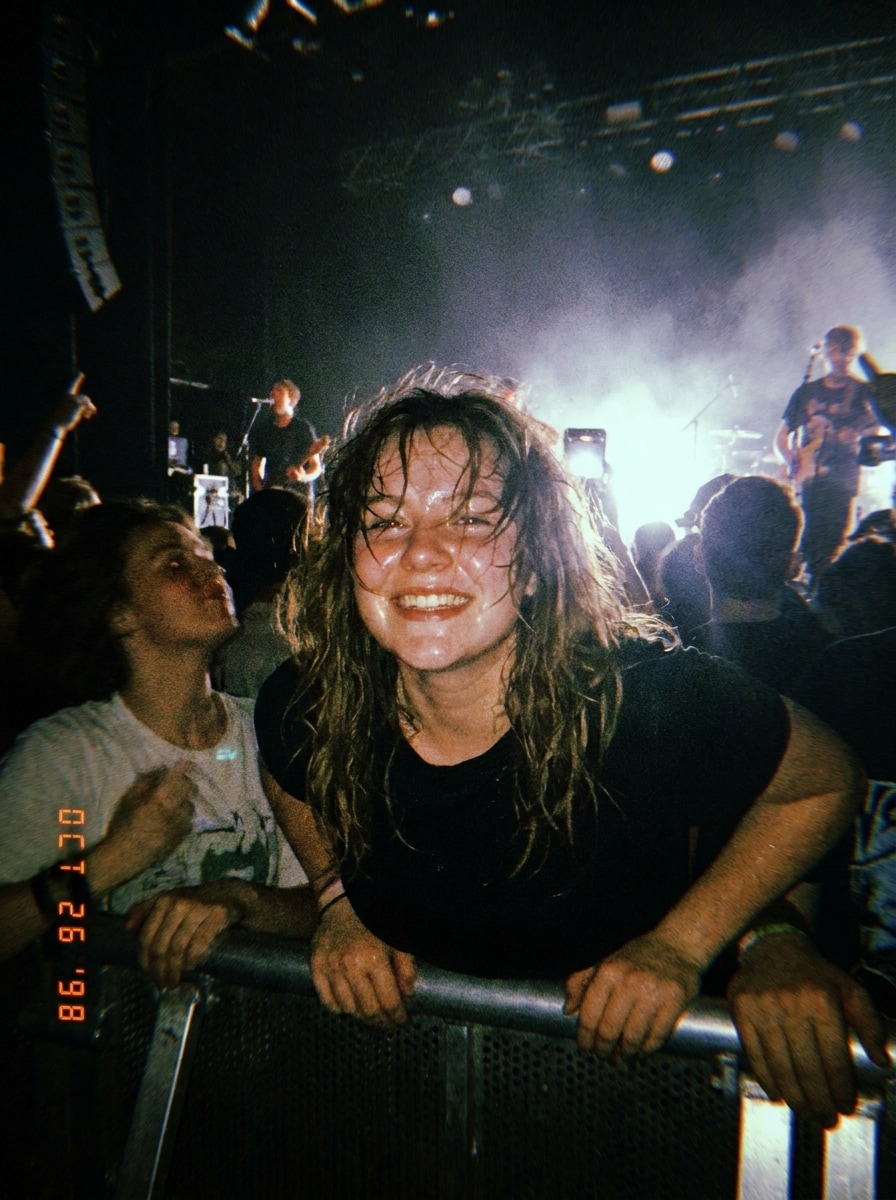
Scatto da Concerto
Usa l'immagine caricata come soggetto e ridisegnala come foto da concerto scattata con una fotocamera usa e getta. Crea un forte flash frontale, grana pesante, rumore cromatico, atmosfera in scarsa illuminazione, dettagli morbidi, esposizione imperfetta, sfondo scuro e suggestivo, inquadratura spontanea ed energica, e un'atmosfera da musica dal vivo con realismo da fotocamera punta e scatta.
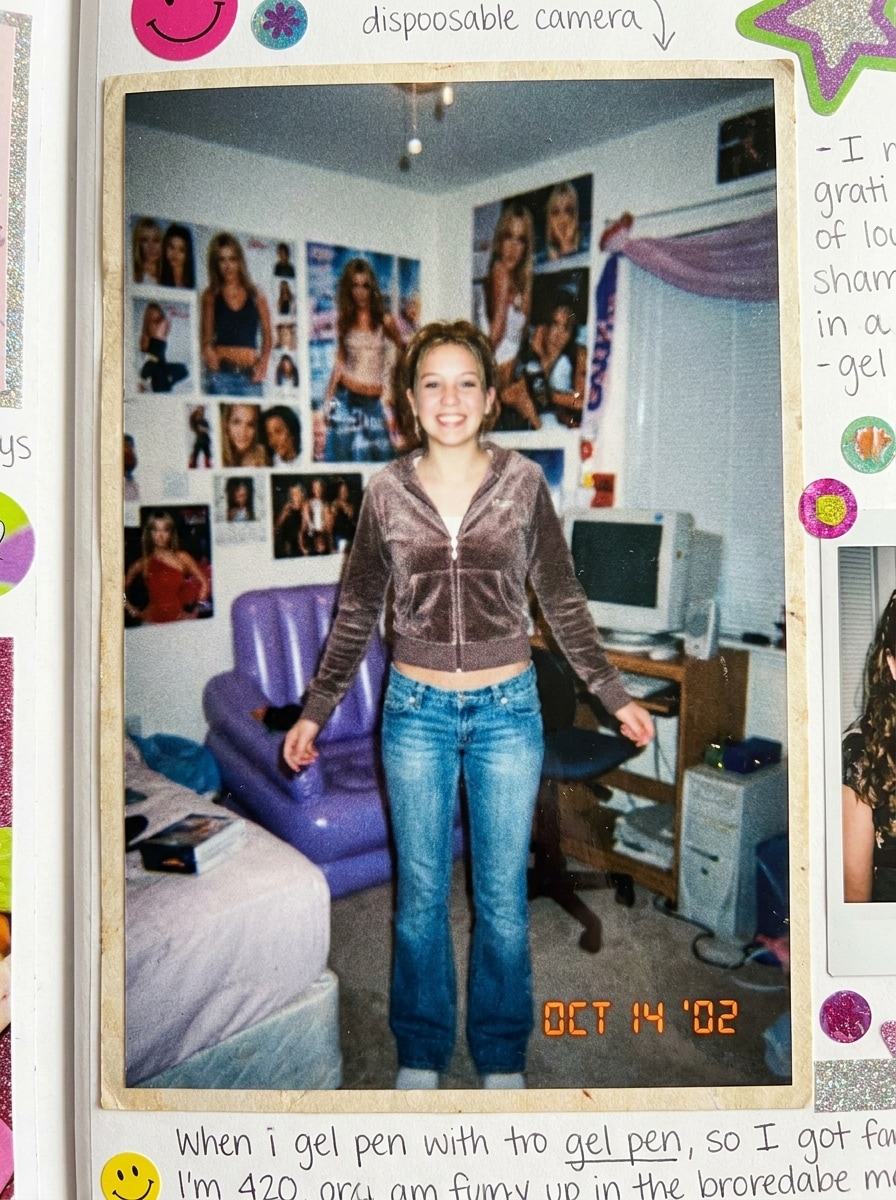
Timbro Data Retrò
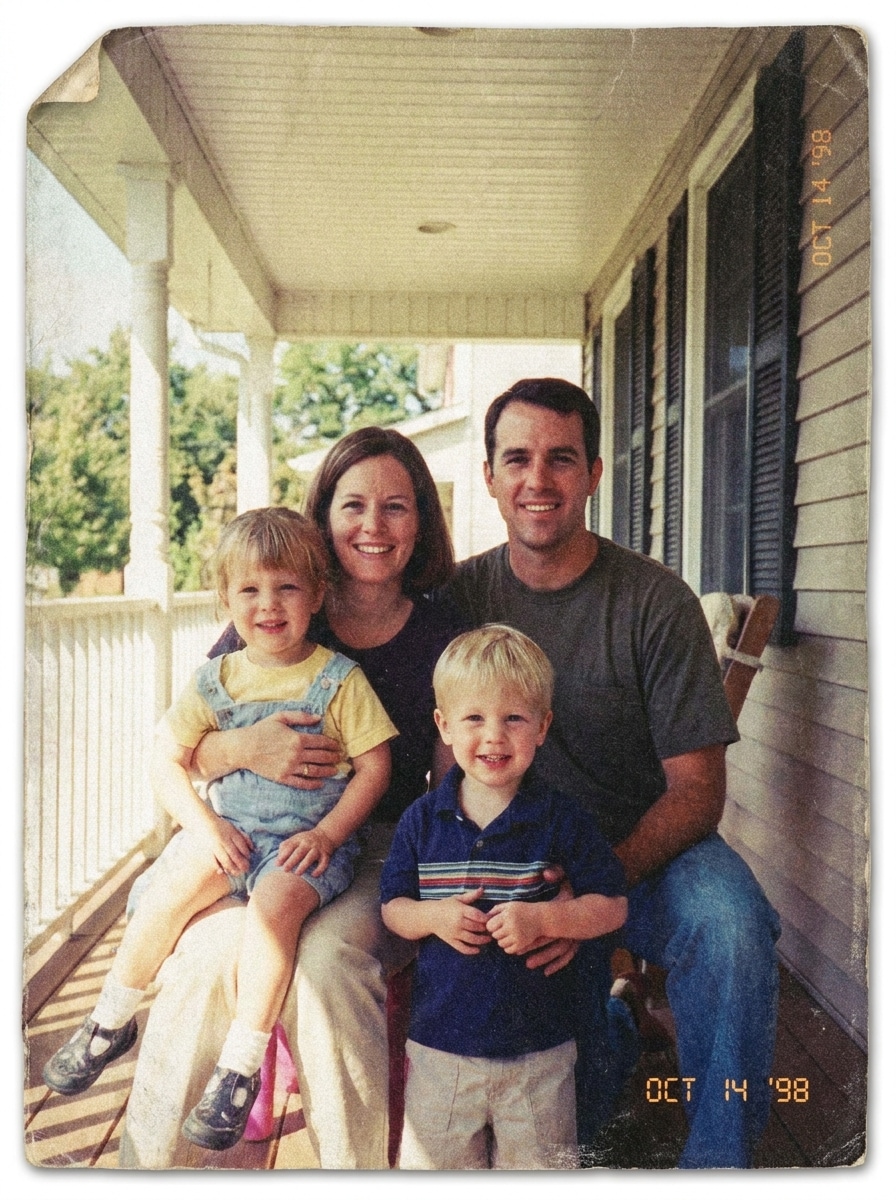
Usa l'immagine caricata come soggetto e dagli un aspetto Y2K nostalgico da fotocamera usa e getta. Aggiungi grana pellicola realistica, colori leggermente slavati, contrasto sbiadito, leggera sfocatura, pop del flash, un timbro data arancione opzionale in un angolo, texture da stampa di negozio di prossimità e il fascino giocoso dell'era dei fotolibri.
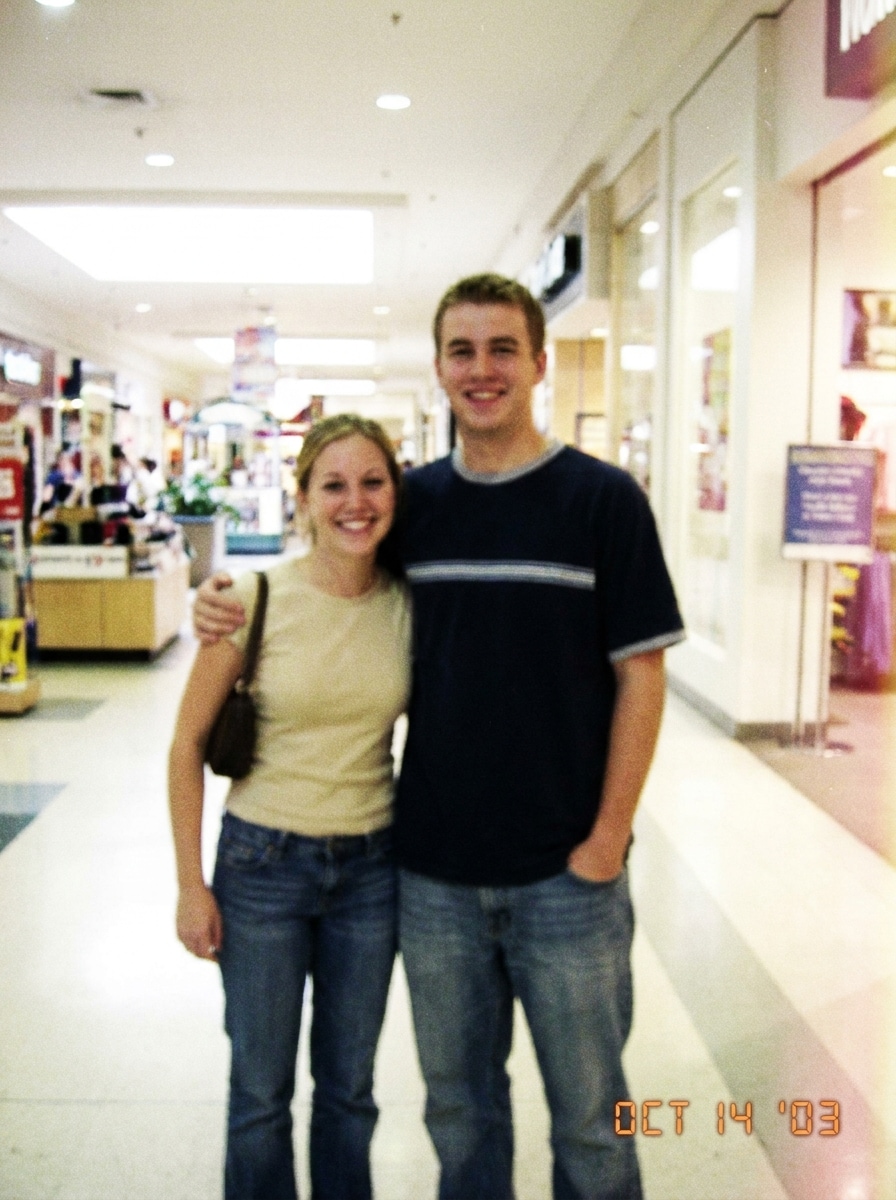
Stampa Foto da Centro Commerciale
Usa l'immagine caricata come soggetto e fagli sembrare una vecchia stampa fotografica da centro commerciale degli anni 2000. Aggiungi messa a fuoco morbida, bassa gamma dinamica, leggera dominante cromatica magenta-gialla, grana visibile, morbidezza da stampa su carta, luci slavate, composizione candida casuale e un realismo da pellicola consumer leggermente imperfetto.
Fotocamera da Tavolo Matrimonio
Usa l'immagine caricata come soggetto e trasformala in uno scatto romantico da fotocamera da tavolo matrimonio. Applica un autentico flash da punta e scatta, tonalità calde, grana fine, leggera sfocatura, bilanciamento del bianco imperfetto, bloom morbido nelle luci, atmosfera spontanea del ricevimento e il fascino della spontaneità delle foto su pellicola scattate dagli ospiti.
Pellicola da After-Party
Usa l'immagine caricata come soggetto e crea un credibile look da pellicola usa e getta da after-party. Aggiungi riflesso del flash, grana visibile, morbidezza da movimento, angoli leggermente schiacciati, luci bianco sporco, sfondo ambientale scuro, inquadratura imperfetta, attitudine candida giocosa e un'atmosfera da evento serale che sembra autentica piuttosto che patinata.
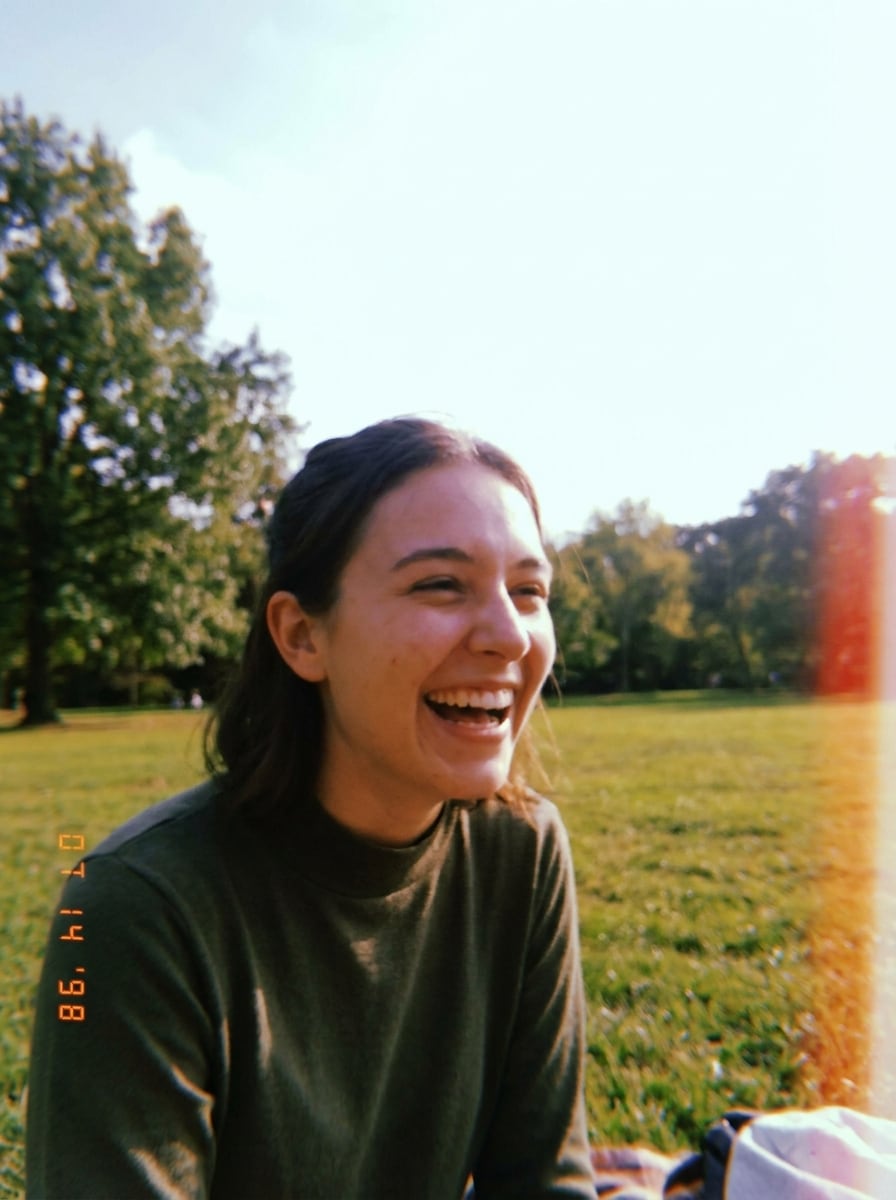
Usa e Getta Diurna all'Aperto
Usa l'immagine caricata come soggetto e ridisegnala come una foto casual diurna da fotocamera usa e getta. Aggiungi tonalità del cielo leggermente sovraesposte, dettagli morbidi, verdi attenuati, grana delicata, dominante cromatica calda da pellicola, luminosità naturale all'aperto, composizione semplice da istantanea e un realismo candido spensierato.
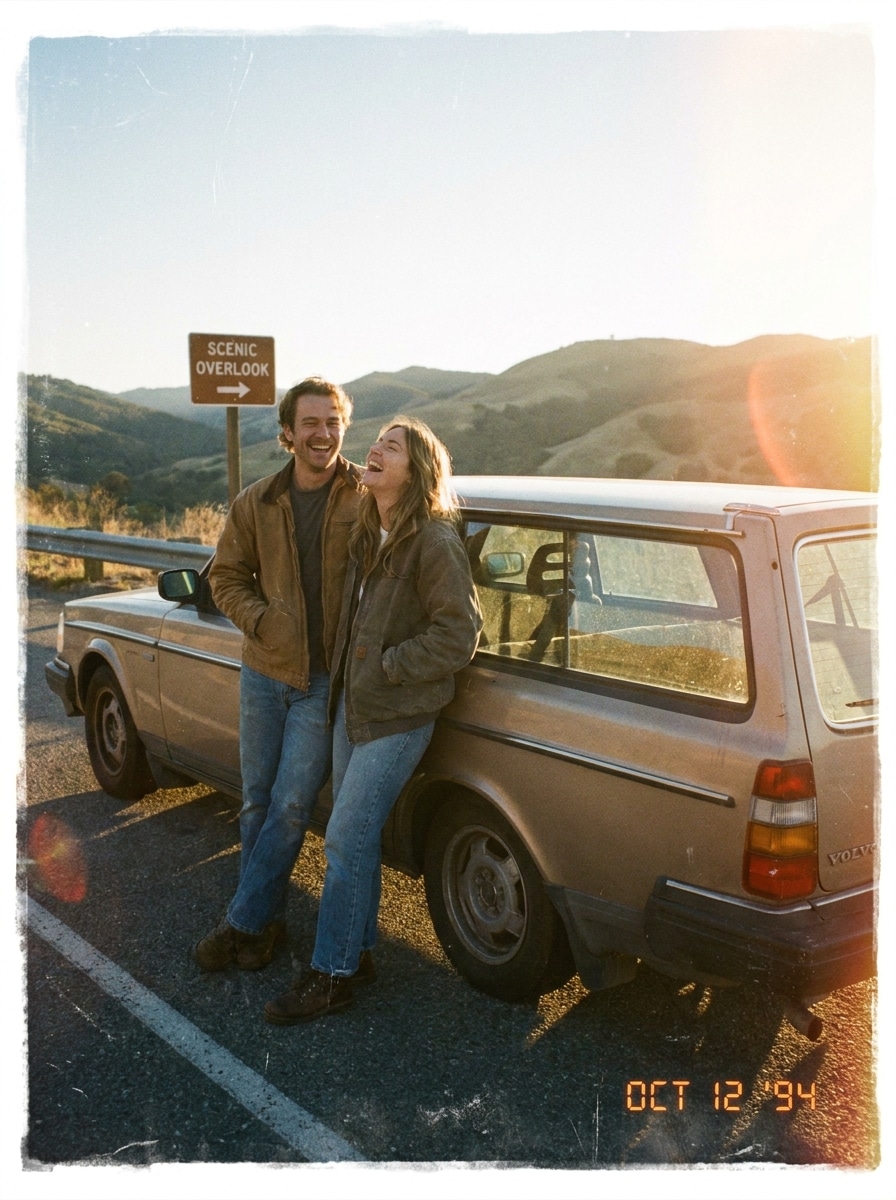
Punta e Scatta da Viaggio in Auto
Usa l'immagine caricata come soggetto e fagli sembrare una nostalgica foto da viaggio in auto scattata con una fotocamera usa e getta. Aggiungi colori sbiaditi dal sole, grana visibile, leggera morbidezza dell'obiettivo, luci calde, inquadratura candida imperfetta, leggero sbiadimento della stampa e un'atmosfera da istantanea di viaggio spontanea con credibile texture da pellicola consumer.
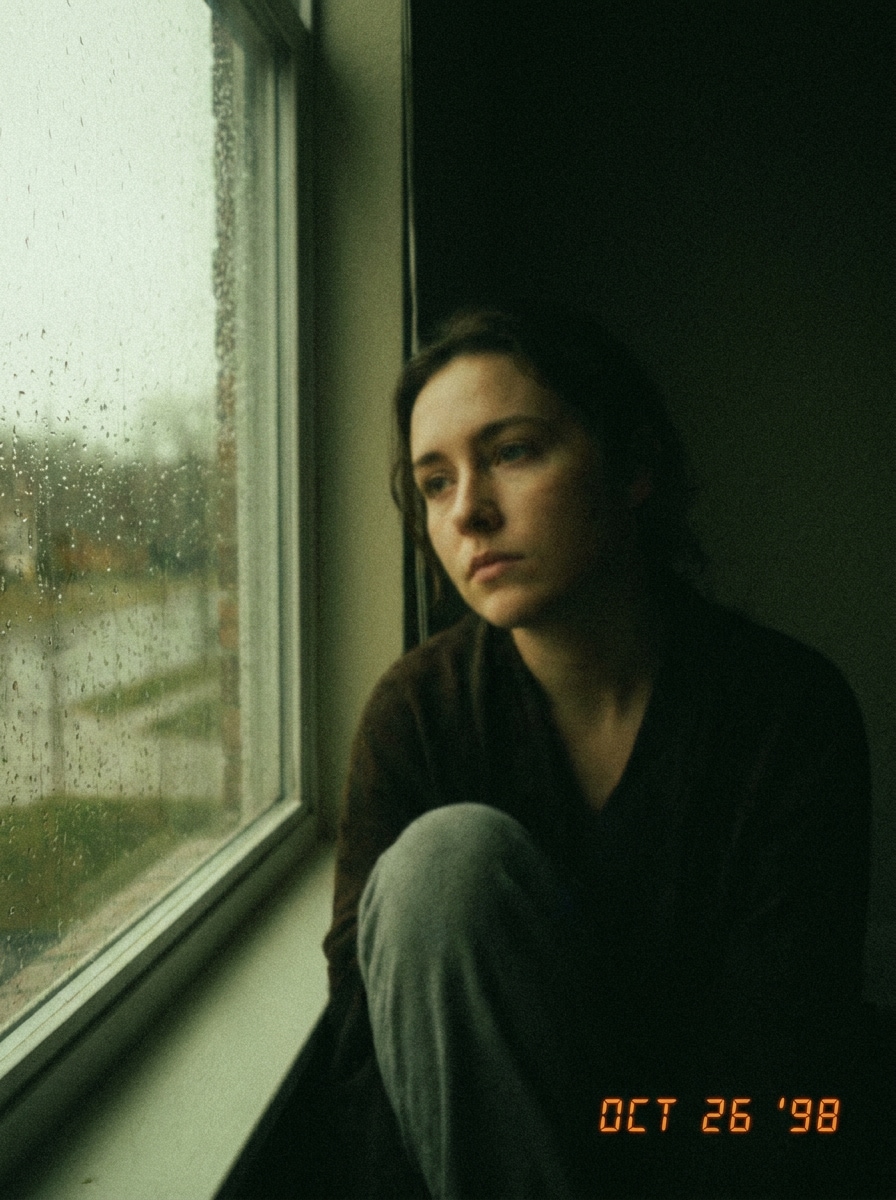
Pellicola Indie Sottoesposta
Usa l'immagine caricata come soggetto e applica un sobrio effetto usa e getta da fotocamera indie. Crea un'atmosfera sottoesposta, tonalità attenuate, texture granulosa, sfocatura morbida, viraggio cromatico realistico, contrasto smorzato, inquadratura candida intima e un'atmosfera editoriale lo-fi che sembra naturalmente imperfetta.
Sbiadimento da Stampa in Farmacia
Usa l'immagine caricata come soggetto e convertila in una stampa sbiadita da pellicola usa e getta da farmacia. Aggiungi contrasto ammorbidito, leggero invecchiamento giallo-magenta, texture simile a stampa, grana visibile, bassa nitidezza, luci pallide e il realismo nostalgico del vecchio sviluppo fotografico da negozio di prossimità.
Perché Usare Media.io per un Effetto Fotocamera Usa e Getta
Carica Qualsiasi Foto e Ridisegnala Rapidamente
Il lavoro basato su riferimenti richiede più di un semplice cambio di stile generico. Media.io aiuta a mantenere riconoscibili i dettagli di identità chiave mentre rielabora l'aspetto visivo del filtro fotocamera usa e getta, così il risultato sembra personale invece che generico.
Scegli lo Stile Giusto per Ogni Versione
Per le revisioni creative, Media.io ti permette di confrontare più direzioni dallo stesso punto di partenza dell'effetto fotocamera usa e getta, rendendo più facile scegliere l'atmosfera giusta senza rallentare il processo decisionale.
Genera Output più Nitido fino a 4K
Quando un visual con filtro fotocamera usa e getta è destinato a un uso editoriale reale, Media.io ti offre un output più nitido fino a 4K, che aiuta l'immagine a mantenersi chiara in presentazioni, sfondi e risorse riutilizzate.
Modifica nel Browser su Telefono o Desktop
Le idee non nascono sempre alla tua postazione principale. Media.io ti permette di creare e perfezionare un look da filtro fotocamera usa e getta vsco nel browser, così passare tra telefono e desktop risulta fluido invece che problematico.
Come Applicare un Filtro Fotocamera Usa e Getta Online
Trasforma le tue parole in immagini straordinarie in tre semplici passaggi, poi continua a perfezionare il risultato se vuoi spingerti oltre.
Passaggio 1
Carica la Tua Immagine di Riferimento
Inizia con una foto JPG, PNG o JPEG chiara che vuoi ridisegnare. Ritratti da festa, istantanee di matrimoni, scatti da concerti, foto di viaggio e selfie funzionano tutti bene quando il soggetto è visibile e l'immagine originale ha un'illuminazione decente.
Passaggio 2
Descrivi il Cambiamento e Imposta le Opzioni
Indica a Media.io l'esatto look retrò che desideri, come flash intenso, grana, neri sbiaditi, ombre con dominante verde, sfocatura morbida, o un'atmosfera da filtro fotocamera usa e getta kodak. Quindi scegli il tuo modello e regola il rapporto d'aspetto, la risoluzione o il numero di variazioni dell'immagine.
Passaggio 3
Genera, Scarica e Continua a Migliorare
Crea le tue versioni modificate, confronta i risultati e scarica quella che sembra più autentica. Se necessario, perfeziona il prompt, prova un altro modello o genera altre variazioni finché il tuo filtro foto fotocamera usa e getta non sembri giusto per la pubblicazione o la stampa.
Sblocca il Potenziale dell'Effetto Fotocamera Usa e Getta
Scopri come i creator utilizzano questo filtro fotocamera usa e getta per contenuti, marketing e progetti personali, poi adatta ogni idea alle tue esigenze.
Rendi le Foto da Festa Immediatamente più Spontanee
Trasforma scatti digitali puliti in ricordi carichi di flash con grana, sfocatura e inquadratura imperfetta adatte a post di vita notturna, album di compleanno e caroselli di riunioni. Media.io rende facile creare un'atmosfera filtro fotocamera usa e getta kodak senza sovrapporre manualmente più effetti di editing.
Crea Nostalgia da Fotocamera Usa e Getta per Matrimoni
Ridisegna ritratti del ricevimento, momenti sulla pista da ballo e istantanee ai tavoli in modo che sembrino provenienti da una fotocamera usa e getta degli ospiti. Media.io aiuta a costruire quell'atmosfera vintage da punta e scatta per fotolibri, biglietti di ringraziamento e gallerie dei momenti salienti con un tono emotivo più caldo.
Crea Contenuti Throwback Y2K e Quotidiani
Dai a selfie, foto allo specchio, fotogrammi da viaggio in auto e scatti casual all'aperto un credibile tocco retrò per moodboard e storytelling sui social. Media.io è ideale quando vuoi un'estetica throwback simile a una classica app per fotocamere a pellicola, ma con un controllo più semplice basato su browser.
Cosa Dicono gli Utenti di Questo Filtro Fotocamera Usa e Getta
Ava M.
Creator di Lifestyle
"Sembra vera pellicola flash" Volevo che le mie foto da festa sembrassero meno elaborate e più autentiche. Media.io mi ha dato quell'aspetto granuloso con flash con neri sbiaditi e sfocatura morbida in un modo che assomigliava davvero a vecchi scatti usa e getta.
Jordan R.
Editor di Contenuti Matrimoniali
"Ottimo per le istantanee del ricevimento" L'ho usato su una serie di immagini di matrimonio per ricreare l'atmosfera della fotocamera da tavolo degli ospiti. I risultati sembravano caldi, imperfetti e nostalgici, e il flusso di lavoro nel browser era molto più semplice che inviare tutto attraverso un'app per telefono.
Mia T.
Fotografa Studentessa
"Modifiche prima e dopo facili" Ho testato foto da concerti e viaggi in auto con prompt diversi e ho ottenuto variazioni convincenti rapidamente. È utile quando vuoi un'atmosfera da pellicola usa e getta ma hai ancora bisogno di controllo sull'inquadratura, la risoluzione e l'intensità dell'effetto.
Leo S.
Social Media Manager
"Utile su desktop e telefono" La maggior parte degli strumenti che ho trovato era orientata alle app, ma avevo bisogno di qualcosa che potessi usare sul mio laptop mentre pianificavo i post. Media.io mi ha permesso di caricare, modificare e scaricare edit retrò senza cambiare dispositivo.
Esplora i più popolari effetti video e immagini AI
1. Come posso far sembrare una foto scattata con una fotocamera usa e getta?
Di solito puoi ottenere una prima bozza rapidamente in Media.io, poi migliorarla con brevi modifiche al prompt invece di ricostruire l'intera progettazione da zero.
2. Quali impostazioni creano il filtro fotocamera usa e getta più realistico?
Il risultato più convincente di solito si ottiene combinando grana visibile, flash intenso o frontale, neri leggermente sbiaditi, leggera sfocatura, bilanciamento del bianco imperfetto e una leggera dominante verde, gialla o magenta. In Media.io, puoi guidare quel realismo attraverso il tuo prompt, scegliere un modello adatto e regolare rapporto d'aspetto, risoluzione e numero di variazioni per testare diversi look.
3. Posso applicare un effetto fotocamera usa e getta a un'immagine esistente online?
Media.io è un editor da immagine a immagine basato su browser, quindi puoi caricare un JPG, PNG o JPEG esistente e applicare una trasformazione in stile fotocamera usa e getta online. Ciò lo rende utile per trasformare foto digitali in edit retrò da festa, matrimonio, concerto o in stile Y2K senza installare software.
4. Esiste un filtro fotocamera usa e getta gratuito per le foto?
Media.io offre crediti gratuiti, così puoi provare una modifica fotografica in stile fotocamera usa e getta prima di passare a un piano a pagamento. Gli utenti gratuiti potrebbero vedere filigrane, mentre i piani a pagamento supportano download ad alta risoluzione senza filigrana e un maggiore utilizzo tramite la pagina dei prezzi.
5. Il filtro fotocamera usa e getta manterrà la qualità dell'immagine abbastanza alta per la pubblicazione o la stampa?
Media.io supporta opzioni di output 1K, 2K e 4K, che ti aiutano a mantenere la foto modificata sufficientemente nitida per la pubblicazione sui social e molti usi di stampa. Puoi anche scegliere rapporti d'aspetto che si adattino meglio a feed, storie, biglietti, copertine o layout di fotolibri preservando lo stile retrò. Gli utenti gratuiti potrebbero avere filigrane.
6. Questo effetto fotocamera usa e getta funziona su iPhone, Android e desktop?
Media.io funziona nel browser su iPhone, Android, Windows e Mac. Ciò significa che puoi iniziare una modifica con filtro fotocamera usa e getta su mobile per una condivisione rapida e perfezionarla in seguito su desktop quando vuoi uno schermo più grande.
Oltre al Filtro Fotocamera Usa e Getta Online Basato sull'IA