Template CapCut Bhojpuri Trending 2026 – Gerak Lambat & Rangdari Reels

Buat trending reel Bhojpuri gaya template CapCut dengan AI. Buat editan Bhojpuri slow motion, Rangdari, lirik, dan foto untuk Reels, TikTok, dan Shorts.

Trending Bhojpuri Capcut Template

Create a trending Bhojpuri CapCut-style reel from your own photos and clips with Media.io. Recreate slow motion, beat-sync cuts, Rangdari attitude edits, lyric overlays, blur transitions, photo frames, and viral Bhojpuri song aesthetics for Reels, Shorts, and TikTok.

Create Bhojpuri Reel Now

Upload your photo or video, describe the Bhojpuri trend, and generate a share-ready edit.

Why Make a Trending Bhojpuri CapCut Template with Media.io?

Bhojpuri reel trends move fast. Instead of rebuilding every effect manually, use your own portrait, couple photo, bike shot, or short clip to create the visual language viewers recognize—dramatic slow motion, lyric-led storytelling, Rangdari attitude, glowing frames, beat drops, and vertical social-video composition.

Bhojpuri Slow-Motion Reel Style

Turn a simple walking, pose, or portrait clip into a capcut template bhojpuri slow motion look with speed ramps, cinematic blur, zoom-ins, light leaks, and a strong hero moment timed to the song beat.

Rangdari & Attitude Edits

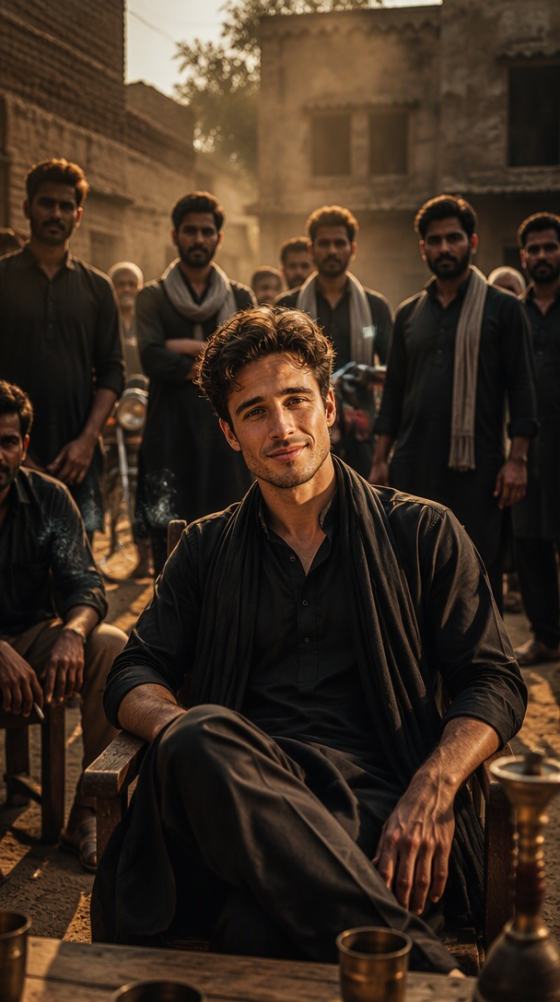
Build the bold visual style behind capcut template bhojpuri rangdari new trend videos: dark outfits, confident poses, punchy typography, red or gold accents, gritty backgrounds, camera shake, flash cuts, and dramatic contrast.

Photo-to-Reel Without a Template File

Start from one or several photos and create a vertical sequence with floating frames, rotating cards, bokeh, particles, blur reveals, lyric space, and motion. It is useful when you want a template-inspired result without hunting for a specific project file.

Ready for Reels, Shorts & TikTok

Keep the edit in 9:16, center important faces, and leave safe space for platform UI. Create versions for Instagram Reels, YouTube Shorts, status videos, or a new trend capcut template bhojpuri song TikTok post.

How to Create a Bhojpuri CapCut-Style Reel in 3 Steps

01

Step 1: Upload Your Photo or Clip

Choose a clear portrait, couple photo, walking shot, bike clip, or other vertical-friendly media. Strong subject separation makes dramatic Bhojpuri reel effects easier to read on a phone screen.

02

Step 2: Choose the Trend Look

Use a prompt for slow motion, Rangdari attitude, sad-song edits, rotating photo cards, neon lyric frames, countdown effects, or cinematic portraits. Match the motion and visual intensity to your Bhojpuri track.

03

Step 3: Preview, Export & Post

Review face consistency, timing, text placement, and transitions. Export a vertical video and pair it with music you have permission to use when publishing to Reels, Shorts, TikTok, or status platforms.

10 Trending Bhojpuri CapCut Template Image-to-Image Prompts

These prompts are inspired by the visual patterns in the reference gallery: vertical portrait edits, framed photos, bokeh, lyric space, hearts, countdown typography, dark cinematic scenes, and colorful outdoor Bhojpuri reel aesthetics. Use your uploaded image as the identity reference.

01. Dark “New Track” Portrait

Transform the uploaded male portrait into a vertical Bhojpuri music-reel poster. Preserve face, hairstyle, skin tone, outfit identity, and body proportions. Full-body confident pose in a dark cinematic doorway, two slightly rotated duplicate photo cards layered behind the subject, charcoal and muted brown palette, subtle green lower glow, soft vignette, moody editorial lighting, space at the top for a short “New Track” style title and small music icons, premium CapCut-template aesthetic, 9:16, sharp subject, no watermark, no brand logo.

02. Color Bokeh Reveal

Use the uploaded portrait as the hidden subject reference and create a dreamy transition-frame aesthetic: heavily defocused gray-white bokeh across the full vertical canvas, soft circular light orbs, blurred red, blue, yellow, and pink shapes in the center, shallow depth of field, luminous haze, smooth creamy blur, minimal composition designed as an intro or transition frame for a Bhojpuri reel, 9:16, no readable text, no watermark.

03. Rangdari Tilted Frame

Turn the uploaded portrait into a bold Bhojpuri Rangdari edit. Keep the person recognizable and place the portrait inside a large tilted rectangular photo frame with glowing emerald edges. Add a second layered portrait inside the frame for depth, dark black-to-brown background, thin diagonal cream lines forming a geometric border, warm orange edge lighting, high contrast, confident attitude, room near the lower center for a short trend caption, 9:16 social-video cover, crisp details.

04. Blue Lyric Walking Edit

Transform the uploaded full-body male photo into a Bhojpuri lyric-reel frame. Preserve identity and clothing. Place him walking toward camera in the center, a sharp white rectangular portrait frame around his body, enlarged blurred duplicate of the same scene filling the background, deep royal-blue gradient overlay, soft vignette, cinematic glow, centered empty space over the chest area for two short lyric lines, subtle creator-signature area near the bottom, 9:16, clean viral reel aesthetic.

05. Floating Bhojpuri Photo Card

Create a dark vertical Bhojpuri trend edit from the uploaded portrait. Use a pure black background with scattered small white glowing dots like stars. Put the portrait inside one slightly rotated floating rectangular card in the center, deep blue-purple tint on the photo, strong contrast, subtle shadow beneath the card, empty center-lower area for a bold white trend caption with black outline, minimal dramatic composition, 9:16, no watermark.

06. Bright Outdoor Rose Reel

Transform the uploaded female portrait into a bright Bhojpuri romantic reel cover. Preserve facial identity, pose, and natural proportions. Seat the subject outdoors in a soft pink traditional outfit, vivid green foliage and sunlit background, high-key dreamy color grading, shallow depth of field, subject holding a single red rose vertically near the face, gentle skin retouching, soft glow, slightly overexposed viral mobile-video look, small empty lyric space near the top, 9:16.

07. Sad Song Hearts Edit

Use the uploaded image to create an emotional Bhojpuri sad-song template cover. Place a tilted portrait card over a dark black background, surround it with pixel hearts, tiny sparkles, red heart stickers, and a colorful audio-waveform graphic near the bottom. Add a diagonal red banner area across the middle for a short sad-song title, strong red-white-black palette, expressive social edit, layered sticker collage, 9:16, preserve face accurately, no watermark.

08. Cinematic Hindi Lyric Portrait

Transform the uploaded male portrait into a polished Bhojpuri lyrical-status poster. Keep the subject seated casually in the lower half, dark navy shirt, blurred urban background with warm lights, cinematic teal-orange grading, subtle white floating particles, shallow depth of field, premium portrait retouching. Leave elegant negative space across the lower-middle for decorative Devanagari lyric typography with a thin gold flourish, 9:16, dramatic but clean.

09. Countdown Number Effect

Create a viral countdown transition frame using the uploaded full-body portrait. Blur the person and outdoor background strongly while keeping the silhouette centered. Place one large translucent chrome-glass number “3” in the center foreground, reflective metallic edges, subtle refraction showing the portrait through the number, bright green and blue outdoor bokeh, cinematic depth, modern CapCut countdown aesthetic, 9:16, minimal text, no watermark.

10. Dark Forest Bhojpuri Hero

Transform the uploaded young male portrait into a moody Bhojpuri song reel cover. Preserve face and hairstyle. Full-body standing pose against a dark misty forest and rock wall, gray casual shirt and black trousers, desaturated charcoal-green palette, soft fog, directional light on the face and torso, cinematic shadows, shallow background blur, confident melancholic expression, clean vertical composition with lower safe space for song text, 9:16, realistic photography.

Popular Bhojpuri CapCut Template Scenes for 2026

Bhojpuri Song Slow Motion

Use walking shots, hair movement, turns, hand gestures, or bike entrances for a capcut template bhojpuri song 2026 edit. Slow the hero moment, add a gentle zoom and motion blur, then use faster cuts around the beat drop.

Bhojpuri Rangdari New Trend

For a capcut template bhojpuri song rangdari look, combine confident portraits with dark backgrounds, tilted frames, hard flashes, red or gold accents, bold lyric space, camera shake, and high-contrast grading.

Bhojpuri Reels & Photo Status

Create capcut template bhojpuri reels from one portrait or a small photo set. Rotating cards, heart stickers, countdown numbers, lyric overlays, bokeh reveals, and blurred duplicate backgrounds help static photos feel more dynamic.

What Bhojpuri Reel Creators Say

user
Aman Yadav

Instagram Reel Creator

“Slow Motion Feels Cinematic.” I used a simple walking clip and built the edit around a slow hero moment, blurred background, and beat-timed zoom. It gave my Bhojpuri reel a much more polished template feel.

user
Rohit Kumar

Bhojpuri Status Editor

“Great for Rangdari Edits.” The tilted photo frame, dark background, and bold lighting worked well for an attitude-style status video. I could keep the same photo and quickly test several visual directions.

user
Neha Singh

Short-Video Creator

“Photos Become Reel Ready.” I started with portraits instead of video and used floating cards, bokeh, and lyric space. The vertical result was easy to adapt for Reels and short status posts.

FAQs About Trending Bhojpuri CapCut Templates

1. What is a trending Bhojpuri CapCut template?

A trending Bhojpuri CapCut template is a short-form editing style built around Bhojpuri songs, lyrics, attitude themes, romantic or sad storytelling, and beat-driven transitions. Common visual patterns include slow motion, speed ramps, portrait frames, blurred duplicate backgrounds, flashes, particles, lyric text, hearts, countdown numbers, and bold Rangdari styling. Media.io lets you recreate these aesthetics from your own photos or clips without depending on one specific template project.

Upload a vertical photo or clip, choose the visual style that fits your track, and create a 9:16 edit with clear subject framing. For romantic songs, try bright outdoor portraits, soft bokeh, and gentle zooms. For sad songs, use darker grading, hearts, photo cards, and slower transitions. For attitude tracks, use Rangdari-inspired contrast, hard flashes, tilted frames, and punchier motion. Export the finished video, then add or publish it with audio you are authorized to use.

Yes. If your goal is the finished visual rather than an editable CapCut project file, you can recreate a Bhojpuri trend style with Media.io. Generate or transform the key visual from your photo, animate it, add transitions or text as needed, and export a standard video. This approach is useful when a specific template link is unavailable, expired, region-limited, or does not match your footage.

Start with a confident portrait or full-body pose with a simple background. Use dark black, brown, navy, or smoky tones; add red, orange, green, or gold highlights; and emphasize strong contrast around the face. Tilted photo cards, glowing borders, geometric lines, camera shake, flash frames, and short bold lyric areas reinforce the Rangdari mood. Keep effects controlled enough that the subject remains instantly recognizable on a small screen.

There is no guaranteed viral formula, but strong short-form edits usually communicate the hook immediately. Use a recognizable face or action in the first seconds, keep the canvas vertical, time the biggest visual change to a musical beat, and avoid overcrowding the frame with text. Test different openings—such as a bokeh reveal, countdown number, flash cut, or close-up—and keep the final export sharp enough for mobile viewing. Trend relevance, song choice, captioning, posting time, and audience fit also affect performance.

Media.io Online AI Tools Quality Rating:
vote4.7 (162,357 Votes)