Click or drag to upload, or choose from My HistoryClick To UploadMy History
No ideas? Generate an image first >
Upload jpg, jpeg, png images up to 50 MB, with a minimum width/height of 300 px.
Refine Your Hairline in a Photo, Naturally
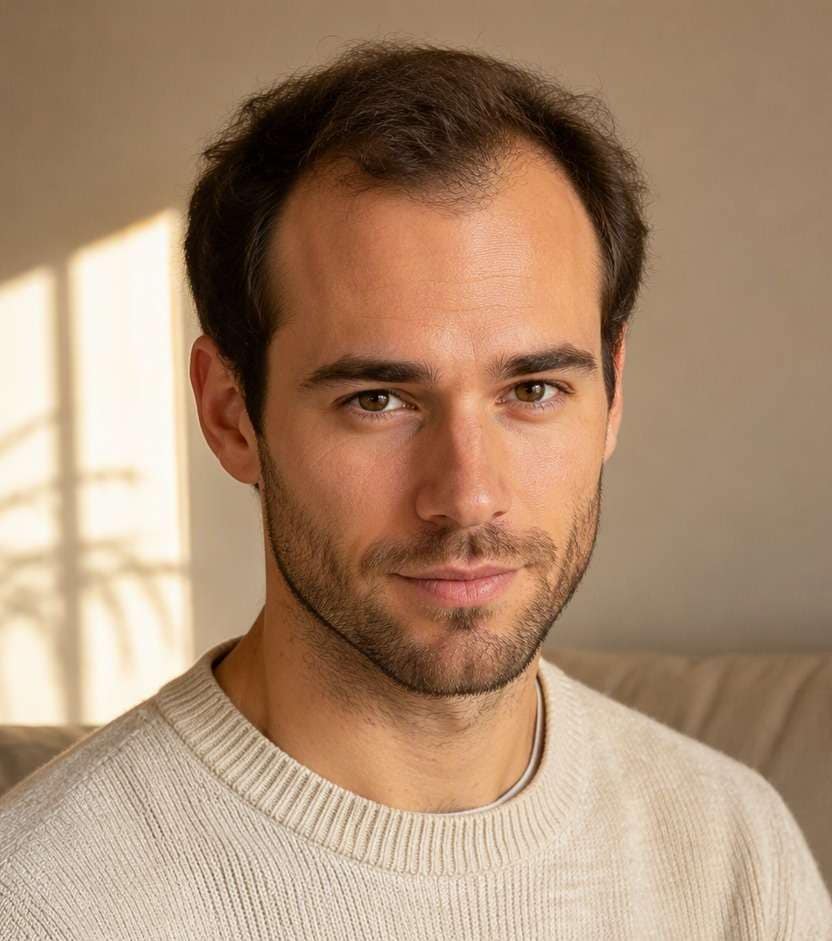
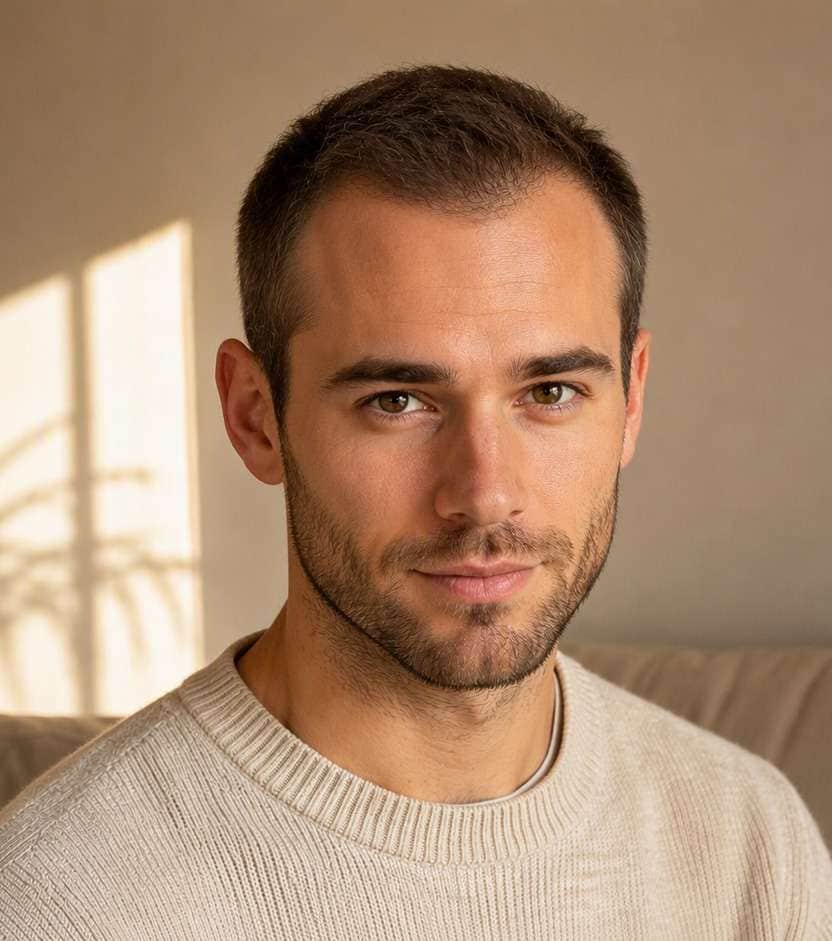
Distracted by a receding corner or an uneven hairline in a portrait? A hairline fixer photo edit can help you explore a more balanced forehead outline while keeping your face recognizable. Test a subtle temple fill or a cleaner edge and compare it with your original, rather than creating an implausibly low hairline.
Use a clear photo. Use a straight-on or gentle three-quarter portrait with even light across the forehead and temples; avoid hats or harsh hairline shadows.
Try 10 Hairline Fixer Hair Photo Editing Prompts
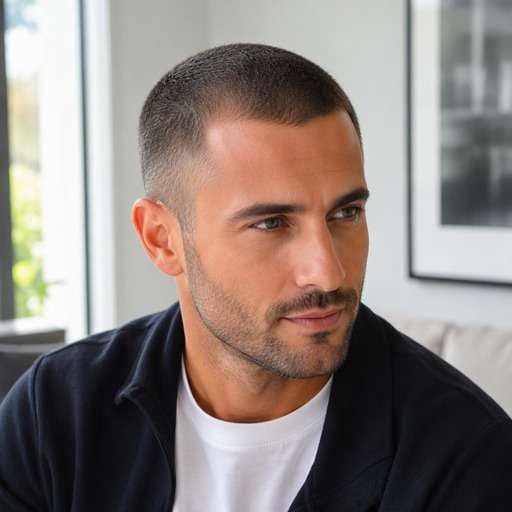
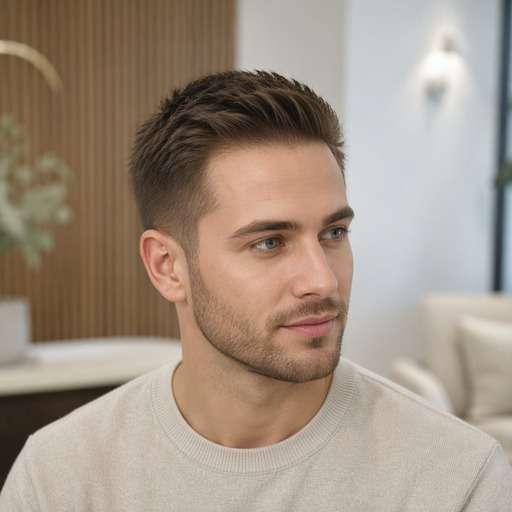
Start with the detail you want to compare: The key visual element is the transition from forehead skin to short fine hairs, especially around both temples. Choose a look below, copy its prompt, and adjust only one visible feature at a time so you can judge the change on your own face.
Subtle Temple Fill
Use my uploaded portrait as the reference. Create a hairline fixer look: add very short fine hairs at one receding temple. The key visual element is the transition from forehead skin to short fine hairs, especially around both temples. Keep the visual result clear enough to compare to my original hair. Keep the original person, facial features, skin tone, expression, outfit and background recognizable. Keep hairline transitions and individual strands physically plausible. Show the named hair detail and full relevant outline clearly; this is a premium but natural hairstyle preview, not an illustration. No mirror selfie, handheld phone, branding, text or altered facial identity.
Balanced Temple Corners
Use my uploaded portrait as the reference. Create a hairline fixer look: soft natural fill at both hairline corners. The key visual element is the transition from forehead skin to short fine hairs, especially around both temples. Keep the visual result clear enough to compare to my original hair. Keep the original person, facial features, skin tone, expression, outfit and background recognizable. Keep hairline transitions and individual strands physically plausible. Show the named hair detail and full relevant outline clearly; this is a premium but natural hairstyle preview, not an illustration. No mirror selfie, handheld phone, branding, text or altered facial identity.
Rounded Hairline Edge
Use my uploaded portrait as the reference. Create a hairline fixer look: gently soften angular forehead corners. The key visual element is the transition from forehead skin to short fine hairs, especially around both temples. Keep the visual result clear enough to compare to my original hair. Keep the original person, facial features, skin tone, expression, outfit and background recognizable. Keep hairline transitions and individual strands physically plausible. Show the named hair detail and full relevant outline clearly; this is a premium but natural hairstyle preview, not an illustration. No mirror selfie, handheld phone, branding, text or altered facial identity.
Natural Fine Baby Hairs
Use my uploaded portrait as the reference. Create a hairline fixer look: restore thin wisps along the upper forehead. The key visual element is the transition from forehead skin to short fine hairs, especially around both temples. Keep the visual result clear enough to compare to my original hair. Keep the original person, facial features, skin tone, expression, outfit and background recognizable. Keep hairline transitions and individual strands physically plausible. Show the named hair detail and full relevant outline clearly; this is a premium but natural hairstyle preview, not an illustration. No mirror selfie, handheld phone, branding, text or altered facial identity.
Keep Mature Hairline
Use my uploaded portrait as the reference. Create a hairline fixer look: minimal conservative correction with visible recession. The key visual element is the transition from forehead skin to short fine hairs, especially around both temples. Keep the visual result clear enough to compare to my original hair. Keep the original person, facial features, skin tone, expression, outfit and background recognizable. Keep hairline transitions and individual strands physically plausible. Show the named hair detail and full relevant outline clearly; this is a premium but natural hairstyle preview, not an illustration. No mirror selfie, handheld phone, branding, text or altered facial identity.
Even Hairline Contour
Use my uploaded portrait as the reference. Create a hairline fixer look: subtle symmetry without a ruler straight line. The key visual element is the transition from forehead skin to short fine hairs, especially around both temples. Keep the visual result clear enough to compare to my original hair. Keep the original person, facial features, skin tone, expression, outfit and background recognizable. Keep hairline transitions and individual strands physically plausible. Show the named hair detail and full relevant outline clearly; this is a premium but natural hairstyle preview, not an illustration. No mirror selfie, handheld phone, branding, text or altered facial identity.
Side-Part Edge Fix
Use my uploaded portrait as the reference. Create a hairline fixer look: tidy temple edge without moving original part. The key visual element is the transition from forehead skin to short fine hairs, especially around both temples. Keep the visual result clear enough to compare to my original hair. Keep the original person, facial features, skin tone, expression, outfit and background recognizable. Keep hairline transitions and individual strands physically plausible. Show the named hair detail and full relevant outline clearly; this is a premium but natural hairstyle preview, not an illustration. No mirror selfie, handheld phone, branding, text or altered facial identity.
Close-Cropped Hairline
Use my uploaded portrait as the reference. Create a hairline fixer look: natural faint stubble detail along forehead. The key visual element is the transition from forehead skin to short fine hairs, especially around both temples. Keep the visual result clear enough to compare to my original hair. Keep the original person, facial features, skin tone, expression, outfit and background recognizable. Keep hairline transitions and individual strands physically plausible. Show the named hair detail and full relevant outline clearly; this is a premium but natural hairstyle preview, not an illustration. No mirror selfie, handheld phone, branding, text or altered facial identity.
Soft Hairline Shadow
Use my uploaded portrait as the reference. Create a hairline fixer look: reduce unnatural scalp contrast at corners. The key visual element is the transition from forehead skin to short fine hairs, especially around both temples. Keep the visual result clear enough to compare to my original hair. Keep the original person, facial features, skin tone, expression, outfit and background recognizable. Keep hairline transitions and individual strands physically plausible. Show the named hair detail and full relevant outline clearly; this is a premium but natural hairstyle preview, not an illustration. No mirror selfie, handheld phone, branding, text or altered facial identity.
Conservative Headshot Fix
Use my uploaded portrait as the reference. Create a hairline fixer look: minor temple adjustment preserving forehead height. The key visual element is the transition from forehead skin to short fine hairs, especially around both temples. Keep the visual result clear enough to compare to my original hair. Keep the original person, facial features, skin tone, expression, outfit and background recognizable. Keep hairline transitions and individual strands physically plausible. Show the named hair detail and full relevant outline clearly; this is a premium but natural hairstyle preview, not an illustration. No mirror selfie, handheld phone, branding, text or altered facial identity.
See What Changes With Hairline Fixer
Start at the Temples
Small recession near the corners can be softened without drawing a perfectly straight line. Request fine short hairs in the transition. Place the two versions beside each other and focus on this specific contour rather than comparing different source portraits.
Respect Forehead Proportion
Moving the hairline too low changes perceived facial proportions. Compare slight adjustments while keeping eyebrow and face positions untouched. Use a familiar outfit and identical lighting in both previews so the change is easier to spot at first glance.
Match Hair Direction
Short border hairs should follow the existing growth direction and color. A solid painted strip at the forehead looks less believable. If the edited hair hides an ear or creates an odd scalp edge, simplify the prompt and keep the same reference image.
Keep It Cosmetic
Use the preview for photo appearance only. Decisions about thinning, treatment or hair health need real assessment beyond an AI image. Save a restrained version alongside a stronger option to help decide which styling direction is actually useful.
How to Try Hairline Fixer on Your Photo
Use a portrait as the starting point, describe the exact hair change and compare the output with the original before choosing a favorite.
Step 1
Upload Your Photo
Upload a clear photo showing your face and the hairstyle area you want to change. Use a straight-on or gentle three-quarter portrait with even light across the forehead and temples; avoid hats or harsh hairline shadows.
Step 2
Choose a Haircut Filter or Enter a Prompt
Choose a suitable preset if available, or enter a custom hairstyle prompt. The key visual element is the transition from forehead skin to short fine hairs, especially around both temples.
Step 3
Click Generate
Click Generate to create a hairstyle preview on your portrait. Compare the relevant edges and shapes against your starting image; refine one hair detail at a time.
A useful hairstyle preview is one that helps you choose a concrete shape, placement or finish. The key visual element is the transition from forehead skin to short fine hairs, especially around both temples.
Polish a Headshot
Request a small temple-edge refinement while preserving the current cut, lighting and facial features. Check closely whether the transition still looks like real fine hairs. Keep the same reference photo for each version, then compare the hair outline and visible proportions before deciding which idea to use as your reference.
Compare Hairline Shapes
Try a softly rounded corner versus a slightly straighter temple contour on the same portrait. Decide which change looks natural with your forehead. Keep the same reference photo for each version, then compare the hair outline and visible proportions before deciding which idea to use as your reference.
Check an Event Portrait
Fix an uneven-looking edge caused by styling or a stray part. Keep the hairstyle intact and avoid adding a different hair color or exaggerated density. Keep the same reference photo for each version, then compare the hair outline and visible proportions before deciding which idea to use as your reference.
Check Your Hairstyle Preview Before Saving
Hair Structure
Review check
"Is the requested detail visible?" The key visual element is the transition from forehead skin to short fine hairs, especially around both temples. Check this defining feature before deciding the result represents the style.
Before vs After
Review check
"Does the hair actually change?" Side-by-side previews should show the new hair feature clearly while preserving the person, outfit and camera framing.
Natural Edges
Review check
"Look closely at the hairline" Inspect scalp transitions, ears and strands against the background. If anything is distorted, simplify the prompt and try again.
Real-World Use
Review check
"Treat this as a visual reference" A photo edit cannot diagnose hair loss, predict hair regrowth or reproduce the results of clinical treatments. A stylist or barber can help adapt the idea to actual hair.
A prompt-guided photo edit can preview a subtle temple fill. Specify a natural uneven transition rather than an artificially straight low line.
2. Does a hairline photo fixer regrow hair?
No. It creates a visual edit only and cannot affect physical hair growth or predict treatment results. Review the hairline, ears and strands at full size before saving your favorite result.
3. How do I avoid a fake-looking edge?
Ask for fine short strands with the original color and growth direction. Preserve normal skin texture and forehead proportions. Describe one named detail at a time so a second attempt is easier to compare.
4. Can I keep my existing hairstyle?
Yes. Request that only the temple or hairline boundary change, while preserving the cut, length, face and background. Inspect the result for unwanted changes.
5. Which camera angle works best for hairline editing?
A clear frontal or slight three-quarter portrait with the forehead visible helps. Harsh shadows and bangs that hide the edge make comparison harder.
6. Should I edit both temples at once?
If only one corner needs attention, edit that area first. Symmetrical alterations can look unnatural on an otherwise asymmetrical real hairline. An experienced stylist can advise whether the real version is practical for your hair.