Vos créations sont conservées pendant seulement 7 jours. Les éléments créés après la mise à niveau de l'Abonnement seront stockés de façon permanente.
Libérez votre potentiel créatif et découvrez la magie de l'IA médiatique dès mIAntenant!
Générateur de Portrait en Mosaïque Humaine en Ligne Gratuit
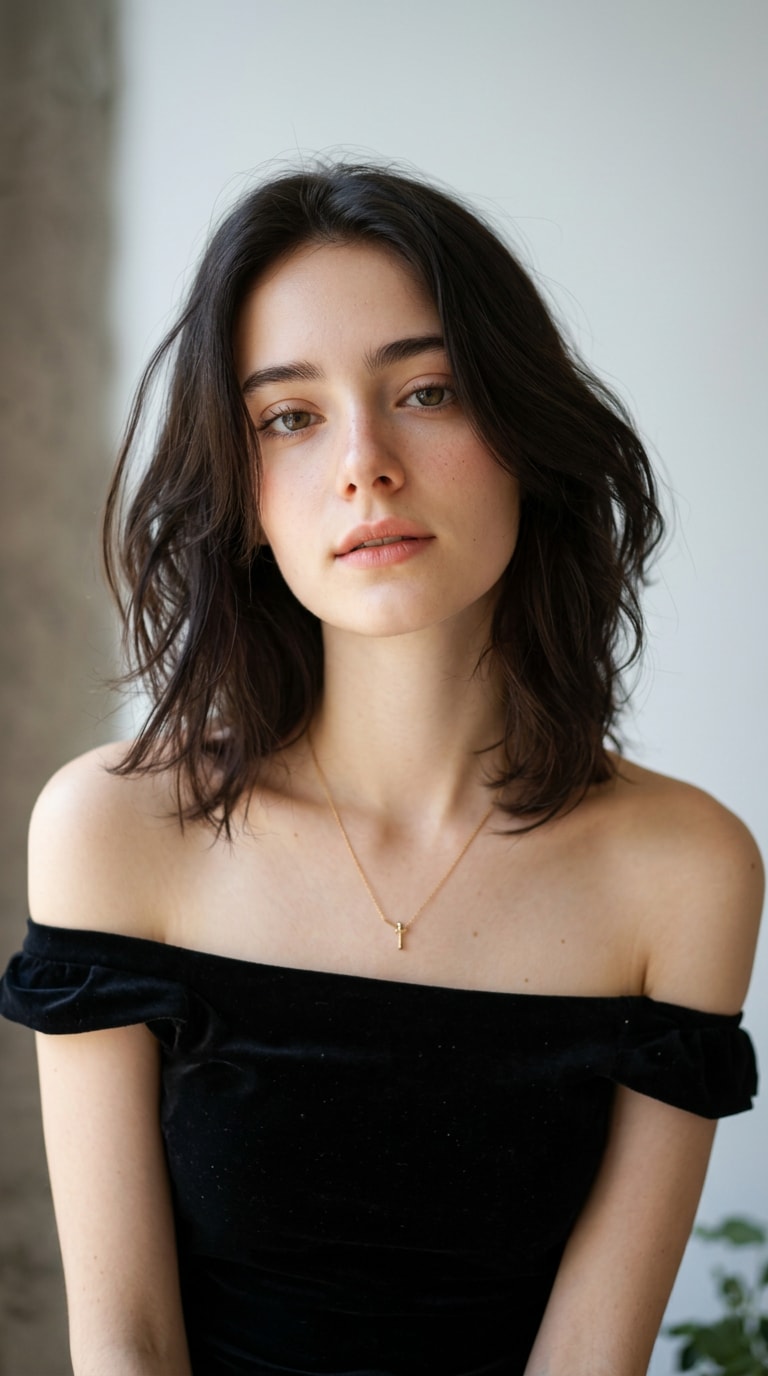
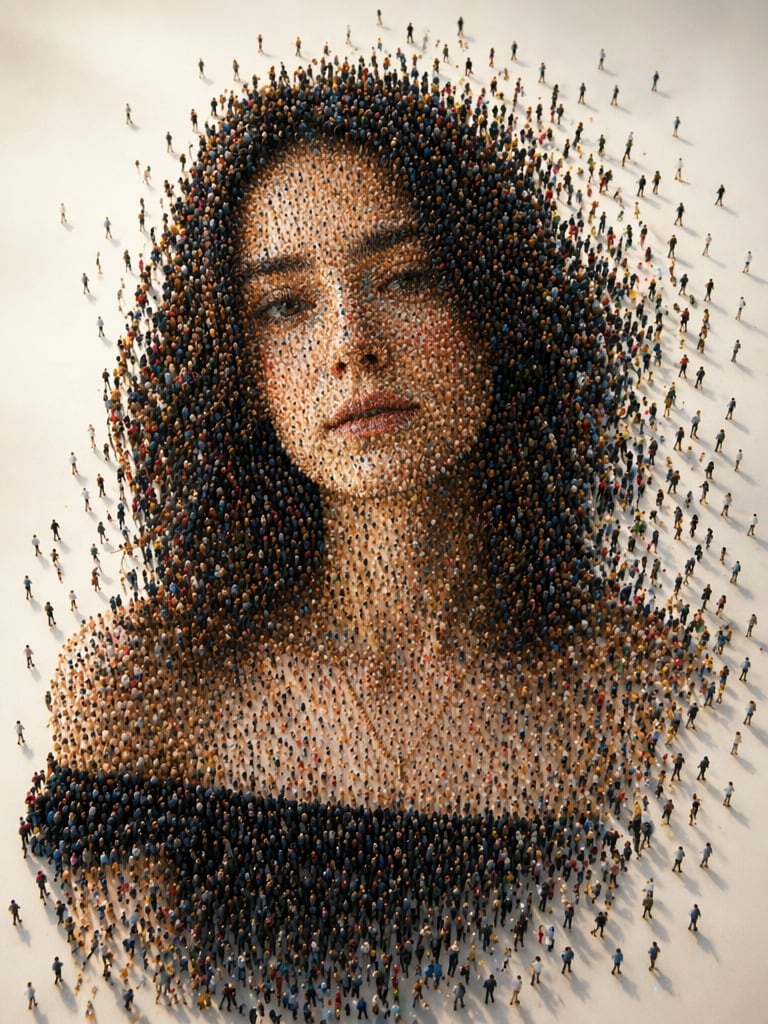
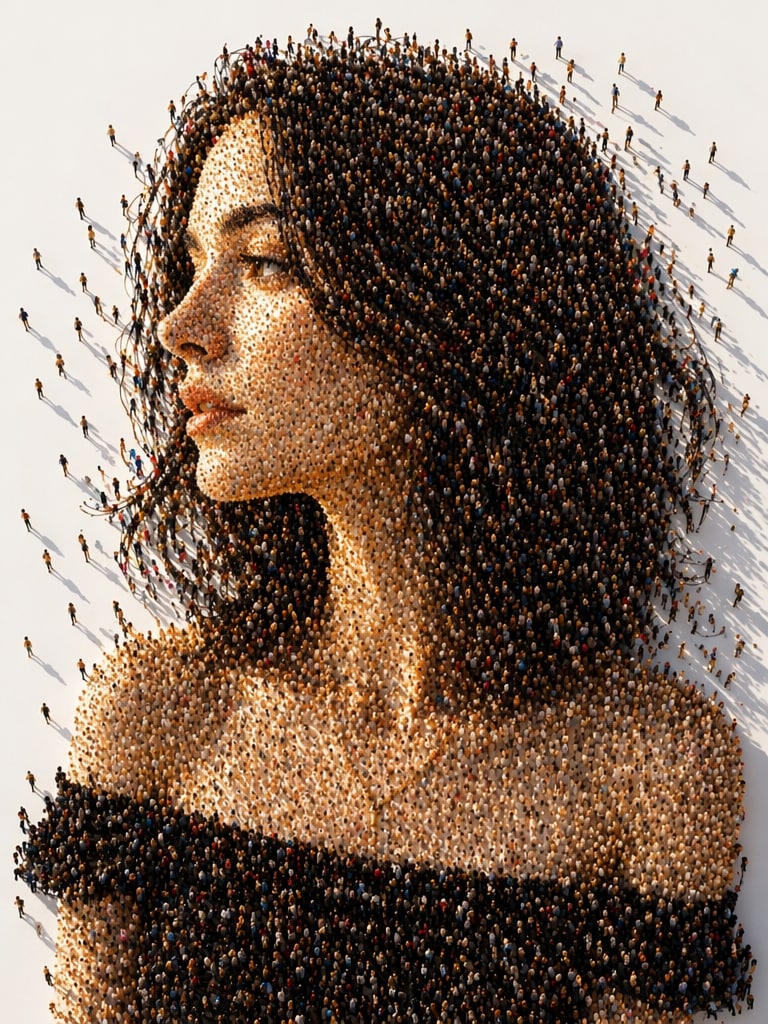
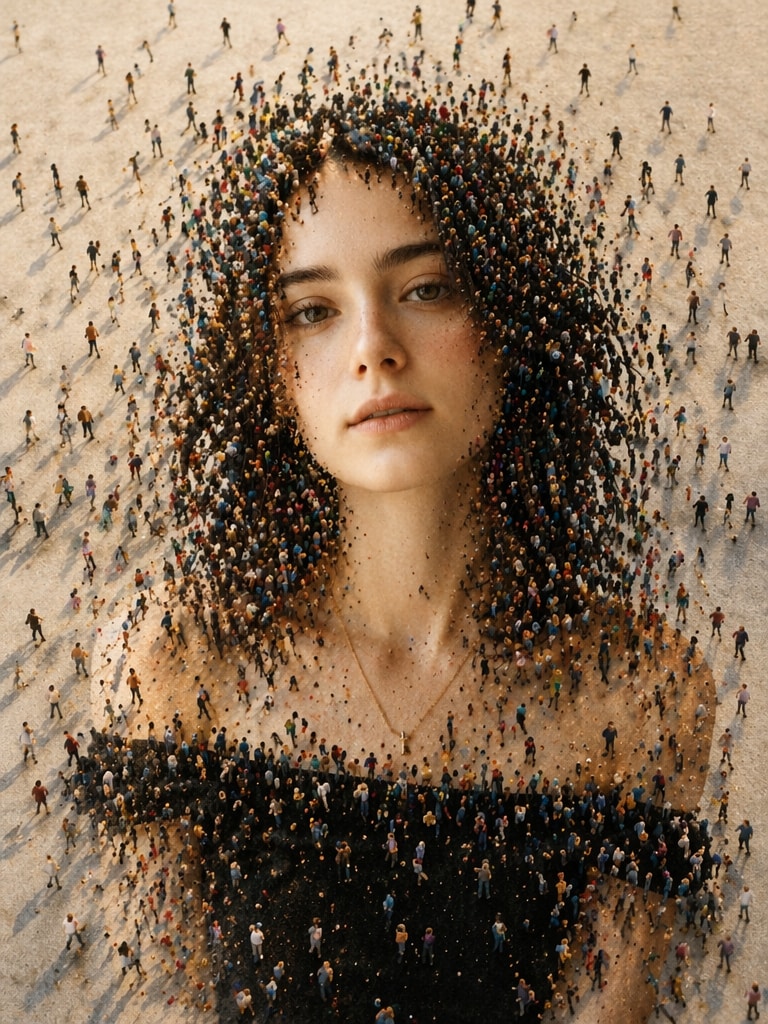
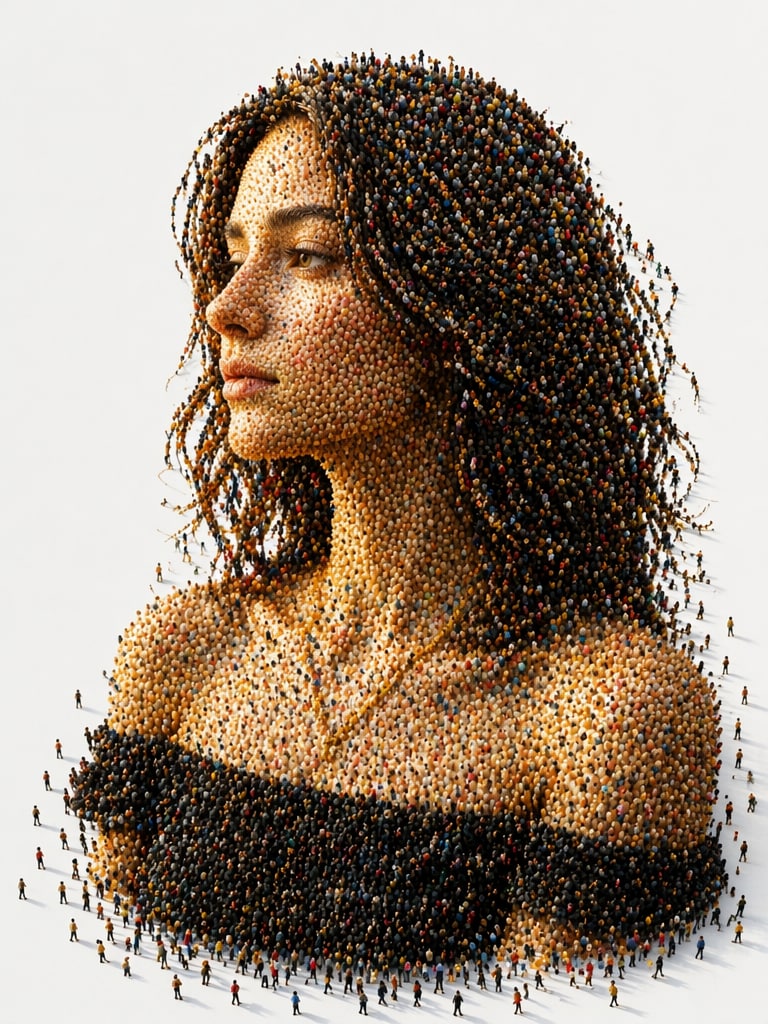
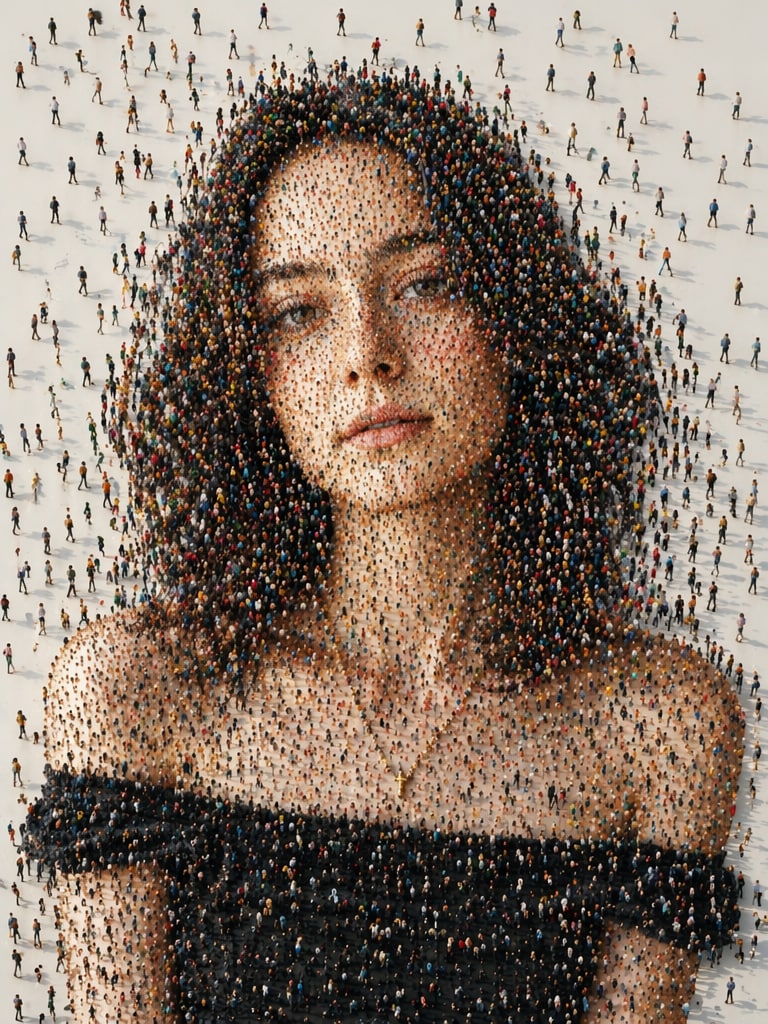
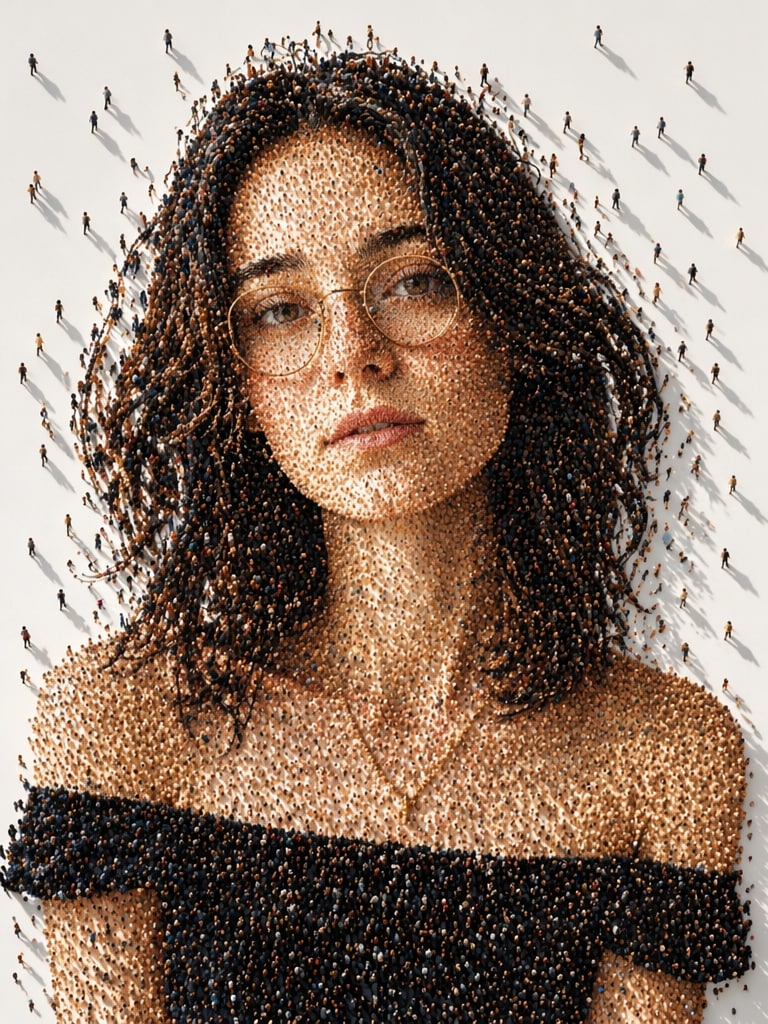
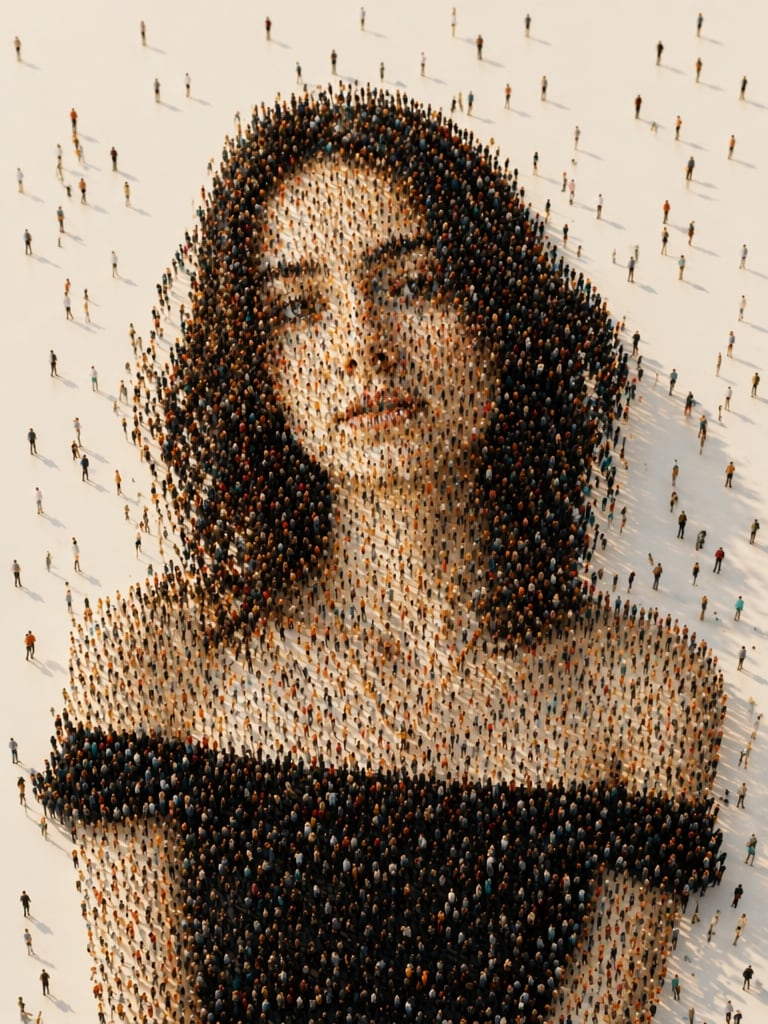
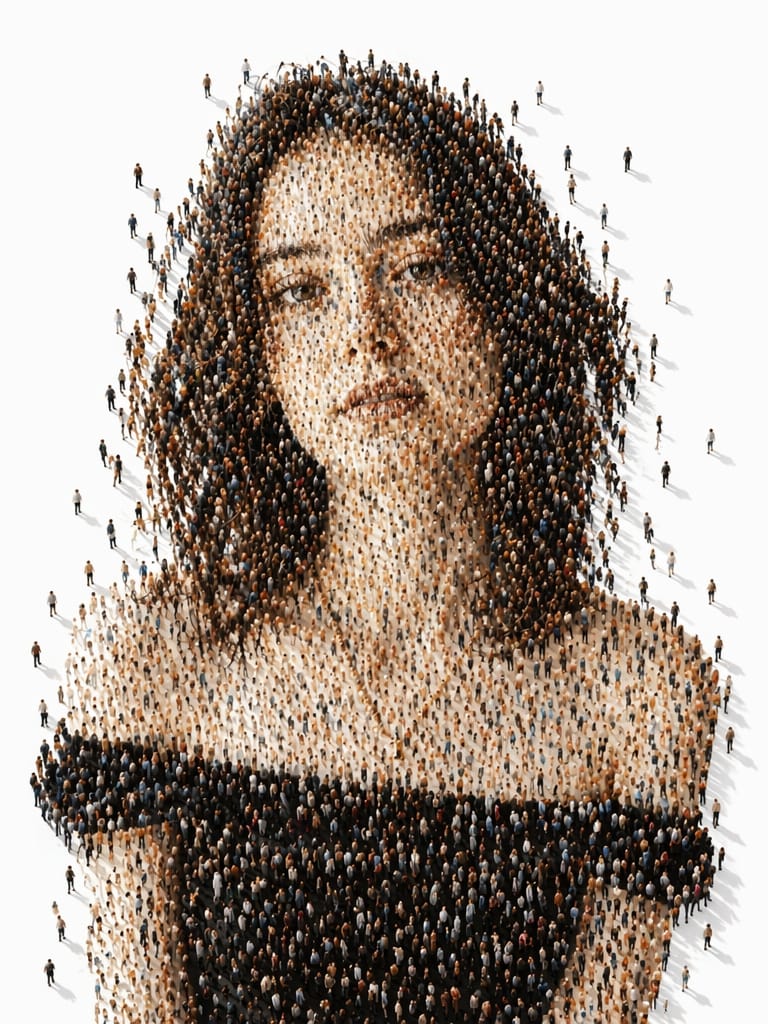
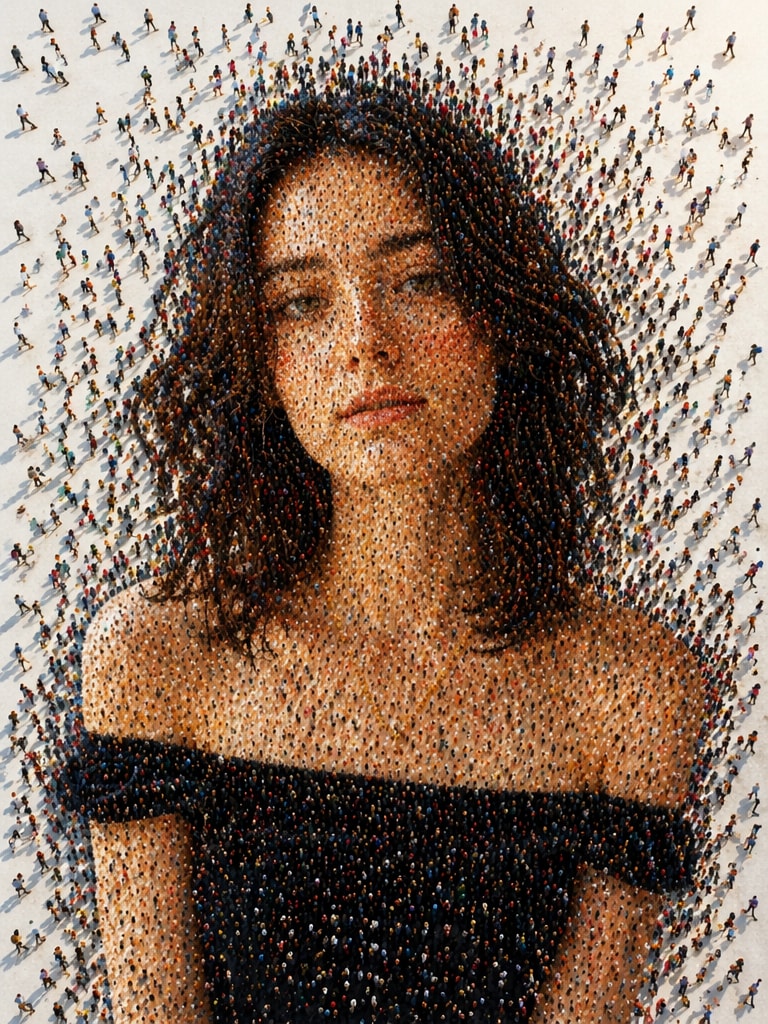
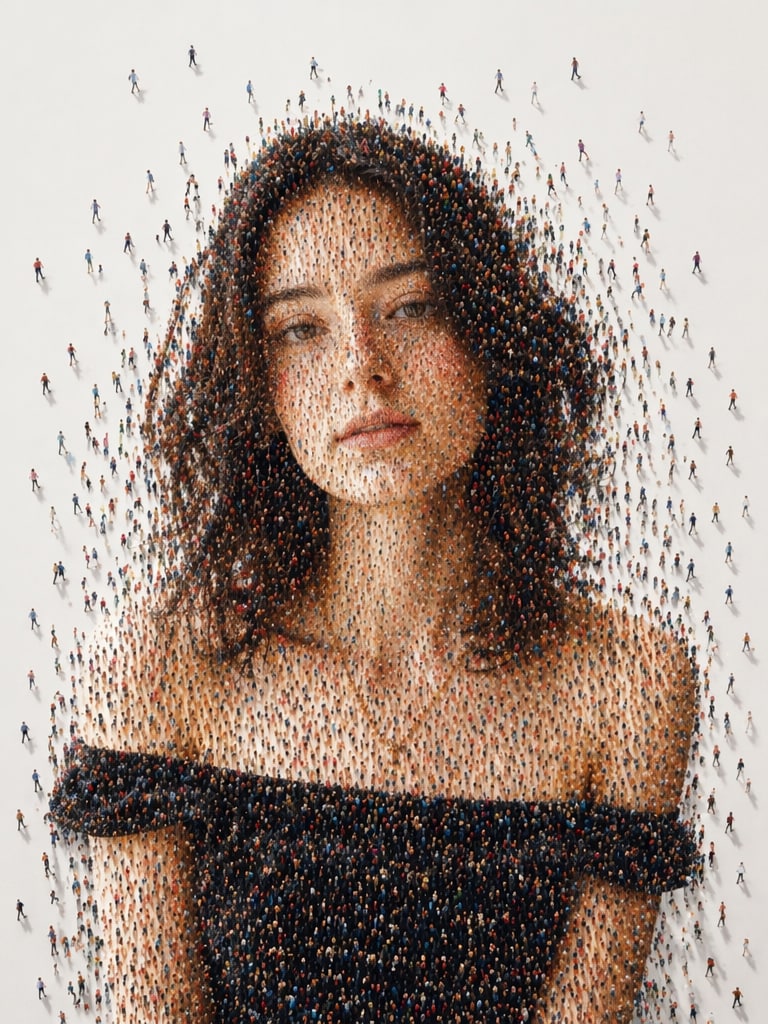
Transformez votre portrait en une œuvre d'art conceptuelle surréaliste où votre visage et votre buste sont formés par des milliers de petites personnes. Créez des portraits cinématographiques en mosaïque humaine avec une anatomie réaliste, des textures de foule, des effets de dissolution et une esthétique d'art IA virale.
Téléchargez un portrait, collez une invite de mosaïque humaine et générez instantanément un portrait de foule IA.
Avant
Mosaïque Humaine
Avant
Portrait de Foule
10 Invites et Styles de Portrait en Mosaïque Humaine
Copiez n'importe quelle invite de portrait en mosaïque humaine ci-dessous pour créer des portraits de foule IA, des effets de visage en petites personnes, des œuvres d'art conceptuelles en profil latéral et des éditions IA virales pour Instagram.
Portrait en Mosaïque Humaine Classique
Créez une œuvre d'art numérique conceptuelle surréaliste à partir du portrait téléchargé. Construisez un portrait en mosaïque humaine en profil latéral où le visage et le buste sont formés par des milliers de petites figures humaines se tenant étroitement ensemble. Préservez l'identité faciale du sujet, sa coiffure, son teint, sa mâchoire et ses traits reconnaissables avec une grande précision. Ajoutez une lumière solaire cinématographique chaude, un fond blanc minimal propre, de longues ombres dramatiques, des textures de foule ultra-détaillées, une profondeur réaliste et une finition d'art conceptuel de qualité muséale.
Portrait de Foule en Dissolution
Générez un portrait de foule IA réaliste où le sujet téléchargé est formé par des personnes miniatures se dispersant lentement depuis les bords du visage, des cheveux, du cou et des épaules. Gardez la structure faciale originale bien visible, utilisez de petites personnes diverses dans différentes poses et couleurs de vêtements, ajoutez un éclairage atmosphérique, des tons neutres doux, de longues ombres et un effet symbolique de dissolution sur l'identité, la société et la connexion humaine.
Mosaïque en Profil Latéral Cinématographique
Transformez la photo téléchargée en une œuvre d'art mosaïque en profil latéral cinématographique. La tête et le buste entiers doivent être construits à partir de milliers de petites figures humaines marchant, avec une anatomie faciale réaliste, une formation détaillée des cheveux, une précision marquée de la mâchoire, un fond de studio blanc propre, une lumière solaire directionnelle chaude, des ombres profondes, une grande profondeur de champ et une composition éditoriale ultra-réaliste.
Œuvre d'Art IA sur la Connexion Humaine
Créez un portrait IA conceptuel représentant l'identité collective et la connexion humaine. Utilisez des milliers de petites personnes diverses pour former un visage réaliste et un buste à partir du portrait téléchargé. Ajoutez un mouvement de foule visible, des directions de marche subtiles, une lumière du jour douce, une formation photoréaliste semblable à la peau, un fond propre, un symbolisme émotionnel et une qualité d'œuvre d'art numérique premium.
Portrait de Foule Éditorial
Générez un portrait en mosaïque humaine de style éditorial premium à partir de l'image téléchargée. Construisez le visage, les cheveux, les lunettes, les vêtements et les épaules du sujet en utilisant des textures de foule miniature denses. Ajoutez un espace négatif blanc élégant, une lumière directionnelle chaude, de longues ombres réalistes, une mise au point nette, une palette de couleurs neutres douces et une esthétique d'art conceptuel de magazine haut de gamme.
Portrait d'Identité Sociale
Créez un portrait symbolique d'identité sociale où des milliers de petites figures humaines forment visuellement le visage et le corps de la personne téléchargée. Certaines personnes devraient s'éloigner de la silhouette pour créer un bord de dispersion dynamique. Préservez les traits du visage reconnaissables, ajoutez une atmosphère cinématographique, une profondeur réaliste, un fond minimal propre et une narration émotionnelle sur l'humanité et la société.
Effet de Silhouette Humaine Surréaliste
Transformez le portrait téléchargé en une silhouette humaine surréaliste composée d'innombrables personnes miniatures. La foule doit former le visage, la ligne des cheveux, le cou et les épaules avec une anatomie réaliste et des proportions naturelles. Ajoutez un angle de caméra légèrement élevé, une lumière solaire chaude, des ombres douces sur le sol blanc, une profondeur atmosphérique et un aspect d'art conceptuel IA raffiné.
Mosaïque sur Fond Blanc Minimal
Générez un portrait IA propre sur fond blanc minimal où le sujet est entièrement composé de petites figures humaines. Gardez le visage reconnaissable, ajoutez une structure précise en profil latéral, des vêtements de foule variés, des poses de marche, une palette de couleurs neutres douces, une lumière solaire cinématographique chaude, de longues ombres au sol et une intégration de foule photoréaliste ultra-détaillée.
Formation de Foule Hyper-Détaillée
Créez un portrait en mosaïque IA hyper-détaillé composé de milliers de petites personnes avec différentes couleurs de vêtements, poses, directions de marche et langages corporels. Utilisez le portrait téléchargé comme référence d'identité principale, préservez l'anatomie faciale et la coiffure, ajoutez des bords de dissolution, des ombres dramatiques de lumière solaire, une échelle de foule réaliste et une qualité d'œuvre d'art conceptuel 8K premium.
Portrait Conceptuel de Style Muséal
Transformez le portrait téléchargé en une œuvre d'art numérique conceptuelle de qualité muséale. Construisez un visage humain réaliste et un buste à partir de milliers de petites figures avec une texture de foule complexe, un éclairage atmosphérique doux, un fond blanc propre, une composition cinématographique, une signification symbolique de l'humanité et de l'identité collective, et une finition d'art éditorial premium.
Pourquoi Utiliser le Générateur de Portrait en Mosaïque Humaine de Media.io ?
Génération de Foule Ultra-Détaillée
Créez des portraits IA composés de milliers de petites personnes avec une échelle de foule réaliste, des vêtements variés, des poses naturelles, des directions de marche et des textures de mosaïque humaine complexes.
Style d'Art IA Conceptuel Viral
Générez des portraits en mosaïque humaine accrocheurs pour Instagram, TikTok, Pinterest, des vitrines d'art IA, des affiches et des projets créatifs éditoriaux.
Préservation Réaliste du Visage
Media.io aide à garder le visage téléchargé reconnaissable tout en formant l'anatomie faciale, la coiffure, la mâchoire, les épaules et les détails semblables à la peau à partir de figures humaines miniatures.
Création Facile Basée sur des Invites
Téléchargez un portrait, collez une invite de portrait en mosaïque humaine, personnalisez l'ambiance ou l'éclairage et générez une œuvre d'art IA conceptuelle soignée en ligne en quelques secondes.
Comment Créer une Mosaïque Humaine IA avec Media.io
01
Étape 1 – Téléchargez Votre Portrait
Choisissez un portrait clair en profil latéral ou un selfie face caméra avec une structure faciale visible. Un bon éclairage aide l'IA à construire un visage formé par la foule plus précis.
02
Étape 2 – Collez une Invite de Mosaïque
Copiez une invite de portrait en mosaïque humaine depuis cette page. Ajustez la densité de la foule, les bords de dissolution, le fond blanc, l'éclairage ou l'ambiance conceptuelle.
03
Étape 3 – Générez et Partagez
Créez votre portrait de foule IA cinématographique et téléchargez-le pour Instagram, TikTok, Pinterest, des affiches, l'art de portfolio ou une image de marque créative.
Principaux Cas d'Utilisation des Invites de Mosaïque Humaine IA
Affiches d'Intro de Héros
Créez de puissantes affiches d'intro de héros de style tamoul avec de la fumée rouge, des panneaux de portrait en gras, des yeux dramatiques et une énergie d'affiche de film cinématographique.
Collages Esthétiques pour Instagram
Transformez des selfies ordinaires en collages de portraits multi-panneaux viraux avec des cadres en noir et blanc, des portraits en premier plan en couleur complète et des arrière-plans monochromes rouges.
Éditions de Tribut Émotionnel
Concevez des visuels de tribut dramatiques pour des histoires personnelles, des montages de fans, des affiches de style mémoriel et des publications de médias sociaux cinématographiques avec une intensité émotionnelle.
Ce que Disent les Utilisateurs sur les Invites de Mosaïque Humaine IA
Aarush K.
Artiste Numérique
"Une œuvre d'art conceptuelle incroyable" Les textures de petites personnes et la composition cinématographique semblaient incroyablement réalistes. On dirait un art IA de qualité muséale.
Meera V.
Créatrice Instagram
"Le portrait IA le plus unique" J'ai publié mon portrait en mosaïque humaine sur Instagram et les gens n'arrêtaient pas de demander comment il avait été créé. L'effet de dissolution est incroyable.
Rohan P.
Designer Créatif
"Une esthétique éditoriale parfaite" L'intégration de la foule et la structure faciale réaliste ont rendu cela semblable à un visuel de campagne éditoriale premium.
Découvrez Les Effets Vidéo et d'Image IA Les Plus Populaires
Questions Fréquemment Posées sur les Invites de Mosaïque Humaine IA
1. Qu'est-ce qu'un portrait en mosaïque humaine ?
Un portrait en mosaïque humaine est une œuvre d'art générée par IA où des milliers de petites personnes forment visuellement un visage humain réaliste, une coiffure, un cou, des épaules ou une structure du buste.
2. Comment créer un portrait IA composé de petites personnes ?
Téléchargez votre portrait sur Media.io, copiez une invite de portrait en mosaïque humaine, collez-la dans la boîte d'invite, puis générez un portrait de foule IA surréaliste en ligne.
3. Quelles photos fonctionnent le mieux pour l'art IA en mosaïque humaine ?
Les portraits en profil latéral avec une structure faciale claire, des détails de cheveux visibles et un éclairage propre génèrent généralement les meilleurs effets de portrait en petites personnes et de mosaïque de foule.
4. Puis-je utiliser des portraits en mosaïque humaine pour Instagram ou des affiches ?
Oui. Ces œuvres d'art IA sont parfaites pour les publications Instagram, les diapositives TikTok, les épingles Pinterest, les affiches conceptuelles, les visuels de marque, les projets éditoriaux et l'art de portfolio.
5. Pourquoi l'effet de foule en dissolution est-il populaire ?
L'effet de foule en dissolution ajoute un symbolisme émotionnel sur l'identité, la société, la mémoire, la connexion et l'humanité collective, rendant l'œuvre d'art visuellement puissante et très partageable.