Sélectionnez / @ caractère, décrivez la scène que vous souhaitez générer.
0/2000
9:16
1K
1
Mode Illimité Banana Pro
Créations
Centre d’idées
Comment ça marche
Tout
Fonctionnalités populaires
Voir tout
Défi créatif d’Halloween
Voir tout
Histoire de Fruits Drama IA
Voir tout
Vidéo d'Histoire par IA
Voir tout
Vidéos virales aujourd'hui
Voir tout
Vidéos de produits IA
Voir tout
Personnage IA
Voir tout
Tendances de Danse
Voir tout
GPT Image 2
Voir tout
Seedance 2.0
Voir tout
Correspondance de Célébrités IA
Voir tout
Suggestions de Poses pour Couples
Voir tout
Prompts de Poses de Fille IA Esthétique
Voir tout
Invites de Poses Élégantes pour Garçon IA
Voir tout
Générer une liste
Vos créations sont conservées pendant seulement 7 jours. Les éléments créés après la mise à niveau de l'Abonnement seront stockés de façon permanente.
Libérez votre potentiel créatif et découvrez la magie de l'IA médiatique dès mIAntenant!
Identificateur d'animaux à partir de photos pour une reconnaissance rapide et claire des espèces
Téléchargez une photo pour identifier des animaux de compagnie, des oiseaux, des insectes et des animaux sauvages en quelques secondes. Cet identificateur d'animaux aide à répondre à la question "quel est cet animal" grâce à une IA basée sur le navigateur, rendant l'identification des animaux en ligne simple lorsque vous souhaitez identifier un animal par photo, comparer des espèces similaires ou obtenir des résultats d'identification d'animaux à partir de photos plus clairement.
Saisissez votre idée -> L'IA la conçoit. Gratuit à essayer.
Examinez ces exemples de directives, puis adaptez les détails pour obtenir de meilleurs résultats avec l'identificateur d'animaux IA de Media.io pour l'identification des animaux par image, les concepts basés sur le son ou les visuels de style scanner d'animaux en ligne.
Identification par superposition de caméra
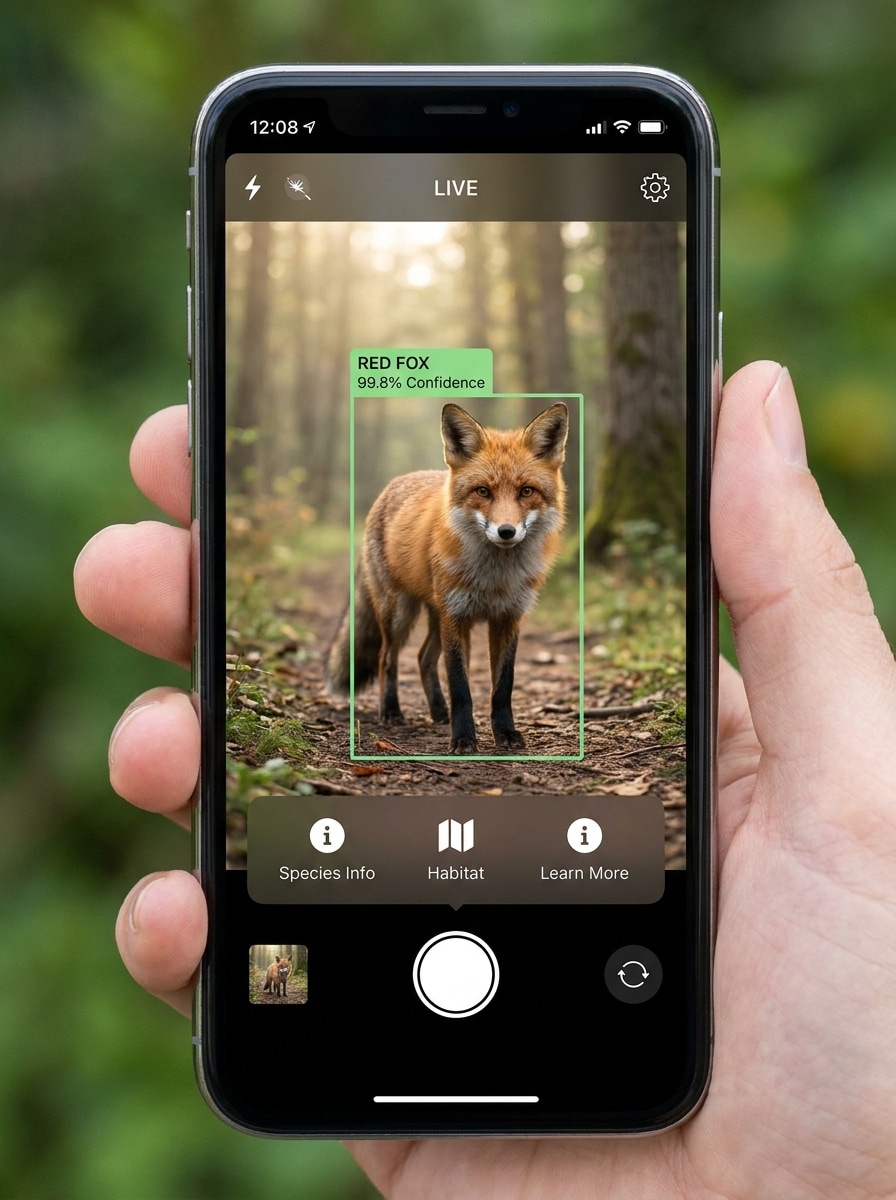
Utilisez l'image téléchargée comme sujet et transformez-la en une interface réaliste de scan animalier sur smartphone. Gardez l'animal clairement visible au centre, ajoutez une boîte de détection nette, un label d'espèce, un score de confiance et des superpositions subtiles d'interface caméra, avec un éclairage naturel en plein air, des détails nets de fourrure ou de plumes, et un aspect technologique éducatif moderne.
Écran de résultat instantané
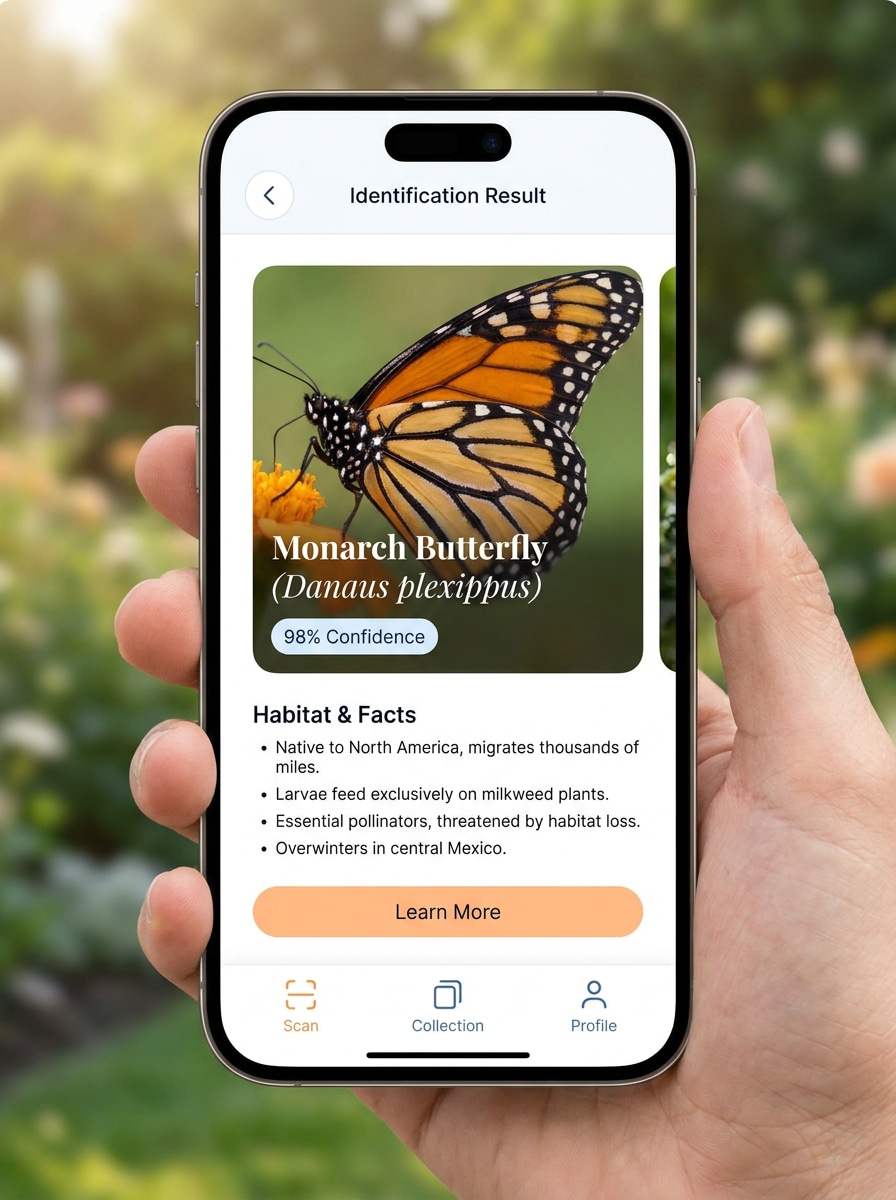
Utilisez l'image téléchargée comme photo source et convertissez-la en un écran de résultat d'application soigné pour la reconnaissance animale. Affichez la photo de l'animal en évidence avec un nom d'espèce, un pourcentage de confiance, des faits rapides et une interface minimaliste, en utilisant un éclairage équilibré, un espacement raffiné et un design convivial et fiable.
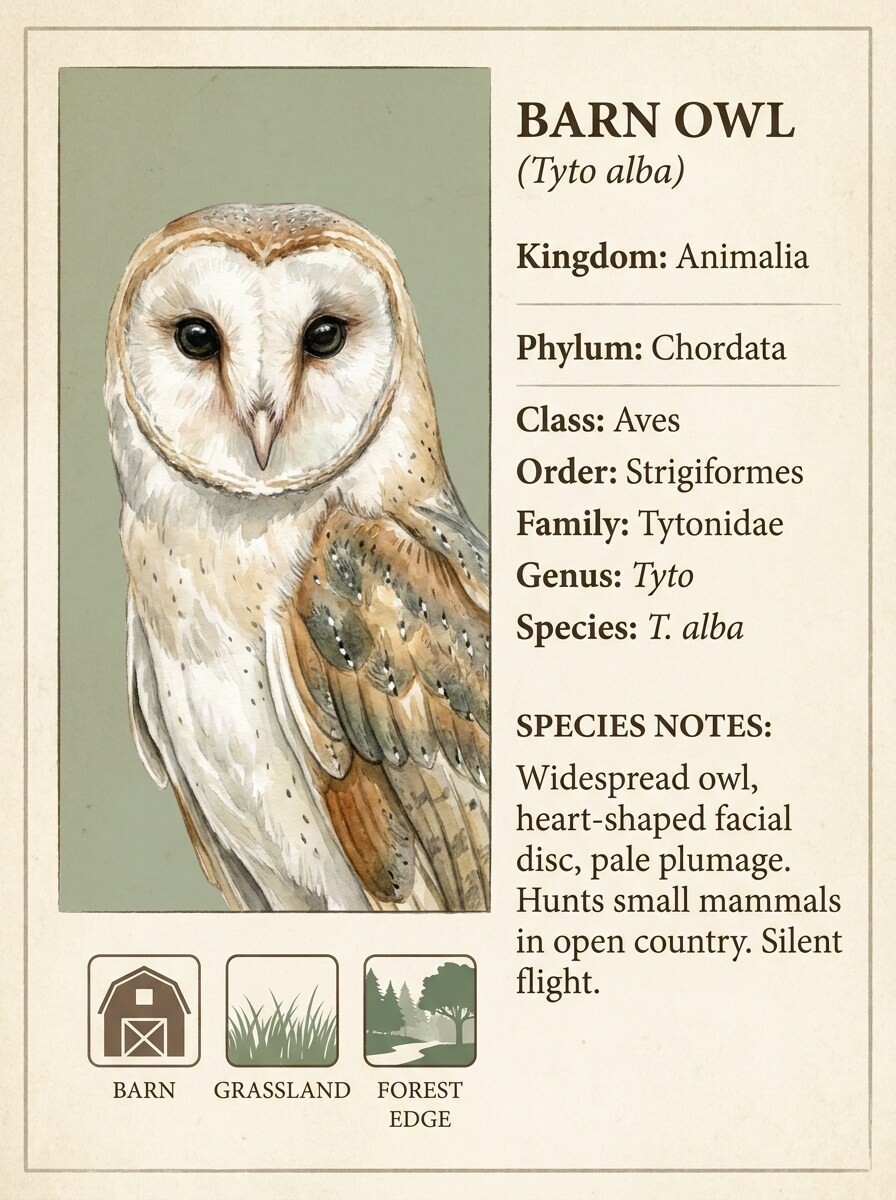
Carte de guide de terrain
Utilisez l'image téléchargée comme spécimen vedette et transformez-la en une carte de guide naturaliste de terrain haut de gamme. Ajoutez des étiquettes taxonomiques, de petites icônes d'habitat, des notes d'identification concises et une mise en page éditoriale avec des tons beige et vert forêt, des détails fins, une texture de papier douce et une ambiance naturaliste apaisante.
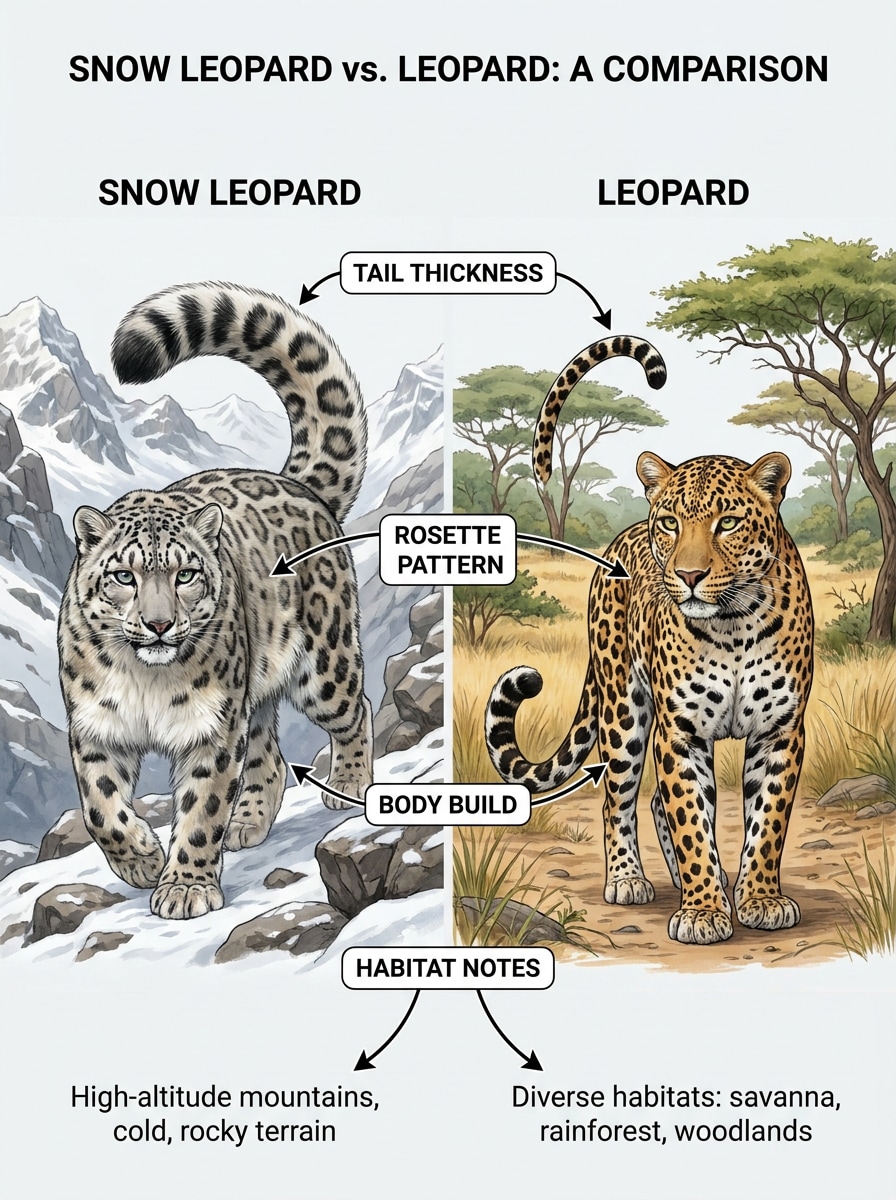
Tableau de comparaison des espèces
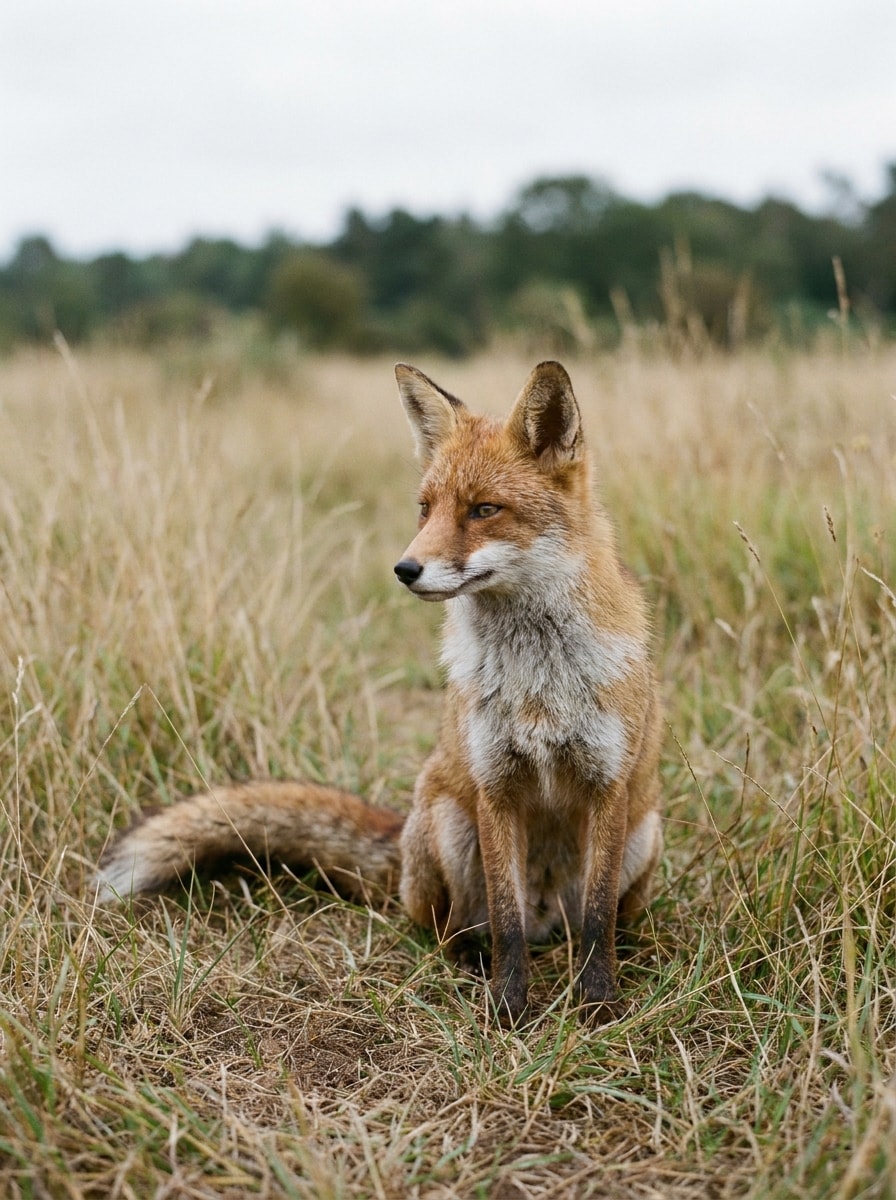
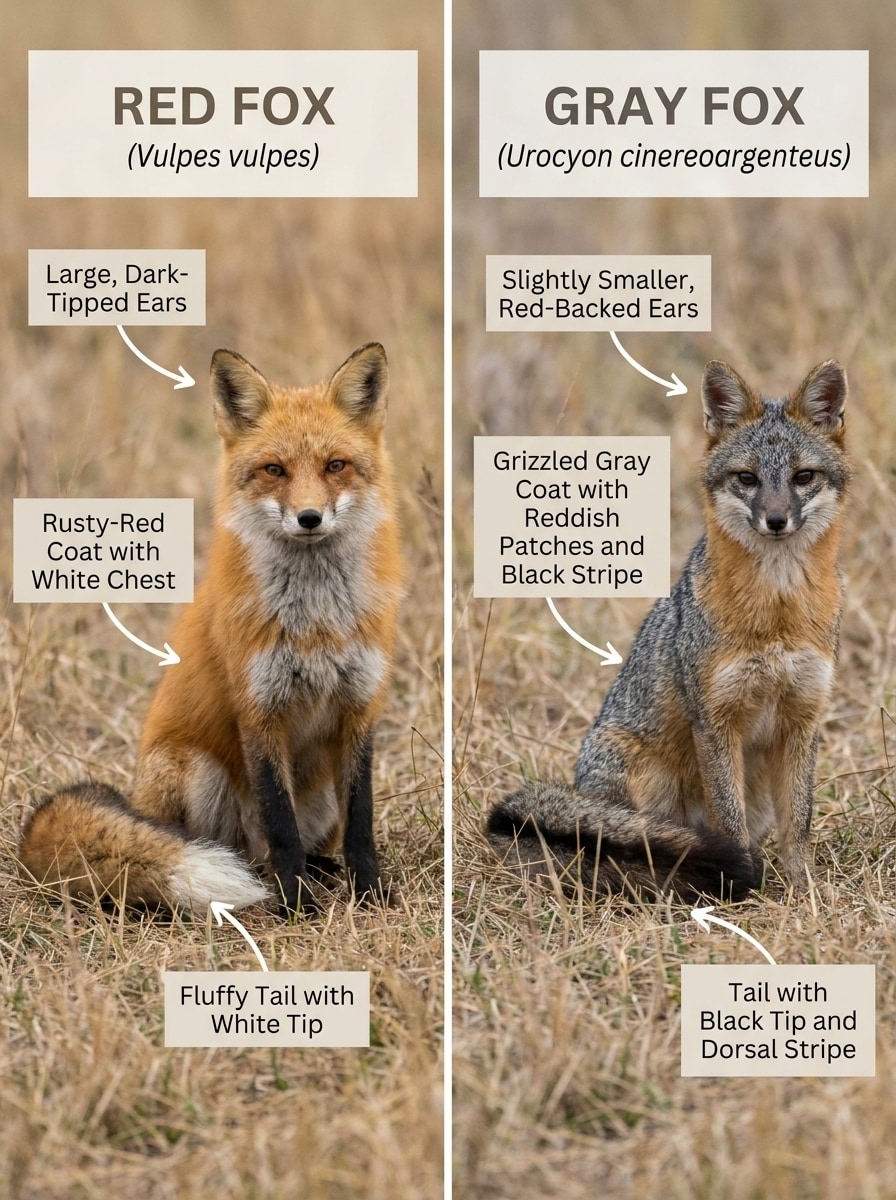
Utilisez l'image téléchargée comme référence principale et transformez-la en un tableau de comparaison côte à côte des espèces. Gardez l'animal téléchargé d'un côté, placez une espèce similaire de l'autre, et ajoutez des flèches, des étiquettes et des traits mis en évidence tels que la forme des oreilles, les marques du pelage, la forme du bec ou le motif de la queue dans un style infographique épuré.
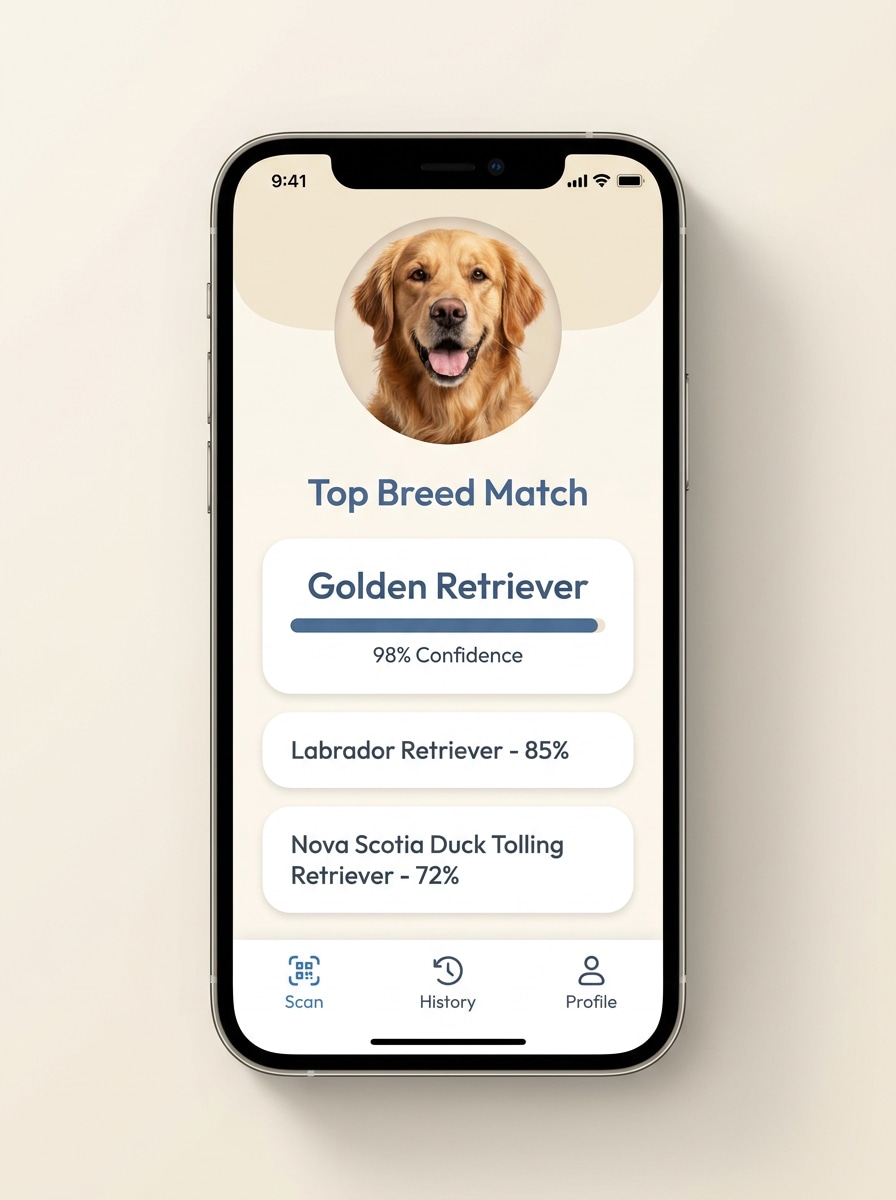
Résultat de correspondance de race
Utilisez la photo de l'animal de compagnie téléchargée comme sujet et transformez-la en une interface conviviale de résultat de correspondance de race. Préservez le visage et les marques reconnaissables de l'animal, puis ajoutez les races probables correspondantes, les scores de confiance et une mise en page d'application moderne et chaleureuse avec une typographie claire, des couleurs douces et une hiérarchie visuelle nette.
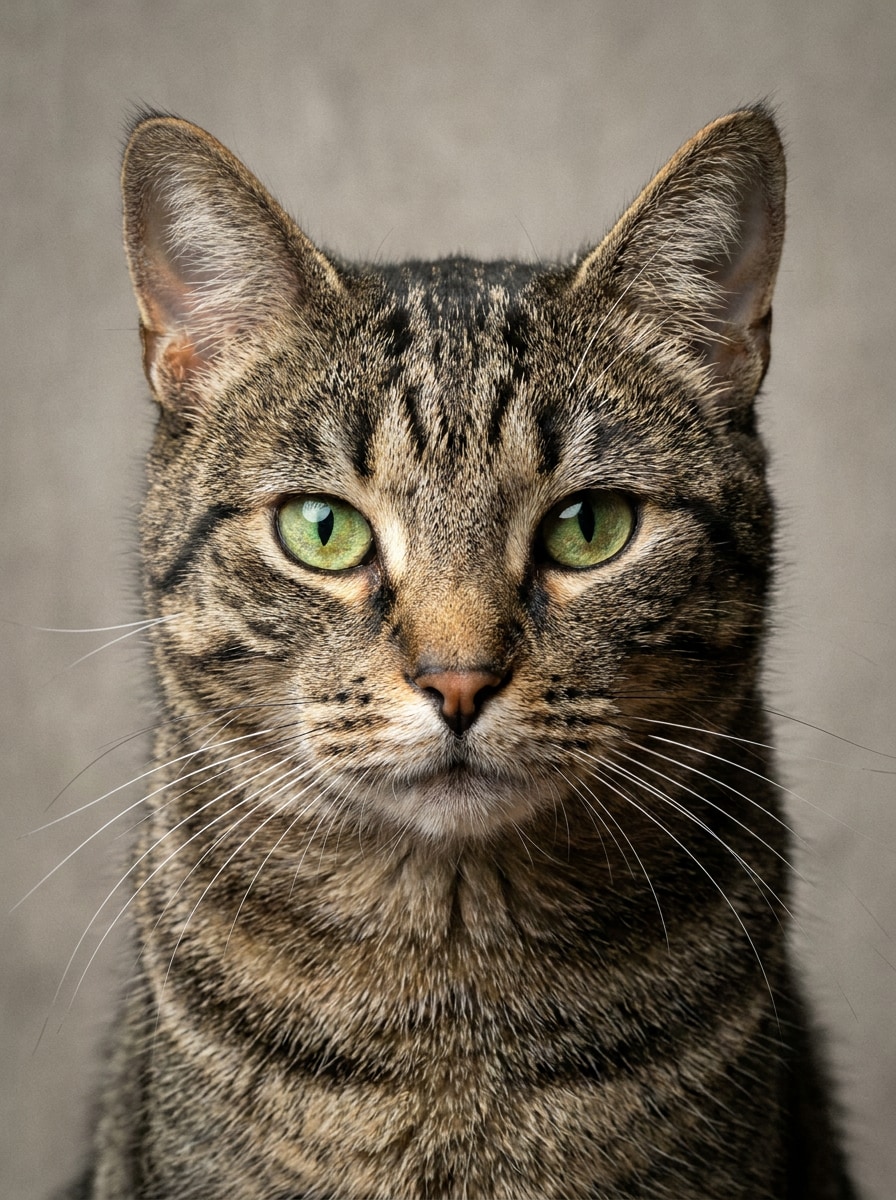
Gros plan mignon d'animal de compagnie
Utilisez l'image de l'animal de compagnie téléchargée comme référence et améliorez-la en un portrait en gros plan net optimisé pour l'identification visuelle. Mettez en valeur la clarté des yeux, la forme des oreilles, la texture de la fourrure, les marques faciales et les couleurs naturelles tout en gardant l'arrière-plan simple, le cadrage adapté à la reconnaissance et la finition générale soignée et réaliste.
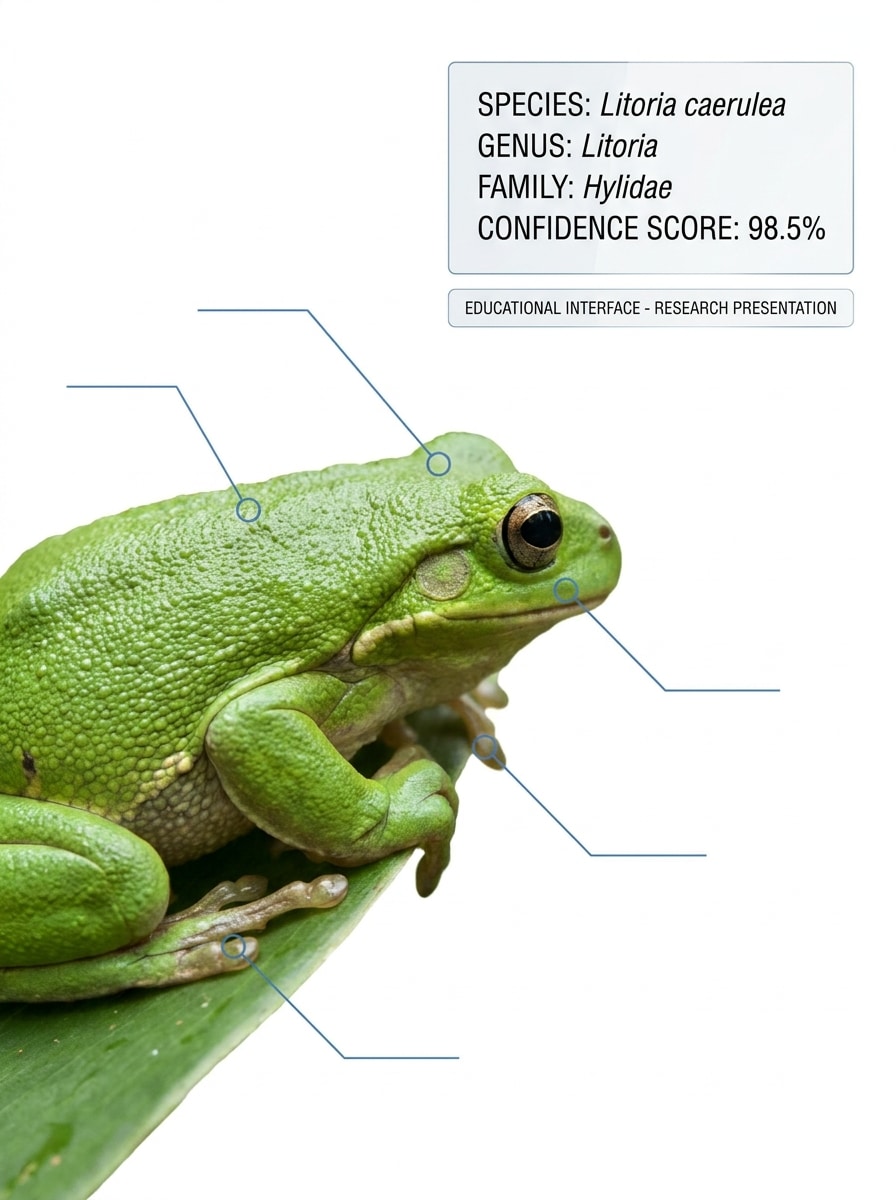
Superposition taxonomique
Utilisez l'image téléchargée comme sujet identifié et transformez-la en un visuel de reconnaissance orienté science. Ajoutez le nom de l'espèce, le genre, la famille, le score de confiance et des marqueurs d'annotation subtils, en utilisant un fond blanc ou clair, un étiquetage précis et une présentation fiable d'inspiration scientifique.
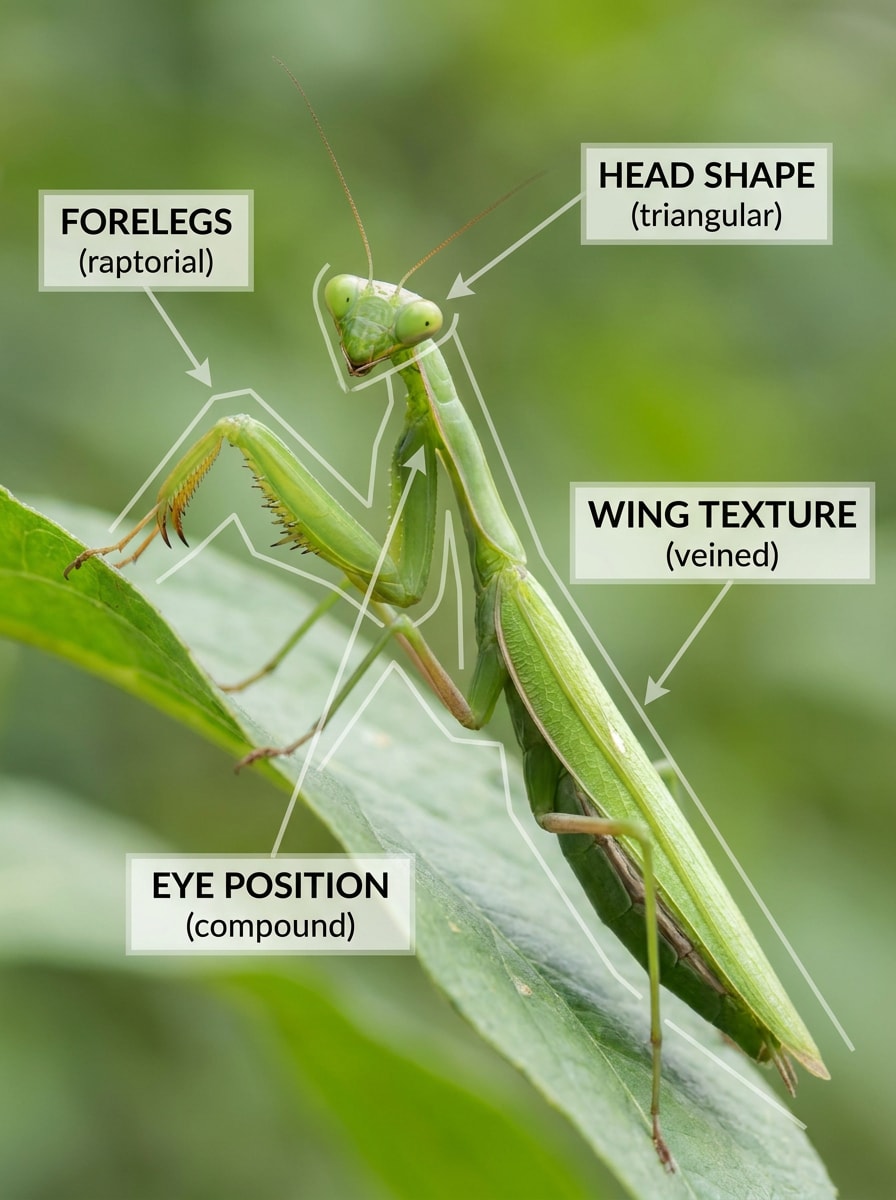
Détection de caractéristiques macro
Utilisez l'image téléchargée comme source et transformez-la en un visuel de détection macro mettant en évidence les caractéristiques utilisées pour identifier l'animal. Ajoutez des légendes élégantes pour les motifs de fourrure, la forme des griffes, la texture des plumes, les anneaux oculaires ou les écailles, avec une grande clarté, un contraste maîtrisé et une composition pédagogique en gros plan.
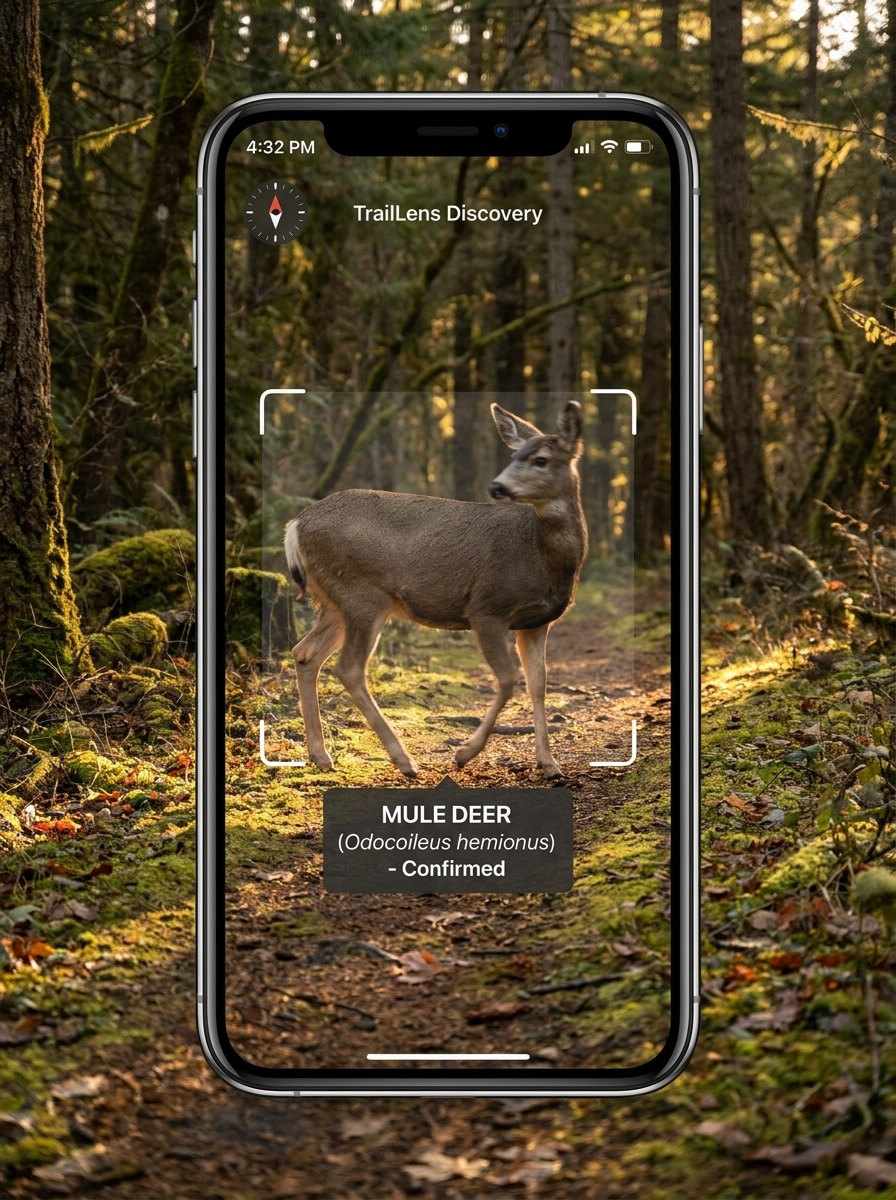
Instantané de rencontre sur sentier
Utilisez l'image téléchargée comme sujet et transformez-la en une scène d'identification réaliste de rencontre sur sentier. Conservez l'aspect d'une photo rapide prise au téléphone, gardez l'animal suffisamment visible pour la reconnaissance, et ajoutez une superposition de scan, un résultat d'espèce et une subtile ambiance d'aventure avec des couleurs de paysage naturel et un éclairage en plein air.
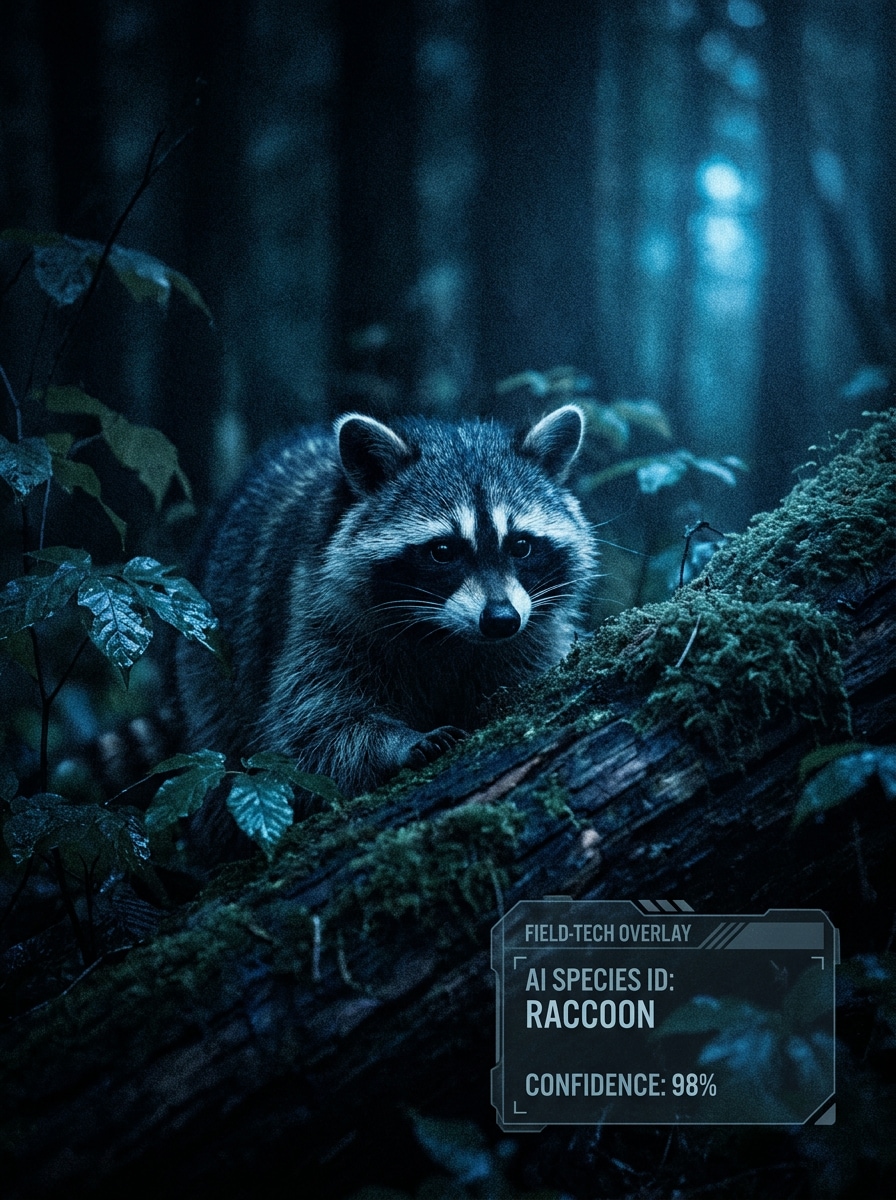
Identification d'animaux sauvages en vision nocturne
Utilisez l'image téléchargée comme source et transformez-la en une scène d'identification d'animaux sauvages en faible luminosité. Préservez la silhouette de l'animal et ses caractéristiques principales, appliquez une amélioration IA subtile, puis ajoutez un label d'espèce et un score de confiance avec une interface robuste mais lisible, des tons sombres et froids et une atmosphère nocturne réaliste.
Pourquoi utiliser Media.io pour un identificateur d'animaux IA
Transformez toute photo d'animal claire en un visuel d'identification guidé
Le travail animalier basé sur des références nécessite plus qu'un simple changement de style générique. Media.io aide à préserver les caractéristiques reconnaissables pendant que vous remodèlez le visuel de l'identificateur d'animaux, afin que les images d'identification d'animaux restent liées au sujet original et plus utiles pour les concepts axés sur les espèces.
Retravaillez un sujet en plusieurs styles
Si le sujet doit toujours se ressembler après la transformation, Media.io aide à conserver les indices d'identité essentiels tout en mettant à jour le style visuel final de l'identificateur d'animaux pour un résultat final plus propre.
Gardez les visuels finaux nets pour de vrais projets
Un petit aperçu n'est pas toujours suffisant pour une utilisation dans le monde réel. Media.io aide à créer des visuels d'identification d'animaux par image plus nets, avec une sortie jusqu'à 4K, afin que vos exemples restent plus clairs dans les présentations, le matériel éducatif et les démos d'identification d'animaux par image en ligne.
Créez dans le navigateur sur tous les appareils
Sur ordinateur et mobile, Media.io maintient le flux de travail dans votre navigateur afin que vous puissiez passer d'une session sur ordinateur portable à une vérification rapide sur téléphone sans redémarrer. Cela aide le processus à rester pratique lorsque vous n'êtes pas lié à un seul appareil.
Comment créer des visuels d'identificateur d'animaux en ligne
Transformez vos mots en visuels époustouflants en trois étapes simples, puis continuez à affiner le résultat si vous souhaitez aller plus loin.
Étape 1
Téléchargez votre image de référence
Téléchargez une photo claire, un instantané d'animaux sauvages, un portrait d'animal de compagnie ou un détail en gros plan au format JPG, PNG ou JPEG. Une image bien cadrée avec des marques visibles, de la fourrure, des plumes, des écailles ou la forme du corps fonctionne mieux lorsque vous souhaitez identifier l'animal ou construire un concept d'identificateur d'espèces animales.
Étape 2
Décrivez le changement et définissez les options
Ajoutez un prompt qui explique le résultat souhaité, comme une superposition de scan, une carte de guide de terrain ou un tableau de comparaison des espèces. Choisissez ensuite votre modèle et ajustez le rapport d'aspect, la qualité, la résolution ou le nombre d'images pour correspondre aux besoins de publication mobile, éducative ou sociale.
Étape 3
Générez, téléchargez et continuez à améliorer
Générez plusieurs variations, comparez les mises en page et téléchargez le meilleur résultat. Si le visuel nécessite des étiquettes plus claires ou un style différent, modifiez le prompt et régénérez jusqu'à ce que votre design d'identificateur d'animaux soit précis, lisible et prêt à être partagé.
Découvrez comment les créateurs utilisent cet identificateur d'animaux pour le contenu, le marketing et les projets personnels, puis adaptez chaque idée pour correspondre au brief.
Construisez des réponses plus claires pour les recherches photo curieuses
Transformez un simple téléchargement en un visuel soigné qui répond à des questions comme "quel type d'animal est-ce" ou "identifier l'animal" avec des étiquettes, une interface de style confiance et des caractéristiques mises en évidence. C'est un moyen pratique de rendre la reconnaissance des espèces plus facile à comprendre en un coup d'œil.
Concevez des démos de reconnaissance d'animaux de compagnie, d'oiseaux et d'animaux sauvages
Si vous expliquez un produit, un concept de cours ou un flux de travail de contenu, créez des écrans de résultats et des tableaux de comparaison montrant comment les utilisateurs pourraient identifier un animal par photo en ligne. Cela fonctionne bien pour les races d'animaux de compagnie, les oiseaux de jardin, les insectes et les rencontres sur sentier.
Créez du contenu éducatif à partir de vraies photos d'animaux
Utilisez une image de référence pour produire des cartes de guide de terrain, des superpositions taxonomiques ou des légendes de caractéristiques pour des blogs, des leçons et des publications sur les réseaux sociaux. C'est également utile pour les visuels conceptuels autour de questions comme "quel animal fait ce bruit", "quel animal produit ce bruit", "quel est ce bruit d'animal" ou "quel animal ressemble à ça", surtout lorsque vous souhaitez associer des idées d'identification sonore à des comparaisons d'espèces basées sur l'image.
Ce que les utilisateurs disent de Media.io
Lena Morris
Créatrice de contenu nature
"Excellent pour les visuels explicatifs sur la faune sauvage" J'ai utilisé Media.io pour transformer des photos de sentier en maquettes propres de scan animalier pour de courtes vidéos. Les superpositions et les mises en page de comparaison ont rendu mon contenu sur la faune sauvage beaucoup plus soigné sans avoir besoin de logiciel de conception.
Derrick Shaw
Professeur de STEM
"Utile pour des cartes d'identification prêtes pour la classe" Les sorties de style guide de terrain sont excellentes pour les leçons. Je peux télécharger une photo d'oiseau ou d'insecte et créer rapidement des visuels qui aident les élèves à remarquer les traits utilisés pour l'identification.
Priya Nandan
Designer de prototype d'application pour animaux de compagnie
"Moyen rapide de maquetter des interfaces d'identification de race" J'avais besoin d'écrans qui ressemblaient à une vraie application de reconnaissance d'animaux de compagnie, et Media.io a répondu à l'attente. Les résultats ont conservé l'animal reconnaissable tout en ajoutant des scores de confiance et une interface mobile propre.
Caleb Ruiz
Blogueur de plein air
"Flux de travail simple dans le navigateur" J'apprécie de pouvoir tout faire dans le navigateur. Télécharger, modifier le prompt, comparer les versions et télécharger — c'est rapide quand je veux montrer à mes lecteurs à quoi pourrait ressembler une observation d'animal dans un outil d'identification IA.
Découvrez Les Effets Vidéo et d'Image IA Les Plus Populaires
1. Comment fonctionne un identificateur d'animaux IA à partir d'une photo ?
Un identificateur d'animaux IA utilise votre image téléchargée comme référence et aide à générer ou transformer des visuels autour de ce sujet, comme des écrans de scan, des étiquettes, des tableaux de comparaison ou des cartes taxonomiques. Dans Media.io, vous téléchargez une photo JPG, PNG ou JPEG, décrivez le résultat de style identification souhaité et générez des variations directement dans votre navigateur.
2. Puis-je identifier un animal en ligne gratuitement ?
Oui, Media.io offre des crédits gratuits pour les nouveaux utilisateurs et les utilisateurs occasionnels, afin que vous puissiez essayer un flux de travail d'identificateur d'animaux en ligne avant de passer à la version supérieure. Si vous avez besoin de plus de générations ou d'une utilisation à plus grand volume, vous pouvez consulter les options de plan sur la page de tarification. Les utilisateurs gratuits peuvent voir des filigranes, tandis que les plans payants prennent en charge les téléchargements haute résolution sans filigrane.
3. Quels types d'animaux cet identificateur d'images peut-il reconnaître ?
Ce flux de travail est bien adapté aux animaux de compagnie, aux oiseaux, aux insectes, aux amphibiens et aux visuels généraux de faune sauvage, car Media.io vous permet de télécharger une image de référence et de créer des sorties basées sur des traits visibles tels que les motifs de fourrure, les détails des plumes, les marques faciales, les écailles ou la forme du corps. Cela le rend utile pour les personnes explorant des recherches comme "identifier un animal par photo", "identification d'animal par image" ou "quel type d'animal est-ce".
4. Quelle est la précision d'un identificateur d'animaux à partir d'une image ?
La précision dépend fortement de l'image source. Les photos claires et bien éclairées avec des caractéristiques distinctives visibles produisent généralement de meilleurs résultats que les images distantes, floues, obstruées ou en faible luminosité. Pour des espèces similaires, Media.io peut vous aider à créer plusieurs variations ou tableaux côte à côte afin que les traits clés soient plus faciles à examiner avant de décider de quel animal il pourrait s'agir.
5. Dois-je installer une application, ou puis-je l'utiliser dans mon navigateur ?
Vous pouvez utiliser Media.io directement dans votre navigateur sans installer d'application. C'est un outil basé sur le web qui fonctionne sur les appareils de bureau et mobiles, donc que vous souhaitiez identifier un animal par photo, créer des images d'identification d'animaux, ou tester un concept d'identificateur d'espèces animales, vous pouvez le faire en ligne depuis l'appareil que vous possédez déjà.
6. Quelle qualité d'image fonctionne le mieux pour l'identification des animaux ?
Choisissez une photo où l'animal est facile à voir et où les caractéristiques clés ne sont pas recadrées. Une mise au point nette, un éclairage équilibré et des yeux, oreilles, pattes, plumes, écailles, marques ou contour du corps visibles aident tous lors de l'utilisation de Media.io pour des recherches comme "identifier un animal par photo", "identificateur d'animal par image" ou "quel est cet animal". Media.io prend également en charge des sorties de présentation plus claires, incluant une génération jusqu'à 4K, bien que les utilisateurs gratuits puissent avoir des filigranes.
Au-delà de l'identificateur d'animaux en ligne alimenté par l'IA