Premier abonnement jusqu'à50 % de réduction
Acheter maintenant

Runaround Sue Générateur de Danse IA & Prompts de Photo en Vidéo

Crée une vidéo de danse IA sur « Runaround Sue » à partir de ta photo. Explore des prompts rétro en solo ou en duo, utilise une référence de danse et apporte ton propre style à la chorégraphie.
Toutes les Soumissions

Runaround Sue AI Dance Generator: Turn Your Photo into a Retro Dance Video

Step into the rock-and-roll spirit of Runaround Sue with a dance video starring you. Turn a clear photo into a playful solo routine, follow a favorite dance reference, or share the floor with a friend. Explore copy-ready Runaround Sue AI dance prompts for lively footwork, relaxed claps and vintage charm. For a closer recreation of a specific routine, pair your photo with its reference video in a compatible mode.

Create My Runaround Sue Dance Explore Toy Car Trend

Start with a clear full-body photo showing your face, hands and shoes. Use a matching dance reference for specific choreography, or a photo-only prompt for a new retro routine. Reference-video input, multi-person controls, audio and 9:16 output depend on the selected mode.

Your Photo. Your Footwork. Your Runaround Sue Moment.

Make Yourself the Retro Dance Star

Give your Runaround Sue AI dance video a familiar face: yours. Start with a clear full-body photo and guide the result toward recognizable features, consistent clothing and natural movement. Keep your everyday look or prepare a vintage-styled image before bringing it to life.

Share the Floor with a Friend

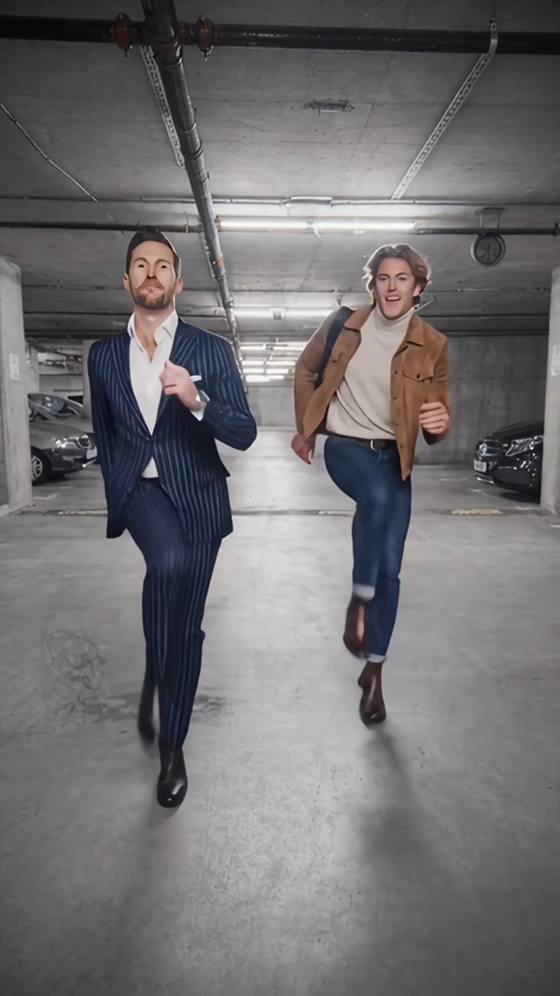
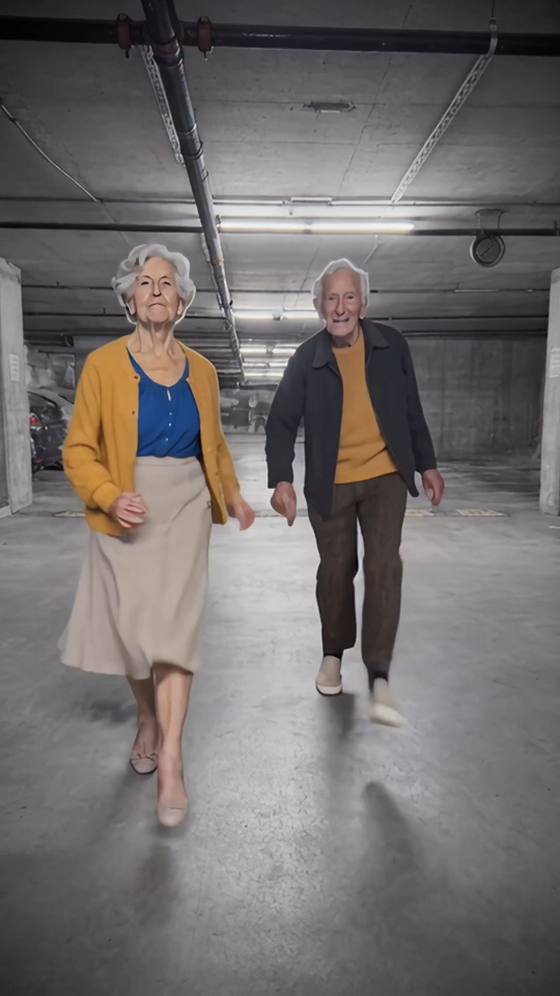
Turn a friendship photo into a cheerful Runaround Sue dance duet with matching side steps, light kicks and playful claps. Start with a simple side-by-side routine. For partner turns or closer interactions, use a suitable reference and a mode that supports two performers.

Follow Your Favorite Dance Version

Runaround Sue appears in different line-dance and jive routines. Choose the version you want, then use its reference video to guide the steps, turns and timing. A Runaround Sue photo-to-video prompt can add visual direction; the matching reference supplies the movement.

Give Your Feed a Rock-and-Roll Twist

Create a Runaround Sue AI dance challenge edit for TikTok, Reels or Shorts. Choose vertical framing where supported and leave room for the dancer's feet and arms. Review your take, add your chosen recording through an available music source, and adjust the beat alignment before sharing.

How to Make a Runaround Sue AI Dance Video from a Photo

01

Step 1: Pick Your Dance Photo

Choose one clear full-body photo with your face, hands and shoes visible. Leave space around your arms and legs for movement. For a simple duet, prepare a two-person image with both dancers clearly separated. Use the outfit you want to animate, or prepare your retro look first.

02

Step 2: Choose Your Routine

For a specific Runaround Sue dance routine, add its reference video in a mode that supports motion guidance. Choose a short section with clear footwork and minimal obstruction. Copy a prompt below to guide appearance and framing, or use the photo-only option for a new rock-and-roll-inspired dance.

03

Step 3: Preview and Add the Music

Generate your Runaround Sue AI video and check facial consistency, hand shapes, foot contact and turns. Simplify the movement or retry if needed. Download your preferred take, review any generated audio, then add the recording you want and align the dance section with its beat before posting.

Runaround Sue AI Dance Prompts to Copy and Customize

Profile illustration for the Runaround Sue reference-guided solo dance prompt
Your Photo, Your Favorite Routine

One full-body photo + a solo dance reference in a compatible mode

Bring your own look to a reference-guided Runaround Sue dance. Prompt: “Use Image 1 as the appearance reference for the only dancer and Video 1 as the motion reference. Preserve the photographed person's recognizable face, hairstyle, body proportions and outfit. Follow the reference dancer's sequence of steps, claps, body bounce and turns, including their order and timing. Keep the setting from Image 1 and use a steady full-body view with both shoes and hands visible throughout. Maintain natural balance, realistic floor contact and consistent clothing during turns. No additional dancers, face changes, extra limbs, sliding feet, camera cuts or added text. Follow the reference duration within the selected mode's supported settings.”

Profile illustration for the one-photo Runaround Sue-inspired retro dance prompt
One-Photo Rock-and-Roll Solo

One full-body photo + a prompt for a new retro dance

Create a fresh solo with the playful spirit of Runaround Sue. Prompt: “Animate the person in Image 1 performing a cheerful retro rock-and-roll dance. Preserve their recognizable face, hairstyle, outfit and body proportions. Begin with small alternating side steps and a gentle knee bounce. Add two relaxed claps, then alternate light diagonal kicks with controlled weight shifts. Finish facing the camera with a warm smile and a relaxed standing pose. Retain the source setting and keep the entire body, hands and shoes visible in a steady shot. Use natural arm movement, grounded feet and smooth transitions. No extra people, sudden turns, distorted hands, sliding feet or added text. Create an original short routine inspired by the retro mood rather than reproducing a specific choreography.”

Profile illustration for replacing one dancer in a Runaround Sue reference video
Step into One Dancer's Role

One identity photo + a reference video with supported role selection

Join a Runaround Sue dance scene by personalizing one selected performer. Prompt: “Use Image 1 as the identity reference for the dancer selected through the role controls in Video 1. Apply the uploaded identity only to that performer. Preserve the person's recognizable facial features, hairstyle and skin tone as the dancer steps, claps and turns. Follow the selected performer's reference movements, expressions and timing. Retain that role's reference outfit, the other performers, background, camera framing and spacing. Keep identities distinct when dancers approach each other or turn sideways. Maintain natural hands, realistic body proportions and grounded footwork. No identity changes to unselected dancers, duplicated faces, extra people or added text. Apply these directions within the selected mode's supported role-replacement controls.”

Profile illustration for the two-person Runaround Sue-inspired dance prompt
Best-Friend Retro Dance Duet

One prepared two-person image + a simple side-by-side dance prompt

Share a playful rock-and-roll moment with your favorite dance partner. Prompt: “Animate the two people in Image 1 performing a simple, coordinated retro dance inspired by the cheerful mood of Runaround Sue. Preserve each person's distinct face, hairstyle, outfit and body proportions. Keep the left person on the left and the right person on the right, with a clear gap between them. Both perform small side steps with gentle knee bounces, clap twice, then add alternating low kicks before returning to front-facing poses. Keep the source setting and a fixed full-body view with both dancers' hands and shoes visible. Use natural balance and relaxed expressions. No crossing paths, handholds, lifts, overlapping bodies, identity swaps, extra dancers or added text. Create an original duet rather than a specific jive or line-dance sequence.”

FAQs About the Runaround Sue AI Dance Generator

1. What is the Runaround Sue AI dance challenge?

Runaround Sue AI dance refers here to photo-based dance videos inspired by the song's rock-and-roll energy. You can create an original retro routine or follow a selected dance reference. Runaround Sue has different line-dance and jive interpretations, so the phrase does not identify one universal choreography or official AI template.

2. What photo works best for a Runaround Sue AI dance video?

Choose a sharp full-body photo with a visible face, hands and shoes. Leave space around the arms and legs, and avoid crossed limbs or objects covering the body. For a duet, use a clearly separated two-person image if supported. Your source outfit and starting pose help guide the generated appearance.

3. Can a photo and prompt recreate the exact Runaround Sue dance?

A photo and text prompt can guide a new routine with retro steps, claps and light kicks. For a closer recreation of a particular performance, use its reference video in a compatible motion-guided mode. The song title alone does not specify the step sequence, turns, timing or partner interactions, and results can vary.

4. Can I make a two-person Runaround Sue AI dance video?

You can try a duet in a mode that supports two visible people or multiple character inputs. Begin with simple side-by-side steps and clear spacing. For partner turns, choose a matching reference and suitable controls. Check both faces, hands and positions throughout; simplify the interaction if bodies overlap or identities blend.

5. Will my Runaround Sue AI video include the song and match its beat?

The original song and automatic beat matching are not implied by a dance prompt. Audio options depend on the selected mode. Preview the output, then add your chosen recording through an available music source or publishing app. Align the start of the dance with the appropriate beat, especially when using a cover or remix.

Explore Media.io Online AI Tools
Media.io tools icon Create Images and Videos




