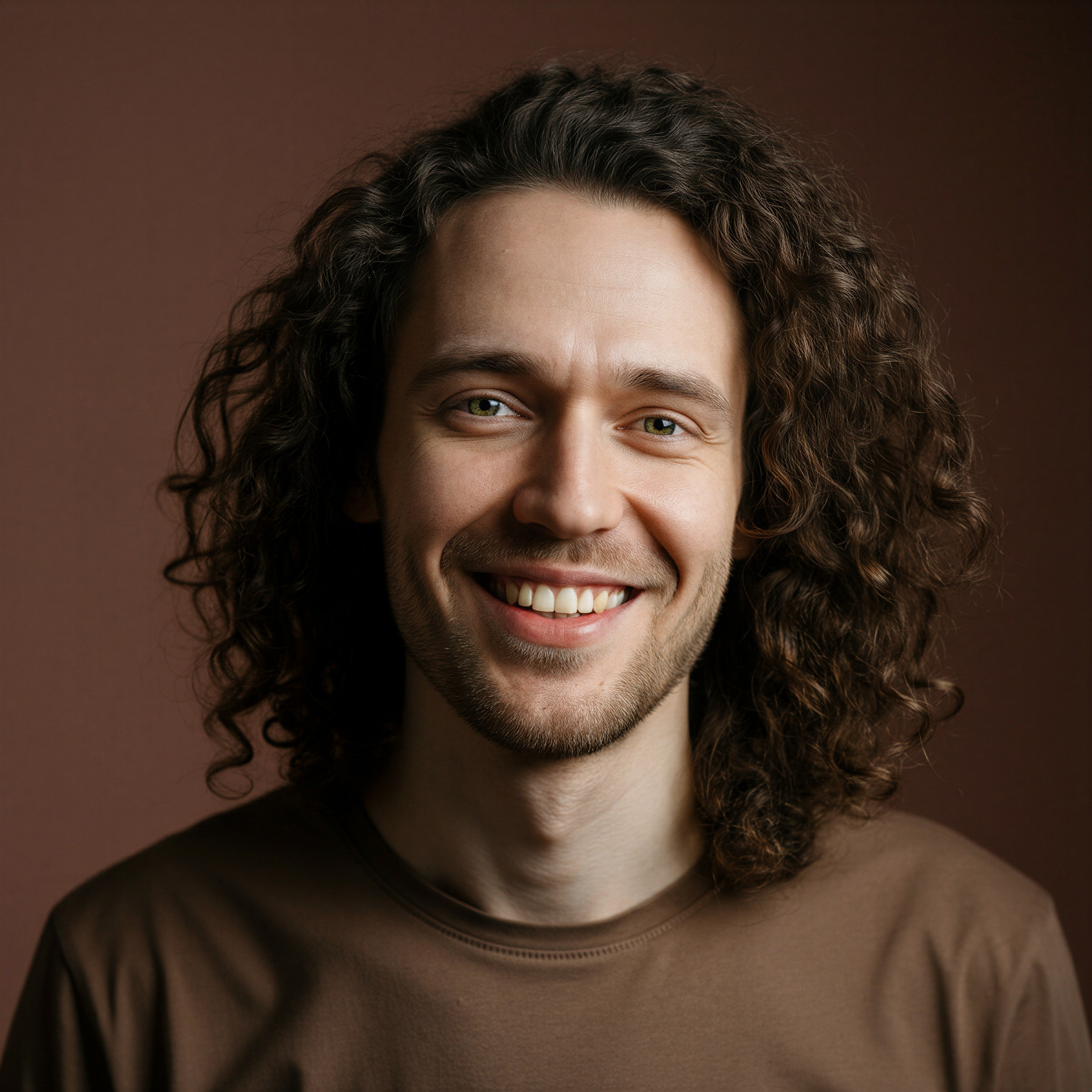
Expressive Lead Singer
Use one front-facing photo and describe a smiling, head-bobbing performer singing into a microphone, with energetic gestures and recognizable facial features.
Create a Tiny Desk-style AI concert video from your photo. Perform beside a desk with a microphone, live band, bookshelves, and warm studio lighting.
VIRAL AI VIDEO TUTORIAL
Want to recreate the Outstanding Tiny Desk AI trend? Follow this photo-to-video tutorial to turn your picture into an intimate desk-side concert, with an expressive lead singer, warm studio lights, a backing band, and camera movement inspired by viral performance edits.
Example footage illustrates the AI desk-concert look; it does not guarantee a frame-for-frame recreation of an existing viral clip. Use photos and music you have rights to. This is not an official NPR Tiny Desk performance.
The Outstanding Tiny Desk AI trend reimagines a photo as a lively, close-up mini-concert. Creators play with exaggerated singing reactions, a soulful performance atmosphere, a desk-side band and quick cuts. The goal is an original AI video inspired by the format—not to pass off synthetic footage as a real broadcast.
Use one front-facing photo and describe a smiling, head-bobbing performer singing into a microphone, with energetic gestures and recognizable facial features.
Set the scene in a warm room with shelves, a desk, small instruments and ambient light, instead of a large concert arena.
Add keyboard, bass, drums or saxophone in the background. For reliable multi-character timing, generate separate shots and edit them together.
Combine a close-up performance, a reaction shot and a final celebratory moment for short-form video. Add licensed audio during editing as needed.
Use a portrait and the concert prompt below. Generate the visual first, then add any approved music or voice track during editing if your chosen model does not create audio.
Choose a well-lit photo with one visible face. Keep the main subject identifiable; you can use an original fictional character instead of a real person.
Describe a cozy, desk-side concert, a singer holding a microphone, expressive head movements, a band and a slow camera push-in. Keep instructions concise and consistent.
Open the Tiny Desk AI generator, upload your photo, and generate. Check facial consistency and hand movements. Add licensed music, trim and export for Shorts or Reels.
Start with this sample prompt and adjust the motion to match your source image. Results vary by model; lip sync and music are separate steps when unsupported.
Use the uploaded portrait as the lead singer in an original intimate desk-side live music session. Keep the person's facial identity recognizable and consistent. The singer stands near a wooden desk and sings expressively into a handheld microphone, gently bobbing their head, closing their eyes on an emotional note, then smiling at the camera. A small keyboard, bass and drum ensemble performs in the background, framed by warm bookshelves and soft amber studio lights. Natural performance motion, realistic hands, subtle camera push-in, documentary concert atmosphere, vertical 9:16 composition. No logos, no text overlays, no imitation of a real broadcast.
If the model changes faces or hands, reduce the number of simultaneous actions and shorten the shot. Add audio only when you have the right to use it.
One uploaded portrait → a microphone close-up → gentle head bob, emotional singing gesture and a final smile. Best first test for face consistency.
Two permitted photos or original characters → one expressive singer and one saxophone player → alternate close-up shots edited into a shared concert sequence.
Original character photos → a comedic band with keyboardist, percussionist and lead singer → create individual shots and combine them for clearer choreography.
Upload a clear portrait, describe an expressive singer at a desk-side concert with a backing band, and use an image-to-video model. Review the shot, then edit in licensed audio if needed. You can start from the Media.io Tiny Desk AI generator.
A useful prompt specifies an identifiable lead singer, microphone, warm bookshelves, a small keyboard/bass/drum band, expressive head movements and a subtle camera push-in. Copy the example above and simplify it if the output distorts faces or hands.
Yes, a single clear portrait is a practical input for a solo-singer version. Complex multi-person shots may require separate images or clips and additional editing. A model may not preserve every detail consistently.
Audio and lip-sync features depend on the model. If a song or recording is protected, use it only with the necessary rights or platform permissions. You may need a separate audio or lip-sync editing workflow.
No. It is an original AI-generated concert-style video inspired by an online format and is not an official NPR Tiny Desk performance. Do not misrepresent AI footage as an authentic performance or endorsement.
See what creators are making on TikTok, Reels & Shorts — watch the effects and try your next viral idea.