Tus creaciones solo se guardan durante 7 días. Los recursos creados después de actualizar a Membresía se almacenarán de forma permanente.
¡Desbloquea tu potencial creativo y experimenta la magia de Media AI ahora mismo!
Generador de Planos de Casa para Conceptos Rápidos de Planos y Estilos Visuales
Crea visuales de planos, conceptos de planos arquitectónicos e inspiración de distribuciones a partir de simples indicaciones de texto. Media.io generador de planos de casa te ayuda a convertir ideas en imágenes pulidas de planos en segundos, con estilos de plano arquitectónico, 2D, 2.5D y 3D isométrico para explorar diseños rápidamente en cualquier dispositivo.
Escribe tu idea -> La IA la diseña. Gratis para probar.
Revisa estos ejemplos de indicaciones y luego personaliza los detalles para obtener mejores resultados con este Generador de Planos de Casa.
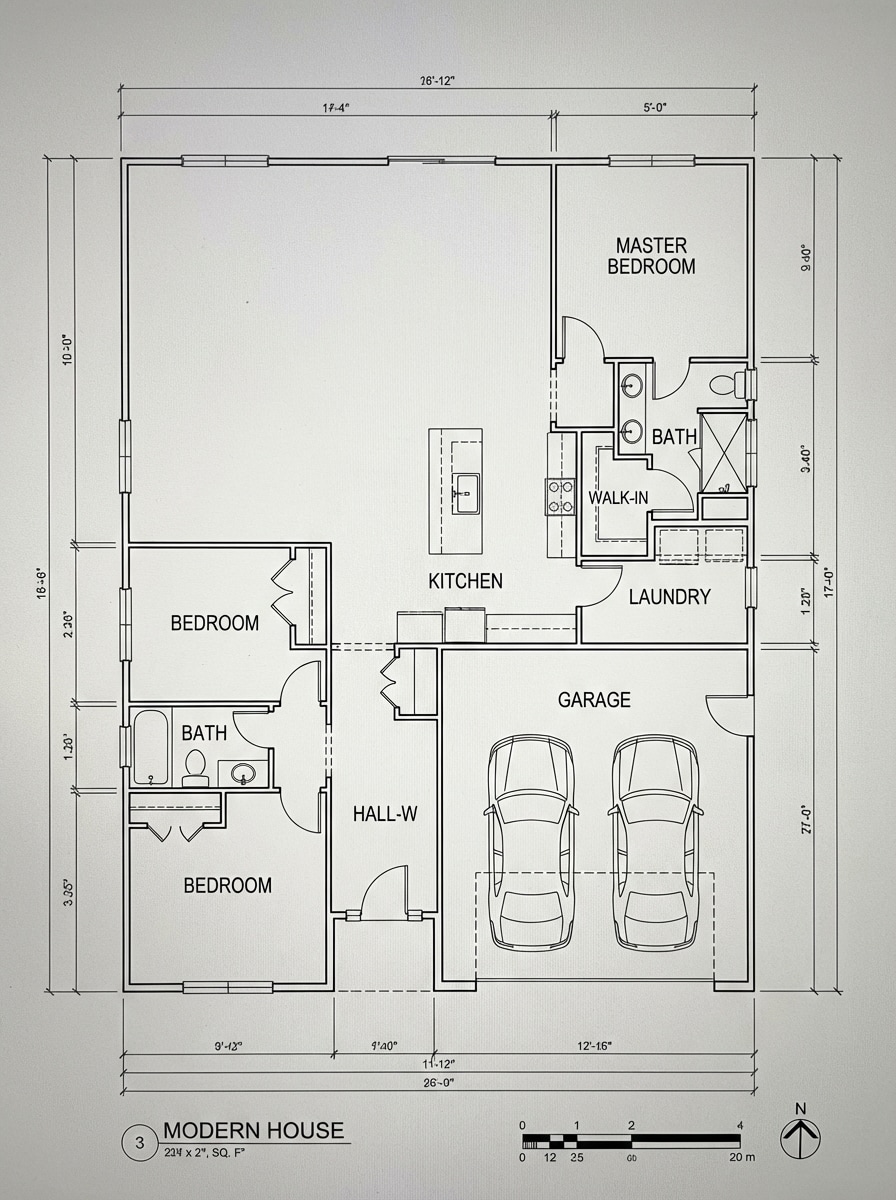
Plano Arquitectónico
Crea un plano arquitectónico preciso para una casa moderna de 3 habitaciones con 2 baños, cocina abierta con isla, lavandería, cochera integrada y rutas de circulación claras. Muestra una distribución superior en 2D con líneas nítidas en blanco y negro, habitaciones etiquetadas, puertas y ventanas señaladas, proporciones equilibradas y claridad profesional de dibujo técnico.
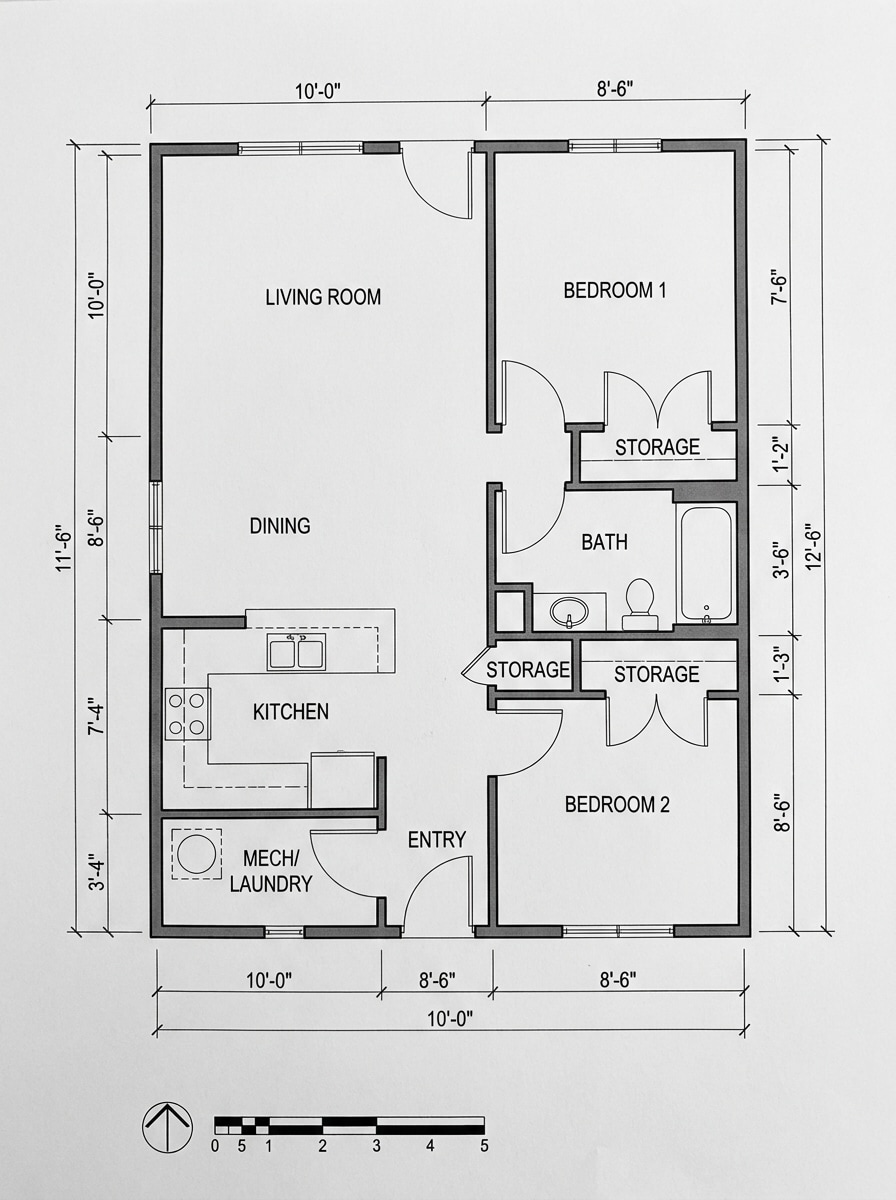
Plano Técnico
Genera un plano técnico para una vivienda compacta de 2 habitaciones con área de estar y comedor abiertos, un baño compartido, almacenamiento práctico y proximidad eficiente entre habitaciones. Usa muros con apariencia medida, geometría limpia, estética monocromática, etiquetas legibles, sutiles referencias de dimensiones y una presentación superior imprimible de alto contraste.
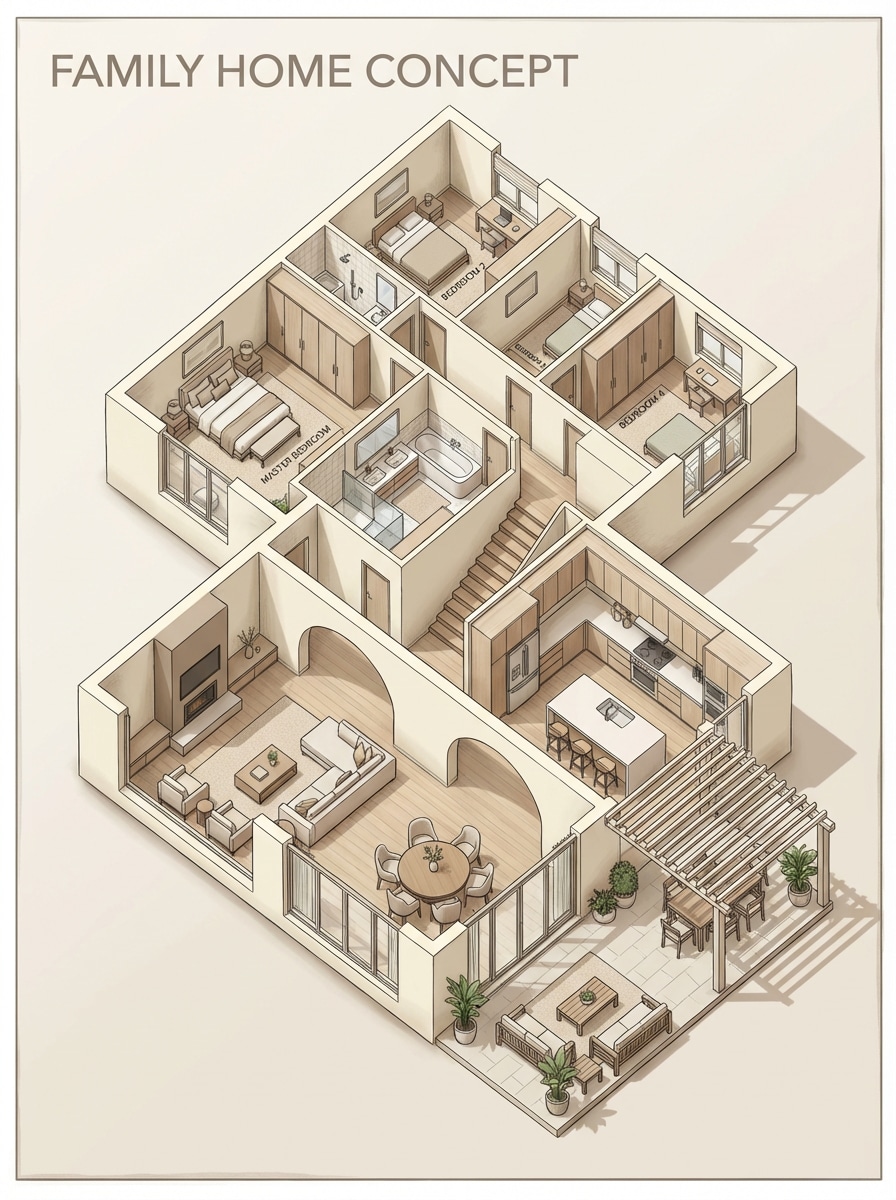
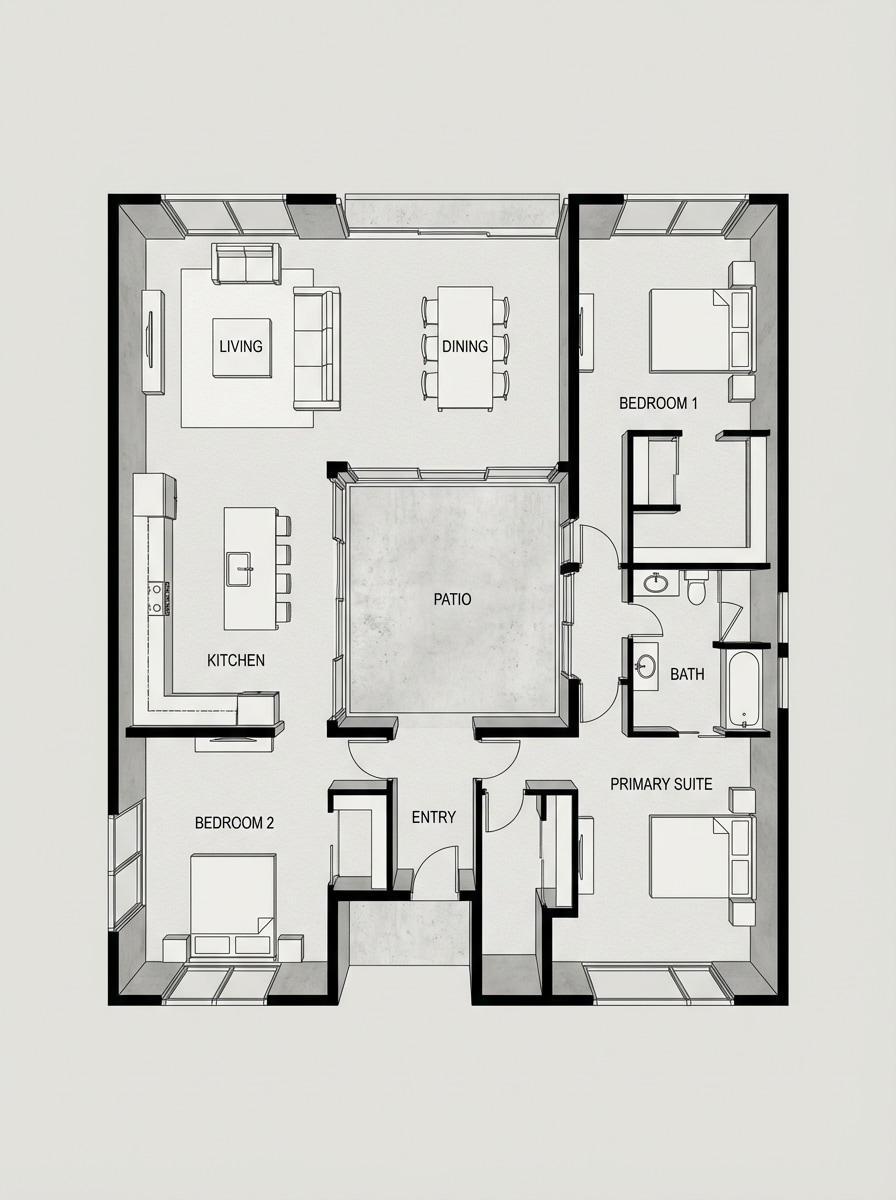
Plano en 2.5D
Crea una distribución en 2.5D para una casa familiar con 4 habitaciones, cocina espaciosa, área de comedor, sala y conexión a patio exterior. Utiliza una perspectiva superior en ángulo, sombras suaves, separación clara de ambientes, ubicación de muebles con buen gusto, tonos cálidos y neutros y un estilo pulido de tablero de presentación para un visual conceptual fácil de leer.
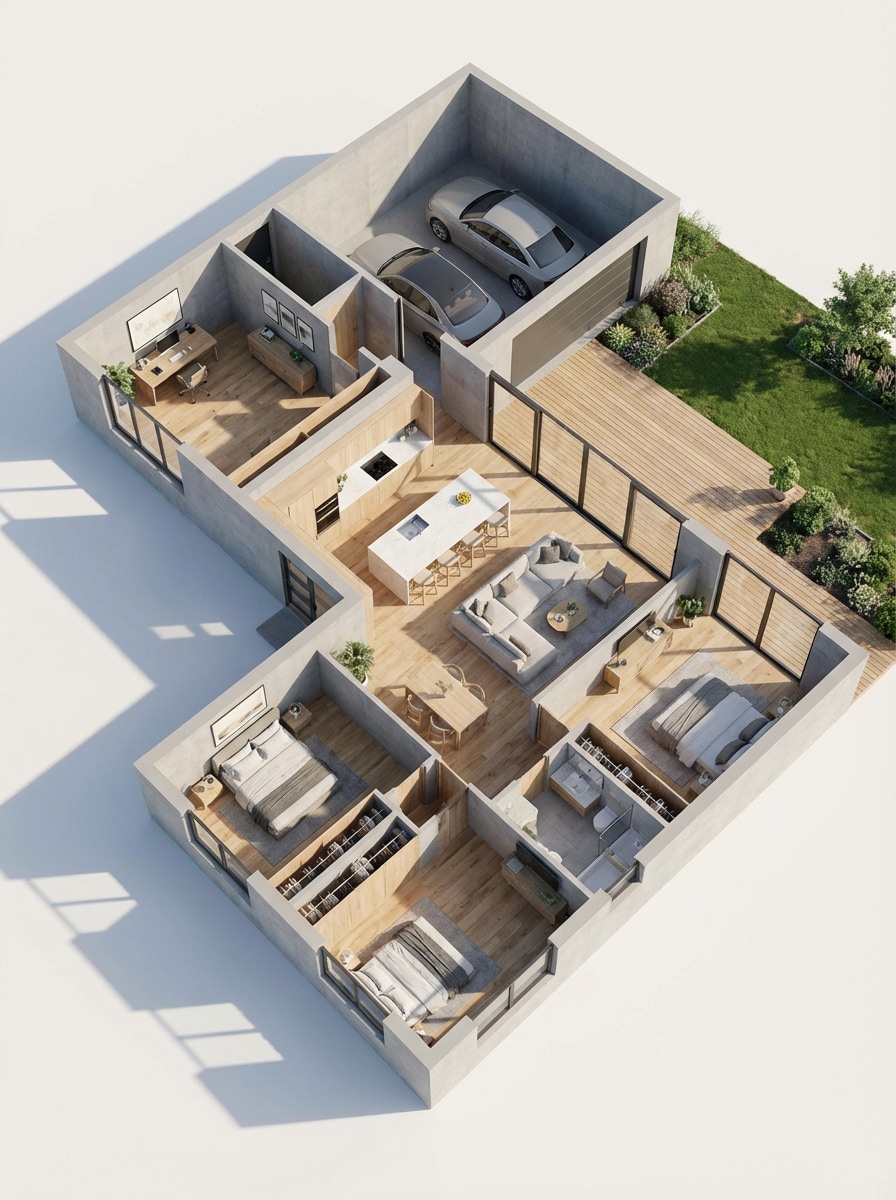
Plano Isométrico 3D
Produce un plano isométrico en 3D para una vivienda moderna de un solo nivel con oficina en casa, cochera integrada, cocina abierta y acceso a patio trasero. Muestra habitaciones amuebladas, proporciones realistas, sombras suaves de luz natural, texturas limpias, acabados contemporáneos y una distribución atractiva y estructurada lista para presentación y fácil de leer.
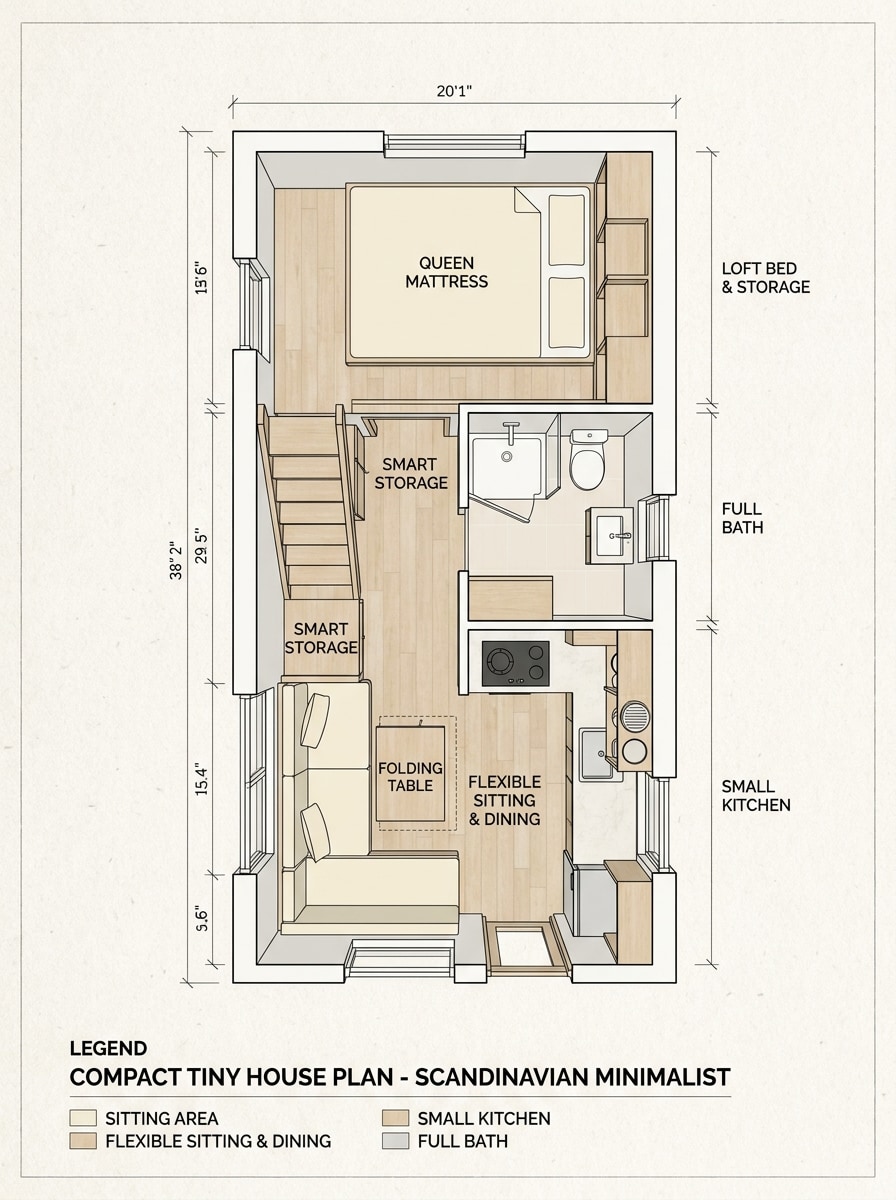
Distribución de Casa Pequeña
Diseña un plano compacto para casa pequeña con cama tipo loft, cocina pequeña, baño completo, almacenamiento inteligente y zona flexible de estar. Presenta la distribución desde arriba con zonas funcionales etiquetadas, estilo minimalista escandinavo, colores neutros brillantes, composición eficiente y claridad visual nítida adecuada para tableros de inspiración.
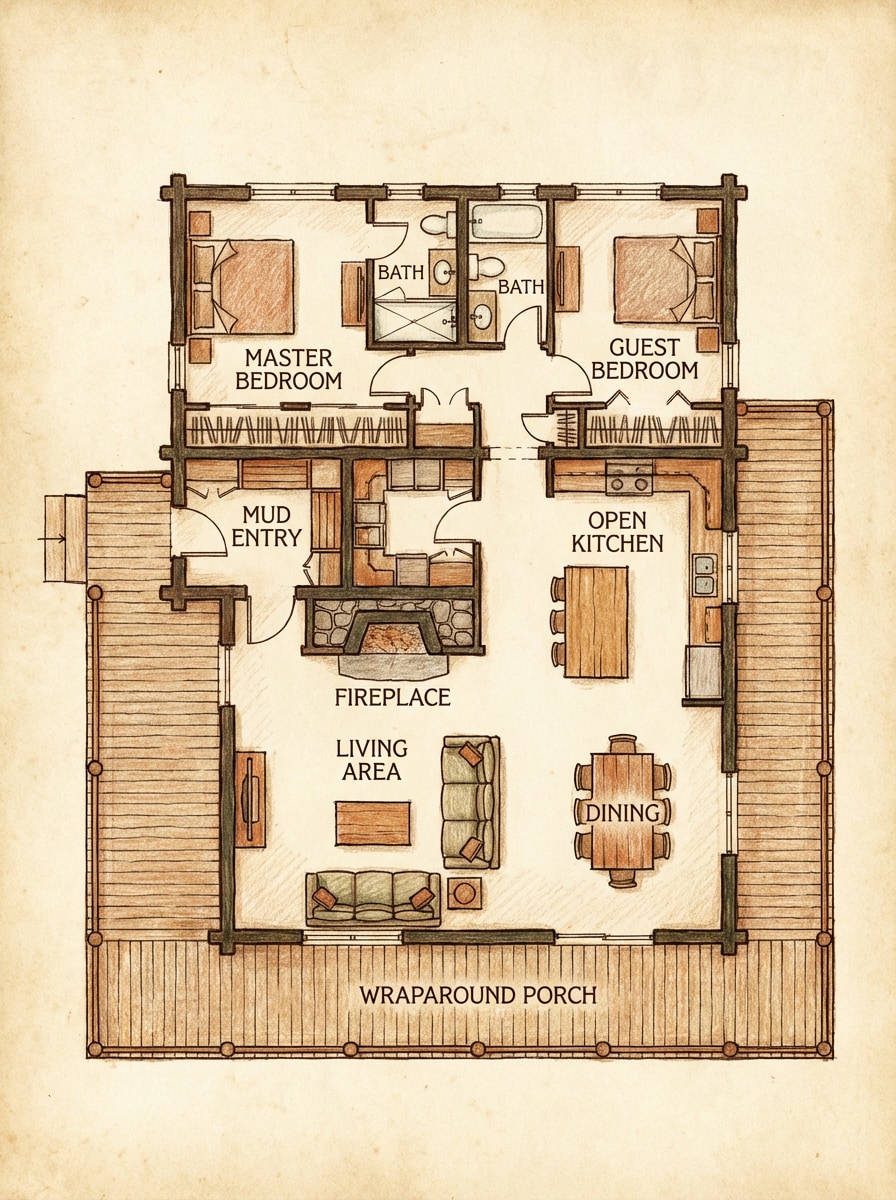
Plano de Cabaña
Crea un plano acogedor de cabaña con 2 habitaciones, sala con chimenea como punto central, cocina abierta, porche envolvente y acceso práctico tipo vestíbulo de barro. Utiliza un plano arquitectónico superior con etiquetas legibles, detalles rústicos de presentación, acentos cálidos inspirados en madera, tonos terrosos suaves y una atmósfera acogedora que conserva la claridad del diseño.
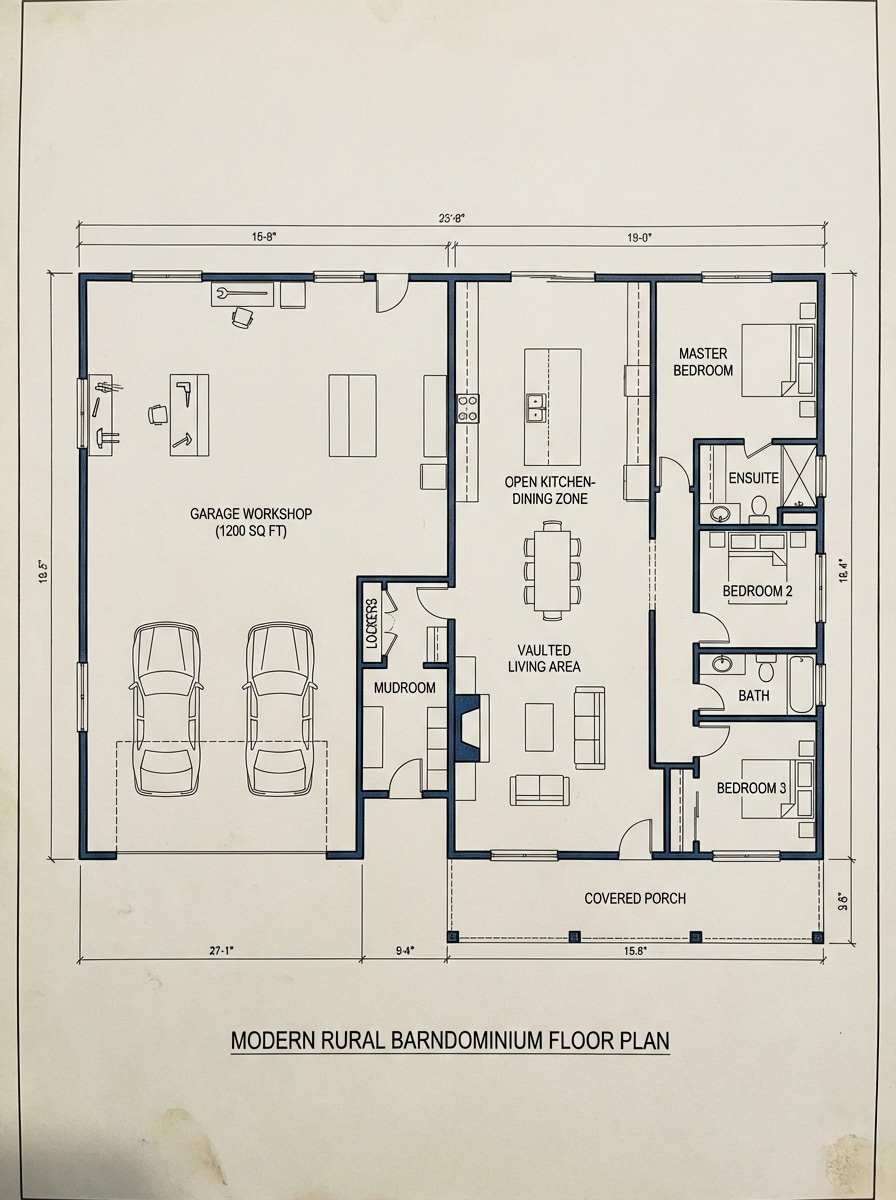
Plano de Barndominium
Genera un plano de barndominium con gran taller/garaje, 3 habitaciones, vestíbulo, sala de estar de techo alto y zona abierta de cocina-comedor. Muestra una estructura rectangular amplia, zonas de trabajo y vivienda claramente separadas, etiquetas limpias, toques de diseño rural moderno, composición equilibrada y una presentación organizada del plano.
Plano Moderno Minimalista
Crea un plano moderno minimalista con 3 habitaciones, cocina concepto abierto, sala amplia, acceso a terraza y ventanas grandes. Utiliza un diseño superior despejado, geometría elegante, tonos monocromos y grises suaves, estética premium tipo tablero conceptual, espacios refinados y un ambiente contemporáneo tranquilo con alta legibilidad.
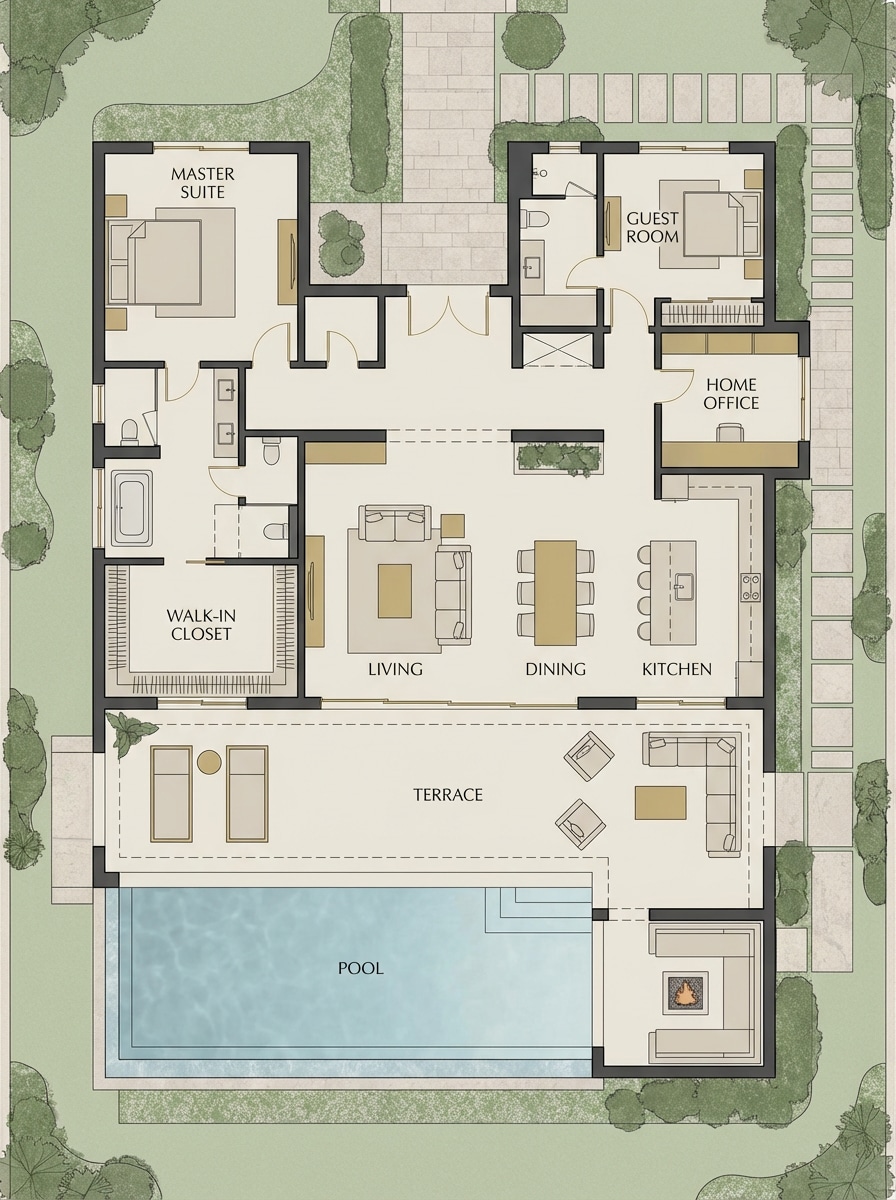
Plano de Villa de Lujo
Genera un plano de villa de lujo con suite principal, habitación de invitados, oficina, vestidor, terraza junto a la piscina y amplias zonas interiores-exteriores. Presenta una distribución superior elegante con ambientes espaciosos, estilo premium, sutiles acentos beige y carbón, zonas tipo resort y calidad sofisticada de visualización arquitectónica.
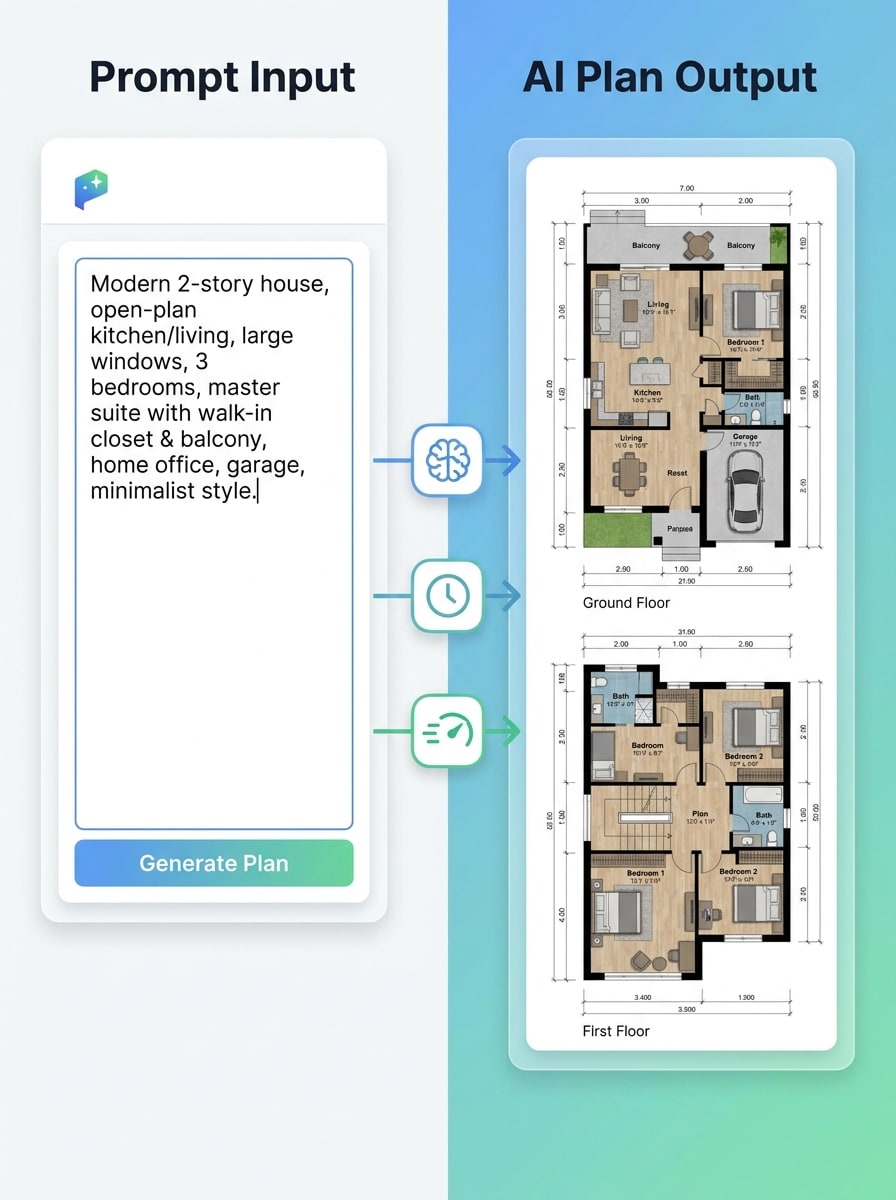
Transformación de Texto a Plano
Visualiza el concepto "de texto a plano", mostrando cómo una descripción escrita se convierte en una imagen pulida del plano de la casa. Utiliza una composición de pantalla dividida con la indicación escrita de un lado y el plano terminado del otro, enmarcado inspirado en UI moderna, tipografía clara, sombras suaves y un estilo de narración visual de flujo rápido con IA.
Por qué usar Media.io para conceptos de planos de casas
Genera imágenes de planos a partir de texto en segundos
Convierte requisitos de habitaciones, ideas de distribución y estilos en visuales de planos de forma rápida. Media.io es ideal para explorar conceptos rápidamente antes de pasar a herramientas de dibujo formales.
Estilos flexibles para visualización de planos
Crea diagramas tipo plano arquitectónico, distribuciones 2D limpias, vistas 2.5D listas para presentación o conceptos isométricos 3D. Esto hace que el generador de planos de casas online sea útil para tableros de inspiración, maquetas para clientes y comunicación de diseño temprana.
Exportaciones en alta resolución y proporciones
Genera imágenes de planos en resolución 1K, 2K o 4K con varias proporciones, incluyendo 4:3 y 3:4. Eso te da flexibilidad para presentaciones, publicaciones en redes o documentos de referencia de diseño.
Funciona en cualquier dispositivo desde tu navegador
Media.io es web, por lo que puedes usar este generador de planos de casas online en Windows, Mac, iPhone, iPad o Android sin instalar programas. Es un flujo de trabajo práctico para generar conceptos rápidamente desde cualquier lugar.
Cómo usar el Generador de Planos de Casa online
1
2
3
1
Paso 1: Abre el Generador de Planos de Casa de Media.io
Ve a Generador de imágenes con IA de texto a imagen y abre el Generador de Planos de Casa bajo IA -> Texto a Imagen. Esta herramienta online funciona en tu navegador, para que empieces a crear visuales de conceptos de planos sin instalar nada.
2
Paso 2: Ingresa una indicación
Escribe una indicación detallada, como "plano moderno de casa de 3 habitaciones, 2 baños, cocina abierta con isla, cochera, estilo plano arquitectónico." Ajusta estilo o proporción si es necesario para coincidir con el plano arquitectónico, layout 2D, 2.5D o salida isométrica 3D.
3
Paso 3: Genera, refina y descarga
Haz clic en Generar. Revisa el resultado, ajusta tu indicación para cambios de habitaciones o estilo de presentación diferente, y descarga la imagen final en alta resolución para inspiración de diseño, compartir o referencias de planeamiento.
Desbloquea el potencial del generador de planos de casas online
Mira cómo creadores usan este Generador de Planos de Casa para contenido, marketing y proyectos personales, y adapta cada idea según tu necesidad.
Visualiza ideas para el hogar más rápido
Usa Media.io para convertir una indicación escrita en conceptos tempranos de distribución antes de pasar al dibujo detallado. Es útil para propietarios, renovadores y diseñadores que desean comparar opciones de diseño rápido con un generador de planos de casas online ágil.
Presenta opciones de distribución a clientes o familia
Crea vistas arquitectónicas, presentaciones 2.5D o imágenes de planos isométricos 3D que sean fáciles de entender para quienes no son técnicos. Esto te ayuda a explicar flujo, distribución de muebles y zonificación sin usar archivos CAD complejos.
Explora tipos de casas y variantes de estilo
Prueba indicaciones para casas pequeñas, cabañas, villas o conceptos de barndominium en segundos. Un generador de planos de casas online flexible facilita explorar combinaciones de ambientes, estilos visuales y formatos para tableros o discusiones de planeación.
Lo que opinan los usuarios sobre Media.io
Rachel Kim
Consultora de Diseño de Interiores
"Genial para visualizar conceptos rápidamente" Lo uso para convertir ideas iniciales de clientes en visuales de planos limpios de forma rápida. Los estilos arquitectónico y 3D isométrico ayudan mucho para que los clientes entiendan opciones de distribución.
Daniel Brooks
Blogger de Renovación de Hogares
"Fácil para probar ideas de distribución" Es muy sencillo redactar las indicaciones y los resultados inspiran publicaciones y planes de renovación. Me gusta poder generar varios estilos de plano del mismo concepto.
Priya Nair
Especialista en Marketing Inmobiliario
"Útil para tableros de presentación" Usamos Media.io para hacer maquetas rápidas al presentar conceptos de vivienda. Las imágenes se ven bastante profesionales para revisiones internas y visuales tempranos de marketing.
Marcus Lee
Planificador de Casas DIY
"Funciona bien en móvil también" Lo probé en mi tablet mientras esbozaba ideas para una pequeña cabaña. Es sorprendentemente práctico, y perfeccionando la indicación obtuve mejores distribuciones en solo unos intentos.
Explora los efectos de video e imagen con IA más populares
Preguntas frecuentes sobre el Generador de Planos de Casa
1. ¿Cómo funciona un generador de planos de casa con IA desde una indicación de texto?
Media.io te permite describir la distribución de la casa que quieres en lenguaje natural y usa modelos de texto a imagen para generar un concepto visual. Puedes pedir resultados como planos arquitectónicos, planos superiores, vistas 2.5D o imágenes isométricas 3D. Los usuarios gratuitos pueden usar créditos gratis. Para mayor uso, puedes suscribirte a un plan en la página de precios. Actualiza a un plan de pago en la página de precios para obtener más créditos y descargas en alta resolución sin marca de agua.
2. ¿Qué obtengo de un generador de planos de casa?
Obtienes imágenes descargables basadas en tu indicación, como visuales conceptuales de planos, ideas de distribución de ambientes y presentaciones estilizadas. Estas imágenes son útiles como inspiración, comunicación o planeación temprana, especialmente si quieres comparar varias alternativas de diseño rápidamente.
3. ¿Este generador de planos con IA es gratis?
Sí, los usuarios gratuitos pueden probar Media.io con créditos gratis.
4. ¿Puedo editar mi plano después de generado?
Un uso común es perfeccionar la indicación de texto y generar nuevas variaciones con cambios de habitaciones, estilos de plano u opciones de presentación. Por ejemplo, puedes ajustar el número de habitaciones, cambiar de estilo arquitectónico a isométrico 3D o modificar el enfoque del diseño en una nueva generación.
5. ¿Se pueden usar los planos generados por IA para construcción?
Los planos generados con IA están pensados para desarrollo conceptual, inspiración y comunicación visual. No sustituyen planos arquitectónicos formales, revisión de ingeniería, cumplimiento de normativa ni permisos elaborados por profesionales calificados.
6. ¿Puedo generar tipos específicos de casas como tiny house o barndominium?
Media.io te permite iniciar con créditos gratis y los planes de pago desbloquean más créditos y exportaciones en alta resolución sin marca de agua.
Más allá del Generador de Planos de Casa con IA online