

Agente MV
Subir audio
Subir
Sube un archivo de audio de entre 1 segundo y 3 minutos de duración.
Subir imagen
Subir
Formatos de carga admitidos: jpg, png, jpeg.
sugerencia
0/2000
Consejos: Utilice consejos en inglés para obtener mejores resultados.
720P
16:9
Imágenes de muestra

Generate a Rock Music Video That Brings the Stage to Life

Transform your raw rock track into a visually electrifying AI music video in just a few clicks. Upload your song, add a portrait or cover image, and let Media.io sync every beat with cinematic energy. Whether you're producing gritty guitar riffs or heavy drumlines, the generator adapts visuals to your sound. It's the quickest way to promote your music with a bold and authentic rock aesthetic.

Create Your Rock Video

Upload your audio and image, then let AI design your rock-style MV automatically.

Example Rock Music Video Output
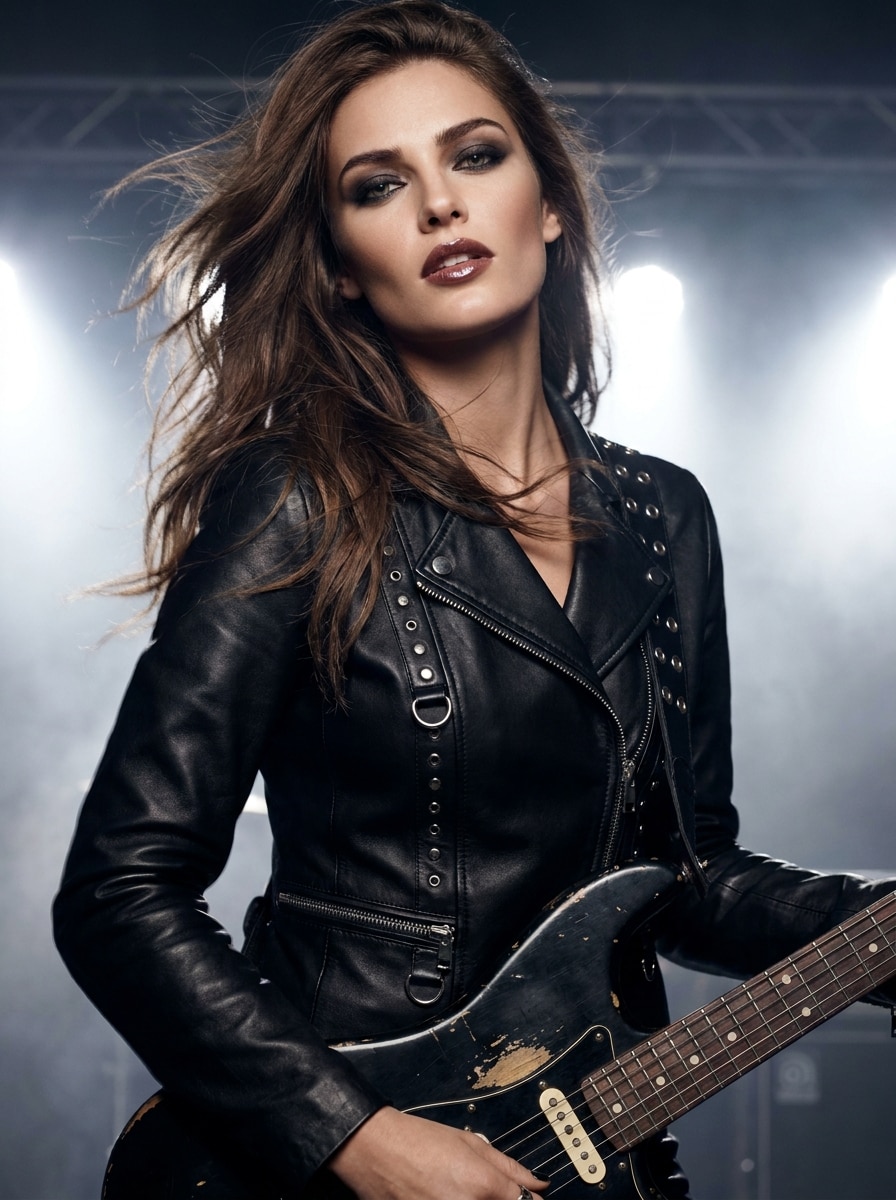
AI-generated rock music video scene
Sample Rock Track
wave
wave
0:09
Generate Now ↗
Rock the Screen with AI Energy
✓ Auto Beat Sync ✓ Realistic Motion ✓ Dynamic Lighting ✓ One-Click Export

Why Create Your Rock Music Video with Media.io

Instant Visual Power for Rock Soundtracks

Rock music thrives on raw expression, and Media.io captures that energy instantly. Its AI pairs your track's rhythm with concert-style motion and lighting for an intense, live feel. You don't need editing skills or expensive gear-the visuals adapt to your sound automatically. Every guitar solo, drumhit, and vocal burst gets a unique animation that fits the mood of your song.

Flexible Customization and Creative Control

Upload your album art, performance image, or any visual that fits your theme. Add an optional text prompt to guide the AI toward your specific look-from gritty street stages to neon arenas. Fine-tune output with easy export options for different platforms. With Media.io, you stay in control while AI takes care of the heavy lifting.

Perfect Sync for Audio-Driven Video

The AI engine precisely aligns camera movements and transitions with your music's tempo. This creates a seamless visual rhythm that feels intentionally directed, not randomly generated. Whether your track speeds up or breaks down, the visuals react instantly. The result is a natural flow where sight and sound merge into a genuine rock performance.

Ideal for Bands, Creators, and Social Releases

Whether you're an independent musician or running a fan channel, this generator turns your ideas into share-ready visuals. It's optimized for YouTube, TikTok, Reels, and live promo clips. Build your audience with videos that look professionally edited yet cost a fraction of studio production. Media.io helps you release content faster to keep your fans engaged and craving more.

How to Make a Rock Music Video with Media.io

01

Upload Your Rock Track

Start by uploading your own audio file-MP3, WAV, or other supported formats. Media.io's system analyzes its mood, rhythm, and energy to prepare visual cues. This data becomes the basis for scene transitions and lighting changes. The stronger your performance, the more dynamically the video will respond.

02

Choose or Upload Your Visuals

Add a band photo, album cover, or stage image that represents your rock identity. You can also input a text prompt describing your ideal look-like "underground concert with flashing lights." The AI blends your image into a cohesive animation, creating captivating scenes that match the music.

03

Generate and Share Your Video

Click 'Generate' to let Media.io combine the audio and visuals in real time. After processing, preview the result and export your AI rock music video in high quality. You can post it directly to YouTube, Instagram, or TikTok to showcase your sound. Save project settings to create more MVs in your signature style.

What Rock Creators Say

user
Liam Carter

Indie Rock Guitarist

star star star star star

"Looks Like a Real Stage Show!" Media.io lets me turn rehearsal recordings into visual masterpieces. The AI perfectly follows every beat of our rough demo, making it look like a full gig video. It's great for posting song teasers without hiring an editor. This rock video creator gives indie artists like me the exposure we need.

user
Tara Collins

Singer and Songwriter

star star star star star

"Made My Track Look Cinematic Instantly" I used the rock MV generator to add visuals to my latest single. The results were as dramatic as a live concert intro, complete with color pulses matching the bassline. Uploading my photo as the background gave it a personal touch. This tool turned my self-produced song into a share-worthy performance video.

user
Alex Nguyen

Music Producer

star star star star star

"Professional Results in Minutes" As someone producing multiple bands, this AI rock video tool saves me hours every week. It aligns perfectly with my audio mixing workflow and exports instantly for each group. The generated visuals look powerful and fresh on social feeds. It's a true breakthrough for anyone finishing projects on a tight timeline.

user
Rita James

Content Creator

star star star star star

"Perfect for Social MV Clips" I always struggled to find visuals fitting rock reels, but Media.io changed that. The rock music video generator syncs everything automatically, even with short loops. My clips now get more views on TikTok because they look like live edits. It's the fastest way to promote cover versions or highlight riffs online.

Rock Music Video Generator FAQ

1. How Does the AI Match Visuals to My Rock Audio?

Media.io analyzes rhythm, frequency, and volume peaks in your track to build dynamic motion. The faster your tempo or louder your sections, the stronger the visual energy becomes. This ensures your guitar solos and drum fills have corresponding intensity onscreen. The process is automatic yet grounded in real-time beat detection.

Yes, uploading your own images gives the MV a personalized look. The system merges your photo seamlessly with the animated layers, keeping lighting and motion balanced. It works well with portraits, live shots, or symbolic cover art. Using custom visuals helps your audience recognize your style across releases.

You can upload audio in common formats like MP3, WAV, or M4A, and images in JPG or PNG. The final video exports in HD or 4K, depending on your preferences. Media.io adjusts frame rates automatically for optimal smoothness. This flexibility ensures compatibility with most editing tools and social platforms.

While primarily focused on visual motion, you can add lyrics manually in editing apps after generating the video. Media.io's tool provides perfectly synced motion backgrounds ideal for overlaying text. Musicians often combine both for hybrid lyric MVs. It's a simple way to upgrade your rock release visuals.

Free exports may include a small watermark, which can be removed with premium access. There's no limit on the number of videos you can experiment with. Media.io encourages creators to test multiple versions for best results. The more you refine inputs, the more powerful your visual storytelling becomes.

Media.io Online AI Tools Quality Rating:
vote 4.7 (162,357 Votes)







