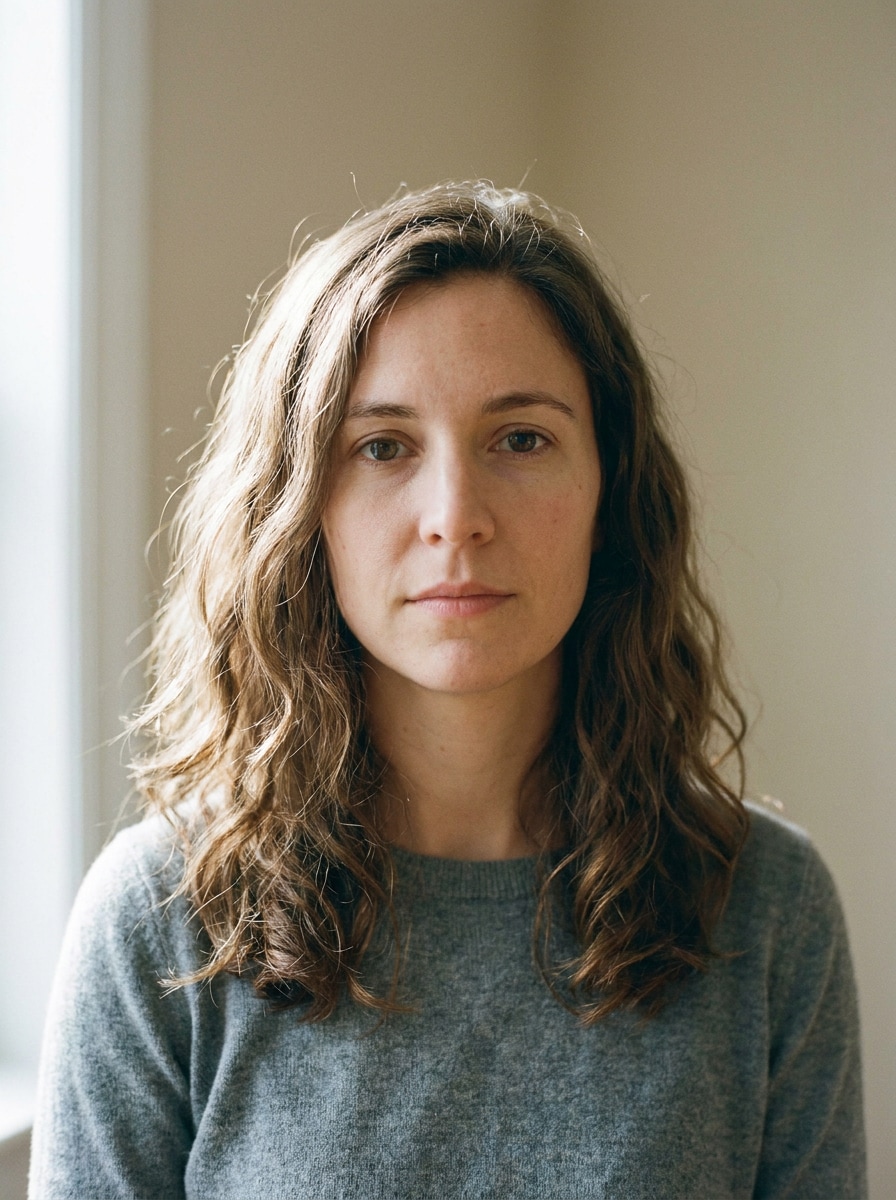
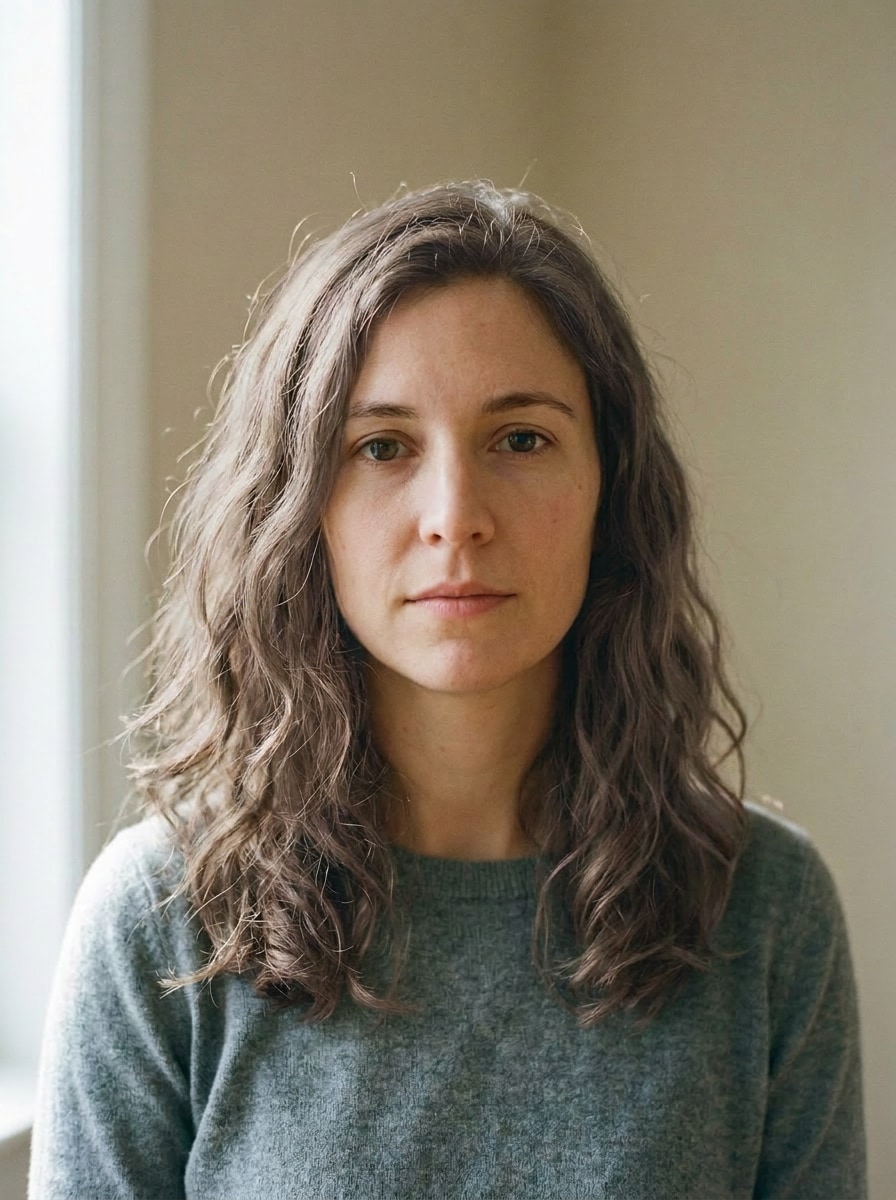
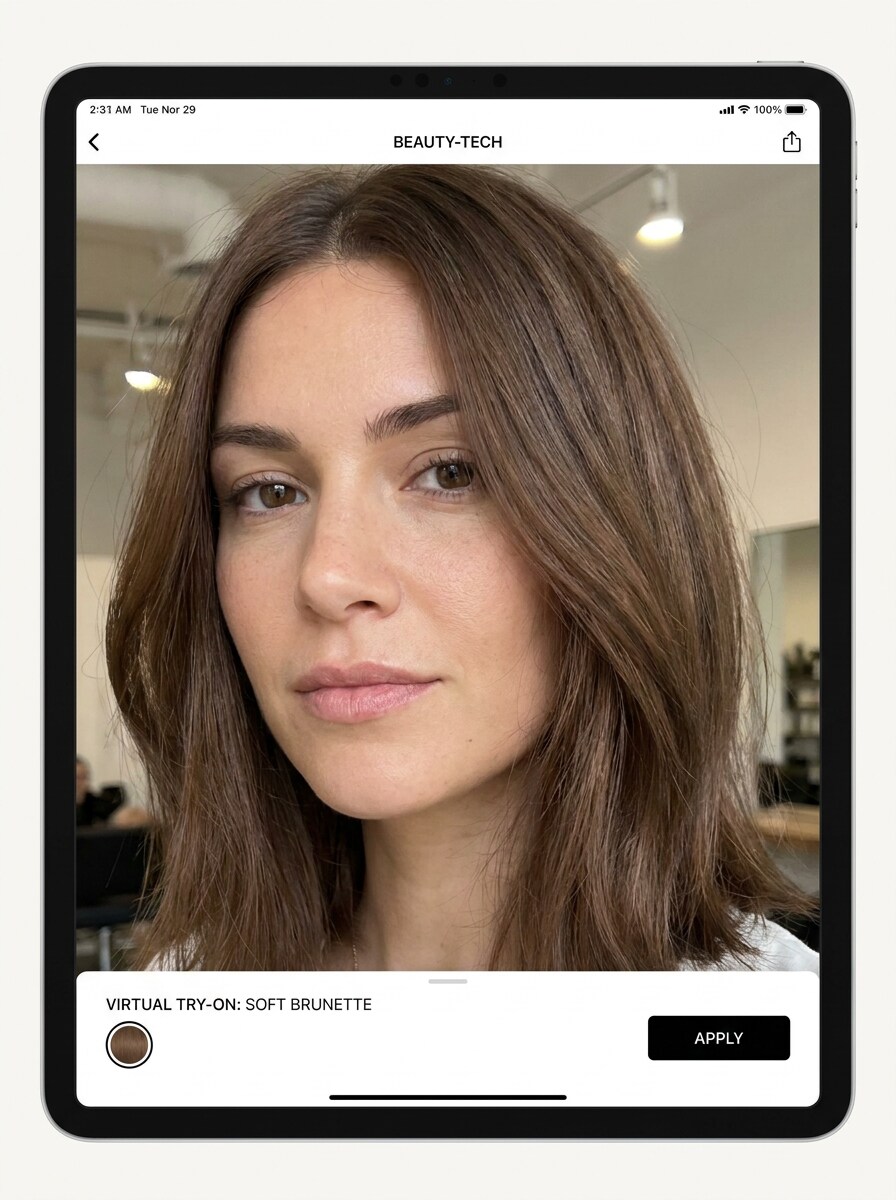
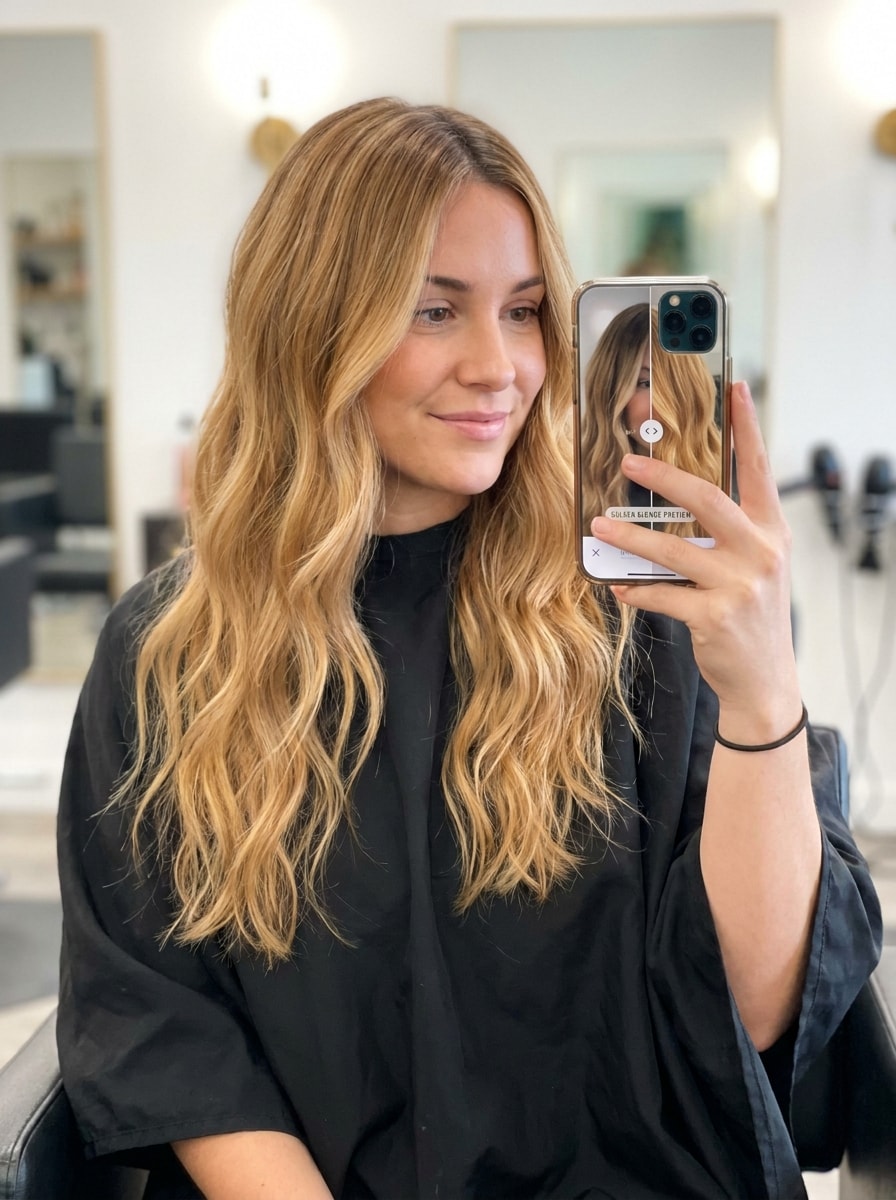
Seleccione / @ carácter, describa la escena que desea generar.
0/2000
9:16
1K
1
Modo Ilimitado Banana Pro
Creaciones
Centro de Ideas
Cómo funciona
Todo
Funciones populares
Ver todo
Desafío creativo de Halloween
Ver todo
Historia de Frutas con IA
Ver todo
Video de Historia de IA
Ver todo
Videos Virales Hoy
Ver todo
Videos de Productos de IA
Ver todo
Personaje de IA
Ver todo
Tendencias de Baile
Ver todo
GPT Image 2
Ver todo
Seedance 2.0
Ver todo
Emparejamiento de Celebridades con IA
Ver todo
Indicaciones de Poses para Parejas
Ver todo
Prompts de Poses de Chica AI Estética
Ver todo
Sugerencias de Pose Elegante para Chicos AI
Ver todo
Lista de generación
Tus creaciones solo se guardan durante 7 días. Los recursos creados después de actualizar a Membresía se almacenarán de forma permanente.
¡Desbloquea tu potencial creativo y experimenta la magia de Media AI ahora mismo!
Buscador de color de cabello para pruebas realistas en selfies y combinación de tonos
Usa este buscador de color de cabello para previsualizar tonos favorecedores en tu propia selfie antes de teñirte. Media.io te ayuda a responder qué color de cabello me queda bien, comparar tonos naturales y atrevidos, y obtener resultados rápidos y realistas desde un buscador de color de Cabello con IA basado en navegador, incluyendo un útil flujo de trabajo de buscador de color de cabello a partir de foto. También puede ayudar con el mejor color de cabello para mí.
Escribe tu idea -> La IA la diseña. Pruébalo gratis.
Revisa estas indicaciones de ejemplo y luego adapta los detalles del prompt para obtener mejores resultados con este buscador de color de cabello, ya sea que quieras un resultado simple de selector de color de cabello o prompts más detallados de análisis de color de cabello a partir de foto. También admite el buscador de nivel de color de cabello.
Combinación castaño Suave
Usa la imagen cargada como sujeto y Transformara el cabello actual en un tono castaño natural Suave que se adapte al rostro y al tono de piel. Mantén una textura de mechones realista, una dimensión sutil de la raíz a las puntas, un brillo Suave, bordes limpios alrededor de la línea del cabello, luz natural equilibrada y una vista previa de Belleza con acabado de salón pulido.
Vista previa rubio dorado
Usa la imagen cargada como sujeto y cambia el color del cabello a un tono rubio dorado favorecedor. Conserva el volumen natural, reflejos realistas, difuminado Suave en la raíz, brillo luminoso, armonía con el tono de piel y detalles faciales fieles. Mantén el resultado creíble, pulido y luminoso como una vista previa de consulta de salón Premium.
Brillo cobrizo
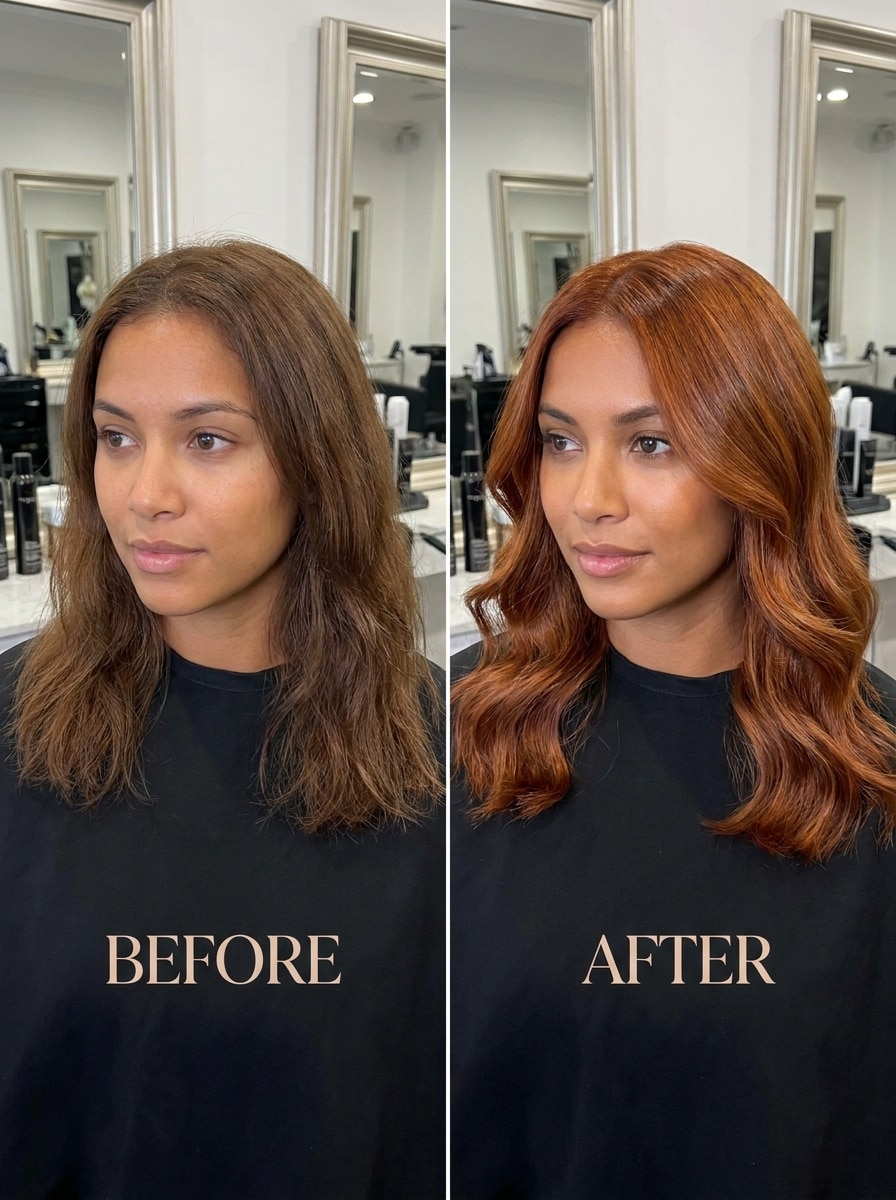
Usa la imagen cargada como sujeto y Transformara el peinado en un tono cobrizo intenso con una calidez luminosa. Mantén sombras realistas, textura brillante, un enmascaramiento preciso alrededor de los mechones individuales y un contraste favorecedor con la piel. El resultado debe sentirse moderno, vibrante y lo suficientemente natural para una prueba de uso diario.
Rojo caoba
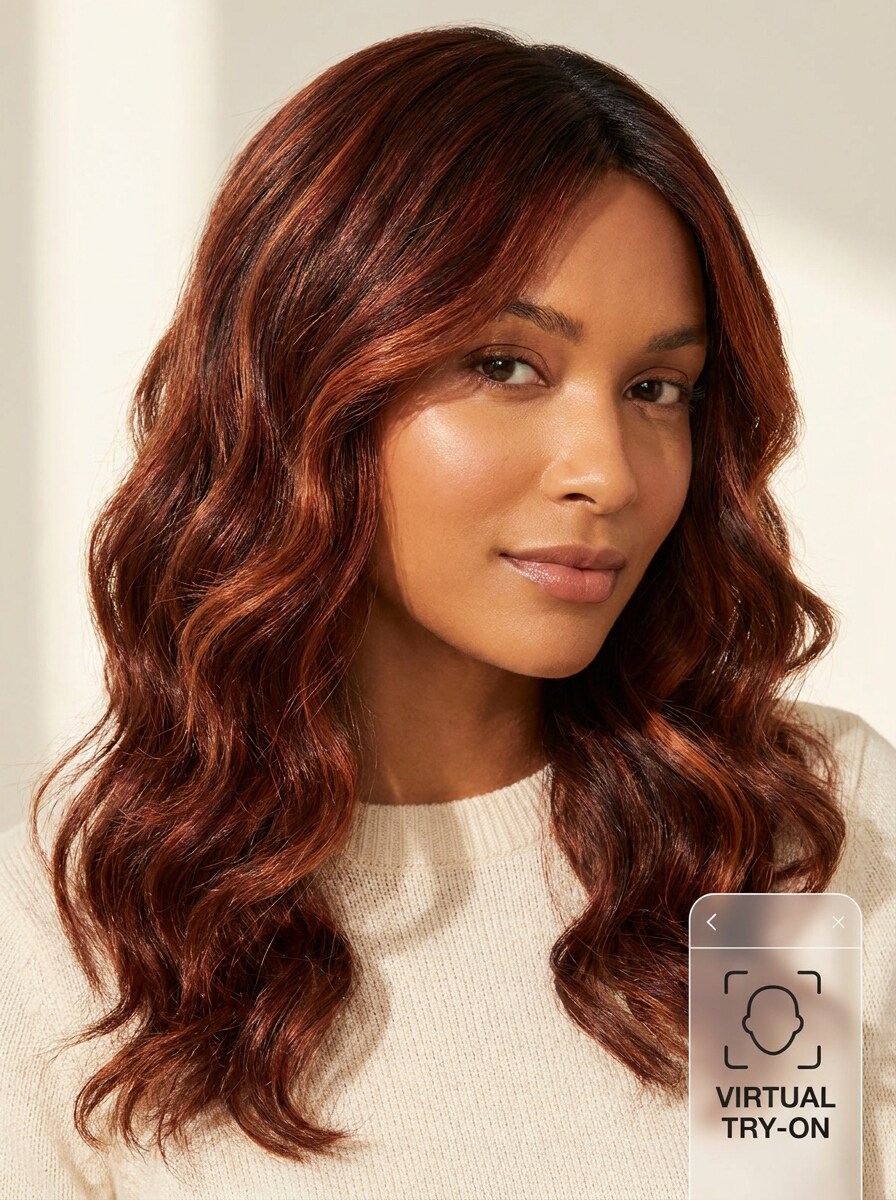
Usa la imagen cargada como sujeto y cambia el color del cabello a un rojo caoba con dimensión y profundidad marrón-rojiza Suave. Conserva el movimiento natural, Transiciones suaves cerca de las raíces, brillo sutil, iluminación realista y contornos limpios alrededor del rostro para que el cambio de look luzca elegante, usable y altamente creíble.
Castaño ceniza
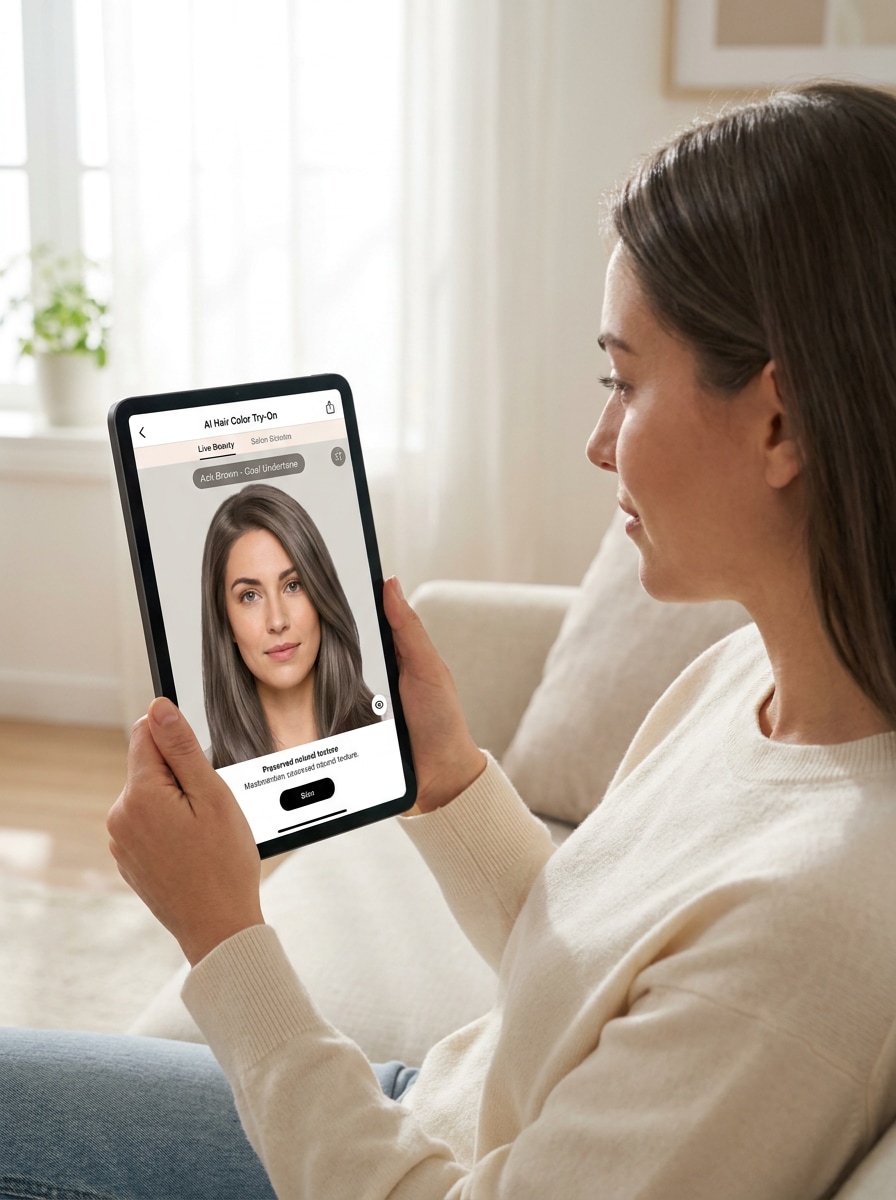
Usa la imagen cargada como sujeto y previsualiza un color de cabello castaño ceniza frío con subtonos apagados. Mantén un enmascarado preciso, iluminación interior Suave, separación realista de mechones, textura mate-satinada y tonos faciales equilibrados. La imagen final debe sentirse moderna, refinada y precisa para comparar opciones de tonos más fríos.
Rubio platino
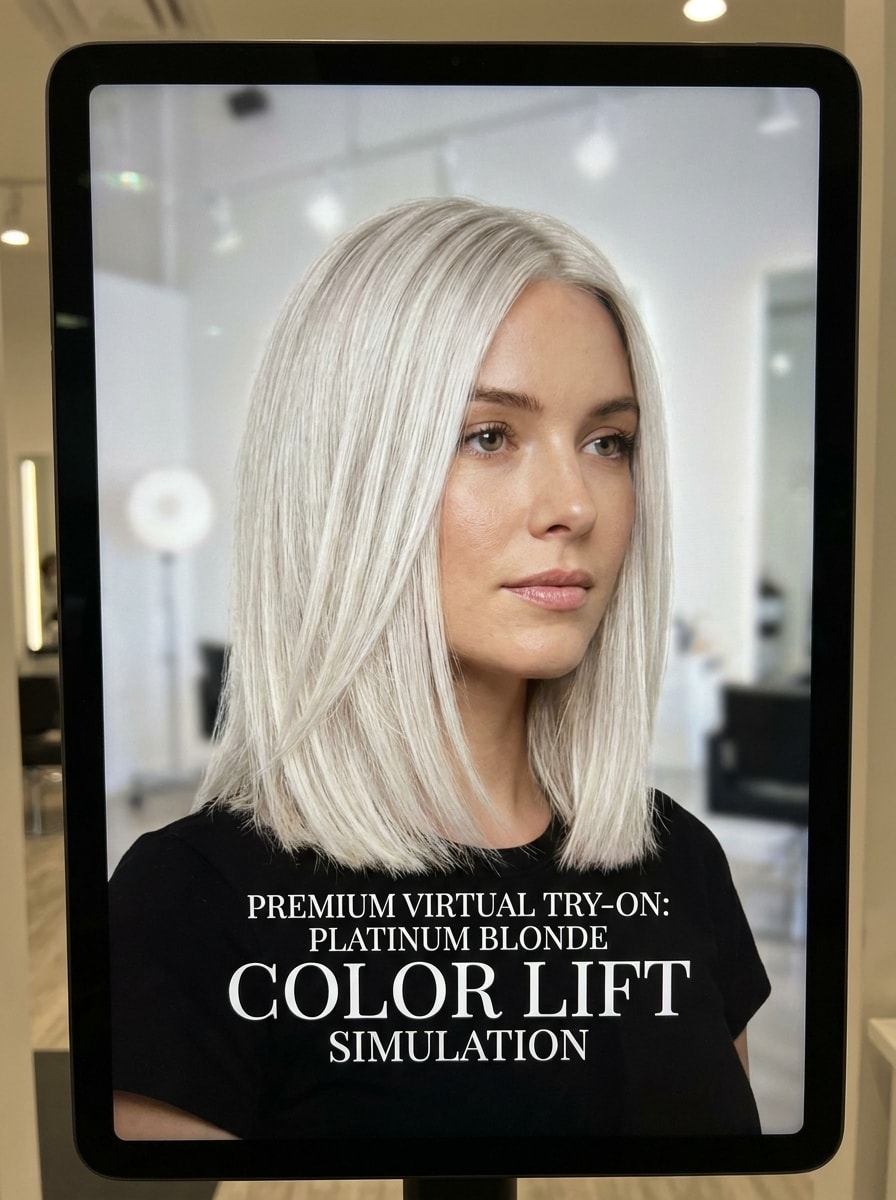
Usa la imagen cargada como sujeto y Transformara el cabello en un rubio platino brillante con un equilibrio de tonos fríos y limpios. Conserva los mechones visibles, un brillo realista, una definición Suave en la raíz y una respuesta precisa a la iluminación. La vista previa debe sentirse de alta gama y dramática, sin dejar de parecer un resultado de salón creíble.
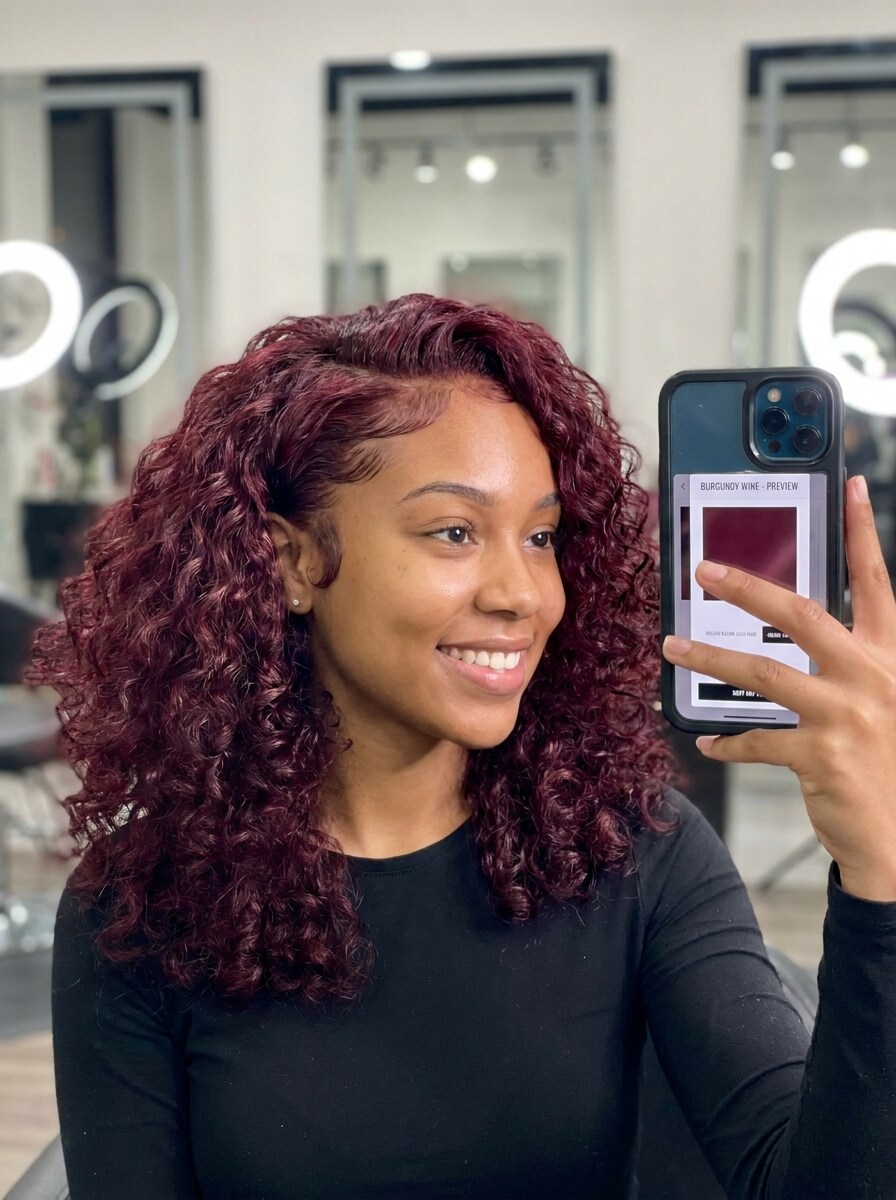
Vino borgoña
Usa la imagen cargada como sujeto y cambia el color del cabello a un tono borgoña vino profundo con brillo y profundidad. Mantén un contraste realista, bordes limpios, mechones definidos y un equilibrio favorecedor con la piel. La imagen debe lucir lista para redes sociales, rica y pulida sin perder la estructura natural del peinado original.
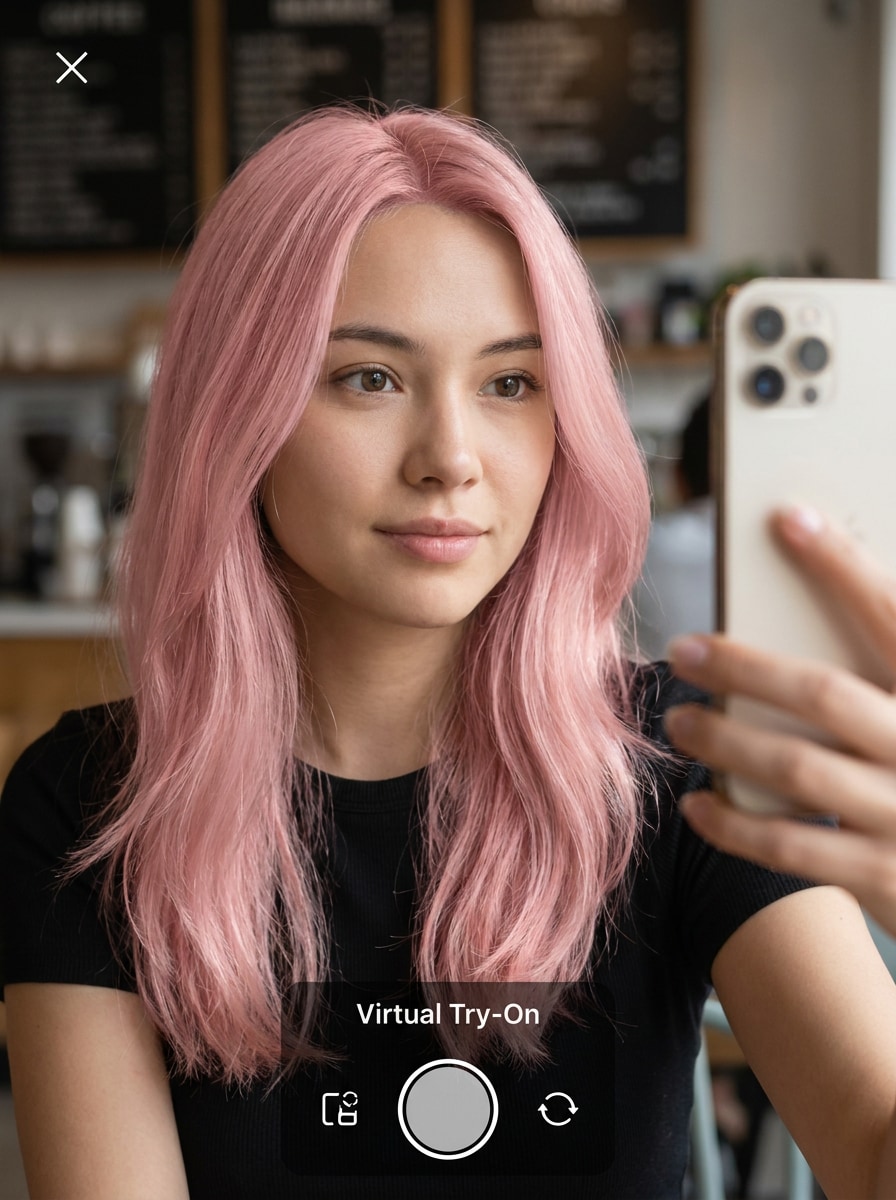
Rosa pastel
Usa la imagen cargada como sujeto y previsualiza un color de moda rosa pastel Suave con luminosidad etérea. Conserva el realismo facial, la textura fina de los mechones, una saturación uniforme y sombras naturales. El cambio de look debe sentirse divertido y moderno, mostrando una colocación de color creíble desde las raíces hasta las puntas.
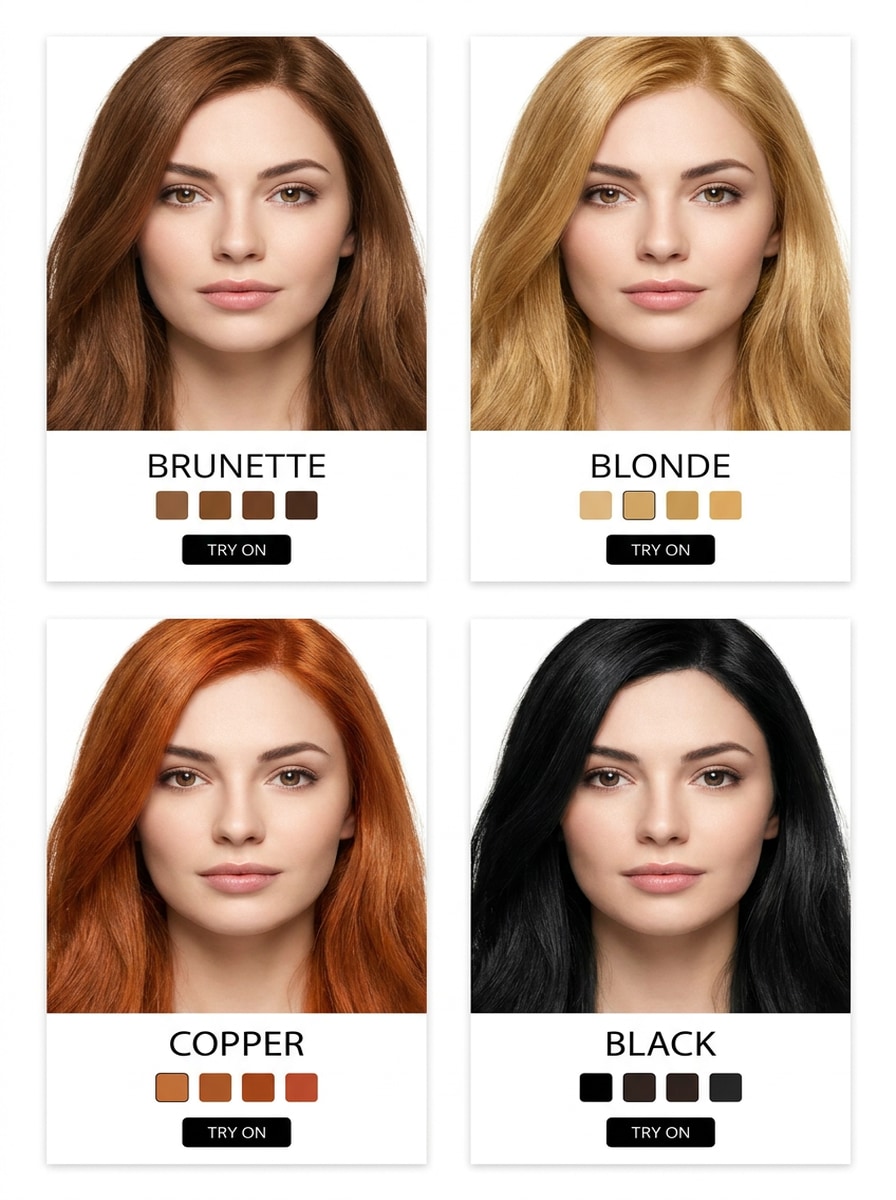
Vista previa de cuadrícula con 4 tonos
Usa la imagen cargada como sujeto y crea una comparación de cuatro paneles mostrando opciones de cabello castaño, rubio, cobrizo y negro lado a lado. Mantén el mismo rostro, peinado, iluminación y encuadre en todos los paneles, con recoloración realista, enmascarado preciso y un Diseño limpio de herramienta de Belleza para una fácil comparación de tonos.
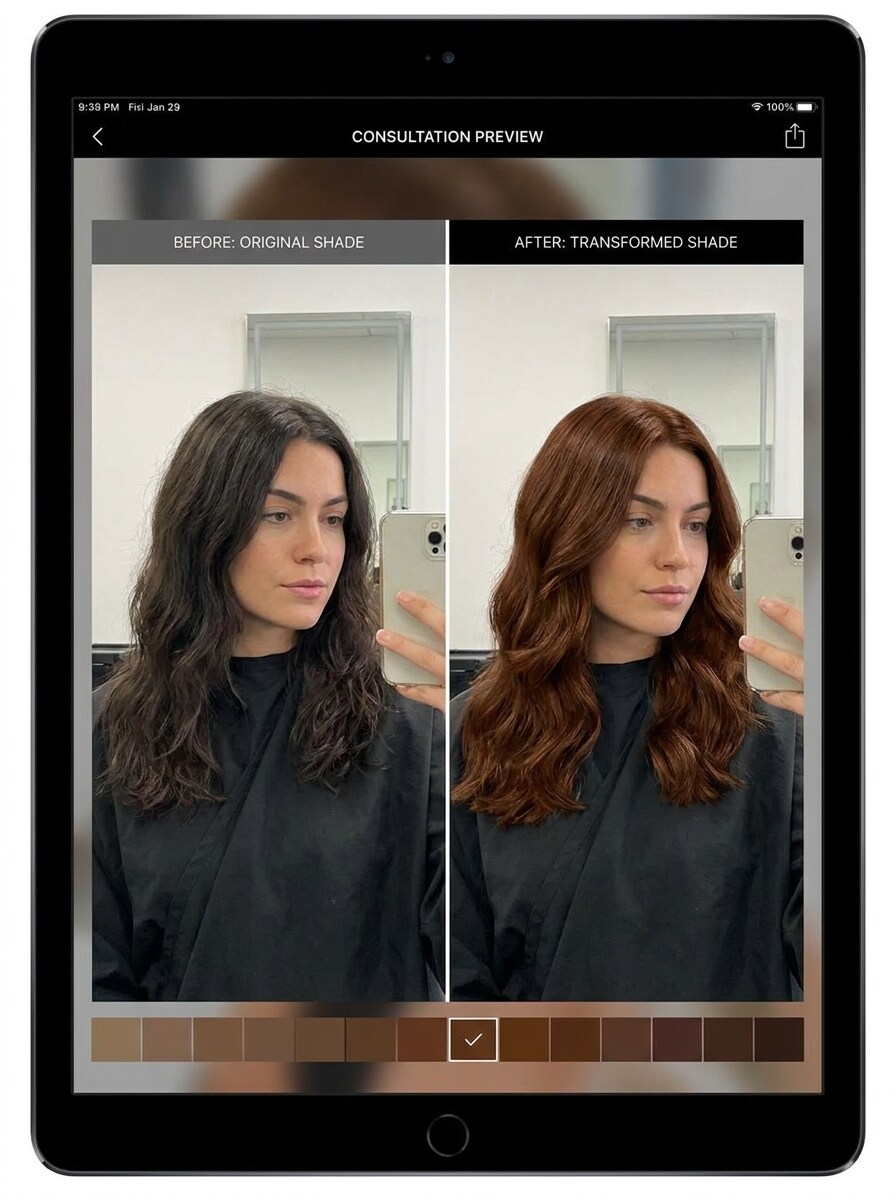
Estilo de deslizador antes y después
Usa la imagen cargada como sujeto y genera una vista previa dividida de antes y después comparando el color de cabello original con un nuevo tono favorecedor. Mantén la misma pose, iluminación y detalle facial en ambos lados, con recoloración realista, bordes precisos y un Diseño de comparación limpio que facilite evaluar la transformación.
Por qué usar Media.io para pruebas de color de cabello
Personaliza los resultados con un sujeto de referencia
Si te preguntas qué cabello me queda bien, Media.io te permite subir una selfie real y probar ideas de color en tu corte, largo y forma de rostro reales. Esta configuración funciona bien para saber cómo saber si el color de cabello te queda bien.
Explora diferentes looks sin perder el rumbo
Cuando la dirección artística aún está abierta, Media.io te permite probar múltiples looks en torno a la misma idea visual del buscador de color de cabello, facilitando encontrar el estilo adecuado sin empezar desde cero.
Genera resultados más nítidos hasta en 4K
Si la imagen final del buscador de color de cabello se reutilizará más allá de una vista previa pequeña, Media.io ayuda a entregar resultados más nítidos hasta en 4K para que la imagen sea más confiable en trabajos prácticos de diseño y Presentación.
Mantén el flujo de trabajo en movimiento entre dispositivos
La planificación de color a menudo se mueve entre dispositivos, y Media.io mantiene el flujo de trabajo en tu navegador para que puedas empezar en un Teléfono y terminar en un escritorio sin software adicional.
Cómo usar el buscador de color de cabello
Convierte tus palabras en imágenes impresionantes en tres simples pasos y luego sigue refinando el resultado si deseas llevarlo más lejos.
Paso 1
Sube tu imagen de referencia
Comienza con una selfie o retrato claro en formato JPG, PNG o JPEG. Elige una foto con cabello visible, iluminación natural y obstrucciones mínimas para que la herramienta pueda ofrecer un resultado más preciso de buscador de color de cabello a partir de foto.
Paso 2
Describe el cambio y configura las opciones
Ingresa el tono que deseas probar, como castaño ceniza, cobrizo, rubio dorado o borgoña, luego elige tu modelo preferido y ajusta la Relación de aspecto, calidad o número de resultados. Esto ayuda si te preguntas cómo sé qué color de cabello me quedará bien o quieres una comparación rápida estilo buscador de nivel de color de cabello.
Paso 3
Genera, descarga y sigue mejorando
Crea la vista previa, compara los resultados y descarga la versión que más te guste. Luego puedes refinar el prompt, probar más tonos o generar varias variaciones para entender mejor cómo saber si el color de cabello te queda bien antes de comprometerte.
Descubre el potencial de qué cabello me queda bien
Descubre cómo los creadores usan este buscador de color de cabello para contenido, marketing y proyectos personales, y luego adapta cada idea a tu necesidad.
Prueba ideas de salón antes de tu cita
Llega con más confianza a tu próxima consulta de color previsualizando tonos con anticipación en tu propia foto. Media.io te ofrece una forma práctica de responder qué color de cabello me queda bien, reducir la inspiración y llegar con imágenes que combinen con tu tono de piel y tus objetivos de estilo.
Compara tonos sutiles y atrevidos lado a lado
Si estás indeciso entre la dimensión castaña natural, la calidez cobriza, la luminosidad rubia o los tonos de moda, genera múltiples looks a partir de una selfie. Esto facilita encontrar mi mejor color de cabello y responder preguntas como cómo sé qué color de cabello me quedará bien antes de elegir una mejora Suave o una transformación dramática.
Crea imágenes de prueba compartibles para recibir opiniones
Convierte un retrato en imágenes pulidas de antes y después o comparaciones de múltiples tonos que puedas enviar a amigos o publicar de forma privada para recibir opiniones. Media.io es especialmente útil para cualquiera que busque cómo saber qué color de cabello te queda, que quiera un analizador de color de cabello rápido o que compare resultados mediante análisis de color de cabello a partir de foto antes de teñirse.
Lo que dicen los usuarios sobre este buscador de color de cabello
Maya R.
Creadora de contenido de Belleza
"Realista y fácil de comparar" Quería una forma rápida de ver cobrizo, rubio y castaño en la misma selfie. Los resultados se veían mucho más realistas que simples Filtros, y las comparaciones lado a lado hicieron que elegir fuera mucho más fácil.
Danielle P.
Cliente de salón
"Útil antes de una cita real para teñirse" Lo usé antes de reservar mi sesión de color porque no dejaba de preguntarme qué color de cabello me queda bien. Ver los tonos en mi propio rostro me ayudó a descartar algunas opciones de inmediato.
Jordan T.
Gestor de redes sociales
"Buena herramienta de navegador, sin complicaciones de app" Poder subir una foto, probar varios looks y descargar la mejor versión en un solo flujo de trabajo en el navegador me ahorró tiempo. Fue sencillo incluso en el móvil.
Elena S.
Experimentadora frecuente de color de cabello
"Genial para vistas previas en cabello oscuro" Tengo el cabello naturalmente oscuro, así que me preocupaba que los tonos más claros se vieran falsos. Las vistas previas conservaron la textura de mi cabello y me dieron una idea creíble de cómo podría verse el color.
Explora los efectos de video e imagen con IA más populares
Preguntas frecuentes sobre el buscador de color de cabello
1. ¿Cómo funciona un buscador de color de cabello con IA?
Un buscador de color de cabello con IA utiliza tu foto cargada como imagen de referencia y luego aplica un nuevo tono mientras preserva tu peinado, los detalles faciales y la iluminación general. En Media.io, puedes cargar una selfie, describir el color que deseas, elegir un modelo y generar variaciones realistas de prueba para explorar diferentes looks.
2. ¿Puedo probar colores de cabello en mi propia foto?
Sí. Media.io admite la Edición de Imagen a imagen, por lo que puedes cargar tu propia selfie en formato JPG, PNG o JPEG y probar diferentes tonos directamente en tu foto. Esto convierte a Media.io en una opción práctica de buscador de color de cabello a partir de una foto si deseas una experiencia personalizada de IA recomendadora de color de cabello en lugar de depender de imágenes de modelos o cuestionarios específicos de marcas.
3. ¿Este buscador de color de cabello es gratuito?
Sí, los usuarios gratuitos pueden comenzar con los créditos disponibles y probar Media.io antes de actualizar su plan. Si necesitas más uso o descargas en alta resolución sin marca de agua, puedes consultar los planes en la página de precios.
4. ¿Qué color de cabello le queda mejor a mi tono de piel?
La elección más favorecedora generalmente depende de tu subtono, nivel de contraste y qué tan claro u oscuro deseas que se vea el resultado final. Media.io te ayuda permitiéndote previsualizar tonos cálidos, fríos, naturales y atrevidos en tu propia selfie, lo cual suele ser una respuesta más práctica a qué color de cabello me queda bien que adivinar solo con un cuestionario de texto.
5. ¿La vista previa virtual de color de cabello se verá realista en cabello oscuro?
Puede verse realista cuando comienzas con una selfie clara y usas un prompt detallado, especialmente para tonos como cobrizo, caoba, burdeos, castaño ceniza o rubios más oscuros. Media.io está diseñado para preservar la textura del cabello y la iluminación en la vista previa, lo que ayuda a que la transformación se vea más natural en bases oscuras.
6. ¿Puedo comparar múltiples tonos de cabello lado a lado?
Media.io admite la generación por lotes y puede crear múltiples variaciones a partir de la misma foto, para que puedas comparar opciones más fácilmente. Esto lo hace útil si te preguntas cómo saber si un color de cabello te queda bien o cómo saber qué color de cabello te favorece antes de tomar una decisión final.
Más allá del buscador de color de cabello en línea con IA