Tus creaciones solo se guardan durante 7 días. Los recursos creados después de actualizar a Membresía se almacenarán de forma permanente.
¡Desbloquea tu potencial creativo y experimenta la magia de Media AI ahora mismo!
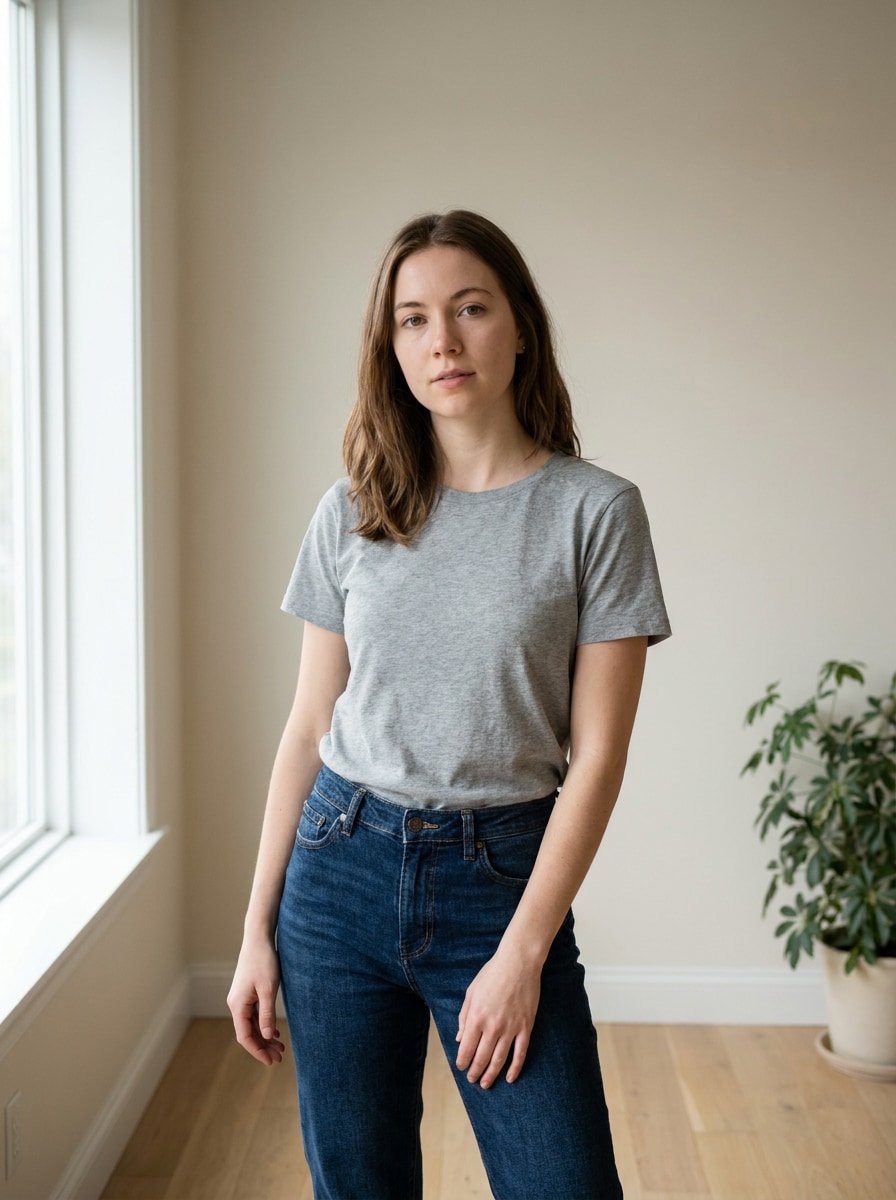
Planificador de Atuendos con IA para Ideas Realistas de Estilo desde tu Foto
Crea vistas previas realistas de atuendos a partir de una sola imagen subida con Planificador de atuendos con IA herramientas diseñadas para tomar decisiones rápidas de estilo. Usa Media.io como un Estilista AI desde la foto para probar estéticas, looks para diferentes ocasiones e ideas de guardarropa pulidas antes de comprar, empacar o publicar.
Escribe tu idea -> La IA la diseña. Gratis para probar.
Revisa estas indicaciones de ejemplo y luego adapta los detalles del prompt para obtener mejores resultados con este planificador de atuendos desde foto en Media.io.
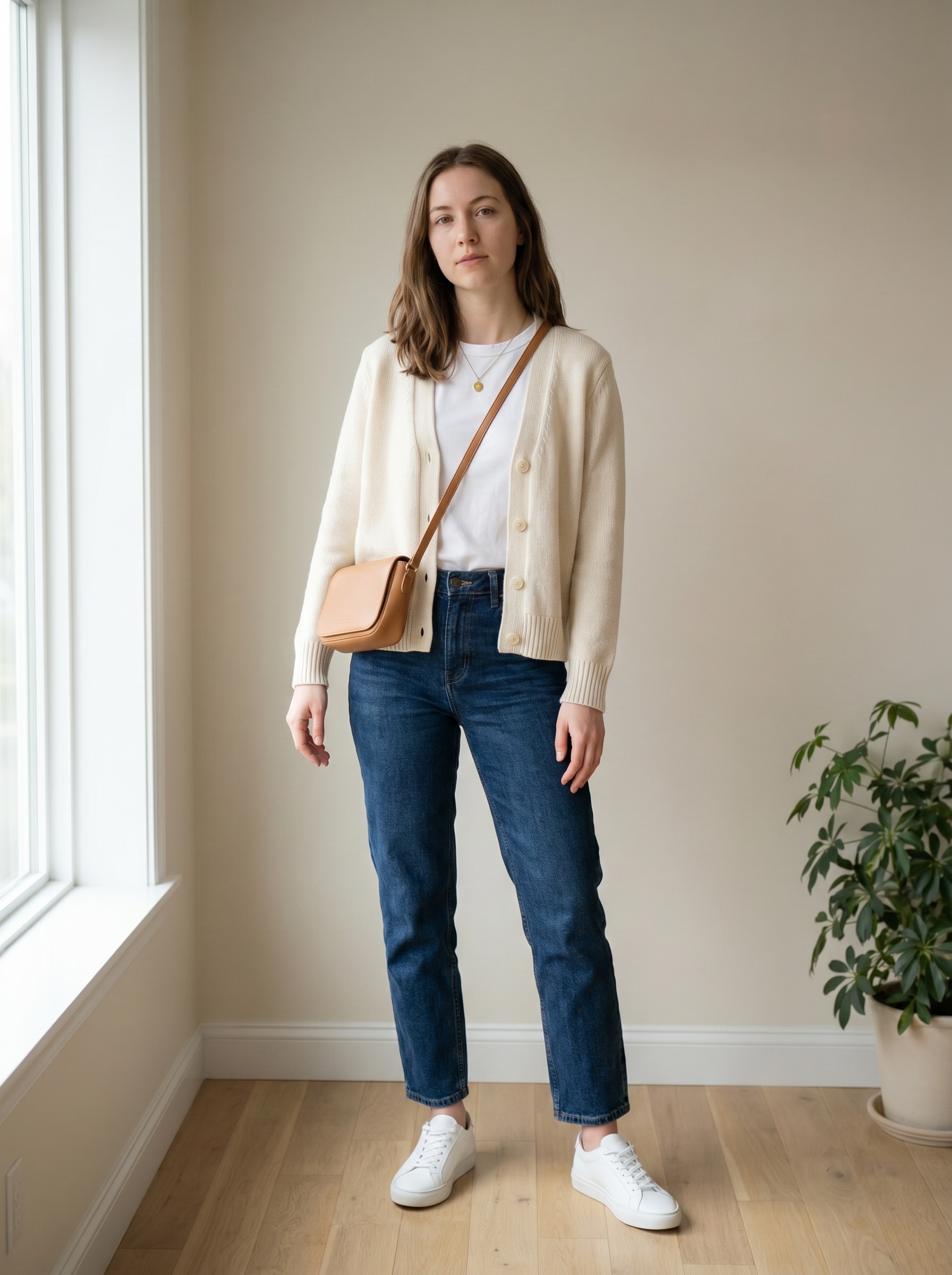
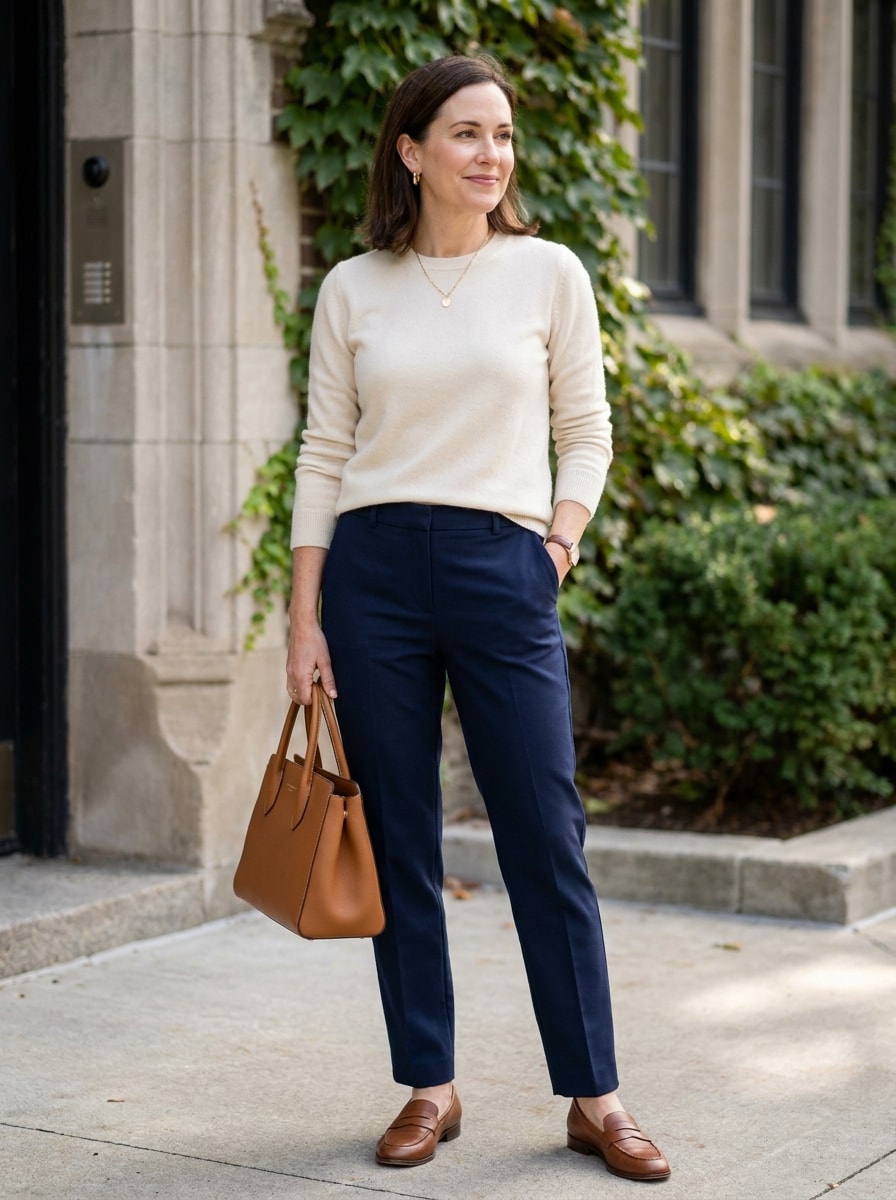
Guarda Ropa Cápsula Casual
Usa la imagen subida como el sujeto y transforma el atuendo en un look realista de guardarropa cápsula casual. Mantén la identidad y proporciones corporales reconocibles, agrega básicos neutros en capas, pantalones rectos, zapatillas limpias, texturas de punto suaves, luz natural, accesorios mínimos, una composición de cuerpo completo ordenada y una vibra cotidiana y sin esfuerzo.
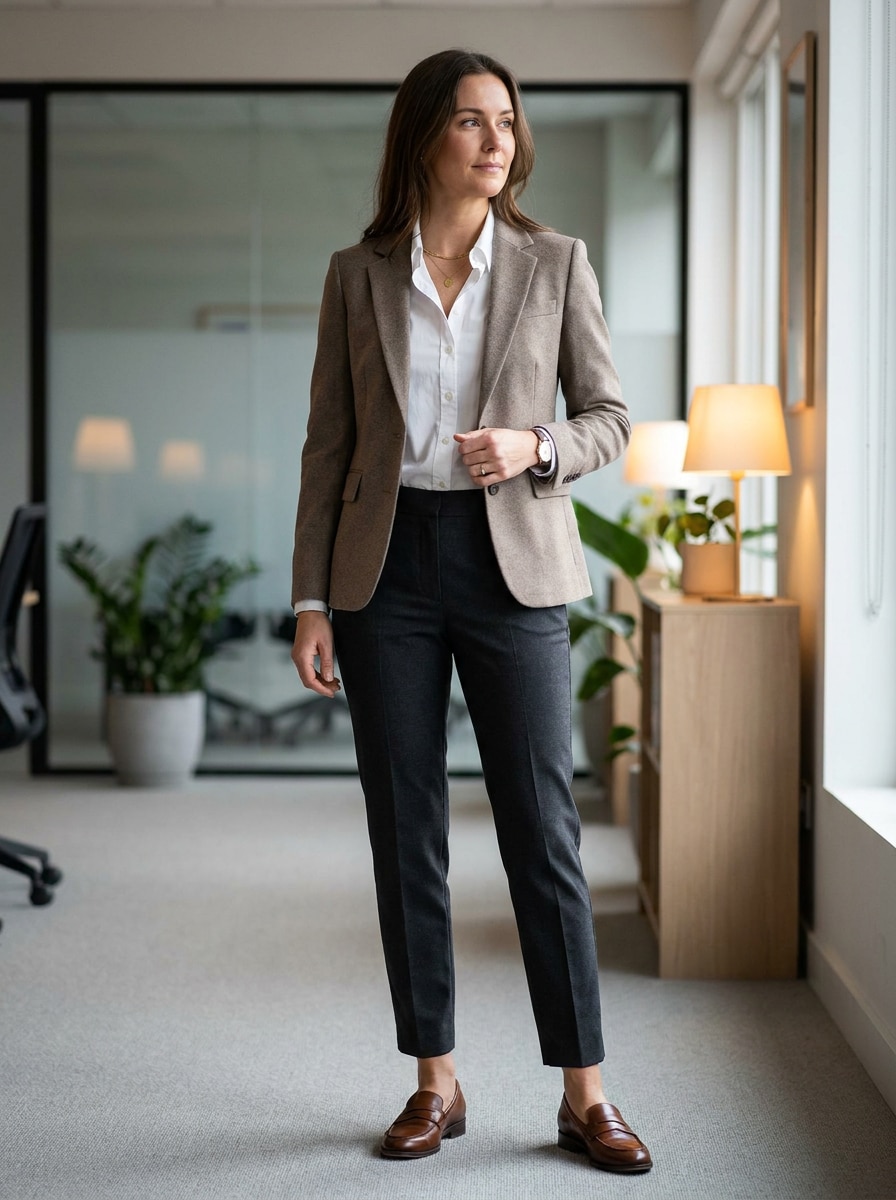
Oficina Smart Casual
Usa la foto subida como sujeto y transfórmala en un atuendo de oficina casual elegante. Conserva la identidad facial y la pose mientras agregas un blazer entallado, pantalones de vestir, mocasines limpios, joyería mínima, textura de tela lisa, silueta estructurada favorecedora, iluminación brillante de interior y un acabado profesional y pulido de foto de moda.
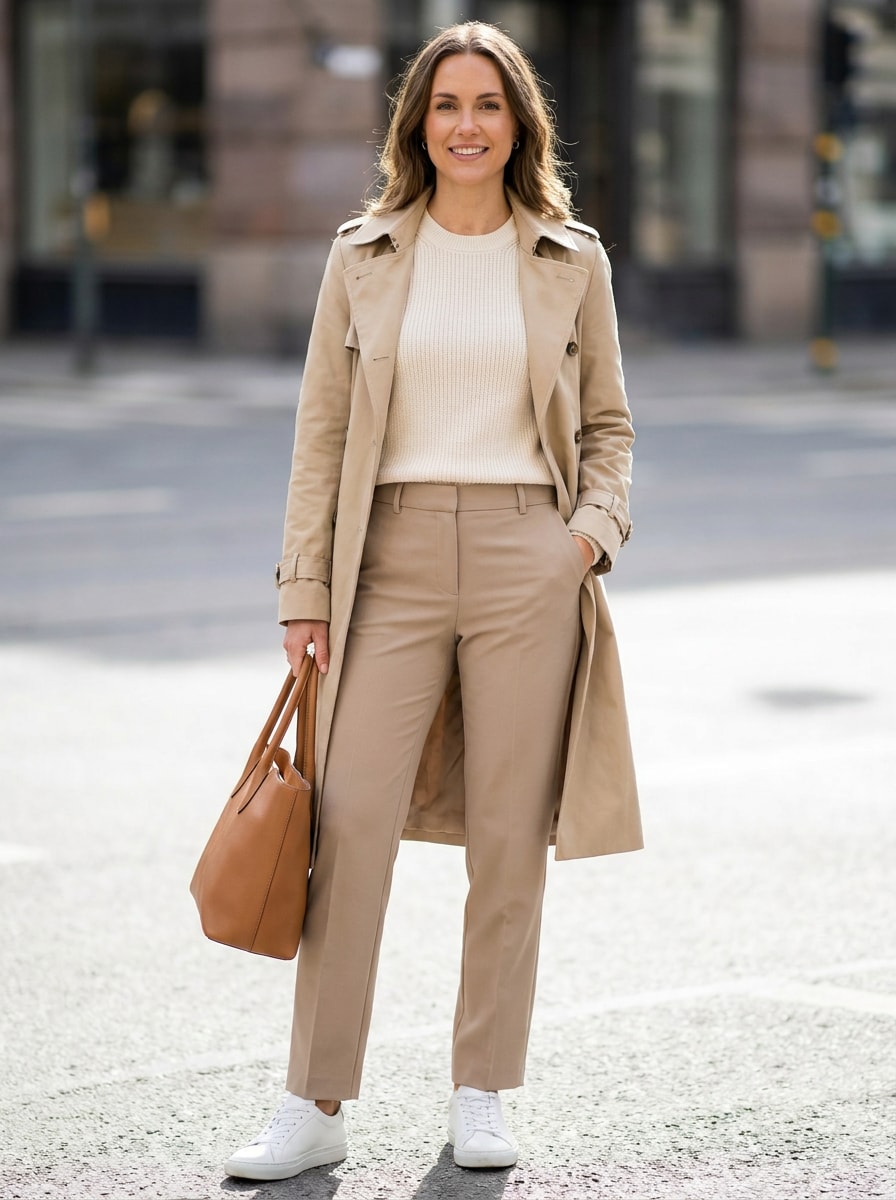
Old Money
Usa la imagen subida como base y transforma el look en una estética de "old money". Mantén a la persona reconocible y crea prendas elegantes de punto, pantalón de vestir o falda, mocasines, accesorios discretos, texturas lujosas suaves, tonos crema y azul marino apagados, postura refinada e iluminación editorial sofisticada.
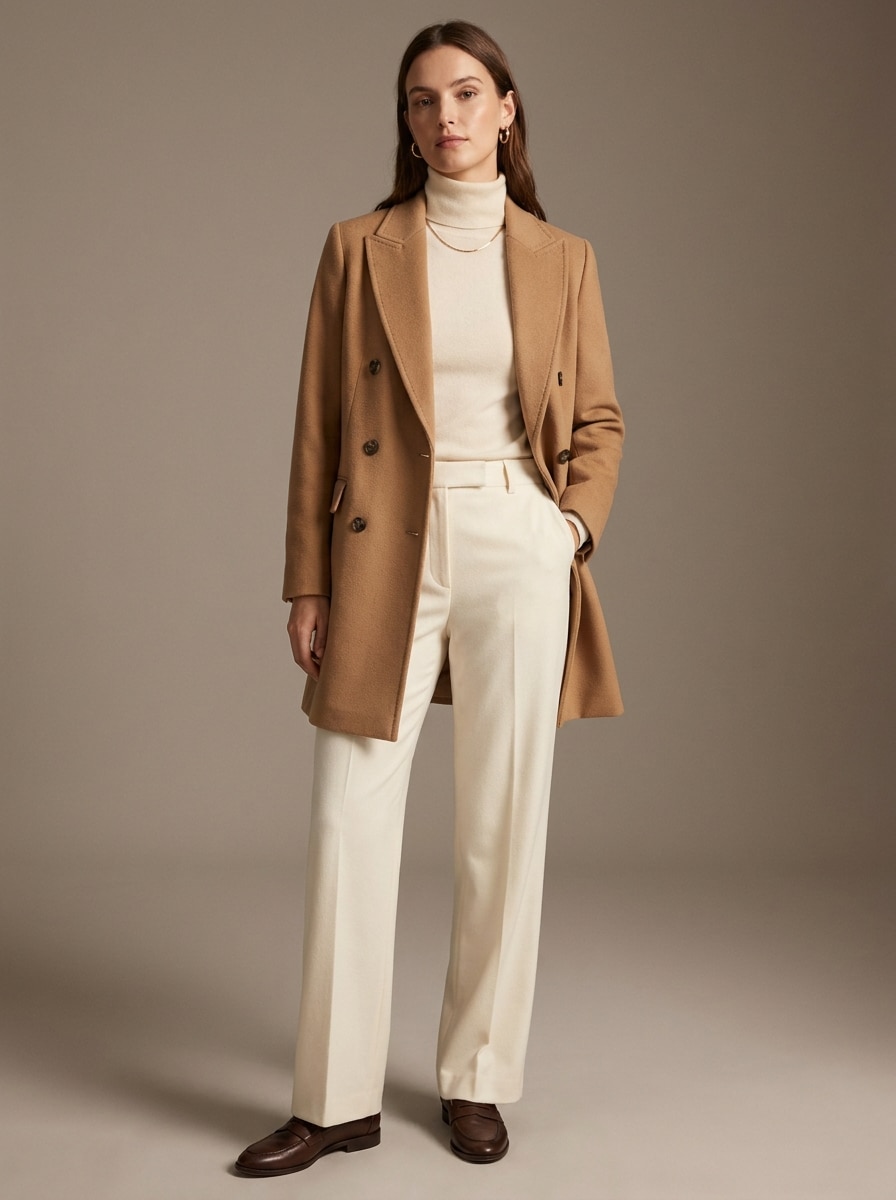
Lujo Silencioso
Usa el retrato subido como sujeto y convierte la ropa actual en un atuendo de lujo silencioso. Mantén la identidad de la persona mientras agregas capas premium minimalistas, neutros monocromáticos, ajuste preciso, accesorios discretos, líneas limpias, iluminación de estudio suave, texturas realistas de cachemira y lana, y un aire moderno y elevado.
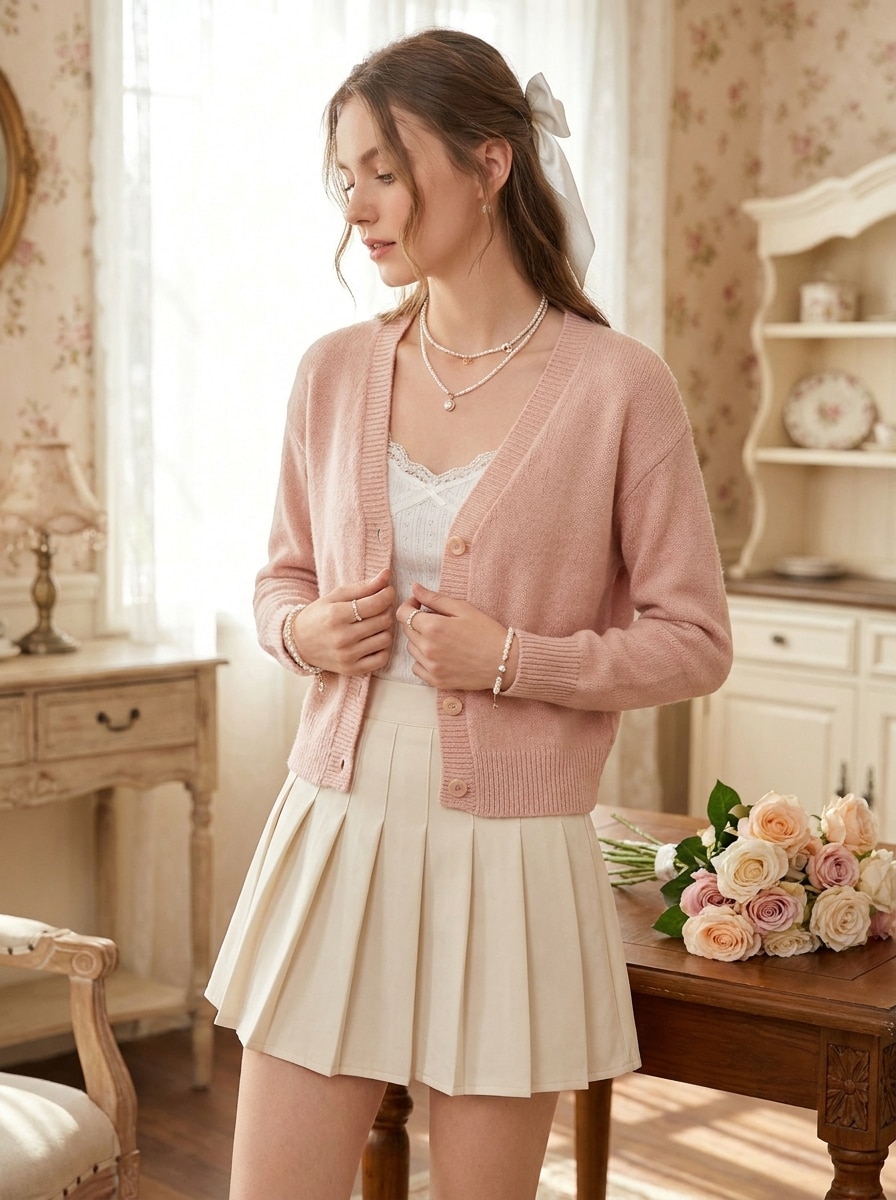
Coquette
Usa el selfie o retrato subido como sujeto y transforma el atuendo en un look inspirado en coquette. Mantén la identidad consistente mientras agregas ropa pastel suave, detalles de cintas, texturas delicadas, silueta femenina, toques de perlas, iluminación etérea, armonía romántica de colores y un resultado realista y ponible.
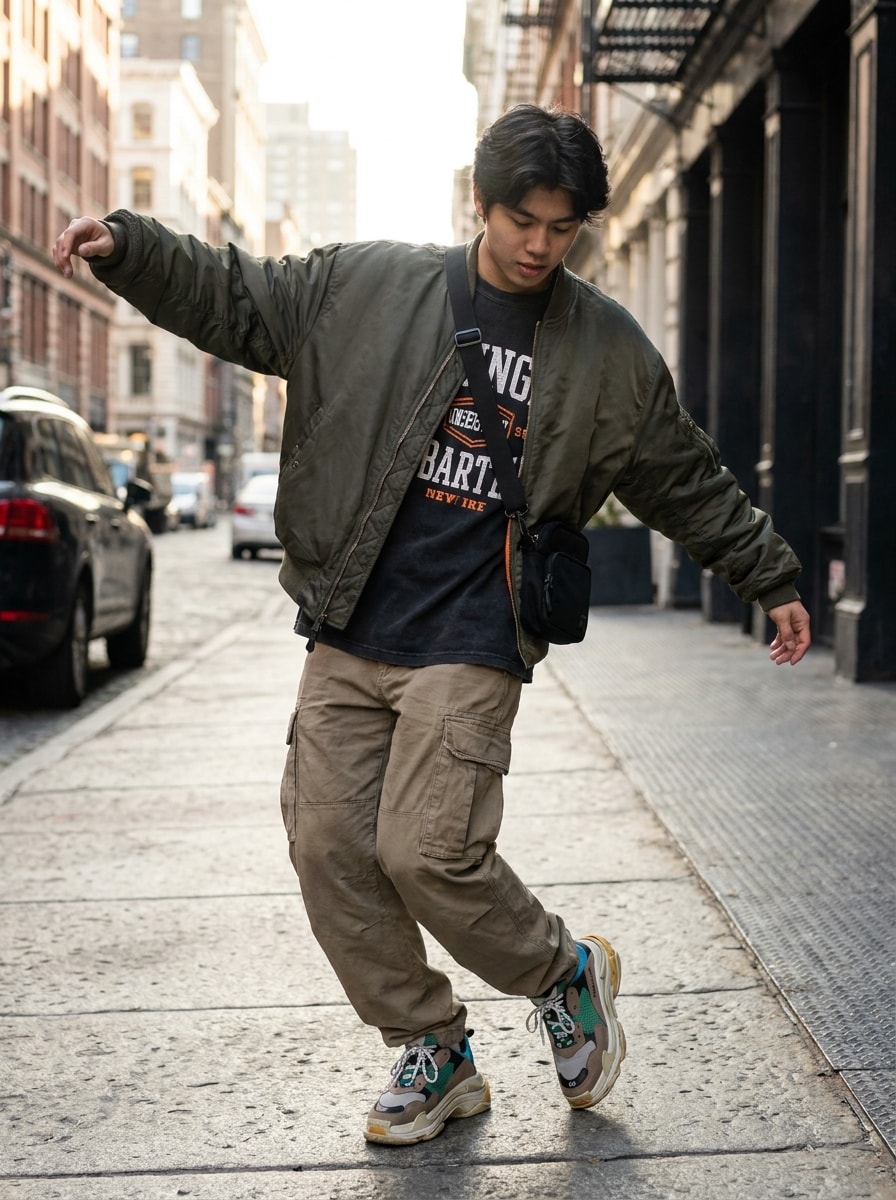
Streetwear
Usa la imagen subida como sujeto y conviértela en un streetwear audaz. Preserva identidad y forma corporal mientras agregas capas oversize, zapatillas llamativas, detalles gráficos, accesorios utilitarios, tejidos con textura, actitud urbana segura, contraste equilibrado, iluminación realista y una composición dinámica de moda de cuerpo completo.
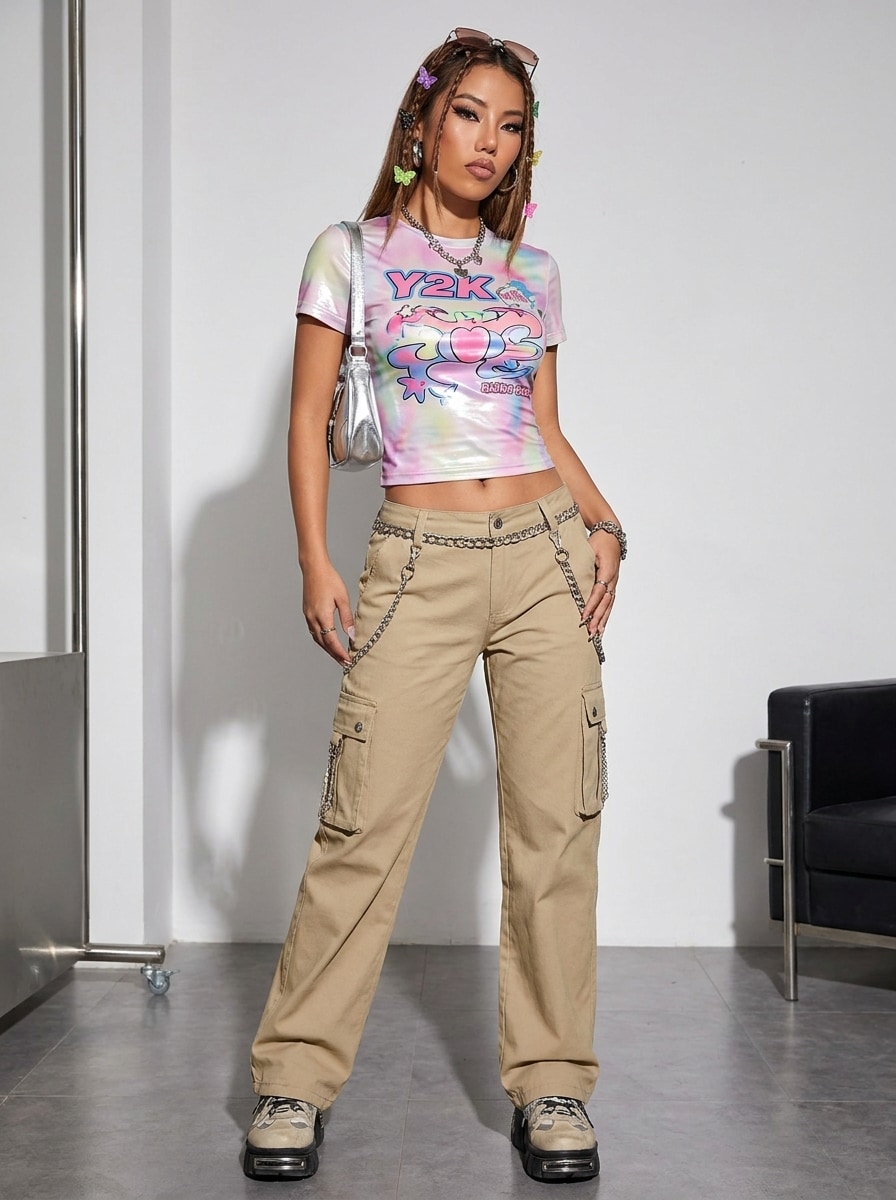
Y2K
Usa la imagen subida como sujeto y haz que el atuendo tenga una vibra inspirada en los 2000. Conserva el rostro y proporciones reconocibles mientras agregas estilo lúdico de principios de siglo, top ajustado, prendas inferiores de tiro bajo, detalles metálicos, accesorios tintados, paleta vibrante pero controlada, texturas brillantes y calidad realista de foto de moda.
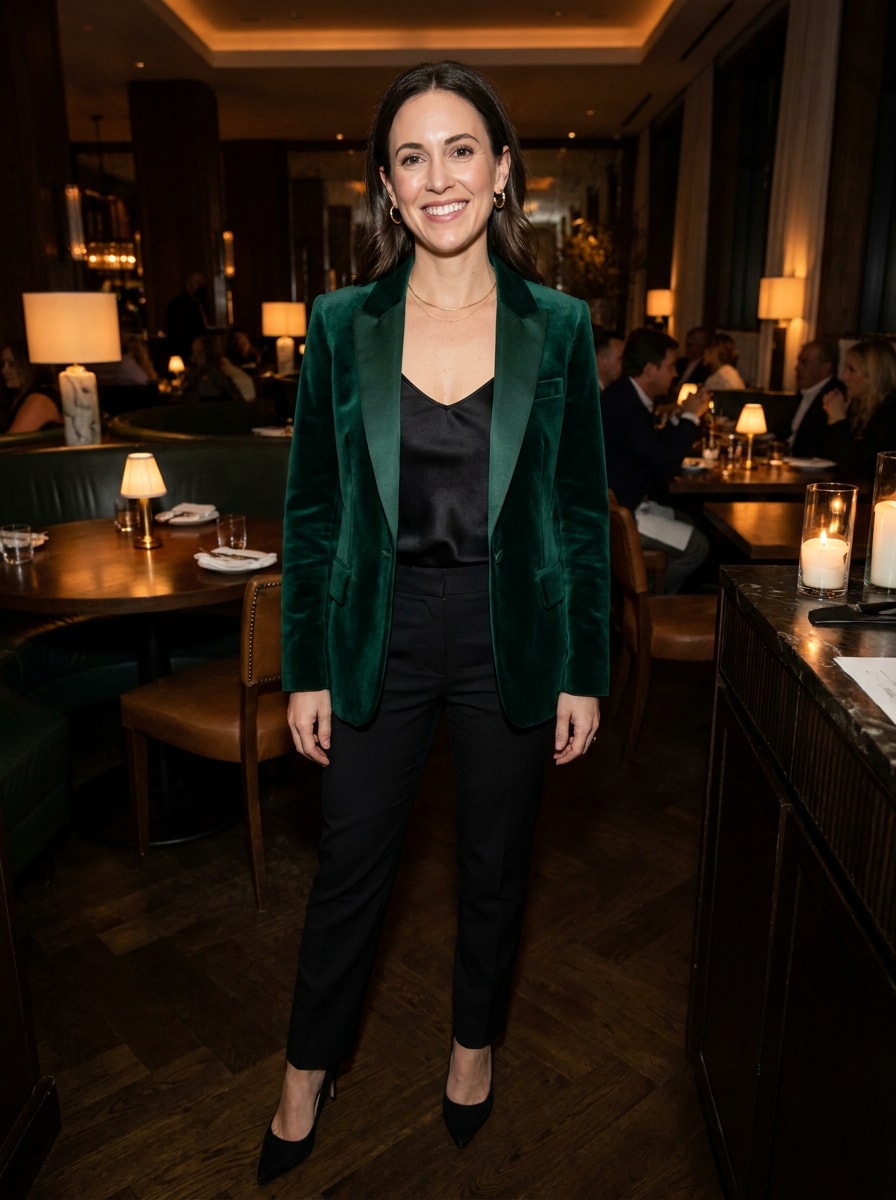
Cita Nocturna
Usa la foto subida como sujeto y planea un atuendo favorecedor para una cita nocturna. Conserva la identidad mientras mejoras la ropa con una silueta estilizada, accesorios sutiles, zapatos coordinados, texturas refinadas, iluminación cálida de noche, estilismo pulido y un look realista que se sienta seguro y ponible.
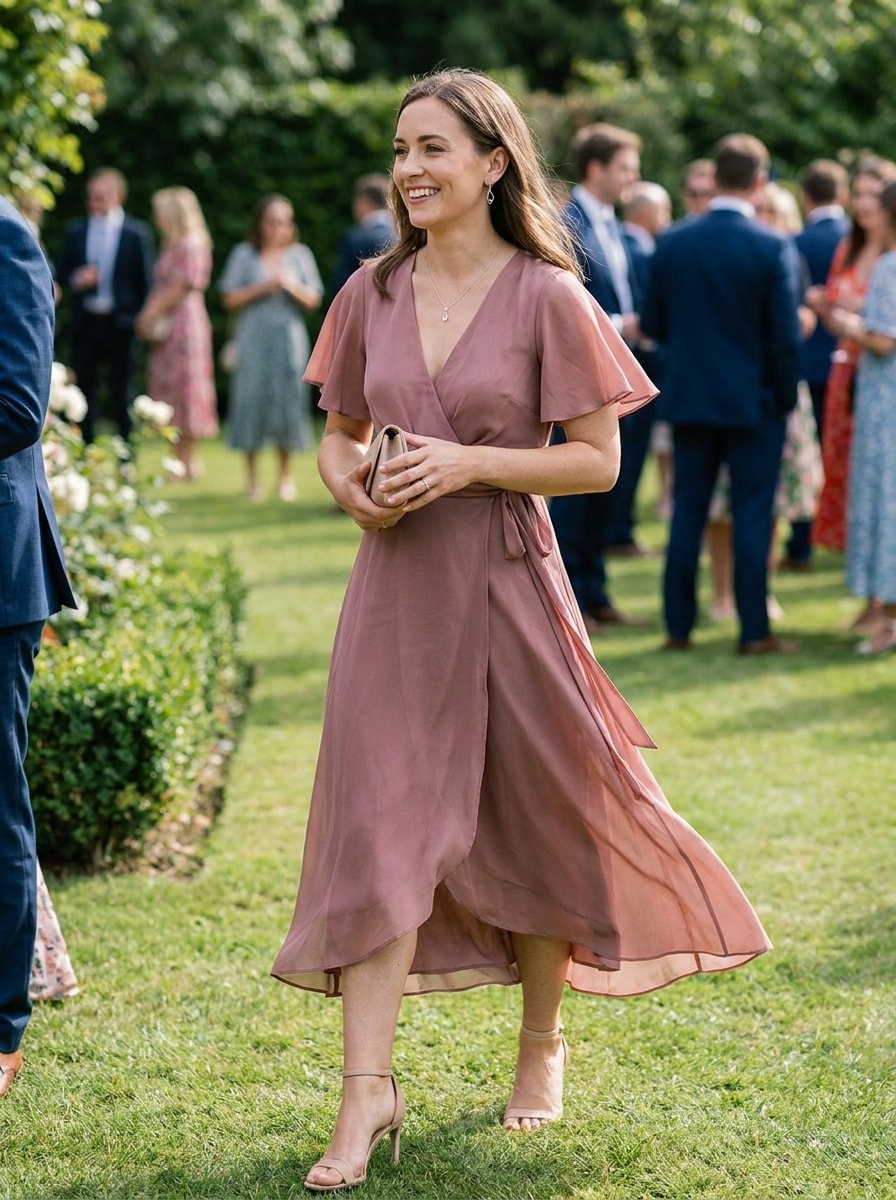
Invitado de Boda
Usa la imagen subida como sujeto y transforma el atuendo en un elegante look de invitada/o a boda. Conserva la identidad de la persona y sus proporciones naturales mientras agregas estilismo apropiado para la ocasión, telas elegantes, paleta de color refinada, accesorios de buen gusto, movimiento suave, postura cuidada y detalles de moda realistas listos para el evento.
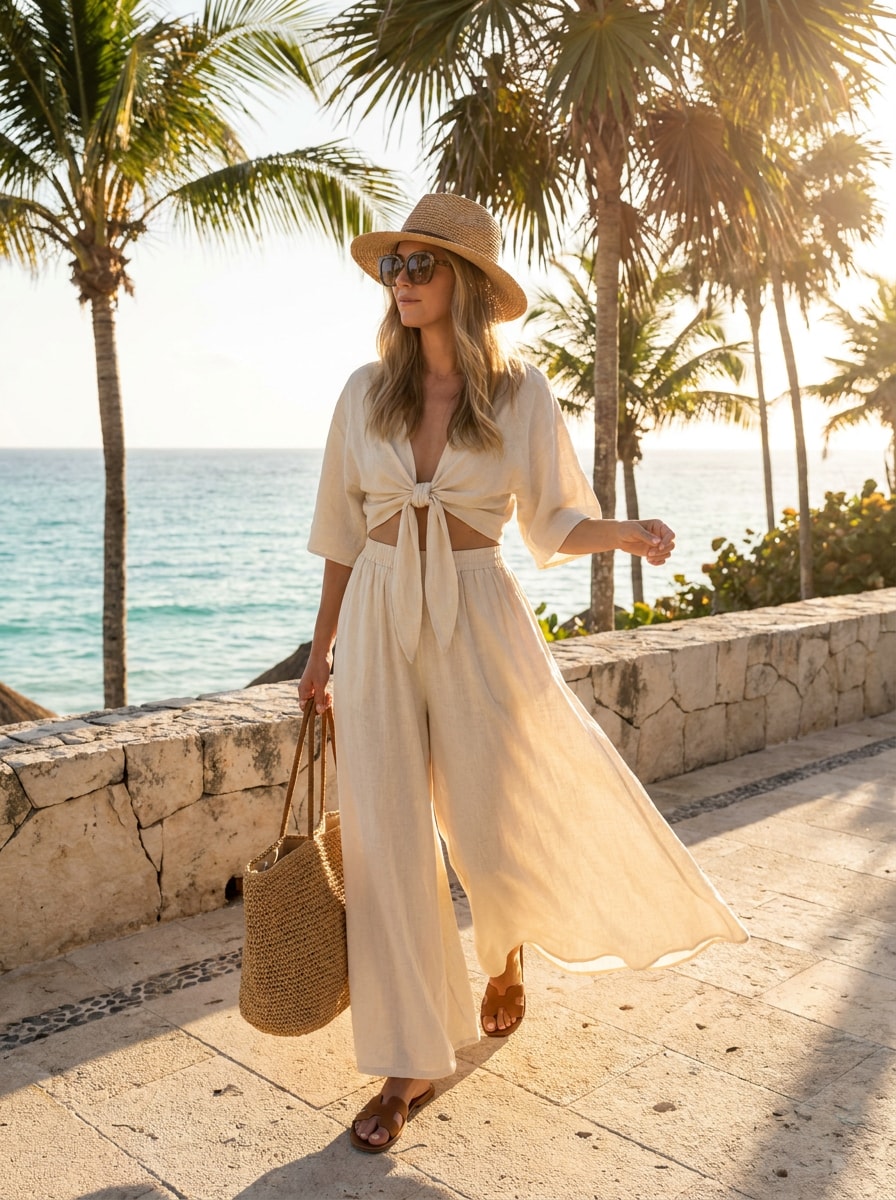
Resort de Vacaciones
Usa la imagen subida como sujeto y convierte la ropa en un conjunto sofisticado para resort vacacional. Mantén la identidad y agrega telas ligeras, accesorios coordinados, estilismo para clima cálido, tonos soleados, elegancia relajada, movimiento natural, detalles realistas de piel y tela y una vibra aspiracional de moda de viaje.
¿Por Qué Usar Media.io para Planificar Atuendos desde Fotos?
Previsualiza atuendos en tu propia foto, no en un modelo genérico
Para ediciones de estilo que necesitan mantener la esencia de la persona original, Media.io ayuda a preservar las claves de identidad esenciales mientras actualiza el estilo visual del planificador de atuendos desde foto, logrando un resultado final más limpio sin perder reconocimiento.
Prueba varias estéticas rápido para decidir antes
Desde lujo silencioso hasta streetwear o estilos de boda, Media.io te ayuda a generar varias direcciones de atuendo al mismo tiempo con opciones de salida por lotes. Así es más fácil comparar estilos, seleccionar favoritos y decidirte más rápido para tus planes reales.
Controla ajuste, encuadre y calidad de imagen en cada look
Algunas vistas previas necesitan lucir bien no solo en pantalla. Media.io ayuda a crear visuales más limpios del planificador de atuendos con exportaciones hasta 4K, haciendo que la imagen final sea útil para fondos, presentaciones y maquetas.
Mantén Tu Flujo de Trabajo en Todos los Dispositivos
Ya sea que explores el planificador de atuendos en laptop o revises borradores desde el móvil, Media.io mantiene todo en el navegador para que puedas continuar el mismo flujo de trabajo fácilmente en cualquier dispositivo.
Cómo Usar un Planificador de Atuendos con IA desde tu Foto
Convierte tus palabras en imágenes impactantes en tres simples pasos y sigue refinando el resultado si quieres ir más allá.
Paso 1
Sube tu Imagen de Referencia
Empieza con un selfie claro, foto en espejo o retrato de cuerpo completo en formato JPG, PNG o JPEG. Una foto nítida donde se vea la ropa y la silueta le da a la herramienta mejor base para cambios realistas y vistas previas más limpias.
Paso 2
Describe el Cambio y Ajusta las Opciones
Escribe la dirección de atuendo que deseas, como ropa de oficina, look vacacional, old money o cita nocturna. Luego elige el modelo de IA y ajusta radio de aspecto, resolución y número de imágenes según tus necesidades de planeación, compartir o crear contenido.
Paso 3
Genera, Descarga y Sigue Mejorando
Crea varias variaciones de atuendo, compara los resultados y descarga tus opciones favoritas. Si es necesario, mejora el prompt, cambia el estilo o genera otra ronda para probar nuevos colores, siluetas y estéticas hasta que el look se sienta perfecto.
Descubre el Potencial de la IA Estilista desde Foto
Descubre cómo creadores usan Media.io para planificar atuendos, contenido, marketing y proyectos personales, luego adapta cada idea según la necesidad.
Planifica looks para trabajo, viajes y eventos especiales
Sube una sola foto y prueba rápidamente atuendos de oficina, estilos de resort, looks para citas o ideas para invitado de boda. Esta opción es especialmente útil cuando quieres una vista previa lista para una ocasión sin crear un armario completo primero.
Compara estéticas antes de comprar o empacar
Usa Media.io como un generador de atuendos con mi foto para ver cómo te quedan diferentes estilos. Las comparaciones lado a lado te ayudan a comprar con intención, empacar mejor y evitar improvisar a último minuto.
Crea contenido realista de estilo antes y después
Creadores, estilistas y usuarios enfocados en moda pueden transformar un solo retrato en múltiples cambios visuales para reels, carruseles o moodboards. Es ideal cuando quieres un hazme el estilismo desde la foto más realista que el arte de moda abstracto.
Testimonios de Usuarios
Maya R.
Creadora de Contenido de Moda
"Genial para comparar estilos rápido" Lo usé para convertir un selfie en varias estéticas para un carrusel. Los cambios de atuendo se veían más realistas de lo que esperaba, y comparar old money, oficina y vacaciones en un solo lugar me ahorró mucho tiempo.
Jordan T.
Estilista Freelance
"Útil para tableros de inspiración para clientes" En vez de describir los looks solo con palabras, puedo mostrar opciones visuales usando su propia foto. Eso hace que hablar de silueta, estilo y ocasión sea mucho más fácil y rápido.
Elena P.
Coordinadora de Marketing
"Fácil de usar en laptop y móvil" Lo probé en mi PC primero y después revisé nuevas ideas de atuendo en mi móvil antes de un viaje. Todo desde el navegador fue sencillo, y me gustó poder regenerar hasta encontrar el look ideal.
Sophie L.
Compradora Online
"Me ayuda a decidir antes de comprar" Quería una forma más rápida de probar estilos en mí, no en un modelo al azar. Esto me dio un punto de partida visual práctico para planificar atuendos, sobre todo para citas y eventos.
Explora los efectos de video e imagen con IA más populares
Preguntas Frecuentes sobre el Planificador de Atuendos con IA
1. ¿Qué es un planificador de atuendos con IA y cómo funciona?
Un planificador de atuendos con IA te ayuda a previsualizar ideas de ropa y estilos digitalmente. Con Media.io, subes una imagen de referencia, describes el cambio de atuendo que deseas, eliges opciones de imagen y generas looks editados realistas desde tu foto. Los usuarios gratuitos comienzan con créditos gratis, mientras que los planes de pago aportan más créditos y descargas en alta resolución sin marca de agua.
2. ¿Cómo convierto mi foto en nuevas ideas de atuendo con IA?
Sube una imagen JPG, PNG o JPEG clara, luego describe el estilo u ocasión que deseas explorar, como oficina casual, streetwear o atuendo vacacional. Media.io funciona como un estilista AI desde la foto usando tu imagen de referencia para generar variaciones que siguen tu prompt y configuraciones elegidas.
3. ¿Mis fotos subidas son almacenadas o usadas para entrenar la IA?
Media.io te ofrece una forma directa de crear visuales de atuendo con IA a partir de un prompt y refinarlas en línea.
4. ¿Qué tan realistas son las vistas previas de atuendos generados por IA?
Media.io también puede funcionar como un planificador de atuendos desde foto, ayudándote a empezar con una imagen y previsualizar rápidamente direcciones distintas de vestuario antes de tomar decisiones de estilo.
5. ¿Puedo usar un planificador de atuendos con IA gratis?
Media.io ofrece créditos gratuitos para que pruebes la herramienta antes de actualizar. Los usuarios gratuitos pueden ver marca de agua, mientras que los planes de pago permiten descargas en alta resolución sin marca de agua.
6. ¿El planificador de atuendos con IA puede sugerir looks para ocasiones específicas?
Media.io te deja iniciar con créditos gratuitos, y los planes de pago pueden desbloquear más créditos y exportaciones sin marca de agua a alta resolución.
Más allá del Planificador Online de Atuendos con IA