















Bild zu Bild
Nano Banana Pro
Bild hochladen
0 / 9
Klicken oder ziehen, um hochzuladen, oder wählen Sie aus Meine Historie
Keine Ideen? Erstellen Sie zuerst ein Bild. >
Unterstützte Upload-Formate: jpg, png, jpeg
Tipps
0/2000
Seitenverhältnis
Auto
9:16
16:9
1:1
4:3
3:4
3:2
2:3
21:9
Auflösung
1K
2K
4K
Banana Pro Unbegrenzter Modus
Anzahl der Bilder
1
2
3
4
Öffentliche Sichtbarkeit
Alle
Bild
Video
Audio
Liste generieren
Die generierten Ergebnisse werden 7 Tage lang aufbewahrt. Bitte speichern Sie sie rechtzeitig.
ai_video_generatorEntfalten Sie Ihr kreatives Potenzial und erleben Sie jetzt die Magie der Media-KI!

Virtual Suit Try On with AI: Instantly See Yourself in the Perfect Suit

Upload a selfie and let Media.io's virtual suit try on tool instantly dress you in sharp business, wedding, or party suits. Get realistic, high-resolution portraits for LinkedIn, resumes, dating apps, and more—right in your browser, no measurements required, with secure uploads and easy downloads.

Try My Virtual Suit Now

Type your idea -> AI designs it. Free to try.

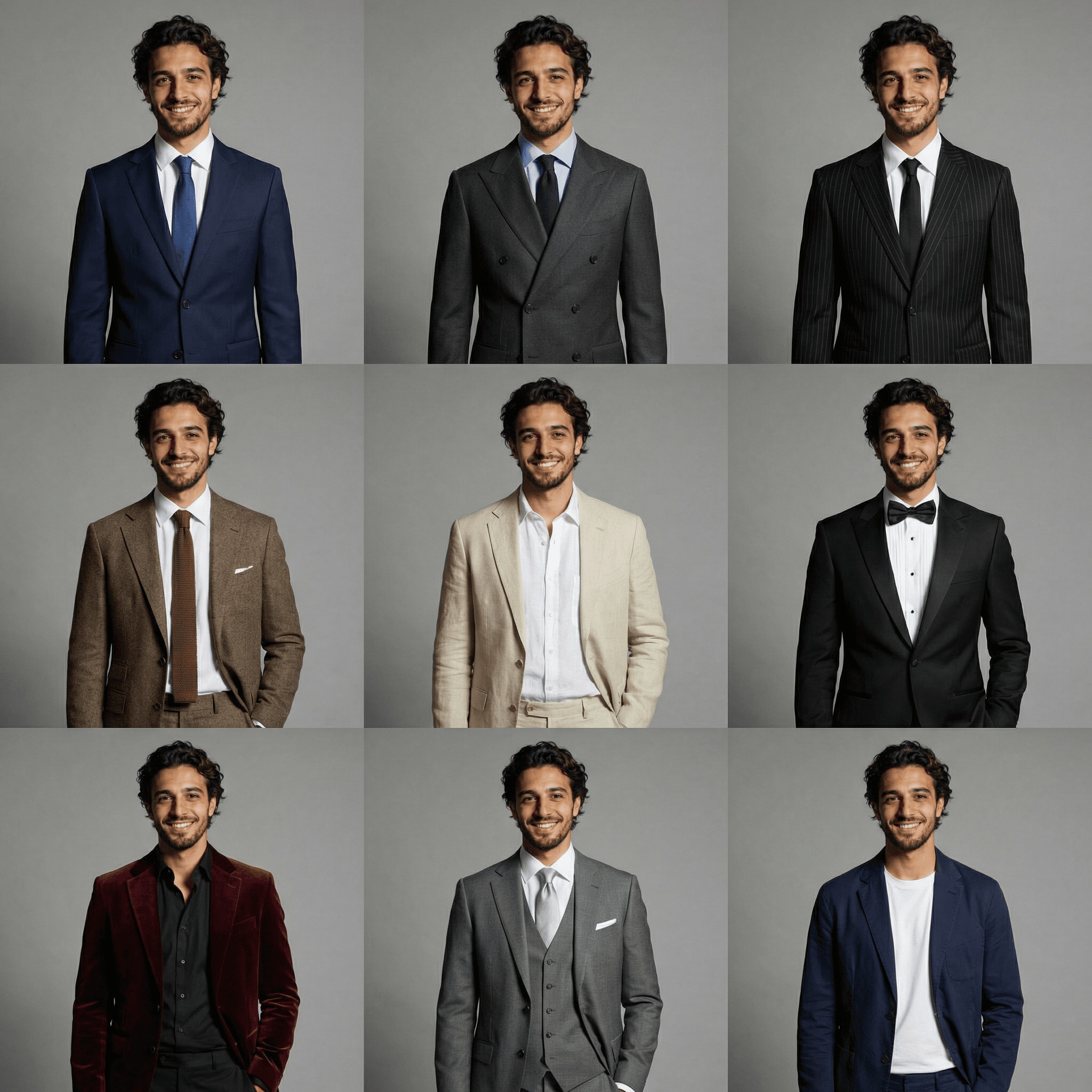
Virtual Suit Try-On • Man
virtual suit try on
Virtual suit try on for man
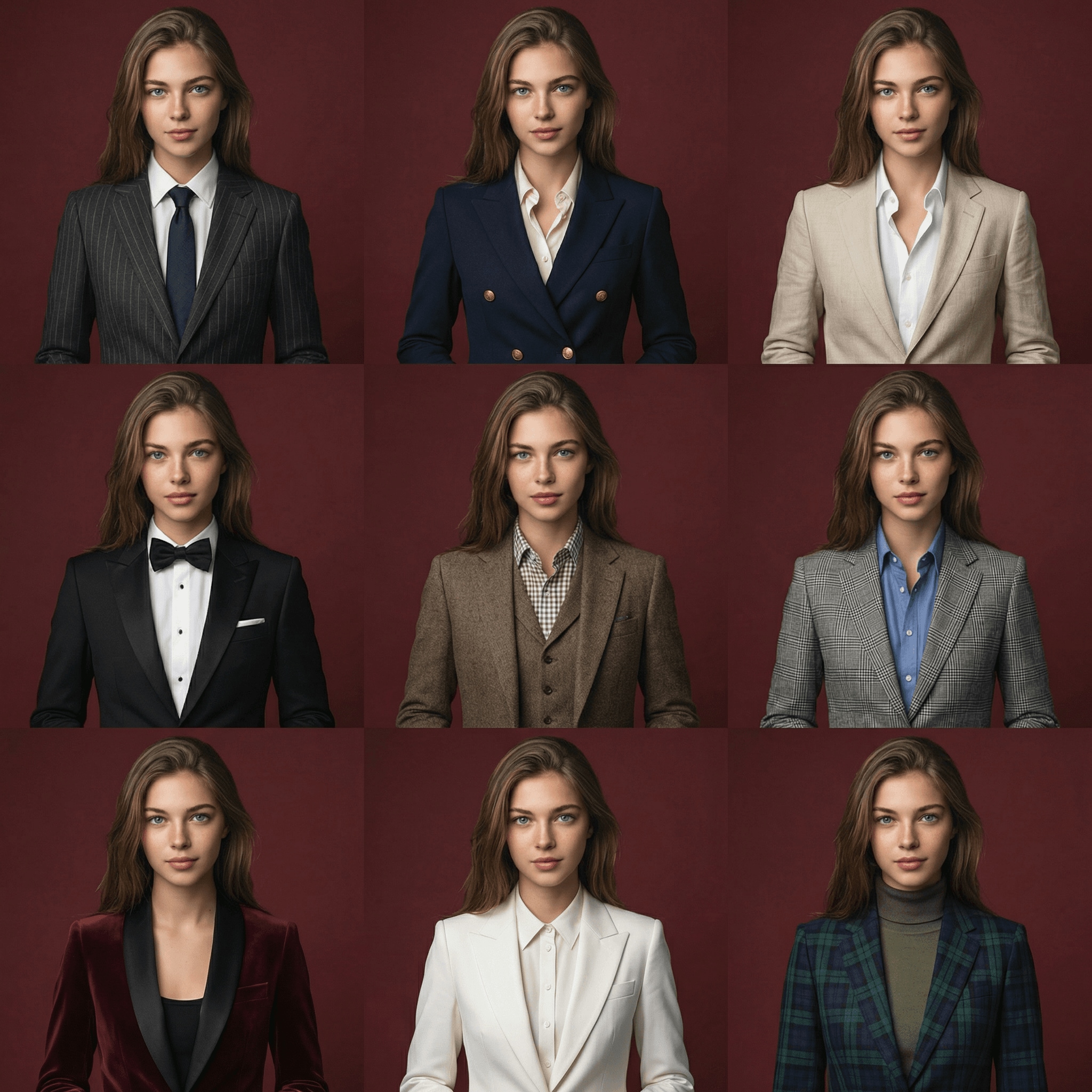
Virtual Suit Try-On • Woman
ai suit generator
Virtual suit try on for woman

Try formal looks instantly with AI suit generator templates for men’s and women’s suit styling.

Why Use Media.io for Virtual Suit Try On?

Hyper-Real Suit Photos from Your Selfies

Media.io uses advanced models like Nano Banana Pro and Soul Character to turn your uploaded photos into photorealistic suit portraits. Preserve your true face, skin tone, and hair while trying different suit styles in sharp 1K, 2K, or 4K resolution for professional or social use.

Flexible Sizes and Styles for Every Platform

Generate suit images in multiple aspect ratios—1:1 for profiles, 9:16 for stories, 4:3 or 16:9 for resumes and presentations. Switch between realistic, editorial, or creative styles so your AI suit photo generator outputs fit LinkedIn, dating apps, and more.

Secure, Browser-Based Suit Try On

No downloads needed. Media.io runs in your browser on Windows, Mac, iOS, and Android. Uploaded photos are automatically deleted from our servers after 7 days, giving you privacy and control while you experiment with different virtual suit looks.

Start Free, Upgrade When You Need More

Try Media.io with 3 free credits per day to test different suits and poses. Free downloads may include a watermark, while paid plans unlock more credits and high-resolution, watermark-free results. When you are ready, compare options at https://www.media.io/pricing.html.

How to Virtually Try On a Suit with Media.io

1
2
3
1
Step 1: Open Media.io AI Suit Generator

Open Media.io AI Suit Generator. Go to media.io/ai and open the AI Suit Generator under AI -> Image Tools. This online tool runs in your browser on desktop or mobile, so you can test professional, wedding, or party suits without installing any software.

2
Step 2: Enter a Prompt or Upload

Enter a prompt or upload. Type a detailed prompt (e.g., "professional LinkedIn headshot of me in a navy business suit, light gray background") or upload a clear selfie as your reference photo. Adjust style and aspect ratio to match LinkedIn, resumes, dating apps, or social media needs.

3
Step 3: Generate, Refine & Download

Generate, refine & download. Click Generate to see your virtual suit try on. If needed, tweak the prompt, suit color, or framing and regenerate. When you are satisfied, download a high-resolution image ready for profiles, CVs, or wedding planning boards.

Step 1
Step 2
Step 3

What Users Say About Media.io Virtual Suit Try On

user
Daniel M.

Marketing Manager

star star star star star

"Turned a casual selfie into a boardroom-ready suit shot." I uploaded a simple smartphone selfie and Media.io turned it into a crisp corporate headshot in a navy suit. It looked realistic enough for our company website and my LinkedIn profile, and I didn’t need a photographer or studio session.

user
Priya K.

Job Seeker

star star star star star

"Perfect for LinkedIn and resume photos on a budget." As a recent grad, I didn’t own a formal suit. Media.io’s AI suit photo generator let me test different colors and poses from one picture. The free credits were enough to find a look I liked before I upgraded for watermark-free downloads.

user
Luis G.

Wedding Groom-to-be

star star star star star

"Helped me preview wedding suits without endless fittings." I used the virtual suit try on tool to see myself in a tuxedo, beige summer suit, and a bold emerald jacket. The results were surprisingly realistic and helped my partner and me decide on a direction before visiting any stores.

user
Emily R.

Career Coach

star star star star star

"Fast, web-based solution I recommend to clients." Many clients don’t have professional photos. With Media.io, they upload one clear photo and get multiple polished suit options sized for LinkedIn, CVs, and corporate directories. It works in any browser and looks professional enough for serious job applications.

Frequently Asked Questions About Virtual Suit Try On

1. Is there an app where I can virtually try on a suit?

Yes. Media.io offers a browser-based virtual suit try on experience that works like an app on any device. Just visit media.io/ai, open the AI Suit Generator, upload a photo, and generate realistic suit images in seconds using advanced AI models such as Nano Banana Pro and Soul Character.

You can use Media.io as an online AI suit photo generator . Upload a clear selfie, describe the suit style you want (business, tuxedo, summer, or party), and choose the aspect ratio that fits LinkedIn, resumes, or social media. The AI transforms your image into a realistic suit portrait without any in-store fitting.

Media.io gives free users 3 credits per day, so you can virtually try on a few suit styles at no cost. Free results may include a watermark and limited resolution. If you need more credits, higher resolution, or watermark-free downloads, you can upgrade to a paid plan at https://www.media.io/pricing.html.

Media.io does not require body measurements or 3D body scans. Instead, it uses your uploaded photo and prompt description to generate a realistic visual of you wearing different suits. This is ideal for checking how colors, formality levels, and overall style might look, rather than providing exact tailoring or sizing information.

Yes. Many people use Media.io to create a polished LinkedIn suit photo from an ordinary selfie. Choose realistic styles, set a neutral background, and pick a 1:1 or 4:5 aspect ratio for profile pictures. Then export a high-resolution image suitable for LinkedIn, CVs, and corporate websites.

With Media.io, your photos are processed online and automatically deleted from our servers after 7 days to help protect your privacy. You don’t need to install software, and everything runs in your browser on desktop or mobile. For ongoing or commercial use, you can manage credits and plans securely via https://www.media.io/pricing.html.

Media.io Online AI Tools Quality Rating:
vote 4.7 (162,357 Votes)









