Erstes Abonnement bis zu50 % Rabatt
Jetzt kaufen

Nestle Crunch KI-Videogenerator & Meme-Eingaben | Media.io

Verwandle dein Foto in ein Nestle-Crunch-AI-Meme-Video. Probier Retro-Werbespot-Prompts aus, nimm einen dramatischen Schokobiss und stiehl mit lustigen Reaktionen die Show.
Alle Einreichungen

Nestle Crunch AI Video Generator: Star in Your Own Retro Ad

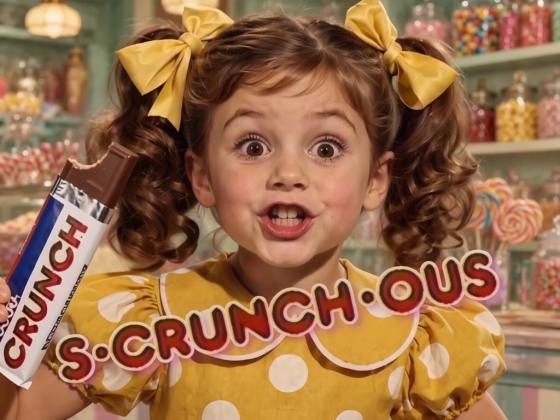
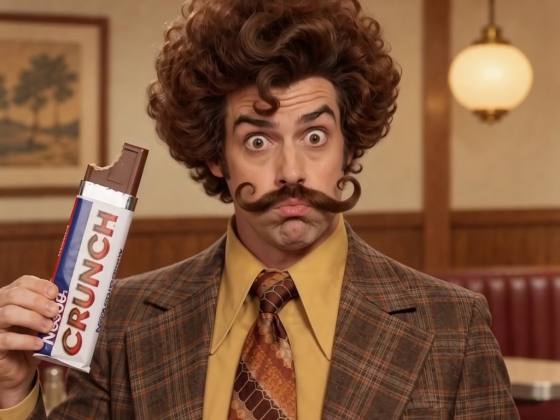
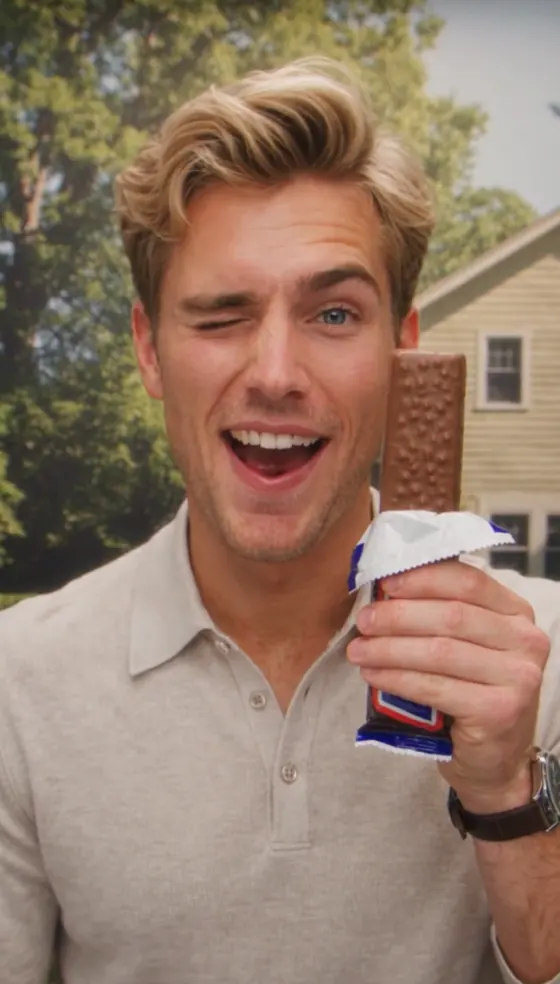
Ever wondered how you would look in that old chocolate commercial? Turn one photo into a Nestle Crunch AI meme video with a dramatic bite, an over-the-top grin, and a nostalgic VHS look. Use the copy-ready prompts below to create your own retro ad, try a glamorous commercial remix, or build up to a funny surprise ending. Your face. One chocolate bar. A wonderfully overacted moment.

Create My Crunch Video Explore AI Party Image Prompts

Start with one clear portrait and a compatible image-to-video model. Try a short vertical clip; duration, audio, and reference-video support depend on your selected model. This is a fan-inspired AI recreation, not an official brand commercial.

One Photo. One Big Bite. Your Nestle Crunch AI Moment.

Put a Familiar Face in the Ad

Make your Nestle Crunch AI video personal with a photo of yourself or a friend. Ask the model to preserve the face, hairstyle, and age as your star presents the chocolate bar, takes a bite, and reacts to the camera. Preview the result to check that they still look like themselves.

Make That Bite Ridiculously Dramatic

The fun of the Nestle Crunch AI meme is in the performance: an eager smile, one theatrical bite, and a reaction far too big for a chocolate bar. Keep the action simple, then let the raised eyebrows, blissful expression, and final grin do the work.

Bring Back the VHS Commercial Look

Give your Crunch commercial AI video a nostalgic finish with soft studio lighting, warm faded colors, and subtle tape grain. A cheerful garden backdrop and a steady close-up help sell the old TV ad feel without needing a costume, a set, or a camera crew.

Choose Your Ad or Meme Ending

Finish with a delighted grin for the Nestle Crunch AI ad look, or cut at the bite and add your own unexpected reaction shot for a classic commercial meme edit. Use a vertical frame for social posts, keeping the face, hand, and chocolate bar clearly in view.

How to Make a Nestle Crunch AI Video from One Photo

01

Step 1: Upload Your Star Photo

Choose one clear portrait with a visible face, good lighting, and no heavy obstructions. A front-facing head-and-shoulders or chest-up photo gives the model a useful identity reference. Use your own photo or a photo of an adult who agreed to the edit.

02

Step 2: Pick Your Crunch Prompt

Copy a Nestle Crunch AI prompt below into a compatible image-to-video workflow. Choose the classic retro ad, an expressive reaction, or a glamorous remix. Describe the chocolate bar, bite, and final expression. If your model accepts reference videos, add one to guide the performance.

03

Step 3: Generate and Add the Finish

Generate your Nestle Crunch meme AI video, then check the face, fingers, wrapper, and bite. Simplify the action and try again if anything looks distorted. Download your favorite take, add music or a crunch sound where needed, and trim the ending for your social post.

Nestle Crunch AI Prompts for Retro Ads and Funny Meme Edits

Profile illustration for the classic Nestle Crunch AI commercial prompt
Your Classic Retro Crunch Ad

One portrait + a nostalgic chocolate commercial prompt

Give yourself the starring role in a wonderfully overacted chocolate ad. Prompt: “Use Image 1 as the identity reference for the adult star of a retro chocolate commercial. Preserve their recognizable face, hairstyle, skin tone, age, and clothing. Create a single chest-up shot against a cheerful studio garden backdrop. The person holds one half-unwrapped crispy chocolate bar beside their face, smiles eagerly at the camera, takes one deliberate bite, then closes their eyes with an exaggerated expression of delight. End with a playful grin toward the lens. Use soft frontal lighting, warm faded colors, gentle VHS grain, and a steady camera. Keep the wrapper plain, without lettering or a logo. Target an 8-second vertical 9:16 clip using a supported duration. Keep one person and one bar throughout. Avoid identity changes, extra fingers, duplicated chocolate, distorted chewing, captions, and abrupt cuts.”

Profile illustration for an expressive Nestle Crunch AI meme video prompt
The Over-the-Top Crunch Reaction

One portrait + a dramatic bite and playful expression

Make one little bite feel like the greatest moment of your life. Prompt: “Animate the adult in Image 1 as an enthusiastic retro chocolate commercial performer. Keep their face, hair, age, skin tone, and outfit consistent. In a steady chest-up shot, they look at the camera with raised eyebrows and hold a single crispy chocolate bar in a plain wrapper. They take one small bite, pause in delighted disbelief, then give a slow satisfied head tilt and an enormous cheeky smile. Make the acting theatrical but keep the face anatomically natural. Use bright studio lighting, a softly blurred garden set, faded analog colors, and subtle VHS texture. Keep the mouth movement brief and the hand steady. Target an 8-second vertical 9:16 video within the model's available settings. No additional people, face morphing, exaggerated jaw stretching, floating food, repeated bites, wrapper text, or scene changes.”

Profile illustration for a glamorous retro Crunch commercial AI prompt
The Glamorous Chocolate Ad Remix

One portrait + a sparkling jacket and a blissful grin

Dress up for a chocolate break that takes itself far too seriously. Prompt: “Use the adult in Image 1 as the star of a glamorous vintage TV chocolate ad. Preserve their facial identity, hairstyle, skin tone, and age, but dress them in a sparkling tuxedo jacket and a bow tie. Seat them before a dreamy studio garden backdrop in a chest-up composition. They elegantly lift one half-unwrapped crispy chocolate bar, take a single bite, close their eyes in bliss, then turn a knowing smile toward the camera. Keep the contrast between the formal outfit and the exaggerated chocolate enjoyment playful. Use soft commercial lighting, muted retro colors, light tape grain, and a fixed camera. The wrapper is plain with no writing. Target an 8-second 9:16 video using supported settings. No face changes, extra hands, duplicated props, wardrobe flicker, subtitles, or cuts to unrelated scenes.”

Profile illustration for a Nestle Crunch commercial meme setup prompt
The Classic Surprise-Ending Setup

One portrait + a bite setup for your own final cut

Build the cheerful commercial setup, then add your own unexpected ending in an editor. Prompt: “Use Image 1 as the identity reference for one adult in a cheerful vintage chocolate commercial. Keep their face, hair, age, and outfit recognizable. Frame them from the chest up against a bright studio garden backdrop. They beam at the camera, proudly present a single half-unwrapped chocolate bar, and slowly raise it toward their mouth. Finish just as the chocolate reaches their lips, leaving a clear moment for an editor to cut away. Keep the final pose steady briefly. Use warm faded colors, soft lighting, subtle VHS grain, and a fixed vertical camera. Target a 5-second 9:16 clip using an available duration. Keep the wrapper plain. Do not generate the surprise ending, a second scene, extra people, face changes, captions, or distorted hands.” After generating, cut at the anticipated bite and insert your own funny reaction clip or sound.

FAQs About Nestle Crunch AI Videos, Filters, and Prompts

1. What is the Nestle Crunch AI meme trend?

The Nestle Crunch AI trend puts a person from a photo into a retro chocolate commercial scene, usually with a dramatic bite and an exaggerated expression of enjoyment. It draws on the familiar “That's Why I Love Nestle Crunch” commercial meme. The older meme often cuts to an unexpected ending at the bite; the AI ad version focuses on making you the performer. Videos created with these prompts are fan-inspired recreations, not official brand ads.

2. How many photos do I need for a Nestle Crunch AI video?

The prompts on this page use one clear portrait of one adult. Choose a photo with a visible face, natural lighting, and a front-facing or nearly front-facing angle. A head-and-shoulders or chest-up photo works as the starting reference; you do not need to hold a chocolate bar in the original image. Use your own photo or one you have permission to animate.

3. Do I need a Nestle Crunch AI filter or a CapCut template?

You can create a fan-inspired version with a photo and a Nestle Crunch AI prompt in a compatible image-to-video model. You do not need a specific CapCut template for that approach. Searches for a “Nestle Crunch AI filter” often refer to the personalized ad effect. To follow a particular clip's timing more closely, use a reference-video workflow if your selected model supports it. A prompt-based recreation will vary from the original template.

4. How do I fix a changing face, strange hands, or an awkward bite?

Start with a sharper portrait and simplify the sequence to three actions: present the bar, take one bite, and smile. Request a steady chest-up shot with one person, one chocolate bar, and minimal hand movement. Remove extra gestures if the face or fingers distort. A plain wrapper also reduces distracting generated lettering. Review the full clip and regenerate if needed; prompt instructions cannot guarantee perfect identity or anatomy.

5. Will my video include the original Nestle Crunch song and crunch sound?

These prompts describe the visuals and do not automatically include the original commercial jingle. Generated audio depends on your selected model and settings. If audio generation is available, request a crisp bite sound or an original retro instrumental. Otherwise, add sound in an editor or choose an available track from your publishing platform's music library, subject to its usage terms. Align the crunch with the bite or the cut to your surprise ending.

Explore Media.io Online AI Tools
Media.io tools icon Create Images and Videos




