Erstes Abonnement bis zu50 % Rabatt
Jetzt kaufen

„I’m Not Yo B No More“ KI-Tanzgenerator aus Foto

Verwandle dein Foto in ein „I'm Not Yo B No More“-KI-Tanzvideo. Rekreiere den Office-Tanz mit stampfenden Schritten und erhobenen Fäusten, seitlichen Ausfallschritten sowie kopierfertigen Prompt-Vorlagen für Referenzvideos.
Alle Einreichungen

I'm Not Yo B No More AI Dance Generator

Put yourself in the I'm Not Yo B No More AI dance trend with one photo. Take over the office with fists-up stomps, low side lunges, and arms thrown wide while coworkers watch. Or bring the same dance energy to your own space. Explore copy-ready prompts and pair your photo with a matching reference video in a compatible workflow to create your own Not Yours dance moment.

Create My AI Dance Explore Toy Car Trend

Start with one clear full-body photo. Use a compatible reference-video or motion-control mode to follow the dance; available inputs, duration, and aspect ratio depend on the selected model. Add the trending sound when you edit or post.

One Photo. Your Own Office Dance Moment.

Your Face, Hair, and Favorite Outfit

Make your I'm Not Yo B No More AI dance video feel personal. Use a clear photo and ask the model to preserve your face, hairstyle, body proportions, and outfit. Check that your identity stays consistent through the stomps, lunges, and fast arm movements.

Turn the Office into Your Dance Floor

Recreate the I'm Not Yo B No More office dance with you as the main performer and coworkers watching in the background. The everyday setting and your exaggerated, fully committed moves create the comic contrast. Let the selected reference guide the scene and reactions.

Follow the Fists-Up Dance Moves

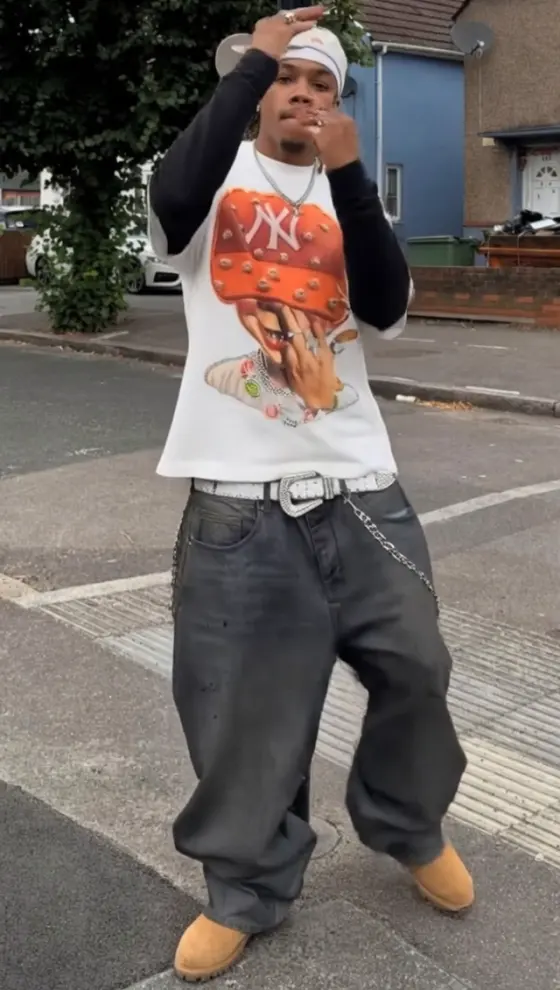
Bring the Not Yours dance, also searched as the Steve Glover dance, to your photo: fists beside the head, alternating stomping knee lifts, low side lunges, and arms flung wide. A matching motion reference helps guide the sequence and timing beyond a general dance prompt.

Give Every Stomp Room to Land

Frame your photo-to-dance video with space above the hands and around the feet. Use vertical 9:16 where supported for TikTok, Reels, or Shorts. Review the full routine before sharing, then add the matching trend audio through your editor or the platform's music library.

How to Make an I'm Not Yo B No More AI Dance Video

01

Step 1: Choose One Clear Photo

Prepare one full-body photo with a sharp, visible face and clear outfit details. Keep hands and feet unobstructed where possible. For a dance in your own space, choose a photo with room around the person. Use your own image or a photo of an adult who agreed to appear.

02

Step 2: Add Your Dance Reference

Choose a mode that supports a photo and a dance reference video. Use the office clip to guide a scene-based remake, or a compatible motion-control mode to transfer the moves into your photo's setting. Copy the matching prompt below and select a duration within the model's limits.

03

Step 3: Generate, Check, and Add Sound

Generate your I'm Not Yo B No More AI video, then review the face, hands, foot placement, and outfit throughout. Download your preferred result and align the Not Yours trend sound in your editor or publishing app. Check the vertical crop so the fists-up moves and low lunges stay visible.

I'm Not Yo B No More AI Dance Prompts to Try

Profile illustration for the I'm Not Yo B No More office dance prompt
Office Dance Remake

One identity photo + the office dance reference video

Put yourself in the office while the coworkers watch. Prompt: “Use Image 1 as the identity and outfit reference for the main adult dancer in Video 1, the selected I'm Not Yo B No More office dance reference. Replace only the main dancer. Preserve the face, hairstyle, skin tone, body proportions, clothing, and shoes from Image 1 throughout. Follow Video 1's movement order and timing, including the fists raised beside the head, alternating stomping knee lifts, sideways lean, low side lunges, and broad arm openings where shown. Keep the reference office, background coworkers, their existing reactions, lighting, camera movement, and framing. Maintain natural weight shifts and grounded foot contact. Match the reference duration and aspect ratio within the model's supported settings. Do not transfer the reference dancer's face, hairstyle, or accessories to the new dancer. No duplicated main performer, identity changes, extra limbs, invented dance steps, added cuts, or generated captions.”

Profile illustration for the Not Yours dance motion-transfer prompt
Same Dance, Your Own Space

One full-body photo + a compatible motion reference

Bring the fists-up Not Yours dance into your own room. Prompt: “Animate the single adult person in Image 1 using Video 1 only as the body-motion reference for the I'm Not Yo B No More dance. Preserve Image 1's face, hairstyle, skin tone, body proportions, outfit, shoes, background, and lighting. Transfer the reference dancer's movement sequence, rhythm, arm poses, stomping knee lifts, and side lunges to this person. Keep the action in the setting from Image 1, with enough visible floor for the footwork. Use a continuous full-body view and keep raised hands and feet inside the frame. Maintain balanced weight shifts, realistic joint movement, and stable floor contact. Do not import the office, coworkers, reference dancer's appearance, or foreground passersby from Video 1. Match the selected motion segment's duration within supported settings. No additional people, duplicated body, floating feet, wardrobe changes, sudden scene transitions, or generated text.”

Profile illustration for a short I'm Not Yo B No More AI dance reference test
Short Fists-Up Dance Test

One identity photo + a trimmed dance reference segment

Test your likeness and the fast footwork before making a longer clip. Prompt: “Use Image 1 as the identity and clothing reference for the main adult dancer in Video 1. Video 1 is a short trimmed segment of the I'm Not Yo B No More office dance, chosen to include the fists-up stomps or side lunges. Replace only the main dancer and reproduce only the actions present in this segment, in their original order and timing. Preserve Image 1's facial features, hairstyle, skin tone, proportions, outfit, and footwear. Keep the office, background people, camera behavior, lighting, and composition from the selected segment. Maintain coherent hands, natural knee bends, and grounded feet during quick movements. Match the segment duration using a compatible model setting. End where the reference segment ends; do not invent a finale or loop. No identity blending, extra limbs, duplicate dancer, added choreography, outfit flicker, new camera cuts, or generated captions.”

Profile illustration for a prompt-only office dance variation inspired by the trend
Office Dance Creative Variation

One photo + a prompt; inspired moves rather than an exact remake

Try an office dance inspired by the trend when you have no reference video. Prompt: “Create a playful full-body dance video starring the adult person in Image 1. Preserve their face, hairstyle, skin tone, body proportions, original outfit, and shoes, while changing the setting to a bright everyday office. Keep a few coworkers seated in the background, watching with amused expressions. The main dancer stands with feet apart and knees slightly bent, raises both fists beside the head, performs alternating knee lifts and grounded stomps, leans sideways with one arm raised, lowers into side-to-side lunges, then opens both arms wide before finishing with fists up in a broad stance. Keep the performance confident, energetic, and exaggerated. Use a continuous full-body shot with subtle handheld movement and space around the hands and feet. Use vertical 9:16 if supported. No face changes, duplicate main dancer, extra limbs, floating feet, sudden cuts, or generated text.” This creates a new dance variation; use a matching reference video for closer choreography and timing.

FAQs About the I'm Not Yo B No More AI Dance Generator

1. What is the I'm Not Yo B No More AI dance trend?

The I'm Not Yo B No More AI trend turns a photo into a person performing an energetic dance associated with the Not Yours sound. A recognizable AI version places the dancer in an office with coworkers watching. Its main moves include fists raised beside the head, stomping knee lifts, low side lunges, and arms thrown wide. Related names include I'm Not Your B No More dance and Steve Glover dance.

2. What photo works best for the AI office dance?

Start with one sharp, well-lit photo of one adult, preferably with the whole body and shoes visible. Choose an unobstructed face and clear clothing details. For motion transfer into your own setting, leave room around the person and show the floor. A tightly cropped selfie gives the model less information about the body and outfit. Use your own photo or one you have permission to animate.

3. Can I make the I'm Not Yo B No More dance without a reference video?

A photo and a descriptive prompt can create a dance inspired by the trend, but the model may change the steps, order, or rhythm. To follow a particular office dance clip more closely, use a mode that supports a reference video or motion control. Choose the office remake prompt to follow the reference scene, or the motion-transfer prompt to keep your photo's background. Available controls depend on the selected model.

4. How do I reduce face changes, distorted hands, and sliding feet?

Use a clear full-body photo and a reference with a visible main dancer. Specify that the photo supplies the identity and outfit, and identify which person to replace when coworkers appear. Start with a short reference segment to check likeness and footwork. Review raised hands, low lunges, fast turns, and any moment when another person passes in front of the dancer. Try another take if artifacts remain; prompts cannot guarantee a flawless result.

5. What song is used, and will my AI dance video include it?

The trend is associated with Not Yours by Lady Binladen, and different posts may use edited versions of the sound. Naming the trend in a prompt does not automatically add that recording. Audio output depends on the selected model and settings. Preview your result, then add the matching sound from TikTok or Reels where available, or align a track you have permission to use in your editor. Check the chosen version if you prefer clean audio.

Explore Media.io Online AI Tools
Media.io tools icon Create Images and Videos




