Dica: Use dicas em inglês para obter melhores resultados.
1K
9:16
1
Modo Ilimitado do Banana Pro
Criações
Hub de Ideias
Como funciona
Todos
Recursos populares
Ver tudo
História de Frutas com IA
Ver tudo
Vídeo de História com IA
Ver tudo
Vídeos Virais Hoje
Ver tudo
Vídeos de Produto com IA
Ver tudo
Personagem AI
Ver tudo
Tendências de Dança
Ver tudo
GPT Image 2
Ver tudo
Seedance 2.0
Ver tudo
Correspondência de Celebridade por IA
Ver tudo
Dicas de Poses para Casais
Ver tudo
Prompts de Poses de Garota AI Estética
Ver tudo
Sugestões de Pose de Garoto Elegante com IA
Ver tudo
Lista de geração
As criações são armazenadas por apenas 7 dias. Os recursos criados após o upgrade para um plano de assinatura serão armazenados permanentemente.
Desbloqueie seu potencial criativo e experimente a magia da IA de mídia hoje!
Gerador de planta de AI para conceitos de Layout rápidos e claros
Transformar ideias em polidoPlanta de pisoVisuais em segundos com o Media.io. Gere conceitos de layout de casa, apartamento, escritório, estúdio e pequena casa a partir de texto em estilos minimalistas, minimalistas ou mobiliados – sem complexidade CAD.
Digite sua ideia-> IA projeta-a. Livre para tentar.
Explore nossa coleção deGerador de planta de pisoEstilos.
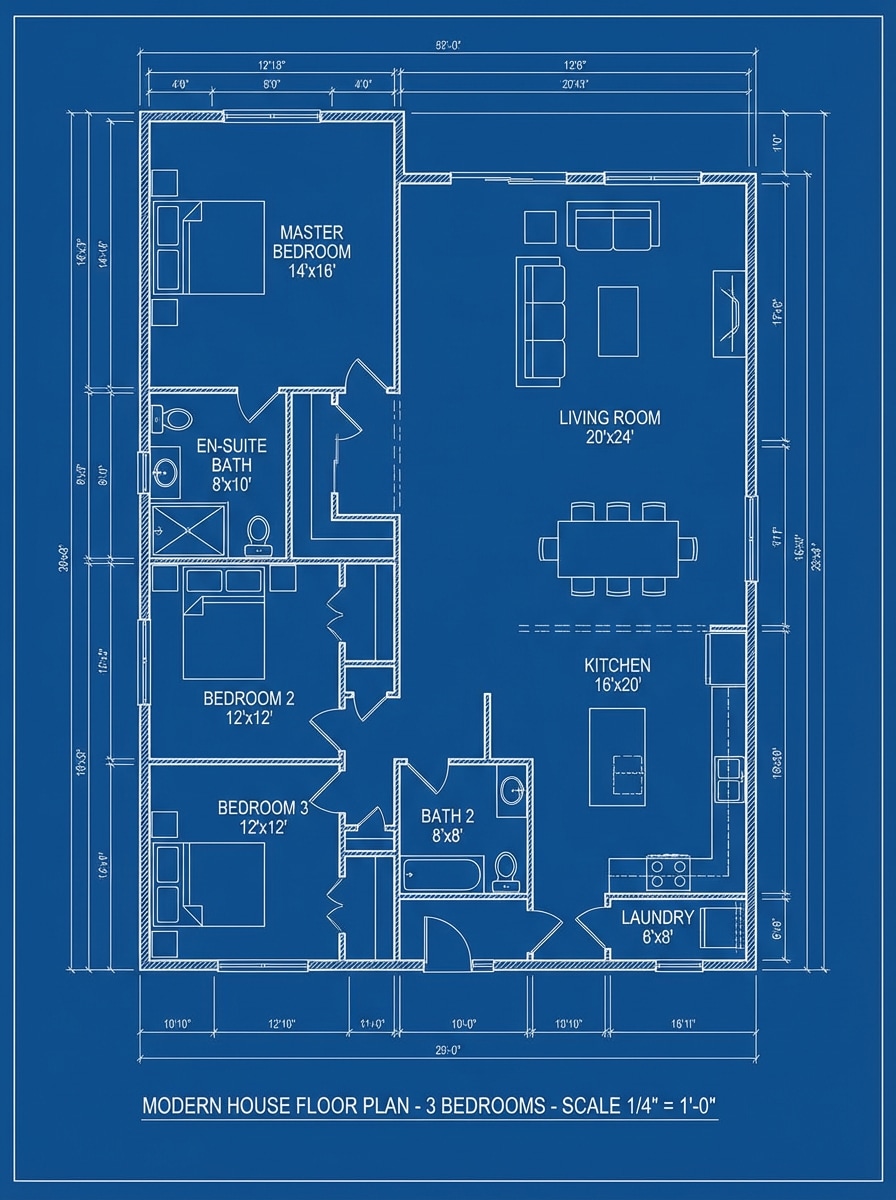
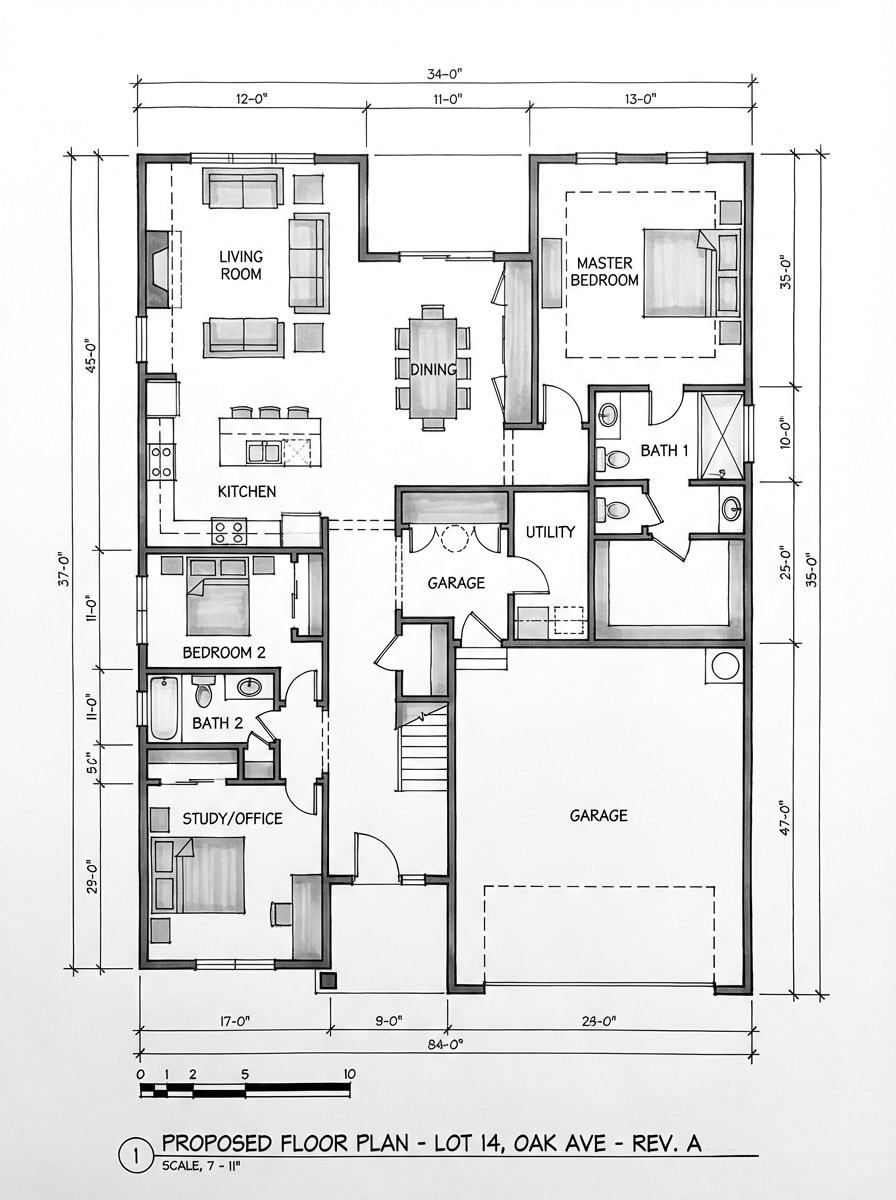
Blueprint clássico
Crie uma planta arquitetônica 2D de cima para baixo para uma casa moderna de 3 quartos com uma cozinha, sala de estar, 2 banheiros, área de lavanderia e dimensões rotuladas. Use linhas de desenho brancas nítidas em um fundo azul profundo, inclua portas, janelas, espessura da parede, símbolos de móveis, composição equilibrada e um visual de projeto profissional preciso.
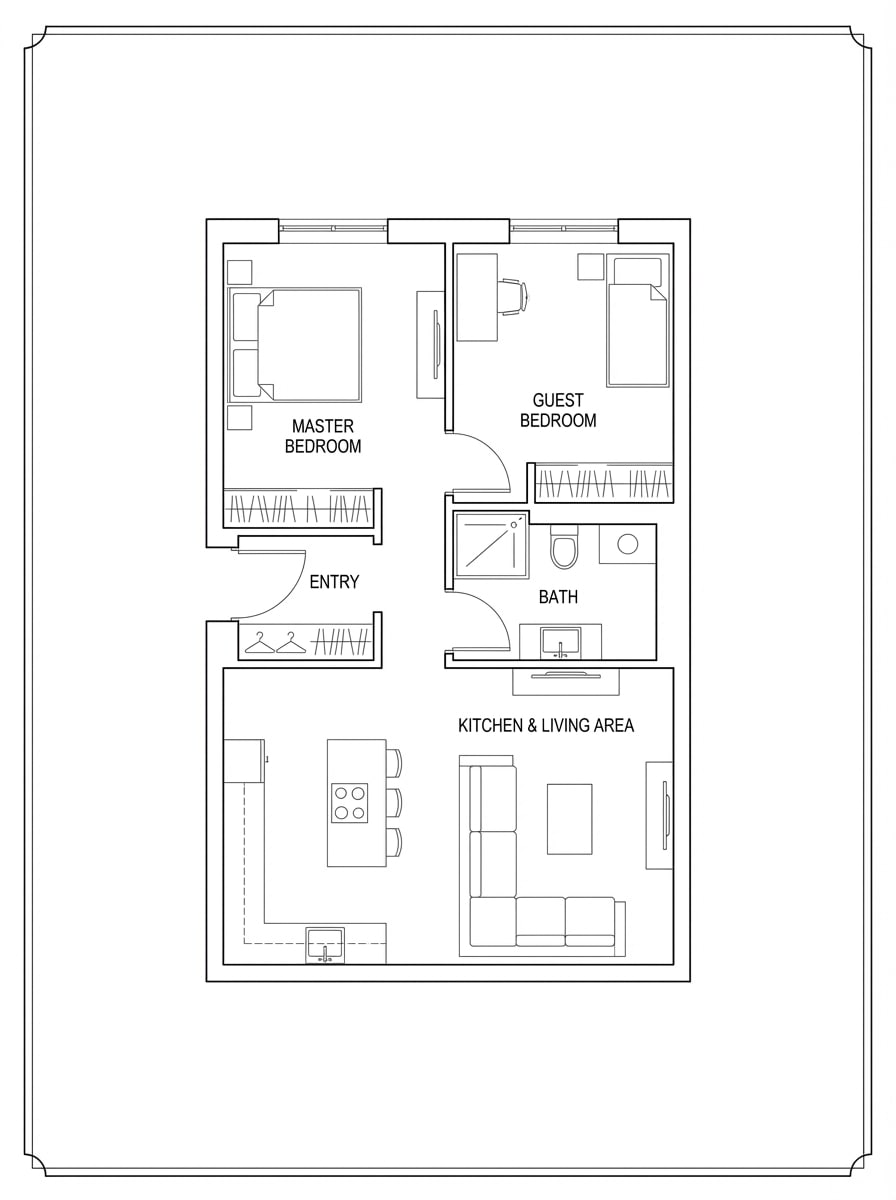
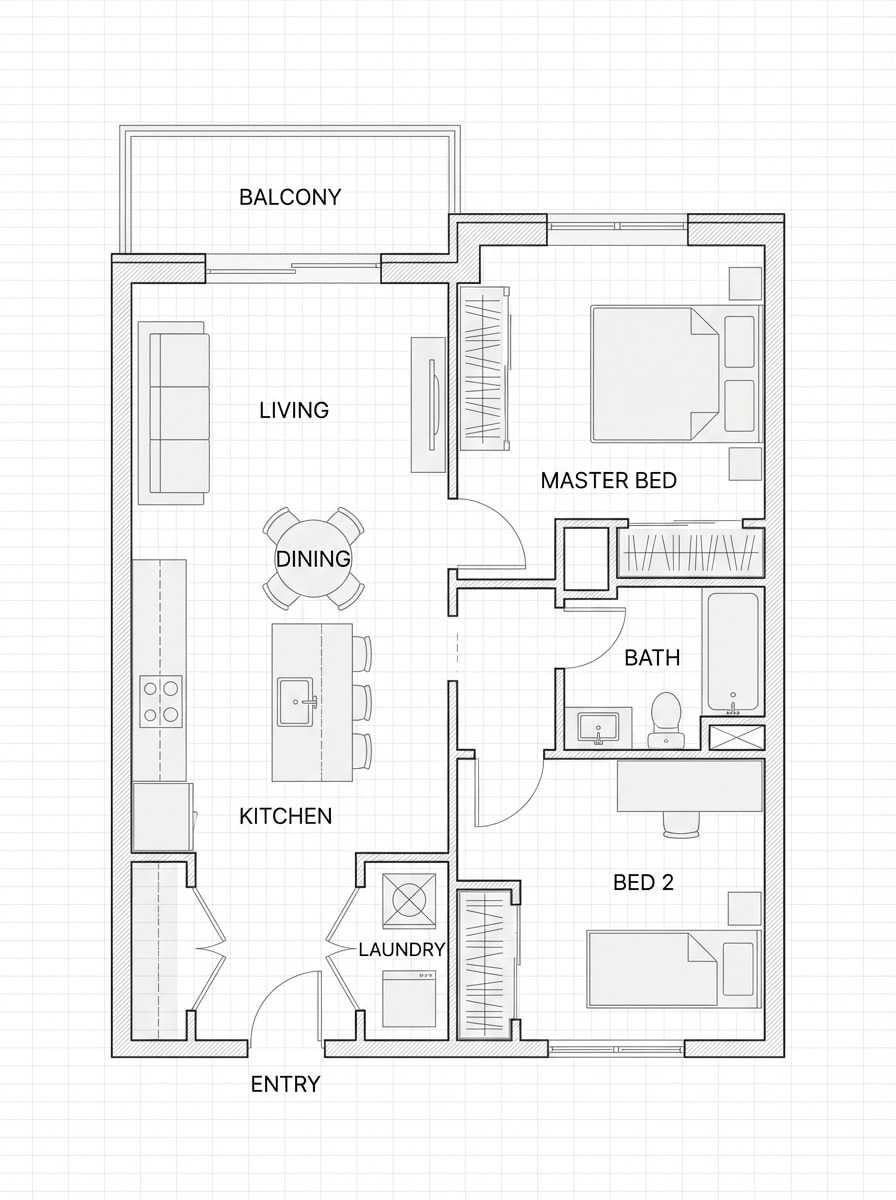
Plano preto e branco mínimo
Gere uma planta de piso limpa em preto e branco para um apartamento de 2 quartos com uma cozinha aberta e área de estar, uma casa de banho e uma entrada compacta. Use linhas arquitetônicas finas, alto contraste, sombreamento mínimo, etiquetas elegantes de quarto, colocação sutil de móveis, espaçamento arrumado e uma apresentação moderna amigável do Pinterest.
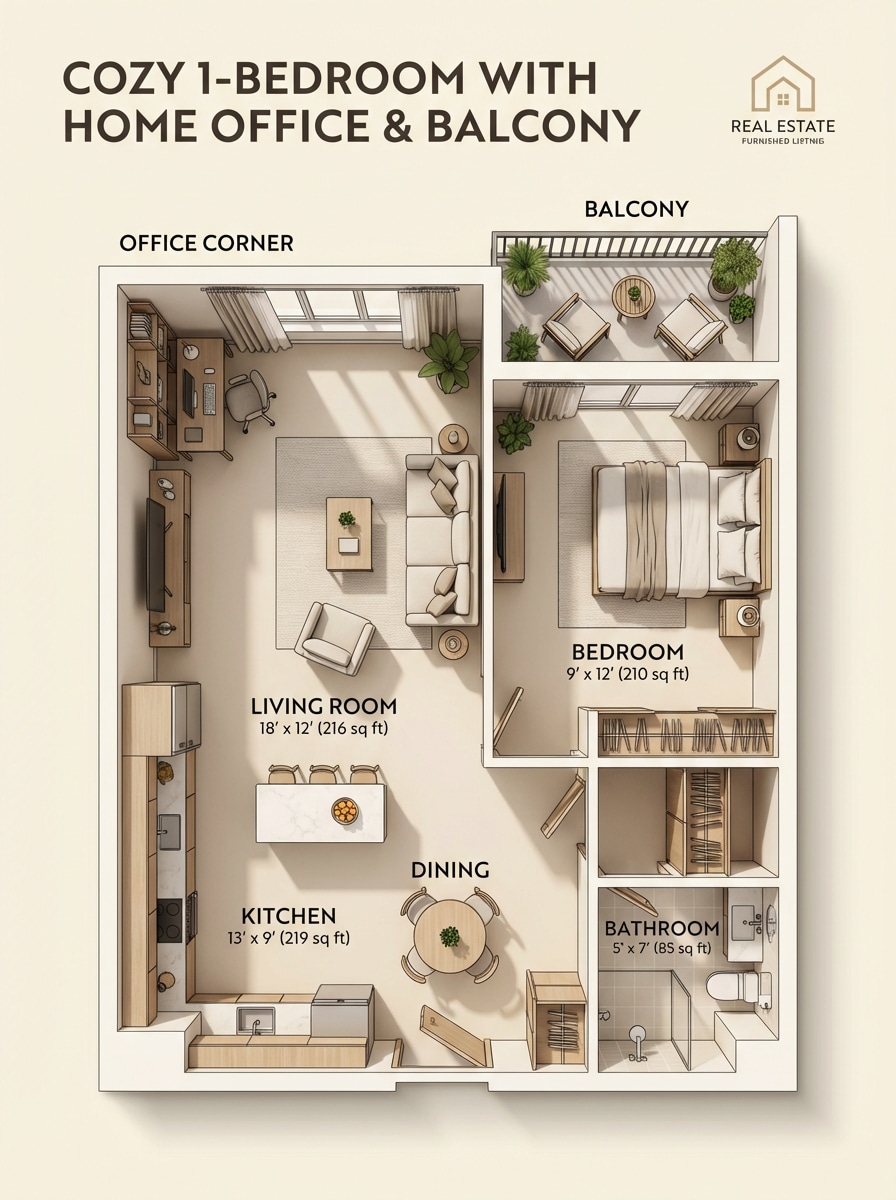
Plano imobiliário mobiliado
Projete uma planta de piso mobilada polida para um apartamento aconchegante de 1 quarto com um canto de escritório em casa, varanda, cozinha, local de jantar e casa de banho. Mostre tons neutros quentes, ícones de móveis modernos, sombras suaves, rótulos claros da sala, proporções legíveis, clima convidativo e um estilo de apresentação de listagem imobiliária.
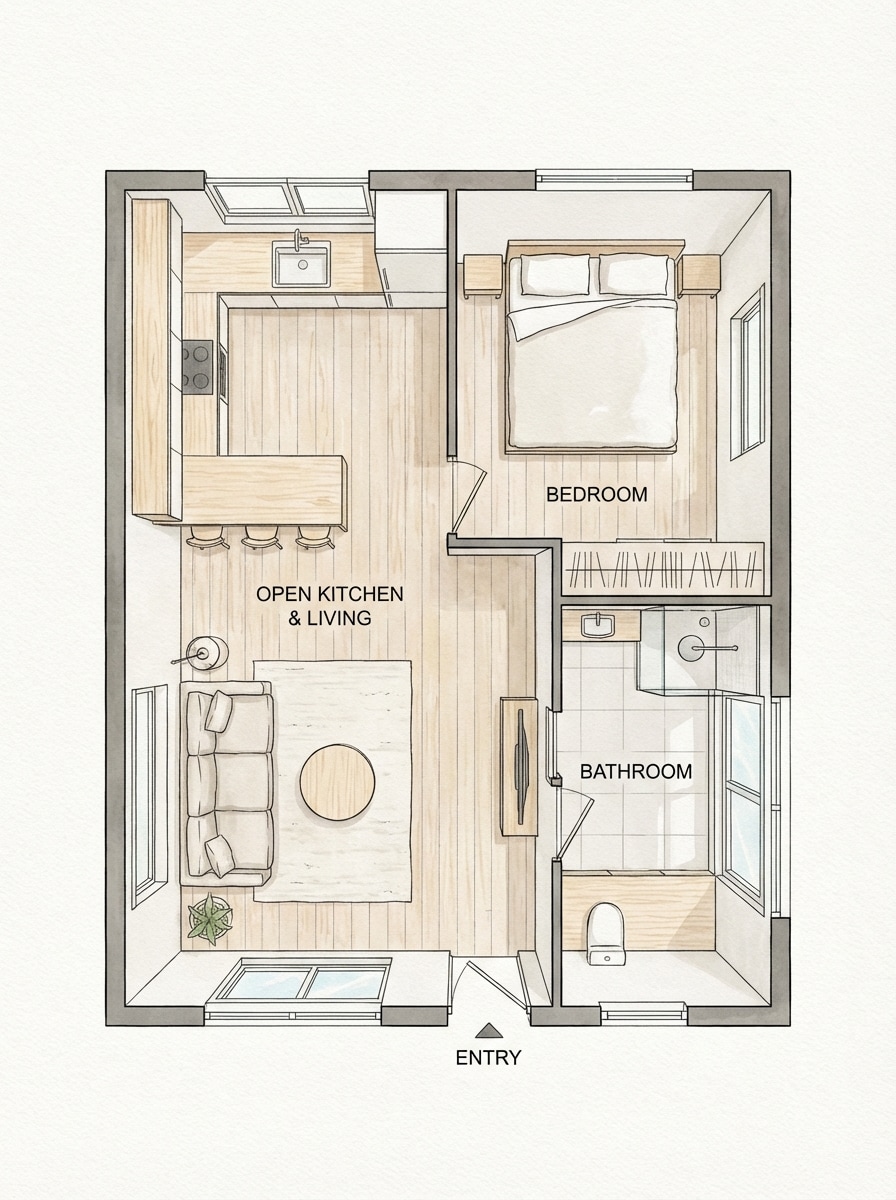
Conceito aberto escandinavo
Produza um plano de piso de estilo escandinavo de cima para baixo para uma pequena casa com uma cozinha aberta e espaço de estar, layout de quarto simples, casa de banho luminosa e móveis leves. Use uma composição arejada, acentos de madeira clara, paleta neutra suave, rótulos limpos, sensação de luz natural e uma elegante estética editorial de planejamento de interiores.
Texto para Planejar Conceito
Crie uma planta a partir desta descrição: apartamento de 2 quartos, cozinha aberta, 1 casa de banho, lavanderia compacta e uma pequena área de jantar. Renderize-o como um layout 2D limpo gerado por IA com circulação eficiente, salas rotuladas, composição equilibrada de cima para baixo, símbolos de móveis sutis, lógica de planejamento moderna e um acabamento polido pronto para demonstração.
Esboço para limpar o Layout
Gere uma planta arquitetônica refinada que pareça que um esboço desenhado à mão foi convertido em um layout final elegante. Use linhagem nítida, geometria corrigida, salas rotuladas, símbolos simples de móveis, tons de preto, branco e cinza, clareza técnica e um acabamento de desenho profissional limpo.
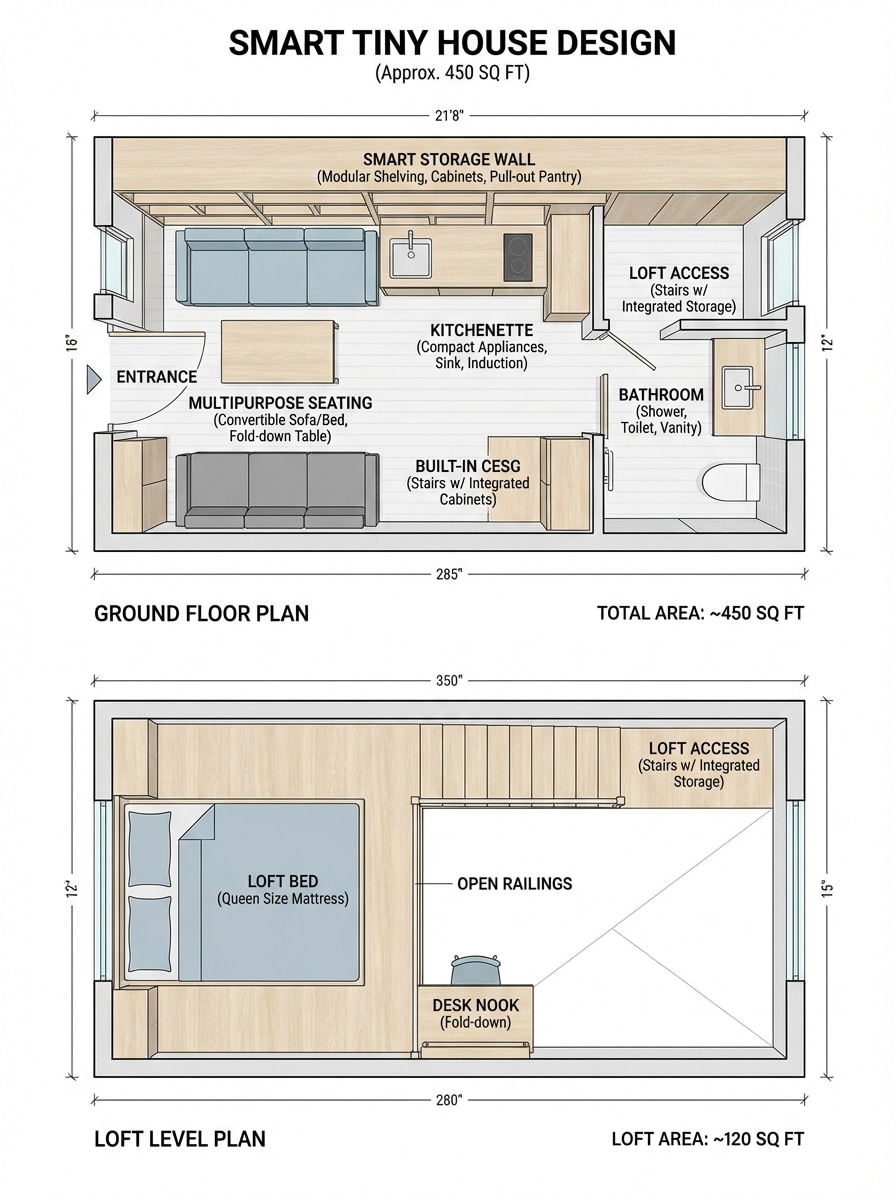
Otimização de Tiny House
Projete um plano de piso de uma pequena casa inteligente com menos de 500 pés quadrados com uma cama de loft, kitchenette, casa de banho, parede de armazenamento e área de estar multifuncional. Use uma lógica de layout que economiza espaço, móveis compactos, etiquetas claras, composição de cima para baixo, estilo minimalista, forte legibilidade e uma estética de planejamento de pequenos espaços altamente compartilhável.
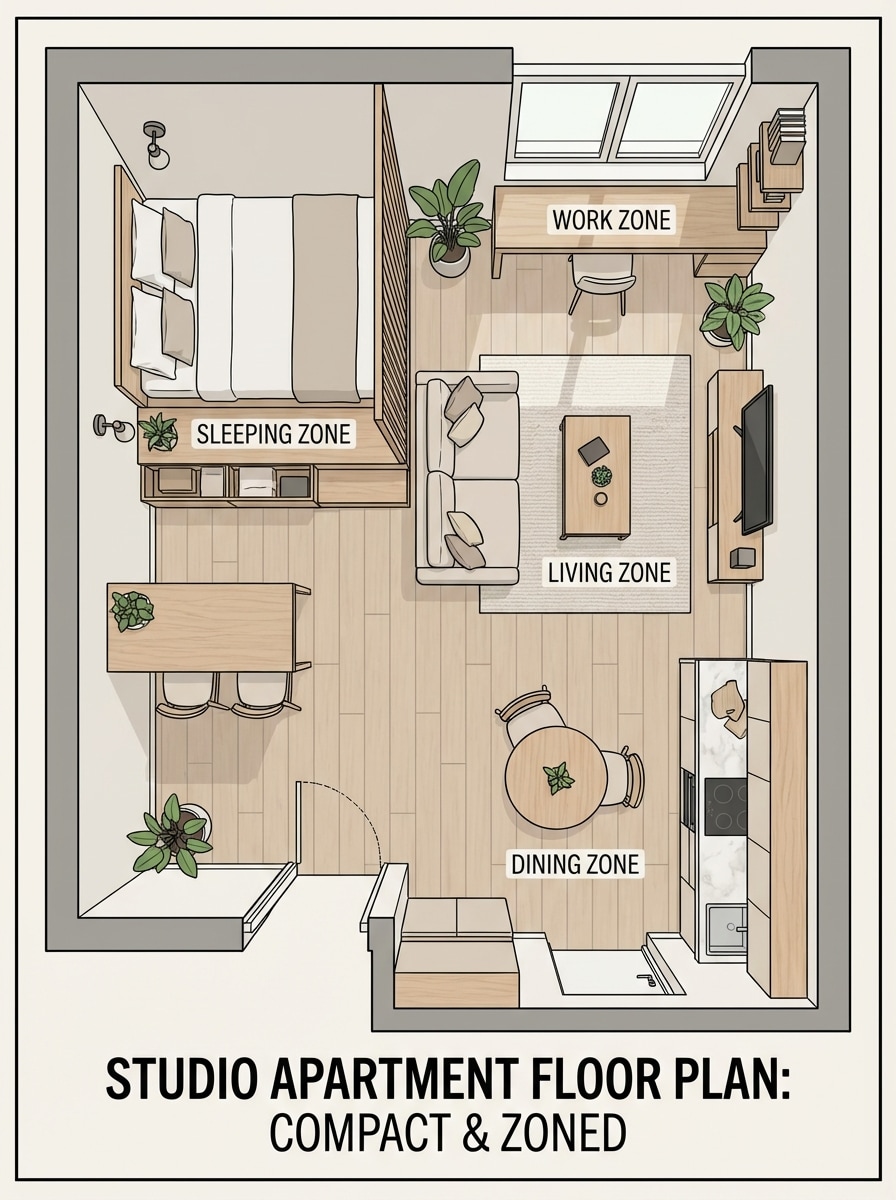
Estúdio apartamento Layout
Crie uma planta de piso de um apartamento de estúdio que separa claramente as zonas de dormir, estar, jantar e trabalho dentro de uma pegada compacta. Use uma colocação de móveis elegante, mas prática, zoneamento distinto, cores neutras suaves, rótulos modernos, linhagem limpa, fluxo de layout equilibrado e uma apresentação top-down amigável para o Instagram.
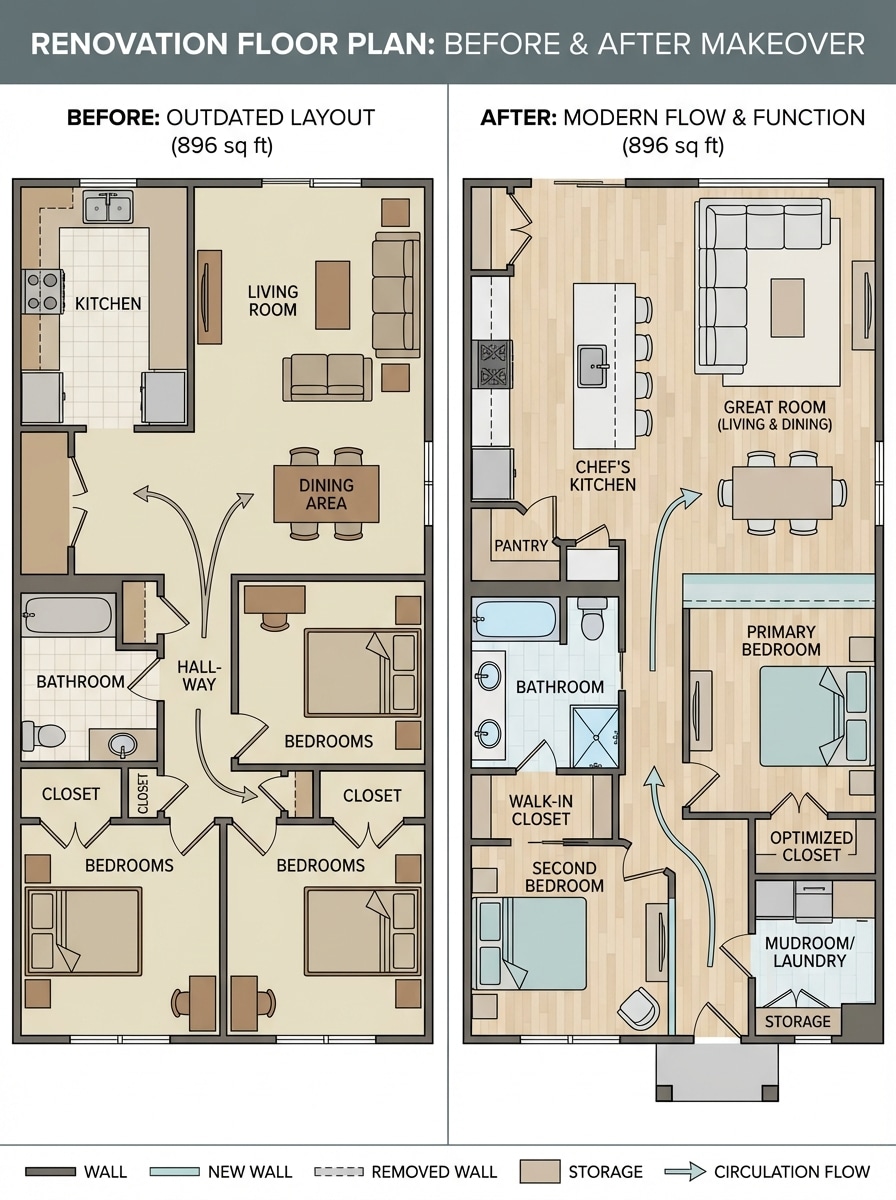
Renovação antes e depois
Crie uma planta de piso focada na renovação para uma casa desatualizada de 2 quartos com fluxo melhorado, uma cozinha maior, armazenamento adicional e uma melhor conexão entre espaços compartilhados. Apresentá-lo em um estilo 2D limpo de cima para baixo com rótulos modernos, circulação clara, proporções práticas e uma sensação convincente de antes e depois.
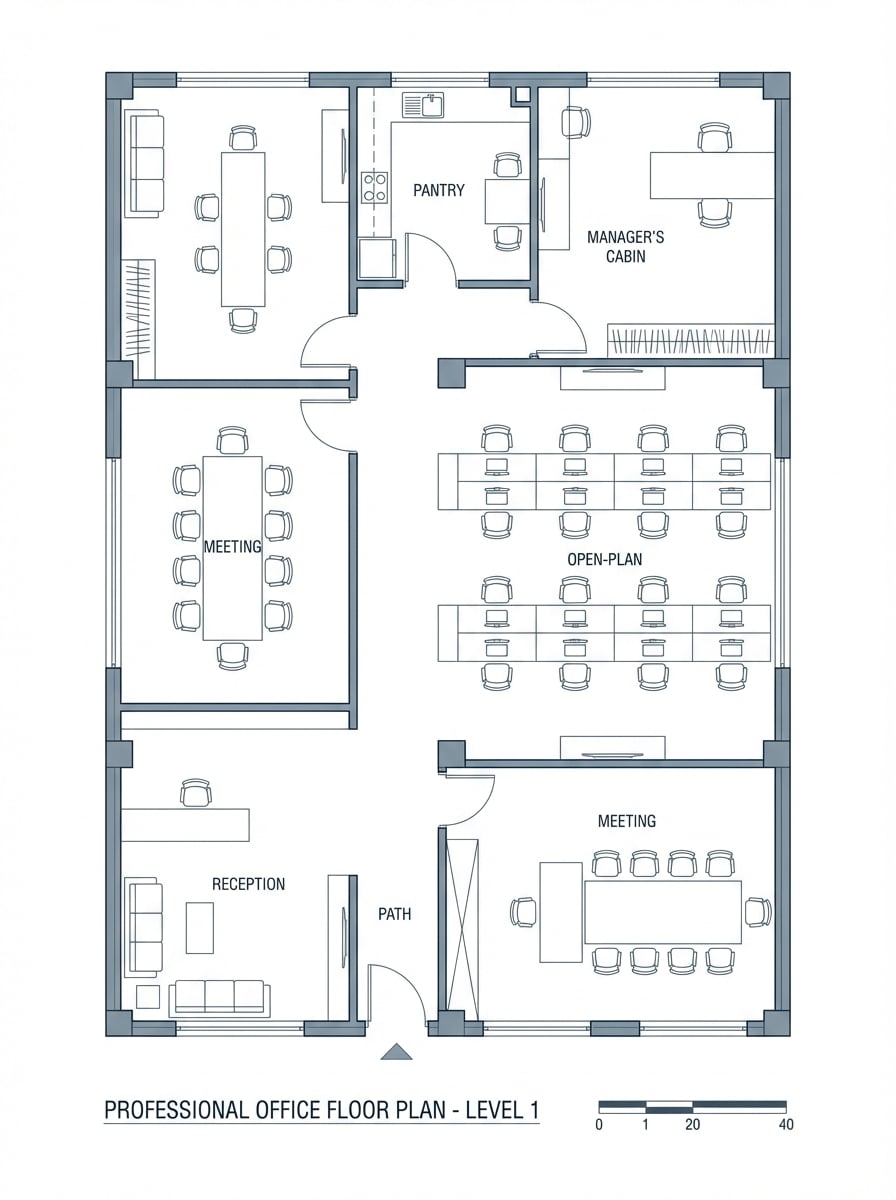
Layout do espaço de escritório
Gere uma planta de escritório profissional com recepção, sala de reuniões, mesas abertas, despensa, cabine do gerente e caminhos de circulação. Use linhagem arquitetônica limpa, rótulos de sala claros, ícones de móveis, zoneamento organizado, paleta corporativa azul-cinza, composição de cima para baixo legível e uma apresentação de planejamento comercial polido.
Por que usar o Media.io para ideias de planta de AI
Gerar a partir de texto em segundos
Transforme uma lista de quarto escrita ou ideia de layout em um conceito visual rápido. Media.io é ideal para explorarTexto para planta de pisoideias sem precisar de habilidades avançadas de redação.
Múltiplos estilos visuais
Crie layouts inspirados em projetos, planos mínimos em preto e branco ou visuais de apresentação mobiliados. A ferramenta suporta diversos estilos de geração, ajudando você a moldar o visual certo para casa, apartamento, escritório ou conceitos de renovação.
Opções de exportação de alta resolução
gerarPlanta de pisoConceitos em resolução 1K, 2K ou 4K com proporções flexíveis. Isso facilita a criação de visuais claros para apresentações, moodboards, postagens sociais ou referências de planejamento em estágio inicial.
Funciona em qualquer dispositivo
Media.io é executado no seu navegador no Windows, Mac, iOS e Android. iniciar umGerador de planta de piso aiSessão em qualquer lugar sem instalar software de design pesado.
Como usar o gerador de planta de piso Media.io
1
2
3
1
Passo 1: Abra o Media.io Floor Plan Generator
ir paraAI Texto para Imagem GeradorE abra o gerador de planta em AI-> Texto para Imagem. Esta ferramenta online é executada no seu navegador, para que você possa criar conceitos de layout em desktop ou móvel sem instalar software extra.
2
Passo 2: Digite um Prompt
Digite um prompt detalhado, como: "Planta do apartamento moderno de 2 quartos, cozinha aberta, 1 casa de banho, lavanderia compacta, quartos rotulados, estilo plano." Você também pode ajustar as configurações de estilo e saída para combinar com um visual de apresentação minimalista, minimalista ou mobiliado.
3
Passo 3: Gerar, Refinar e Baixar
Clique em Gerar para criar o seu conceito de planta. Ajuste o prompt se quiser um layout diferente ou estilo de apresentação, em seguida, baixe a imagem em alta resolução para ideias, compartilhamento ou inspiração de planejamento inicial.
O que os usuários dizem sobre a criação de conceitos de planta
Ava Martínez
Estudante de Design de interiores
"Maneira rápida de visualizar layouts de salas"Eu usei o Media.io para transformar prompts de texto simples em conceitos de planta de piso para um projeto de estúdio. Isso me ajudou a explorar várias direções de layout rapidamente antes de passar para um trabalho de design mais técnico.
Daniel Brooks
Marketer imobiliário
"Ótimo para visuais de planos de estilo de apresentação"As saídas da planta mobiliada são especialmente úteis para listar maquetes e apresentações conceituais. Gosto de poder testar diferentes arranjos de quartos sem lidar com software complexo.
Sophie Chen
entusiasta de renovação de casa
"Útil para renovação brainstorming"Eu queria ver possíveis layouts para uma casa mais antiga antes de falar com profissionais. Este gerador de planta de piso me deu ideias visuais rápidas para expansão da cozinha, armazenamento e melhor fluxo de tráfego.
Marcus Reed
Gerente de escritório de inicialização
"Útil para conceitos de layout de escritório"Eu gerei alguns conceitos de planta de escritório com recepção, salas de reunião e mesas abertas. Foi uma maneira prática de comparar opções e comunicar ideias à equipe desde o início.
Explore os efeitos de vídeo e imagem de IA mais quentes
Perguntas frequentes sobre gerador de planta de piso
1. A IA pode gerar uma planta de piso a partir do texto?
Sim, sim. O Media.io pode gerar conceitos de planta de piso a partir de prompts de texto usando seus modelos de texto em imagem. Você pode descrever o tipo de espaço, salas, estilo de layout e aparência de apresentação e, em seguida, criar um conceito visual em segundos.
2. Como faço meu próprio plano de piso online?
Abra a ferramenta de texto para imagem do Media.io no seu navegador, insira um prompt detalhado descrevendo o layout da sua casa, apartamento, escritório ou estúdio, escolha o estilo preferido e gere a imagem. Funciona online em Windows, Mac, iOS e Android.
3. O Media.io é um gerador de planta de piso gratuito?
Media.io oferece acesso diário gratuito com 3 créditos por dia, que você pode usar para experimentar a geração de planta. Os usuários gratuitos podem ver marcas d'água, enquanto os assinantes pagos podem baixar imagens de alta resolução sem marcas d'água. Se precisar de mais créditos, pode atualizar aqui: https: / /www.media.io/pricing.html
4. Posso gerar um plano de piso de casa em alta resolução?
Sim, sim. O Media.io suporta a geração de imagens em resoluções 1K, 2K e 4K. Isso é útil quando você deseja visuais de planta mais claros para compartilhamento, apresentações ou painéis de conceito.
5. Que tipo de estilos de planta de piso posso criar?
Você pode criar diferentes abordagens visuais, como layouts de estilo blueprint, planos minimalistas em preto e branco e conceitos mobiliados mais polidos. O Media.io suporta vários estilos de geração, tornando-o flexível para diferentes necessidades de design e apresentação.
6. As imagens do plano de piso do Media.io são privadas?
Sim, sim. Media.io afirma que as imagens carregadas são automaticamente excluídas de seus servidores após 7 dias para ajudar a proteger a privacidade do usuário. Para a geração de planta de texto somente, você pode trabalhar inteiramente no navegador sem instalar software.
Além do gerador de planta de piso on-line alimentado por IA