Selecione / @ personagem, descreva a cena que você deseja gerar.
0/2000
9:16
1K
1
Modo Ilimitado do Banana Pro
Criações
Hub de Ideias
Como funciona
Todos
Recursos populares
Ver tudo
Desafio Criativo de Halloween
Ver tudo
História de Frutas com IA
Ver tudo
Vídeo de História com IA
Ver tudo
Vídeos Virais Hoje
Ver tudo
Vídeos de Produto com IA
Ver tudo
Personagem AI
Ver tudo
Tendências de Dança
Ver tudo
GPT Image 2
Ver tudo
Seedance 2.0
Ver tudo
Correspondência de Celebridade por IA
Ver tudo
Dicas de Poses para Casais
Ver tudo
Prompts de Poses de Garota AI Estética
Ver tudo
Sugestões de Pose de Garoto Elegante com IA
Ver tudo
Lista de geração
As criações são armazenadas por apenas 7 dias. Os recursos criados após o upgrade para um plano de assinatura serão armazenados permanentemente.
Desbloqueie seu potencial criativo e experimente a magia da IA de mídia hoje!
Gerador de Personagens One Piece para Transformações de Fotos em Anime de Piratas
Transforme sua selfie em um gerador de personagens de One Piece com resultado em minutos, com um visual de anime pirata inspirado em One Piece. Envie uma foto, escolha um estilo como cartaz de procurado, oficial da Marinha ou usuário de fruta do diabo e gere retratos ousados em cel shading, avatares e fichas de personagem diretamente no seu navegador usando one piece ai.
Digite sua ideia -> A IA cria para você. Experimente grátis.
Explore nossa coleção selecionada de criador de personagens de one piece estilos que funcionam como um divertido gerador aleatório de personagens de one piece, perfeito para criações rápidas e designs personalizados no estilo One Piece.
Aventureiro Inspirado no Chapéu de Palha
Use a imagem enviada como personagem principal e transforme-a em um alegre aventureiro pirata em estilo anime inspirado em One Piece, com cel shading vibrante, olhos expressivos, cabelo ao vento, sorriso heróico, toques em vermelho e dourado na roupa, pose dinâmica em meio à ação, fundo ensolarado de oceano, cores vivas, traço limpo e clima energético de shonen.
Futuro Rei dos Piratas
Use a imagem enviada como personagem e reimagine-a como um lendário capitão pirata em um mundo inspirado em One Piece, com um longo casaco dramático, postura confiante, cel shading ousado, iluminação de ilha do tesouro, tecido esvoaçante, acessórios detalhados, céu cinematográfico, cores saturadas e uma vibe poderosa de anime aventureiro.
Personagem de Cartaz de Procurado
Use a imagem enviada como base e converta-a em um retrato de pirata anime dentro de um cartaz de procurado vintage, com textura de pergaminho sépia, traço de mangá marcado, expressão dramática, roupa de pirata detalhada, bordas de papel envelhecido, alto contraste, composição centralizada e apresentação de pôster colecionável.
Lenda de Alta Recompensa
Use a imagem enviada como personagem principal e gere um pôster dramático de pirata de alta recompensa, com traços faciais intensos em cel shading, textura de pergaminho envelhecido, sorriso confiante, estilo marcado de batalha, moldura ousada de pôster, sombras cinematográficas, ricos tons de marrom e dourado e clima de fora da lei lendário.
Espadachim da Tripulação
Use a imagem enviada como personagem e transforme-a em um pirata anime espadachim, com postura atlética, pose de espada em punho, peças de figurino em camadas, cel shading ousado, olhar penetrante, fundo de deck de navio ou porto, perspectiva dramática, traço de mangá nítido, tons frios de azul e aço e intensidade de ação de quadrinhos.
Navegador ou Capitão do Navio
Use a imagem enviada como personagem principal e transforme-a em um navegador ou capitão pirata de anime, com motivos de mapa e bússola, acessórios náuticos, luz dourada de fim de tarde, cel shading vibrante, expressão carismática, detalhes refinados no traje, movimento da brisa do mar e atmosfera aventureira de viagem marítima.
Oficial da Marinha
Use a imagem enviada como personagem e reimagine-a como um disciplinado oficial da marinha em um universo pirata inspirado em One Piece, com detalhes do uniforme impecáveis, casaco ao estilo justiça, cel shading limpo, pose autoritária, fundo de base naval, traço de mangá forte, paleta fria de branco e azul, e presença imponente.
Pirata Rival Fora-da-Lei
Use a imagem enviada como base e transforme-a em um perigoso pirata rival, com longo casaco escuro, olhar intenso, fundo de mar tempestuoso, cel shading marcado, forte contraste de sombras, pose dramática, detalhes texturizados nos tecidos, paleta de vermelho escuro e azul marinho, e energia feroz de vilão carismático.
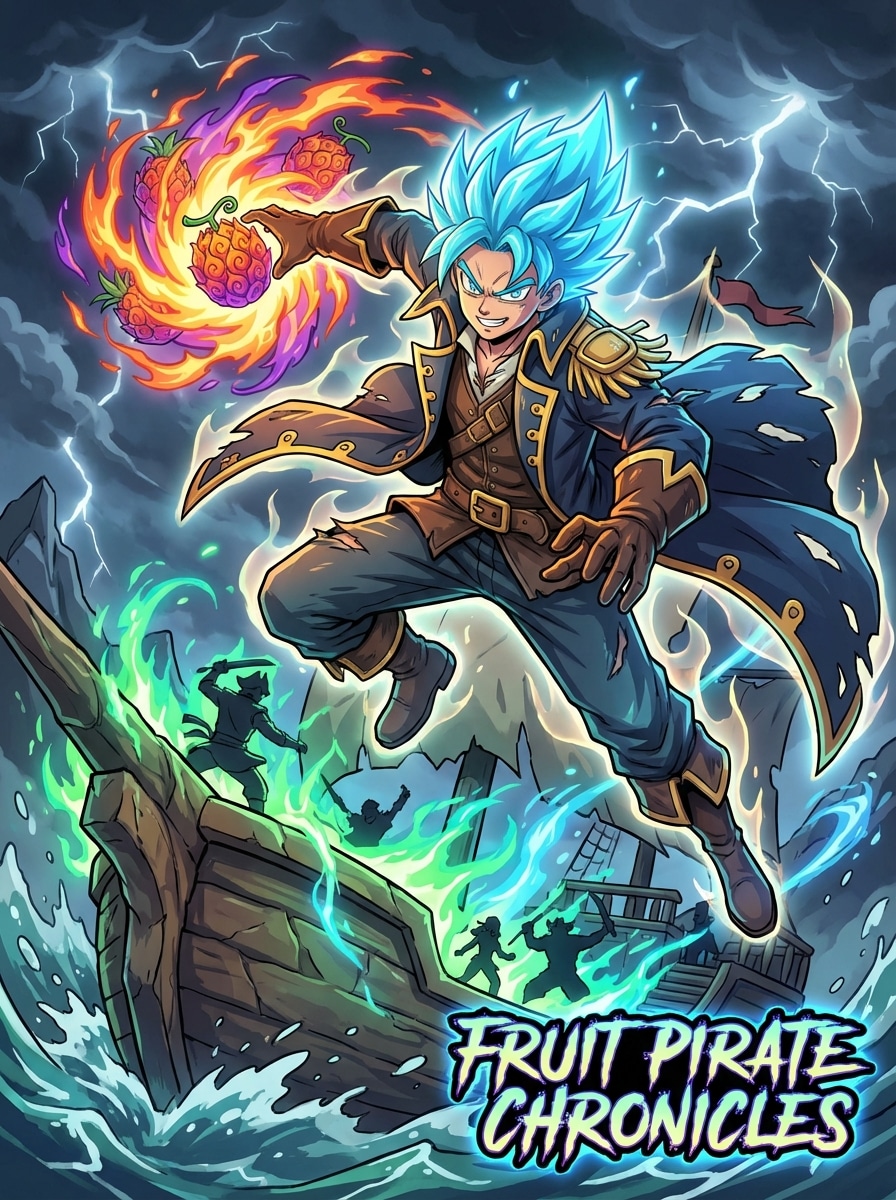
Usuário de Poder da Fruta do Diabo
Use a imagem enviada como personagem e transforme-a em um pirata anime com um poder único inspirado em frutas, adicionando aura brilhante, efeitos de energia elemental, pose de ação dramática, traje de pirata fantasioso, cel shading vívido, composição cinematográfica, contraste de cores forte e clima de batalha sobrenatural de alto impacto.
Ficha de Personagem de Anime
Use a imagem enviada como base e crie uma ficha completa de personagem pirata anime, com design de corpo inteiro, pose de frente, expressões alternativas, destaques de acessórios, notas detalhadas de figurino, cel shading limpo, layout de concept art, espaçamento equilibrado e apresentação refinada de construção de mundo de fantasia pirata.
Por que usar o Media.io para criar personagens inspirados em One Piece
Transforme Fotos em Piratas de Anime
Envie uma foto JPG, PNG ou JPEG e transforme em um criador de one piece oc obra-prima: um personagem inspirado em One Piece, avatar de pirata, oficial da Marinha, cartaz de procurado ou OC de anime usando geração de imagem para imagem.
Ajuste Estilo e Consistência
Com tecnologia Nano Banana Pro, Nano Banana 2 e Media 2.0, Media.io funciona como um gerador de personagens one piece ai flexível para ajudar você a criar visuais mais controlados para roupas, direção da pose e consistência de personagem do anime a partir de foto, ideal para qualquer fluxo de trabalho de criador de one piece oc.
Gere para Avatares, Pôsteres ou Cenas Inteiras
Escolha entre proporções Auto, 1:1, 9:16, 16:9, 4:3, 3:4, 3:2 e 2:3, depois gere de 1 a 4 imagens por vez para fotos de perfil, fichas de personagem ou layouts de cartaz de procurado, seja você desejar uma base de one piece oc, um mashup de fusão de estilos ou um visual clássico de gerador de one piece.
Downloads em Alta Resolução em Qualquer Dispositivo
Crie em seu navegador no Windows, Mac, iOS ou Android, depois exporte em 1K, 2K ou 4K. Use prompts como “me faça no estilo one piece” ou “ai tripulação pirata one piece” para criar rapidamente um personagem one piece ou experimentar efeitos criativos no gerador de fusão one piece.
Como usar o Gerador de Personagens One Piece
1
2
3
1
Passo 1: Abra o Gerador de Personagens One Piece da Media.io
Acesse Media.io e abra o Gerador de Personagens One Piece em IA -> Gerador de Imagens. Esta ferramenta online roda direto no navegador, permitindo criar retratos piratas de anime, cartazes de procurado e fichas de personagens no desktop ou celular, sem instalar nada.
2
Passo 2: Insira um Prompt ou Faça o Upload
Envie uma foto nítida em JPG, PNG ou JPEG, depois adicione um prompt detalhado como: "Use minha foto enviada como personagem e transforme em um capitão pirata de anime confiante, com cel shading ousado, casaco dramático, fundo de oceano e iluminação cinematográfica." Ajuste proporção, resolução e quantidade de imagens conforme necessidade.
3
Passo 3: Gerar, Refinar e Baixar
Clique em Gerar. Se desejar, refine seu prompt para outro papel como espadachim, navegador, oficial da Marinha ou cartaz de recompensa. Depois, baixe o resultado em alta resolução para usar em perfis de redes sociais, artes de fã ou como avatar personalizado.
O que os Usuários Dizem Sobre Este Criador de Personagem de Anime Pirata
Maya R.
Criadora de Cosplay
"Perfeito para inserções de si mesmo em anime de pirata" Eu enviei uma selfie e transformei em um retrato de capitão pirata com visual de cartaz de procurado. O resultado em cel shading ficou muito mais próximo da vibe de pirata anime que eu queria do que filtros genéricos de anime.
Jordan T.
Hobbyista de Fan Art
"Fácil variação de papéis de personagem" Eu gostei de como pude mudar de espadachim para oficial da Marinha ou usuário de fruta do diabo só trocando o prompt. Isso agilizou muito a criação de um OC completo inspirado em One Piece.
Elena P.
Designer de Conteúdo para Redes Sociais
"Ótimo para avatares e conceitos de pôster" As opções de proporção foram úteis porque criei tanto uma imagem quadrada de perfil quanto uma versão vertical estilo cartaz de recompensa. Os resultados ficaram bons o suficiente para publicar na hora.
Chris W.
Entusiasta de Anime
"Transformação divertida de foto para anime" Eu queria um gerador de personagens de One Piece que usasse minha própria foto, não apenas modelos aleatórios. Isso me permitiu ter um personagem de anime pirata personalizado, com estilo mais forte e detalhes visuais melhores.
Explore os efeitos de vídeo e imagem de IA mais quentes
Perguntas Frequentes sobre o Gerador de Personagens de One Piece
1. Como faço meu próprio personagem inspirado em One Piece a partir de uma foto?
Abra o gerador de imagens do Media.io, envie uma foto JPG, PNG ou JPEG e descreva o visual de anime pirata que você quer. Você pode pedir por papéis como capitão, espadachim, navegador ou oficial da Marinha para criar um personagem one piece, então gere e refine o resultado no navegador com a orientação do estilo one piece ai.
2. A IA pode transformar uma foto em personagem pirata de anime?
Sim. O Media.io oferece geração de imagem para imagem, ou seja, você pode enviar uma foto referência e usá-la para guiar a transformação em pirata de anime, avatar, pôster ou ficha de personagem, sendo assim ótimo como gerador de OC one piece personalizado.
3. Consigo criar uma versão cartaz de procurado do meu personagem?
Sim. Você pode enviar sua imagem e pedir ao Media.io para criar um layout de cartaz de procurado, com textura de pergaminho, traço marcado e estilo temático pirata. Usar diferentes proporções também ajuda a adaptar para perfil ou pôster, como um gerador de one piece focado em pôsteres.
4. Que tipos de arquivo o gerador de avatar One Piece suporta?
O Media.io aceita uploads em JPG, PNG e JPEG para geração imagem a imagem. Use uma foto nítida para melhores resultados, especialmente se quiser manter identidade facial clara no design final ou criar um personagem one piece para uso recorrente.
5. O Media.io é gratuito para criação de personagens de anime?
Usuários grátis recebem 3 créditos por dia. Exportações gratuitas podem ter marca d’água, enquanto assinantes podem baixar imagens em alta resolução sem marca d’água. Se precisar de mais créditos ou exportações limpas, compare planos na página de preços e use para experimentar diferentes prompts para criar personagens one piece.
6. Como funcionam os geradores IA imagem-a-imagem para transformação em anime?
A geração imagem-a-imagem usa sua foto enviada como referência visual e aplica o prompt para transformar estilo, direção do traje, clima e composição. No Media.io, você pode escolher diferentes proporções, gerar de 1 a 4 imagens e exportar em 1K, 2K ou 4K, tendo liberdade para aprimorar qualquer base de OC ou remixá-la em novas variações.