Turn One Image into the Meme
Animate a single polar bear image instead of filming anything. Keep the stiff front-facing pose, snowy night scene, and uncanny low-quality meme aesthetic that makes the Polar Bear 2026 format recognizable.
Recreate the eerie Polar Bear 2026 meme as a short AI video. Start with a polar bear still, then animate the stare, camera zoom, calendar reveal, uncanny mouth movement, or future-warning atmosphere for TikTok, Reels, Shorts, and remix posts.
Use images and audio you have permission to use. Add your own caption or soundtrack after generation.
Animate a single polar bear image instead of filming anything. Keep the stiff front-facing pose, snowy night scene, and uncanny low-quality meme aesthetic that makes the Polar Bear 2026 format recognizable.
Choose one readable action: a slow push-in, tiny head tilt, unnatural step, subtle mouth movement, or calendar reveal. Restrained motion keeps the short clip strange instead of over-produced.
Use dim snow, dark pine trees, VHS noise, compressed-video texture, bluish night lighting, and an ambiguous future-warning mood to make the clip feel like found internet footage.
Frame the bear centrally in 9:16 and leave room for your own caption, date, calendar, or reaction layer. The simple composition works well for TikTok, Reels, and Shorts.
Choose a centered polar bear image or an AI-generated still in snow. A simple composition gives the model room to animate the bear without distracting background motion.
Choose one of the image-to-video prompts below. Define the camera move, one subject action, atmosphere, and ending. For the meme look, keep motion slightly unnatural rather than cinematic.
Generate a short vertical clip, review the bear and background motion, then add your own caption, calendar reference, original audio, or reaction format before posting.
These image-to-video ideas focus on the current meme language: a stiff polar bear, minimal movement, snowy darkness, low-fi texture, calendar/date cues, and an unsettling “future warning” tone.
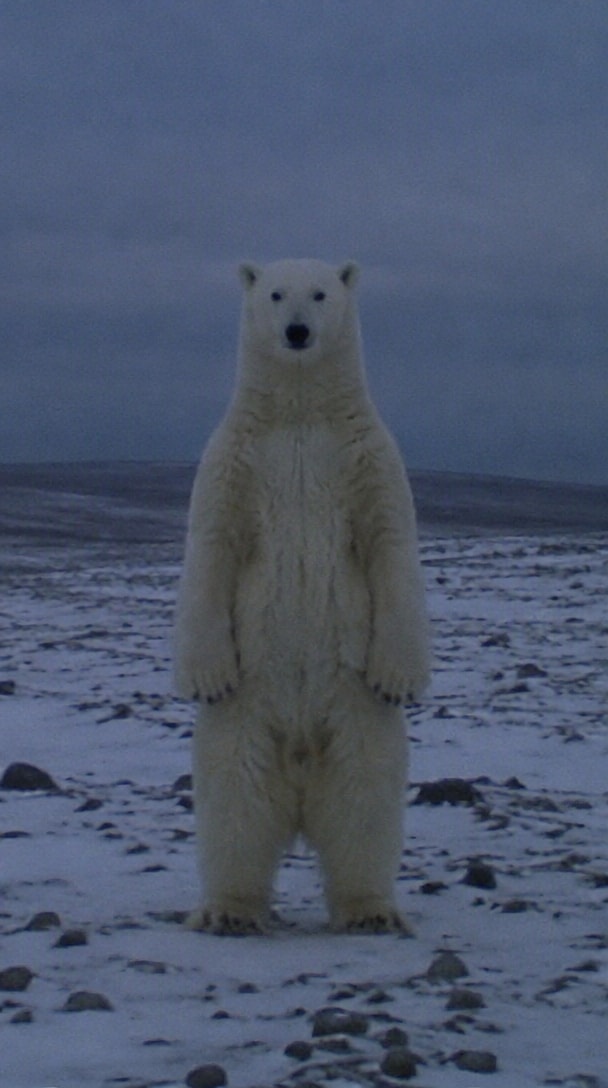
A grainy snowy-night recreation with the strange upright bear pose and a slow ominous camera push.
Prompt: Animate the uploaded polar bear image into a 6-second vertical meme video. Keep the bear centered in a snowy clearing at night, standing in an unnaturally stiff posture. The bear barely moves, then slowly tilts its head toward the camera while the camera makes a subtle push-in. Dark pine trees, dim blue-gray sky, soft blur, low-resolution compressed-video texture, faint analog noise, uncanny internet-creepypasta mood. No text, no logos, no sudden cuts, 9:16.
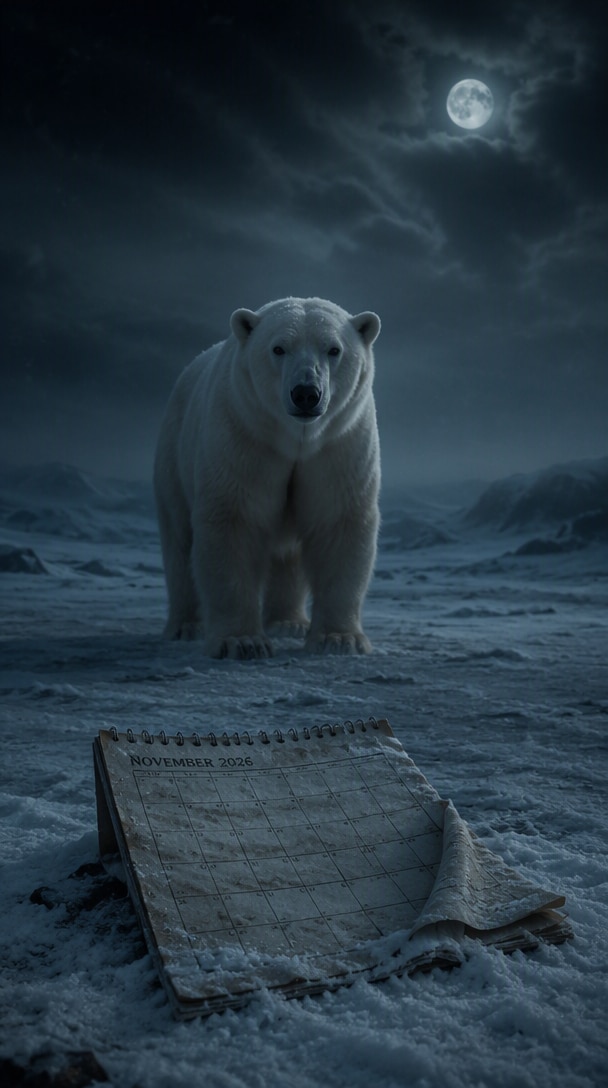
The bear stays almost motionless while a November 2026 calendar becomes visible in the snowy scene.
Prompt: Create a 6-second image-to-video clip from the uploaded polar bear image. Start with the bear motionless in a dark snowy forest. The camera slowly moves closer while wind lifts loose snow. In the final two seconds, reveal a weathered November 2026 calendar page half-buried in the snow beside the bear. Keep the bear staring toward camera, eerie realistic lighting, subtle VHS grain, restrained motion, vertical 9:16, no text overlay.
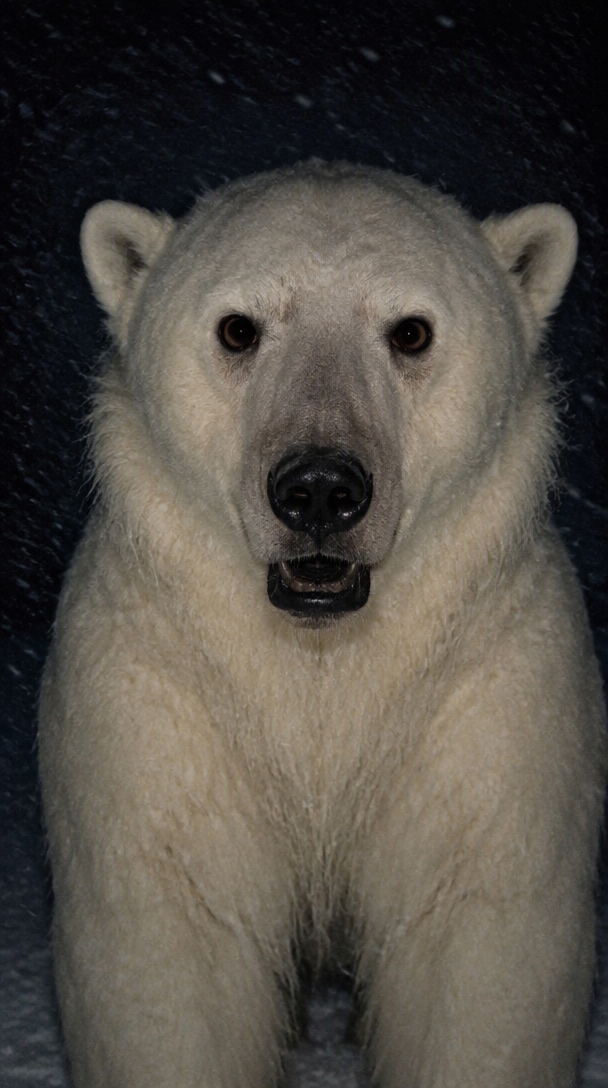
Subtle mouth and head motion creates a strange singing-style performance without embedding copyrighted music.
Prompt: Animate the front-facing polar bear for 6 seconds as if it is quietly performing to an unheard rhythm. Keep the body stiff and almost still. Add restrained mouth opening and closing, tiny head bobs, and a slightly delayed blink. Slow handheld zoom, snowy night forest, compressed social-video quality, faint VHS noise, unsettling but funny timing. No audio, no lyrics, no text, vertical 9:16.
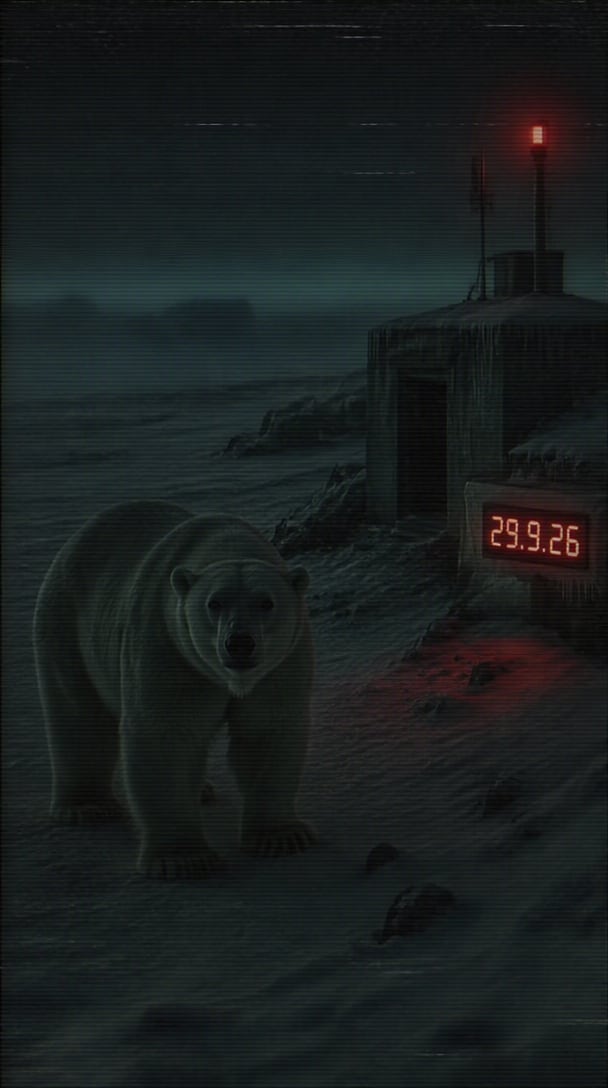
A date-coded creepypasta variation with a mysterious object emerging from the snow.
Prompt: Animate a polar bear standing alone in a blue-gray snowy clearing. The camera slowly circles a few degrees while the bear stays locked on the lens. Snow blows across the frame. Near the end, a small weathered sign or calendar marker with the date 29.9.26 becomes visible behind the bear, partially covered by snow. Found-footage realism, analog noise, soft compression artifacts, no extra captions, no sudden horror jump, vertical 9:16.
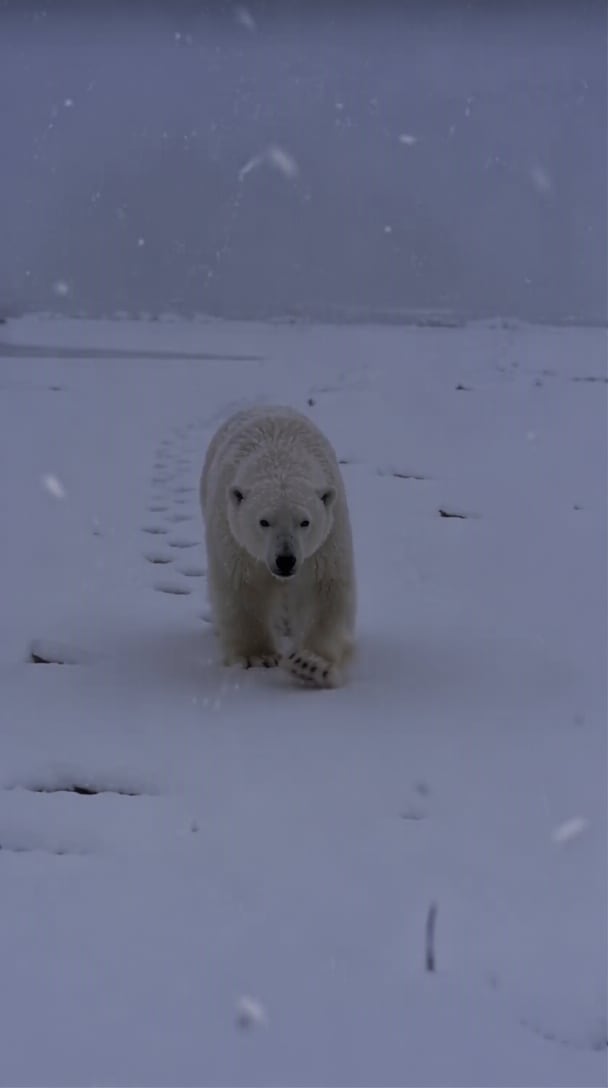
The simplest action variation: the bear notices the viewer, then approaches with stiff unnatural movement.
Prompt: Create a 6-second vertical image-to-video clip. The polar bear starts completely still in a dark snowy clearing, staring directly into the lens. After two seconds, it takes two slow stiff steps toward the camera without changing expression. Use subtle handheld shake, dim blue moonlight, soft snow, compressed old-phone-video texture, realistic fur, restrained motion, eerie meme atmosphere, no text, 9:16.
Keep the core visual recognizable, then change the storytelling layer around it.
Use the bear as a strange “message from the future” visual, then add your own date, caption, or fictional warning in the final edit.
Change the calendar, setting, reaction, or ending while keeping the stiff polar bear and low-fi camera language that viewers recognize.
Generate the bear clip first, then combine it with your own reaction, duet, voiceover, or original soundtrack for TikTok, Reels, or Shorts.
Illustrative review copy for editorial approval. Replace with verified Media.io customer comments before publishing.

Meme Creator · Sample
“The slow zoom made it work.” I kept the bear almost completely still and used just one camera push. That made the result feel much closer to an eerie found clip than a polished AI animation.

Short-Form Creator · Sample
“Easy to remix.” The calendar version gave me a clear visual hook. I changed the date and added my own caption afterward instead of trying to generate everything in one step.

AI Video Hobbyist · Sample
“Minimal motion looked better.” My first version moved too much. A smaller head tilt, light snow movement, and compressed-video texture made the second result much more convincing.
Polar Bear 2026 is an eerie internet meme built around an unusual polar bear image and future-date references such as “Remember November 2026.” The 2026 revival has also inspired AI-animated and singing-style remixes. This Media.io page focuses on recreating the visual format as an original AI video.
Start with a centered polar bear image, open Media.io Image to Video, and paste a prompt that defines one subtle movement, the snowy environment, camera behavior, and low-fi texture. Generate a short clip, then add your own caption or audio in the final edit.
Keep the bear front-facing and mostly still. Add a slow camera push, dark snowy forest, VHS-style noise, and a restrained calendar or date reveal. Avoid too many effects; the uncanny simplicity is part of the meme’s appeal.
Yes. You can animate small mouth and head movements to create a singing-style visual, then add audio you have permission to use during editing. The generation prompt itself does not need to include copyrighted lyrics or music.
Yes. Generate in 9:16, keep the bear large enough to read on a phone screen, and leave safe space for your own text or reaction layer. Always use images, audio, and other media you have permission to upload or publish.



