Prompts Prontos de Foto Estética com IA
Pule tentativas e erros. Copie um prompt de luz de velas testado, criado para destaques quentes, chamas refletidas, sombras dimensionais, detalhes faciais naturais e um acabamento editorial premium.
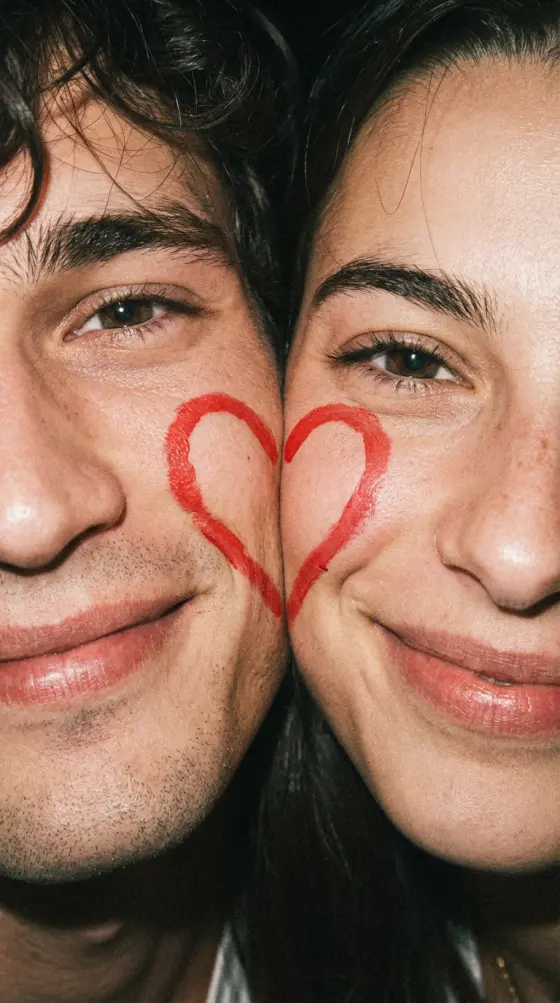
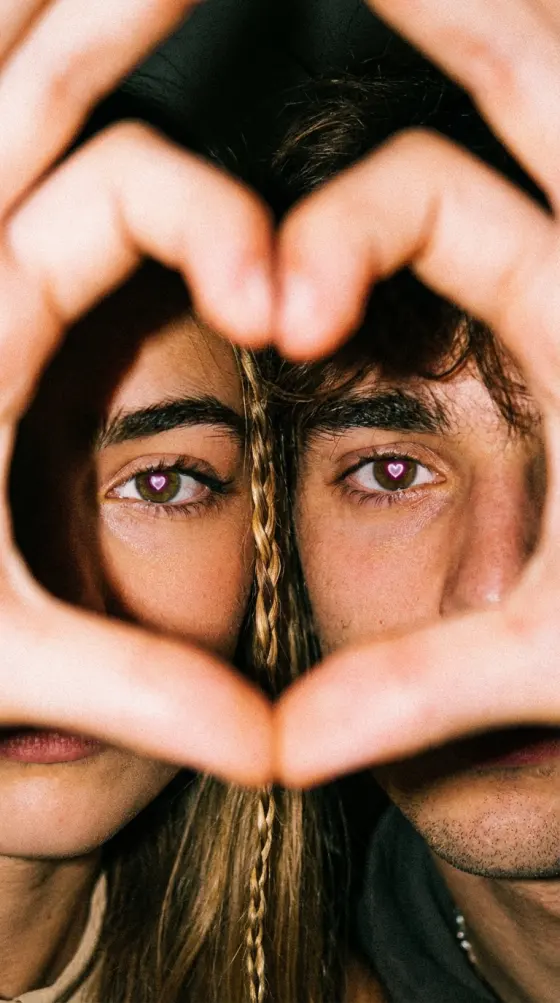
Transforme um retrato comum em uma cena cinematográfica e aconchegante à luz de velas, com reflexos luminosos nos olhos, textura de pele natural e gradação de cores editorial. Envie uma foto, cole um prompt pronto de foto estética com IA e crie um retrato refinado online com o Media.io.
Não são necessárias habilidades avançadas de edição. Créditos gratuitos ao se cadastrar.
Pule tentativas e erros. Copie um prompt de luz de velas testado, criado para destaques quentes, chamas refletidas, sombras dimensionais, detalhes faciais naturais e um acabamento editorial premium.
O Media.io pode adicionar ambiente de luz de velas, bokeh suave, contraste estilo filme, grão sutil e gradação de cores profissional sem máscaras manuais, curvas ou ajustes complexos de iluminação.
Escolha um prompt de IA para edição de fotos masculinas, uma variação de beleza elegante ou um prompt de retrato universal. Ajuste o penteado, o vestuário, o humor, a direção da iluminação e o fundo em linguagem simples.
Prompts de edição de imagem bem estruturados ajudam a manter a identidade facial, a textura de pele realista, a cor natural dos olhos e os traços reconhecíveis, enquanto alteram a iluminação e a atmosfera visual.
Escolha uma selfie de frente, foto de perfil profissional, retrato de moda ou foto de casal com olhos visíveis e iluminação equilibrada. Imagens de alta resolução produzem detalhes faciais mais nítidos.
Copie o Prompt de Edição de Fotos com IA Olhos à Luz de Velas 2026 e personalize o gênero, a roupa, a expressão, o ângulo de iluminação, o fundo e o clima cinematográfico.
Gere o retrato, compare variações, refine o prompt de filtro de foto com IA se necessário e baixe o melhor resultado para redes sociais, perfis ou projetos criativos.
Use esses prompts prontos para copiar como ponto de partida. Substitua o vestuário, o humor, o ângulo da câmera ou o fundo para combinar com o seu retrato.
Transforme este retrato em uma cena cinematográfica à luz de velas iluminada por uma luz de velas dourada e quente. Adicione reflexos realistas de chamas de vela em ambos os olhos, preservando a cor natural dos olhos, a identidade facial e a textura da pele. Use sombras dramáticas suaves, destaques âmbar, grão de filme sutil, profundidade de campo rasa, bokeh elegante e gradação de cores editorial premium.
Crie um retrato cinematográfico masculino com luz de velas quente iluminando um lado do rosto. Adicione chamas de vela refletidas sutis nos olhos, linha de mandíbula definida, textura de barba realista, contraste profundo, fundo escuro e luxuoso, profundidade de campo rasa e iluminação editorial de moda de alto padrão.
Transforme o retrato em uma foto de beleza elegante à luz de velas com reflexos luminosos nos olhos, destaques âmbar quentes, textura de pele natural, realce suave de maquiagem, fundo de bokeh luxuoso, iluminação volumétrica suave e sonhadora e gradação de cores cinematográfica refinada.
Crie um retrato cinematográfico de baixa chave iluminado por uma única vela. Preserve a identidade e os traços naturais do sujeito. Adicione sombras profundas, destaques quentes, grão de filme sutil, cores suaves, detalhes de pele realistas e uma atmosfera íntima de fotografia analógica.
Transforme esta foto em um retrato editorial premium com luz de velas dourada, reflexos brilhantes nos olhos, roupa preta elegante, iluminação de contorno suave, contraste rico, fundo escuro de estúdio, foco raso e gradação de cores de revista de luxo.
Transforme o retrato do casal em uma cena romântica à luz de velas. Mantenha os dois rostos reconhecíveis, adicione chamas refletidas quentes nos olhos, tons de pele suaves, sombras delicadas, velas de bokeh brilhantes, enquadramento íntimo e gradação de cores cinematográfica estilo filme de casamento.
Crie um estilo de retrato distinto para conteúdo em redes sociais, marca pessoal, fotografia criativa ou desenvolvimento de conceito visual.
Melhore selfies para Instagram, TikTok, Threads, Facebook e imagens de perfil com luz cinematográfica quente e reflexos nos olhos que chamam a atenção.
Visualize iluminação à luz de velas, film-noir, editorial ou romântica antes de organizar um ensaio fotográfico real, vestuário, cenário ou configuração de câmera.
Gere fotos de perfil profissionais, artes de álbum, capas de histórias, miniaturas de criadores, obras de arte digitais e conceitos de campanha a partir de um único retrato.

Criadora de Lifestyle

Parece um Ensaio em Estúdio. Usei uma selfie simples e o prompt de luz de velas criou um resultado editorial refinado com reflexos realistas nos olhos e pele de aparência natural.
Fotógrafo de Retratos
Excelente Referência de Iluminação. Uso as variações para testar humor e direção antes de um ensaio com cliente. É uma maneira rápida de explorar ideias de iluminação cinematográfica.
Artista Digital
Fácil e Altamente Personalizável. Mudei a roupa, o fundo e o humor no prompt mantendo o mesmo rosto. O fluxo de trabalho é simples e flexível.
É um prompt de IA descritivo que recria luz de velas quente, reflexos realistas nos olhos, sombras cinematográficas, destaques âmbar, textura de pele natural, profundidade de campo rasa e gradação de cores profissional. Foi desenvolvido para transformar um retrato padrão em uma imagem de estilo editorial sombrio, mantendo o sujeito reconhecível.
Você não precisa baixar um preset ou arquivo de projeto. Copie um dos prompts desta página, envie seu retrato para o Media.io, cole o texto e gere o efeito online. Você também pode salvar o prompt como texto simples para edições futuras.
Sim. Use o prompt de foto masculina e descreva o detalhe de barba desejado, penteado, linha de mandíbula, roupa, pose, direção de iluminação e fundo. Para um resultado natural, peça à IA para preservar a identidade, a textura de pele realista, a cor dos olhos e as proporções faciais.
Sim. O prompt pode ser adaptado para retratos de beleza, fotos de moda, imagens nupciais ou cenas românticas de casais. Especifique se deseja maquiagem suave, roupa elegante, bokeh de velas intimista, enquadramento íntimo ou estilo editorial de luxo. Para casais, peça à IA para manter os dois rostos reconhecíveis e igualmente iluminados.
Comece com um retrato nítido e bem enquadrado, com os olhos visíveis. Mantenha o prompt específico, mas sem sobrecarregar. Mencione a fonte de iluminação, o humor, o fundo, o estilo de câmera, a textura da pele e a preservação da identidade. Se o primeiro resultado parecer muito artificial, reduza palavras como brilhante ou fantasia e adicione realista, sutil, natural e fotográfico.
 4,7 (162.357 Votos)

