Clique ou arraste para enviar, ou escolha de Meu HistóricoClique para carregarMeu Histórico
Sem ideias? Gere uma imagem primeiro >
Faça upload de imagens jpg, jpeg ou png de até 50 MB, com largura/altura mínima de 300 px.
See Where Face-Framing Layers Should Start
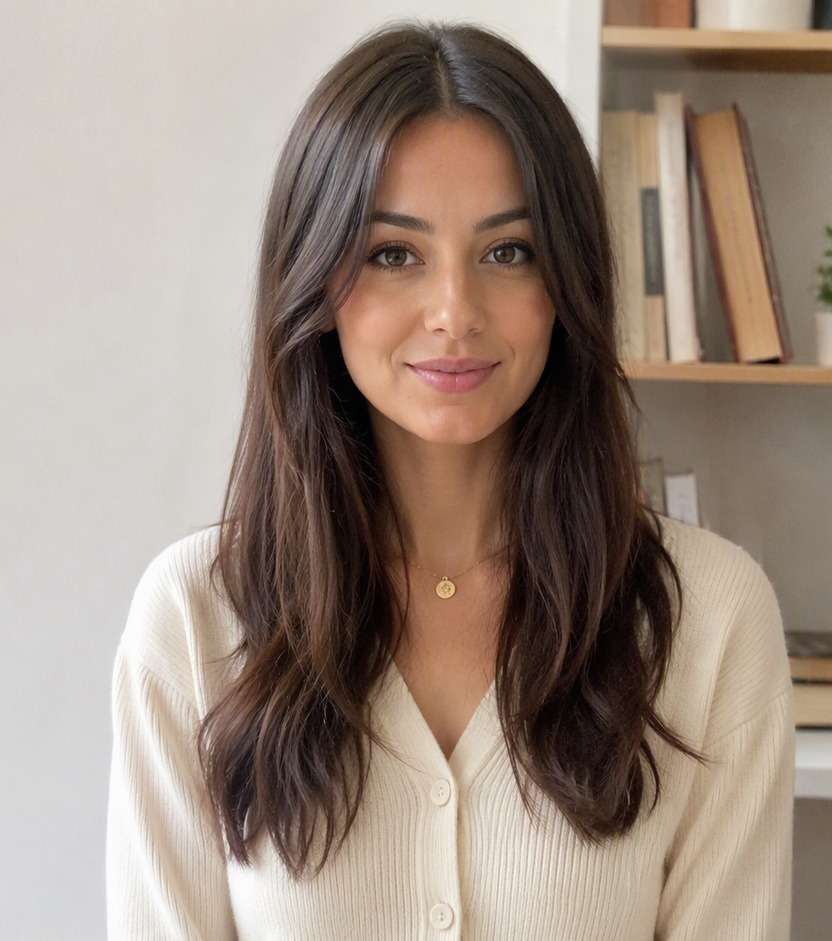
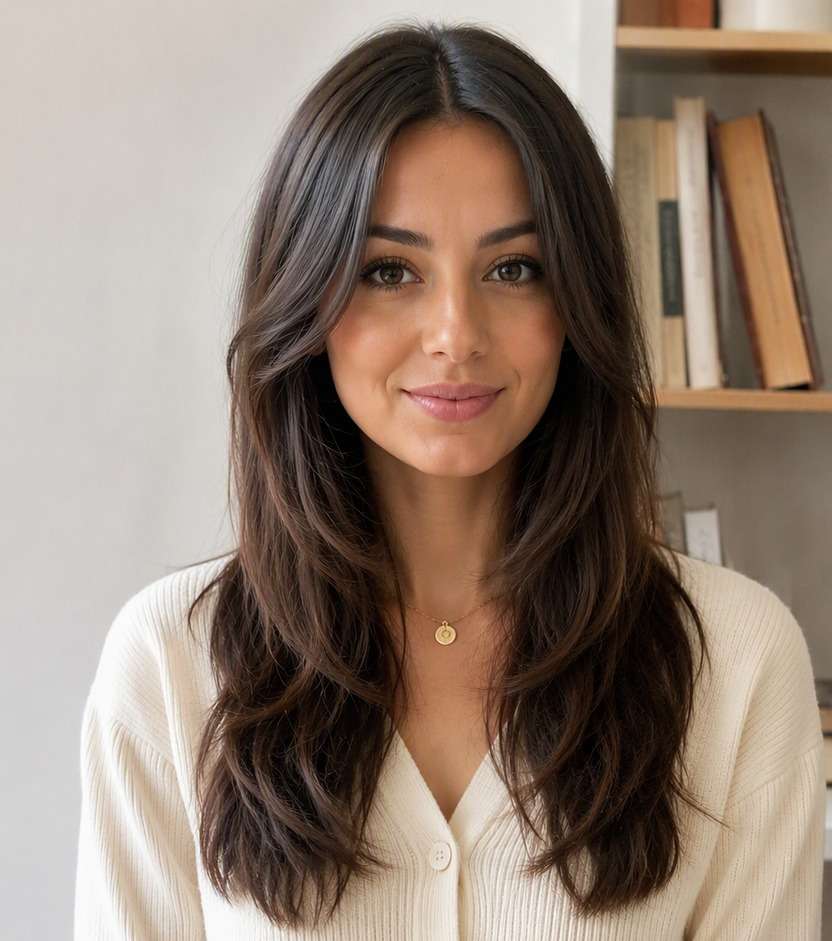
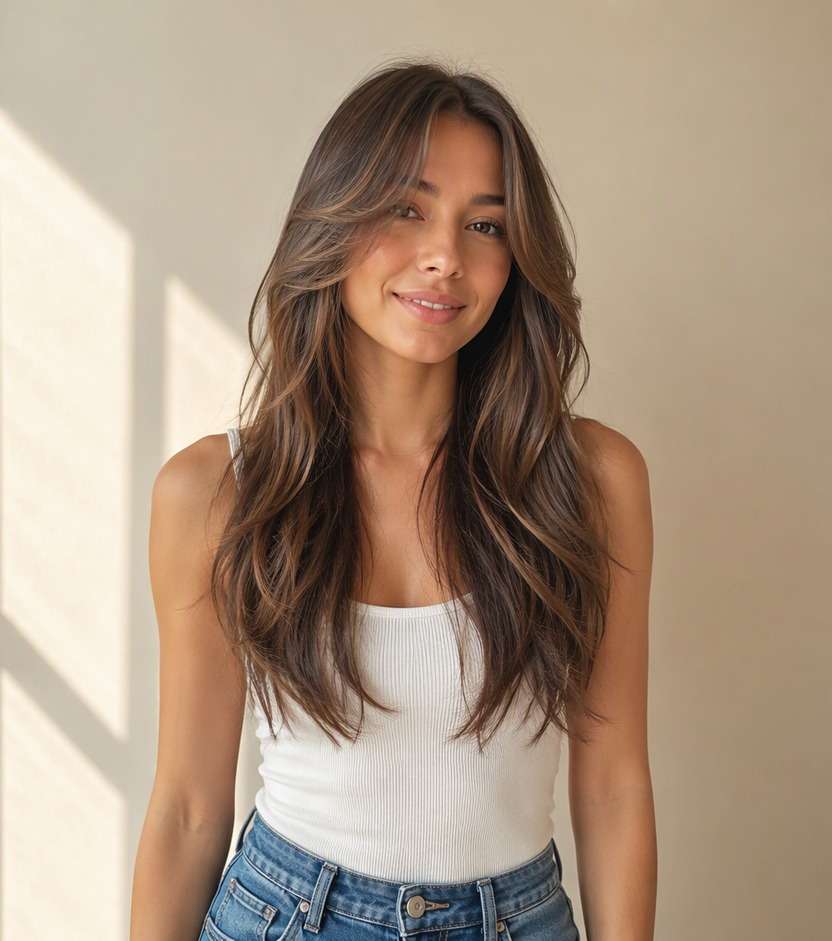
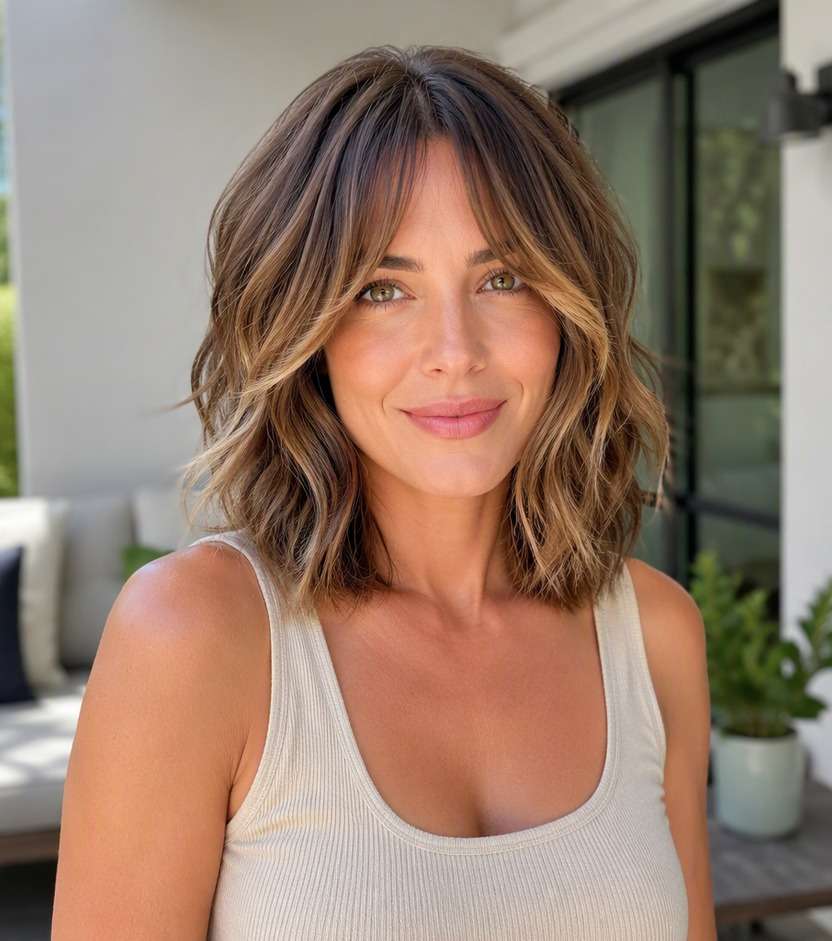
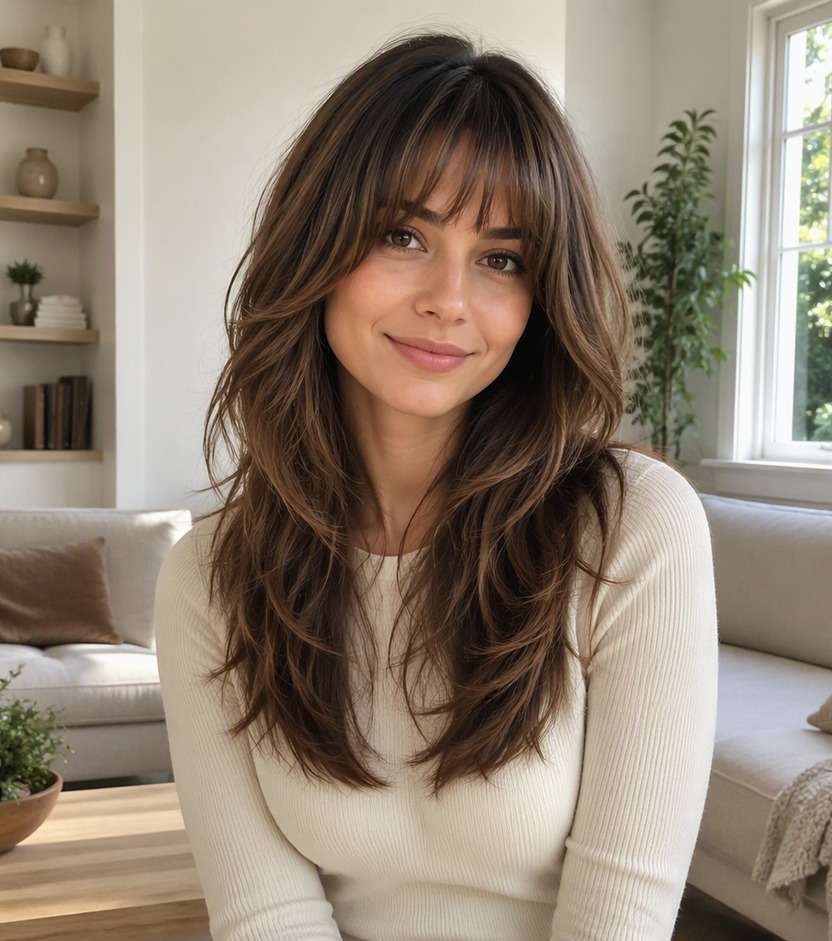
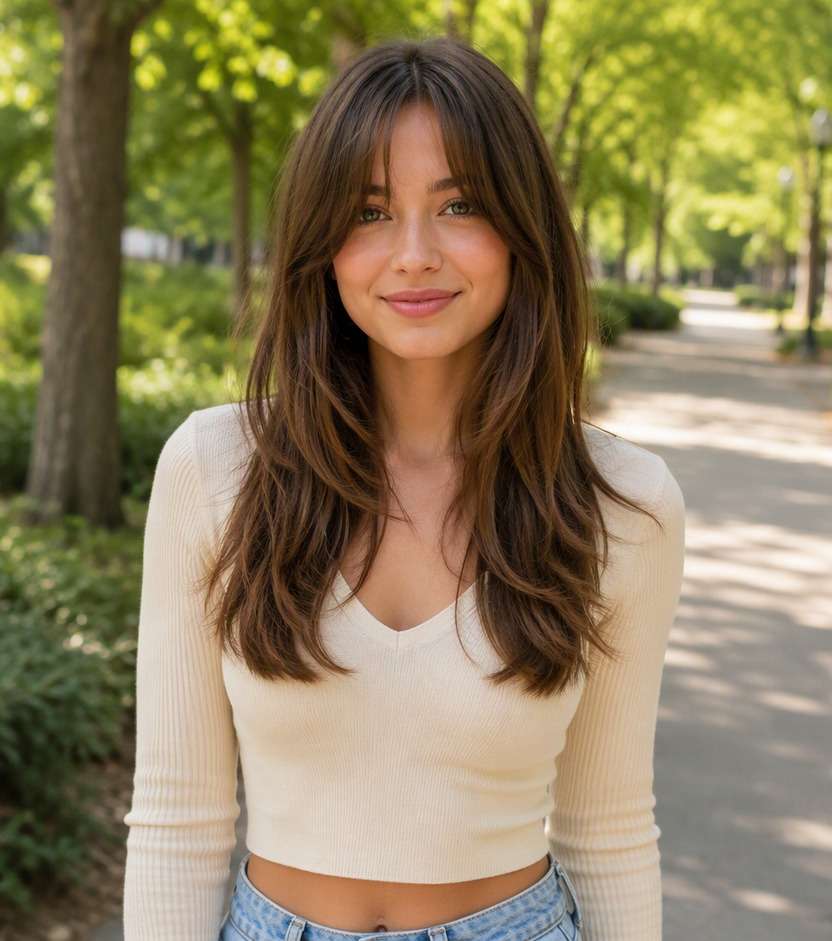
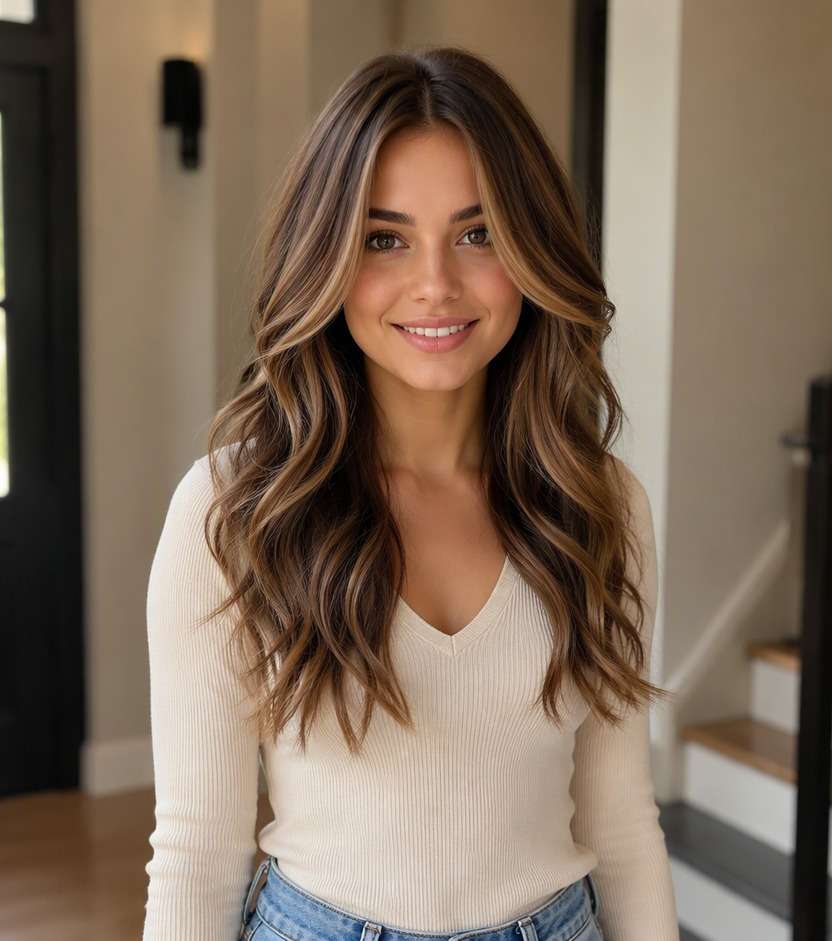
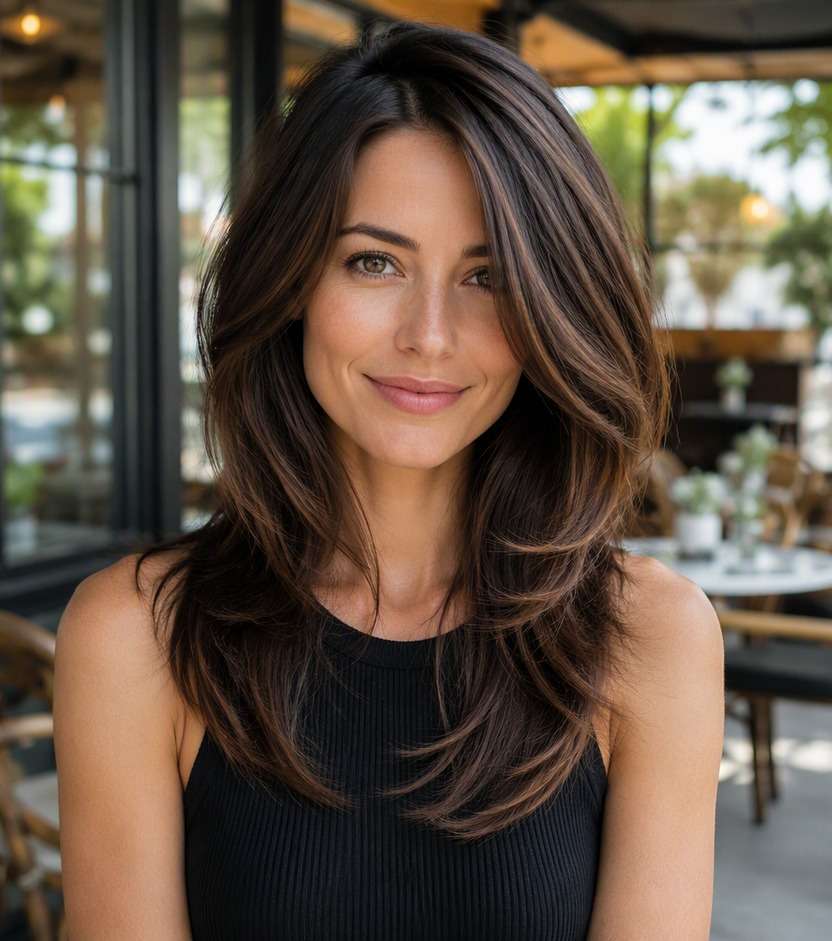
You do not need a dramatic cut to change how your hair falls around your face. With a face framing layers filter, you can see whether cheekbone-skimming pieces, jaw-length sections or gentle collarbone layers give you the look you want. Keep the rest of your hairstyle familiar while testing the front details that show up in almost every selfie.
Start with a clear photo, then describe the detail you want to test.
Face-Framing Hair Layer Try-On Prompts
The shortest front piece changes the whole effect. These photo-editing prompts move the frame from cheekbone to collarbone, with options for different parts and textures. Pick a starting point you could realistically maintain.
Cheekbone-Skimming Face Frame
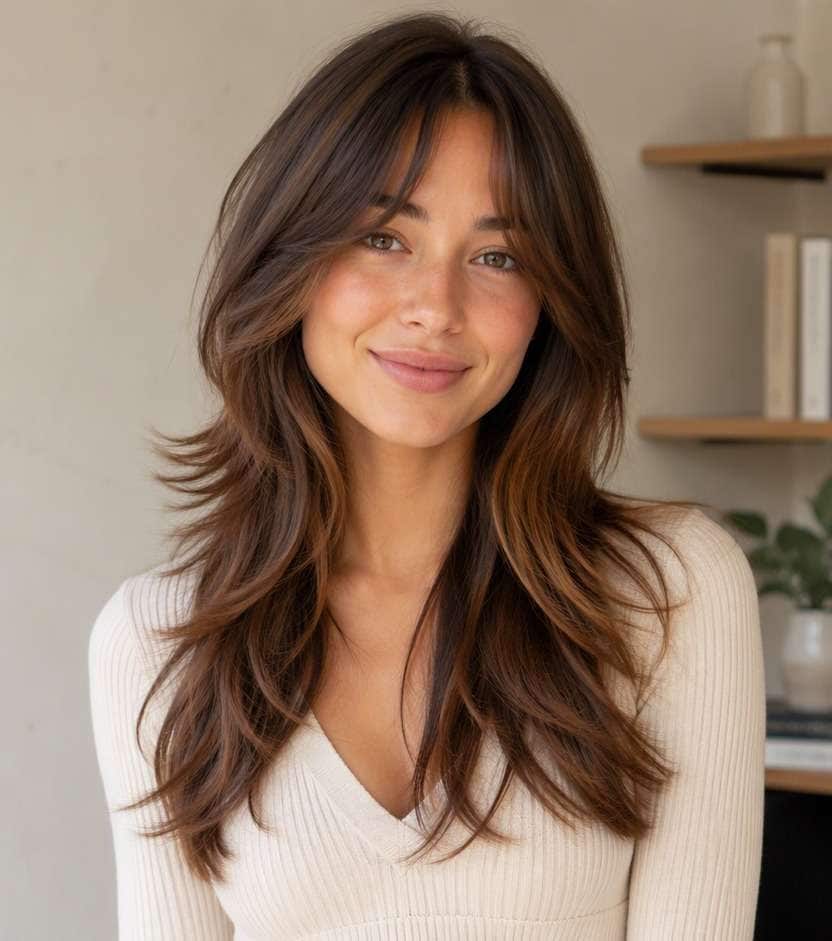
Use my uploaded portrait as the source image. Add soft front layers beginning at the cheekbones and blend them gradually into the unchanged long lengths. Preserve my recognizable facial features, skin tone, natural hair color unless the style specifies a color accent, outfit, overall haircut length except where the requested cut changes it, and original surroundings. Keep realistic hairline, strand density and light direction. Make only the hairstyle edit; avoid studio beauty retouching and unrelated face changes. Make the result a believable photo I could use to compare the look.
Jaw-Length Framing Pieces
Use my uploaded portrait as the source image. Start the shortest framing strands just below the jaw, angled gently away from the face. Preserve my recognizable facial features, skin tone, natural hair color unless the style specifies a color accent, outfit, overall haircut length except where the requested cut changes it, and original surroundings. Keep realistic hairline, strand density and light direction. Make only the hairstyle edit; avoid studio beauty retouching and unrelated face changes. Make the result a believable photo I could use to compare the look.
Collarbone Face Frame
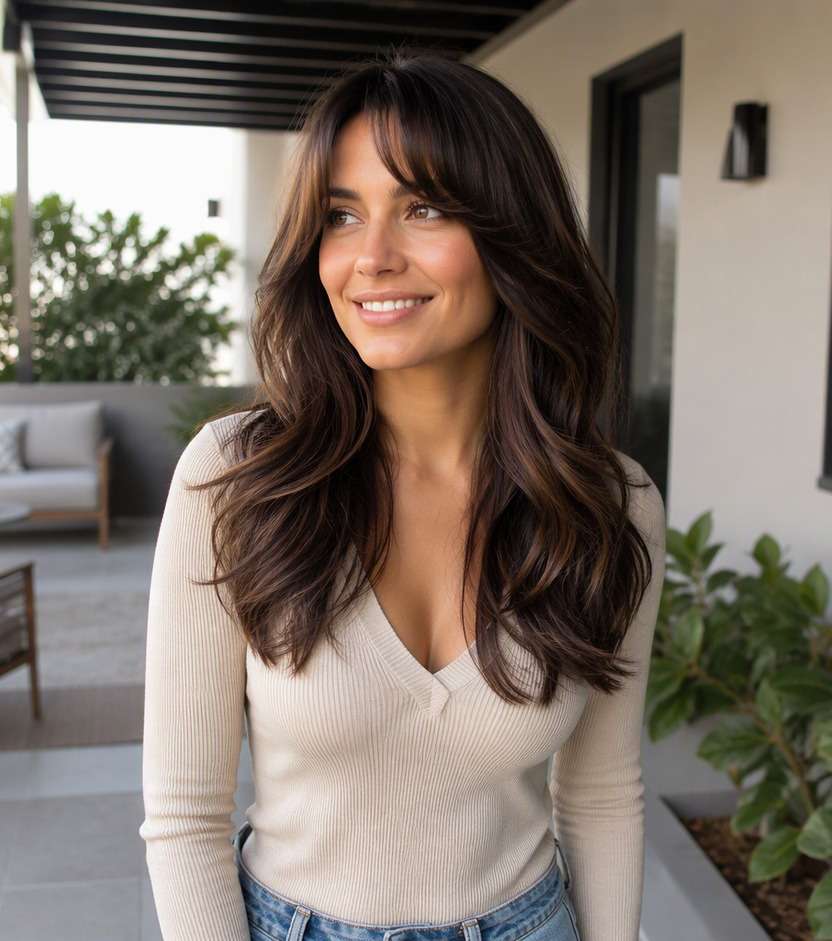
Use my uploaded portrait as the source image. Introduce collarbone-length front layers that give movement without drifting toward full curtain bangs. Preserve my recognizable facial features, skin tone, natural hair color unless the style specifies a color accent, outfit, overall haircut length except where the requested cut changes it, and original surroundings. Keep realistic hairline, strand density and light direction. Make only the hairstyle edit; avoid studio beauty retouching and unrelated face changes. Make the result a believable photo I could use to compare the look.
Minimal Long Hair Frame
Use my uploaded portrait as the source image. Keep barely noticeable pieces near the lower jaw while leaving most hair one length. Preserve my recognizable facial features, skin tone, natural hair color unless the style specifies a color accent, outfit, overall haircut length except where the requested cut changes it, and original surroundings. Keep realistic hairline, strand density and light direction. Make only the hairstyle edit; avoid studio beauty retouching and unrelated face changes. Make the result a believable photo I could use to compare the look.
Center-Part Curtain Frame
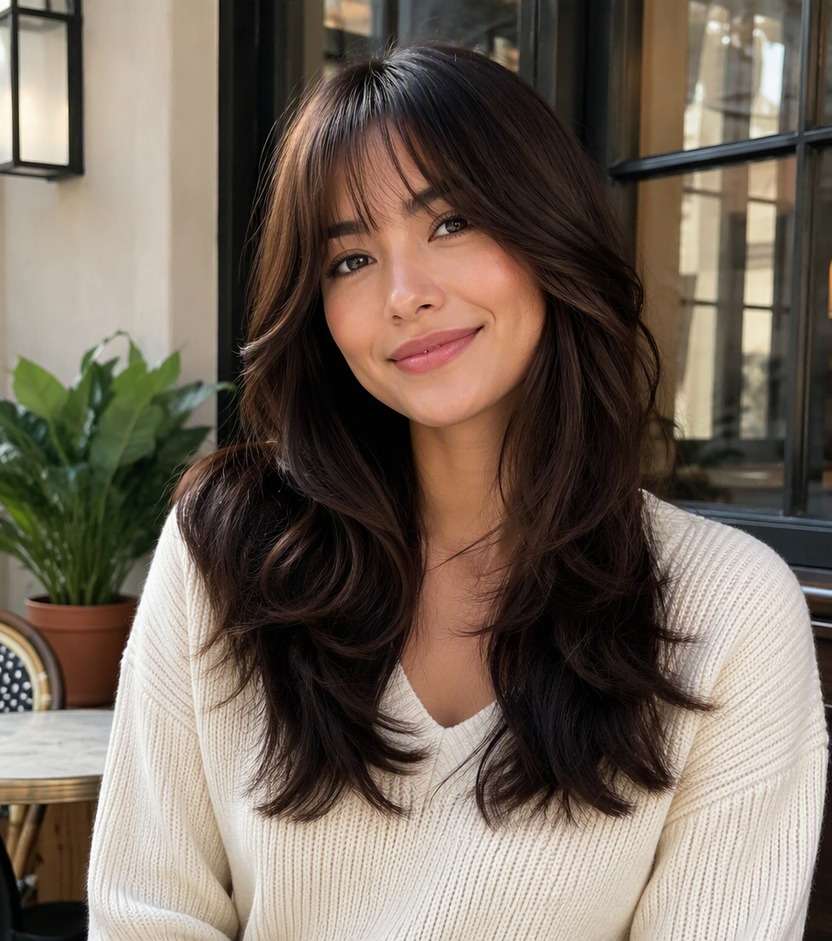
Use my uploaded portrait as the source image. Use parted face-framing pieces opening away from the cheekbones, with no eyebrow-length fringe. Preserve my recognizable facial features, skin tone, natural hair color unless the style specifies a color accent, outfit, overall haircut length except where the requested cut changes it, and original surroundings. Keep realistic hairline, strand density and light direction. Make only the hairstyle edit; avoid studio beauty retouching and unrelated face changes. Make the result a believable photo I could use to compare the look.
Side-Part Sweep
Use my uploaded portrait as the source image. Add asymmetrical long face-framing layers that fall to one side of a natural off-center part. Preserve my recognizable facial features, skin tone, natural hair color unless the style specifies a color accent, outfit, overall haircut length except where the requested cut changes it, and original surroundings. Keep realistic hairline, strand density and light direction. Make only the hairstyle edit; avoid studio beauty retouching and unrelated face changes. Make the result a believable photo I could use to compare the look.
Wavy Face Frame
Use my uploaded portrait as the source image. Define loose waves around the front strands while preserving the wavy lengths behind them. Preserve my recognizable facial features, skin tone, natural hair color unless the style specifies a color accent, outfit, overall haircut length except where the requested cut changes it, and original surroundings. Keep realistic hairline, strand density and light direction. Make only the hairstyle edit; avoid studio beauty retouching and unrelated face changes. Make the result a believable photo I could use to compare the look.
Straight Sleek Face Frame
Use my uploaded portrait as the source image. Make front layers visible in straight hair with understated rounded ends and a clean part. Preserve my recognizable facial features, skin tone, natural hair color unless the style specifies a color accent, outfit, overall haircut length except where the requested cut changes it, and original surroundings. Keep realistic hairline, strand density and light direction. Make only the hairstyle edit; avoid studio beauty retouching and unrelated face changes. Make the result a believable photo I could use to compare the look.
Layered Lob Face Frame
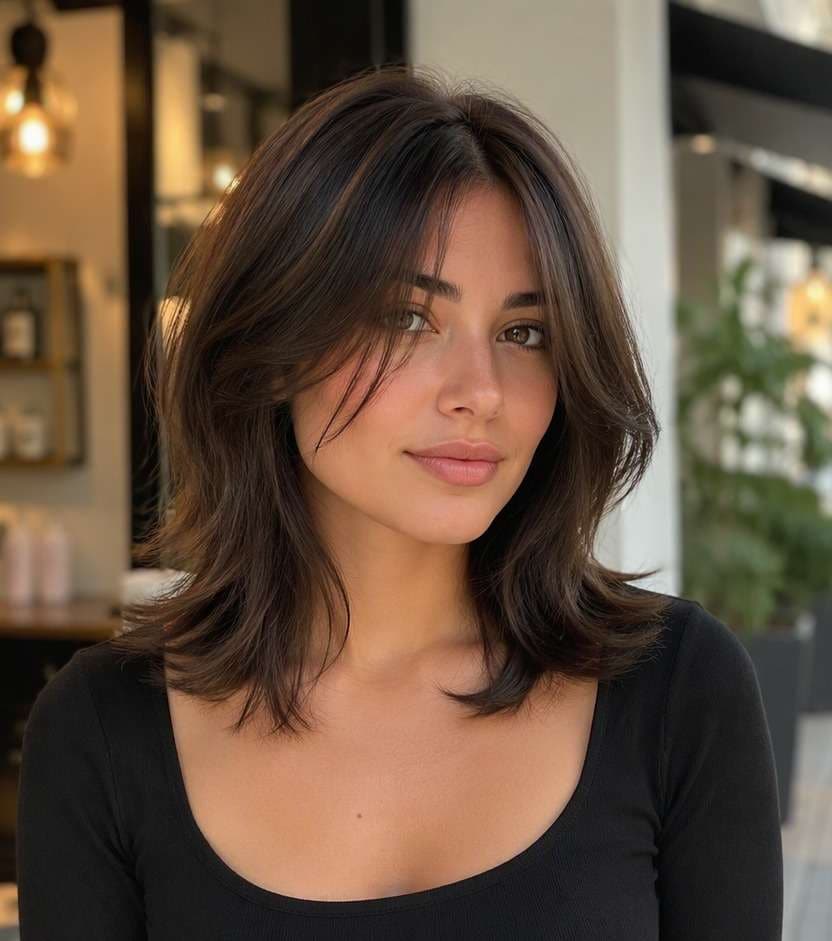
Use my uploaded portrait as the source image. Use soft face-framing strands around a collarbone-length cut, keeping the back edge stable. Preserve my recognizable facial features, skin tone, natural hair color unless the style specifies a color accent, outfit, overall haircut length except where the requested cut changes it, and original surroundings. Keep realistic hairline, strand density and light direction. Make only the hairstyle edit; avoid studio beauty retouching and unrelated face changes. Make the result a believable photo I could use to compare the look.
Subtle Jawline Blend
Use my uploaded portrait as the source image. Blend a small pair of jawline-length layers into longer hair for a low-commitment change. Preserve my recognizable facial features, skin tone, natural hair color unless the style specifies a color accent, outfit, overall haircut length except where the requested cut changes it, and original surroundings. Keep realistic hairline, strand density and light direction. Make only the hairstyle edit; avoid studio beauty retouching and unrelated face changes. Make the result a believable photo I could use to compare the look.
Explore Cut Shapes That Suit Your Length
Find Your Shortest Front Piece
A cheekbone layer draws attention higher, while a jaw or collarbone piece can feel more understated. Preview those placements on your own selfie before asking for a change that is hard to pin back.
Keep the Back Length Familiar
If you want to refresh your look without touching the longest hair, focus the edit around your cheeks and jaw. That makes it easier to judge whether the front alone creates enough change.
Check Your Everyday Part
A center part and a deep side part make the same layers fall differently. Test your normal part instead of relying on a perfectly styled reference that does not match how you wear your hair.
Show a Stylist the Right Starting Point
Use an edited portrait to communicate where the first pieces should land. The photo helps explain your preference, while a stylist can assess density, growth pattern and how short the front can safely go.
How to Try Face Framing Layers on Media.io
Upload a photo of your current hair and preview the new look online. Focus on the details that will help you make a real decision.
Step 1
Upload Your Photo
Upload a clear portrait with visible hairline, sides and length. Avoid harsh beauty filters and cropped hair, so the before-and-after comparison shows the parts of the hairstyle that matter.
Step 2
Choose a Haircut Filter or Enter a Prompt
Select an available haircut preset, or enter a custom prompt for face framing layers styling. Mention the defining difference you want to see, and ask to keep your facial features and setting unchanged.
Step 3
Click Generate
Click Generate to view the edited hairstyle. Compare the new hairstyle with your original photo and change the style details if the edit looks too strong. Save a result you like to use as a visual reference, not a promise of the physical outcome.
Choose the starting height of the shortest front piece. A cheekbone frame is visible in photos, while jaw and collarbone framing can feel subtler and easier to tuck back.
Before Adding Layers for the First Time
If the rest of your hair has finally reached your ideal length, test face-only framing first. You can see whether the front feels fresher while keeping a silhouette you already enjoy.
For Video Calls and Selfies
The front sections are prominent when your hair falls around your face on camera. Compare two framing lengths using a normal straight-on portrait rather than a heavily retouched hairstyle reference.
For Hair You Often Tie Back
Shorter pieces may fall out of a ponytail. Preview a collarbone-starting version if you want a softer frame but still need to sweep most of your hair behind your ears.
What Media.io Users Say About Hairstyle Previews
Alyssa M.
Salon Client
"Much more useful than a social filter" I wanted to know if a bob would actually suit my face, not just get a funny effect. Media.io gave me previews that looked polished and realistic enough to show my stylist.
Jenna R.
Beauty Content Creator
"Easy to compare several bob styles" I tested blunt, wavy, and curtain-bang versions from one selfie. The ability to generate multiple looks made this feel more like a real makeover tool than a random app filter.
Priya S.
Frequent Mobile User
"Worked well on my phone" I used it in my mobile browser without downloading anything. The results were quick, and the hairstyle blending looked surprisingly natural around my jawline and forehead.
Monica T.
Hair Stylist Assistant
"Helpful for consultation prep" Clients often ask to try a bob hairstyle before cutting. This made it easier to show different lengths and bangs visually, which helped narrow down the best direction faster.
They are shorter sections cut around the front hairline and sides, then blended into the rest of the hair. They can start near the cheekbone, jaw or collarbone depending on your preference.
2. Can I try face-framing layers without changing my length?
Yes. Ask the AI to keep your longest hair, back perimeter and hair color unchanged. Only the front strands should get shorter in the preview.
3. What is the difference between face-framing layers and curtain bangs?
Curtain bangs are typically shorter fringe pieces designed to part and sweep away from the center. Face-framing layers may begin much lower and do not have to create a fringe.
4. What if I usually wear a ponytail?
Mention that you want longer front pieces that can still be tucked behind your ears. Very short face-framing sections may escape an updo in real life.
5. Will a face-framing haircut suit my face shape?
Compare where the shortest strands land on your actual portrait rather than choosing by a face-shape rule alone. A stylist can refine the design for your growth pattern and density.
6. What photo should I upload for this try-on?
A clear, front-facing image with hair down and the sides of your face visible makes changes easier to judge. Strong filters or hair covering your cheeks can obscure the result.