Click or drag to upload, or choose from My HistoryClick To UploadMy History
No ideas? Generate an image first >
Upload jpg, jpeg, png images up to 50 MB, with a minimum width/height of 300 px.
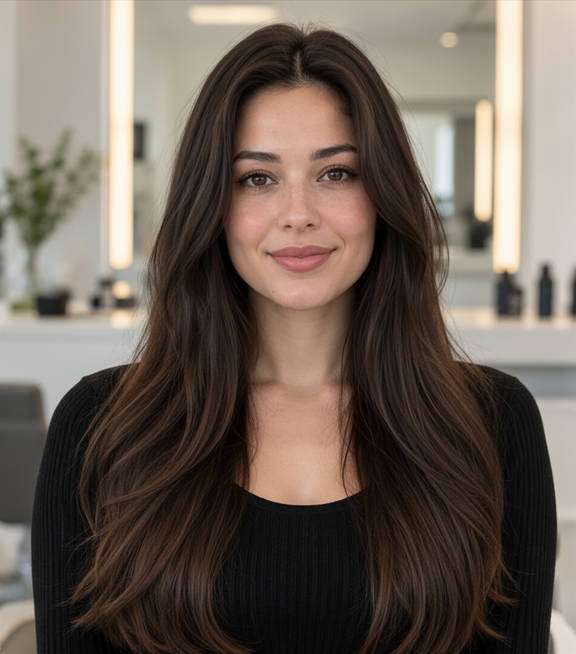
Try Cornrow Patterns on Your Own Photo
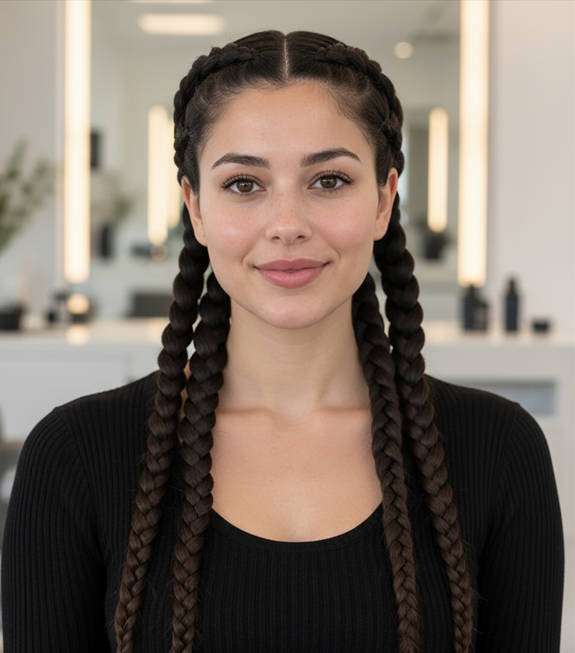
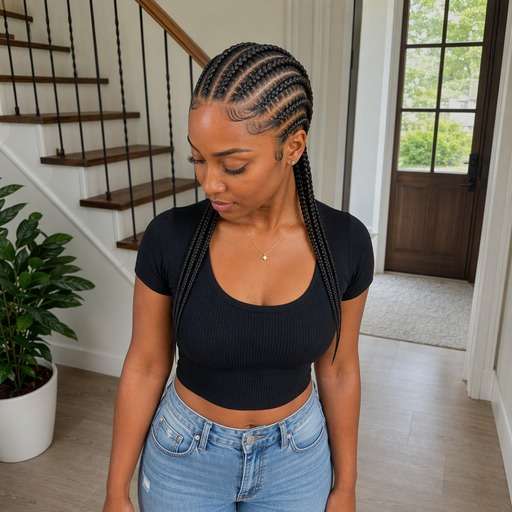
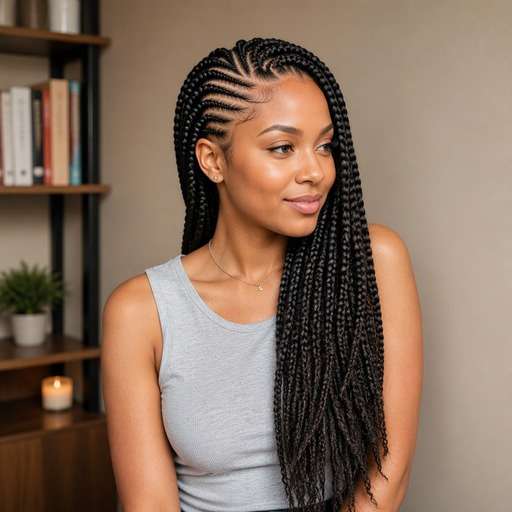
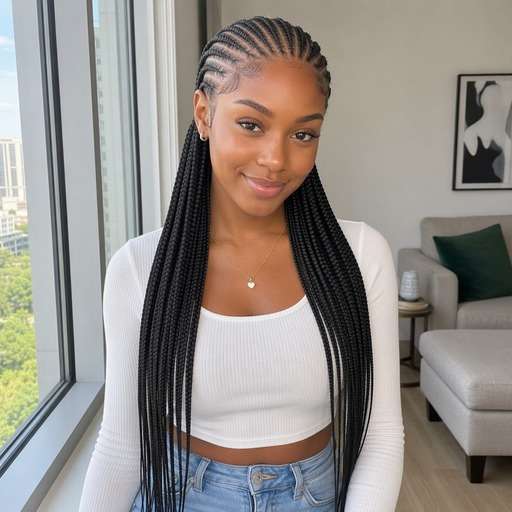
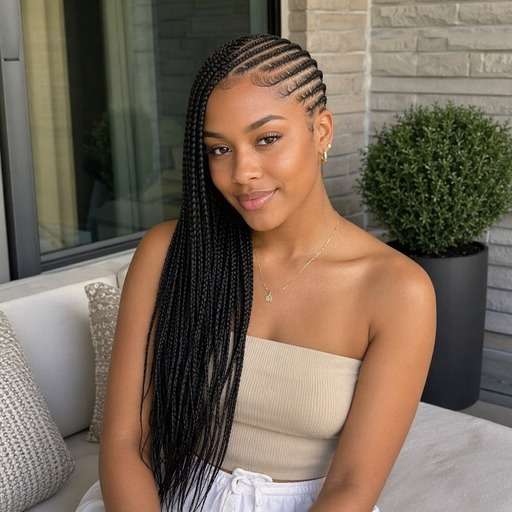
Thinking about a protective braided style but unsure which row pattern you want? A cornrows filter lets you compare straight-backs, curved partings and feed-in looks on your portrait. See how braid direction frames your forehead and sides before choosing a design to discuss with your braider.
Use a clear photo. Show the full hairline and top of the head; a slight upper three-quarter view helps make scalp rows visible.
Try 10 Cornrows Hair Photo Editing Prompts
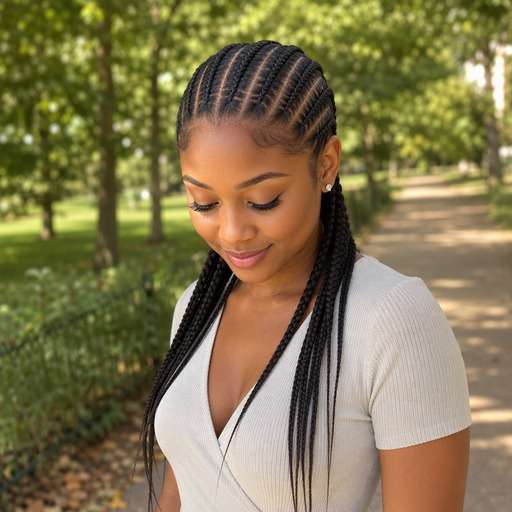
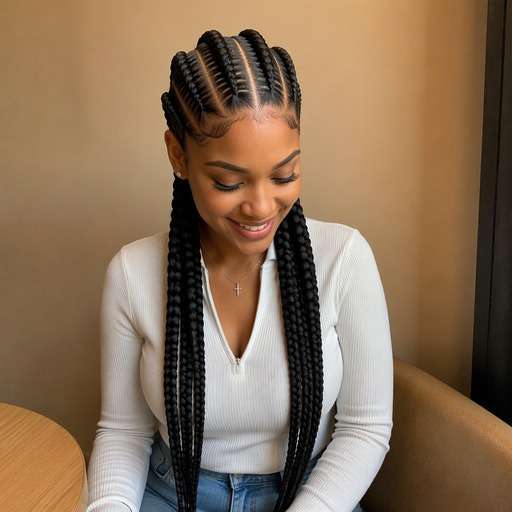
Start with the detail you want to compare: Cornrows follow defined rows braided close to the scalp; the paths and scalp partings are the visual signature. Choose a look below, copy its prompt, and adjust only one visible feature at a time so you can judge the change on your own face.
Classic Six Straight Backs
Use my uploaded portrait as the reference. Create a cornrows look: six evenly spaced straight back cornrow rows. Cornrows follow defined rows braided close to the scalp; the paths and scalp partings are the visual signature. Keep the visual result clear enough to compare to my original hair. Keep the original person, facial features, skin tone, expression, outfit and background recognizable. Keep hairline transitions and individual strands physically plausible. Show the named hair detail and full relevant outline clearly; this is a premium but natural hairstyle preview, not an illustration. No mirror selfie, handheld phone, branding, text or altered facial identity.
Four Wide Cornrows
Use my uploaded portrait as the reference. Create a cornrows look: four bold thick rows with clear scalp partings. Cornrows follow defined rows braided close to the scalp; the paths and scalp partings are the visual signature. Keep the visual result clear enough to compare to my original hair. Keep the original person, facial features, skin tone, expression, outfit and background recognizable. Keep hairline transitions and individual strands physically plausible. Show the named hair detail and full relevant outline clearly; this is a premium but natural hairstyle preview, not an illustration. No mirror selfie, handheld phone, branding, text or altered facial identity.
Eight Fine Cornrows
Use my uploaded portrait as the reference. Create a cornrows look: eight narrow precise braids toward the nape. Cornrows follow defined rows braided close to the scalp; the paths and scalp partings are the visual signature. Keep the visual result clear enough to compare to my original hair. Keep the original person, facial features, skin tone, expression, outfit and background recognizable. Keep hairline transitions and individual strands physically plausible. Show the named hair detail and full relevant outline clearly; this is a premium but natural hairstyle preview, not an illustration. No mirror selfie, handheld phone, branding, text or altered facial identity.
Curved Side Cornrows
Use my uploaded portrait as the reference. Create a cornrows look: sweeping curved rows around one side. Cornrows follow defined rows braided close to the scalp; the paths and scalp partings are the visual signature. Keep the visual result clear enough to compare to my original hair. Keep the original person, facial features, skin tone, expression, outfit and background recognizable. Keep hairline transitions and individual strands physically plausible. Show the named hair detail and full relevant outline clearly; this is a premium but natural hairstyle preview, not an illustration. No mirror selfie, handheld phone, branding, text or altered facial identity.
Center-Part Feed-In Cornrows
Use my uploaded portrait as the reference. Create a cornrows look: subtle gradual braid thickness from hairline. Cornrows follow defined rows braided close to the scalp; the paths and scalp partings are the visual signature. Keep the visual result clear enough to compare to my original hair. Keep the original person, facial features, skin tone, expression, outfit and background recognizable. Keep hairline transitions and individual strands physically plausible. Show the named hair detail and full relevant outline clearly; this is a premium but natural hairstyle preview, not an illustration. No mirror selfie, handheld phone, branding, text or altered facial identity.
Side-Swept Cornrow Pattern
Use my uploaded portrait as the reference. Create a cornrows look: asymmetric diagonal braids with tidy edges. Cornrows follow defined rows braided close to the scalp; the paths and scalp partings are the visual signature. Keep the visual result clear enough to compare to my original hair. Keep the original person, facial features, skin tone, expression, outfit and background recognizable. Keep hairline transitions and individual strands physically plausible. Show the named hair detail and full relevant outline clearly; this is a premium but natural hairstyle preview, not an illustration. No mirror selfie, handheld phone, branding, text or altered facial identity.
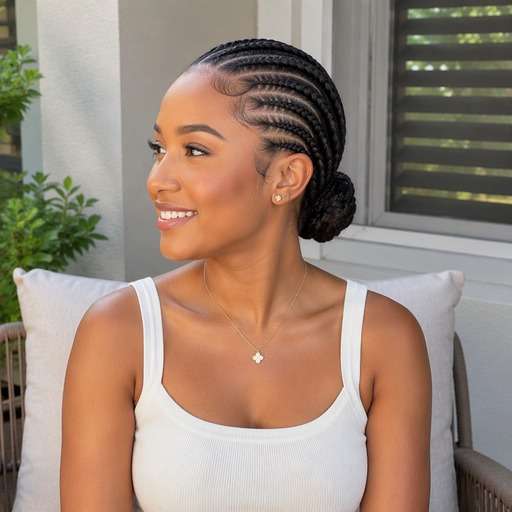
Cornrows Into Low Bun
Use my uploaded portrait as the reference. Create a cornrows look: scalp rows gathered at the nape. Cornrows follow defined rows braided close to the scalp; the paths and scalp partings are the visual signature. Keep the visual result clear enough to compare to my original hair. Keep the original person, facial features, skin tone, expression, outfit and background recognizable. Keep hairline transitions and individual strands physically plausible. Show the named hair detail and full relevant outline clearly; this is a premium but natural hairstyle preview, not an illustration. No mirror selfie, handheld phone, branding, text or altered facial identity.
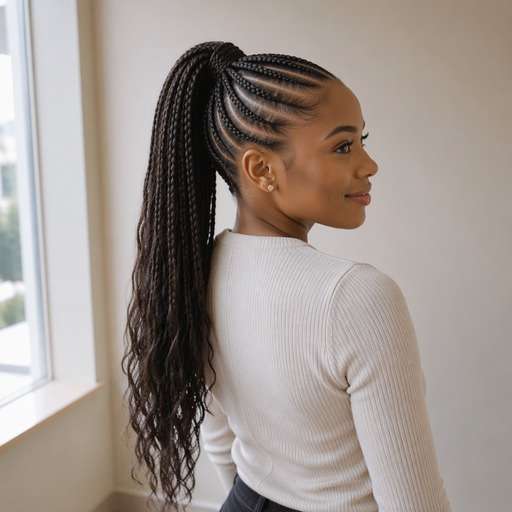
Cornrows Into Ponytail
Use my uploaded portrait as the reference. Create a cornrows look: neat rows collected in a high ponytail. Cornrows follow defined rows braided close to the scalp; the paths and scalp partings are the visual signature. Keep the visual result clear enough to compare to my original hair. Keep the original person, facial features, skin tone, expression, outfit and background recognizable. Keep hairline transitions and individual strands physically plausible. Show the named hair detail and full relevant outline clearly; this is a premium but natural hairstyle preview, not an illustration. No mirror selfie, handheld phone, branding, text or altered facial identity.
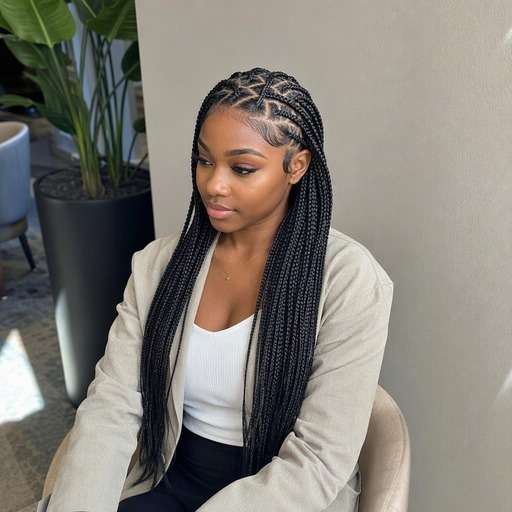
Zigzag Parted Cornrows
Use my uploaded portrait as the reference. Create a cornrows look: distinct zigzag scalp part sections. Cornrows follow defined rows braided close to the scalp; the paths and scalp partings are the visual signature. Keep the visual result clear enough to compare to my original hair. Keep the original person, facial features, skin tone, expression, outfit and background recognizable. Keep hairline transitions and individual strands physically plausible. Show the named hair detail and full relevant outline clearly; this is a premium but natural hairstyle preview, not an illustration. No mirror selfie, handheld phone, branding, text or altered facial identity.
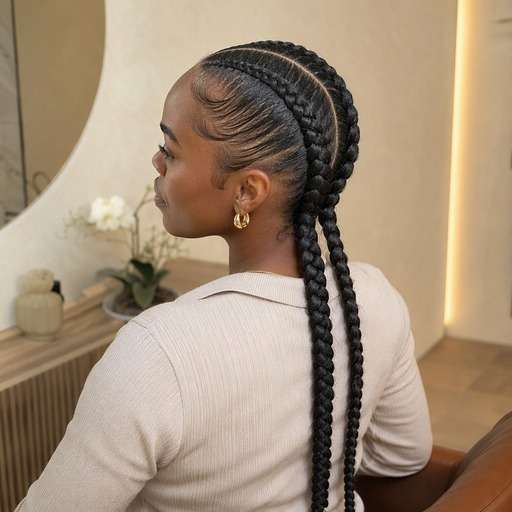
Minimal Two Braided Rows
Use my uploaded portrait as the reference. Create a cornrows look: two broad sleek close-to-scalp braids. Cornrows follow defined rows braided close to the scalp; the paths and scalp partings are the visual signature. Keep the visual result clear enough to compare to my original hair. Keep the original person, facial features, skin tone, expression, outfit and background recognizable. Keep hairline transitions and individual strands physically plausible. Show the named hair detail and full relevant outline clearly; this is a premium but natural hairstyle preview, not an illustration. No mirror selfie, handheld phone, branding, text or altered facial identity.
See What Changes With Cornrows
Choose a Row Path
Straight-backs emphasize clean direction toward the nape; curved rows wrap around the head. Compare visible part lines instead of just braid thickness. Place the two versions beside each other and focus on this specific contour rather than comparing different source portraits.
Set Your Braid Count
A few wider cornrows feel bolder than many thin rows. Ask for a specific number and even spacing so the design is easy to compare.
Consider Feed-In Detail
A feed-in look can show gradually fuller braids. Keep realistic roots and avoid describing impossible strand or scalp patterns. If the edited hair hides an ear or creates an odd scalp edge, simplify the prompt and keep the same reference image.
Check Practical Fit
Use the preview as an idea for your braider. Tension, scalp comfort and protective-styling needs cannot be assessed from an edited image. Save a restrained version alongside a stronger option to help decide which styling direction is actually useful.
How to Try Cornrows on Your Photo
Use a portrait as the starting point, describe the exact hair change and compare the output with the original before choosing a favorite.
Step 1
Upload Your Photo
Upload a clear photo showing your face and the hairstyle area you want to change. Show the full hairline and top of the head; a slight upper three-quarter view helps make scalp rows visible.
Step 2
Choose a Haircut Filter or Enter a Prompt
Choose a suitable preset if available, or enter a custom hairstyle prompt. Cornrows follow defined rows braided close to the scalp; the paths and scalp partings are the visual signature.
Step 3
Click Generate
Click Generate to create a hairstyle preview on your portrait. Compare the relevant edges and shapes against your starting image; refine one hair detail at a time.
A useful hairstyle preview is one that helps you choose a concrete shape, placement or finish. Cornrows follow defined rows braided close to the scalp; the paths and scalp partings are the visual signature.
Choose a First Cornrow Pattern
Start with simple straight-back rows, then compare gently curved parts. Bring the preferred row map to a consultation rather than assuming the finished braids will be identical. Keep the same reference photo for each version, then compare the hair outline and visible proportions before deciding which idea to use as your reference.
Plan a Vacation Style
Try medium rows with a tidy hairline and manageable length. Compare an accessory-free style with small accents so you can decide what fits your routine. Keep the same reference photo for each version, then compare the hair outline and visible proportions before deciding which idea to use as your reference.
Build a Braided Portrait
For a headshot or creative photo, test symmetrical rows that leave the face visible. Keep the original outfit and expression so the braid structure remains the only change. Keep the same reference photo for each version, then compare the hair outline and visible proportions before deciding which idea to use as your reference.
Check Your Hairstyle Preview Before Saving
Hair Structure
Review check
"Is the requested detail visible?" Cornrows follow defined rows braided close to the scalp; the paths and scalp partings are the visual signature. Check this defining feature before deciding the result represents the style.
Before vs After
Review check
"Does the hair actually change?" Side-by-side previews should show the new hair feature clearly while preserving the person, outfit and camera framing.
Natural Edges
Review check
"Look closely at the hairline" Inspect scalp transitions, ears and strands against the background. If anything is distorted, simplify the prompt and try again.
Real-World Use
Review check
"Treat this as a visual reference" The image cannot predict tension, braid duration, hair health, added-hair needs or safe styling practices. A stylist or barber can help adapt the idea to actual hair.
1. What makes cornrows different from loose braids?
Cornrows lie close to the scalp in visible rows, whereas loose braids hang away from the scalp. A convincing preview should show the parting path and where each row begins.
2. Can I choose the number of cornrows?
Yes. Specify four, six or eight rows, plus braid thickness and direction. Counts help create a clearer comparison than simply asking for braids.
3. How do I preview a curved cornrow design?
Request a clear curved row map and keep the top of the head visible. A slight three-quarter angle can help the curve read.
4. Does the photo show whether braids will be too tight?
No. AI imagery cannot determine scalp tension, suitability or comfort. Discuss tension and hair health with an experienced braider. The photo works best when the relevant hair shape remains fully in frame.
5. Can I add a ponytail to cornrows?
Ask for scalp rows gathered into a defined ponytail with the attachment point visible. This is different from loose box or knotless braids.
6. Will my hair texture stay recognizable?
Ask to preserve facial features, skin tone and hairline details while creating the specified braided pattern. Inspect the output carefully for artificial scalp sections.