
AI Epic Story Video Maker for Cinematic Sagas
Built for creators with hero journeys, fantasy quests, historical sagas, or lore-heavy scripts, Media.io's AI Epic Story Video Maker helps shape detailed story input into structured scenes, guided characters, storyboard images, and a final video with narration and music that fits a grand narrative.
Build Epic Story Videos with More Plot, Mood, and Control
Move beyond random short clips and guide the structure, cast, visuals, and pacing of a cinematic story.
Turn Long Saga Notes into a Watchable Arc
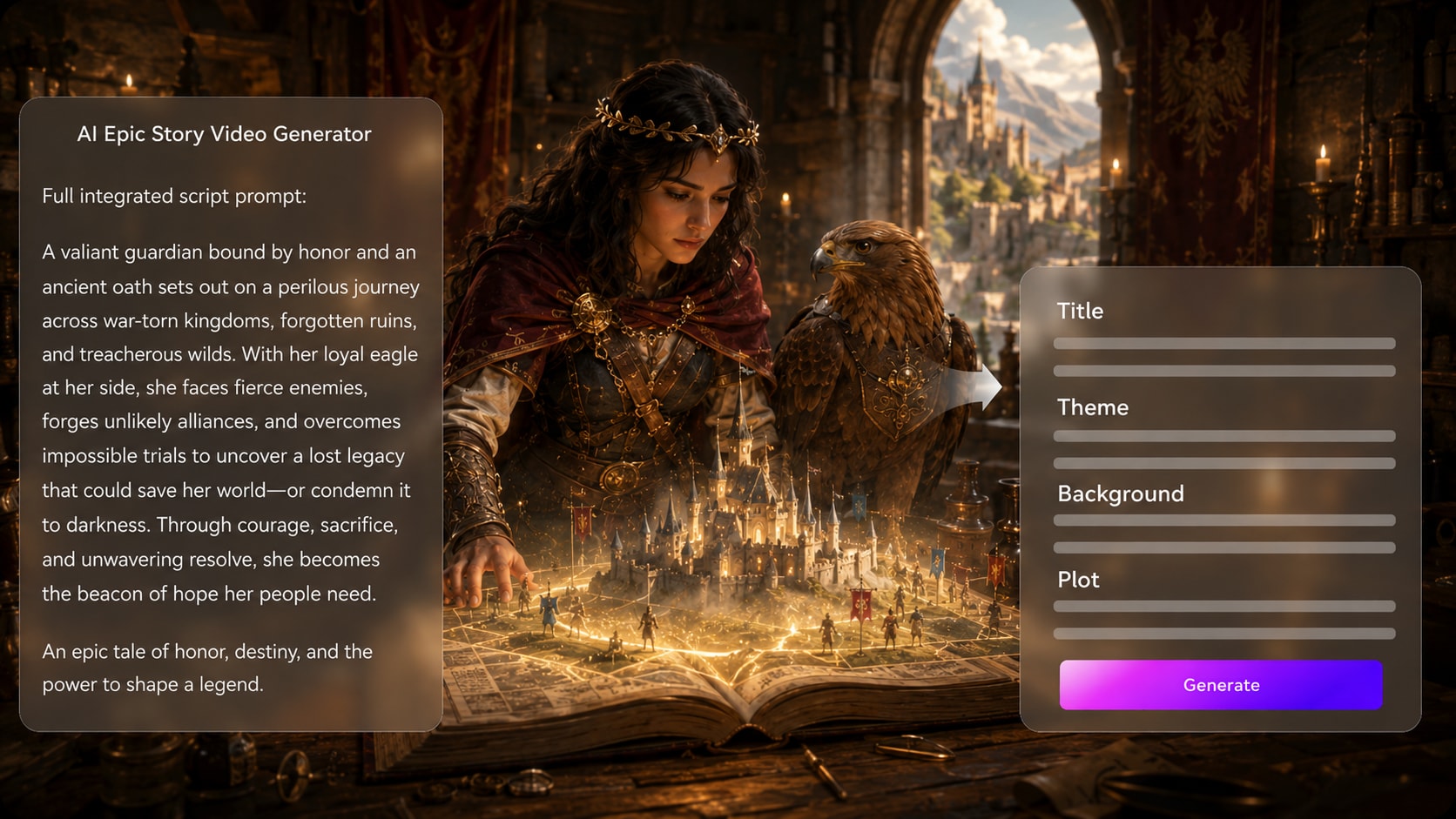
Start with a detailed script, narration draft, or lore outline instead of a vague prompt. It also fits AI story video maker workflows when the audience expects topic-specific scenes.
- Editable Outline - Review the title, theme, setting, plot, and cast before generation
- Structured Plot - Keep quests, betrayals, battles, and reveals in a clearer order
- Script First - Use narration drafts, chapter notes, or scene lists as source material
- Better Direction - Give the generator more context than a one-line idea can provide
Create Worlds That Feel Larger Than a Prompt
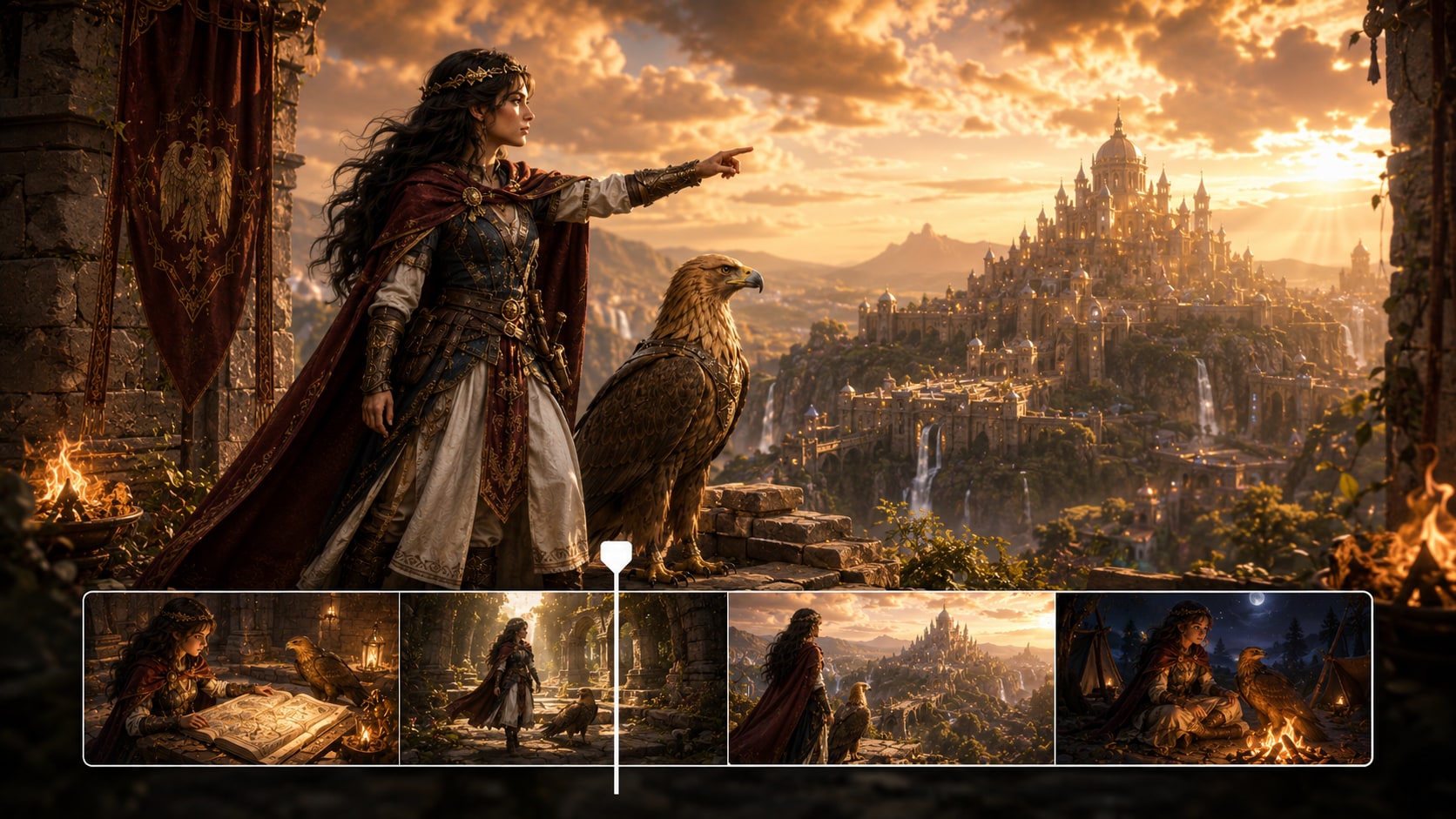
Guide the look of kingdoms, desert temples, ruined cities, star fleets, or mythic forests with setup choices for format, style, and visual direction. As an AI fantasy story video maker, Media.io helps make epic settings feel intentional instead of random.
- World Mood - Aim for heroic, ancient, futuristic, mystical, or battle-worn scenes
- Visual Direction - Prepare style and format choices before generating the video
- Setting Detail - Describe eras, landscapes, costumes, weapons, and atmosphere
- Scene Scale - Support wide establishing shots, tense confrontations, and dramatic reveals
Keep Heroes and Villains Easy to Recognize
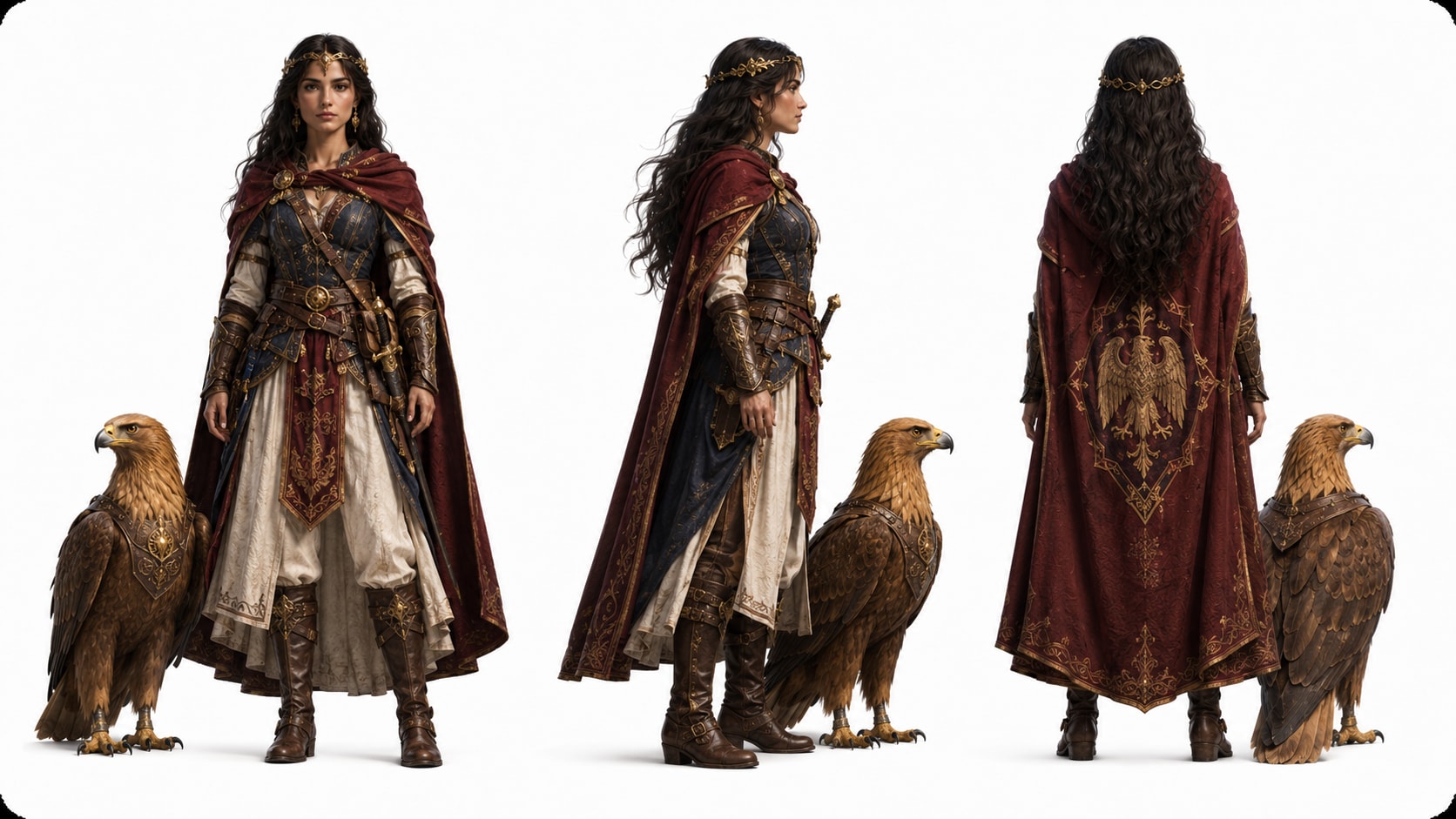
Give clearer character guidance from real photos, sketches, or text descriptions.
- Photo Guidance - Use real images when a character look matters
- Sketch Support - Turn concept art into clearer visual direction
- Text Characters - Describe armor, age, expression, role, and personality
- Recurring Cast - Make major characters easier for viewers to follow
Polish Review the Storyboard Before the Final Cut
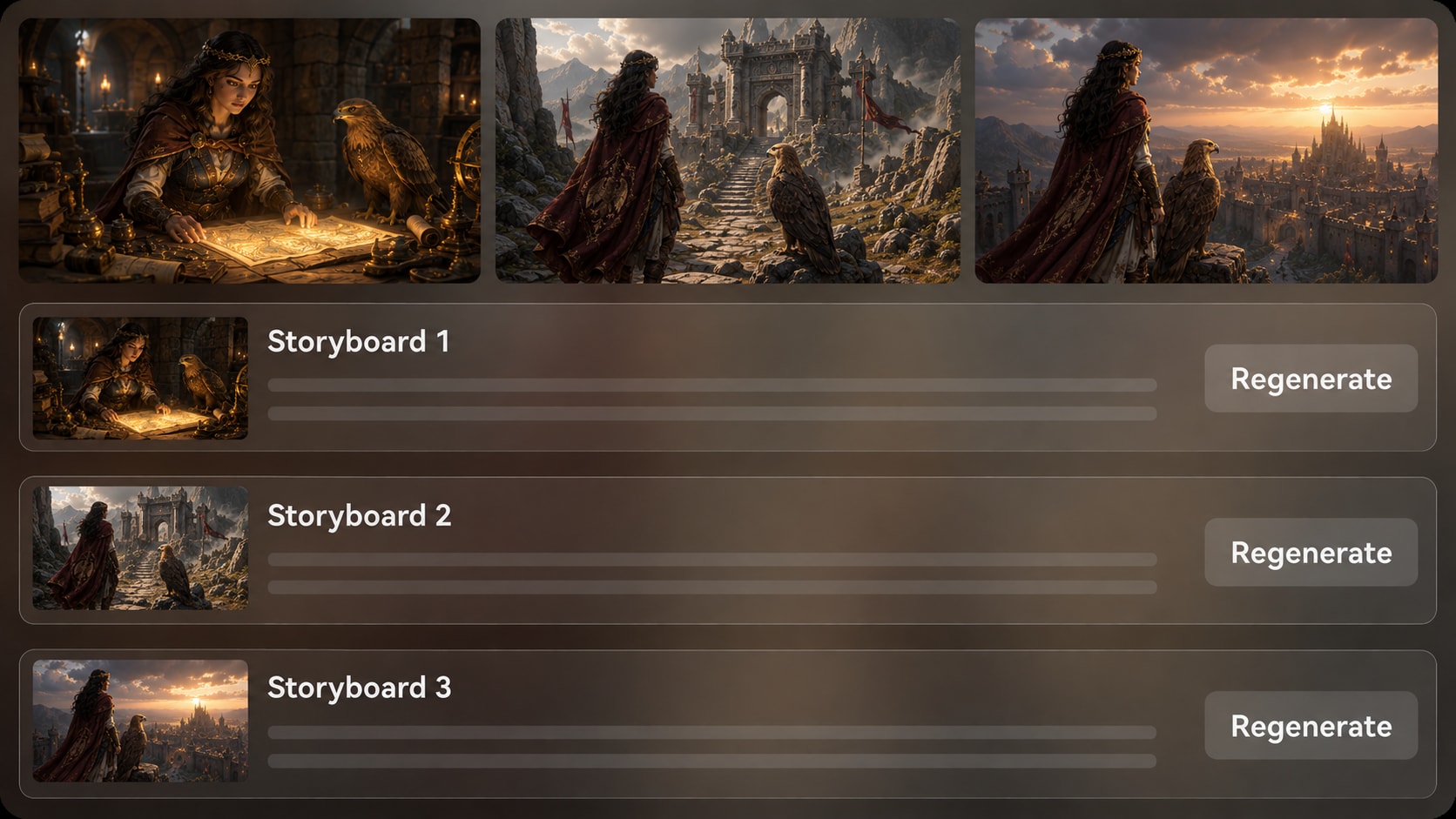
Check generated storyboard images after the outline so you can catch weak staging, off-tone scenes, or confusing moments early.
- Storyboard Preview - See visual scene direction before final generation
- Shot Regeneration - Regenerate a specific unsatisfying storyboard image
- Script-Based Audio - Let narration and music follow the written story
- Post-Generation Polish - Review the final video and refine it with Media.io tools
Create an Epic Story Video from a Detailed Script
Use a script-led workflow so your saga has structure before the final video is generated.

Add Your Script
Provide a detailed script or structured story input, then review and edit the extracted outline fields, including title, theme, setting or background, story plot, and characters. During setup, choose an aspect ratio such as 9:16, 1:1, or 16:9 to match your publishing plan.

Guide the Cast
Prepare your main heroes, villains, mentors, or creatures with text descriptions, real photos, or sketches. Review the generated character guidance and storyboard images so the world, cast, and major scenes match the tone of your saga.

Generate and Polish
Generate the final video with voiceover and music based on your script. If a storyboard image feels off before final generation, regenerate that specific shot. After the video is created, review it and polish the result with Media.io tools such as Enhance Video Quality when needed.
Choose an AI Epic Story Video Maker Built for Full Arcs
Generic video tools can create clips; epic creators need structure, character guidance, scene review, and audio that follows the story.
Create Epic Story Videos for Every Narrative Channel

YouTube Creators
Turn lore scripts, myth retellings, and adventure narrations into cinematic videos that keep viewers following the arc.

TikTok Creators
Condense a dramatic hook, reveal, or battle moment into vertical story content built for fast social viewing.

Storytellers and Authors
Visualize book chapters, character backstories, or worldbuilding notes before sharing them with readers or fans.

Educators
Explain myths, historical legends, hero journeys, or literature units with clearer narration and scene-based visuals.
View More Story Video Examples
Explore how script-led story generation can support social narratives, educational explainers, brand arcs, and genre videos.
Loved by Cinematic Story Creators
Creators use the workflow to organize complex scripts, preview scenes, and produce story videos with less manual editing.


"The outline step helped me keep a long myth script from turning into random scenes. I could check the arc before generating the video."

"I liked being able to describe my hero, villain, and kingdom in detail instead of hoping a short prompt would understand the story."

"It made my hero journey lesson easier to visualize. The storyboard images gave me a quick way to check whether the scenes made sense."

"For vertical saga clips, the format setup and script-based narration helped me move faster without losing the dramatic hook."

"I used it to test faction lore and quest scenes. Regenerating one weak storyboard image saved me from restarting the whole idea."

"The workflow fit a chapter teaser well because it started with the actual script and gave me a clearer cast and setting direction."
FAQs on AI Epic Story Video Maker
What Is an AI Epic Story Video Maker?
An AI epic story video maker helps turn detailed saga scripts, lore notes, or dramatic story outlines into AI-generated videos with structured scenes, character guidance, storyboard images, and script-based voiceover and music.
What Should I Paste into Media.io for an Epic Story Video?
Use a detailed script, narration draft, chapter summary, lore outline, or structured scene list. Include the setting, character roles, key conflicts, emotional turns, and ending so the generated outline has enough context.
Can the Script Guide the Voiceover and Music?
Yes. The final generated video can include voiceover and music based on the script, so narration tone and musical mood are shaped by the story you provide.
How Do I Write a Better Epic Story Script for Video Generation?
Write in clear scenes. Name the hero, villain, setting, conflict, visual action, and emotional beat for each section, and avoid cramming too many locations or characters into one sentence.
How Can I Avoid a Generic-Looking Epic Video?
Add concrete worldbuilding details such as era, architecture, weather, costumes, symbols, weapons, color mood, and camera feeling. A vague prompt like 'epic battle' gives the tool less direction than a structured scene description.
Can I Create Recognizable Heroes or Villains?
Media.io supports character feature extraction and character generation from real photos, sketches, or text descriptions. This gives clearer character guidance and can make major characters easier to recognize across the story.
Can I Make Epic Story Videos for YouTube Shorts or TikTok?
Yes. During setup, choose a format that fits your publishing plan, such as a vertical layout for Shorts, Reels, or TikTok, or a widescreen layout for YouTube and presentations.
Can I review the storyboard Scene by Scene?
You can review and edit the extracted outline before storyboard generation. The storyboard images themselves are not manually editable, but if a specific storyboard image is unsatisfying, you can click Regenerate to create that shot again.
Why Use Media.io Instead of a Generic AI Video Generator for Epic Stories?
Epic stories need structure, cast guidance, worldbuilding, and pacing. Media.io supports a script-led workflow with editable outline extraction, character guidance, storyboard image review, specific-shot regeneration, and final video generation with script-based audio.
Explore More Script-to-Video Workflows for Story Creators
Try adjacent Media.io generators when your epic idea needs a different angle, from horror tension and classroom clarity to brand storytelling and short-form narrative content.















Start Your Epic Story Video
With a Script That Has Weight
Paste your saga, guide the world and characters, review the storyboard, and create a cinematic story video with Media.io.
 4.8 (286 Votes)