Explore the Viral SRK Prompt Trend
Use the Shah Rukh Khan AI photo prompt trend as creative inspiration, then adapt the scene into an original Bollywood fan-photo concept with your own outfit, pose, location, lighting, camera angle, and mood.
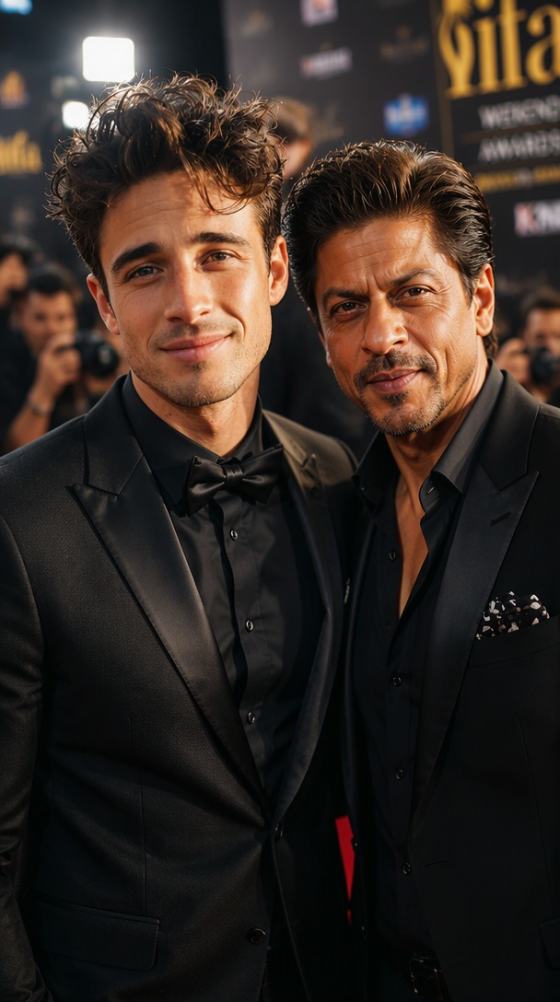
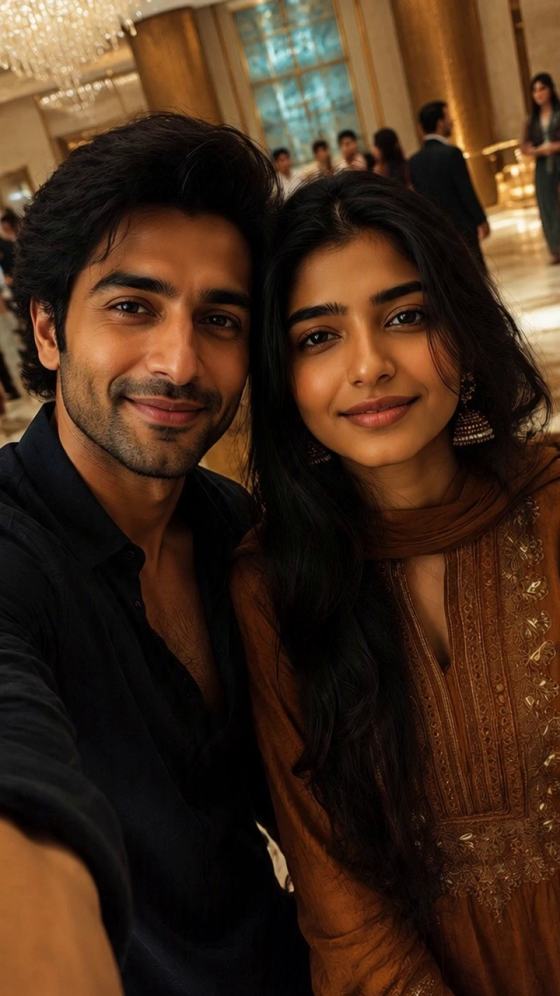
Explore Shah Rukh Khan AI photo prompt ideas inspired by the viral SRK selfie trend, then turn your own photo into a Bollywood-inspired fan scene. Create red-carpet portraits, Mumbai moments, cinematic poses, travel-style selfies, and movie-night edits without reproducing the exact likeness of any real person.
Upload your photo, choose a Bollywood-inspired scene, and customize the prompt.
Use the Shah Rukh Khan AI photo prompt trend as creative inspiration, then adapt the scene into an original Bollywood fan-photo concept with your own outfit, pose, location, lighting, camera angle, and mood.
Upload a clear selfie and tell the AI to preserve your facial identity, natural skin tone, age, hairstyle, and key features while the rest of the composition changes around you.
Create original red-carpet moments, Mumbai night portraits, cinematic rooftop scenes, travel-style selfies, award-night looks, or movie-set photos with a fictional Bollywood superstar rather than duplicating a real celebrity's exact likeness.
Generate several creative variations for Instagram, Reels, profile posts, or fan content. Compare framing, lighting, expression, background, and overall realism, then refine the version that best fits your style.
Choose a clear, front-facing selfie or portrait. Good lighting, visible facial details, and minimal obstruction give the AI a stronger reference for preserving your identity.
Try a movie premiere, Mumbai rooftop, award night, travel selfie, film set, or cinematic sunset scene. Use a fictional charismatic Bollywood superstar and customize the wardrobe, pose, background, lighting, camera angle, and framing.
Generate several versions and review your facial consistency, hands, body proportions, shadows, phone perspective, and background. Refine only the details that look unnatural, and keep the result clearly presented as AI-generated fan art.
Reimagine the viral celebrity-selfie concept as an original Bollywood premiere scene. Place yourself beside a fictional superstar in formal eveningwear, with paparazzi flashes, velvet ropes, an excited crowd, and realistic phone-camera framing.
Create a fictional fan photo against a Mumbai skyline or outside a luxury residence. Use warm evening light, excited fans in the background, natural smiles, realistic proportions, and subtle depth of field.
Try London, Dubai, a film studio, a rooftop sunset, or an iconic arms-wide movie pose with a fictional Bollywood superstar. Keep the visual language cinematic while avoiding the exact likeness of a real person.

Bollywood Fan Creator
“Easy to personalize.” I started with a red-carpet fan-photo concept, changed the wardrobe and lighting, and got a scene that felt more like my own creative edit.

AI Photo Creator
“My face stayed consistent.” A clear front-facing selfie and a simple identity-preservation instruction helped keep the generated portrait much closer to my original photo.

Reels Creator
“Great for scene variations.” I tested premiere, rooftop, and travel-style versions before choosing a warm golden-hour scene for my Reel cover.
Shah Rukh Khan is referenced on this page only to describe the online AI photo trend and related search intent. Media.io is not affiliated with, endorsed by, sponsored by, or officially connected with Shah Rukh Khan. When creating fan content, use original or fictional character designs rather than reproducing the exact likeness of a real person, and do not present AI-generated images as evidence of a real meeting, endorsement, or association.
A Shah Rukh Khan AI photo prompt is a search term commonly used for AI-generated fan-photo ideas inspired by the viral SRK selfie trend. On Media.io, you can use that trend as creative inspiration and build an original Bollywood-style scene with your own photo and a fictional superstar character instead of copying a real person's exact likeness.
Yes. Upload your own photo, choose a Bollywood-inspired fan scene, and describe the setting, wardrobe, expression, lighting, camera angle, and mood. For a safer creative workflow, use a fictional charismatic Bollywood superstar rather than asking the AI to reproduce Shah Rukh Khan's exact appearance.
Popular search themes around the Shah Rukh Khan AI prompt trend include Bollywood premieres, Mumbai fan moments, travel-style selfies, cinematic rooftops, award nights, film sets, and classic movie-inspired poses. You can rework these ideas into original scenes without duplicating a real celebrity's exact likeness.
Start with a sharp, well-lit, front-facing photo. Ask the AI to preserve your facial identity, age, skin tone, hairstyle, eye shape, and key facial features. If your face changes too much, simplify the prompt and adjust the background, wardrobe, or lighting separately.
No. Media.io is not affiliated with, endorsed by, sponsored by, or officially connected with Shah Rukh Khan. His name is referenced only to describe the online AI photo trend and related search intent. AI-generated fan images should not be presented as authentic photos, endorsements, or real associations.
 4.7 (162,357 Votes)