Hint Festivali Yapay Zeka Fotoğraf Düzenleme İpuçları | Diwali, Holi & Ramazan Bayramı 2026

Hindistan festivalleri Diwali, Holi, Navratri, Ramazan Bayramı ve Chhath Puja için kullanıma hazır yapay zeka fotoğraf düzenleme komutları. Media.io ile portreler, çift resimleri, posterler, durumlar ve duvar kağıdı görüntüleri oluşturun.
All Submissions

Ancestor Photo Prank AI Generator

Turn yourself into a mysterious relative from another century with the Ancestor Photo Prank AI Generator. Upload a photo, create a realistic vintage ancestor portrait, then send it to family and see who recognizes you first.

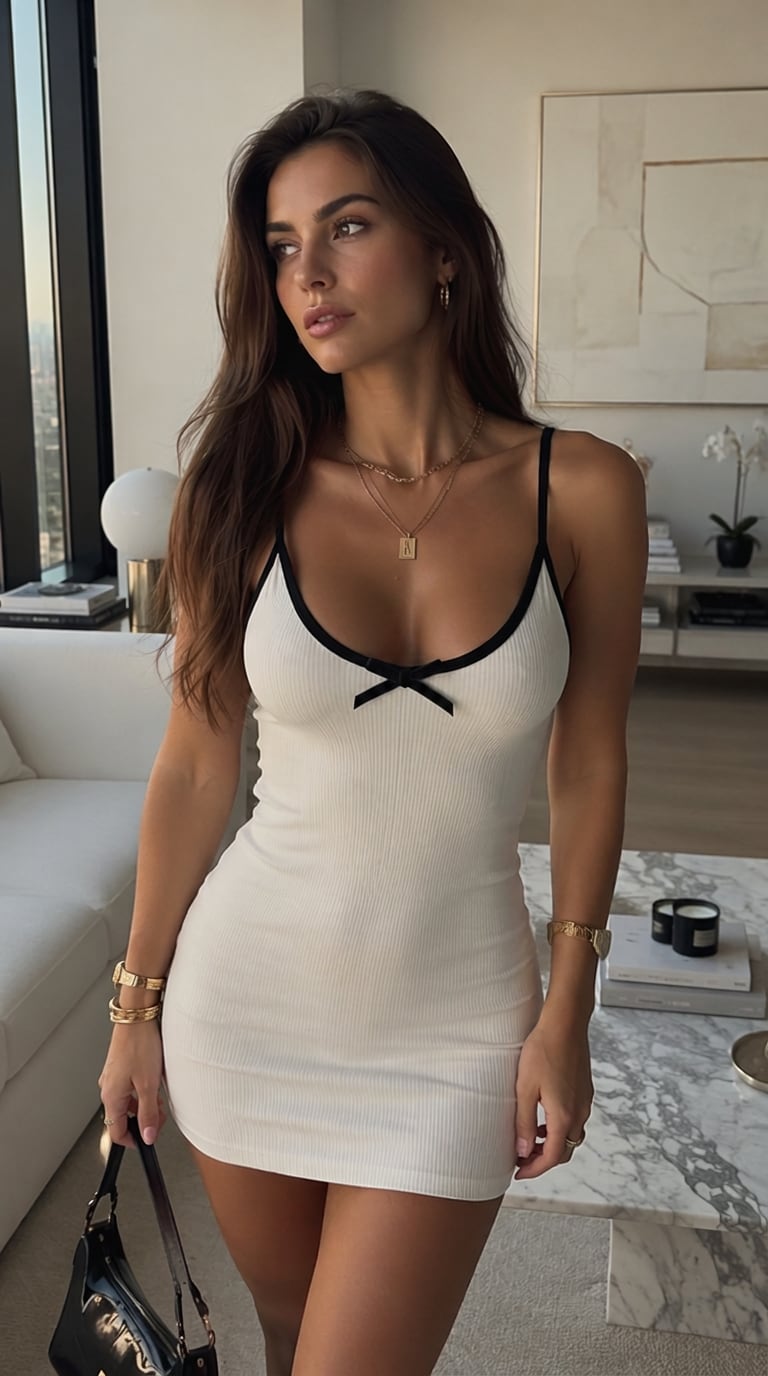
Original selfie before ancestor photo prank Original Image

1. Start with Your Photo

Use a clear selfie or portrait with recognizable facial details.

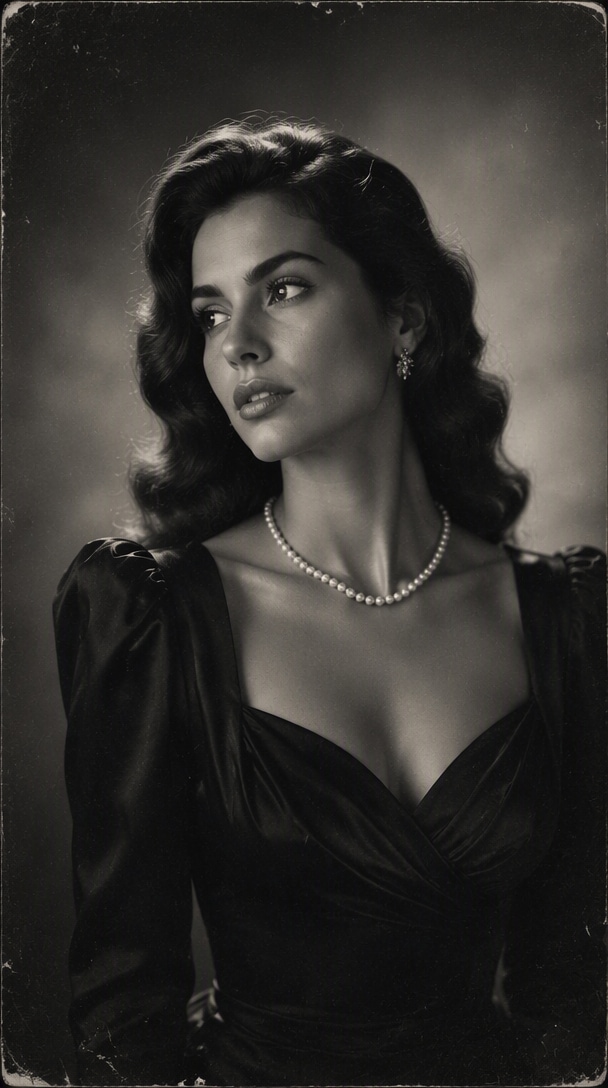
AI-generated Victorian ancestor portrait Ancestor Photo

2. Create a Fake Ancestor

Transform yourself into a Victorian, 1800s, sepia, or old family portrait.

Family Reaction

3. Send It to Your Family

Ask, "Do you know who this is?" and capture the reaction when they realize it is you.

Create Ancestor Photo

Free credits on signup.

Why Create an Ancestor Photo Prank with Media.io

Look Like Your Own Ancestor

Turn your selfie into a fictional great-grandparent while keeping recognizable facial features. Change the clothing, hairstyle, background, lighting, and photographic style to create the uncanny family resemblance that makes the prank work.

Create Realistic 1800s Photos

Give a modern portrait the look of a photo discovered in an old family album with sepia tones, subtle grain, faded contrast, period clothing, antique studio backdrops, and aged photographic texture.

Try Different Ancestor Eras

Create a Victorian lady, 19th-century gentleman, royal ancestor, vintage wedding portrait, military-style studio portrait, or mysterious old family member and compare which version gets the best reaction.

Ready for TikTok & Family Pranks

Download your generated portrait and use it in the ancestor photo prank, Instagram Reels, WhatsApp conversations, or family group chats. For an even better reveal, record your family's reaction.

How to Make an Ancestor Photo Prank

01

Upload Your Photo

Choose a clear selfie or portrait with your face visible. Front-facing or slightly angled photos with simple lighting generally make it easier to preserve your identity.

02

Choose an Ancestor Style

Transform yourself into a Victorian ancestor, 1800s gentleman, sepia family portrait, royal ancestor, or old studio photograph. Adjust the era, outfit, hairstyle, background, and aged-photo aesthetic.

03

Generate and Share the Prank

Generate your fictional ancestor portrait, download the result, and send it to friends or family. Ask whether they recognize the person-or turn the reveal into a TikTok or Instagram reaction video.

Popular Ancestor Photo Prank Ideas

Victorian Great-Grandmother Photo

Transform a modern female portrait into an elegant Victorian-era photograph with a high-neck dress, period hairstyle, restrained expression, antique studio backdrop, faded monochrome tones, and subtle photographic grain.

1800s Gentleman Portrait

Create a formal 19th-century male portrait with a vintage suit, waistcoat, classic hairstyle, serious expression, old photographic lighting, and weathered sepia texture.

Old Family Heirloom Photo

Make the image look as though it has spent decades inside an old family album. Use faded edges, scratches, paper texture, muted sepia colors, soft focus, and a simple historical studio setting.

Make Your Ancestor Photo Move

Turn your generated ancestor portrait into an AI ancestor video with subtle movement such as a gentle blink, slight head motion, slow camera push-in, or vintage-film flicker.

FAQs About the Ancestor Photo Prank

1. What is the ancestor photo prank?

The ancestor photo prank is a social media trend where someone creates or edits a portrait to resemble an old photograph of a distant family member, then asks relatives whether they recognize the person. The "ancestor" is actually the creator-or someone familiar-transformed into a historical portrait. Treat the generated image as fictional entertainment rather than genuine genealogical evidence.

2. How do I make a fake ancestor photo with AI?

Upload a clear portrait and describe the historical appearance you want, such as a Victorian studio portrait, 1800s gentleman, sepia great-grandmother photograph, royal ancestor, or old family heirloom photo. Combine recognizable facial features with period clothing, restrained expressions, vintage studio lighting, muted colors, grain, faded contrast, and subtle paper aging.

3. How can I make my AI ancestor photo look realistic?

Start with a clear portrait, keep the pose formal, use believable period clothing and hairstyles, and add subtle rather than extreme sepia coloring, grain, fading, scratches, and edge wear. Preserving recognizable facial structure is especially important because the resemblance makes the prank work.

4. Can I animate my ancestor photo?

Yes. After generating the portrait, use Image-to-Video to add subtle movement such as blinking, breathing, slight head movement, film flicker, or a slow camera push-in. For an authentic old-photo feeling, subtle animation usually works better than dramatic body movement.

5. Is the AI ancestor photo a real historical photo?

No. An ancestor portrait generated from your modern photo is a fictional AI-created image, not evidence of your actual ancestry or family history. Use it for creative content, memes, transformations, and lighthearted pranks, and avoid presenting fictional people or dates as verified facts.

Media.io Online AI Tools Quality Rating:
vote4.7 (162,357 Votes)